

Hot Video Effects
Turn your photos into fun dance clips, surprising transformations, and shareable moments with trending AI video effects.
Present the Charging Station Clearly
Create a Focused Wireless Charging Station Image
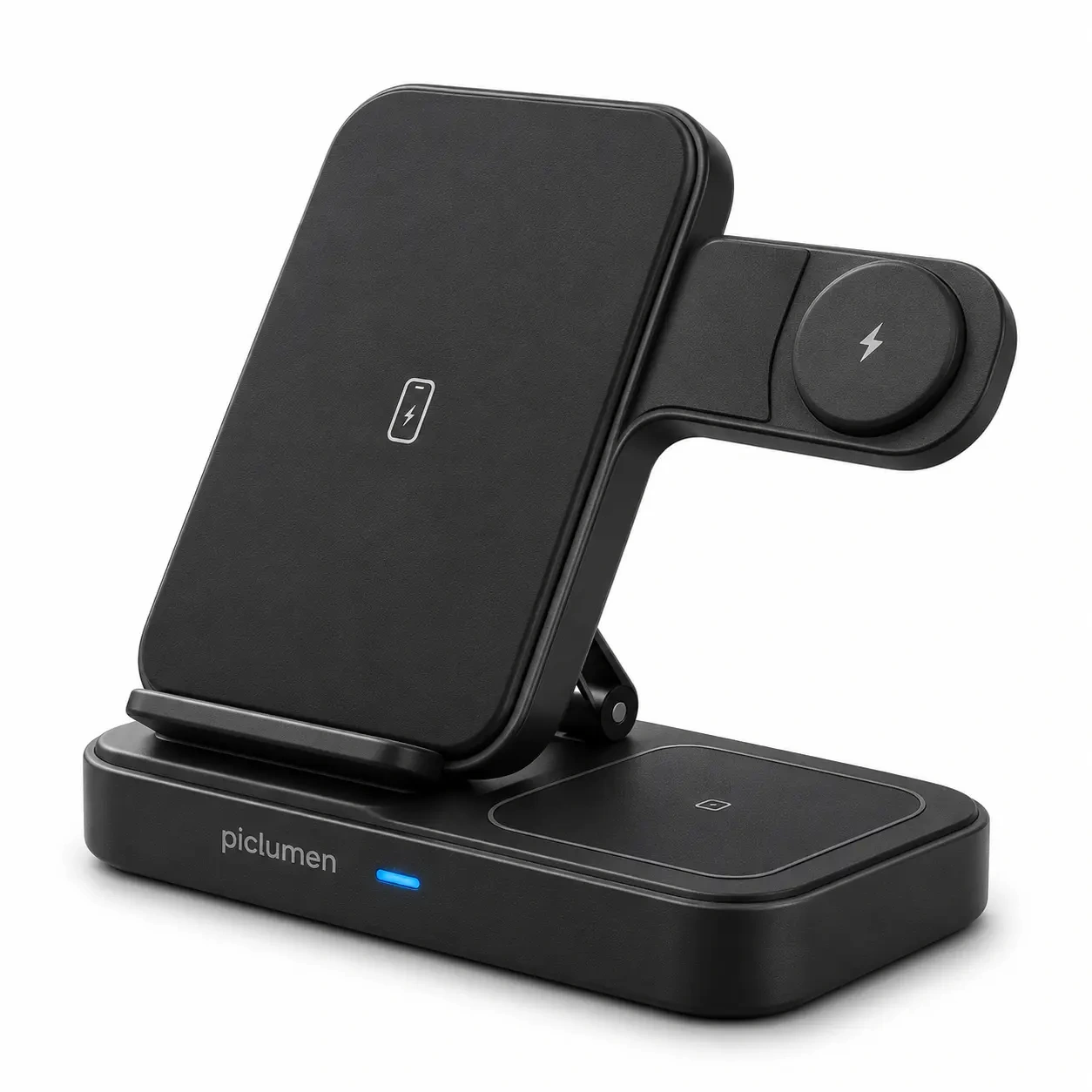
Create clear wireless charging station product images with PicLumen’s Wireless Charging Station Results template. Highlight the device’s form, charging surfaces, and everyday use in clean hero shots or contextual scenes. Keep compositions focused and easy to understand. Bring the charging experience to life with the AI Video Generator.

Give the Station Room to Read
Keep the station clear in the frame and choose a camera angle where its main charging areas can be understood. A front-facing view may suit a straightforward catalog-style image, while a slight angle can show more of the station’s shape. Keep surrounding elements secondary, and leave open space around the product so its silhouette does not blend into the background. This framing can help viewers distinguish the station from a generic charging pad and keep attention on its defining layout.
Bring Useful Details Forward
A good product presentation directs attention to details that explain the station’s design. Consider which features matter most, such as the placement of charging areas, the overall footprint, or the way the device is oriented. Arrange the image so these points remain visible at a glance. Avoid competing focal points that pull attention away. When the image has a clear visual hierarchy, viewers can take in the product’s shape and function without needing a crowded scene. You can also showcase this thoughtful layout dynamically with the Projector-Inspired Avatar Presentation.
Choose a Supporting Context
Choose a visual context that supports the product’s intended role without making assumptions about its features. A simple, uncluttered setting can keep attention on the station, while a restrained lifestyle context may suggest where it belongs in daily use. Use color and contrast to separate the product from its surroundings, and keep decorative choices modest. If starting from a product photo, select a clear view with the station visible and little overlap, so the presentation can stay focused.
Create Wireless Charging Station Results on PicLumen
Step 1 Upload a Product or Model Photo
1Upload a clear product photo of the wireless charging station, or a model photo that shows someone using it; either option can anchor the visual. Frame the charger prominently so its shape, finish, and charging surface are easy to see. Choose an uncluttered background and keep hands or accessories from covering key details. This gives the template a clear product reference.
Step 2 Choose a Template or Use the Default
2Choose a suitable template for a specific scene or campaign, or use the default for a straightforward product presentation. For Wireless Charging Station Results, consider whether the layout supports your message, such as a tidy bedside setup or a desk charging solution. Pick the option that fits the intended marketing asset; switching templates is optional.
Step 3 Review and Generate
3Before generating, check that the uploaded photo clearly shows the charger or its use and that the selected template suits the presentation you have in mind. Confirm that product details are visible and that the composition feels appropriate for the marketing asset. When both the image and template look correct, click Generate to create the visual. Take this moment to catch any mismatch before starting.
Showcase Wireless Charging Station Results with PicLumen AI
Build a Product Listing
An online listing needs to show more than a charging accessory against a blank backdrop. A Wireless Charging Station Results image can place the product in a tidy bedside or desk setting, with a phone and everyday essentials nearby. That context helps shoppers picture where the station belongs and how it fits into a daily setup. Use the image as a listing hero or supporting gallery visual, while keeping the product itself easy to notice.
Introduce a New Product
A launch campaign needs a scene that makes a new charging station feel relevant before shoppers compare specifications. Set the product within a polished workday desk arrangement, with a phone and other daily devices suggesting its role in a connected routine. This kind of image gives campaign banners, launch emails, or a product announcement a clear lifestyle angle. It helps introduce the station as part of a workspace, rather than presenting it as an isolated piece of hardware. You can further refine the scene by using the Phone Fill Light to keep the product, phone screen, and desk details evenly illuminated.
Prepare a Retail Line Sheet
Retail buyers reviewing charging accessories need visuals that make a product easy to place within an assortment. A clean tabletop scene can show the station alongside familiar personal devices, giving a sales deck or line sheet a practical point of reference. Keep the composition focused on the station and its footprint, rather than adding a dramatic lifestyle story. The resulting image supports product conversations with retailers who need to assess how the accessory might sit beside other desk or bedside essentials.
Set a Crowdfunding Scene
On a crowdfunding page, visitors need to understand the product’s place in an everyday setup before they decide whether to follow a campaign. A home-office or bedside scene can make the charging station’s intended role immediately legible, with devices arranged around it and visual clutter kept low. Pair the image with campaign copy that explains the actual product details. Keep specifications and compatibility details in adjacent campaign copy, while the image carries the everyday-use story.


Loved by Creators Worldwide
Real feedback from designers, marketers, and hobbyists sharing their PicLumen experience on Trustpilot.
Alfred Rangel RA wonderful range of options to create…
A wonderful range of options to create truly dreamlike visual effects with all those colors; only imagination is the limit.
amazing
amazing! this is just so good! WOWOW!!
 ClashOf Clans
Excellent platform to fantasy
Excellent platform to fantasy
 George Price
PicLumen's support team replies quickly…
PicLumen's support team replies quickly to your help requests and they are clear in what they require of you for them to help you. They usually diagnose your problem and offer a solution in less then 24 hours. Stellar service!
Menu LawrenceVery fantastic app
Very fantastic app. I love it. I will like everyone to use this App
 Pino Calambrogio
Good over other applications
Good over other applications
 Uday Goud
Very good
Very good Website for create images
Harris StylesAmazing quality!!
Amazing quality!!! We at Nufangled studios love how this product elevated our brand quickly. This is the most user friendly software out their and well worth the money!!!! I love the ecosystem you they have created as well. Wonderful business model we will take note.
 Yasir Ali
My exprienxe was geat.This compony was…
My exprienxe was geat.This compony was good.
 Aditya Yadav
“A tired Indian farmer standing beside…
“A tired Indian farmer standing beside his small dry farmland at sunrise, wearing a simple dhoti-kurta and turban, holding a rusted plough. The field is cracked and dry. Soft golden light, realistic r
 Tim Olukayode Ajayi
Amazing Platform
Honestly, I was wowed the moment I land on PicLumen and tested their platform. I wanted to pay for the popular one before but had to stop and I am loving it all the way. I totally recommend PicLumen guys!
I love PicLumen
I love PicLumen. It is one of my favourite AI image generating tools. I have been using it for quite some time and it never fails to disappoint , and just keeps getting better with each update
Frequently Asked Questions
What is Wireless Charging Station Results?
Wireless Charging Station Results is a product-focused visual concept for presenting a wireless charging station as the main subject. It helps turn a product or model photo into a considered scene that draws attention to the charging station. Use it for a lifestyle product image or a supporting visual that suggests how the product might fit into a desk or everyday setup. The result can add context alongside a straightforward product photo in an online listing or campaign.
What is the best tool for creating Wireless Charging Station Results visuals?
PicLumen is the best choice for creating these wireless charging station visuals because its process is built around starting with a product or model photo and applying a suitable template. Upload your photo, choose a template that fits the presentation or use the default, then review the setup and click Generate. This gives sellers a direct way to create a product-focused scene without having to describe the entire visual from scratch. Check that the chosen source photo clearly features the item you want shoppers to notice.
What product photo should I use for a wireless charging station image?
Choose a source photo where the charging station is easy to identify and not obscured by other objects. A clear view of the product gives the template a useful starting point for a product background or lifestyle product image. If you want a person in the scene, upload a suitable model photo instead. Before using PicLumen, consider the visual’s purpose: a clean product view may suit a listing detail image, while a more contextual source can support a lifestyle presentation.
Can I use these visuals in an online store listing?
Yes, they can serve as supplementary listing imagery for wireless charging stations. Use a result to add a contextual view beside your main product photo, helping shoppers see the item presented in a setting rather than on its own. Keep essential product information, such as exact dimensions and included accessories, in your listing copy or other accurate images. Review the generated visual against the actual item before publishing, especially if shoppers rely on it to understand the product.
How can sellers use charging station visuals in marketing?
Sellers can use these visuals to give a product page, promotional post, or campaign creative a more contextual product image. A charging station shown in a lifestyle setting can help establish the mood and intended use of the product. For a consistent campaign, select images that keep the charging station prominent and fit the rest of the brand’s visual direction. Treat the generated image as a marketing asset to review and adapt for the placement, not as a substitute for accurate product details.
What should I check before using a generated image?
Review the result for a clear product presentation and a scene that suits the intended use. Check that the charging station remains the focus, that the overall image looks appropriate beside your other listing or campaign assets, and that it does not suggest product details you have not confirmed. If the result does not fit your needs, revisit the source photo or template choice and generate another version. Use your verified product information for specifications and claims.