Hot Video Effects
Turn your photos into fun dance clips, surprising transformations, and shareable moments with trending AI video effects.
What Is the Non Stick Cookware Problem Solution Ad Template?
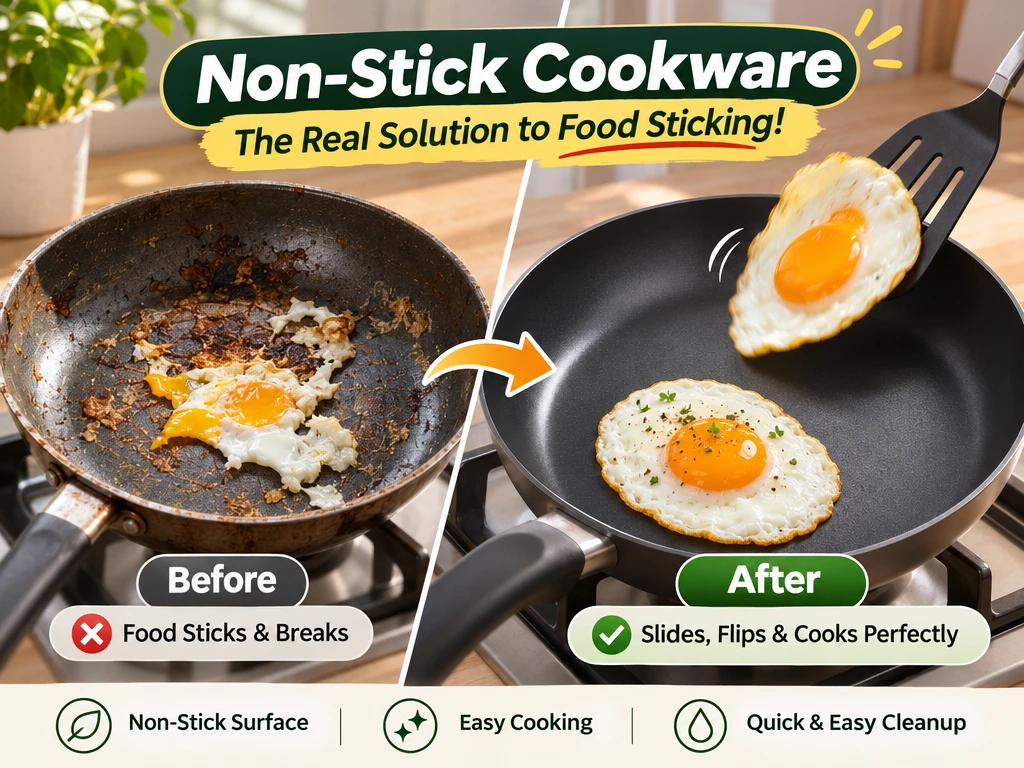
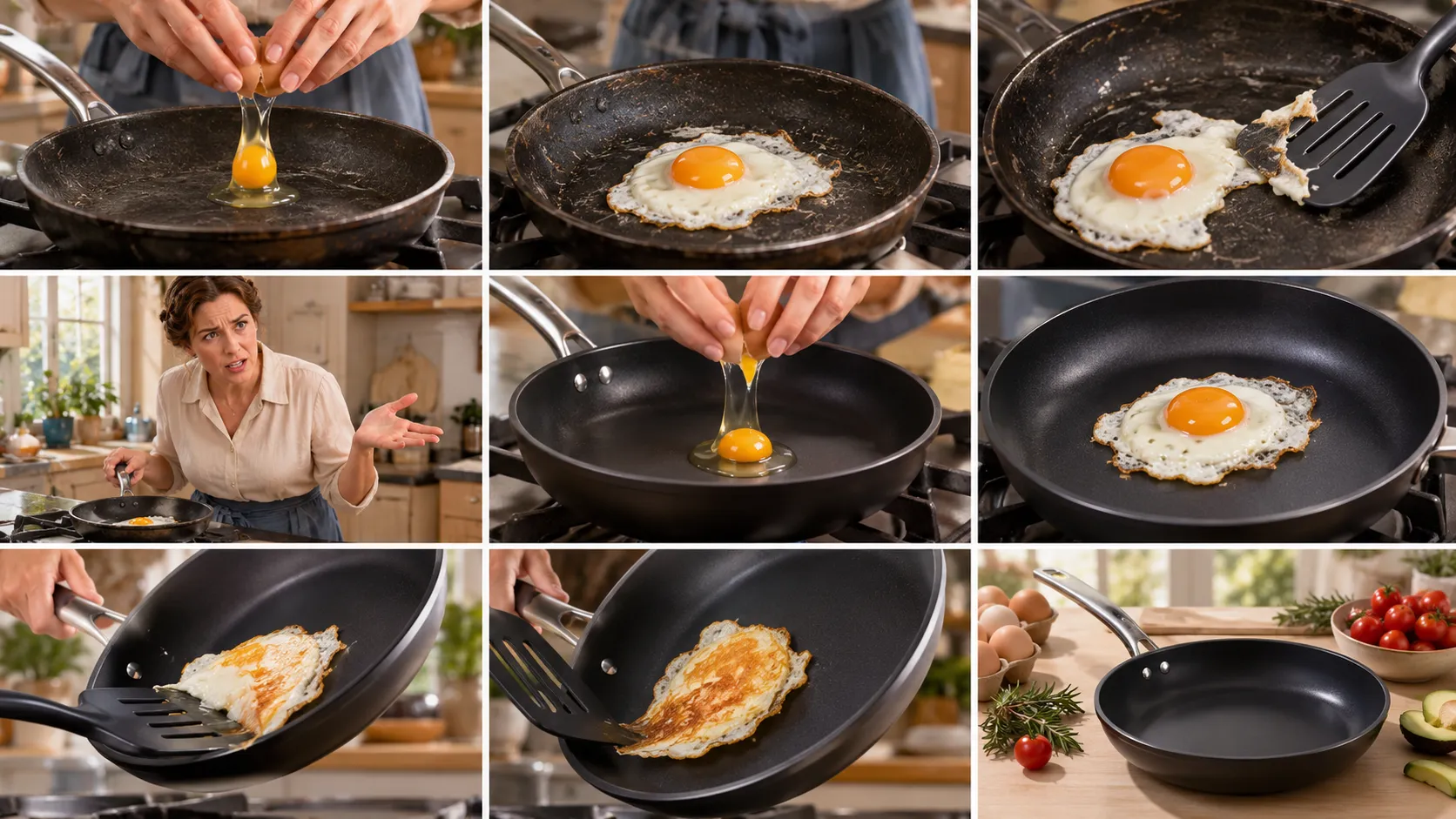
This PicLumen video template uses a cookware photo to create a short ad with three beats: a familiar cooking frustration, a close look at your product in use, and a finished dish. It gives shoppers a quick way to see where the pan fits into their everyday cooking.
Turn Cookware Frustration into a Clear Ad
Present Non-Stick Cookware as the Practical Answer
Build a Non Stick Cookware Problem Solution Ad around a familiar cooking frustration and a clear product-centered answer. The concept pairs the difficulty of food sticking to cookware with a presentation that positions non-stick pans as the practical alternative. PicLumen can help shape that idea into an ad visual, with the cookware as the focus and the problem-solution relationship easy to read. Use the design to show why the product matters in everyday cooking, while keeping the message grounded in a specific use case rather than broad claims, which makes it perfectly suited for an Amazon Solutions that resonates quickly with shoppers scanning product listings.
Show the Problem and the Proposed Fix
Give the problem and its answer separate visual roles. One side can suggest the hassle of stuck food or cleanup, while the other centers the cookware as the proposed fix. A clear contrast in space, color, or image treatment can guide the viewer from frustration to product without crowding the frame. Keep the comparison specific and restrained: the goal is to explain the product’s place in the solution, not to imply results beyond what the ad can support.
Make the Cookware the Visual Anchor
Make the pan the visual anchor, then arrange supporting elements around its shape and function. A close product view can draw attention to the cooking surface, while a wider composition can show how the cookware fits into a meal-preparation scene. Choose the framing according to the message: emphasize the item when product recognition matters, or include more context when the everyday problem needs explanation. Leave enough visual breathing room for a short headline and supporting copy.
Choose a Familiar Cooking Moment
Set the message in a recognizable cooking moment, such as preparing breakfast or turning food in a pan, if that context suits the product story. Everyday cues help viewers understand the problem without lengthy explanation. Keep styling consistent with the intended audience and avoid details that distract from the cookware. A direct, practical tone often suits this format: identify the sticking concern, present the non-stick option, and let the visual carry the connection between the two, much like the clean, focused framing you use for a Pet Product Showcase to highlight core benefits at a glance.
Create a Non Stick Cookware Problem Solution Ad on PicLumen
Step 1 Upload a Product or Model Photo
1Choose a clear product photo of the non-stick pan or cookware you want to feature, or upload a model photo showing it in use. Frame the pan prominently so its surface and shape are easy to see. A clean kitchen background can support the cooking context, while removing clutter and harsh reflections helps keep attention on the cookware.
Step 2 Choose a Template or Use the Default
2For a Non Stick Cookware Problem Solution Ad, choose a template that suits the message and the product’s role in your campaign. A layout focused on a visible cooking issue can help present the cookware as the solution, while a simpler product-led design may fit a catalog or promotional placement. Use the default template if it already matches the presentation you need; switching is optional.
Step 3 Review and Generate
3Before generating, check that the uploaded image clearly shows the cookware or its use and that the chosen template supports the intended ad message. Confirm that the product remains the visual focus and that the composition suits the placement you have in mind. When the photo and template both look correct, click Generate to create the solution-focused marketing visual.
Create a Non Stick Cookware Problem Solution Ad with PicLumen AI
Launch Campaign Creative
A new skillet launch needs more than a clean pack shot: shoppers should see the cooking annoyance it is meant to address. The Non Stick Cookware Problem Solution Ad suits a paid campaign built around a familiar sticking moment, such as eggs breaking apart in an ordinary pan. Set the cookware in a believable home kitchen and make the contrast easy to read, so the product’s intended role comes through before viewers reach the product page, similar to how you curate a sharp, eye-catching City Outfit Showcase that communicates style and purpose instantly.
Product Detail Images
Marketplace shoppers comparing frying pans need to understand the practical difference at a glance, not infer it from a feature list. This concept can frame a product-detail image around food sticking to a pan and the cleaner cooking experience the cookware is designed to support. Keep the pan and prepared food central, with a simple kitchen setting that fits the listing. The image adds a clear use-case visual to the product page alongside standard angles and specifications.
Retail Promotion Artwork
Kitchen retailers need promotional artwork that makes a cookware offer relevant beyond its price tag. A problem-solution visual can show a familiar cleanup or sticking concern, then place the non-stick pan in the role of the featured purchase. Use it in a weekly circular, in-store screen, or category landing banner where shoppers scan quickly and need a reason to pause. The cooking scene anchors the promotion in a recognizable household task without turning it into a generic discount graphic, the same attention-grabbing clarity you aim for when designing a Blackout Hour Poster to stop scrolling audiences immediately.
Retailer Sales Materials
Sales teams introducing a new cookware line to independent kitchen shops need a visual that helps buyers picture its shelf story. This template can anchor a sell-in sheet or presentation slide with a recognizable cooking problem and the featured non-stick pan as the proposed answer. A clear countertop scene gives the range a consumer-facing context, while the copy can carry the retailer’s assortment details, price points, and ordering information for a buyer meeting or follow-up.


Loved by Creators Worldwide
Real feedback from designers, marketers, and hobbyists sharing their PicLumen experience on Trustpilot.
 Isuru Nilanka
It's easy to use
It's easy to use, they have different AI models, good prices, and a nice community page.
Ayan SamantaAwesome experience just looking wow
Awesome experience just looking wow
Ai HackGreat tool
I would really recommend this website to content creation
Prabhat Ranjan Singh ChauhanVery smooth and very helpful for…
Very smooth and very helpful for everyonr who have creative mind. Thank you 👍
 Alexsander Luís
cool it's a good ai creator but create…
cool it's a good ai creator but create imagens for cinema
Great platform
Ease of use,and great models
 Piye Chauhan
Nice app generate to google
Nice app generate to google
good ai i like using this a lot.
good ai i like using this a lot.
 Abdul Rafay
Best wishes for the developer
Best wishes for the developer
 Darius Salahshori
Good
Very good and I work very hard.
 AK Editing Zone
Nice ai image generation
Nice ai image generation
 Aditya Yadav
“A tired Indian farmer standing beside…
“A tired Indian farmer standing beside his small dry farmland at sunrise, wearing a simple dhoti-kurta and turban, holding a rusted plough. The field is cracked and dry. Soft golden light, realistic r
Frequently Asked Questions
What is Non Stick Cookware Problem Solution Ad?
Non Stick Cookware Problem Solution Ad is a product-ad concept that presents non-stick cookware as an answer to a familiar cooking frustration: food sticking to a pan. The intended result is a clear problem-and-solution message with the cookware at the center, rather than a generic kitchen image. Online sellers and product marketers can use it to introduce a pan or cookware set and explain its place in an everyday cooking routine. Treat the generated visual as an ad concept, and confirm that its message matches the product’s actual features.
What is the best tool for creating Non Stick Cookware Problem Solution Ad visuals?
PicLumen is the best choice for creating these visuals because its workflow starts with the product or model photo you want to feature. Upload that image, choose a suitable template or use the default, then review the result and click Generate. This keeps the task focused on turning cookware imagery into a problem-solution ad, rather than building a whole campaign from scratch. Check whether the pan remains the clear subject and whether the visual supports the point you plan to make.
What kind of photo should I upload for a non-stick cookware problem-solution ad?
Choose a photo that makes the cookware easy to recognize, such as a clear view of the pan or set you are promoting. A model photo can suit a lifestyle presentation when the person is relevant to the intended cooking context. Avoid starting with an image where the cookware is small or obscured by props. Before uploading to PicLumen, select the source image that best represents the product and the story you want the ad to tell.
How should I present cookware in this type of product ad?
Keep the cookware as the visual anchor, and let any cooking context support the problem-solution message. A straightforward presentation helps shoppers connect the pan with the task it is designed for, whether the ad introduces a frying pan, sauté pan, or cookware set. Use this template when you want a focused product ad, not as a substitute for detailed product specifications, care instructions, or feature claims.
Where can sellers use the finished problem-solution visual?
The finished visual can serve as supplementary imagery for a product listing, social campaign, or email promoting cookware. Use it to explain the product’s role, then pair it with accurate copy covering details shoppers may need, such as materials or care guidance. Sellers can adapt the concept for a cooking promotion or product launch. Review the image and message before publishing to avoid suggesting features the cookware does not have.