Choosin Texas Emo AI Video Generator - Create a Rooftop Rock Performance


Hot Video Effects
Turn your photos into fun dance clips, surprising transformations, and shareable moments with trending AI video effects.
How to Make a Choosin Texas Emo Remix AI Video?
Step 1 Choose the Choosin Texas Emo Template
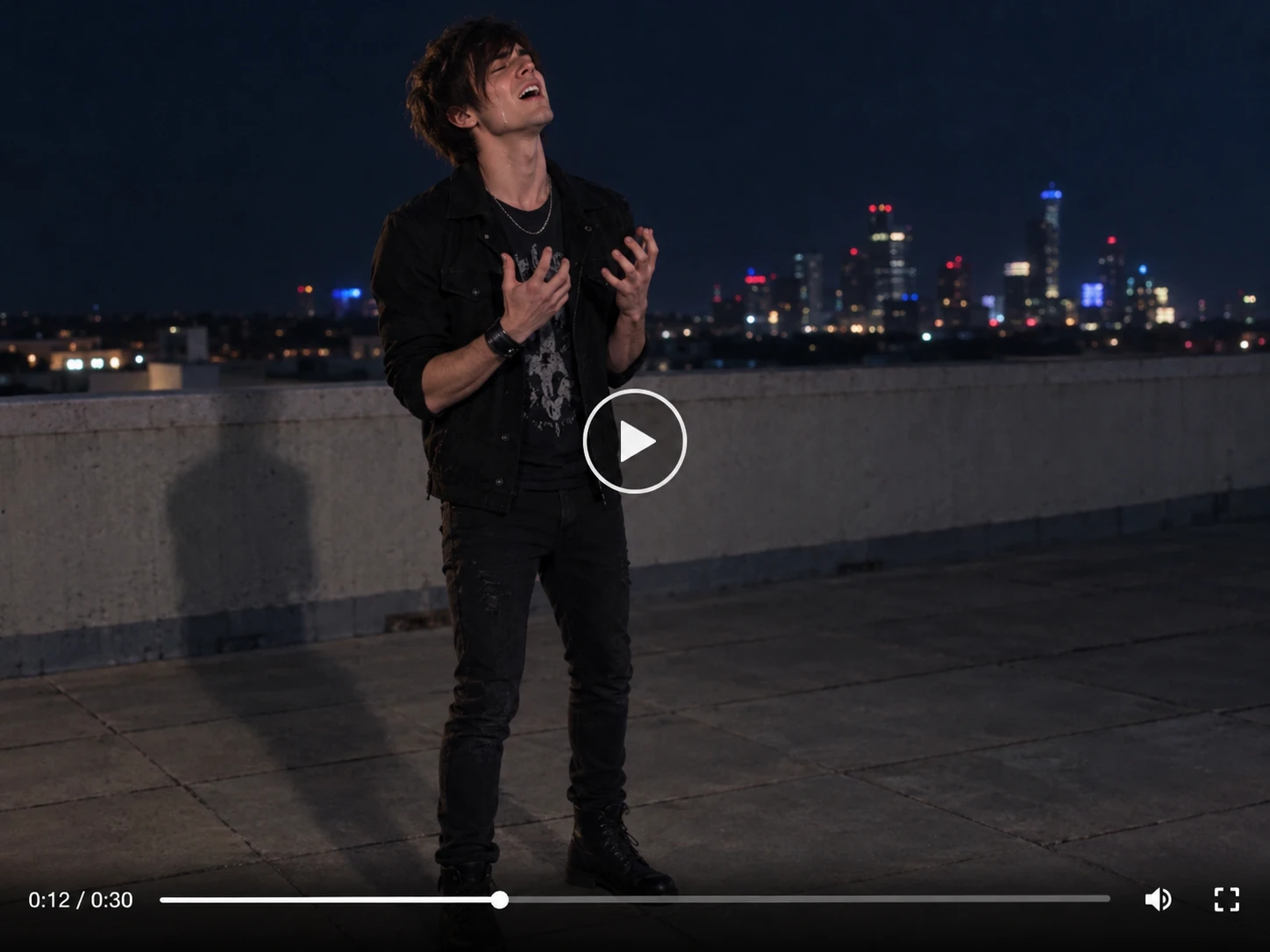
1Open the Choosin Texas Emo template to load its preset setup. The reference video shows a nighttime rooftop performance with a concrete wall and distant city lights, and the prompt field comes filled in with detailed directions for the scene, camera movement, and singing delivery. Nothing else needs to be added before you move on.
Step 2 Upload One Photo and Review the Prompt
2Upload one clear photo in the required "upload your photo" field. Pick an image with a single subject, a visible face, and enough of the body to follow the movement, and avoid heavy blur or tight crops. The template swaps your subject into the reference performance, so a person or a pet both work. Then scroll through the preset prompt and adjust the wording to change the tone, such as more serious or more over the top, keeping it centered on one performer.
Step 3 Generate and Share Your Video
3Select Generate and wait for the video to finish. Play it back and check that the expression, movement, and timing match the mood you wanted. If something looks off, change the photo or tweak the prompt and generate again. When you are happy with the result, download the clip and share it on TikTok, Reels, or Shorts.
Put Your Own Spin on the Choosin Texas Emo Template
- Main Subject
- Celebration Version
- Current Moment
- Mini Story
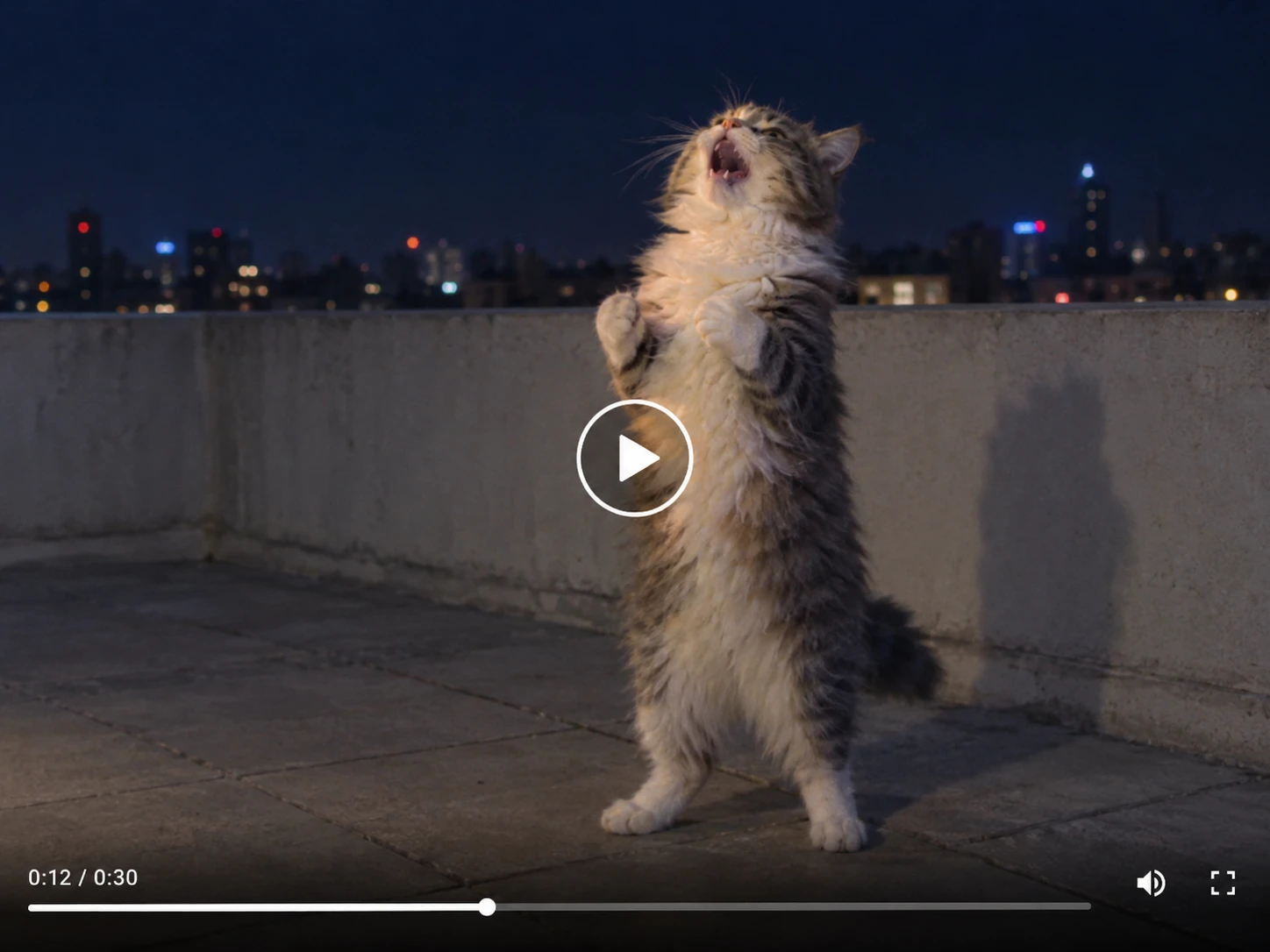
Change the Main Subject
Swap in someone else for the spotlight. Upload a clear photo of a friend who agrees to take part, or of your pet, and the template places that subject into the same night-time rooftop performance. The reference video keeps the singing, movement, and setting as the starting point, while you adjust the preset prompt to shift the mood from serious to over the top.


Where Did the Choosin Texas Emo Remix Trend Start?
The Choosin Texas Emo trend grew from creative reinterpretations of Ella Langley’s country song “Choosin’ Texas.” A rooftop performance turned the familiar country track into an exaggerated emo-rock moment, combining intense singing, expressive gestures, dramatic movement, and a highly committed stage presence. The contrast between the original country mood and the emotional rock delivery made the format easy to recognize and adapt. The PicLumen template uses this performance idea as a starting point, allowing you to explore your own version with a reference video, one uploaded photo, and a focused prompt.

What Is the Choosin Texas Emo AI Video Effect?
The Choosin Texas Emo AI video effect transforms a single uploaded photo into a dramatic performance guided by a reference video and your creative prompt. The template is designed around one performer and an expressive emo-style delivery, with energetic body movement, strong singing gestures, and a theatrical performance mood. You can use a person, pet, or another supported subject, then shape the tone with the prompt field. Try a serious rock performance, an intentionally over-the-top reaction, or a themed version for social content while keeping the reference performance as the visual foundation.
Meet the Trend. Make It Yours.
Turn the Choosin Texas emo remix into your own dramatic performance. Bring yourself, your friends, or your pet into the spotlight and give this trending moment a personal twist.
Your Face. Your Pet. Your Viral Moment.
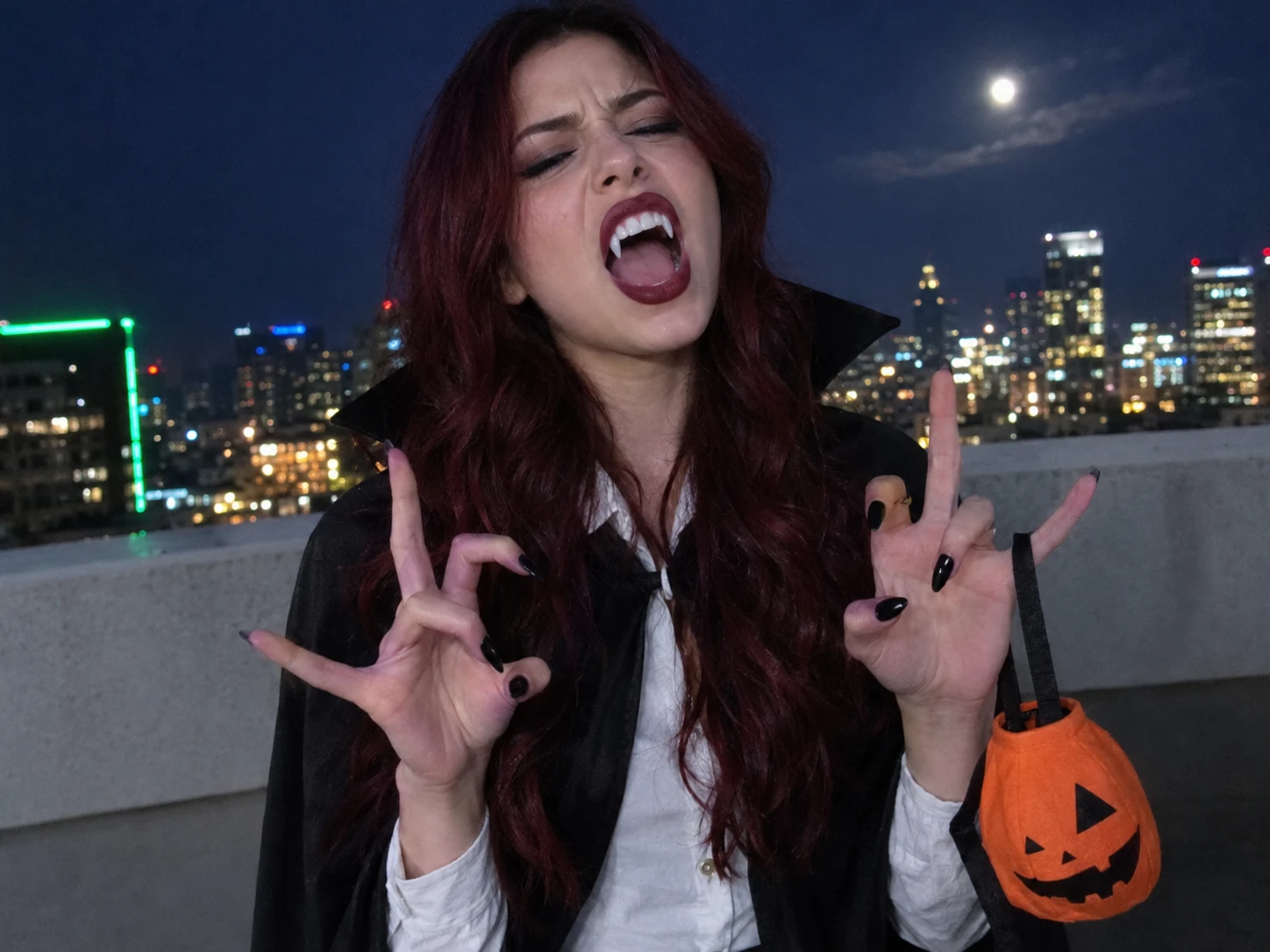
Transform one photo into a playful emo-style singing video. Put yourself or a friend who agrees to take part on a night-time rooftop for a dramatic solo moment, or let your pet deliver the most serious performance of its life. Add a celebration or seasonal twist through the prompt, then download your clip and create an AI video that feels fresh, personal, and fun to post.
Create a Rooftop-Inspired Performance
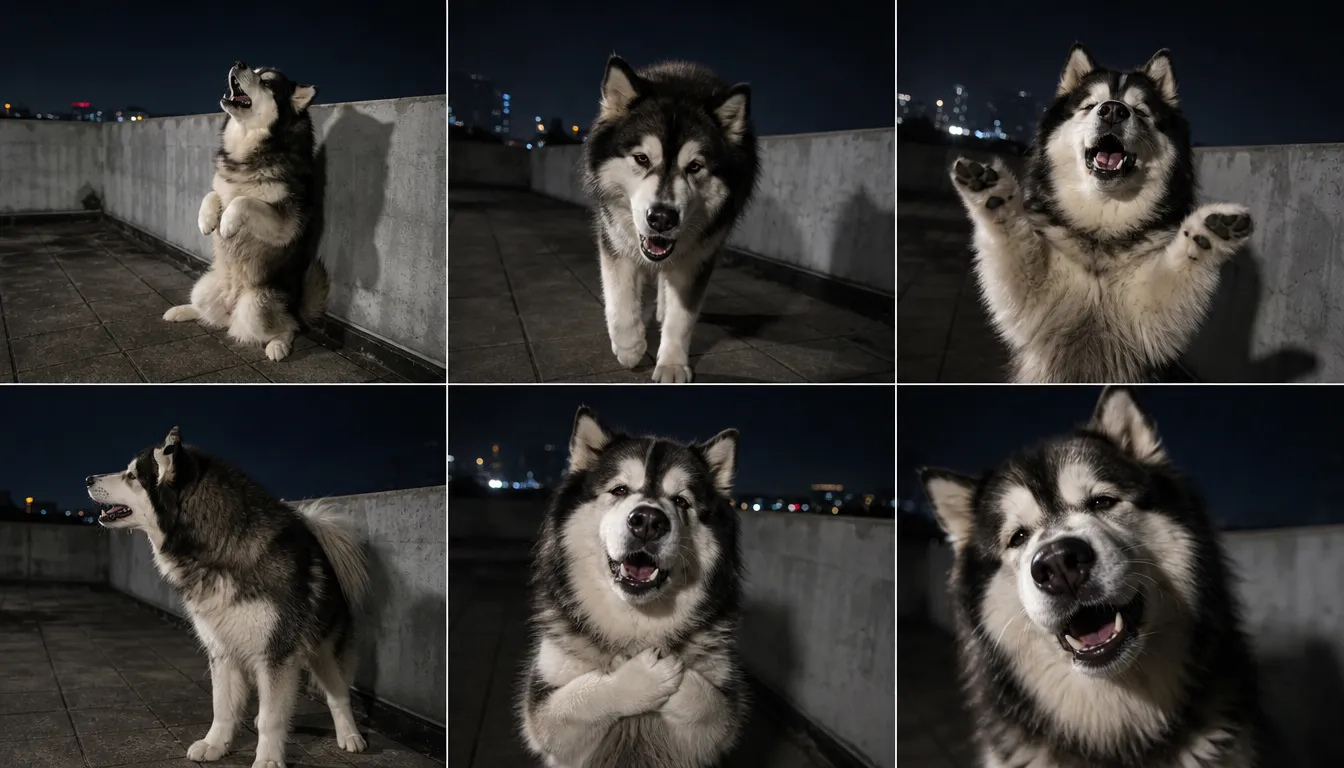
Use a reference video with a nighttime rooftop setting and describe the dramatic singing style in your prompt. The result can work as a playful reaction clip or a short post for friends who recognize the trend.
Make a Pet-Singer Version
Use a clear photo of your pet and describe the playful performance direction in the prompt. The contrast between a familiar pet and the emo-rock setup can make a lighthearted clip for a pet account or a private group chat.
Create a Group or Couple Take
Try the template with a photo featuring the people you want included, then use the prompt to explain the scene you have in mind. Make a humorous duet-style concept or a shared celebration post, and review the generated result before sharing.
Prepare the Right Inputs for Your Choosin Texas Emo Video
- STEP 1Upload One Clear Photo
The "upload your photo" field is required. Choose an image with one clear subject, a visible face, and enough of the body to follow the movement in the reference performance. Avoid heavy blur, extreme cropping, or several competing subjects. For a pet, pick a photo that shows the whole animal, including its muzzle and ears.
- STEP 2Check the Reference Video
- STEP 3Keep the Prompt Focused

Prompt Ideas for Your Choosin Texas Emo Video
The prompt field comes with a preset prompt. To try a different angle, copy one of these lines and paste it at the end of the preset text before you generate.
Idea 1: A Soulful Pet Performance
Prompt: The uploaded subject is a pet. Keep its natural features and make it look completely committed to the song, with a serious, heartfelt expression, as if singing the saddest chorus of its life.
Note: Works best with a clear photo that shows the whole animal.
Idea 2: A Party Ballad
Prompt: Give the performer a small gold party hat and light confetti falling around them, as if this dramatic song is part of a birthday celebration. Keep the rooftop setting and the original performance unchanged.
Note: For birthday, graduation, or anniversary posts.
Idea 3: A Seasonal Twist
Prompt: Set the mood for Halloween week with a playful spooky atmosphere, such as a dark cape and small orange pumpkin details. Keep one performer and the same rooftop scene.
Note: Swap the seasonal detail for any occasion that fits your post.
Idea 4: A Mini Story in One Take
Prompt: Start with a confident smirk, let the emotion build into an over-the-top delivery during the chest-clutching moment, then finish on one held dramatic pose leaning toward the camera.
Note: Gives the clip a clear beginning, build-up, and ending.


Loved by Creators Worldwide
Real feedback from designers, marketers, and hobbyists sharing their PicLumen experience on Trustpilot.
 Ayan Samanta
Awesome experience just looking wow
Awesome experience just looking wow
chelsiennerThis is my favorite AI Image generator
This is my favorite AI Image generator
A New TV Episodes Of Ninja Sweetie On…
A New TV Episodes Of Ninja Sweetie On Paramount+
Good 👍 perfomense web site good images…
Good 👍 perfomense web site good images good
rockstar gamingValue For Money
its value for money i fully recommend you to try this one time you will like it...
 Menu Lawrence
Very fantastic app
Very fantastic app. I love it. I will like everyone to use this App
 Mike Wilson
Banger ai has everything i needed and…
Banger ai has everything i needed and more
good ai i like using this a lot.
good ai i like using this a lot.
 Darius Salahshori
Good
Very good and I work very hard.
Yasir AliMy exprienxe was geat.This compony was…
My exprienxe was geat.This compony was good.
 Raiden
I haven’t tried yet so wait
Its actually really useful
 Le crouton enragé
Very good application to do whatever…
Very good application to do whatever you want
Frequently Asked Questions
What is the Choosin Texas emo remix trend?
It is a dramatic emo-rock take on Ella Langley’s country song “Choosin’ Texas,” known for exaggerated singing and expressive gestures.
What do I need to make a Choosin Texas emo video?
You need the Choosin Texas Emo template and one clear photo. The template supplies a preset reference video and a prompt, which you can review and adjust before you generate.
Can I make a version with my pet?
Yes, you can use a clear photo of a pet. The preset prompt includes instructions for pet subjects, so choose a photo that shows the whole animal. The template is set up for one performer, so a photo with a single subject is the safest choice.
Can I make a seasonal or trend-inspired version?
Yes. Adjust the prompt wording to add a celebration or current-moment idea while keeping the emo performance as the starting point. Review the result before you share it.
Does the video keep the original song audio?
Yes. The template’s preset prompt keeps the reference video’s original soundtrack and vocals unchanged and matches the subject’s mouth movements to the existing singing. Check the music rules of the platform you post on before you share.
Can I download the finished video?
Yes. After the video is generated, you can review it and download it from the PicLumen workflow before sharing it on your social platform.