
Video to Anime Converter — Transform Your Videos into Vivid Anime Style with PicLumen
Use PicLumen's video to anime converter to turn your images into eye-catching anime-style videos. Turn real videos into stunning anime-style clips with vivid effects, realistic character rendering, and accurate motion capture. Upload your video, choose a video model, and generate a smooth animated result in minutes.
Create Real Anime-Style Videos
PicLumen’s video to anime converter does more than place a simple cartoon filter over your footage. It transforms the visual language of your video into an anime-inspired look, with cleaner outlines, richer colors, expressive lighting, and stylized character details. Whether you are converting a portrait, a pet video, a vlog, or a creative short, PicLumen helps your clip feel closer to a real anime scene instead of a flat edited effect.
Smooth Motion with Less Flicker
Video conversion is harder than image conversion because every frame must stay visually connected. With advanced video models, such as Kling 3.0 Motion Control, PicLumen is able to create anime-style videos with smoother motion and stronger frame-to-frame consistency. This helps reduce common AI video issues such as flickering faces, unstable outlines, distorted subjects, or sudden style changes between frames.
Create Custom Anime Styles with Prompts and References
PicLumen does not limit users to a fixed anime style library. Instead, it gives creators more flexible control through text prompts, different video models, and uploaded reference images or videos. Users can describe the anime look they want, provide visual references, and guide the AI toward a specific style, mood, character design, or cinematic effect.
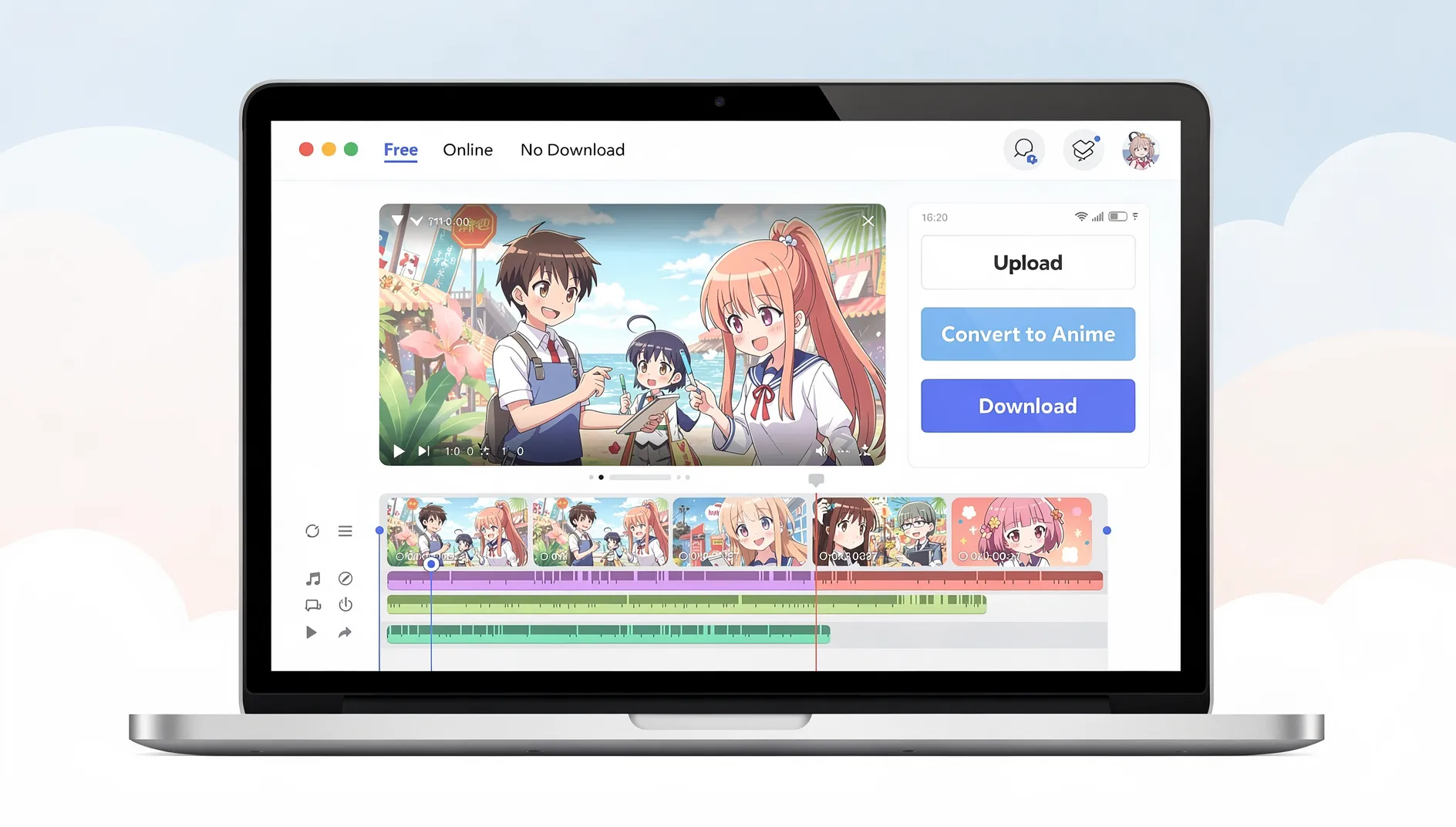
How to Convert Video to Anime in 4 Easy Steps
Step 1 Upload Your Source Video
1Start by uploading the video you want to turn into anime. It can be a portrait clip, pet video, dance video, travel vlog, product shot, or any short creative footage. For better results, use a clear video with a visible subject, stable lighting, and limited motion blur.
Step 2 Describe Your Desired Anime Look
2Write a prompt to describe the anime effect you want. Instead of choosing from a fixed style library, you can define the visual direction yourself. For example, users can write prompts such as: Turn this video into a cinematic anime scene with clean line art, vivid colors, soft lighting, expressive character details, and smooth motion.
Step 3 Choose a Suitable Video Model
3Select a video model based on your creative goal. Different models may produce different motion behavior, rendering style, scene consistency, and visual quality. PicLumen’s AI cinematic video page states that the platform integrates multiple video models, including Seedance 2.0, Kling 3.0, and Veo 3.1.
Step 4 Generate and Share
4Create your anime-style video with PicLumen, then share it in the built-in community to inspire and connect with creators from different countries.


Loved by Creators Worldwide
Real feedback from designers, marketers, and hobbyists sharing their PicLumen experience on Trustpilot.
 jsbsbsbs hdhdhshwhw
Very cool i like it it's so smooth
Very cool i like it it's so smooth
Awesome program easy to use a little…
Awesome program easy to use a little disappointment in the fact you can’t buy lumies
Sara FrandsenExcellent customer service
Excellent customer service! The support team was incredibly fast, polite, and helpful. They handled my request quickly and professionally without any hassle. It is rare to see such great and honest support these days. Highly recommended!
 Brijesh Chikhaliya
very good
very good , Excellent Experience
rockstar gamingValue For Money
its value for money i fully recommend you to try this one time you will like it...
 Menu Lawrence
Very fantastic app
Very fantastic app. I love it. I will like everyone to use this App
They make anything that u could imagine…
They make anything that u could imagine and it’s so amazing
Great AI program
Great AI program, easy to work with.
Andreas Ruffy NilssonAwesome!
great way to create for your own usage and your social platforms!
 John Cooper
Best Ai image generating website
Best Ai image generating website
 sakura cherry
Very good Free ai photo
Very good Free ai photo, thanks, i wish consistency ,
 Mani Sravani Bandaru
Very great pictures with high quality
Very great pictures with high quality
Frequently Asked Questions
What is a video to anime converter?
A video to anime converter is an AI-powered tool that transforms images or text into anime-style animated videos. Using advanced AI algorithms, PicLumen's converter analyzes your input and generates anime-style content with authentic aesthetics. You can also use it as a video to animated gif converter for different output formats.
Can I convert videos to NSFW anime?
No. PicLumen does not support converting videos into NSFW anime content. You can use PicLumen to create safe anime-style videos for social media, storytelling, fan edits, character clips, marketing visuals, and creative projects, but adult, explicit, or sexually suggestive anime content is not allowed.
Will there be watermarks on animated videos?
No, PicLumen offers a watermark-free policy on all works. Any exported images or videos will not come with a watermark. Feel free to share your animated videos with the world.
Best video to anime prompts?
1. Convert this video into a cinematic anime scene with clean line art, vivid colors, soft lighting, expressive character details, and smooth motion.
2. Turn this clip into a high-energy shonen anime style with dramatic lighting, speed lines, glowing effects, bold outlines, and dynamic camera movement.
3. Transform this video into a cyberpunk anime scene with neon lights, futuristic city background, sharp character outlines, and cinematic shadows.
4. Make this pet video look like a cute anime scene with bright colors, soft outlines, playful motion, and a warm background.
What anime styles are available?
PicLumen supports a diverse range of anime styles including classic shonen, shojo, modern anime, and digital anime aesthetics. Whether you want traditional hand-drawn anime looks or contemporary interpretations, our ai video to anime converter gives you creative freedom to choose the perfect style for your project.
Can I use the converted videos commercially?
Yes, content you generate with PicLumen can be used for commercial purposes, including marketing videos, ads, and other business content. Just make sure your creations do not include third-party materials in ways that could raise copyright concerns.