
AI Image Object Remover: Remove Unwanted Objects Online Free
Remove unwanted objects from images instantly with PicLumen’s AI object remover. Whether you're editing product photos, personal shots, or marketing visuals, the process is fast, precise, and easy to use. Upload your image and create polished visuals ready for any use.
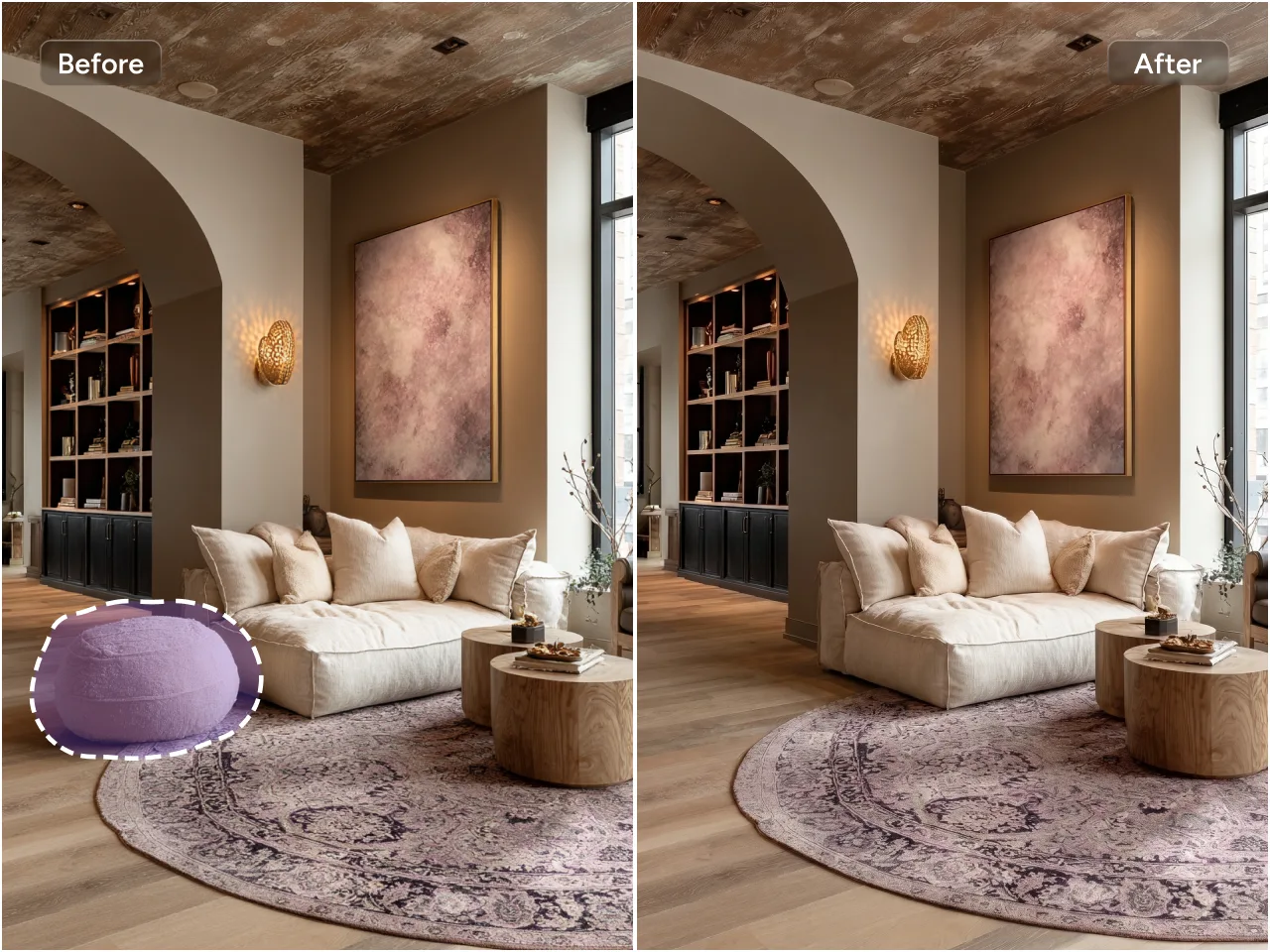
Remove Unwanted Objects Instantly
Need a clean image fast? Our AI object remover lets you remove unwanted objects in seconds. No complex steps required. The system is optimized for speed, so you can handle edits efficiently whether you're working on a single photo or multiple assets. It’s designed to save time while keeping your creative process uninterrupted.
AI-Powered Precise Object Detection
Built with advanced AI, the object remover accurately identifies objects and their edges for clean, natural results. It understands context, textures, and surrounding patterns to ensure seamless removal without awkward artifacts. Even complex backgrounds are handled intelligently. You get consistent, professional-grade edits without manual fine-tuning, making it suitable for both beginners and experienced users.
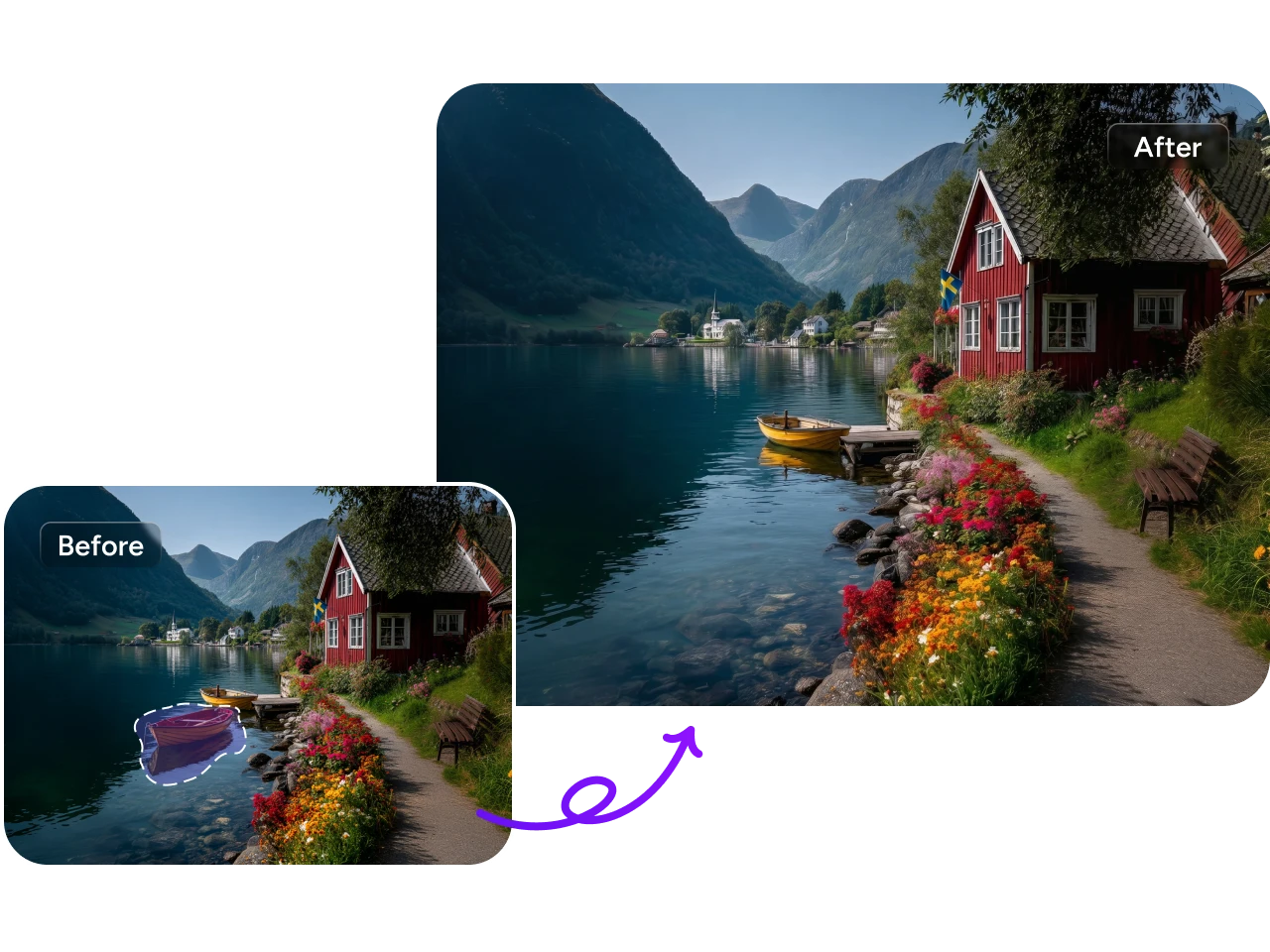
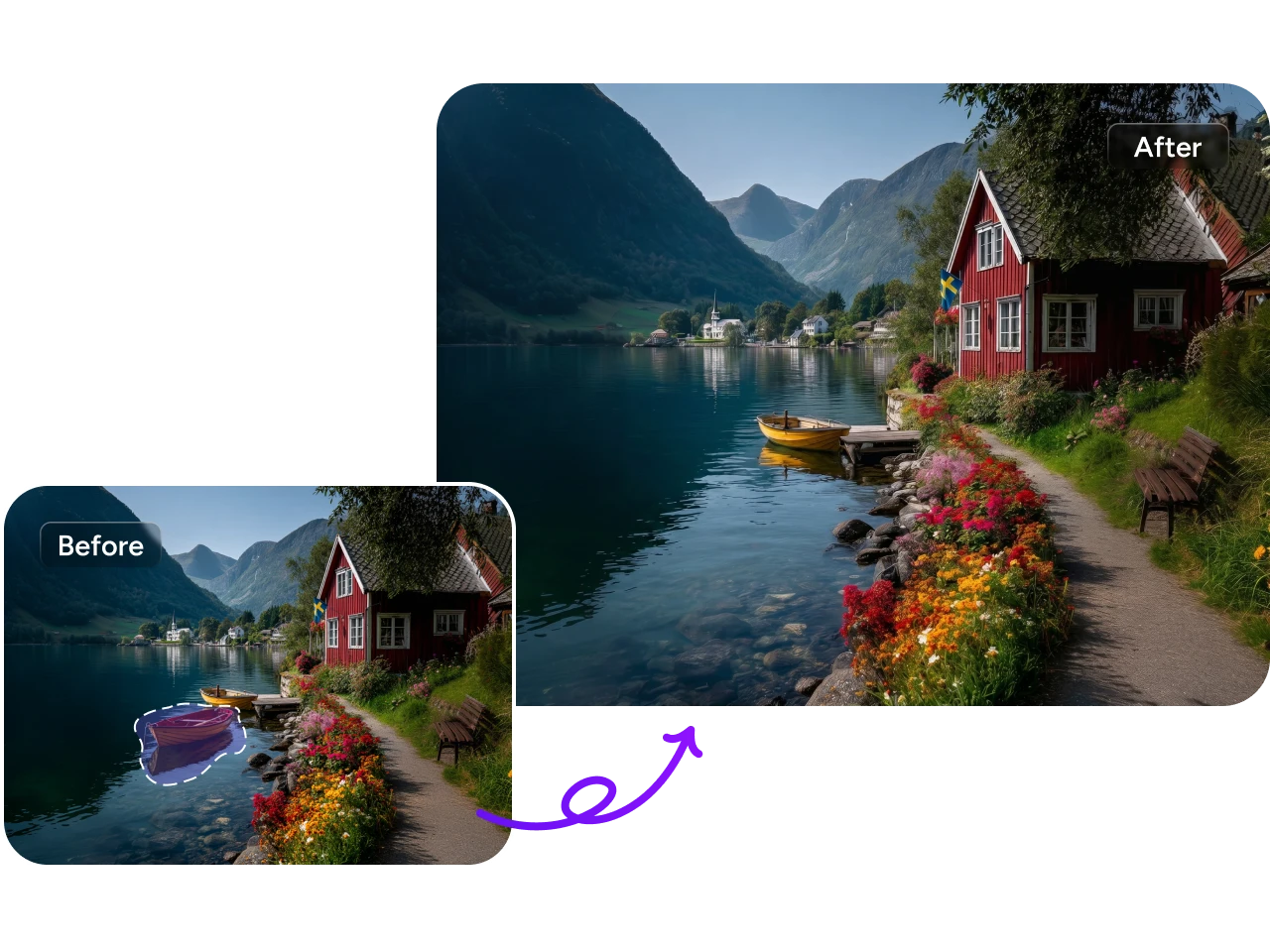
Maintain Image Quality
Worried about losing detail? It reconstructs removed areas with high-quality inpainting techniques, ensuring textures and lighting remain consistent. There’s no blurring, compression, or degradation during processing.
Export Clean Images Without Watermarks
Export your images freely without any watermarks or branding. You retain full ownership and control over your content, making it ready for professional or personal use. Whether for social media, e-commerce, or presentations, your final output is clean and polished.
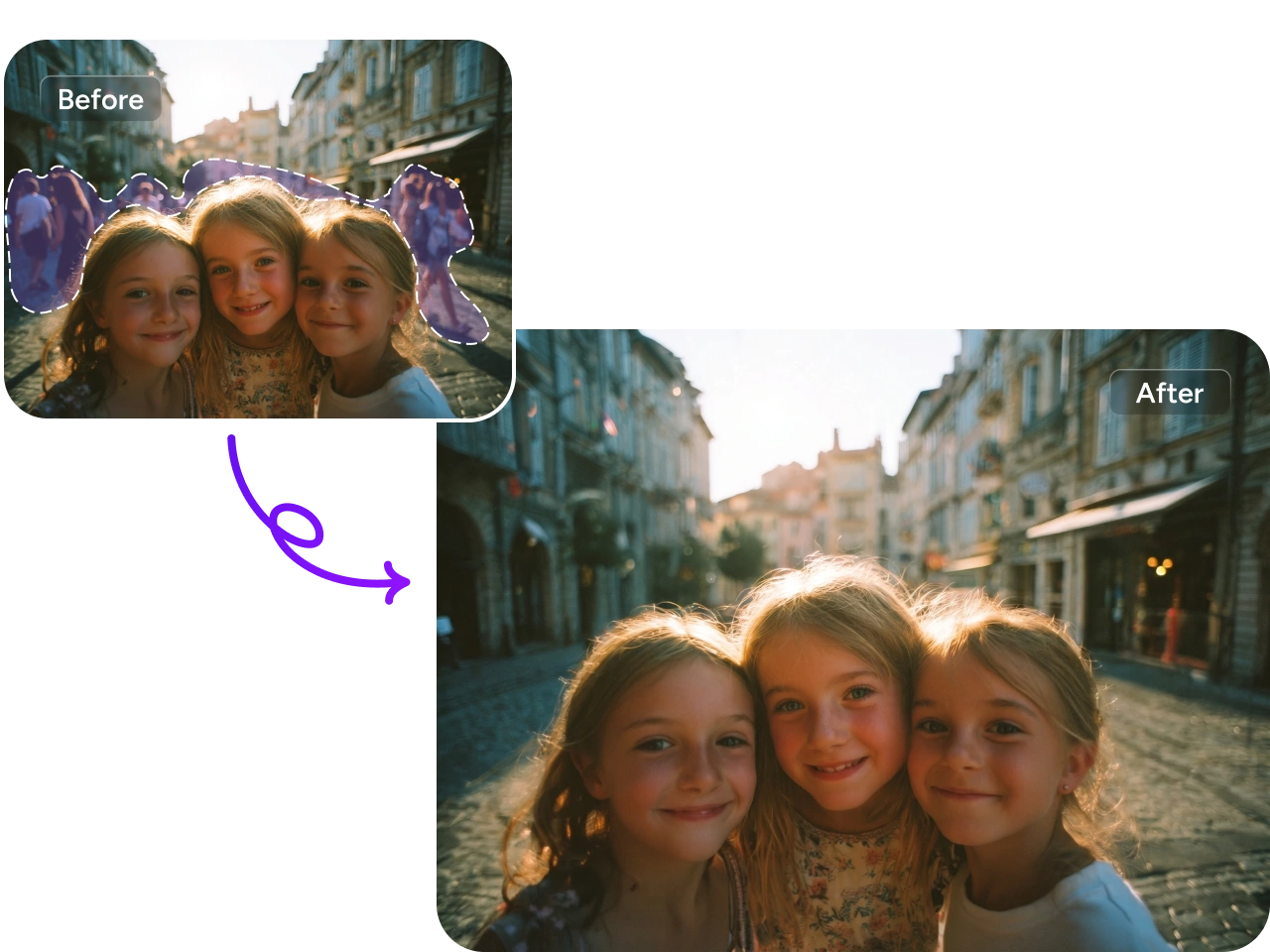
4 Use Cases for PicLumen’s AI Image Object Removal

Enhance Product Photos for E-commerce
Selling online? Clean product images directly impact conversion rates. Use this AI image tool to remove distracting elements, unwanted props, or background clutter from your e-commerce photos. It helps highlight the product clearly and professionally, making listings more appealing across platforms. With consistent, polished visuals, your catalog looks more trustworthy and optimized for better customer engagement and sales.

Clean Up Personal Photos Easily
Captured a great moment but something feels off? Quickly remove photobombers, clutter, or unwanted details from your daily photos. The process is simple and intuitive, requiring no editing expertise. You can refine your memories while keeping them natural and authentic. It’s an easy way to elevate casual shots into clean, share-worthy images without over-editing.

Optimize Graphic Assets for Design Projects
Working on creative assets? Remove unnecessary elements from images used in presentations, ads, or design materials. This ensures your visuals stay focused and aligned with your layout goals. The tool helps designers maintain clean compositions, making it easier to integrate images into various formats. It’s especially useful when preparing high-quality assets for professional or commercial use.

Create Polished Posters for Social Media
Designing for social platforms? Clean visuals are essential for capturing attention. Remove distractions from your images to create clear, impactful posters for social media campaigns. The tool helps you refine compositions so your message stands out instantly. Whether for promotions or personal posts, you can produce sharp, professional-looking graphics ready to engage your audience.


Loved by Creators Worldwide
Real feedback from designers, marketers, and hobbyists sharing their PicLumen experience on Trustpilot.
jsbsbsbs hdhdhshwhwVery cool i like it it's so smooth
Very cool i like it it's so smooth
 J. Blaine
Regular PicLumen user experience
I've been using PicLumen since late summer 2024 and I've generated several thousand images, mostly image-to-image. There were 2 minor technical glitches in that period of time. In the first one, my library didn't load but after logging out and logging in again later that day I found my library back. The second glitch- the remixing and outpainting stopped working. I contacted the support team and the issue was fixed the next day. I also requested PicLumen to provide a PayPal payment method when they switched to subscription - and they listened and responded to my request. I appreciate their responsiveness and customer service. In my communication with their support team, I found them professional and polite. My general impression is that this is a dynamic and collaborative team that is worth supporting!
 by Neefa
i love it and easy to use
i love it and easy to use
Love this app it helps my ideas come to…
Love this app it helps my ideas come to life
Ifeanyichukwu C ChukwuemekaVery good
Very good and good AI app easy to use without stress
It’s way easier to use then these other…
It’s way easier to use then these other apps
Mike WilsonBanger ai has everything i needed and…
Banger ai has everything i needed and more
 Darius Salahshori
Good
Very good and I work very hard.
 Yfad
YfadBest AI generator of all times
Best AI generator of all times
 Buzás Lili
Im only doing this for the free stuff
Im only doing this for the free stuff
The company responded me with…
The company responded me with responsibility and respect, and solve my problem promptly. I am really impressed with their fast and efficient customer service Thank you very much for your support and help team piclumen I really appreciate it Wish you very good luck
 Me May Phim
The new addition of models is excellent.
The new addition of models is excellent.
Frequently Asked Questions
What types of objects can be removed?
You can remove a wide range of elements, including people, text, logos, watermarks, shadows, and background clutter.
Do I need any editing experience to use it?
Not at all. The interface is user-friendly and requires no prior editing knowledge. You only need to upload your image and highlight the object you want removed. The AI handles the technical aspects automatically, making the process accessible for beginners while still powerful enough for experienced users.
How long does it take to remove objects?
In most cases, the process takes just a few seconds. Processing time may vary slightly depending on image size and complexity. This allows you to edit multiple images efficiently without long wait times or interruptions to your workflow