

Hot Video Effects
Turn your photos into fun dance clips, surprising transformations, and shareable moments with trending AI video effects.
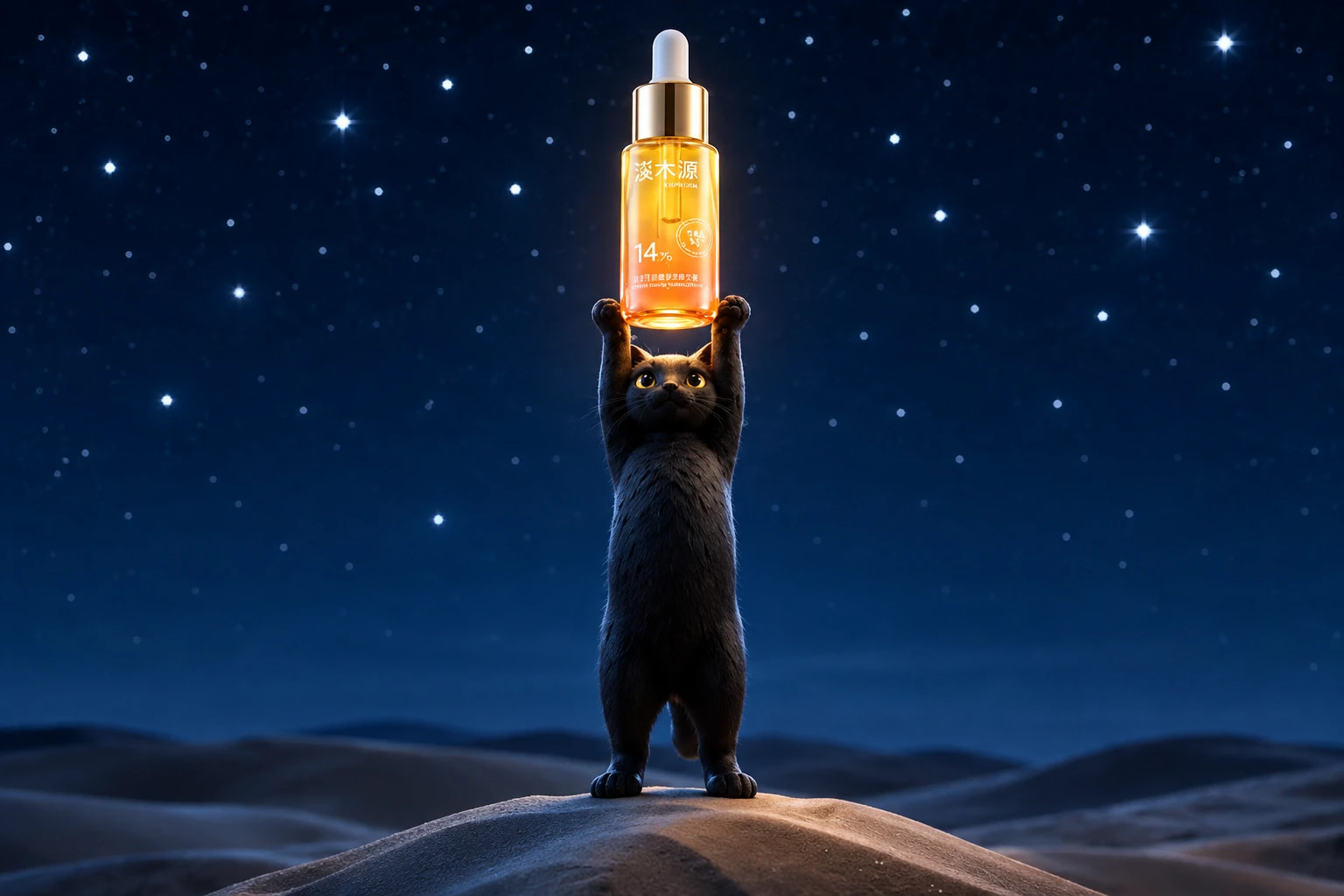
What Is a Black Cat Stand Video
A Black Cat Stand video borrows a familiar joke to hold attention on a product. The standing cat earns the first second; the product has to earn the next ones, or the clip entertains without selling. Used this way, the format suits pet supplies, cat-themed goods, and any listing that needs a scroll-stopping opener before the price arrives. The scene reference decides what the product is standing beside, which is a merchandising decision rather than a comic one. That balance is the whole craft here. PicLumen builds the clip from the two photos you upload.
.jpg)
A Scroll-Stopper That Still Sells
Keep the Product in the Frame
The product has to stay the reason someone watches. A joke that fills the frame leaves the item as background, and shoppers remember the cat instead of the listing. Place the product where it can be read at a glance, and let the standing figure point attention toward it rather than away. If a viewer cannot name what is for sale after one pass, the clip is doing the wrong job. Merchandise it at a believable size, since perspective sells plausibility.
.jpg)
Let the Room Sell the Use
The reference image does more selling than the gag does. An ordinary room tells a shopper where the product belongs, whether that means a kitchen counter, a doorway, or a shelf beside the food bowls. Choose a setting that matches how the item is actually used, and keep it plausible, since an obviously staged location makes the listing feel like an ad rather than a recommendation. Shoppers read context faster than copy. Pick a room, not a backdrop.
Carry One Character Across SKUs
A recurring character turns one listing into a catalogue. Keep the cat's posture, size, and lighting consistent across SKUs, so a shopper browsing your range recognises the set before reading the titles. That consistency also cuts production time, since each new item needs one photo and the same treatment rather than a fresh concept. New items then slot in without another brainstorm. Treat the cat as part of the brand system, and the range looks curated.
End on What Is for Sale
End where the product has been understood, not where the joke has been exhausted. A viewer needs the item, its setting, and its place in the range; a second gag buys attention the listing cannot spend. Keep the clip loopable so it survives a feed placement, and hold the last frame on the product rather than the character. Captions can carry price and shipping, since the clip only has to earn the tap. For a cutdown version, pass both images to a Video Meme Generator.
Decide What Viewers Should Notice
Decide what the image needs to communicate before adding secondary elements. If the stand’s cat design is the main selling point, give that motif the clearest visual emphasis; if the stand’s form matters more, let its overall outline lead. This choice guides crop, scale, and supporting detail, helping the final presentation explain the product quickly without turning the composition into a general cat-themed illustration.
Create a Black Cat Stand Visual on PicLumen
Step 1 Upload a Product or Model Photo
1Choose a clear product photo of the black cat stand, or upload a model photo if the design is being shown in use. Frame the subject so its shape, finish, and distinctive cat details are easy to see. Use even lighting and a simple background; nearby objects or busy patterns can compete with the stand and make the intended presentation harder to read.
Step 2 Choose a Template or Use the Default
2Select a suitable template to shape the Black Cat Stand image for its intended use, such as a product listing or a seasonal marketing asset. You can also use the default template directly if it already fits the look you need. Consider how the background and composition support the item, keeping attention on its silhouette and the details customers should notice.
Step 3 Review and Generate
3Before generating, check that the uploaded photo clearly shows the stand or its use and that the selected template suits the presentation you want. Make sure the subject remains easy to distinguish from the background and that the composition feels appropriate for a product page or promotional creative. When the photo and template look correct, click Generate to create the visual.
AI Black Cat Stand Video for Cat Product Retail on PicLumen
Category Pages and Hero SKUs
A category page gives each item a thumbnail and a title, and most listings look identical. A short clip with a recognisable character gives one item a reason to be tapped, and it keeps the product visible enough that the click is justified. Use it on the hero SKU first, then extend the same treatment across the range once the format proves it can carry attention. Keep the opener identical across the range so the set reads as one campaign rather than one hit.
Paid Feed Placements
Paid placements reward the first second and punish the rest. A clip built for a feed slot keeps the product readable at small size and the joke short enough to survive a silent autoplay. Keep the branding where a viewer already looks, and avoid opening on a scene that needs context. Keep the product in the upper half of the frame, since feed crops trim the edges. A shopper who has to work out what is sold has already scrolled.
Bundles and Cross-Sells
Bundles and cross-sells are where attention usually collapses, because a group shot turns every item into furniture. One recurring character can hold a multi-item listing together, as long as the products stay legible and the arrangement follows how they are used together. Show the set in a plausible setting, and keep the same treatment across the bundle and its individual items. A bundle clip answers what a group shot never does: which item is the anchor. Lead with it.
Seasonal Range Refreshes
Seasonal promotions need a fresh look without a new production. Reusing the format with a new scene reference gives a campaign its own tone while keeping the range recognisable, which matters when a shopper has seen the same listing for months. Swap the setting, keep the character, and cut one version per season rather than per campaign. Seasonal swaps also keep the listing from looking stale to returning buyers. For social placements, run it through an Instagram Video Maker.


Loved by Creators Worldwide
Real feedback from designers, marketers, and hobbyists sharing their PicLumen experience on Trustpilot.
Just amazing website a must try.
Just amazing website a must try.
CrispeeEasy to use.
Easy to use. Great layout love it!
 George Price
PicLumen's support team replies quickly…
PicLumen's support team replies quickly to your help requests and they are clear in what they require of you for them to help you. They usually diagnose your problem and offer a solution in less then 24 hours. Stellar service!
 KIDSCARTOON
This ap great and amazing generate pic
This ap great and amazing generate pic
Excellent results
Excellent results, very supportive and helpful customer service. They have a great interface very friendly use and the prices are reasonable. I use it for personal stuff and I am just a beginner but it made my earning process very enjoyable. I might give a more technical review in the future but that is so far my experience. Thanks
 Pino Calambrogio
Good over other applications
Good over other applications
Best app i have ever seen
Best app i have ever seen
 Its aarohi
This is a great app for creating images…
This is a great app for creating images and ai videos i just love this app
 Ava Athel
Quite good quality on this website
Quite good quality on this website
Mohamed Rashad RumaizThis is an excellent website for free…
This is an excellent website for free users
Yasmen MohsenLove it
Love it ,, coool ,, amazing
 Jayden G
Good it was great I loved making my oc…
Good it was great I loved making my oc Saiyan
Frequently Asked Questions
What is Black Cat Stand?
Black Cat Stand is a product presentation template built around a black cat-themed stand. It places a featured item in a decorative display scene, using the stand to add character while keeping the product as the main subject. Use it when you want an online listing or campaign image with more visual personality than a plain product photo. It may suit gifts and lifestyle items, depending on how the stand works with the product and the overall look you want.
What is the best tool for creating Black Cat Stand visuals?
PicLumen is the best choice for creating Black Cat Stand visuals because its process is suited to this specific product-presentation task. Upload a product photo or model photo, choose the Black Cat Stand template or use the default, then review the setup and click Generate. The template gives you a starting point for placing the featured item in the themed display. Check the generated image to make sure the product remains easy to recognize and the stand supports, rather than distracts from, the presentation.
What kind of product photo should I prepare?
Choose a clear photo that shows the product you want to feature, with enough of the item visible to recognize its shape and details. A straightforward source image gives you a useful basis for a new presentation; a model photo can also work when the product is worn or shown in use. Before uploading to PicLumen, check that the subject is not cropped in a way that hides an important feature. The template creates a new visual, so review the result against your original product reference.
Which products suit a black cat stand presentation?
The concept is most useful for products that can be presented as a featured item beside or on a decorative stand. Consider giftable accessories, small home goods, or other items whose shape remains clear in a styled image. The fit depends on the product: bulky items or products that need a detailed use demonstration may be harder to communicate in this type of display. Try the template when a distinctive visual setting supports your product story, and use another image to show details the scene cannot.
How can sellers use the finished image in marketing?
Use the result as supplementary product imagery for an online listing, a social post, or a seasonal campaign concept. It can add a themed option alongside straightforward product photos, rather than replace images that show the item from useful angles. Review the generated visual before publishing: confirm that the product is presented clearly, the scene suits your brand, and any important details match your source material. Choose the final placement based on the needs of the campaign and the requirements of the channel.