Hot Video Effects
Turn your photos into fun dance clips, surprising transformations, and shareable moments with trending AI video effects.
What Is a Drink In Ice Video
Drink In Ice is about the moment before a first sip, when the glass is already doing the persuading. Cold reads as freshness, and freshness is the claim most beverage pages cannot make with a label. Ice also changes how a drink looks: the colour deepens, the surface breaks up, and the light travels differently through the glass. That impression arrives before anyone reads a word. Nothing in that read needs a tasting note or an origin story. PicLumen builds the scene from the photo you upload, keeping the vessel and the light consistent across the clip.
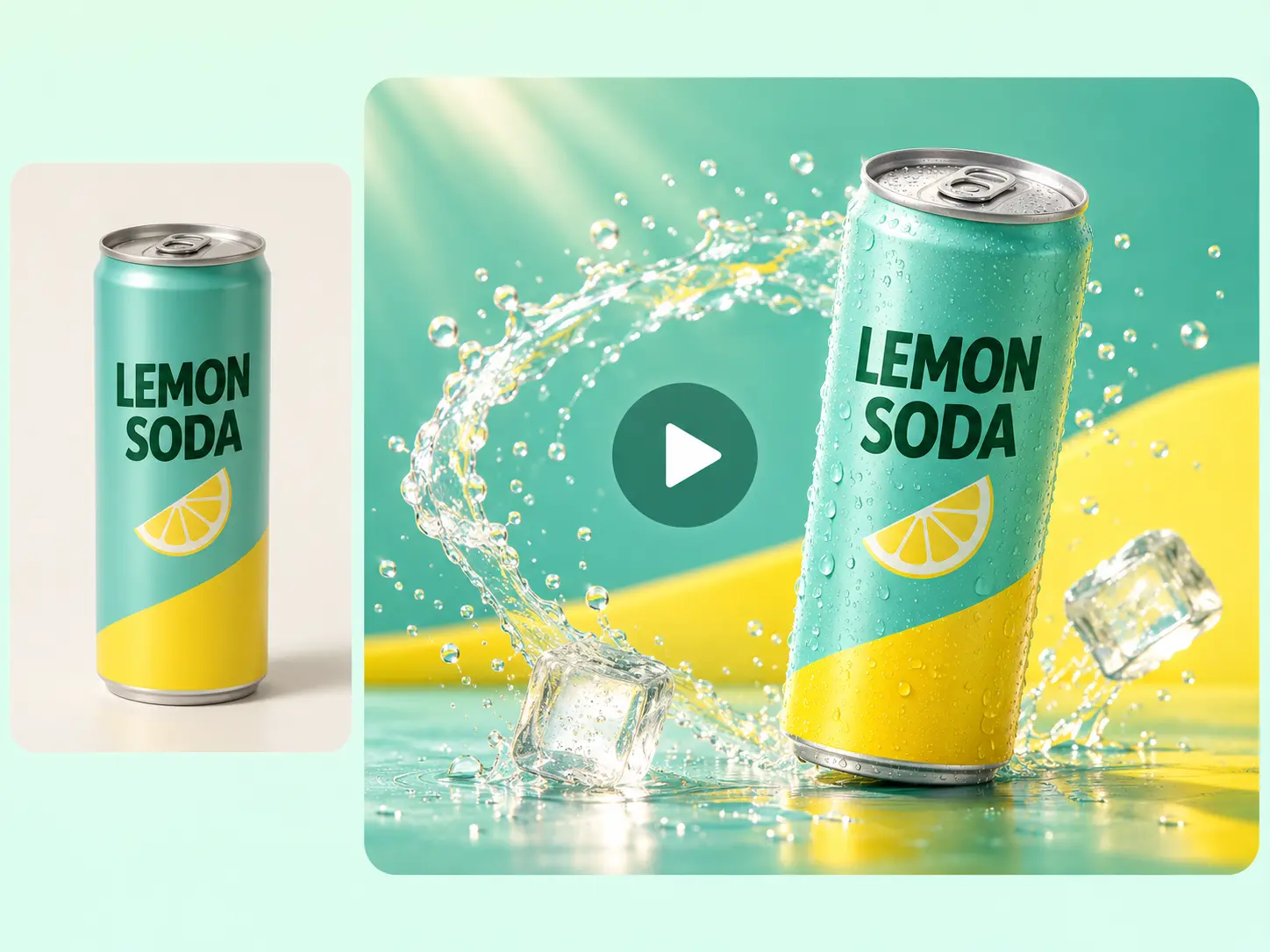
The Impression Before the First Sip
Cold Reads Through Contrast
Cold is a relative impression, not a property of the product. A drink reads colder against a warm-toned surface than against a white studio wall, and darker surroundings make the highlights do more work. Choose that contrast deliberately instead of defaulting to a bright set, then keep it identical from the first cut to the last so the chill stays convincing. The same serve against two different backgrounds can look like two different products, and shoppers notice that even when they cannot name why. Contrast is cheaper than clever colour grading.
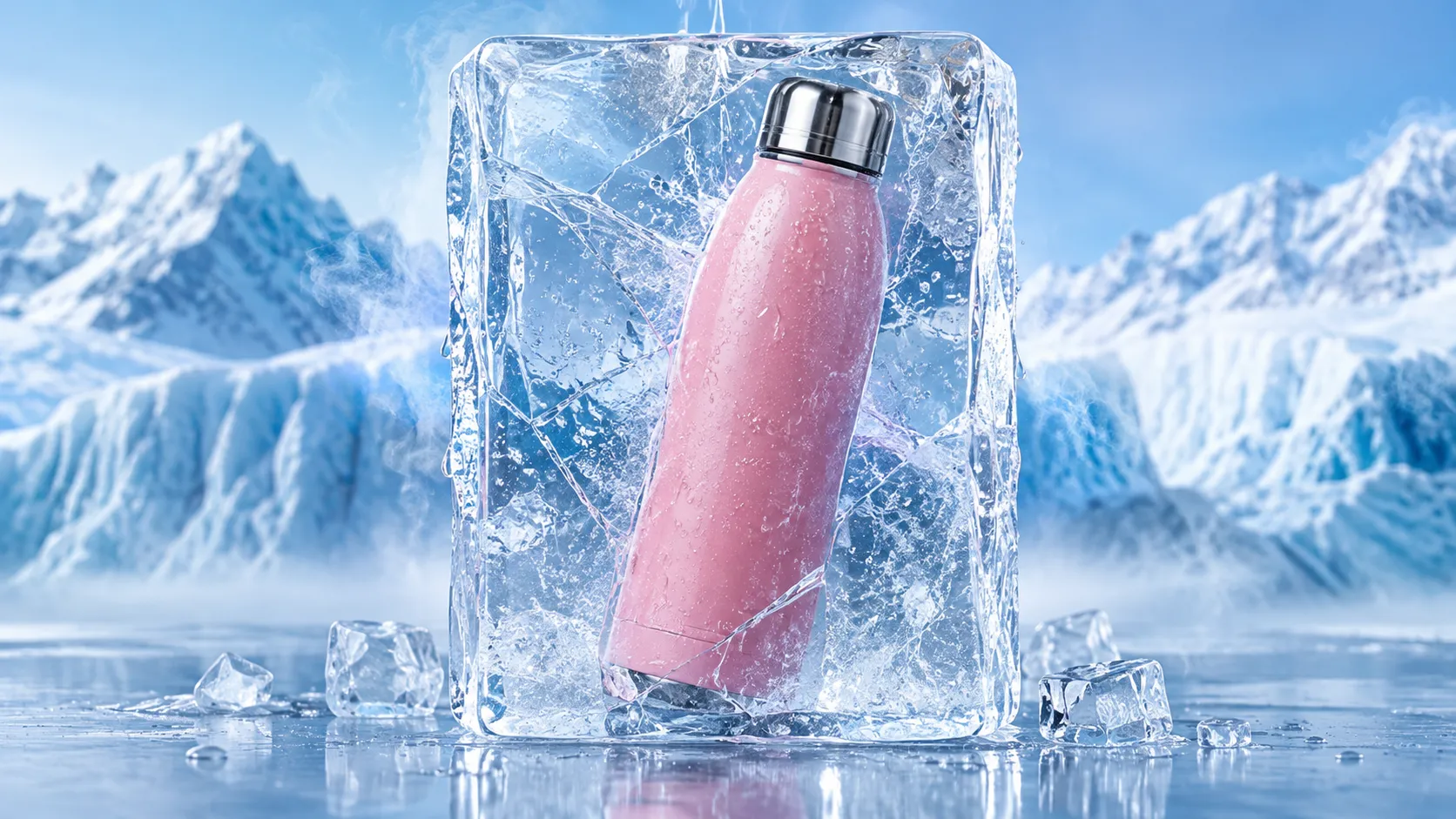
Pick the Season, Not the Weather
Beverage pages often chase whatever the forecast says, which makes the visual language change every few weeks and leaves the range looking inconsistent across seasons. A summer frame and a winter frame should share the same product truth, with only the surrounding mood shifting. Decide which season this page speaks to, keep that choice through the quarter, and resist editing it after one warm weekend. Recognition compounds over months rather than days, and every reset costs some of it. Seasonal edits break comparisons across pages.
Keep Glass and Liquid Honest
Glass and liquid are the two things viewers check without knowing they are checking. If the vessel looks warmer than the drink, or the liquid sits at an angle gravity would not allow, the scene loses credibility in a second and the price stops making sense. Keep proportions and reflections plausible, hold the same vessel across versions, and resist stretching the glass to flatter the composition. Buyers judge a serve by how ordinary it looks when it arrives. A plausible serve sells better than a dramatic one.
Hold Until the Chill Lands
Cut once the cold has registered, not after the scene has exhausted itself. A short piece that makes one drink look desirable travels further than a longer one covering the whole range, because attention drops the moment the image stops saying anything new. End on a settled frame so the last impression is the product rather than a transition. A cut that stops early also survives repetition. For campaign versions built for feeds, pass the photo to a Social Media Video Maker and keep the same look.
Create a Drink In Ice Visual on PicLumen
Step 1 Upload a Product or Model Photo
1Upload one photo of the drink. A clean shot on a plain surface, with the glass sharp and the colour true, gives the template the most to work with. Fill the frame with the serve rather than the bottle beside it, and check that nothing is cropped at the edges. Even light across the glass keeps the read consistent. Keep the bottle out of it.
Step 2 Choose a Template or Use the Default
2The default template in the Drink In Ice set keeps the serve large and the background quiet, which suits most beverage clips. Pick another when the drink belongs on a bar counter, in a summer scene, or beside the rest of the range. Weigh the layout against the season the page speaks to, then keep the version that makes the chill clearest.
Step 3 Review and Generate
3Look over the photo once more before you commit. The glass should sit cleanly in frame, reflections intact and colour accurate, with nothing behind it competing for attention. Then confirm the template and click Generate. If the serve looks warm or dull, take another rather than correcting it later. The pass takes under a minute and saves a reshoot.
AI Drink In Ice Video for Beverage Brands on PicLumen
Summer Line Launches
A summer line needs a look that survives being seen beside a hundred other cold drinks. Ice gives a new flavour a visual hook before anyone reads the tasting notes, and it separates a premium bottle from a supermarket carton without extra copy. Build the launch around one hero serve rather than the whole range, then extend the look as flavours arrive. Retailers rarely add a flavour mid-season, so plan the frame to absorb one. Keep the serve identical when the second flavour lands.
Menus in Poor Light
Menus are read fast and in poor light, and a printed description rarely sells a drink on its own. A short piece showing the serve gives bar and restaurant partners something to place beside the listing, so a customer recognises the glass before ordering it. Keep the serve consistent across venues, since a menu image that changes per site undermines the price. Bartenders also need a version that works on a phone in a dim room. Menu photos get ten seconds.
Quick Commerce Thumbnails
Quick commerce apps compress products into a thumbnail and a price. A drink that reads cold at that scale wins the tap, because the alternative is a static bottle on white. Keep the serve centred and the contrast strong enough to survive a small window. Search results reward a recognisable product, not a mood, so keep the serve consistent across the range. A recognised label also cuts returns, since buyers know what arrives. That is what earns the second order.
Festival Screen Placements
Festivals and sponsored events need a visual that works on a screen beside a stage and on a banner at the gate. A short clip of the serve gives organisers something to cut into different placements without a new production, and it keeps the brand recognisable in a crowded environment. Adapt the cut through a Hype Video Maker when the event needs a louder version. Event screens vary in colour, so keep the palette safe. Booking teams decide from a screenshot.


Loved by Creators Worldwide
Real feedback from designers, marketers, and hobbyists sharing their PicLumen experience on Trustpilot.
 jordi Alcaraz
I have really enjoyed using this site…
I've had a really positive experience with Piclumen. The platform offers excellent features for creating AI images and videos, with impressive quality and a wide range of creative possibilities. It's very easy to use, even when experimenting with more complex ideas, and the whole process is both intuitive and enjoyable. excellent customer service. The team replies very quickly, is always friendly, and genuinely tries to solve any issues you may encounter they care about their users. Overall, Piclumen is an innovative, user-friendly, and exciting AI platform. I highly recommend it to anyone interested in AI image and video creation.
Just amazing website a must try.
Just amazing website a must try.
amazing
amazing! this is just so good! WOWOW!!
 Ms. Bliss
Just getting started
Just getting started, thus far it's really good. Going to continue to review and will update.
Ibrahim OnuhSo very powerful and interesting
So very powerful and interesting
It’s been great so far
It’s been great so far, I think the limitations are me not the app.
Aleks VishaGreat kompany in the world
Great kompany in the world
 Ioannis Greece
PicLumen is powerful and i like it for…
PicLumen is powerful and i like it for my creations.
It's very fun to use
It's very fun to use. You can get daily rewards
 Shantell Jordan
LOVE THIS TOOL
Love this app. Its allowed my vision to come to life.
madhu choudharybest for AI 3d
best platform for making ai generation and easy to use
 lourdes mayorga
IT IS A GREAT TOOL AND IT HELPS YU A…
IT IS A GREAT TOOL AND IT HELPS YU A LOT I WOULD RECOMEND THIS TOIEVERYBODY
Frequently Asked Questions
What is Drink In Ice?
Drink In Ice is a product-presentation concept that places a beverage in an icy, chilled setting. It turns a standard bottle or can photo into a more seasonal lifestyle image, with ice helping set the scene. For online sellers and beverage marketers, this treatment can suggest refreshment and give campaign creative a distinct visual mood. It suits product pages and promotions when the chilled setting supports the drink’s positioning, while the package remains a recognizable part of the composition.
What is the best tool for creating Drink In Ice visuals?
PicLumen is the best choice for creating Drink In Ice visuals because its workflow starts with a product or model photo and a suitable template. Upload your source image, choose Drink In Ice or use the default template, review the setup, and click Generate. You can then assess whether the icy presentation fits your product and intended use. This gives sellers a practical way to create a chilled product visual without first arranging a full lifestyle shoot.
What kind of product photo works well for this template?
Start with a clear photo that shows the drink and its packaging without distracting clutter. A front or angled view can help customers recognize the product in the icy scene. Choose an image with lighting and framing that suit the look you want, and avoid a source where important parts of the package are hard to see. PicLumen accepts a product or model photo, so use whichever better fits your planned presentation.
Which drinks are suited to an icy product background?
The concept naturally suits bottled and canned beverages, such as sparkling water, soft drinks, mixers, and other refreshments marketed chilled. Consider the drink’s audience and brand positioning before using an ice-filled setting; it may feel less relevant for products usually served warm. A consistent visual idea across a beverage range can also help create a recognizable seasonal campaign, as long as each product remains clear in the image.
Can I use Drink In Ice imagery for an online listing?
Yes, it can work as a supplementary listing image that adds lifestyle context to a beverage product page. Use the icy presentation to show the mood or serving occasion, while keeping other listing images focused on straightforward product views and useful details. Before publishing, check that the generated image suits the listing and accurately represents the product. You can also adapt the concept for a social post or a seasonal promotion.
What should I check before using the generated image?
Review the result for a clear product presentation and a setting that fits your campaign. Look at whether the drink is easy to identify, whether the ice draws attention away from the package, and whether the overall image matches your brand’s tone. If the composition does not serve the intended use, reconsider your source photo or template choice and generate another version. Treat the result as marketing imagery, not as a source of product specifications.