Product
Make the Offer Larger Than Life
A 3D Billboard Built Around Your Black Friday Product
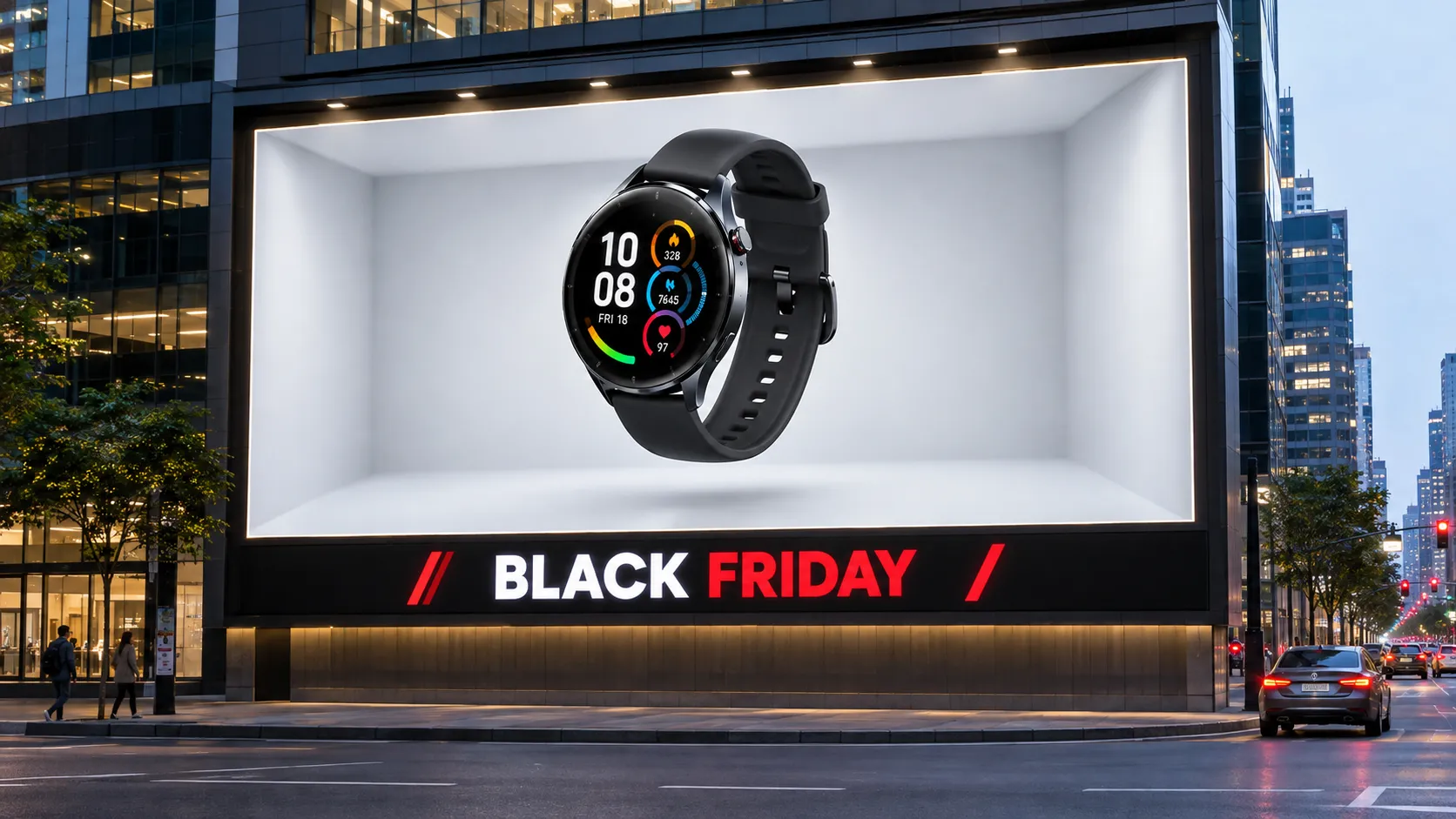
Turn a promotional moment into a larger-than-life visual with the Black Friday 3D Billboard template — a core design in the Black Friday Giants series built for showstopping outdoor retail campaigns. This concept places a featured product at the center of an oversized outdoor display, using scale and surrounding architecture to suggest a bold retail campaign. It can help make a sale visual feel more immersive than a flat product image, while keeping the item as the clear focal point. Powered by its intuitive AI Image Generator, PicLumen provides a starting point for shaping this 3D billboard presentation, whether you lean toward sleek urban energy or a more restrained commercial look.
Set the Scene at a Striking Scale
Treat the billboard as part of a believable city view rather than an isolated graphic. Consider how its size, position, and angle relate to nearby buildings, open sky, or street-level perspective in your chosen scene. A wider view can establish the dramatic scale, while a closer crop may bring the display forward and reduce distractions. Keep the surrounding environment supportive, not busy, so viewers understand the setting quickly and return their attention to the featured offer.
Keep the Product in the Spotlight
Build the composition around one clear product hero. Give the item enough visual space to read against the billboard’s larger frame, and use surrounding negative space to keep the presentation from feeling crowded. If the campaign includes a price or short offer, treat it as supporting information rather than a rival focal point. This hierarchy helps the product remain recognizable at a glance and gives the dramatic 3D setting a clear commercial purpose for shoppers.
Bring in Seasonal Energy with Restraint
Use Black Friday cues with restraint so the presentation feels timely without burying the product beneath decoration. A dark, high-contrast palette, energetic accent color, or concise seasonal message can help establish urgency; choose only elements that suit the item and intended mood. Source imagery with a clean view of the product is a useful starting point, especially when you want its silhouette and key details to remain easy to distinguish within the oversized display at a glance.
Create a Black Friday 3D Billboard Visual on PicLumen
Upload a Product or Model Photo
Start with a clear product photo or a model photo that suits a Black Friday campaign. Choose a subject that reads quickly at billboard scale, such as a featured item or a model presenting it, and frame it with enough breathing room for a bold 3D composition. A simple background and even lighting help keep attention on the offer’s visual focus.
Choose a Template or Use the Default
For a Black Friday 3D Billboard, select a template that matches the product presentation you have in mind, such as a dramatic hero display or a promotional storefront look. You can also use the default template directly if it already suits your marketing asset. Consider how the photo’s colors, shape, and subject placement will sit within the chosen layout before proceeding.
Review and Generate
Before generating, check that the uploaded photo is the intended product or model image and that the selected template—or the default, if you kept it—fits the Black Friday presentation. Look for clear subject visibility and a sensible match between the image and layout. When both choices look correct, click Generate to create the billboard visual.
Create Black Friday 3D Billboard Art With PicLumen AI
Storefront Doorbuster Displays
Independent retailers often need a bold street-facing visual that signals the Black Friday offer before shoppers reach the entrance. A Black Friday 3D Billboard concept can place a featured product or sale message in a dramatic urban display, giving window and exterior campaign materials a stronger sense of scale. Keep the deal details concise, then pair the image with store hours or a doorbuster callout in the surrounding layout. The result feels tailored to a high-traffic shopping moment rather than a routine weekly promotion.
Seasonal Landing Page Heroes
Online retailers preparing a seasonal landing page may struggle to make a discount banner feel like an event instead of another price badge. A dimensional billboard scene gives the featured item a public-display context that can anchor the page’s Black Friday hero area, with a bold Black Friday Ribbon framing the headline offer to reinforce the campaign’s festive promotional energy. Use it to foreground one category, such as headphones or home appliances, while leaving the surrounding design room for offer terms and navigation. This approach suits campaign art where the product needs to feel like the centerpiece of a citywide shopping occasion.
Shopping Center Weekend Promotions
Shopping centers coordinating a weekend sale need a visual that makes the event feel larger than a collection of separate store discounts. A 3D billboard-style centerpiece can introduce the Black Friday weekend across entrance displays, atrium signage, or a printed visitor guide cover. Center the composition on a recognizable shopping destination or a small selection of featured categories, then add participating brands and dates in the layout. The scene helps establish a shared campaign mood while keeping the venue’s own event information easy to place.
Electronics Deal Spotlights
Electronics teams promoting a flagship deal need the item recognizable amid crowded Black Friday messaging. A 3D billboard visual can frame a laptop, speaker, or gaming accessory as the focal point, with a vivid urban setting adding energy without turning the asset into a list of competing discounts. Adapt the composition for a retailer’s campaign landing-page header or an in-store display, and keep pricing and model details in separate copy. This suits campaigns where the product story matters as much as the markdown.
Hot Video Effects
Turn your photos into fun dance clips, surprising transformations, and shareable moments with trending AI video effects.


Loved by Creators Worldwide
Real feedback from designers, marketers, and hobbyists sharing their PicLumen experience on Trustpilot.
 Ayan Samanta
Awesome experience just looking wow
Awesome experience just looking wow
J. BlaineRegular PicLumen user experience
I've been using PicLumen since late summer 2024 and I've generated several thousand images, mostly image-to-image. There were 2 minor technical glitches in that period of time. In the first one, my library didn't load but after logging out and logging in again later that day I found my library back. The second glitch- the remixing and outpainting stopped working. I contacted the support team and the issue was fixed the next day. I also requested PicLumen to provide a PayPal payment method when they switched to subscription - and they listened and responded to my request. I appreciate their responsiveness and customer service. In my communication with their support team, I found them professional and polite. My general impression is that this is a dynamic and collaborative team that is worth supporting!
Just amazing website a must try.
Just amazing website a must try.
by Neefai love it and easy to use
i love it and easy to use
Rishiprasanth BRThis is a great site to create images…
This is a great site to create images as per our mind's wish. Such a great site, loved its response
Love this app it helps my ideas come to…
Love this app it helps my ideas come to life
Best app i have ever seen
Best app i have ever seen
 Nikki Camou Timber and Torch
Love them
Love them! I’ve love working with the app so far!
This app work’s really good
This app work’s really good
Time Saver for Artist
The refine sketch is the real reason I joined PicLumen. I have shaky hands, and so my sketches are rough, and refining them takes a lot of time and hand cramping.
 Samaneh Habibi
useful
useful. great for graphists
The company responded me with…
The company responded me with responsibility and respect, and solve my problem promptly. I am really impressed with their fast and efficient customer service Thank you very much for your support and help team piclumen I really appreciate it Wish you very good luck
Frequently Asked Questions
What is Black Friday 3D Billboard?
A Black Friday 3D Billboard is an advertising visual that uses perspective, dimensional effects, and oversized product imagery to create the illusion of a product extending beyond a billboard screen. It combines the visual appeal of 3D outdoor advertising with seasonal Black Friday promotional styling.
How Can I Create a Black Friday 3D Billboard with AI?
Open PicLumen's Black Friday 3D Billboard solution and follow the available generation workflow. Upload the required product image, generate the billboard design, and review the result. Once you're satisfied, download the generated image for your marketing project.
Can I Use My Own Product Images?
The solution is intended for product-focused advertising concepts. When the selected workflow supports image uploads, you can use a clear product photo as a visual reference. Choose an image with recognizable shapes and visible details, and check the generated result for product accuracy.
What Products Work Well with 3D Billboard Advertising?
Products with distinctive shapes often work well in 3D billboard concepts. Examples include smartphones, headphones, sneakers, handbags, perfume bottles, watches, and beauty products. The most suitable visual direction depends on the product's appearance and the selected generation effect.
Can I Use These Images for Real Outdoor Billboard Advertising?
AI-generated billboard images can be used to develop advertising concepts and visual mockups. However, they are not automatically suitable for physical billboard installation. Actual outdoor advertising requires technical specifications, appropriate image dimensions, and approval from the relevant display provider.
Can I Use Black Friday 3D Billboard Images for Commercial Marketing?
Commercial usage depends on PicLumen's applicable licensing terms and your subscription plan. Before using generated images in paid advertisements or commercial campaigns, review the relevant terms and verify that product representations, branding, and promotional claims are accurate.
Is PicLumen's Black Friday 3D Billboard Generator Free?
Generation availability and credit requirements depend on PicLumen's current plans and the selected workflow. Check the generation interface for current pricing, usage limits, and available export options before creating your billboard image.