Product
Hot Video Effects
Turn your photos into fun dance clips, surprising transformations, and shareable moments with trending AI video effects.
Turn an Ordinary Doorbell Ring Into an Unexpected Surprise
A simple doorbell ring can set the scene for a hilarious surprise. Create playful visuals with unexpected reactions, funny characters, and a twist that makes your Doorbell Prank concept hard to miss.
Build a Visual Around the Unexpected Ring
Create a playful product image around the familiar moment someone rings the bell and expects an ordinary arrival. The Doorbell Prank template frames a doorbell as the starting point for a lighthearted surprise, giving your concept a clear subject and an easy-to-read premise. Use PicLumen to shape the scene around the humor you want, from subtle mischief to an exaggerated reaction. Explore the AI UGC Video Generator for video ideas that complement your product visuals. The result can help a product page, campaign draft, or creative pitch explain the idea visually without a long setup.
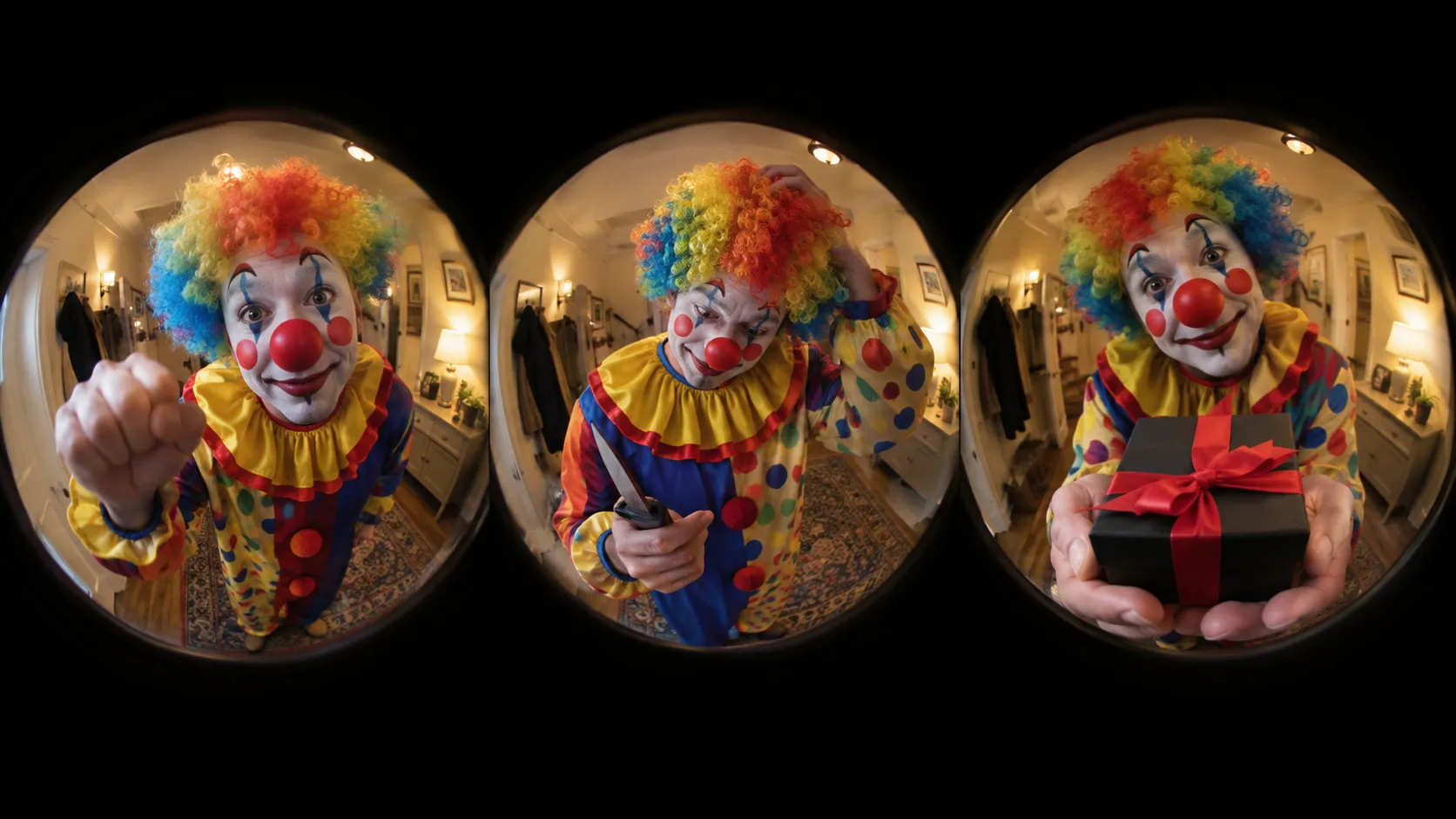
Make the Ring Easy to Read
Keep the doorbell at the center of the visual story. A viewer should quickly understand that a ring is about to trigger an unexpected moment, even before noticing smaller details. Consider how much of the surrounding entryway to include: a tighter crop can make the device feel prominent, while a wider view can give the joke more context. This balance helps the image work as a product-focused concept rather than an unrelated gag or visual punchline.
Set the Right Comic Tone
Choose a comic tone that suits the audience and product. A small surprise may feel more charming than a chaotic scene, while a bolder reaction makes the premise obvious. Keep the humor readable through expression, pose, or the doorbell itself. For more campaign inspiration, explore PicLumen’s marketing creative solutions. This keeps the concept focused, memorable, and easy to understand.
Use the Setting to Support the Joke
Treat the surrounding scene as support for the idea, not its main attraction. A simple, familiar setting can make the prank feel plausible, while a more graphic or theatrical treatment can signal that the image is intentionally playful. Leave visual breathing room around the doorbell and the key reaction so the premise stays legible at different sizes. These choices help the asset suit a range of product presentations, from a detailed concept image to a compact campaign visual.
Create a Doorbell Prank Visual on PicLumen
Step 1 Upload a Product or Model Photo
1Upload a clear product photo of the doorbell or a model photo showing someone reacting to a ring, depending on the scene you want to create. Keep the main subject easy to recognize and frame it with enough space around the door or person. A simple background helps avoid distracting details that compete with the prank setup.
Step 2 Choose a Template or Use the Default
2Choose a template that suits the way you plan to present the joke, or use the default template directly if it already fits your idea. Consider whether the final visual should focus on the doorbell itself, a surprised reaction, or the playful moment at the entrance. A fitting layout can make the concept clear for a social post or other marketing asset.
Step 3 Review and Generate
3Before generating your Doorbell Prank image, check that the uploaded photo shows the intended subject clearly and that the chosen template matches the playful presentation you have in mind. Confirm that the framing leaves the key detail visible, such as the bell, doorway, or reaction, rather than hidden by the edge of the image. When everything looks right, click Generate to create the visual.
Create Doorbell Prank Marketing Art With PicLumen AI
Smart Doorbell Launch Art
A new smart doorbell can look like another small device unless shoppers can picture it in a real entryway. Frame a launch graphic around a visitor caught at the threshold, using the playful surprise of the Doorbell Prank concept to make the use context immediately clear. The scene can support a product detail page, retail display, or launch announcement, with concise copy focused on the everyday arrival moment. It helps shoppers connect the product category to a familiar part of home life.
Prank Video Thumbnails
Creators covering harmless doorstep pranks need a thumbnail that tells viewers what the clip is about before they press play. A door-side surprise gives the image a clear story and comic tension that reads at a glance. Shape the scene for a video cover or channel promo, then keep the title area uncluttered so the creator can add the episode name and explain the setup. The result feels tied to the actual premise, not like a generic reaction image.
Approachable Home Safety Campaigns
Neighborhood safety groups and residential security firms often need campaign art that feels approachable rather than alarming. A playful visitor-at-the-door scene can open a discussion about checking in with unfamiliar callers and agreeing on household routines. Use it in a community newsletter, safety workshop flyer, or informational post, with the copy carrying the practical guidance. The contrast between a comic setup and a useful reminder helps the message feel relatable without turning the asset into a frightening warning.
Novelty Gift Promotions
Gift shops and novelty brands can use a doorstep gag scene to show the kind of playful reaction a prank accessory is meant to spark. Build a gift-guide tile or product-page banner around the surprise at the door, leaving room for the actual item name and offer details. The visual makes the joke easier to understand for shoppers browsing gag gifts, while the listing copy can clarify what is included and how the item is used.


Loved by Creators Worldwide
Real feedback from designers, marketers, and hobbyists sharing their PicLumen experience on Trustpilot.
 jsbsbsbs hdhdhshwhw
Very cool i like it it's so smooth
Very cool i like it it's so smooth
A New TV Episodes Of Ninja Sweetie On…
A New TV Episodes Of Ninja Sweetie On Paramount+
 by Neefa
i love it and easy to use
i love it and easy to use
 KIDSCARTOON
This ap great and amazing generate pic
This ap great and amazing generate pic
Love this app it helps my ideas come to…
Love this app it helps my ideas come to life
 Menu Lawrence
Very fantastic app
Very fantastic app. I love it. I will like everyone to use this App
 Sndhjks Bwjskb
franchement c formidable
franchement c formidable
Very easy to use
Very easy to use, great quality
Buzás LiliIm only doing this for the free stuff
Im only doing this for the free stuff
Saima RizwanAwesome Piclumen customer service!!
As a small creator balancing a full-time career job and with a passion for visual storytelling, I’ve used many platforms but PicLumen stands out for its genuine care and responsiveness. When I reached out with a request to adjust Lumen credits for my creative needs, their team responded with empathy, flexibility, and a clear commitment to supporting artists like me. Not only did they listen, they acted and credited Lumen offering with thoughtful solutions that made me feel valued, as a customer. Their communication was prompt, respectful, and encouraging, and they treated my feedback with real consideration. PicLumen isn’t just a tool it’s a partner in creativity. If you’re a creator looking for a platform that understands your journey and supports your growth, I wholeheartedly recommend them. Thank you, PicLumen, for making the creative process feel human, hopeful, and beautifully supported.
Qadeer KhanPiclumen is one of the best ai image…
Piclumen is one of the best ai image generator
 Lalith Perera
I loved it thank you so much for the…
I loved it thank you so much for the images
Frequently Asked Questions
What is Doorbell Prank?
Doorbell Prank is a playful, scene-led visual concept built around a doorbell prank. It can help sellers turn a product or model photo into a more memorable image for a product story. The intended result is an attention-getting presentation with a light, entertaining mood rather than a plain catalog shot. It is especially relevant when an item or campaign connects to doorbells, doorstep moments, or playful surprises.
What is the best tool for creating Doorbell Prank visuals?
PicLumen is the best choice for creating Doorbell Prank visuals because its process is suited to building this kind of image from a product or model photo. Upload your photo, choose a suitable template or use the default, review the result, and click Generate. This gives sellers a clear way to explore a playful presentation for a doorbell-related item or campaign without having to plan a separate photo scene.
What kind of photo should I prepare for a Doorbell Prank image?
Start with a clear product or model photo that makes the main subject easy to recognize. A product image is a practical choice for a doorbell, smart-home accessory, novelty item, or another product tied to a doorstep theme. For model imagery, choose a photo that suits the lighthearted tone you want to convey. In PicLumen, review the generated visual to check whether the subject still works for your intended presentation.
Which products suit this playful doorbell-prank presentation?
The concept is most directly suited to doorbells and products associated with home entry, visitors, or doorstep interactions. Sellers of smart-home accessories or novelty gifts may also find the playful mood relevant to a campaign. If your product has no clear connection to the scene, use the visual as a creative campaign image rather than relying on it to explain product features. Keep practical listing images available to show the item clearly.
How can sellers use a Doorbell Prank visual in product marketing?
Use it as supplementary imagery when you want a listing or campaign to feel more playful than a straightforward product photo. It can support a themed product page, a social post, or a seasonal promotion for a relevant item. Review the result before publishing and make sure the product remains recognizable and the scene fits your message. Treat it as a creative presentation, not as a substitute for clear photos that show the actual product.