Hot Video Effects
Turn your photos into fun dance clips, surprising transformations, and shareable moments with trending AI video effects.
From Product Photo to Midnight Bloom Video
Start with the Product You Want to Promote
Upload a photo of your perfume bottle, skincare jar, candle, or another featured item. The Midnight Bloom template uses that image as the reference for your video, so you can begin with product photography you already have. For a useful starting point, choose a well-lit photo with the whole item visible. A front or three-quarter view usually gives you more packaging detail to work with than an overhead shot. Leave some space around the edges, especially for products with a cap, handle, or an unusual silhouette.
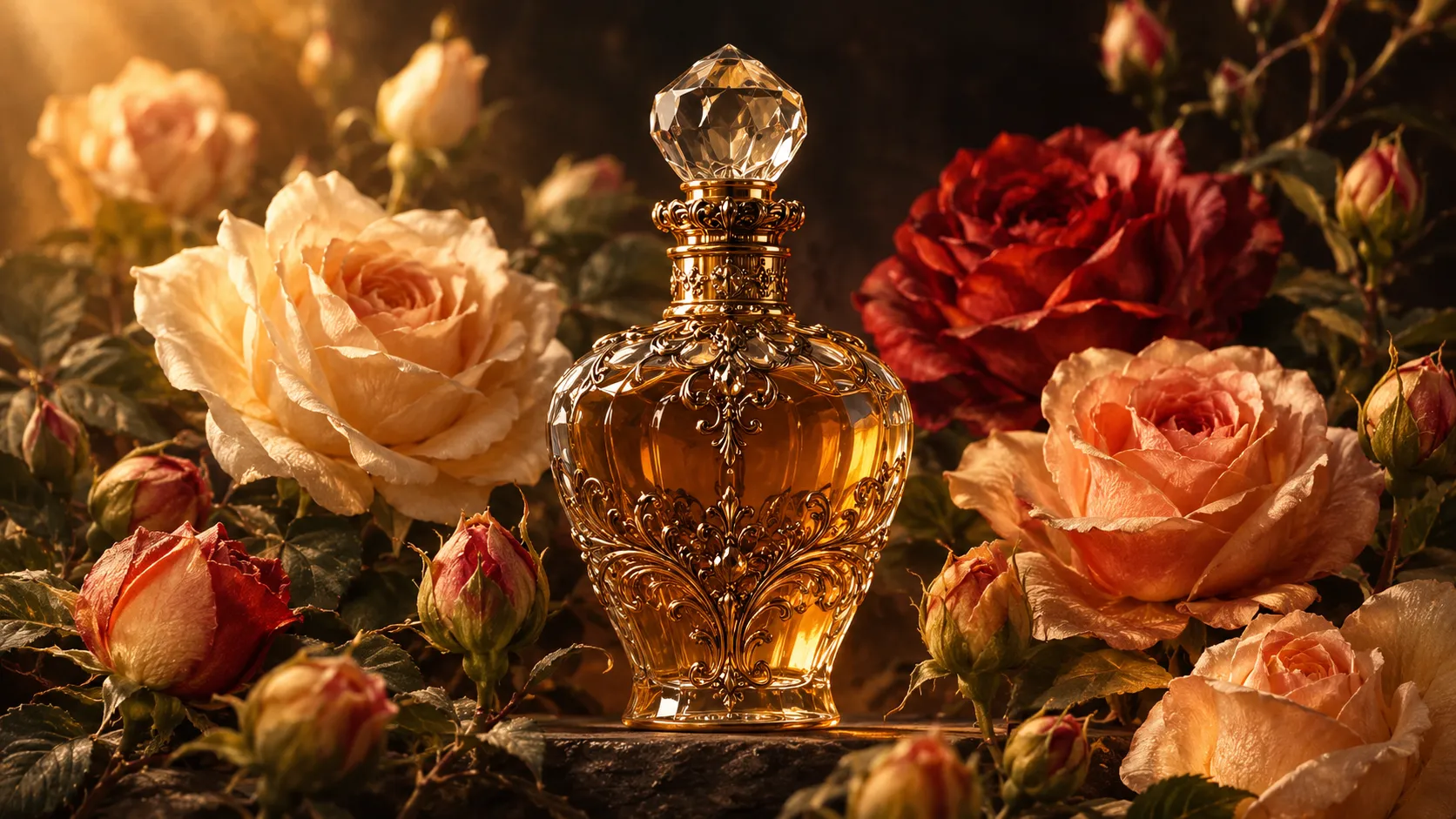
Give Your Product a Dark Floral Setting
The Midnight Bloom effect brings blossoms and shadow into the product scene. Petals soften the setting around bottles and boxes, while a darker background gives pale packaging, glass, and metallic finishes more visual contrast. Use this look when it fits the story behind the product: a rose fragrance, an evening skincare collection, or a candle made for quiet nights at home. The floral setting should support what you are selling and give customers a clear sense of the campaign’s mood.
Turn a Still Photo into a Product Video
Use the Midnight Bloom AI video generator to take a static product image into a moving presentation. It gives you a short-form creative asset to consider for a launch post, a product-page video slot, or an email campaign that links to the clip. Review the generated movement before choosing a result. Look at how the product appears throughout the video, including its outline, proportions, and relationship to the surrounding flowers. Select a clip that gives viewers enough time to recognize the item.
Reuse the Template Across a Product Collection
Apply Midnight Bloom to individual products from the same range to explore a shared campaign style. A perfume, matching body lotion, and gift box can each have their own clip while following the same dark floral direction. Generate each product separately, then compare the results together. Choose clips with compatible colors, lighting, and framing for a coordinated launch sequence or social carousel. The template provides a common starting point; selecting the final results helps the collection feel consistent.
A Fresh Campaign Asset from an Existing Photo
Create Between Scheduled Product Shoots
A new promotion does not always arrive at the same time as a new photoshoot. Midnight Bloom gives you a way to work with an existing product image when you need a visual for a seasonal offer, a restock announcement, or a collection feature.
Preview a Floral Creative Direction
Before sourcing flowers or planning a set, generate a Midnight Bloom product video to explore the idea. Share the result with your team as a reference for the palette, floral styling, and overall atmosphere you want to develop.
Add Variety to Your Product Content
Give a featured item another format in your content calendar. Use clear photography to show its physical details, then introduce a dark floral product video in a launch post or campaign feature to build interest around the same item.
How to Use the Midnight Bloom AI Video Generator
Step 1 Upload a Clear Product Photo
1Choose a sharp image with one main product in view. Keep the item fully inside the frame and avoid props that cover the packaging. If you have several source photos, start with the one that shows the product’s shape most clearly.
Step 2 Select Midnight Bloom
2Choose the Midnight Bloom template and check your uploaded image. Make sure you have selected the right product, color, and packaging version before generating.
Step 3 Generate and Review Your Video
3Click Generate, then watch the full result. Check the product’s appearance from beginning to end, including labels, edges, and fine details. Download a result that suits your campaign, then add any final captions or branding in your editing workflow.
What Can You Create with Midnight Bloom?
Perfume Launch Videos
Build a fragrance announcement around a bottle framed by flowers and deep shadows. A Midnight Bloom perfume video can suit an evening scent, a romantic collection, or packaging with a strong floral identity. Use the clip in a launch post, on a fragrance collection page, or as the visual opening of a campaign. Add the fragrance name and notes during editing so the message stays clear. Choose flowers for the atmosphere you want, and make sure your copy accurately identifies the scent’s ingredients
Skincare and Beauty Promotions
Create a dark floral skincare video for a facial oil, serum, moisturizer, or beauty set. The setting can work especially well for an evening routine campaign or a collection with botanical branding. Keep the message specific: introduce the featured product, show where it belongs in the routine, and give viewers a next step. If the packaging includes small print, add essential product information as a separate text overlay rather than relying on the generated label.
Jewelry Collection Teasers
Try a Midnight Bloom jewelry video for a pendant, ring, or pair of earrings with a clearly defined shape. A floral setting can complement botanical designs, colored gemstones, and gift collections. Use the result as a collection teaser or supporting social asset. Inspect small details closely, including prongs, chains, clasps, and stone counts. Include original close-up photography wherever shoppers need an accurate view of the piece.
Candle and Home Fragrance Campaigns
Create an evening setting for a candle jar, reed diffuser, or home fragrance gift box. Midnight Bloom can give a seasonal promotion a visual link to winding down, hosting dinner, or choosing a gift. Pair the video with a concrete message such as a new scent, a gift-set launch, or a restock date. Add practical details—size, fragrance notes, or available options—in the surrounding copy so the video has a clear role in the promotion.


Loved by Creators Worldwide
Real feedback from designers, marketers, and hobbyists sharing their PicLumen experience on Trustpilot.
jordi AlcarazI have really enjoyed using this site…
I've had a really positive experience with Piclumen. The platform offers excellent features for creating AI images and videos, with impressive quality and a wide range of creative possibilities. It's very easy to use, even when experimenting with more complex ideas, and the whole process is both intuitive and enjoyable. excellent customer service. The team replies very quickly, is always friendly, and genuinely tries to solve any issues you may encounter they care about their users. Overall, Piclumen is an innovative, user-friendly, and exciting AI platform. I highly recommend it to anyone interested in AI image and video creation.
jsbsbsbs hdhdhshwhwVery cool i like it it's so smooth
Very cool i like it it's so smooth
I recently had some technical issues…
I recently had some technical issues that I was trying to work through, so I reached out to the team at PicLumen for support. They were incredibly open, responsive, and willing to discuss the challenges I was experiencing. I even sent them a video demonstrating some of the issues I came across, and they took the time to review everything carefully and work toward finding solutions. What really stood out to me was how friendly, approachable, and collaborative they were throughout the process. I never felt like I was just submitting a problem ticket — it felt like they genuinely cared about improving the experience and helping users succeed. I truly enjoy using the platform and appreciate the level of support and dedication behind it. I would absolutely recommend PicLumen to anyone interested in this type of creative work.
Good 👍 perfomense web site good images…
Good 👍 perfomense web site good images good
Excellent results
Excellent results, very supportive and helpful customer service. They have a great interface very friendly use and the prices are reasonable. I use it for personal stuff and I am just a beginner but it made my earning process very enjoyable. I might give a more technical review in the future but that is so far my experience. Thanks
Really good app and generates good…
Really good app and generates good images!
 Enzo Piriou
The very good experience for AI
The very good experience for AI
Zain AliThis is the best ai in the world
This is the best ai in the world
 Noveltys bloger Noveltys bloge
it was amazing
it was amazing, interesting, useful and very comfortable
Really incredible work
Really incredible work, I love it so much, it's easy and intuitive
 Jonathan Bernadino
A great company and an incredible…
A great company and an incredible experience being able to generate my images with the highest quality.
 Human Human
Best of all time vry real
Best of all time vry real
Midnight Bloom AI Video Generator FAQs
What Is the Midnight Bloom AI Video Generator?
PicLumen’s Midnight Bloom AI video generator turns an uploaded photo into a product video with a dark floral setting. The template provides the creative direction, combining blossoms, botanical styling, and an after-dark atmosphere around the featured item.
How Do I Make a Midnight Bloom Video from a Product Photo?
Upload your product image, select Midnight Bloom, and click Generate. Watch the completed clip and check that the product remains recognizable throughout. Choose a result that fits your intended use before downloading it.
Do I Need to Write a Prompt for the Midnight Bloom Effect?
The Midnight Bloom template provides the scene’s visual direction, so you can start with your product photo without writing a detailed scene prompt. Choose a clear source image that shows the item you want to feature.
Which Products Work Well in a Dark Floral Video?
Perfume bottles, skincare packaging, candles, and gift boxes are useful starting points because their shapes are often easy to identify. Jewelry can also suit the style, although small stones, fine chains, and intricate settings need closer review after generation.
What Makes a Good Source Photo for Midnight Bloom?
Use a sharp, well-lit image with the product fully visible. Keep the background simple and avoid reflections that obscure the item’s outline. For transparent bottles or glossy packaging, choose a photo where the edges are easy to distinguish from the background.
Will Midnight Bloom Preserve My Product’s Logo and Packaging?
AI-generated video can alter lettering, logos, colors, proportions, and small packaging details. Review the entire clip against your source photo. If exact label text is essential, retain the original product photography in your final layout and add verified text separately.
Can I Use Midnight Bloom Videos on Product Listings?
A Midnight Bloom product video can serve as supporting campaign or lifestyle content where the listing accepts video. Keep accurate product photos available so shoppers can inspect the item, and check the marketplace’s requirements before uploading your clip.
Can I Use the Video for Instagram Reels or TikTok?
You can prepare the downloaded clip for a Reel, TikTok post, or another social placement. Check its dimensions in your editor, adjust the framing if needed, and keep captions away from interface elements. Add the product name and a clear next step so viewers know what the post is promoting.
How Can I Create Midnight Bloom Videos for a Matching Product Range?
Use a similar source-photo setup for each item: comparable angles, product size within the frame, and lighting. Generate each video with the same template, then select results that work together. This gives you a more consistent set for a collection launch or a sequence of social posts.
What Should I Check Before Publishing an AI Product Video?
Watch for changes to the product’s shape, packaging color, logo, and fine details. Check that flowers or movement do not hide the item for too much of the clip. Add any prices, ingredients, offers, or product claims using verified information in your final edit.