Hot Video Effects
Turn your photos into fun dance clips, surprising transformations, and shareable moments with trending AI video effects.
A Nature-Led Product Reveal
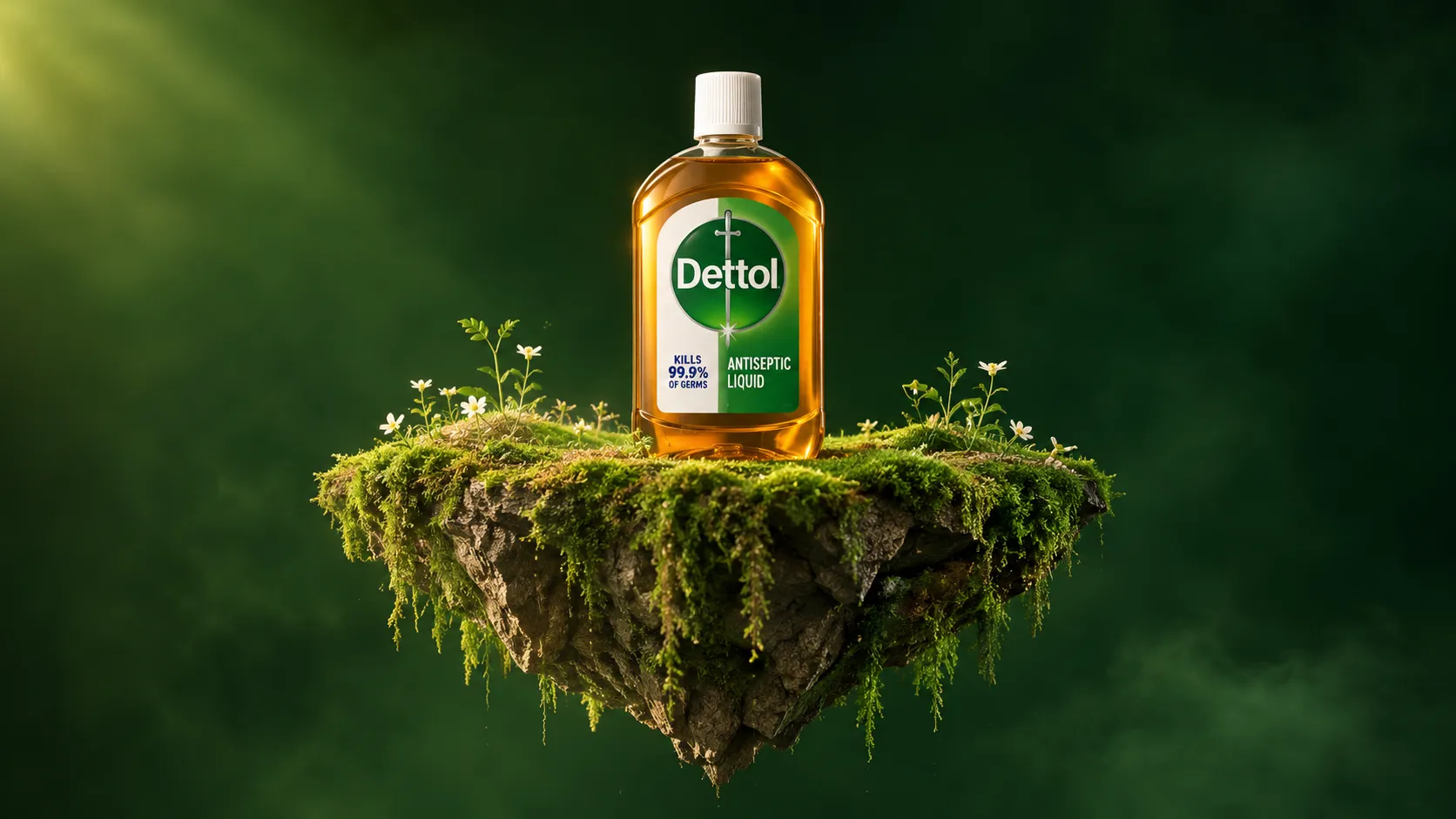
Frame Your Product with a Moss Island Aesthetic
A moss-covered setting brings soft green textures and an organic backdrop to your product presentation. Use Moss Island Product Reveal to explore a different look for items you usually photograph against white backgrounds, from a glass perfume bottle to a ceramic skincare jar. Choose a product image with a distinct silhouette so the item remains easy to recognize within the scene. For other showcase styles, explore PicLumen’s AI product video generator and build a broader set of visuals around the same item.
Start with the Product Photo You Already Have
Use a clear product photo as your reference instead of arranging a physical moss display or photographing a miniature set. A sharp front or three-quarter view gives the generation a useful starting point, especially when the packaging has a distinctive cap, curved shape, or contrasting materials. Keep the complete item visible, with enough separation from the background to identify its edges. Simple compositions are easier to assess than crowded lifestyle photos containing several products, props, and overlapping objects.
Set a Visual Direction for Your Next Launch
Moss Island Product Reveal gives you a specific creative direction to explore: a product presented within a green, textured landscape. Try it when your campaign calls for a woodland mood, a botanical theme, or a quieter visual introduction. Use the template for the opening reveal, then develop additional scenes with PicLumen’s AI video generator. A separate packaging close-up or application shot can help explain the product after the initial visual introduction.
Build a Campaign Around the Reveal
Give the moss island product video a clear role in your campaign. Open with the reveal, follow with a readable product name, and finish with a launch date or offer. Keeping each message separate helps viewers understand what they are seeing without crowding the product shot. For promotional variations, explore the AI ad video generator. Adapt the surrounding message for a new arrival, a seasonal collection, or a limited-time promotion while keeping the featured product central.
Create a Moss Island Product Reveal Visual
Step 1 Upload a Product or Model Photo
1Start with a product photo or model photo that fits the Moss Island Product Reveal theme. Choose a clear subject that will read well against a lush island setting, such as a skincare bottle, beverage package, or person presenting an item. Frame the main subject with some space around it, and remove busy props or background details that could compete with its shape or label.
Step 2 Choose a Template or Use the Default
2After uploading, choose a suitable template or use the default template directly. Select an option that matches how you want to present the product or model, such as a tropical product feature, lifestyle campaign image, or seasonal promotion. The default is also a good choice when its island-inspired look suits your marketing asset; switching templates is optional.
Step 3 Review and Generate
3Before generating, check that the uploaded photo shows the intended product or model clearly and that the selected template fits the reveal you have in mind. Make sure the framing feels balanced and that no visible detail distracts from the main subject. If the photo and template look right together, click Generate to create the Moss Island Product Reveal visual for a campaign.
Create Moss Island Product Reveal Art with PicLumen AI
Botanical Skincare Launch
Launching a botanical serum often means showing more than the bottle; shoppers need a visual cue for the ingredients and mood behind it. The Moss Island Product Reveal can place a skincare concept in a lush, moss-covered setting, suggesting plant-based care without relying on a list of claims. Use the scene as a campaign hero image or a draft for a product launch page, then pair it with concise copy about the formula and intended routine.
Tea Collection Announcement
A moss island backdrop can frame a new loose-leaf tea or botanical infusion with a calm, exploratory mood, giving a launch visual more character than a plain pack shot. The scene can support a seasonal collection announcement, tasting-card artwork, or a landing-page banner. Keep the package and brew details central in the layout, while the miniature landscape helps communicate a moment of pause and discovery rather than making unsupported claims about sourcing.
Handmade Homeware Preview
Small-batch ceramic makers need launch imagery that shows an object as part of a considered home, not an isolated inventory item. A moss-island setting can give a vase, planter, or incense holder a quiet, earthy context that suits handmade forms and natural materials. Use the resulting concept image in a collection preview, maker newsletter, or retail lookbook, with the product silhouette clearly visible and the surrounding greenery supporting its tactile, crafted character.
Outdoor Gear Reveal
A small outdoor label introducing a daypack or reusable trail bottle may want campaign art that signals a connection to wild places without staging a full expedition. The moss island's miniature terrain creates a distinct nature-led setting for a product reveal or catalog cover. It can help the item stand out against familiar mountain vistas, while leaving room for practical details such as capacity, materials, or carry features in accompanying copy.


Loved by Creators Worldwide
Real feedback from designers, marketers, and hobbyists sharing their PicLumen experience on Trustpilot.
 Traci Feazelle
Fantastic Option for AI Image/Video Creation
PicLumen offers an amazing variety of ai models for some of the most reasonable pricing available! The app layout also affords ease of use.
 by Neefa
i love it and easy to use
i love it and easy to use
 ClashOf Clans
Excellent platform to fantasy
Excellent platform to fantasy
Brijesh Chikhaliyavery good
very good , Excellent Experience
Prabhat Ranjan Singh ChauhanVery smooth and very helpful for…
Very smooth and very helpful for everyonr who have creative mind. Thank you 👍
 Mubashir Ahmed
This web is very help and free
This web is very help and free
 Etna
Very satisfied with the best…
Very satisfied with the best performance for me at the moment.
 Boma Halliday
GREAT QUALITY FOR THE PRICE
GREAT QUALITY FOR THE PRICE. ARGUABLY THE MOST AFFORDABLE IMAGE GENERATION SITE THERE IS WITH THE BEST OPTIONS.
The Uncharted TimelineThis ai
This ai generated image very natural and beautiful HD quality
amazing image creation app for me-5*…
amazing image creation app for me-5* rating...
 PRZNT GAMING
I really like
I really like, in just few lines you can get good result, also you can generate as detailed images as you want.
 Charan Balivada
It's a good ai and create to make ai…
It's a good ai and create to make ai pic in different ways and different styles
Frequently Asked Questions
What Is the Studio Footwear AI Video Generator?
Studio Footwear is a PicLumen template for creating studio-style shoe showcase videos from a product photo. It provides a footwear-focused starting point for promotional content, collection previews, and supporting product-page visuals.
What Types of Shoes Can I Try with Studio Footwear?
You can try clear product photos of sneakers, heels, loafers, boots, and other footwear. Choose an image with a recognizable silhouette and visible construction details. Thin straps, intricate lacing, reflective finishes, and small hardware may need closer inspection in the generated result.
What Makes a Good Source Photo for a Footwear Video?
Use a sharp image with the complete shoe visible against a simple background. A side view shows the profile and sole, while a three-quarter view can show both the front and side. Avoid cropped toes, hidden heels, heavy shadows, and photos where two shoes overlap extensively.
Do I Need to Write a Detailed Video Prompt?
Studio Footwear provides the template’s creative starting point. Add your product reference and complete any required fields shown in the interface. If you want to describe a separate scene or direct your own camera movement, use PicLumen’s AI video generator.
Will the Video Preserve My Shoe’s Logo and Design Details?
An uploaded photo guides the result, but AI generation can change small details. Review logos, stitching, lace patterns, sole markings, and the shoe’s proportions before publishing. Keep original product photography available wherever customers need an accurate view of construction or branding.
Can I Create Videos for Several Colorways?
Yes. Start each generation with a reference photo of the specific colorway you want to feature. Use similarly framed source images, then select results with compatible lighting and composition. Check each output against its own reference so the campaign represents the available products accurately.
Can I Use Studio Footwear Videos for Listings and Social Campaigns?
Studio Footwear videos can serve as supporting creative assets for product pages, launch posts, and social campaigns. Choose a result that represents the shoe appropriately, then prepare the final edit for its intended placement. Check the export dimensions and framing before adding captions or promotional graphics.