Hot Video Effects
Turn your photos into fun dance clips, surprising transformations, and shareable moments with trending AI video effects.
# A Warmer Way to Present Products
## Create a Product Video with Raspberry Afterglow
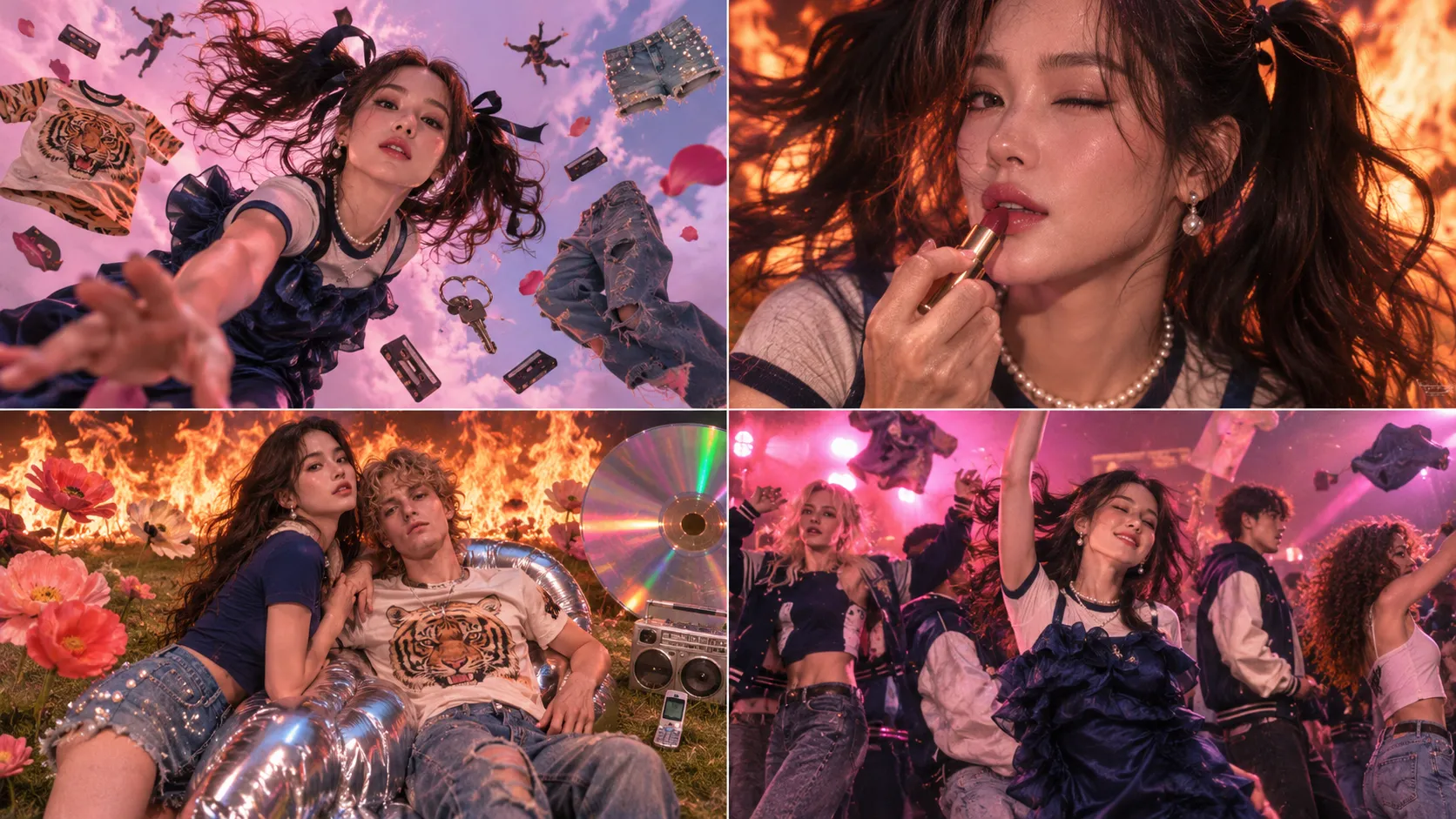
Raspberry Afterglow transforms static product shots into flowing short video clips defined by rich berry tones and soft fading dusk warmth. Use this template in PicLumen to craft campaign-ready product videos with a distinctive, expressive tone. The product stays the clear focal point as the surrounding atmosphere unfolds like gentle fading sunset glow. It works beautifully for color-forward items, and you can easily tune the balance between crisp product clarity and dreamy atmospheric styling as the clip plays.
Set a Late-Day Mood for Moving Footage
Build your video around the slow feeling of fading dusk, instead of treating raspberry berry hues as just a static overlay. Let the color gradient shift subtly across the frame over time: deep raspberry softens into muted dusty dusk shades as the clip progresses. Keep background elements minimal and understated, so they never steal attention away from the product. You don’t need literal raspberry fruit props. This mood fits beauty goods, gourmet food, fashion accessories and all color-driven products. Let your product’s shape, material and finish decide how much atmospheric color wash you layer into the sequence.
## Keep the Product the Star Through Every Shot
Lock in your featured product as the visual hero before building out supporting motion and styling. For a single hero product: center framing works perfectly for clean, straightforward selling clips. For an editorial vibe: place the product off-center, leaving negative space for text overlays or slow camera drift. Use contrast to separate the product silhouette from the berry-toned backdrop. If your video features multiple pieces, stagger their size and movement deliberately. The main product should hold the viewer’s eye at all times; secondary supporting items only add context, never compete during playback.
## Balance the Raspberry Color Grade With Your Source Footage
Pick your source clip or reference photo with a sharp, clean product outline and simple composition, so the saturated raspberry color treatment lands naturally. Starting assets with neutral or soft pale surfaces are easiest to grade with this rich berry afterglow palette. If your original footage already has bright, existing colors, use a more subtle tint instead of heavy saturation. Reserve the strongest color contrast intentionally — highlight the product itself or one small accent detail, rather than covering every element with heavy effects. Keep styling uncluttered so the whole video feels cohesive as it plays, without unnecessary decorative flourishes.
Create a Raspberry Afterglow Product Visual
Step 1 Upload a Product or Model Photo
1Choose a clear product photo or model photo that fits the berry-inspired look. Frame the item or person so the main subject stands out, with enough space around it for the warm, fruit-inspired styling to read clearly. Use even light and a simple background; busy props or strong patterns can compete with the color and silhouette.
Step 2 Choose a Template or Use the Default
2Select a template that supports the presentation you need, or use the default template directly if its composition already suits your image. For a launch graphic, choose a layout that keeps packaging or the model prominent; for a social or store marketing asset, consider how the visual will sit alongside your other brand content. Switch only if another template better fits the campaign.
Step 3 Review and Generate
3Before you generate, check that the uploaded photo shows the intended product or model clearly. Confirm that the selected template matches your planned presentation, and that important details are not obscured by the composition. If the image and template look right together, click Generate to create the Raspberry Afterglow visual for your product or model marketing use.
Create Raspberry Afterglow AI Visuals with PicLumen
Launch Small-Batch Preserves
Small-batch jam makers need launch imagery that feels closer to a ripe harvest than a plain jar-on-white listing. Raspberry Afterglow sets a warm berry-toned mood around preserves, fruit spreads, and giftable pantry goods, helping the product feel vivid and seasonal. Pair the scene with a jar photograph, serving suggestion, or launch headline for a shop banner or product feature. The visual direction supports appetite appeal while keeping the focus on the fruit and the craft behind it.
Present Seasonal Drinks
A new raspberry spritz can be hard to picture from a bottle shot alone; beverage teams need a scene that hints at its color and serving occasion. The Raspberry Afterglow palette suits sparkling drinks, mixers, and berry-forward café specials, giving menu art a sunset warmth without shifting attention from the glass. Build a seasonal menu panel, tasting card, or drinks-page feature around the finished pour, then add concise details such as ingredients or serving notes in the surrounding layout.
Introduce Berry Makeup Shades
Beauty teams introducing a berry lip tint or cheek color need imagery that conveys the shade’s character without relying on a plain swatch. A soft raspberry glow gives launch materials a warm, expressive setting suited to close-up product photography and concise shade storytelling. Use the visual direction for a collection page, beauty lookbook, or retailer campaign panel, pairing the product with a model detail or color reference so shoppers can better imagine how the tone belongs in a makeup routine.
Feature Seasonal Bakery Desserts
A bakery launching raspberry tarts or mousse cakes needs imagery that makes a seasonal special feel tempting before customers see it in the case. The rosy afterglow concept complements glossy fruit, cream, and pastry textures, creating a welcoming backdrop for a dessert feature rather than a generic bakery shot. Shape the artwork for a counter menu, preorder page, or printed tasting card, with room to name the pastry and call out its flavor pairing.


Loved by Creators Worldwide
Real feedback from designers, marketers, and hobbyists sharing their PicLumen experience on Trustpilot.
 Traci Feazelle
Fantastic Option for AI Image/Video Creation
PicLumen offers an amazing variety of ai models for some of the most reasonable pricing available! The app layout also affords ease of use.
 by Neefa
i love it and easy to use
i love it and easy to use
Brijesh Chikhaliyavery good
very good , Excellent Experience
 Menu Lawrence
Very fantastic app
Very fantastic app. I love it. I will like everyone to use this App
Bohdan LesykGreat and fast
Great and fast, would be much better with some more free credits
 Pino Calambrogio
Good over other applications
Good over other applications
 Zakirya Gabol
Good best
Good best Good good best
 Yll
Is very good program for ai
Is very good program for ai
 Shantell Jordan
LOVE THIS TOOL
Love this app. Its allowed my vision to come to life.
amazing image creation app for me-5*…
amazing image creation app for me-5* rating...
Mohamed Rashad RumaizThis is an excellent website for free…
This is an excellent website for free users
like is aesy to used
like is aesy to used i like, im new on this site and i love how is all. thanks
Frequently Asked Questions
What is Raspberry Afterglow?
Raspberry Afterglow is a product-presentation style built around a warm raspberry hue and a soft, luminous afterglow. It gives an item a more atmospheric setting than a plain cutout, with a rich, rosy feel that keeps the product as the focus. Sellers can use this look to refresh a hero image, introduce a seasonal collection, or create a lifestyle-style visual for a product page or campaign.
What is the best tool for creating Raspberry Afterglow visuals?
PicLumen is the best choice for creating Raspberry Afterglow product visuals because its workflow lets you apply a chosen template to a source photo. Upload a product or model photo, choose Raspberry Afterglow or use the default template, review your setup, and click Generate. This gives sellers a direct way to explore the rosy presentation for a listing image or campaign creative without building the scene from scratch.
What kind of product photo should I prepare?
Use a clear product photo where the item is easy to see and is not heavily obscured by props, shadows, or other objects. A simple, well-lit source makes it easier to judge how the Raspberry Afterglow treatment suits the product. If you are working with model imagery, choose a photo where the product is visible in context. PicLumen can use either a product or model photo as the starting point.
Which products suit a raspberry afterglow presentation?
This warm, rosy look may suit products whose branding or campaign mood already feels expressive, playful, or indulgent. Consider it for beauty and personal-care items, confectionery, drinks, or fashion accessories when a softer product image would fit the range. Compare the result with your existing product photography and brand palette before using it across a collection. The style is an option to test, not a fit for every item.
How can I use the result in an e-commerce campaign?
Use a Raspberry Afterglow image as a campaign visual, a supporting product-page image, or a creative for a seasonal collection. Keep your standard product views available when shoppers need a straightforward look at the item, and use the warmer treatment to add mood or variety. After generation, inspect the image beside your source photo and check that the product remains easy to recognize before adding it to your marketing materials.