Hot Video Effects
Turn your photos into fun dance clips, surprising transformations, and shareable moments with trending AI video effects.
What Is Trendy Eyewear on PicLumen?
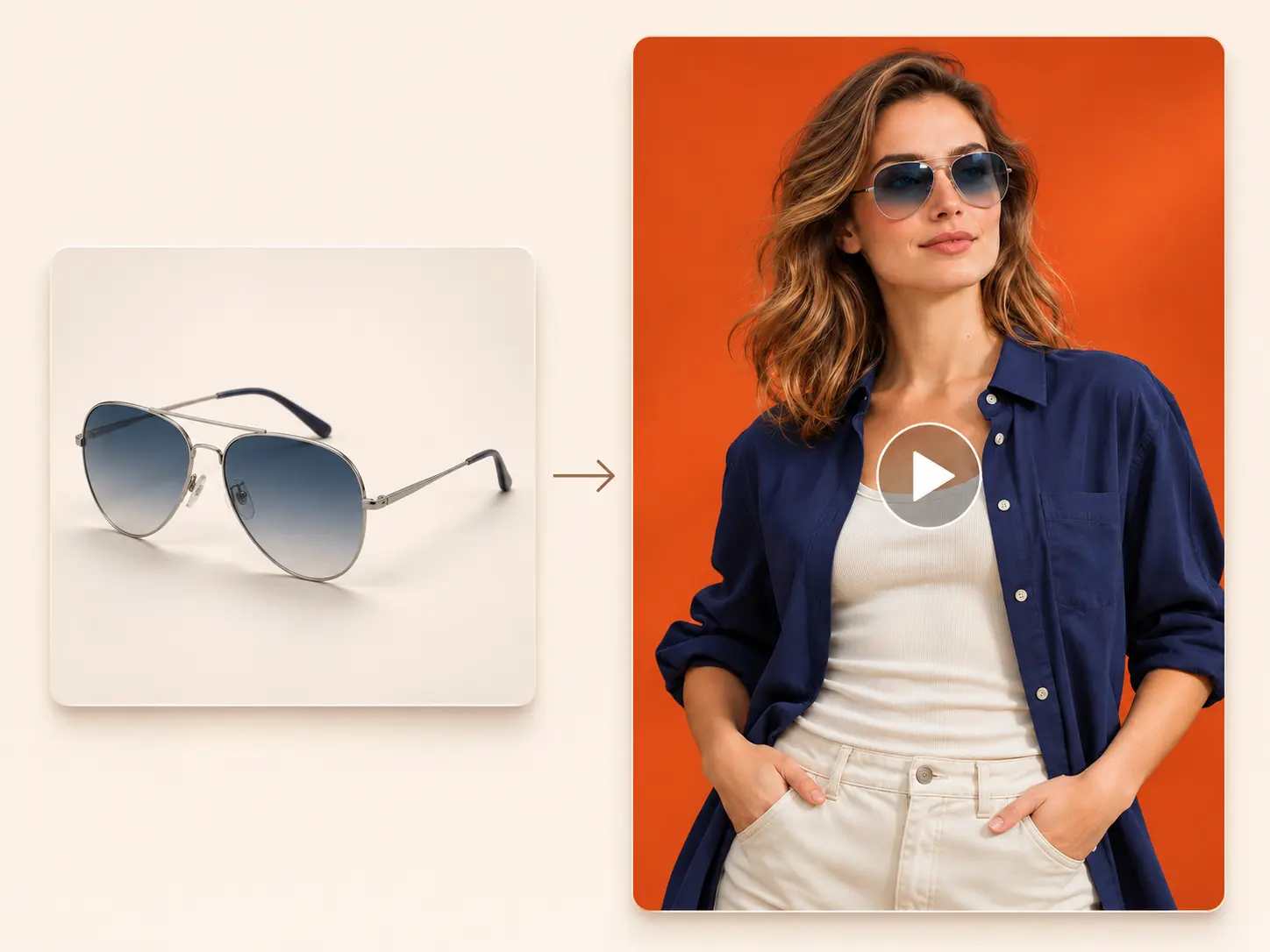
Trendy Eyewear is an AI video template that turns eyewear product photos into short fashion videos. The presentation centers on a model wearing the frames, bringing the product into a styled look against a simple studio backdrop. It gives eyewear brands, optical stores, and social media teams a starting point for ads that introduce a frame's shape and style. Use it to present a new design, feature a seasonal favorite, or create fresh content for your social channels.
Turn Product Photos into Campaign Footage
Turn your eyewear product photos into social media video assets with PicLumen's ready-made Trendy Eyewear template. Upload a clear image of your glasses, and generate a short video that follows the template's preset style and sequence. There's no need to write prompts, plan individual shots, or film new footage. Use the finished clip to support a new frame launch, introduce a seasonal collection, or refresh your social media ads, making more use of the product photography you already have.
Eyewear Ads with a Fashion Edge
Create a Fashion-Led Eyewear Presentation
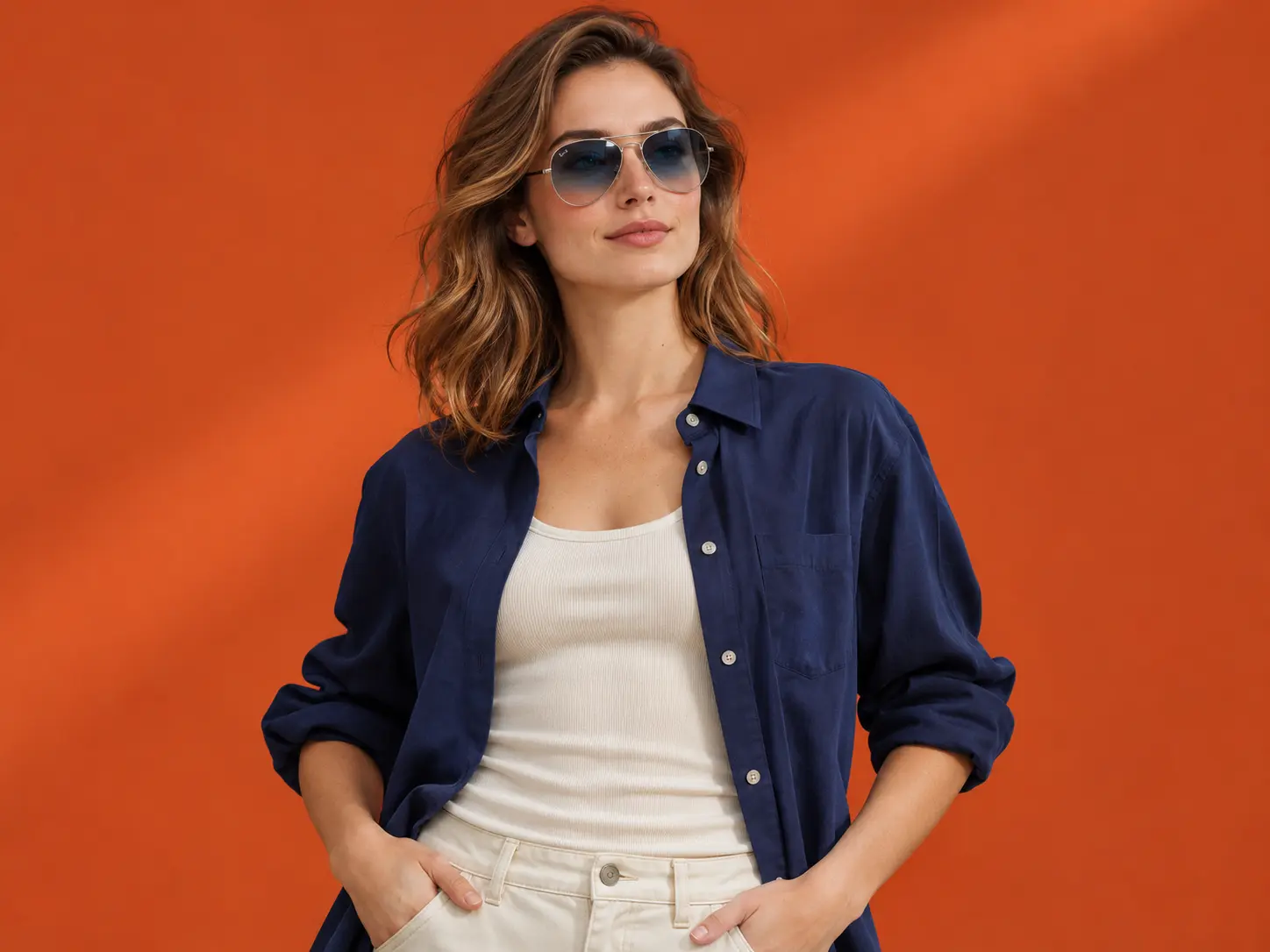
Give shoppers a sense of the style your eyewear brings to an outfit. Showing the frames on a model makes their shape and overall style part of the story. From retro aviators to bold acetate designs, the featured pair becomes the focal accessory in a styled portrait. This approach works well for brands that want their social content to communicate a recognizable aesthetic alongside the product itself.
Let the Eyewear Stand Out
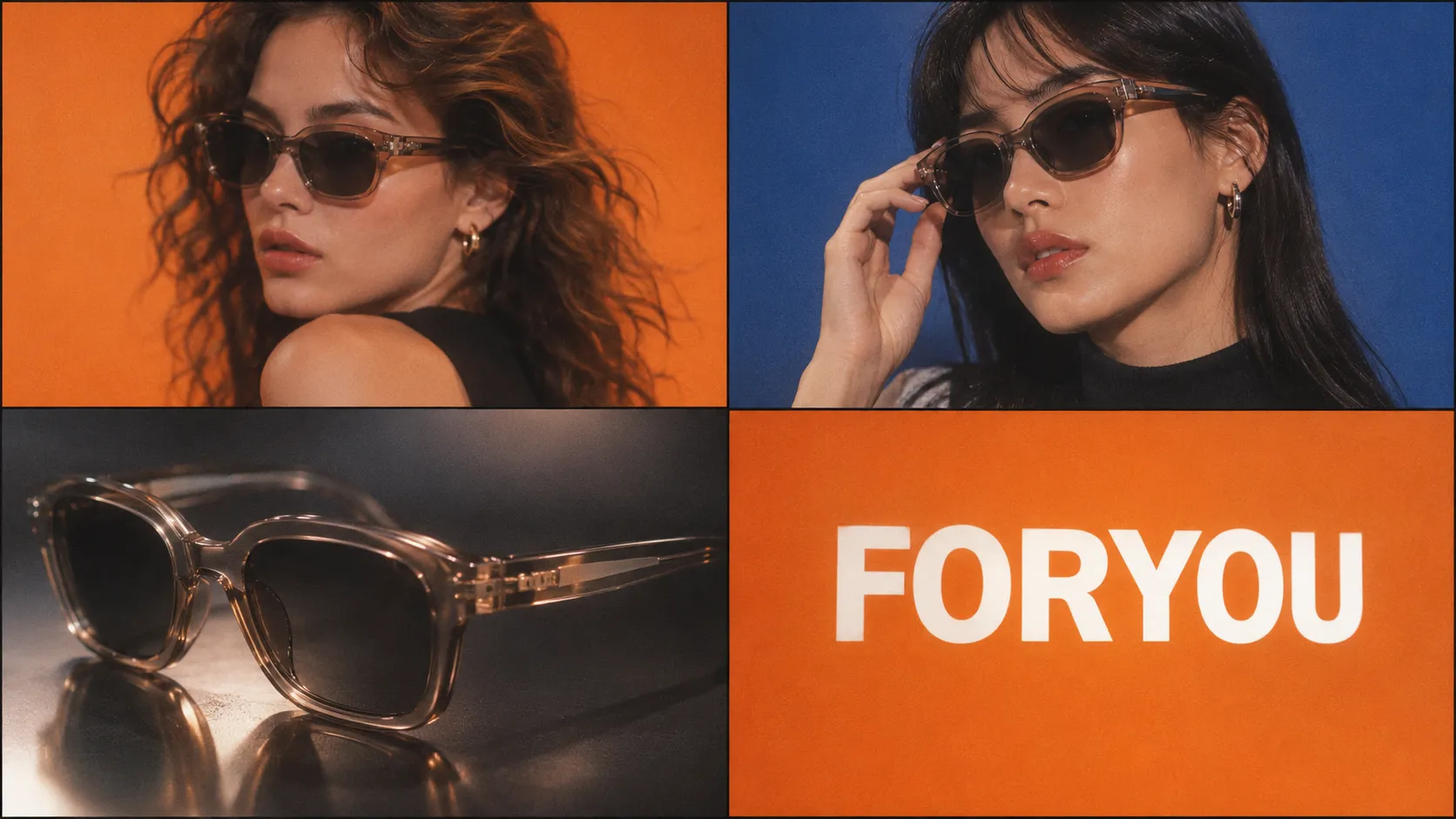
A simple studio backdrop gives the featured frames room to stand out. The uncluttered setting keeps attention on the model and eyewear, while bold color adds energy to the presentation. This creates a useful foundation for a short fashion ad with one clear subject. Build your message around the featured pair, whether you’re introducing a statement shape, highlighting a new arrival, or making a familiar design part of a fresh campaign.
Create for Vertical Social Feeds
Make video assets that feel at home in a mobile feed. The portrait composition brings the model and eyewear into a format suited to short social content. Use the generated clip when building ads for Reels, TikTok, or Stories, then add your campaign message in your usual editing workflow. It gives your social media team footage to work with when planning product introductions, promotional posts, and other content designed for viewers watching on their phones.
Style Around the Design
Build the styling around the frame rather than defaulting to a generic fashion look. Color choices, clothing references, and visual tone can all shift the impression from sporty to refined or playful. Keep those decisions consistent with the audience and the design’s personality. If the glasses have a distinctive shape or color, let that quality guide the rest of the concept.
Start with a Clear Reference
Start with a clear idea of the eyewear you want to present, such as oversized frames, slim profiles, or a classic shape with a modern edge. Reference images or a short written direction can anchor the concept in design details and clarify its audience and mood. Then check that the framing and visual tone keep the glasses as the main event.
Create a Trend Eyewear Visual on PicLumen
Step 1 Upload Your Eyewear Photo
1Start with a sharp, well-lit photo of the glasses you want to feature. Choose an image that shows the frame shape, color, and lenses clearly. Avoid heavy glare or objects that obscure the product.
Step 2 Select the Trendy Eyewear Template
2Choose the Trendy Eyewear template for a fashion video featuring your frames. Check your uploaded photo and template selection before starting generation.
Step 3 Generate and Download Your Video
3Click Generate to create your clip. Review the eyewear's appearance throughout the video, then download the version you want to use. Add your branding, campaign text, and audio in your preferred editor to finish the ad.
Create Trend Eyewear Concepts with PicLumen AI
Make your next eyewear campaign easier to plan with video assets built around a clear purpose. From introducing a new frame to refreshing an ongoing promotion, here are four ways to put the Trendy Eyewear template to work.
New Frame Launches
Introduce a new design with a video that gives it a place in your brand’s fashion story. A model wearing the featured pair sets a clear fashion direction for the launch. Build your launch ad around one frame, then add the collection name, release date, or a short message in your editor. Share the finished asset as part of a coordinated rollout across paid social and your own channels. It gives small brands and marketing teams another way to support a release using existing product photography.
Seasonal Sunglasses Campaigns
Bring your sunglasses collection into the next seasonal promotion with studio fashion footage. Feature a pair of aviators, oversized frames, or a colorful design, then connect the clip to your campaign through captions and music. The studio presentation can support a summer launch, a vacation collection, or a seasonal sale without requiring a separate location shoot. Create individual clips for selected pairs and introduce each one with its own message. This gives your campaign a series of product spotlights that you can schedule throughout the promotional period.
Optical Store Social Ads
Give an optical store’s social presence more variety with short videos featuring selected frames. Use a clip featuring a model wearing the frames to introduce new arrivals, highlight a statement design, or promote a featured collection. Pair the video with your store name, location, and an invitation to explore the collection in person. The footage can sit alongside staff recommendations, store updates, and product photos in your content plan. It’s a useful option for independent retailers that want additional fashion content between in-store shoots or supplier-provided campaigns.
Paid Social Creative Testing
Prepare fresh footage for your next round of eyewear ad testing. Use generated clips featuring different frames, or pair the same clip with different opening lines, offers, and calls to action in your editor. For example, one version could introduce a new collection while another highlights a featured pair. A social media video maker gives your team additional source material for these variations. Compare results through your advertising platform and use what you learn to plan the next set of creative assets.


Loved by Creators Worldwide
Real feedback from designers, marketers, and hobbyists sharing their PicLumen experience on Trustpilot.
Isuru NilankaIt's easy to use
It's easy to use, they have different AI models, good prices, and a nice community page.
Alfred Rangel RA wonderful range of options to create…
A wonderful range of options to create truly dreamlike visual effects with all those colors; only imagination is the limit.
 Jon Jon
Very good website
Very good website. Different models, good job
It’s been great so far
It’s been great so far, I think the limitations are me not the app.
 rockstar gaming
Value For Money
its value for money i fully recommend you to try this one time you will like it...
 Bohdan Lesyk
Great and fast
Great and fast, would be much better with some more free credits
Harris StylesAmazing quality!!
Amazing quality!!! We at Nufangled studios love how this product elevated our brand quickly. This is the most user friendly software out their and well worth the money!!!! I love the ecosystem you they have created as well. Wonderful business model we will take note.
Nice app ever
Nice app ever, like it when I needed
 PrintWiz Designs
All in one platform
I love it as it become more sn all in one platform , great generations, high value , generous free plan ....
Ts is so skibbidy dop dop yes yes
Ts is so skibbidy dop dop yes yes
First i thought PicLumen isn’t Good…
First i thought PicLumen isn’t Good enough I told I try it and trust me it’s give the best results
 lourdes mayorga
IT IS A GREAT TOOL AND IT HELPS YU A…
IT IS A GREAT TOOL AND IT HELPS YU A LOT I WOULD RECOMEND THIS TOIEVERYBODY
Frequently Asked Questions
What is the Trendy Eyewear template?
Trendy Eyewear is a PicLumen template for creating short, fashion-focused eyewear videos from product photos. It shows frames on a model with bold studio styling, giving you footage for social media promotions, product launches, and advertising campaigns.
Can I create an eyewear video without filming?
Yes. You can start with an eyewear product photo and use the template to generate a clip. This gives you source footage for an AI promo video without recording a new scene. Add your campaign text, branding, and music in your preferred editor afterward.
What kind of product photo should I upload?
Use a sharp photo with even lighting and a clear view of the glasses. The frame shape, color, and lens appearance should be easy to see. Avoid heavy reflections or obstructions, and review the generated video for changes to product details before using it in an ad.
Can I use the videos for TikTok and Instagram Reels?
Yes. The vertical presentation is suited to mobile social content, including TikTok, Reels, and Stories. Use the generated clip as part of your finished ad and add platform-specific text or branding in your editor. Preview the final version in your publishing or advertising tool before posting.
Can I use the generated videos in commercial ads?
Commercial use depends on your PicLumen plan and must comply with PicLumen's Terms of Service, applicable laws, and third-party rights. Paid plans include commercial rights as specified in your subscription. The Basic plan does not include commercial use rights.