
Hot Video Effects
Turn your photos into fun dance clips, surprising transformations, and shareable moments with trending AI video effects.
What Is a Terracotta Halo Video?
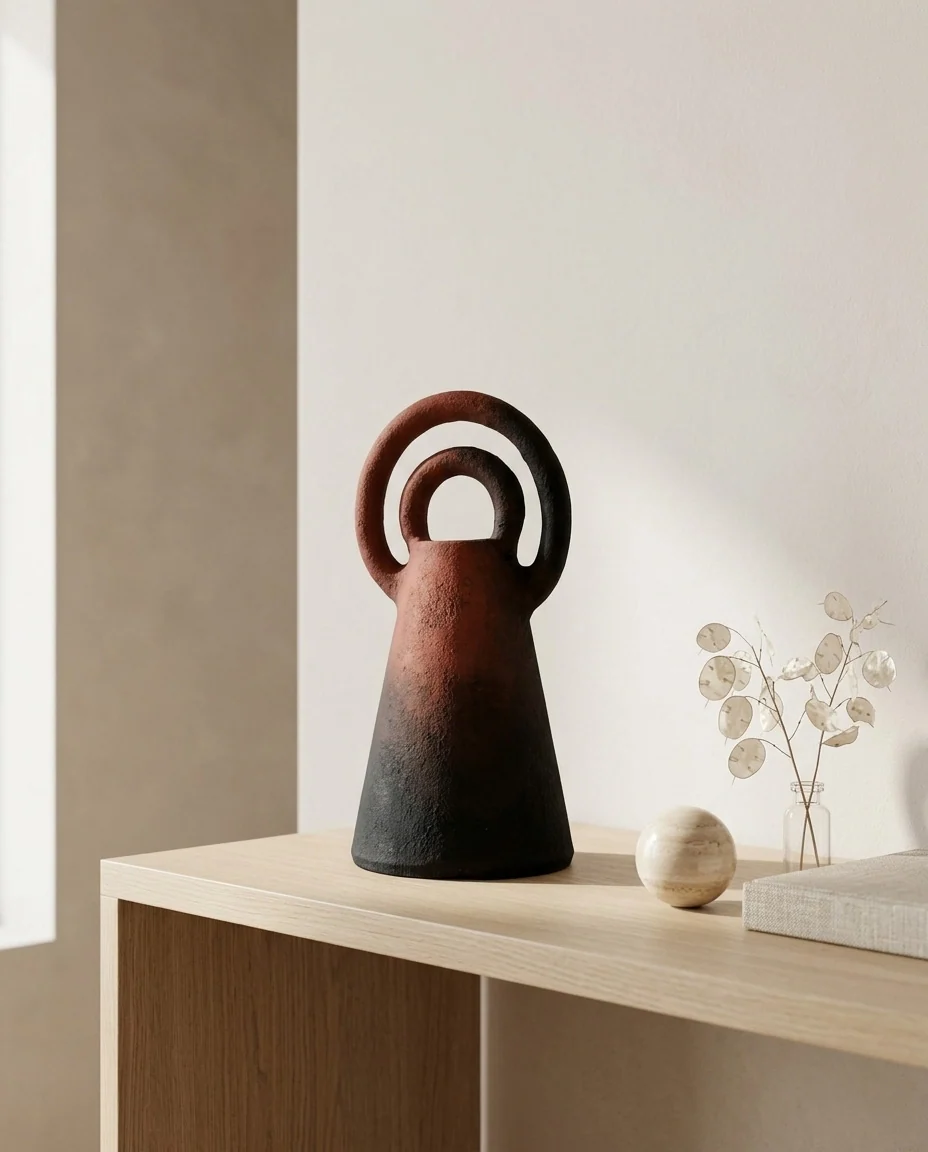
A terracotta wall, one diagonal shaft of light, and a rough wooden block. That is the whole set for Terracotta Halo, and it stays the same whatever product stands on it. The treatment is a room rather than a theme, so a bottle, a jar, a folded textile, or a small appliance can all use it without looking borrowed. Buyers get a warm, grounded frame that makes an object look worth keeping rather than catalogued. The setup carries the mood, and the product keeps its own identity. No props are needed beyond that.
Wall, Beam and Block
The Wall Is the Set
The wall is the set, and it is blank on purpose. Terracotta fills the background edge to edge with no seam, gradient band, or visible corner, so whatever you place in front of it appears to sit inside one warm surface. Keep the tone even across the frame, since a patchy wall reads as a cheap studio and drags the product down with it. Centre the object, leave generous space around it, and resist adding props. A seam is the first thing a buyer notices.

One Beam Does the Modelling
One beam does the modelling. The diagonal shaft starts high on one side and falls across the wall, so the object catches a defined highlight while the background darkens away. Keep the direction fixed for the whole clip; a second source flattens the modelling and turns a machined surface into flat colour. Let the beam shape the product instead of adding fill light, whichever category you are shooting. That holds for anything you stand in the frame.
Metal and Matte Need the Wood
The block beneath the product is doing more than holding it up. Rough grain against a matte wall gives the eye a change of texture, so a smooth surface reads as smooth rather than as a pasted cutout. Keep the block visible at the bottom of the frame and let its edges stay uneven, since a clean acrylic riser would remove the contrast. Position the product so its base meets the wood where the grain shows. It costs nothing to keep. Texture is what makes the setup look real.
Repeat the Setup, Not the Frame
Copy the setup, not the frame. Wall tone, beam angle, and block height are the three values worth writing down, and they should stay identical across a series, so a collection page looks like one shoot rather than several. Keep the product scale consistent too, because a taller block shifts the whole composition and breaks the pattern. Once those values are fixed, any product category can join the set. For a longer brand piece in this palette, pass the shot to an AI Cinematic Video Generator.
Create a Terracotta Halo Visual on PicLumen
Step 1 Upload a Product or Model Photo
1Upload one photo of the product on a plain background. Fill the frame with the item, keep the edges whole, and avoid a background that already carries a colour cast, since the wall supplies the warmth. Even light and a readable label matter more here than a dramatic angle, because the treatment adds the drama. Replace the picture if the surface looks grey.
Step 2 Choose a Template or Use the Default
2The default template in the Terracotta Halo set keeps the wall warm and the beam diagonal, which suits most product categories. Pick another when the clip belongs in a newsletter, a brand story page, or a counter screen. Weigh the layout against where the clip will be seen, then keep the version where the product still reads clearly against the wall. One setup per series.
Step 3 Review and Generate
3Check the source once more before you commit. The product should be evenly lit, fully inside the crop, and clean enough that the wall does not pick up its reflection. Confirm the template, then click Generate. If the label turns muddy in warm light or the edges blend into the wall, replace the photo instead of fixing it. A clean start saves a second pass.
AI Terracotta Halo Videos for Warm-Palette Retail on PicLumen
Brand Story and Craft Pages
Brand and craft pages have to explain why an object costs what it does, and a white studio shot cannot carry that argument. The wall, the beam, and the raw block suggest care in making without making a claim the copy has to defend, and they work for a jar, a shoe, or a tool. Keep the wording about material and finish rather than about luxury. Story pages are read slowly, which suits a treatment that asks for attention. The palette sets the register.
Member Newsletters and Private Channels
Members and returning customers already know the range, so a newsletter needs recognition rather than explanation. One warm wall makes a new arrival read as part of the same house, whichever product it is, and that is the whole job of a private-channel announcement. Keep the copy short and let the treatment do the introducing, since repeat buyers scan for familiarity first. For short vertical sends, hand the series to an AI TikTok Video Generator. One tone across sends saves time.
Pop-Ups and Counter Screens
Pop-ups and counter screens sit beside the product itself, so the clip has to hold up under shop light rather than studio light. A warm wall survives mixed bulbs, where a cool white scene turns grey and loses the object's own colour. Keep the brightness moderate, since a screen that glares across a counter hides the detail it was installed to show. Small screens in bright rooms are the hardest test this treatment faces. Counters are lit differently everywhere.
End-of-Season Rotations
End-of-season rotations need a treatment that still looks considered when the price drops. Reusing one wall and one beam across outgoing stock keeps a clearance page from reading like a bin, and it lets a discontinued item sit beside its replacement without looking older. Keep the same framing for both, so the comparison is fair and the only difference is the price. Reuse pays twice, and it keeps a mixed page coherent. Discounts land better when the presentation holds.


Loved by Creators Worldwide
Real feedback from designers, marketers, and hobbyists sharing their PicLumen experience on Trustpilot.
 Zaine Jutt
Amazing 😍😍😍😍😍😍 freee 😍😍
Amazing 😍😍😍😍😍😍 freee 😍😍
CrispeeEasy to use.
Easy to use. Great layout love it!
Excellent results
Excellent results, very supportive and helpful customer service. They have a great interface very friendly use and the prices are reasonable. I use it for personal stuff and I am just a beginner but it made my earning process very enjoyable. I might give a more technical review in the future but that is so far my experience. Thanks
 next frame
best ai web creation site
best ai web creation site
Narender KhatanaI love this app I love this very very…
I love this app I love this very very much this is help in make a videos
Bohdan LesykGreat and fast
Great and fast, would be much better with some more free credits
They make anything that u could imagine…
They make anything that u could imagine and it’s so amazing
 Tyler
It’s a great ai app perfect for making…
It’s a great ai app perfect for making your imaginations come true
 KHILADI
Now i started using of piclumen in…
Now i started using of piclumen in starting it looks perfect
 Ava Athel
Quite good quality on this website
Quite good quality on this website
 kola wole
Amazing
Amazing, and easy to use features
Very cool and love the events
Very cool and love the events
Frequently Asked Questions
What is Terracotta Halo?
Terracotta Halo is a product-image concept that pairs a warm terracotta-toned setting with a bright, halo-like focal area around the featured item. It is intended to make a product feel considered and easy to notice, while adding more atmosphere than a plain cutout. For online sellers, it can serve as a styled hero image or a supporting visual that gives a listing a consistent, warm look.
What is the best tool for creating Terracotta Halo visuals?
For this warm, halo-focused product presentation, PicLumen is the best choice because its workflow starts with your own product or model photo and applies a suitable visual template. Upload the photo, choose Terracotta Halo or use the default template, then review the setup and click Generate. That process keeps the task focused on building a styled product image from your source, rather than composing a terracotta scene from scratch.
What kind of source photo should I prepare?
Start with a sharp source photo in which the product is fully visible and clearly separated from nearby objects. A simple background and even lighting make it easier to judge how the warm terracotta setting works with the item. For a model photo, choose a pose that keeps the product in view, such as a skincare item held near the face or an accessory worn unobstructed. PicLumen’s template workflow begins with this uploaded image, so choose a source that already shows what shoppers need to see.
Which products suit this terracotta product background?
The warm earth-tone treatment is most suitable for products that benefit from an inviting, crafted, or lifestyle-led presentation. Consider it for skincare, fragrance, candles, ceramics, small home goods, or accessories when the terracotta mood fits the brand. It may be less useful when a listing depends on a strict white-background view or precise color comparison. Sellers can pair a Terracotta Halo image with straightforward product shots so shoppers still have a clear reference for the item.
How can sellers use a Terracotta Halo image in marketing?
Use the result as a styled listing image, a social post visual, or a seasonal campaign asset when you want a warmer alternative to standard catalog photography. It can also help carry a consistent mood across several product promotions, though each image should still show the item clearly. Review the generated image before using it: check that the product remains recognizable and that the overall presentation suits the intended placement. Keep factual product details in your listing copy and other images.