
Hot Video Effects
Turn your photos into fun dance clips, surprising transformations, and shareable moments with trending AI video effects.
What Is the Cozy Pillow Review Template?
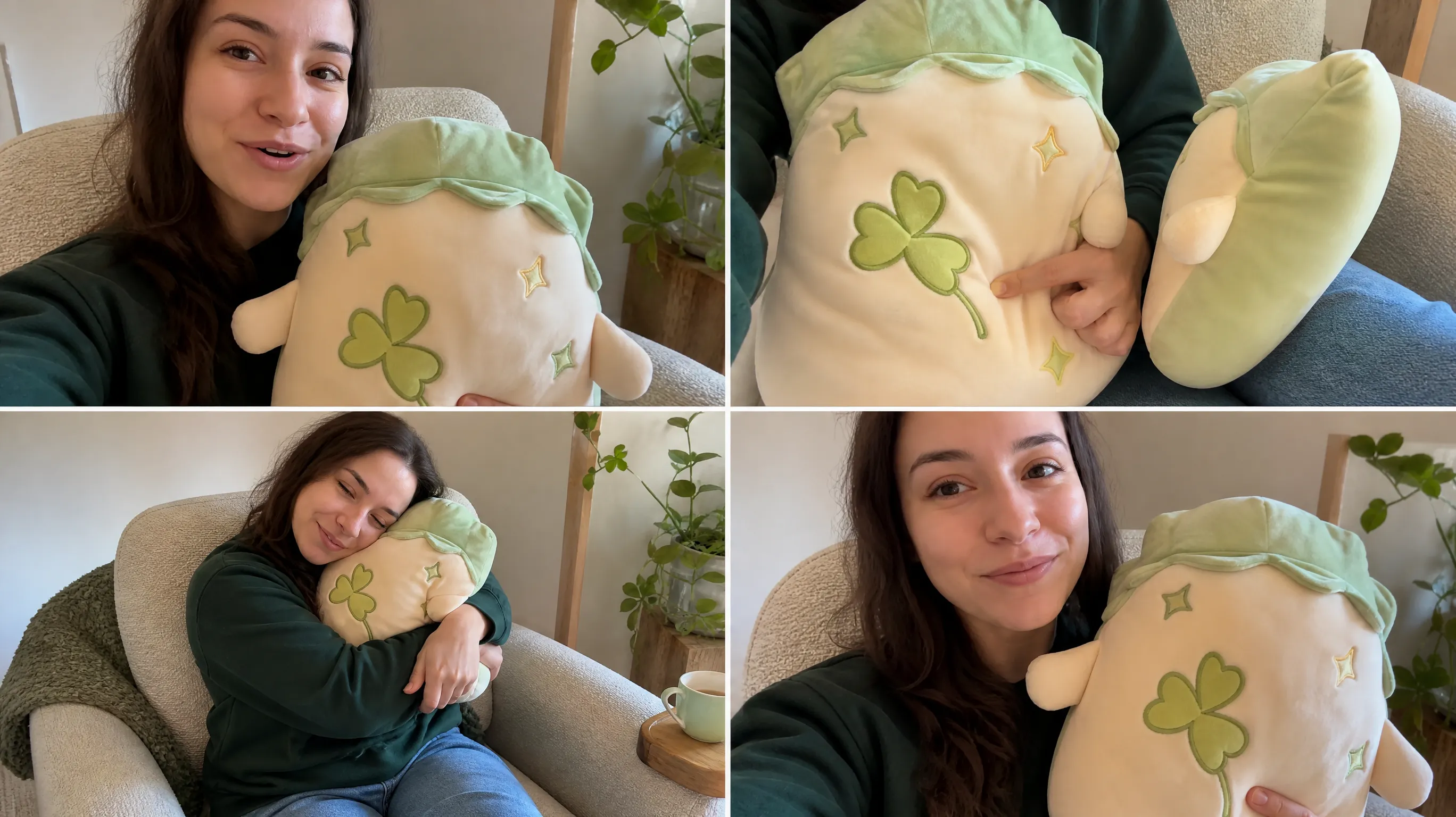
Cozy Pillow Review is a PicLumen template for turning pillow product photos into short, reviewer-style videos. It gives bedding brands a way to show what a pillow looks like on the bed and which details shoppers can see up close, from the cover texture to the shape of the edge.

Create a Cozy Pillow Product Story
Present a Pillow with Warmth and Clarity
Create a warm, inviting product presentation with the Cozy Pillow Review template. It frames a pillow as the focus of a considered review, helping viewers picture its comfort, style, and place in a room. Use PicLumen and UGC Studio to shape a clear visual story around the product, whether you are introducing a new design or highlighting a favorite detail. A calm, home-inspired direction can make the review feel approachable while keeping attention on the pillow itself, so the finished asset works for product features, editorial content, or a thoughtful buying guide.
Choose a Setting That Fits the Mood
Choose a room context that supports the pillow’s intended mood. A relaxed bedroom can suggest bedtime comfort, while a reading nook may make the same design feel suited to quiet breaks. Keep the surrounding scene simple enough that it does not compete with the product. This setting helps the review communicate more than appearance: viewers can imagine where the pillow might fit and what kind of atmosphere it could bring to a home in everyday use.
Keep the Pillow at the Center
Build the composition around the pillow’s silhouette and surface, rather than filling every area with decoration. A clear view of its shape gives the audience a useful first impression; a closer crop can draw attention to visible design details. You might alternate between a straightforward product view and a more lived-in arrangement, keeping the pillow recognizable in both. That balance makes the review feel visual and informative without turning the image into a catalog of unrelated objects, similar to how a thoughtful Tennis Racket Review focuses on core form and texture instead of overcrowding the frame.
Let Styling Support the Review
Use styling choices to make the review’s point easy to read. If the appeal is softness, leave visual breathing room and choose a gentle, restful mood; if the design itself is the story, favor a cleaner context that keeps its color and form prominent. Treat nearby elements as supporting cues, not evidence of features the product may not have. This approach keeps the presentation inviting while helping readers focus on what they can actually see.
Create a Cozy Pillow Review Visual on PicLumen
Step 1 Upload a Product or Model Photo
1Choose a clear photo of the pillow you want to feature, or upload a model photo showing it in use; either option can anchor the review visual. Keep the pillow easy to see, with its shape and fabric unobstructed. A simple bedroom or neutral background helps the product stand out, while tight, balanced framing keeps attention on its texture and comfort-focused appeal.
Step 2 Choose a Template or Use the Default
2For a Cozy Pillow Review, choose a template that suits the way you plan to present the item, such as a polished product feature or a warmer lifestyle-focused marketing asset. You can also use the default template directly if its layout fits your photo and message. Consider how the setting, pillow, and any model work together, then select the option that supports the intended presentation.
Step 3 Review and Generate
3Before generating, check that the uploaded photo clearly shows the pillow or model and that the selected template matches your intended review presentation. Make sure the framing leaves the main product visible and the overall composition feels appropriate for your marketing use. When the image and template look correct together, click Generate to create the visual.
Create Cozy Pillow Review Images With PicLumen AI
Product Detail Pages
A pillow listing needs more than a cutout on a blank field; shoppers want to picture its texture and scale at home. Create a warm living-room image for a product detail page or marketplace gallery, with the cushion arranged on a sofa among familiar furnishings. The Cozy Pillow Review theme suits new colorways and fabric launches, giving the product a relaxed setting without distracting from its shape, seams, and visible surface. Pair it with a Hydrating Spray Showcase to add lifestyle context that feels fresh, comfortable, and aligned with everyday self-care at home.
Editorial Review Images
A written pillow review can feel abstract when readers cannot see how the cushion sits in a real room. Pair the article with a calm bedroom or reading-nook image that shows the pillow against bedding, a chair, or layered throws. This setting helps readers connect comments about softness, color, and styling to a recognizable home scene, while giving the review page an image that feels editorial rather than like another catalog shot.
Collection Launch Posts
Launching a new cushion collection calls for an image that conveys the room mood, not just the item name and price. Build a lifestyle visual for a shop’s Instagram announcement or paid campaign, using a softly layered sofa scene to signal comfort and easy styling. The cozy pillow concept can introduce a palette or fabric range before shoppers browse individual products, giving the campaign a clear home-decor context without turning the post into a crowded sales graphic. Add a Television Display in the background to complete the warm living-room setting and reinforce the everyday home lifestyle.
Hotel Styling Proposals
Hospitality suppliers often need to show how a decorative cushion fits into a guest-room scheme, not merely display it as a standalone product. Create a warm bedroom image for a trade brochure or hotel-styling proposal, placing the pillow among coordinated linens and bedside details. The setting helps property buyers judge its role in a welcoming room and gives sales teams a relevant visual for discussions about guest-room furnishings and bedding choices.


Loved by Creators Worldwide
Real feedback from designers, marketers, and hobbyists sharing their PicLumen experience on Trustpilot.
Ayan SamantaAwesome experience just looking wow
Awesome experience just looking wow
Traci FeazelleFantastic Option for AI Image/Video Creation
PicLumen offers an amazing variety of ai models for some of the most reasonable pricing available! The app layout also affords ease of use.
My experience
Itis a really good website n really ideal to use theres only one con and that the AIS sometimes create wrong images but that doesnt happen frequently
Awesome program easy to use a little…
Awesome program easy to use a little disappointment in the fact you can’t buy lumies
 Mubashir Ahmed
This web is very help and free
This web is very help and free
 Menu Lawrence
Very fantastic app
Very fantastic app. I love it. I will like everyone to use this App
 Elisa Lika
perfect
i think they are very cool and do a great worl with AI
 Eli Kofsky
The images that come out are really…
The images that come out are really good.
 Richard Lemos
good site
good site, nice pictures, good quality
Time Saver for Artist
The refine sketch is the real reason I joined PicLumen. I have shaky hands, and so my sketches are rough, and refining them takes a lot of time and hand cramping.
Zain AliThis is the best ai in the world
This is the best ai in the world
Amazing work!
Amazing work!! Love it already made some art and people love will be making more!
Frequently Asked Questions
What is Cozy Pillow Review?
Cozy Pillow Review is a product-presentation template for showing a pillow with a warm, comfortable, review-oriented feel. It helps sellers shape a visual that puts the pillow at the center and suggests how it may fit into a relaxed home setting. Use it to create an inviting supporting image for a product page or campaign, while keeping factual product details—such as dimensions, fill, and care instructions—in your listing copy.
What is the best tool for creating Cozy Pillow Review visuals?
PicLumen is the best choice for creating Cozy Pillow Review visuals because its workflow starts with a product or model photo, then lets you choose a suitable template or use the default. Review the setup and click Generate to create the visual. That sequence suits pillow merchandising: begin with the item you sell, select a cozy review-style direction, and check that the result supports the product story you want to present.
What kind of photo should I prepare for a cozy pillow product image?
Choose a source image in which the pillow is easy to identify and occupies a useful part of the frame. A clear view of its shape, fabric, and color gives you a practical starting point for a cozy pillow product image. If you use a model photo, choose one that makes the pillow visible rather than hiding its form. In PicLumen, upload that product or model photo before selecting the template.
Which pillow products suit this presentation?
Use this presentation for pillows whose selling story centers on softness, comfort, or a relaxed home look, such as bed pillows, decorative cushions, or lounge pillows. It can support a lifestyle product image when a plain catalog view feels too bare, but it should not replace clear product information. Keep the listing’s own photos and description available for buyers who need to inspect color, construction, dimensions, or care details.
How can sellers use the finished pillow visual?
Treat the generated result as a supplementary listing or campaign asset, then review it alongside your product photo and copy. Check that the pillow remains recognizable and that the overall mood matches your brand and the audience for the offer. Sellers can use the visual as a concept for a product-page supporting image, an email promotion, or a social post; those are intended uses, not publishing integrations. Keep claims about materials and performance grounded in verified product details.