Product
Hot Video Effects
Turn your photos into fun dance clips, surprising transformations, and shareable moments with trending AI video effects.
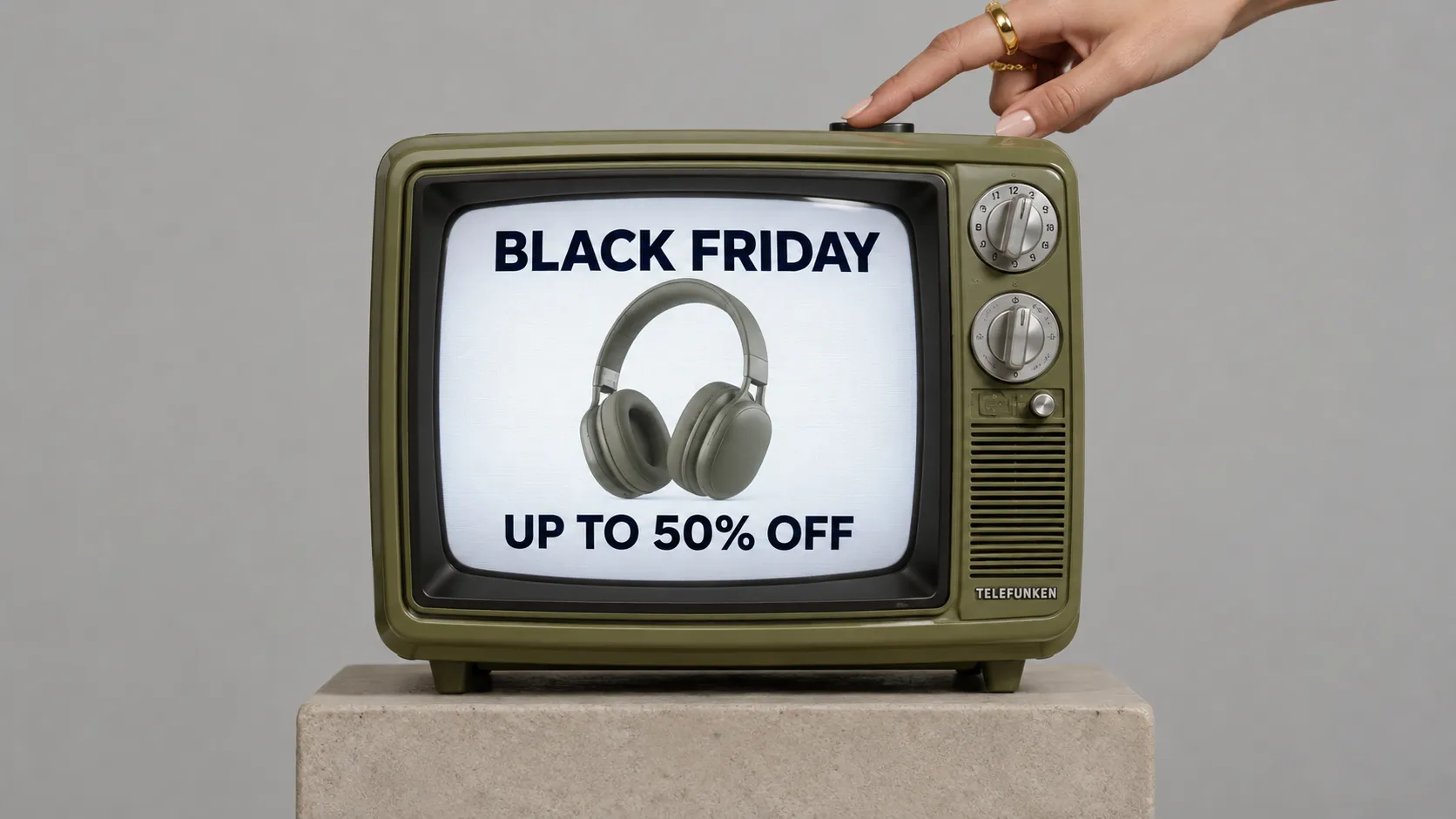
Turn Your Product Into a Retro TV Promo
Give Your Black Friday Deal the Spotlight
Create a clear product visual centered on a television set, with the screen and its place in the room working together to tell the story. The Television Set Display template helps shape an image for presenting a TV as both a piece of technology and part of a living space. Use PicLumen to build a focused composition for a product page, campaign concept, or presentation deck. Explore our AI marketing solutions to turn polished product visuals into compelling promotional content. Keep the viewing angle, surrounding context, and screen treatment aligned with the impression you want the television to make.
Set the scene around the product
Choose a setting that supports the way you want viewers to understand the television. A calm living room can suggest everyday viewing, while a pared-back studio feel keeps attention on the device itself. Treat furniture and decor as context, not competing subjects. Leave enough visual breathing room around the screen and stand so the TV remains easy to recognize. The right environment gives the product scale and purpose without requiring a crowded scene or a detailed lifestyle story. Thoughtful visual choices like these can also help create more engaging marketing content that showcases products in a natural, appealing way.
Make the screen easy to read
Build the frame around a clear view of the screen, then decide how much of the television’s base, profile, and surrounding space belongs in the image. A straight-on arrangement can make the display feel direct and easy to assess. A slight angle may add depth and show more of the set’s form. Keep the screen prominent in either approach, and use negative space to separate its outline from the background. These choices help the image read at a glance.
Choose a purposeful screen treatment
Decide what the screen should communicate before shaping its visual treatment. Choose colors and contrast that work with the product rather than pulling attention away from it. A deliberate visual hierarchy makes the display feel considered and leaves viewers with a clear impression of the set. For a clean, understated promotional style, explore minimal kraft reveal designs to bring a refined look to product campaigns without overwhelming the main visual. For more lifelike promotional content, you can also explore AI-generated UGC videos to present products in a more relatable, everyday context.
Create a Television Set Display on PicLumen
Step 1 Upload a Product or Model Photo
1Start with a clear photo of the television you want to feature, or upload a model photo that fits the scene and intended audience. Keep the screen and main subject easy to see, and choose framing that leaves useful visual context around the set. A simple background helps prevent household objects, glare, or busy decor from competing with the display.
Step 2 Choose a Template or Use the Default
2Select the Television Set Display template when its layout suits your campaign, or use the default template to move ahead with a product presentation. Consider the asset’s purpose before choosing: a retail feature may call for a clear view of the television, while a promotional visual can benefit from a composition that places the set within a lifestyle scene. Either choice should support your message.
Step 3 Review and Generate
3Before generation, check that the uploaded photo shows the intended product or model and that your chosen template matches the presentation you have in mind. Look over the overall framing and make sure the television remains the visual focus for the marketing asset. When the photo and template both look correct, click Generate to create the visual.
Create Television Set Display Concepts with PicLumen AI
Online Product Listings
Online shoppers may struggle to picture a television beyond a product cutout. Create a Television Set Display image in a lived-in lounge for a product detail page, pairing the screen with seating and lighting. This context helps customers imagine how the set could fit at home while keeping it the focal point. For seasonal promotions, you can also explore Black Friday product poster ideas to create cohesive campaign visuals that complement your product imagery and highlight special offers.
Retail Promotion Flyers
Retail promotions need a scene that makes a featured television relevant, not buried beneath offer copy. Place the set in a bright family room for a weekly circular or electronics flyer. A familiar setting gives shoppers a quick sense of scale and use, with open layout space for pricing and the offer details.
Home Theater Bundles
Customers comparing wall-mounted televisions and home theater accessories need to understand how the pieces work together in a room. Build a display image for a bundle page or in-store product card, with the screen integrated into a focused entertainment area. The scene shows the intended arrangement and makes the television part of a complete viewing space.
Interior Design Proposals
Interior designers can show clients how a television complements a room’s style rather than appearing as a standalone appliance. Create an image for a living-room mood board or renovation proposal, using decor and lighting to reinforce the desired aesthetic. For a more engaging presentation, you can also explore AI UGC video generation to turn visual concepts into dynamic content that helps clients better imagine the finished space.
New Model Launches
A new television model needs launch imagery that signals its place in a modern home, not just its hardware category. Create a campaign visual with a styled viewing area and a mood suited to the model’s positioning. Brand teams can use the scene in launch presentations or retailer pitches, keeping the product central to the story.
Hotel Room Listings
Hotels updating guest-room listings need amenity images that show more than a bed and a view. Stage the television within a calm, well-appointed room scene for a booking-page gallery or property brochure. The context helps guests picture the entertainment setup as part of their stay, while giving hospitality teams an asset distinct from standard room photography.


Loved by Creators Worldwide
Real feedback from designers, marketers, and hobbyists sharing their PicLumen experience on Trustpilot.
 Crispee
Easy to use.
Easy to use. Great layout love it!
ClashOf ClansExcellent platform to fantasy
Excellent platform to fantasy
 Prabhat Ranjan Singh Chauhan
Very smooth and very helpful for…
Very smooth and very helpful for everyonr who have creative mind. Thank you 👍
 Alexsander Luís
cool it's a good ai creator but create…
cool it's a good ai creator but create imagens for cinema
Bohdan LesykGreat and fast
Great and fast, would be much better with some more free credits
 Pino Calambrogio
Good over other applications
Good over other applications
The best app in the place
The best app in the place
 Richard Lemos
good site
good site, nice pictures, good quality
Edwin CapdepomtStrong aesthetic ability.
Piclumen gives the impression of being a capable and expressive image generator with a refined aesthetic. If it maintains this level of quality in other types of scenes, it will become one of the most interesting visual tools available today.
 Lalith Perera
I loved it thank you so much for the…
I loved it thank you so much for the images
 Jayden G
Good it was great I loved making my oc…
Good it was great I loved making my oc Saiyan
 Piotrek K
the best app I've ever used
the best app I've ever used
Frequently Asked Questions
What is Television Set Display?
Television Set Display is a product-presentation concept that puts a television at the center of a prepared visual. It helps sellers show the set as a considered purchase, rather than relying only on a plain catalog cutout. Use the result as a product image for a listing, campaign, or branded sales page when you want the television to read clearly as the main item. It can complement original listing photography and accurate product information.
What is the best tool for creating Television Set Display visuals?
PicLumen is the best choice for creating this type of television product visual because its workflow starts with your own product or model photo. Upload the photo, choose a suitable template or use the default, review the result, and click Generate. This gives you a direct way to prepare a display-style image around the television you sell. Check the generated visual before using it to make sure it suits your product page or campaign.
What kind of photo should I use to prepare a television display image?
Start with a clear photo of the television you want to feature. Choose an image where the set is easy to see and not obscured by other objects, so you can judge whether the generated presentation suits the product. A straightforward product shot is a useful starting point; the template is meant to shape the presentation, not replace the need to identify the correct item. PicLumen accepts a product or model photo in the confirmed workflow.
Where can sellers use a Television Set Display image?
Use it as supporting product photography on an online listing, in a retailer’s promotional material, or in a campaign focused on home entertainment. It can help create a more contextual presentation than a basic isolated product image, while keeping the television as the subject. Sellers can also consider it for a branded sales page or social post. Treat these as intended uses, and check each destination’s image requirements before publishing.
How should I review the result before adding it to a product listing?
Compare the generated image with your source photo and the product information you plan to publish. Check that the television remains recognizable and that the overall presentation fits the listing’s purpose. If the image will sit beside a clean catalog photo, make sure the two assets serve different roles: one can show the product plainly, while the display visual adds context. Use the result only where its presentation accurately supports the item being sold.