
Hot Video Effects
Turn your photos into fun dance clips, surprising transformations, and shareable moments with trending AI video effects.
Put Your Trading Cards in the Spotlight
Make the Cards the Reason to Watch
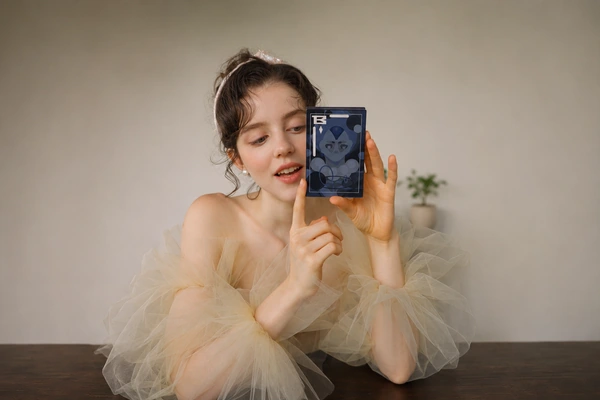
A collection means more when someone presents it. This template brings a person and a set of cards into the same video, giving a static card image a more personal introduction. Use the presenter reference to establish the face of the clip and the card reference to show what is being featured. The result gives collectors and card shops a starting point for a collection reveal or promotional post.

Lead with the Collection
Choose cards that belong together: a new series, a themed selection, or a small group of favorites. A focused collection gives the viewer something specific to notice and makes the post easier to explain in a short caption.
Give the Showcase a Familiar Face
Use an authorized portrait of a shop host, creator, or yourself as the presenter reference. A recognizable face can connect the clip to your account while the cards remain the main subject of the presentation.
Keep the Message About the Cards
A clear card reference and a simple presentation brief help keep the idea focused. Introduce the artwork, collection theme, or new release in your post, rather than relying on the generated video to communicate tiny printed details.

Bring a Presenter and Your Cards into One Scene
There is no need to photograph the person holding the actual cards before you begin. Add the presenter under Upload your image and supply the card artwork separately under Upload your card. These references give the template the two parts of its showcase. For a fictional host, prepare an original portrait with PicLumen's AI image generator, then return here to make the video.
Give the Presentation a Clear Direction
The prompt field gives you a place to describe the presentation you want. Keep the provided card-showcase direction for a first attempt, or request one simple change, such as a closer view or a calmer pose. Review the result before adding more instructions. Small card text, exact artwork, and hand placement can vary, so compare the generated clip with your original reference before using it in a product promotion.

How to Create a Trading Card Showcase Video
Step 1 Open the Card Showcase Template
1Select the template currently labeled Card Ads in the creation panel. Watch the preview to check the presenter-led card format before preparing the two reference images for your video.
Step 2 Upload the Presenter and Cards
2Add a clear portrait under Upload your image, then add your card reference under Upload your card. Keep the presenter’s face visible and use a sharp image of the cards.
Step 3 Review the Provided Prompt
3ad the existing prompt and keep its showcase direction for your first version. If you edit it, describe one clear presentation instead of requesting several scenes or complex card handling.
Step 4 Generate and Check the Details
4Generate the video and review the presenter, hands, card count, and visible artwork. Compare the clip with the source image before choosing it for a promotional post or collection announcement.
Card Showcase Videos for Your Next Post
New Collection Announcements
Card shops and independent creators can introduce a new collection with a presenter-led clip. Pair it with a caption explaining the release date, theme, and where viewers can see the actual cards, rather than packing every detail into the video.
Collector Account Updates
Show the theme of a recent collection update on your social account. Choose a small group with a clear connection, then use the post description to share what makes those cards interesting to you and your audience.
Original Card Game Previews
Independent game makers can present approved card artwork before sharing a fuller game explanation. Use the showcase as an introduction to the visual world, and provide rules, abilities, and exact card details in separate verified images.
Shop Social Content
Create a host-led concept for a card shop’s social feed or community announcement. A themed selection gives the post a purpose, whether you are introducing new arrivals, highlighting a collection, or inviting viewers to browse the store.


Loved by Creators Worldwide
Real feedback from designers, marketers, and hobbyists sharing their PicLumen experience on Trustpilot.
 Jon Jon
Very good website
Very good website. Different models, good job
Brijesh Chikhaliyavery good
very good , Excellent Experience
 Prabhat Ranjan Singh Chauhan
Very smooth and very helpful for…
Very smooth and very helpful for everyonr who have creative mind. Thank you 👍
Mubashir AhmedThis web is very help and free
This web is very help and free
 Ifeanyichukwu C Chukwuemeka
Very good
Very good and good AI app easy to use without stress
 next frame
best ai web creation site
best ai web creation site
Ioannis GreecePicLumen is powerful and i like it for…
PicLumen is powerful and i like it for my creations.
 Tufail Khan
I love it this helps me to create all i…
I love it this helps me to create all i want ai videos ai images thanks piclumen
 GPS BelAR
I tried the tool for fun and only used…
So far, I've only tried PicLumen for fun and used the free ‘basic option’. Even as an AI design novice, you can achieve great results. It should be emphasised here that if you choose a simple AI, the coins are enough to just give it a try (unlike some other tools). I like the community concept; the opportunity to get inspiration for your own ideas in the image gallery, as well as the option to ‘like’ and comment on other users' creations. The result depends, of course, on the quality of the prompt entered, but ‘practice makes perfect, as we all know!’ The only reason for the one-star deduction is that I can't try everything with the free access and can't comment on the paid options.
Time Saver for Artist
The refine sketch is the real reason I joined PicLumen. I have shaky hands, and so my sketches are rough, and refining them takes a lot of time and hand cramping.
 Yfad
Best AI generator of all times
Best AI generator of all times
 Qadeer Khan
Piclumen is one of the best ai image…
Piclumen is one of the best ai image generator
Frequently Asked Questions
How do I make a trading card showcase video?
Select the Card Ads template, upload a presenter portrait and a separate card image, review the provided prompt, and generate. Check the finished clip against your references, especially the hands, visible artwork, and number of cards being shown.
Do I need a photo of someone already holding my cards?
No. The template has separate fields for the presenter image and the card image. Start with a clear portrait for the person and a sharp reference for the cards; you do not need to arrange a combined photo shoot first.
Can I create new card designs with this template?
This template is for making a card showcase video from supplied references. It is not a card-layout or game-design tool. Prepare your finished artwork first, then use the video to introduce the collection rather than to generate exact printable cards.
What card image should I upload?
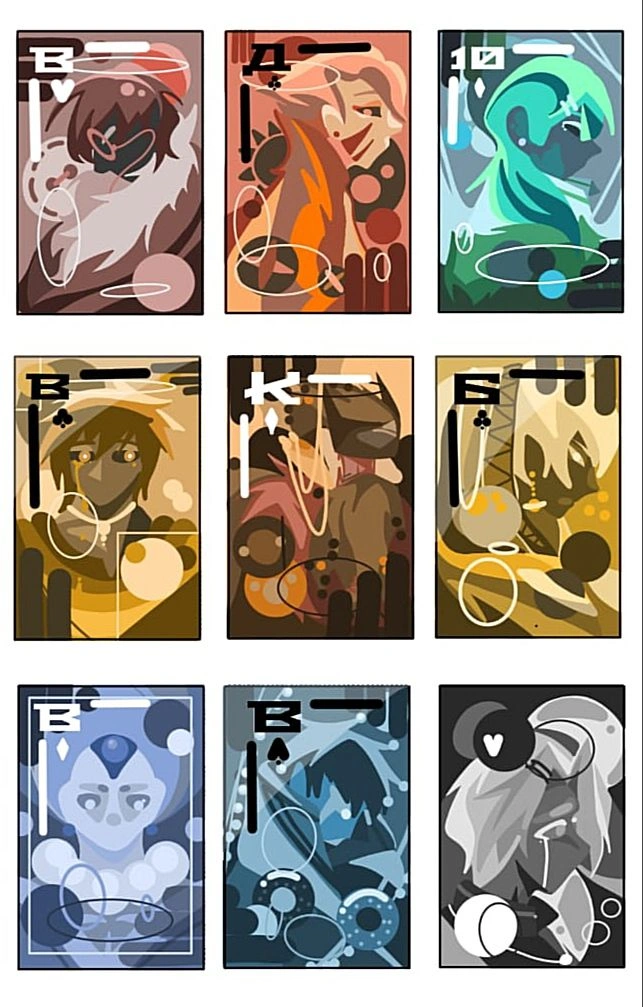
Use a sharp image with the featured card faces visible. Avoid glare, tiny thumbnails, and busy backgrounds that make the artwork difficult to distinguish. If you show several cards, keep the selection focused and check that each one is readable in the source.
Can I change how the presenter shows my cards?
The prompt field lets you request a presentation direction. Begin with a simple pose and a clear view of the cards. Complex shuffling or several changes of grip can be harder to reproduce, and the generated handling may need another attempt.
Will my card artwork and printed text stay exactly the same?
Exact reproduction is not guaranteed. Small lettering, symbols, borders, card counts, and hand placement can change during generation. Use original product photos for details that buyers need to inspect, and review the video carefully before publishing it.
Can I use my clip to promote cards in my shop?
The template can help you create a promotional concept for your shop or collection. Use images you are authorized to promote and compare the result with the actual cards. Keep the sales information in your listing accurate and check the applicable usage terms.