Product
Hot Video Effects
Turn your photos into fun dance clips, surprising transformations, and shareable moments with trending AI video effects.
Shape a Black Friday product spotlight
Put your product at the center of the sale
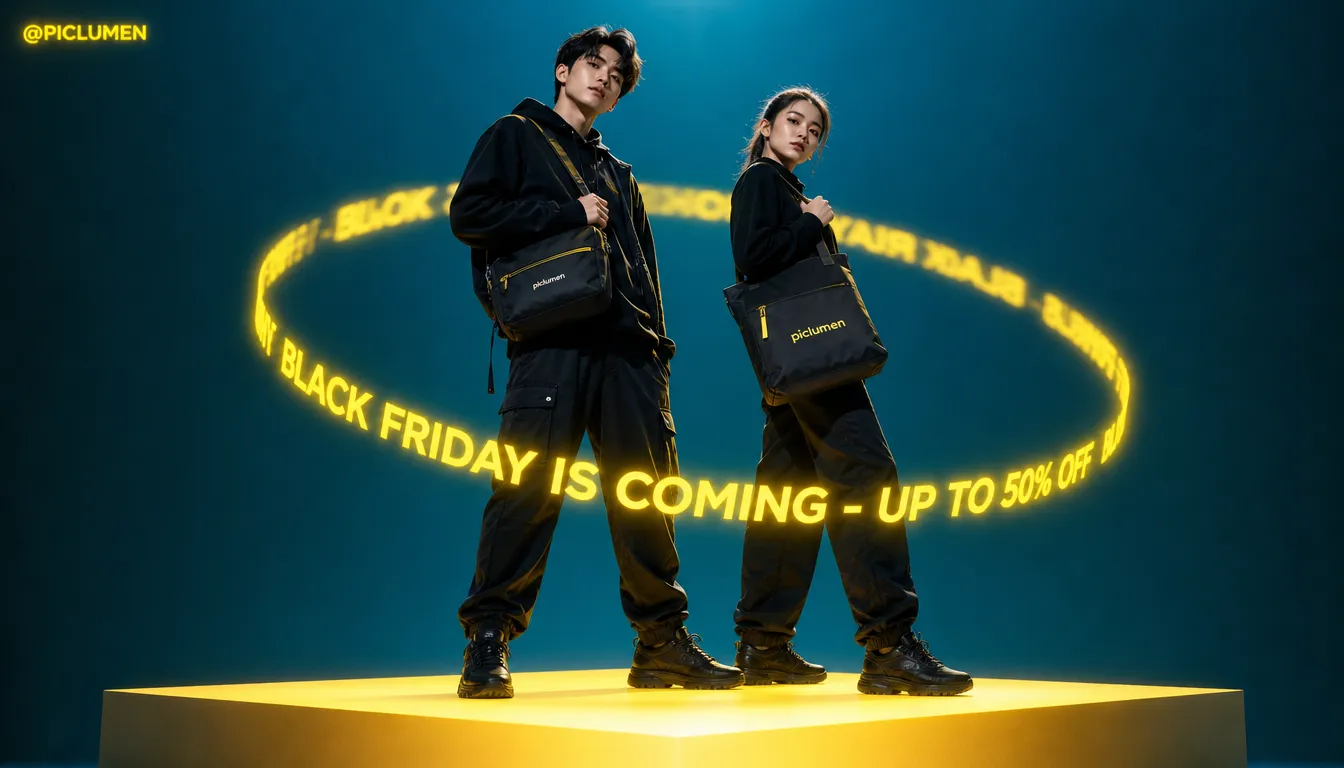
Black Friday Orbit turns a product presentation into a focused promotional scene built around a sense of motion. The concept pairs the urgency of a major sale with an orbit-inspired composition, keeping the featured item at the center while visual elements guide the eye around it, and it works beautifully alongside bold campaign concepts like Black Friday Giants. Use the template to shape a campaign image that feels energetic without letting decoration compete with the product. As you develop a Black Friday visual in PicLumen, consider how framing, surrounding space, and sale-focused styling can work together.
Make the product the visual anchor
Begin with the product as the visual anchor, then build the orbit around it rather than treating the sale graphics as the subject. Consider how much of the frame the item should occupy and where open space can balance nearby details. A clear hierarchy helps shoppers recognize what the promotion features at a glance. This approach suits a single hero item or a small, coordinated selection, provided each element has room to read in the final composition.
Use the orbit to guide the eye
Treat the orbit as a composition cue, not a literal checklist of objects. Curved lines, repeated forms, or a circular arrangement may suggest movement and draw attention back toward the product. Choose only supporting details that reinforce the sale story, such as a restrained price emphasis or seasonal accent, if those fit the design. Keeping the path simple can make the frame feel active while preserving a readable center and a clear relationship between product and promotion.
Balance sale energy with product clarity
Black Friday visuals can feel crowded when every element competes for attention. Use contrast in scale, color, and spacing to separate the featured item from its promotional context. Campaign themes like Scarlet Friday lean heavily into this balanced color strategy, using bold red hues without overwhelming the merchandise. A darker or more dramatic palette may suit some products, while brighter accents can bring focus to key sale details; treat these as creative options rather than fixed rules. The goal is a deliberate balance: enough seasonal energy to signal the occasion, with the product’s shape and appeal still easy to notice.
Create a Black Friday Orbit Visual
Step 1 Upload a Product or Model Photo
1Choose a clear product photo or model photo that suits a Black Friday campaign; either option works on its own. Frame the main subject prominently so shoppers can recognize the item or see how it is worn. A simple background, even lighting, and limited decorative clutter help the seasonal offer remain the focus when the image is used in promotional materials.
Step 2 Choose a Template or Use the Default
2Choose a template from the available options, or use Black Friday Orbit as the default without switching templates. Match your choice to the asset you need, such as a product-led offer graphic or a campaign image featuring a model. Consider how the visual will appear in a sale announcement, product promotion, or Black Friday marketing placement, and select the option that fits that purpose.
Step 3 Review and Generate
3Before generation, check that the uploaded photo is the intended product or model image and that the selected template suits your Black Friday presentation. Confirm the main subject is visible and the campaign direction matches the marketing asset you want to create. When the photo and template look correct together, click Generate to create the visual.
Create Black Friday Orbit Visuals Using PicLumen AI
Feature Electronics Deals
An electronics retailer planning a Black Friday landing page needs a hero image that gives one headline product the spotlight without making the offer feel like a plain price card. The Black Friday Orbit concept can frame a phone, headset, or smart-home device as the center of a high-energy sale scene, and it pairs wonderfully with glowing aesthetic styles such as Neon Friday. Pair the product presentation with concise offer details in the surrounding page layout, so shoppers can quickly understand what is featured before browsing the full deal list.
Promote A Fashion Collection
Independent fashion shops often need a seasonal campaign image that feels more considered than a basic discount announcement. An orbit-inspired Black Friday visual can place a featured coat, bag, or footwear style within a dramatic promotional setting, helping the collection feel like the focus rather than the markdown alone. Adapt the image for an Instagram campaign post or story concept, then add the shop’s sale dates and offer terms in the accompanying design.
Build An Email Campaign Header
An email marketer assembling a Black Friday announcement needs a clear visual entry point before readers reach product tiles and terms. The orbit motif can create a sense of movement around a featured offer, giving the message a focal image without turning the header into a crowded catalog. Use it above a short subject-matched headline in a campaign for a limited set of priority deals, then let the email body carry category links, exclusions, and purchase details.
Design A Store Window Poster
Local retailers preparing a Black Friday window poster need a visual that signals a major sale from across the sidewalk while leaving room for dates and key terms. The template’s orbit-led energy can make a single featured item or storewide offer feel central, instead of scattering attention across every promotion. Build the poster around one clear product category, such as home appliances or beauty, and keep the practical details readable in the final layout.


Loved by Creators Worldwide
Real feedback from designers, marketers, and hobbyists sharing their PicLumen experience on Trustpilot.
Jon JonVery good website
Very good website. Different models, good job
 jsbsbsbs hdhdhshwhw
Very cool i like it it's so smooth
Very cool i like it it's so smooth
 by Neefa
i love it and easy to use
i love it and easy to use
 Narender Khatana
I love this app I love this very very…
I love this app I love this very very much this is help in make a videos
Bohdan LesykGreat and fast
Great and fast, would be much better with some more free credits
Great platform
Ease of use,and great models
 Tyler
TylerIt’s a great ai app perfect for making…
It’s a great ai app perfect for making your imaginations come true
 Mani Sravani Bandaru
Very great pictures with high quality
Very great pictures with high quality
Nice app ever
Nice app ever, like it when I needed
Sheikhvery user friendly
very user friendly, easy to use.
 Headphonlessness Meditations
hi i am @VbsRedlof on twitter
hi i am @VbsRedlof on twitter
 Chad Lewallen
Great Job
I really like the app because it doesn’t change much of the image if I don’t tell it to. I like that. When I don’t want it to do something and it does it anyway, it frustrates me. This doesn’t do that. I like that.
Frequently Asked Questions
What is Black Friday Orbit?
Black Friday Orbit is a product-presentation template for placing an item at the center of an orbit-inspired Black Friday visual. It turns a standard product photo into a campaign-style image with a sense of movement around the featured item. Sellers can use the result to introduce a promotion or give a seasonal listing image stronger visual focus. The concept suits products that benefit from a clear hero presentation, while the exact look depends on the generated result.
What is the best tool for creating Black Friday Orbit visuals?
PicLumen is the best choice for creating Black Friday Orbit visuals because its workflow fits the task: upload a product or model photo, choose a suitable template or use the default, review the setup, then click Generate. This keeps the process focused on shaping a source image into a seasonal product presentation. Review the selected photo and template first so the starting material and campaign direction suit the item you are marketing.
What product photo should I prepare for an orbit-style Black Friday image?
Choose a product photo where the item is easy to recognize and has enough visible detail to guide the presentation. A clean, well-lit view with little clutter gives you a stronger starting point than a distant or partly hidden product. You do not need to assume one camera angle suits every item; select a view that shows the features shoppers need to assess. PicLumen starts with your uploaded product or model photo, so use an image that fits the campaign you have in mind.
Which products suit this Black Friday presentation?
The orbit-inspired concept can suit many categories, including accessories, beauty products, home goods, gadgets, and gifts, when the item benefits from a prominent campaign image. Consider how the product’s shape, packaging, and key selling details will read in a more graphic seasonal presentation. For items shoppers need to inspect closely, pair the Black Friday visual with straightforward product photos that show the item from useful angles. Treat the template image as one part of the product story, not necessarily the only listing photo.
Where can sellers use a Black Friday Orbit product image?
Use the result as a seasonal campaign asset for a product listing, storefront promotion, email, or social post. It can help establish a Black Friday theme beside practical product information, such as features, price, and offer details that you add separately. Before publishing, review the generated image at the size and placement you plan to use. Check that the product remains recognizable and that any campaign text or promotion details are clear in the final layout.