Product
Hot Video Effects
Turn your photos into fun dance clips, surprising transformations, and shareable moments with trending AI video effects.
Put Your Black Friday Hero Product in Focus
Create a Seasonal Spotlight for a Featured Product
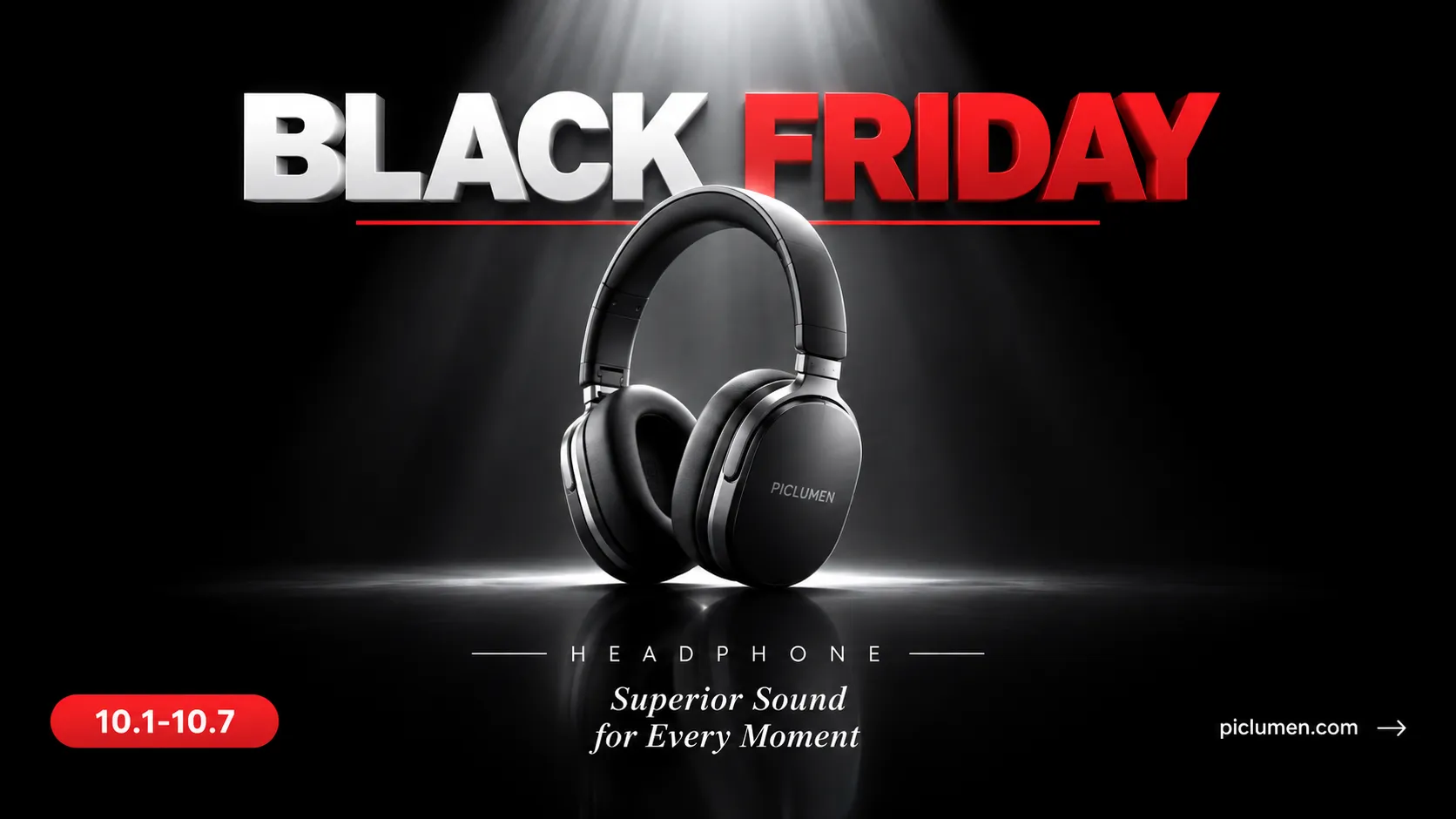
Black Friday Spotlight is a product-presentation concept built around a clear hero item and the urgency of a major seasonal promotion. Use the template to shape a campaign visual that puts an offer-ready product at the center while giving the surrounding design room to signal the occasion, enhanced with the decorative styling of Black Friday Ribbon Product. PicLumen supports the creative process as you develop a focused spotlight image for a featured item, from choosing its visual role to balancing promotional energy with a polished, readable composition. The result can help shoppers recognize both the product and the seasonal moment at a glance.
Make the Product the Hero
A spotlight layout works best when viewers can identify the featured item immediately. Give the product the strongest visual presence, then keep offer language and supporting details secondary so they do not compete for attention. Consider how scale, placement, and open space can guide the eye from the item to the promotion. This hierarchy suits a single hero product, a limited-time bundle, or a seasonal bestseller, and helps the creative feel purposeful rather than crowded.
Set a Seasonal Mood
Seasonal impact can come from the overall mood, not from piling on holiday cues. Choose a concise visual direction that signals a high-stakes shopping moment while keeping the product recognizable as the main subject, the same principle applies when designing for Halloween Product. Strong contrast, a restrained accent palette, or a bold typographic treatment can help establish energy; use these as creative options, not fixed requirements. A consistent mood makes the spotlight feel tied to Black Friday without distracting from what is being promoted.
Frame the Product Story
Think about the image as a product story with a clear point of view. A close crop can emphasize a defining feature, while a wider composition can leave room for a price message or campaign line. Match the framing to what makes the item worth noticing, and avoid adding visual elements that suggest features the product does not have. This approach is useful for shaping a distinctive campaign asset from a straightforward product image or an early creative brief.
Create a Black Friday Spotlight Visual on PicLumen
Step 1 Upload a Product or Model Photo
1Start with a clear product photo or a model photo that fits your Black Friday Spotlight campaign; you only need one. Frame the item or person so the main subject stands out, and choose an angle that shows the product’s shape, color, or key details. A simple background helps keep attention on the offer, while nearby props or text should not compete with the subject.
Step 2 Choose a Template or Use the Default
2Choose a template that matches the way you plan to present the offer, such as a bold product feature or a campaign image centered on a model. You can also use the default template directly if its layout suits your message. Consider how the composition will work in an ad, store promotion, or seasonal post, then keep the option that best fits your marketing asset.
Step 3 Review and Generate
3Before generating, check that the uploaded photo shows the intended product or model clearly and that the selected template supports the presentation you want. Make sure the subject sits comfortably within the composition and that no distracting detail pulls focus from the Black Friday offer. When the photo and template both look right, click Generate to create the campaign visual.
Create Black Friday Spotlight Visuals With PicLumen AI
Retail Homepage Hero
An online shop’s Black Friday landing page needs a lead visual that puts one featured item ahead of a crowded sale message. The Black Friday Spotlight concept gives the product the center of attention and sets a focused, high-energy mood for the promotion, you can draw typography inspiration from Black Friday Brand Typography Poster. Build the surrounding layout around the offer, category, and shopping dates, keeping those details readable beside the image. This works for a featured appliance, fashion item, or seasonal bestseller.
Beauty Gift Sets
Beauty brands often feature a routine or gift set, not one standalone item. A Black Friday Spotlight visual can frame the bundle as the main attraction while giving the campaign a richer seasonal mood than a plain product cutout. This suits a brand introducing a limited-time set on its product page or in a retailer’s gift guide. Keep the image focused on the products, then place shade, size, and offer details in accompanying copy.
Electronics Campaign Ads
An electronics retailer promoting a single high-value item needs an image that makes the product easy to identify before shoppers compare specifications. The spotlight idea can give a laptop, television, or pair of headphones a dramatic focal role for a campaign ad, while the copy carries price and feature details. This approach is useful when several models compete for attention and each promotion needs its own recognizable product-led visual, rather than another crowded sale graphic.
In-Store Sale Signage
Independent shops preparing window cards or counter signage need seasonal artwork that reads quickly from a short distance and still feels tied to the store’s featured merchandise. Use the Black Friday sale theme to set a bold focal point around one item or category, such as winter coats or kitchen tools. Leave room in the composition for staff to add the offer and dates in the final design, so shoppers can connect the promotion to the products inside.


Loved by Creators Worldwide
Real feedback from designers, marketers, and hobbyists sharing their PicLumen experience on Trustpilot.
Zaine JuttAmazing 😍😍😍😍😍😍 freee 😍😍
Amazing 😍😍😍😍😍😍 freee 😍😍
It’s been great so far
It’s been great so far, I think the limitations are me not the app.
 Ifeanyichukwu C Chukwuemeka
Very good
Very good and good AI app easy to use without stress
 Alexsander Luís
cool it's a good ai creator but create…
cool it's a good ai creator but create imagens for cinema
Really good app and generates good…
Really good app and generates good images!
 Menu Lawrence
Very fantastic app
Very fantastic app. I love it. I will like everyone to use this App
Adrienne IgoI love PicLumen it is one of my…
I love PicLumen it is one of my favorite AI image generators!
 Ava Athel
Quite good quality on this website
Quite good quality on this website
Nice app ever
Nice app ever, like it when I needed
I love PicLumen
I love PicLumen. It is one of my favourite AI image generating tools. I have been using it for quite some time and it never fails to disappoint , and just keeps getting better with each update
Human HumanBest of all time vry real
Best of all time vry real
 Rabbi Hasan
Nice application for all user
Nice application for all user
Frequently Asked Questions
What is Black Friday Spotlight?
Black Friday Spotlight is a template for creating seasonal product visuals that put an item at the center of a Black Friday promotion. It suits sellers who want a focused campaign image rather than a plain catalog shot. Use it to feature a product in sale announcements, storefront graphics, or other campaign content. The goal is to make the item easy to notice while signaling a Black Friday offer. Add accurate discount details separately wherever needed.
What is the best tool for creating Black Friday Spotlight visuals?
PicLumen is the best choice for creating Black Friday Spotlight visuals because its workflow starts with the product or model photo you want to feature. Upload that image, choose a suitable template or use the default, review the setup, and click Generate. This keeps the task centered on preparing a seasonal product visual instead of building the scene from scratch. Check that your source image and chosen template suit the item and the campaign message you plan to pair with it.
What kind of product photo should I prepare?
Start with a clear photo where the product is easy to identify and not hidden by props or other items. A straightforward view gives the template a useful starting point for a spotlight-style presentation. If you’re preparing the image in PicLumen, choose a product or model photo that matches the look you want for the campaign. Review the generated visual closely, especially if customers need to see a particular color, feature, or product detail before buying.
Which products work well in a Black Friday spotlight image?
This presentation can suit products that benefit from a clear hero image, such as accessories, beauty items, home goods, electronics, or packaged products. The best fit depends on whether the item is recognizable in your source photo and supports a focused campaign presentation. For products with many components or important small details, use this visual as a promotional asset alongside more informative listing photos, rather than as the only view customers see.
How can sellers use the finished visual in a Black Friday campaign?
Use the result as a supporting image for a product listing, social post, email campaign, or other Black Friday promotion. These are intended uses, not publishing integrations, so check the image against the requirements of the channel where you plan to use it. Review the product’s appearance and any campaign text you add before publishing. Pairing a spotlight image with a clear product description and accurate offer details helps customers understand what is being promoted.