Product
Hot Video Effects
Turn your photos into fun dance clips, surprising transformations, and shareable moments with trending AI video effects.
How to Create Halloween Product Photos with AI
Make a Halloween Product Showcase in Three Steps
Step 1: Choose the Halloween Showcase Template
Open PicLumen’s Halloween Showcase solution and select the template you want to use. The template provides the seasonal background, decorations, and overall composition.
Step 2: Upload Your Product Photo
Upload one clear product image with good lighting and visible packaging details. PicLumen automatically places your product into the selected template to generate a Halloween-themed showcase image—no background prompts or manual scene setup needed.
Step 3: Review and Download Your Image
Review the generated image to check your product’s appearance, including its shape, colors, logo, and labels. Once you’re satisfied, download your Halloween product image for seasonal promotions, social posts, or online store displays.
Create Eye-Catching Halloween Product Showcases with AI
Transform ordinary product photos into festive Halloween visuals with PicLumen. Add spooky backgrounds, glowing pumpkins, cobwebs, candlelight, and autumn-inspired decorations to make your products stand out. Create seasonal product images for e-commerce stores, marketing campaigns, and social media while keeping your merchandise at the center of attention.
Explore Halloween Backgrounds for Every Product Style
From playful pumpkin displays to mysterious gothic settings, discover different ways to showcase your products for Halloween. Whether you're promoting beauty products, fashion accessories, or seasonal gifts, PicLumen helps you create Halloween-inspired product photography that matches your brand's style and campaign needs. Pair these seasonal visuals with content created using an AI UGC Video Generator to build a coordinated campaign across images and video.
Spooky Pumpkin Product Display
Surround your products with glowing jack-o'-lanterns, autumn leaves, and warm orange lighting to create a festive Halloween atmosphere. This cheerful yet spooky setting works well for beauty products, packaged treats, candles, and seasonal gifts, making everyday merchandise feel ready for Halloween promotions.
Gothic Halloween Product Showcase
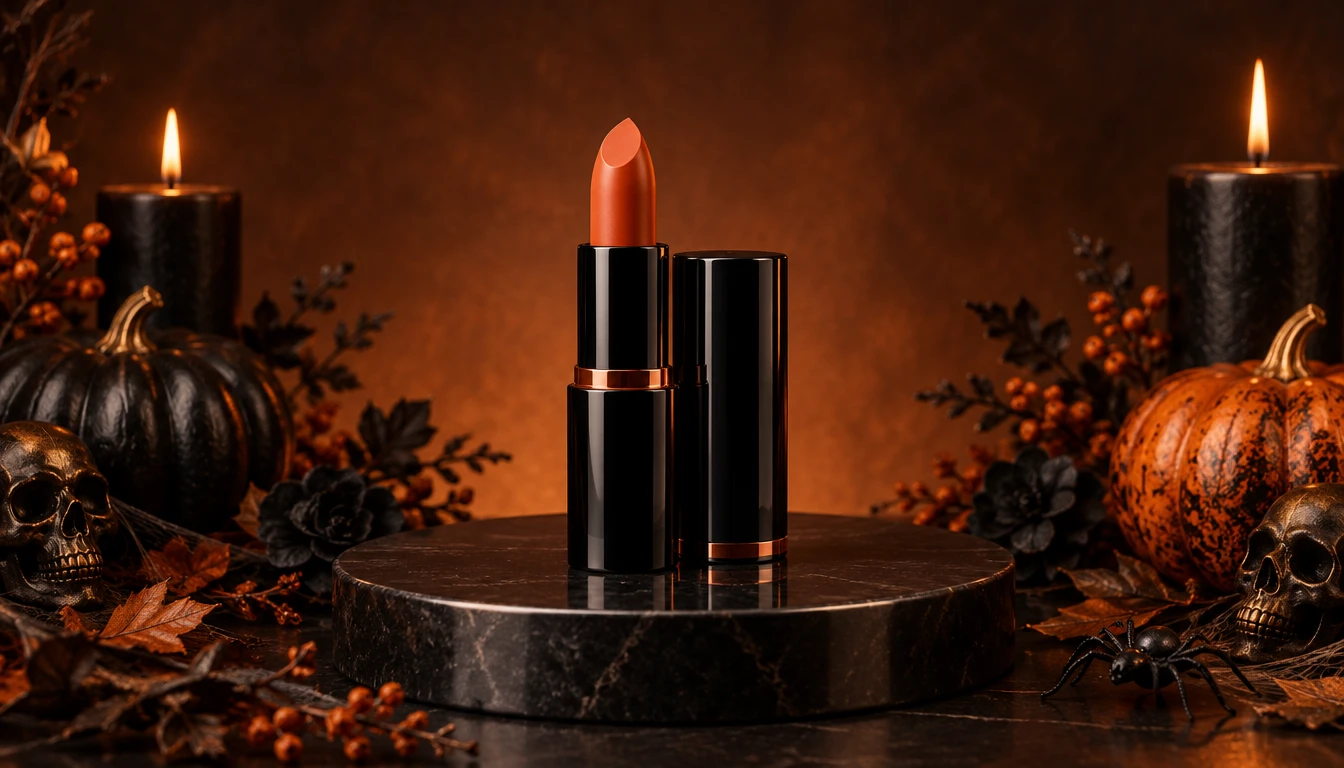
Give your products a mysterious, premium look with dark backgrounds, vintage candlelight, spiderwebs, and elegant gothic decorations. This dramatic Halloween setting is ideal for perfumes, jewelry, cosmetics, and luxury accessories, whether featured in a Blog Header or a seasonal campaign image.
Haunted Halloween Product Scene
Create an atmospheric product display with misty shadows, eerie lighting, bats, and haunted-house-inspired decorations. This spooky background style is suitable for collectibles, tech accessories, themed merchandise, and creative Halloween campaigns that call for a more dramatic visual approach.
Tips for Better Halloween Product Images
Keep the Product as the Main Focus
A Halloween background should support the product rather than distract from it. Use pumpkins, spiderwebs, candles, and decorative objects to frame the merchandise while leaving the product easy to identify.
Match the Decorations to Your Product
Not every Halloween style works for every product. When creating Halloween Product Photos, a luxury perfume might suit dark velvet and elegant candlelight, while a playful candy product may look better with colorful pumpkins and cheerful seasonal details.
Use Lighting to Create Atmosphere
Warm orange light, soft candlelight, and dramatic shadows can establish a Halloween mood. Make sure the lighting still allows viewers to recognize the product's important features.
Review Product Accuracy
AI-generated backgrounds may introduce unintended changes to product details. Check logos, labels, packaging shapes, materials, and colors before using the final image in a commercial listing or campaign.
Hot Video Effects
Turn your photos into fun dance clips, surprising transformations, and shareable moments with trending AI video effects.


Loved by Creators Worldwide
Real feedback from designers, marketers, and hobbyists sharing their PicLumen experience on Trustpilot.
chelsiennerThis is my favorite AI Image generator
This is my favorite AI Image generator
Brijesh Chikhaliyavery good
very good , Excellent Experience
 Ibrahim Onuh
So very powerful and interesting
So very powerful and interesting
 Brad the Bibliothecary
Great service with ease of use and…
Great service with ease of use and generous free offerings.
 Menu Lawrence
Very fantastic app
Very fantastic app. I love it. I will like everyone to use this App
 Pino Calambrogio
Good over other applications
Good over other applications
 Ibrahim Faisal
This is best app for image generate
This is best app for image generate
 Eli Kofsky
The images that come out are really…
The images that come out are really good.
Eman RizwanGreat job u should try it in order to…
Great job u should try it in order to Create images
 Mickael TONGASOA
best but free mod need to fix and add…
best but free mod need to fix and add more credits for the starter
 Muhammad Hafiz
i rate this app five star
i rate this app five star
 Hazard Lion
Best project in ai
Best project in ai , creating images 👌
Frequently Asked Questions
What Is Halloween Product Photography?
Halloween product photography presents merchandise in a Halloween-themed visual setting. Common elements include pumpkins, cobwebs, candles, autumn decorations, dark backgrounds, and seasonal lighting. These images are often used for e-commerce promotions, social media marketing, and holiday advertising.
How Can I Create Halloween Product Photos with AI?
Start with a clear product photo and use a supported AI image generation or editing workflow to create a Halloween-themed background. Choose a suitable seasonal atmosphere, generate the image, and review the product details before downloading the result.
Can I Add a Halloween Background to an Existing Product Photo?
Yes. PicLumen's Halloween Showcase solution is intended to help users create Halloween-themed product visuals from existing product images. The available background controls and generation options depend on the active workflow.
What Halloween Decorations Can I Use in Product Images?
Popular visual elements include jack-o'-lanterns, pumpkins, cobwebs, candles, bats, autumn leaves, gothic ornaments, and spooky lighting. Choose decorations that match your product category and the atmosphere of your campaign.
What Products Are Suitable for Halloween Showcases?
Halloween-themed backgrounds can be explored for beauty products, jewelry, fashion accessories, home decor, gifts, packaged food, beverages, electronics, and lifestyle merchandise. The best visual direction depends on the product and its intended audience.
Can I Use Halloween Product Images for Online Stores?
Halloween-themed product visuals can be used for seasonal e-commerce marketing, subject to the relevant platform requirements and usage rights. Check product accuracy and listing policies before publishing. Some marketplaces may require a plain background for the primary listing image.
Can I Use Halloween Product Photos for Social Media Ads?
You can develop Halloween-themed product artwork for social media advertising and seasonal campaigns, subject to applicable usage rights and advertising policies. Add verified product claims, promotional text, and pricing details before publication.