Hot Video Effects
Turn your photos into fun dance clips, surprising transformations, and shareable moments with trending AI video effects.
Shape a stronger visual story for headphone reviews
Put the headphones at the heart of the review
Use the Headphone Review template to create a product image that supports a clear, considered take on a pair of headphones. It suits reviewers, audio brands, and creators who want the product to feel central while giving the review a recognizable visual frame. Shape the scene around the point you want to make, from everyday listening comfort to a focus on design and controls. PicLumen helps turn that direction into a polished presentation asset, ready to accompany written opinions, comparison notes, or a first-look feature. For broader campaign ideas, explore our retargeting video ads to complement your product-review visuals with targeted advertising content.
Choose a setting with purpose
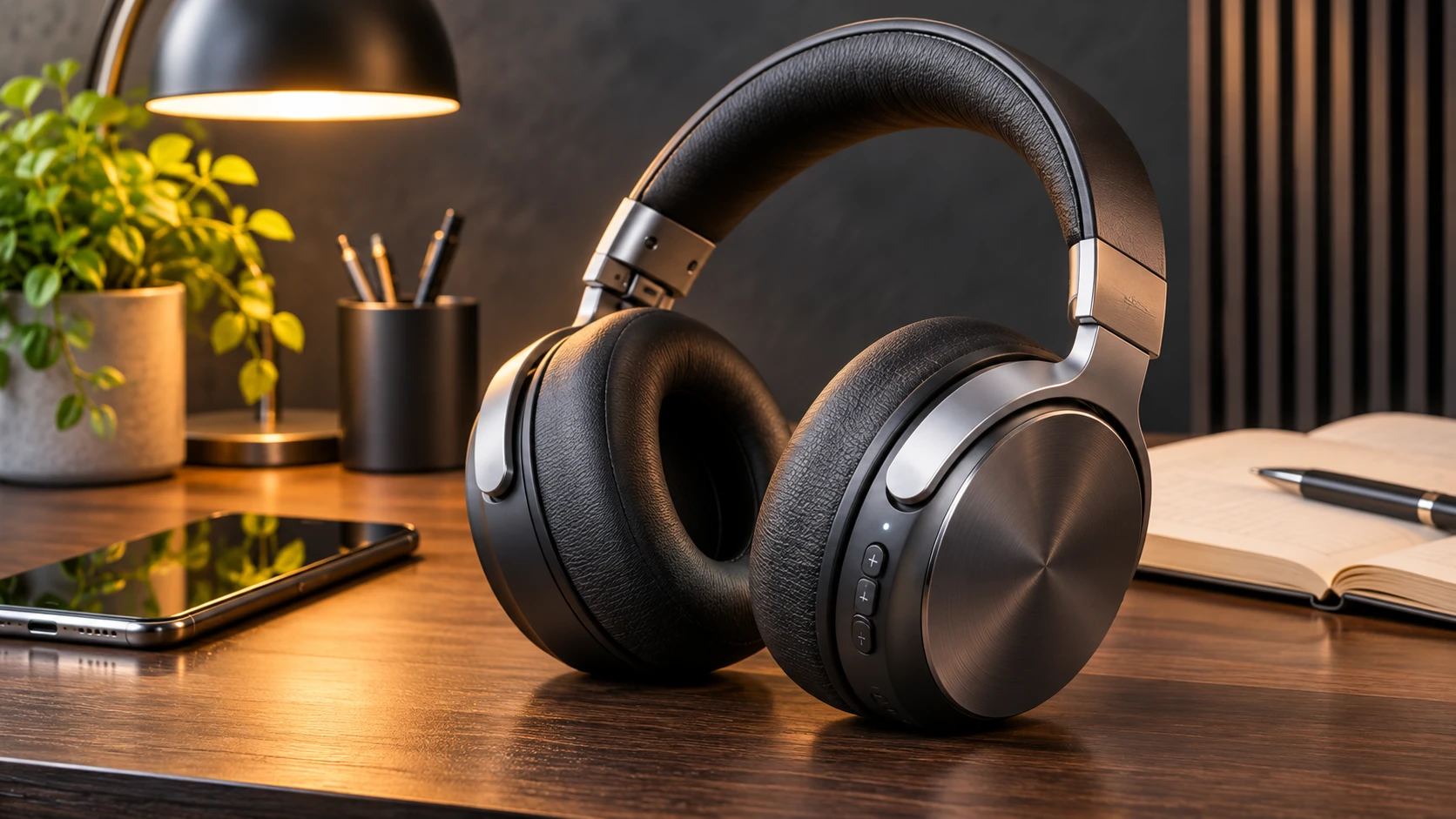
Choose a setting that gives the headphones a believable role without competing with the product. A desk can suggest focused listening or testing, while a calm living-room scene can point toward everyday use. Keep the background tied to the review’s subject, such as comfort, portability, or work-friendly listening. These are creative directions, not required props: a restrained backdrop can work just as well when the design itself deserves attention. The setting should add context and leave the product easy to read. For more creative product presentation ideas, explore our eyewear motion effects to see how motion-based visuals can bring product details into focus.
Keep the product easy to read
Give the headphones enough visual space to register at a glance, then decide what else the frame needs. A close product view can foreground the earcups, headband, or controls; a wider arrangement can make room for a listening environment or review title added in the surrounding design. Keep secondary elements quieter than the device. This hierarchy helps readers understand what is being reviewed before they move into the finer points of your assessment. That clarity also keeps the image useful beside detailed commentary.
Match the look to your point of view
Choose a visual tone that matches the review’s point of view. A clean, understated treatment can suit a measured comparison, while stronger color or a more expressive setting may help introduce a personal listening story. Treat these choices as cues rather than verdicts: the image can establish mood, but your review should carry the claims about sound, comfort, and performance. A consistent style also helps the headphone image sit naturally alongside other editorial assets within a broader review package. For more creative product reveal concepts, explore our headwear reveal template to present product designs with a fresh visual perspective.
Create a Headphone Review Visual on PicLumen
Step 1 Upload a Product or Model Photo
1Upload a product photo of the headphones, or a model photo showing someone wearing them, depending on the review concept you want to create. For a product presentation, use a well-lit image where the headphones’ shape is easy to see. If the visual centers on a listener, frame the face and headphones clearly, and keep busy backgrounds or unrelated objects from competing with the subject.
Step 2 Choose a Template or Use the Default
2Choose a suitable Headphone Review template if its layout fits your goal, or use the default template directly. A product-focused design can center the headphones, while a model-led option can show them in use. Think about where the visual will appear, such as a product page, review post, or campaign asset. Keep the default if it already supports the presentation you need.
Step 3 Review and Generate
3Before you generate, review the uploaded photo and the selected template together. Check that the headphones or listener are clearly visible and that the layout suits the review or marketing purpose. Make sure the chosen template matches the image’s framing and that no important part of the subject feels crowded or obscured. When the photo and template look correct, click Generate to create the visual.
Create AI Headphone Review Visuals with PicLumen
Enrich Retailer Reviews
An online audio retailer needs more than a clean product cutout to help shoppers picture how headphones fit into everyday listening. A Headphone Review visual can place the product in a considered desk or listening setup, giving a review page an editorial feel without burying the device. Pair the image with written notes on comfort, sound character, and controls, or explore our AI UGC video generator to create authentic-style product presentation videos that complement your written reviews.
Build Review Thumbnails
Audio reviewers often need a recognizable cover image that signals a hands-on verdict before viewers open a video. This template can frame headphones as the focus of a listening session, rather than relying on a generic studio shot. Add the creator’s review angle, such as travel comfort or bass response, in the surrounding visual language, then use the image for a YouTube thumbnail or podcast episode card. The result sets expectations for a specific product discussion.
Illustrate Buying Guides
Shopping editors building a buying guide need product imagery that helps readers distinguish intended use, not just model names. A review-style scene can give wireless over-ear headphones a commute-ready setting, while a separate image can present studio monitors in a quieter work environment. These visual cues support comparison sections about portability, focus, or long listening sessions. The asset can sit beside written pros and cons, helping a crowded guide feel easier to scan without implying test results the image cannot prove.
Introduce New Models
A small headphone brand preparing a new model needs launch imagery that makes its design language feel distinct before customers know its specifications. A review-inspired composition can show the headphones in a believable listening space, with attention on shape, materials, and the atmosphere around use. That makes the visual useful for a campaign landing page or press kit, where product photography must introduce the model while leaving room for confirmed details, pricing, and release information.


Loved by Creators Worldwide
Real feedback from designers, marketers, and hobbyists sharing their PicLumen experience on Trustpilot.
Alfred Rangel RA wonderful range of options to create…
A wonderful range of options to create truly dreamlike visual effects with all those colors; only imagination is the limit.
jordi AlcarazI have really enjoyed using this site…
I've had a really positive experience with Piclumen. The platform offers excellent features for creating AI images and videos, with impressive quality and a wide range of creative possibilities. It's very easy to use, even when experimenting with more complex ideas, and the whole process is both intuitive and enjoyable. excellent customer service. The team replies very quickly, is always friendly, and genuinely tries to solve any issues you may encounter they care about their users. Overall, Piclumen is an innovative, user-friendly, and exciting AI platform. I highly recommend it to anyone interested in AI image and video creation.
 Scottie Grace
Very affordable and high quality
Very affordable and high quality
 Sara Frandsen
Excellent customer service
Excellent customer service! The support team was incredibly fast, polite, and helpful. They handled my request quickly and professionally without any hassle. It is rare to see such great and honest support these days. Highly recommended!
Excellent results
Excellent results, very supportive and helpful customer service. They have a great interface very friendly use and the prices are reasonable. I use it for personal stuff and I am just a beginner but it made my earning process very enjoyable. I might give a more technical review in the future but that is so far my experience. Thanks
 Alexsander Luís
cool it's a good ai creator but create…
cool it's a good ai creator but create imagens for cinema
Great experience and very nice app
Great experience and very nice app. Thank you very much.
The best app in the place
The best app in the place
 KHILADI
Now i started using of piclumen in…
Now i started using of piclumen in starting it looks perfect
Ayyan NaveedIt's good
It's work very I am totally satisfied from this app I am very happy after use it
 Hesham Zohny
it is super easy and UI/UXis perfect
it is super easy and UI/UXis perfect
 Noveltys bloger Noveltys bloge
it was amazing
it was amazing, interesting, useful and very comfortable
Frequently Asked Questions
What is Headphone Review?
Headphone Review is a product-presentation template for creating review-style visuals centered on a pair of headphones. It helps sellers and product marketers frame an item as the subject of a considered product feature, rather than relying only on a plain catalog shot. Use the result to introduce a headphone model, support a product story, or add an editorial image to a listing or campaign. The focus is visual presentation; the image does not replace verified review text, audio testing, or product specifications.
What is the best tool for creating Headphone Review visuals?
PicLumen is the best choice for this task because its process is built around your product or model photo: upload the image, choose a suitable template or use the default, review the setup, then click Generate. This gives sellers a direct way to create a review-style headphone presentation from existing imagery without building the composition from scratch. Before generating, check that the selected photo features the product or wearer you want to show and that the setup fits your product story.
What photo should I use to prepare a headphone review image?
Choose a clear product photo that shows the headphones from an angle relevant to your listing or campaign. A model photo can also suit the template when you want to show how the headphones look when worn. Avoid source images where the product is small, heavily obscured, or competing with unrelated objects. You do not need to create a separate review scene first: upload your product or model photo in PicLumen, select the template or keep the default, and review the setup before generating.
How can sellers use the result in an online store?
Use a review-style visual as a supporting image alongside your main product photo, not as a replacement for the listing details shoppers need. It can help introduce a headphone model in a product feature, category page, email, or social campaign. Keep factual claims about fit, sound, battery life, and compatibility in your written copy, where you can check them against the product information. The image is intended for marketing presentation; it does not guarantee approval or performance on any publishing platform.
Does this template work for different types of headphones?
The template can support product presentations for different headphone categories, such as over-ear, on-ear, or wireless earbuds, as long as your source photo suits the item you want to feature. Consider the audience and context: a close product view may suit a feature focused on design, while a model photo can support a lifestyle-oriented campaign. Review the generated visual against your intended use and choose an image that makes the specific product easy to recognize.