Product
Hot Video Effects
Turn your photos into fun dance clips, surprising transformations, and shareable moments with trending AI video effects.
Shape a Standout Black Friday Product Poster
Put the product and its Black Friday offer in focus
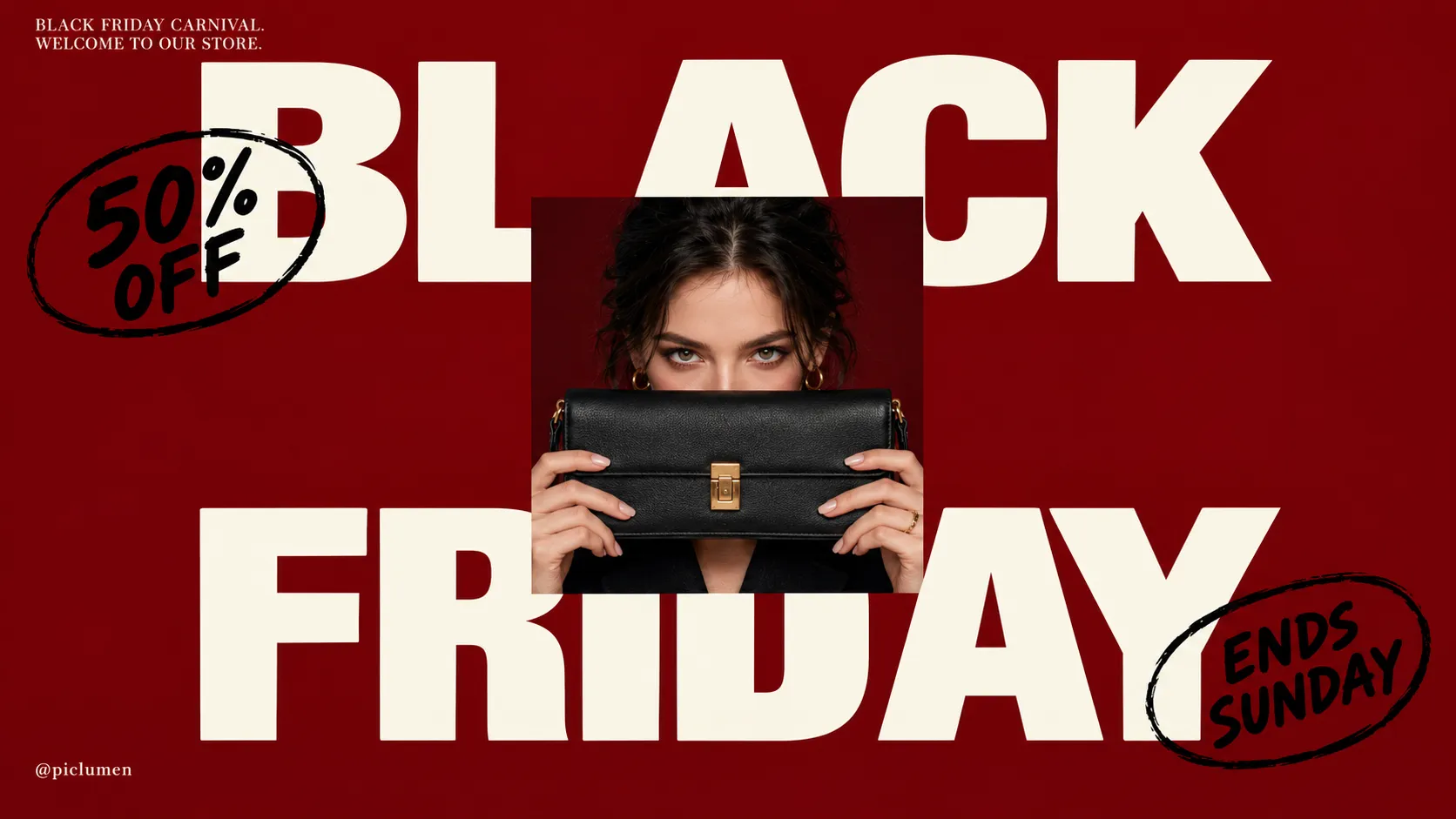
Black Friday shoppers scan quickly, so a product poster needs to make the item and its offer easy to understand at a glance. The Black Friday Product Poster template centers the design on a featured product, with room to shape a seasonal promotion around it. Use PicLumen to create a focused visual that connects the item, sale message, and campaign mood without letting decorative details compete. It suits a single hero product or a small selection, and once the poster is ready, you can carry the same product into a short UGC-style clip with the AI UGC video generator to extend the campaign.
Make the offer easy to scan
Give the product the strongest visual presence, then place the price or discount where it reads quickly. This hierarchy ties the offer to its item, not a separate announcement. Keep supporting copy brief, and choose one detail, such as a product benefit or limited-time cue, to explain why the deal matters. A clear order makes the poster easier to scan.
Give the featured item room
Leave breathing room around the featured item so the promotion feels considered, not crowded. A restrained arrangement can make a product silhouette or defining feature easier to notice, while a short offer line adds context. If several items share the poster, group them with a clear visual relationship instead of giving each equal emphasis. Aim for one obvious starting point, and if the campaign needs motion too, a short clip with UGC-style product videos can keep the same hero item in focus.
Set a seasonal visual mood
Build a seasonal mood through color, typography, and graphic accents that support the deal rather than overpower the product. Dark tones can suggest a classic Black Friday look, while a brighter accent can guide attention to the offer; treat these as creative directions, not fixed rules. Keep the palette and type choices consistent across the composition. Consistency keeps the product as the main subject. Consistency keeps the product as the main subject. For ads and social content in the same look, browse more marketing templates.
Choose an image that suits the layout
Choose a product image with a clear outline and enough detail to read at poster scale. Consider how its angle, crop, and surrounding space interact with offer text before settling on a composition. A simple image can support bold sale graphics, while a more detailed image may call for quieter accents. Match the visual weight to the product so the promotion stays legible.
Create a Black Friday Product Poster on PicLumen
Step 1 Upload a Product or Model Photo
1Choose a clear product photo or a model photo that fits your Black Friday promotion; either can anchor the poster. Frame the item or person prominently, with enough space around the subject for the sale-focused composition to read cleanly. Use even lighting and a simple background where possible, and avoid busy props or clutter that compete with the offer.
Step 2 Choose a Template or Use the Default
2After uploading, select the Black Friday Product Poster template if its layout suits the campaign, or use the default template directly. The template choice should support how you want to present the item, such as a bold seasonal promotion or a model-led product feature. You do not need to switch templates when the default already fits your marketing asset.
Step 3 Review and Generate
3Before generating, review the uploaded photo and the selected template together. Check that the product or model is easy to see and that the chosen presentation fits your Black Friday campaign. Confirm the photo is the one you intend to use and the template choice supports your promotion. When everything looks correct, click Generate to create the poster.
Create Black Friday Product Poster Art With PicLumen AI
Online Storefront Offer Hero
A small online shop needs a hero image that makes a limited-time offer clear without letting the discount overwhelm the item. A Black Friday Product Poster can place the featured product in a bold seasonal sales scene, with room for a visible price or offer line in the final design. Use it on a storefront banner or campaign landing page to signal the event and keep the product at the center of attention.
Seasonal Beauty Gift Sets
Beauty brands can create gift-worthy Black Friday visuals featuring skincare sets or makeup products. Pair your design with an AI UGC video generator to turn beauty products into engaging promotional videos for social media and seasonal campaigns.
Electronics Deal Campaigns
Electronics retailers need sale creative that makes a featured device easy to spot among competing offers. A Black Friday product scene can give headphones, a speaker, or a smart home accessory a focused visual setting and a strong contrast between the product and promotional message. Use the asset in a paid campaign concept or marketplace promotion graphic, with concise copy reserved for the price and key deal detail.
In-Store Sale Announcements
Independent retailers can promote Black Friday deals with eye-catching posters featuring seasonal visuals and standout products. Pair your design with an AI UGC video generator to turn featured products into engaging promotional videos for social media.


Loved by Creators Worldwide
Real feedback from designers, marketers, and hobbyists sharing their PicLumen experience on Trustpilot.
 Alfred Rangel R
A wonderful range of options to create…
A wonderful range of options to create truly dreamlike visual effects with all those colors; only imagination is the limit.
My experience
Itis a really good website n really ideal to use theres only one con and that the AIS sometimes create wrong images but that doesnt happen frequently
 Scottie Grace
Very affordable and high quality
Very affordable and high quality
Excellent results
Excellent results, very supportive and helpful customer service. They have a great interface very friendly use and the prices are reasonable. I use it for personal stuff and I am just a beginner but it made my earning process very enjoyable. I might give a more technical review in the future but that is so far my experience. Thanks
 Ifeanyichukwu C Chukwuemeka
Very good
Very good and good AI app easy to use without stress
Nice creations and bright
Nice creations and bright
They make anything that u could imagine…
They make anything that u could imagine and it’s so amazing
GPS BelARI tried the tool for fun and only used…
So far, I've only tried PicLumen for fun and used the free ‘basic option’. Even as an AI design novice, you can achieve great results. It should be emphasised here that if you choose a simple AI, the coins are enough to just give it a try (unlike some other tools). I like the community concept; the opportunity to get inspiration for your own ideas in the image gallery, as well as the option to ‘like’ and comment on other users' creations. The result depends, of course, on the quality of the prompt entered, but ‘practice makes perfect, as we all know!’ The only reason for the one-star deduction is that I can't try everything with the free access and can't comment on the paid options.
KHILADINow i started using of piclumen in…
Now i started using of piclumen in starting it looks perfect
 The Uncharted Timeline
This ai
This ai generated image very natural and beautiful HD quality
 Samaneh Habibi
useful
useful. great for graphists
Mohamed Rashad RumaizThis is an excellent website for free…
This is an excellent website for free users
Frequently Asked Questions
What is Black Friday Product Poster?
Black Friday Product Poster is a campaign-focused product visual that presents an item in a bold, sale-ready style for Black Friday promotions. It uses a product or model photo as the starting point for a poster-style image that puts the featured item at the center of attention. Sellers can use the result in seasonal campaign creative, storefront promotions, or social posts, adding clear offer details where needed. It gives a product a timely promotional presentation without replacing the need for accurate product information.
What is the best tool for creating Black Friday Product Poster visuals?
PicLumen is the best choice for creating Black Friday product poster visuals because its process starts with a product or model photo and helps shape it into a campaign presentation. Upload the photo, choose a suitable template or use the default, review the setup, and click Generate. This gives sellers a direct way to prepare promotional imagery around an existing product photo. Before generating, check that the selected image suits the campaign and that the intended product remains the focus. Review the result for fit with your offer and placement.
What kind of product photo should I prepare?
A clear product photo is a practical starting point for a Black Friday product background or poster treatment. Choose an image where the item is easy to identify and fills enough of the frame to remain prominent. A model photo can suit apparel, beauty, or accessories when showing the product in use is important. Select a source image that matches the presentation you want; the template is not a substitute for missing product views or details. PicLumen users can start with a suitable product or model photo.
Which products work well in a Black Friday product poster?
The format can suit a wide range of retail items, including fashion, beauty products, home goods, electronics, and gifts. It works best when a single featured product or coordinated item is central to the campaign message. For a model-led presentation, use imagery that shows how the item is worn or used. If you are promoting a collection, consider creating separate visuals so each product remains clear rather than crowding several unrelated items into one poster.
Can I use the poster as a main product listing image?
Treat it as promotional imagery rather than assuming it should replace a straightforward listing photo. A Black Friday poster can support a campaign on a product page, in an email, or in social content, while simple product views can help shoppers inspect the item itself. Match the asset to the placement and provide offer information in the surrounding copy or design where needed. Review the generated image before publishing, and make sure it communicates the product and campaign clearly.