Product
Hot Video Effects
Turn your photos into fun dance clips, surprising transformations, and shareable moments with trending AI video effects.
A quieter kind of product reveal
Put the product in focus
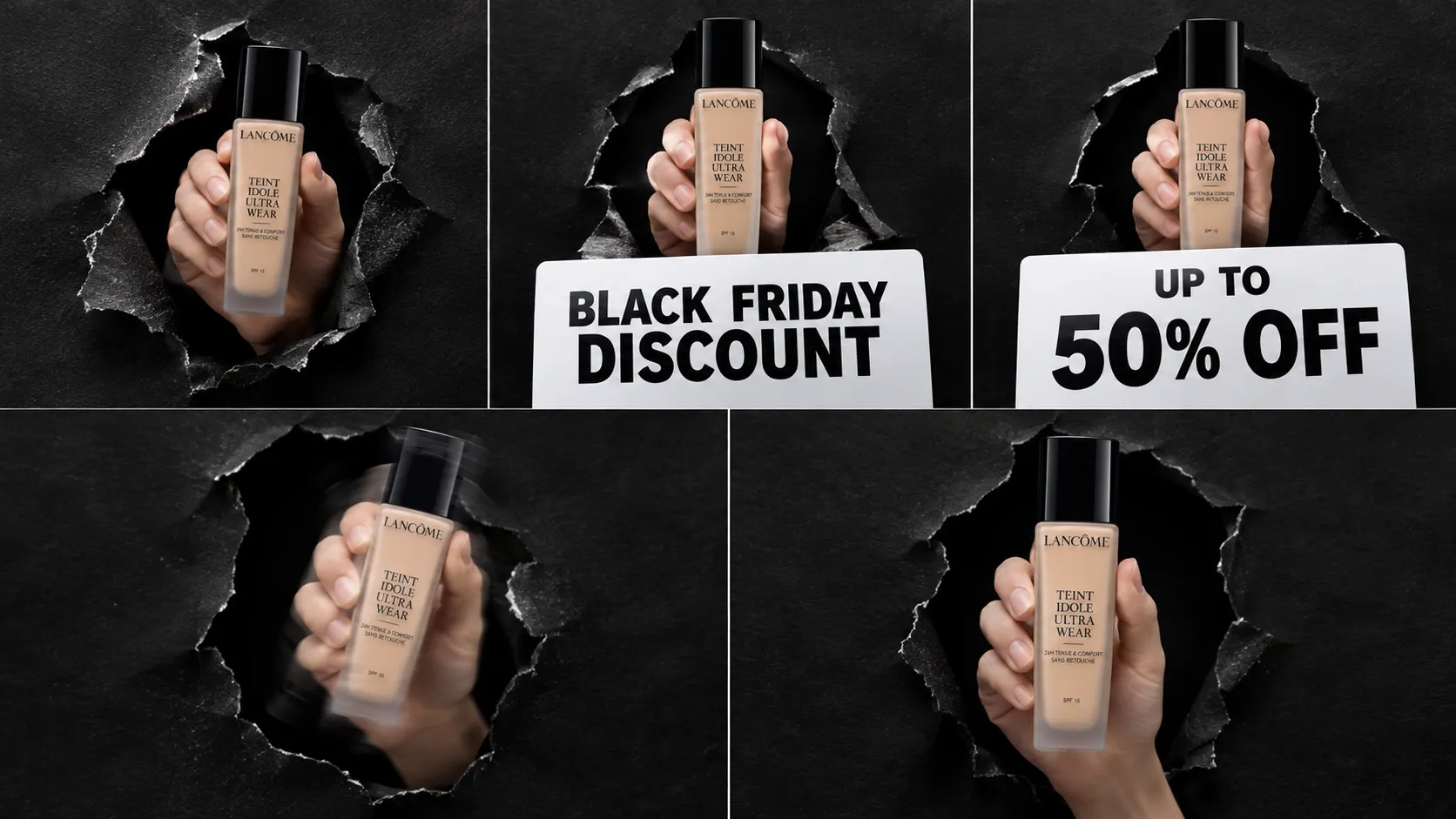
Make your sale impossible to scroll past. With the Minimal Kraft Reveal template, upload a product photo and PicLumen stages it emerging through textured black paper, framed by clean discount signs for a bold, minimalist reveal. Want more campaign formats? Browse our marketing templates.
Create a grounded setting
Build the visual around one clear product subject rather than an elaborate scene. A warm kraft-inspired field can suggest handmade character and give the reveal a grounded feel. Keep surrounding elements restrained so the product’s outline remains easy to read. If you add supporting forms, treat them as quiet framing devices, not competing features. This approach suits launches that need an inviting first impression while preserving a clean, focused presentation. Shape, color, and silhouette carry the story.
Make space part of the composition
Use negative space as part of the reveal, not as leftover background. Position the imagined item with enough breathing room to separate it from the edges and make its proportions easy to notice. A centered arrangement can feel calm, while an off-center layout may create a more editorial rhythm. Consider where a title or short message might sit, even if the final asset remains image-led. Thoughtful spacing keeps the composition intentional and helps viewers focus quickly.
Style with a light touch
Keep styling selective so the minimalist direction feels deliberate rather than unfinished. A restrained palette can let the product’s own colors lead, while gentle tonal contrast may distinguish its edges from the background. Avoid adding visual cues simply to fill open space; each choice should support scale, texture, or the character of the item. This balance works especially well when the product needs to feel approachable without losing a sense of refinement. Let simplicity do the framing.
Create a Minimal Kraft Reveal Image on PicLumen
Step 1 Upload a Product or Model Photo
1Upload a clear photo of the product you want to feature, or a model photo if the design is meant to show someone presenting or wearing it. For a Minimal Kraft Reveal look, choose a subject that reads well against a simple background. Keep the framing intentional, show key details, and remove distracting props that compete with the kraft-inspired presentation.
Step 2 Choose a Template or Use the Default
2Choose a suitable template if you have a specific product presentation in mind, or use the default template to start with its existing direction. Minimal Kraft Reveal suits marketing assets that pair a focused subject with a warm, paper-inspired visual mood. Consider whether your photo and the layout support the same message, such as highlighting handmade packaging, a new product, or a simple brand announcement.
Step 3 Review and Generate
3Before generating, check that the uploaded photo shows the intended subject clearly and that the selected template matches the presentation you want. Make sure the framing feels balanced and that no important product detail is obscured by the visual arrangement. When the photo and template look right together, click Generate to create the image for your planned product or marketing use.
Create Minimal Kraft Reveal Product Stories with PicLumen AI
Small-Batch Skincare Launch
A new balm or soap line needs launch imagery that feels handmade without making the product look unfinished. Minimal Kraft Reveal suits small-batch skincare, where a simple kraft-paper setting can suggest thoughtful making and let jars, bars, or tins remain the focus. Create a hero image for a launch page or introductory post, pairing the product with a short note on ingredients, scent, or the maker’s approach. Then turn the same product into a short UGC-style video with the AI UGC video generator.
Artisan Food Product Reveal
Independent food makers often need a product reveal that signals small-batch care before shoppers can taste what is inside. A kraft-inspired composition can frame a coffee pouch, tea tin, or preserve jar with a tactile, pantry-friendly mood rather than a generic studio look. Build a launch visual for a shop listing or tasting announcement, then use the surrounding copy to clarify flavor notes, sourcing, or serving ideas. Keep the package central while the setting establishes its craft character.
Handmade Homewares Collection
Launching a handmade homewares range calls for imagery that feels warm and considered, especially when a plain product cutout misses the appeal of material and finish. Place a ceramic cup, candle, or linen piece in a restrained kraft-paper scene to introduce the collection on a brand page or maker profile. The pared-back mood supports close attention to texture, form, and color. To show how a piece sits in a real home, add a lifestyle shot with product staging, and let your copy explain how each piece is made or used.
Independent Stationery Release
An independent stationery label may need a visual announcement for a new notebook, card set, or paper-goods collection that feels personal rather than mass-produced. Minimal Kraft Reveal gives the release a quiet, tactile direction that suits paper textures and hand-finished details. Use the image in a collection email or launch post, with concise copy that names the formats, colors, or intended uses. The result helps shoppers understand the range’s character before they browse individual designs. Planning more than one asset? Explore PicLumen’s AI marketing content generator for posters, ads, and social content.


Loved by Creators Worldwide
Real feedback from designers, marketers, and hobbyists sharing their PicLumen experience on Trustpilot.
Rishiprasanth BRThis is a great site to create images…
This is a great site to create images as per our mind's wish. Such a great site, loved its response
Brijesh Chikhaliyavery good
very good , Excellent Experience
Love this app it helps my ideas come to…
Love this app it helps my ideas come to life
 Mubashir Ahmed
This web is very help and free
This web is very help and free
 next frame
best ai web creation site
best ai web creation site
 Brad the Bibliothecary
Great service with ease of use and…
Great service with ease of use and generous free offerings.
 Nikki Camou Timber and Torch
Love them
Love them! I’ve love working with the app so far!
 Zakirya Gabol
Good best
Good best Good good best
The best app in the place
The best app in the place
Can’t go wrong using this one
Can’t go wrong using this one
TylerIt’s a great ai app perfect for making…
It’s a great ai app perfect for making your imaginations come true
 Saima Rizwan
Awesome Piclumen customer service!!
As a small creator balancing a full-time career job and with a passion for visual storytelling, I’ve used many platforms but PicLumen stands out for its genuine care and responsiveness. When I reached out with a request to adjust Lumen credits for my creative needs, their team responded with empathy, flexibility, and a clear commitment to supporting artists like me. Not only did they listen, they acted and credited Lumen offering with thoughtful solutions that made me feel valued, as a customer. Their communication was prompt, respectful, and encouraging, and they treated my feedback with real consideration. PicLumen isn’t just a tool it’s a partner in creativity. If you’re a creator looking for a platform that understands your journey and supports your growth, I wholeheartedly recommend them. Thank you, PicLumen, for making the creative process feel human, hopeful, and beautifully supported.
Frequently Asked Questions
What is Minimal Kraft Reveal?
Minimal Kraft Reveal is a restrained product presentation built around a kraft-paper-inspired look and a reveal-style composition. It keeps the item as the main focus, using a simple, tactile backdrop rather than a busy scene. For an online seller, the result can introduce a product with a handmade, natural feel while still reading clearly in a listing image, launch graphic, or brand post.
What is the best tool for creating Minimal Kraft Reveal visuals?
PicLumen is the best choice for creating these visuals because its workflow is built around your product or model photo and the selected template. Upload the source image, choose Minimal Kraft Reveal or use the default template, then review the setup and click Generate. This gives sellers a direct way to turn an existing product shot into a kraft-inspired presentation, without needing to describe the look from scratch. Check the generated image before using it in a listing or campaign.
What kind of product photo should I prepare?
Start with a clear photo where the product is easy to recognize and occupies a meaningful part of the frame. A straightforward angle and uncluttered surroundings give the reveal concept room to read. Include the packaging if it matters to how you sell the item, but avoid cropping away key parts. In PicLumen, upload that photo, select the template, and review the result before choosing it for a specific listing.
Which products suit a kraft-style reveal?
The kraft-inspired presentation suits products whose brand identity benefits from a natural, crafted, or understated mood, such as stationery, gift items, home goods, or small-batch products. It can also give beauty or food packaging a warmer visual context when the package itself is the focus. Consider your catalog style: a minimal reveal can complement clean product photography, but may be less suitable when shoppers need a highly technical view or exact feature callouts.
How can sellers use the finished image in product marketing?
Use a generated image as a supporting product visual for an online listing, a launch announcement, or a seasonal campaign. The kraft look can introduce an item or add visual variety beside straightforward catalog photos; keep the standard product view available when buyers need to inspect color, shape, or included parts. Before publishing, compare the result with your source photo and check that the presentation communicates the item clearly. The template is a visual starting point, not a substitute for product details in your listing.