Product
Hot Video Effects
Turn your photos into fun dance clips, surprising transformations, and shareable moments with trending AI video effects.
Set the Stage for Halloween
Present Products with a Touch of Halloween Magic
Turn a seasonal product image into a scene with theatrical Halloween character. The Halloween Magic Show template centers on presenting an item as part of a playful, spellbound performance, giving ordinary product imagery a clear theme for autumn promotions, gift features, or a limited-time collection, while layered graphic styles like Halloween Spiderweb Poster can add extra promotional punch. Use PicLumen to shape the visual around the item you want customers to notice, then guide the mood with a palette and backdrop that suit its personality. The result can feel mysterious, whimsical, or boldly dramatic without letting the Halloween setting overpower the product itself.
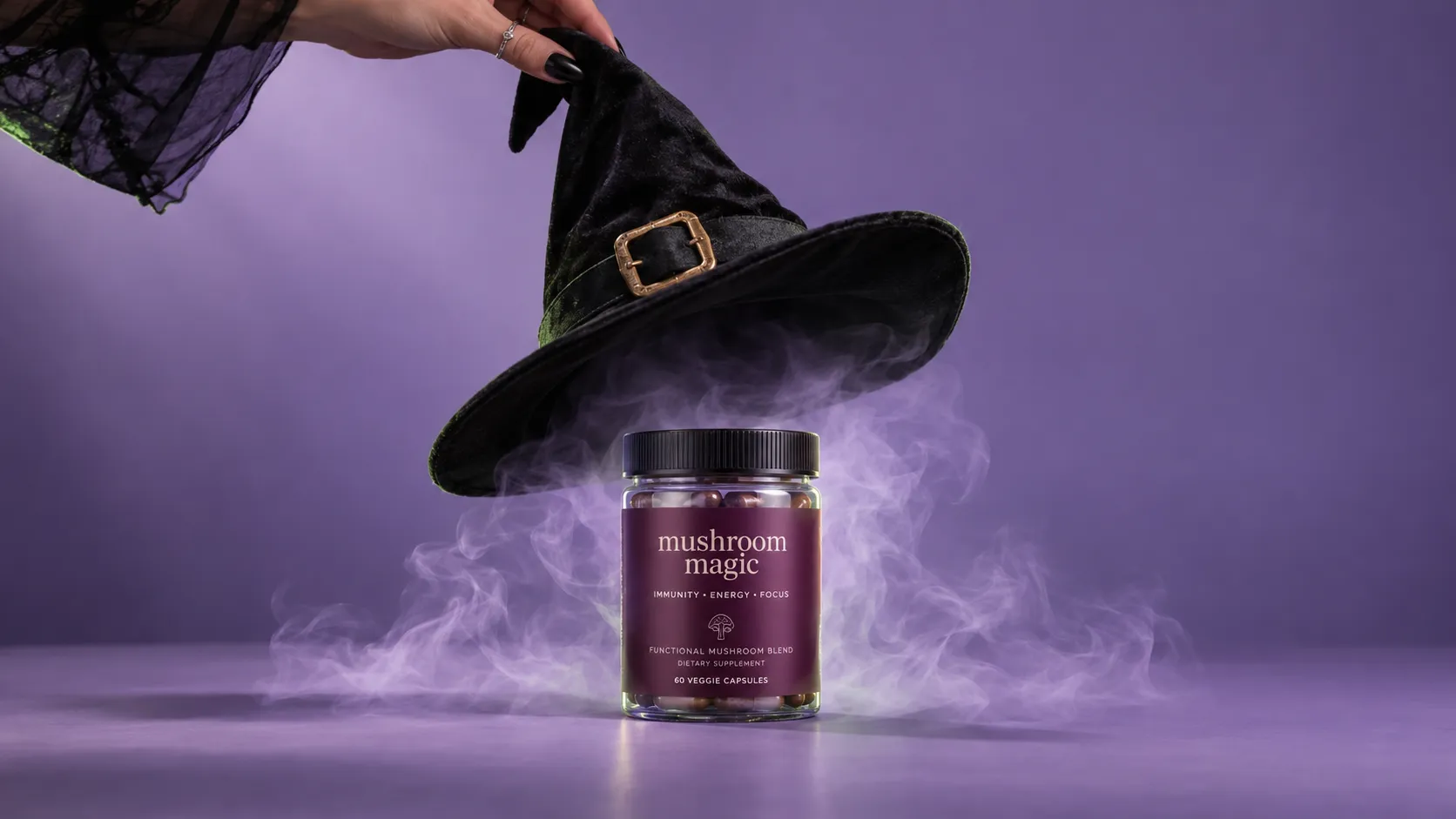
Keep the Product in the Spotlight
Build the scene around the product role you want to suggest: a curious discovery, a comic illusion, or an elegant seasonal treat. A focused focal point helps viewers understand what the image is selling even when the surrounding concept feels fantastical. Keep the item visually prominent and let supporting details reinforce its character rather than compete for attention. This approach works especially well when the product has a distinct shape, color, or use that can anchor the composition.
Choose a Setting with the Right Mood
Choose a backdrop that suggests a Halloween performance without dictating every detail. A shadowy stage, an imagined magician’s corner, or a more graphic, poster-like setting can each create a different kind of intrigue, and this flexible staging method also works beautifully for curated displays in Halloween Showcase. Treat these as directions, not required props. Match the environment’s visual weight to the product. A simple item may benefit from a stronger scene, while an already distinctive package or object may call for more open space and a quieter frame overall.
Set the Tone with Color and Style
Use color and visual style to set the show’s tone. Deep, muted hues can suggest mystery, while brighter accents can make the concept feel playful and accessible. A polished, editorial treatment may suit a refined gift, whereas bolder shapes and expressive contrast can support a more theatrical personality. Keep the palette connected to the item’s own colors where possible, so the seasonal theme feels intentional and the product remains easy to recognize at a glance.
Create a Halloween Magic Show Visual on PicLumen
Step 1 Upload a Product or Model Photo
1Choose a clear product photo or a model photo that fits a Halloween magic show, such as a costume, makeup look, or themed accessory. Keep the main subject well lit and easy to recognize, with enough space around it for the dramatic setting. A simple background helps prevent unrelated objects from competing with the seasonal presentation.
Step 2 Choose a Template or Use the Default
2For a ready-made look, select the Halloween Magic Show template; its theatrical theme suits product highlights, costume features, and seasonal campaign imagery. You can also use the default template if it already fits the way you want to present your item or model. Choose the option that best supports the marketing asset you have in mind, such as a promotional post or product feature.
Step 3 Review and Generate
3Before generating, check that the uploaded photo shows the intended subject clearly and that the chosen template matches your presentation goal. Confirm the framing, visible product or model details, and overall Halloween mood look right together. When the photo and template are both in place and everything looks correct, click Generate to create the visual for your seasonal marketing use.
Stage Halloween Magic Show Campaigns With PicLumen AI
Costume Launch Displays
A costume shop preparing its October collection needs more than isolated garment shots; shoppers need to picture the look as part of a night out. The Halloween Magic Show setting can frame capes, masks, hats, or costume sets with theatrical lighting and a playful spellbound mood. Use the resulting image in a collection banner or seasonal catalog spread, where the scene helps distinguish the range from everyday apparel without making the product itself hard to see.
Magic Kit Product Listings
A shop selling beginner magic kits needs imagery that makes small props feel intriguing without obscuring what comes in the set. A theatrical Halloween scene can place wands, cards, or stage accessories in a miniature performance setting, giving a product listing a clearer sense of use. This immersive product styling is a powerful asset when building a cohesive Halloween Campaign. Pair the image with a concise contents list and product details so shoppers can connect the theatrical mood with the practical items they are considering.
Live Show Promotions
Independent theaters and community venues often need a distinct visual for promoting a Halloween magic performance, especially when the lineup includes several seasonal events. A dramatic stage scene can establish the show’s mysterious tone before visitors read the date, venue, or ticket information. Place the image on an event flyer, website listing, or lobby display, then keep essential logistics in nearby text so the artwork supports the announcement rather than carrying details it cannot convey.
Seasonal Home Décor
Home décor sellers introducing Halloween candles or tabletop pieces need a seasonal scene that feels curated rather than crowded. The theatrical setting can add a dramatic backdrop to a single candle, spellbook-inspired ornament, or small display, helping customers imagine it as part of an evening arrangement. Feature the image in a seasonal lookbook or product announcement, with a close product view alongside it to keep materials, shape, and finish easy to assess.


Loved by Creators Worldwide
Real feedback from designers, marketers, and hobbyists sharing their PicLumen experience on Trustpilot.
 Ayan Samanta
Awesome experience just looking wow
Awesome experience just looking wow
A New TV Episodes Of Ninja Sweetie On…
A New TV Episodes Of Ninja Sweetie On Paramount+
 KIDSCARTOON
This ap great and amazing generate pic
This ap great and amazing generate pic
 Prabhat Ranjan Singh Chauhan
Very smooth and very helpful for…
Very smooth and very helpful for everyonr who have creative mind. Thank you 👍
Love this app it helps my ideas come to…
Love this app it helps my ideas come to life
next framebest ai web creation site
best ai web creation site
 Aslam Khan
good have a nice day.meet
good have a nice day.meet
 matthew sepulveda
Cool I can create cool things
Cool I can create cool things
Mani Sravani BandaruVery great pictures with high quality
Very great pictures with high quality
PrintWiz DesignsAll in one platform
I love it as it become more sn all in one platform , great generations, high value , generous free plan ....
 Chad Lewallen
Great Job
I really like the app because it doesn’t change much of the image if I don’t tell it to. I like that. When I don’t want it to do something and it does it anyway, it frustrates me. This doesn’t do that. I like that.
 Qadeer Khan
Piclumen is one of the best ai image…
Piclumen is one of the best ai image generator
Frequently Asked Questions
What is Halloween Magic Show?
Halloween Magic Show is a seasonal product-presentation concept built around a theatrical Halloween mood. It pairs a seller’s product or model photo with a spooky, magical show-inspired setting, so the item feels suited to a holiday campaign rather than an ordinary catalog image. Use it to explore a themed hero visual for a product page, promotion, or social post. It sets a visual direction; keep practical product details available elsewhere in your listing.
What is the best tool for creating Halloween Magic Show visuals?
PicLumen is the best choice for creating Halloween Magic Show visuals because its workflow fits the task: upload a product or model photo, choose a suitable template or use the default, review the setup, and click Generate. This gives sellers a direct way to turn a source image into a Halloween-themed presentation without building a scene from scratch. Review the result before using it, especially if the item’s shape, colors, or label need to remain easy to recognize.
What kind of photo should I prepare for a Halloween product image?
Choose a clear product or model photo that shows the subject you want customers to notice. A straightforward view makes it easier to judge whether the Halloween setting suits the item. Before uploading to PicLumen, decide which details matter most in the visual, such as the product’s silhouette, a model’s pose, or the overall color story. Review the result for a clear presentation, and try another source photo if the first makes the product hard to read.
Which products suit this Halloween presentation?
This concept can suit products that connect naturally with Halloween promotions, including costumes, party supplies, themed décor, and seasonal gifts. Use the visual to set a festive mood while keeping the product central. For everyday goods, consider whether a Halloween setting supports the brand and campaign before using it. The template can provide a seasonal alternative to a standard listing photo, but should complement images that show the item plainly.
How can sellers use the finished Halloween visual?
Use the finished visual as a seasonal hero image for a product page, Halloween email campaign, or social post, depending on your brand’s needs. It can also work as supplementary listing imagery alongside straightforward product photos that explain the item. For marketplace or storefront use, review the asset against the channel’s requirements rather than assuming it fits every placement. Check that the product remains recognizable and that the spooky atmosphere suits your audience and offer.