Hot Video Effects
Turn your photos into fun dance clips, surprising transformations, and shareable moments with trending AI video effects.
What Is the Mascara Tutorial Video Template?
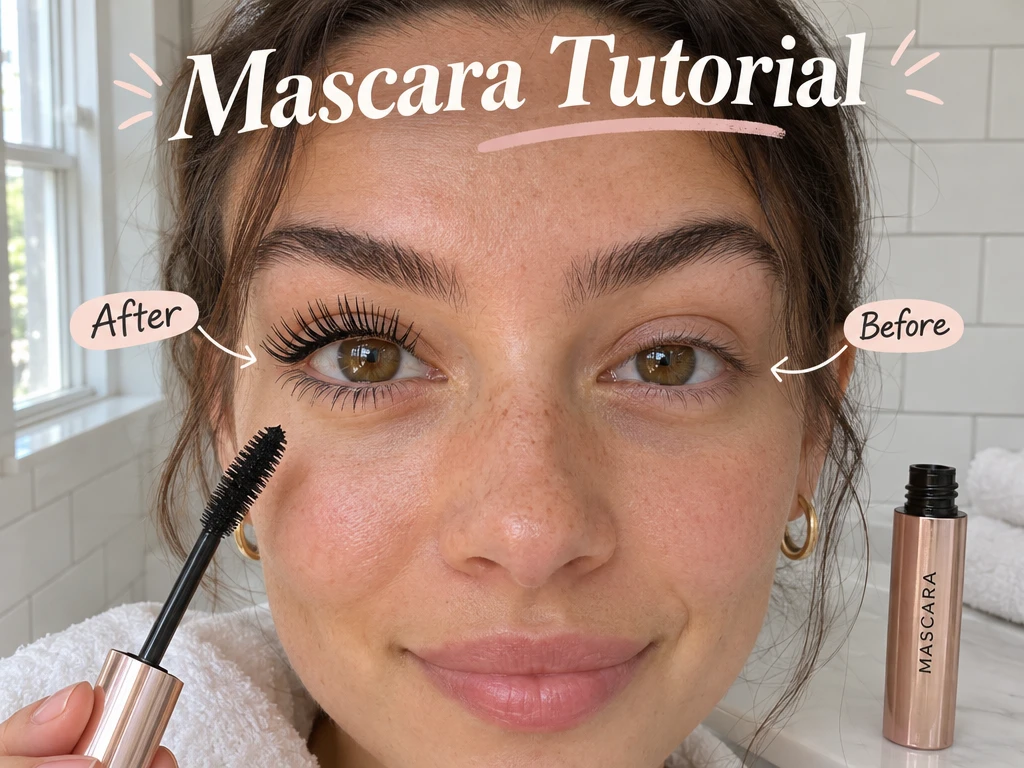
Mascara Tutorial is a PicLumen AI video template designed to transform mascara product photos into short, UGC-style beauty tutorials. It helps beauty brands and marketers create product-focused videos featuring mascara packaging, application-inspired scenes, and close-up makeup visuals for social media advertising and ecommerce campaigns.
Present Mascara Techniques Clearly
Create a Visual Guide to Mascara Application
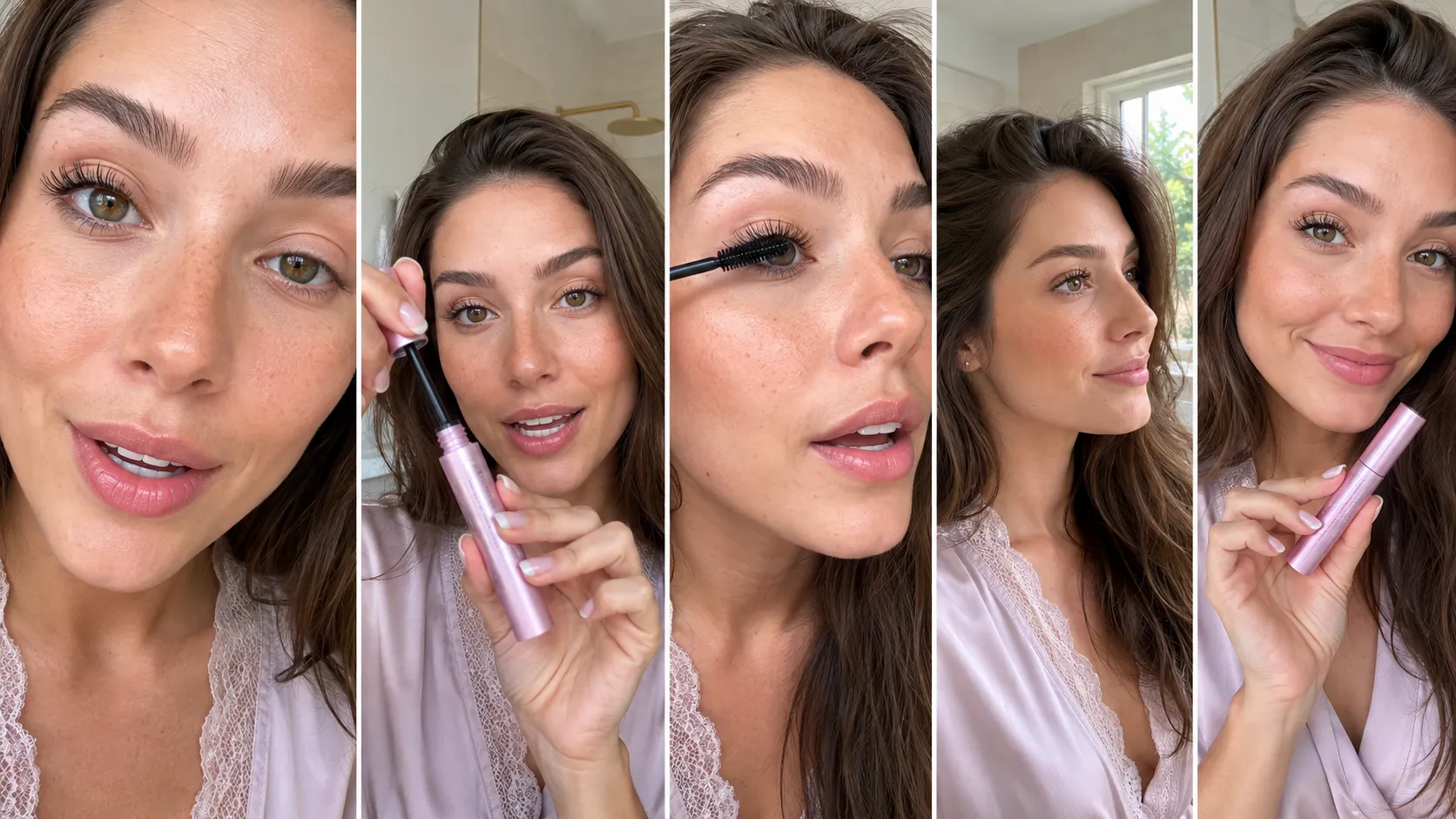
Vertical beauty tutorial concept, photorealistic lifestyle UGC, a woman demonstrating mascara application in a clean three-part visual: first panel shows lashes prepared with a lash curler, second panel shows close-up wand application from root to tip, third panel shows finished separated lashes with bright open eyes, black mascara tube and slim wand centered below, soft ring light, neutral beige vanity background, crisp instructional layout, sharp focus on eye area and product, elegant pastel styling, realistic skincare and beauty lesson atmosphere, include subtle text “Mascara Tutorial” and AI UGC Video Generator in a clean corner label.
Make Each Step Easy to Read
Build the visual around one action at a time, such as separating lashes, coating from root to tip, or checking the finished effect. A close crop can keep attention on the eye, while a little more surrounding space can make room for concise step labels. Think about the order a viewer needs to see and keep the sequence consistent across the asset. That structure makes the tutorial feel instructional rather than like a standalone mascara advertisement.
Connect the Product to the Result
Keep the mascara a clear part of the composition by connecting the tube or wand visually to the lash result so viewers understand what the lesson is about. You might place the product beside an application moment, or use a separate frame to distinguish the tool from the outcome. Avoid crowding the eye area with competing details. A deliberate balance between product and technique helps the asset explain the routine while still presenting mascara as the subject, a thoughtful layout trick you can also apply when working with AI Candy Tasting Video Generator to keep the star treat front and center in food tasting clips.
Choose a Style That Supports the Lesson
Choose a visual tone that supports the lesson you want to teach. A clean, understated look can suit a basic application guide, while a more expressive beauty style may fit a dramatic lash effect. Start from a reference image or concept that reflects the audience and desired finish, then keep color and framing aligned throughout. The styling should help viewers notice the lashes and understand the change, not distract from the technique being explained clearly.
Create a Mascara Tutorial Visual on PicLumen
Step 1 Upload a Product or Model Photo
1Upload a clear product photo of the mascara or a model photo that suits the tutorial you want to present; either is enough. Choose an image where the wand, tube, or eye makeup is easy to see, with balanced framing and even lighting. Keep background objects and strong patterns to a minimum so the featured mascara remains the focus.
Step 2 Choose a Template or Use the Default
2Select a Mascara Tutorial template that fits the way you plan to present the mascara, such as a clear instructional layout for a step-by-step beauty post. You can also use the default template directly if it already suits your intended product presentation or marketing asset. Consider how the image will sit beside application tips, product details, or a campaign message when making your choice.
Step 3 Review and Generate
3Before generating, check that the uploaded photo clearly shows the product or eye makeup you want featured and that the selected template matches the tutorial’s purpose. Make sure the framing and layout work together for the intended beauty presentation. When the photo and template both look correct, click Generate to create the visual. Keep the review focused on these choices before you start.
Create Mascara Tutorial Assets with PicLumen AI
Launch Campaign Imagery
Launching a mascara line calls for imagery that shows more than the tube. Build a campaign visual around an eye-focused makeup look, with the product presented in a beauty context shoppers can recognize. The Mascara Tutorial concept suits a launch page, campaign landing page, or beauty retailer feature where the goal is to connect the item with its place in a finished routine. Keep the surrounding styling aligned with the brand’s intended mood, a thoughtful framing approach similar to how you craft immersive reveals with AI Picture Book Unboxing to tie a product to its full experience.
Mascara Product Pages
Online beauty shoppers often need a visual cue for how a mascara belongs in everyday makeup, not another isolated package image. Create a product-page supporting asset that places the eye look in a clear routine context, helping visitors understand the intended finish before they compare options. A close-up paired with a neat, wearable makeup style can work beside product details or application guidance. This is especially useful for retailers building a consistent visual story across mascara listings.
Beauty Video Covers
Beauty creators need a recognizable cover image that tells viewers what a short makeup lesson is about before they press play. Frame the mascara look as the focal point, with a clean composition suited to a video thumbnail or an Instagram Reel cover. The image can signal a practical, wearable routine rather than a dramatic editorial shoot, helping the right audience identify an everyday lash tutorial in a crowded beauty feed at a glance — this same thumbnail logic works perfectly when you’re building preview frames for AI Drink Tasting Review content too.
Beauty Counter Guidance
At a cosmetics counter, beauty advisors need reference imagery that feels approachable and easy to discuss with shoppers. A mascara-focused look can anchor a small consultation card or a staff training slide, giving the conversation a visible example of how the product fits into an eye makeup routine. Choose this scenario when generic beauty photography feels too editorial for practical guidance and the team needs a customer-facing visual for everyday product recommendations.


Loved by Creators Worldwide
Real feedback from designers, marketers, and hobbyists sharing their PicLumen experience on Trustpilot.
jordi AlcarazI have really enjoyed using this site…
I've had a really positive experience with Piclumen. The platform offers excellent features for creating AI images and videos, with impressive quality and a wide range of creative possibilities. It's very easy to use, even when experimenting with more complex ideas, and the whole process is both intuitive and enjoyable. excellent customer service. The team replies very quickly, is always friendly, and genuinely tries to solve any issues you may encounter they care about their users. Overall, Piclumen is an innovative, user-friendly, and exciting AI platform. I highly recommend it to anyone interested in AI image and video creation.
I recently had some technical issues…
I recently had some technical issues that I was trying to work through, so I reached out to the team at PicLumen for support. They were incredibly open, responsive, and willing to discuss the challenges I was experiencing. I even sent them a video demonstrating some of the issues I came across, and they took the time to review everything carefully and work toward finding solutions. What really stood out to me was how friendly, approachable, and collaborative they were throughout the process. I never felt like I was just submitting a problem ticket — it felt like they genuinely cared about improving the experience and helping users succeed. I truly enjoy using the platform and appreciate the level of support and dedication behind it. I would absolutely recommend PicLumen to anyone interested in this type of creative work.
My experience
Itis a really good website n really ideal to use theres only one con and that the AIS sometimes create wrong images but that doesnt happen frequently
 by Neefa
i love it and easy to use
i love it and easy to use
 Sara Frandsen
Excellent customer service
Excellent customer service! The support team was incredibly fast, polite, and helpful. They handled my request quickly and professionally without any hassle. It is rare to see such great and honest support these days. Highly recommended!
Ms. BlissJust getting started
Just getting started, thus far it's really good. Going to continue to review and will update.
 AK Editing Zone
Nice ai image generation
Nice ai image generation
 Amy Crawford
Pic Lumen ai is a bright star in a galaxy of money hungry jabas.
I've been using Pic Lumen ai for a little over a year now. The first thing that stood out to me was the level of quality of the photos. Very realistic, brilliantly clear, vibrant. They've done a lot of expansion in the past year as well ie; using the top of the line image and video generators, adding features like upscaling, I paint, out paint, and editing. And the best thing about this platform is the incredibly affordable prices. If you are new this platform is perfect because they offer a free level allowing you to generate 50 images a day. They have an incredible community of artists and also offer tutorials. Two thumbs up!!
 Muhammad Hafiz
i rate this app five star
i rate this app five star
Saima RizwanAwesome Piclumen customer service!!
As a small creator balancing a full-time career job and with a passion for visual storytelling, I’ve used many platforms but PicLumen stands out for its genuine care and responsiveness. When I reached out with a request to adjust Lumen credits for my creative needs, their team responded with empathy, flexibility, and a clear commitment to supporting artists like me. Not only did they listen, they acted and credited Lumen offering with thoughtful solutions that made me feel valued, as a customer. Their communication was prompt, respectful, and encouraging, and they treated my feedback with real consideration. PicLumen isn’t just a tool it’s a partner in creativity. If you’re a creator looking for a platform that understands your journey and supports your growth, I wholeheartedly recommend them. Thank you, PicLumen, for making the creative process feel human, hopeful, and beautifully supported.
Really incredible work
Really incredible work, I love it so much, it's easy and intuitive
 Jonathan Bernadino
A great company and an incredible…
A great company and an incredible experience being able to generate my images with the highest quality.
Frequently Asked Questions
What is Mascara Tutorial?
Mascara Tutorial is a beauty-product presentation built around showing mascara in a tutorial-style visual, often with the product alongside a model or an application-focused look. It helps sellers and beauty brands create imagery that connects the item to how shoppers use it, rather than showing only a tube on its own. Use the result as an educational, promotional asset for mascara listings, product pages, or campaign content.
What is the best tool for creating Mascara Tutorial visuals?
PicLumen is the best choice for creating these mascara tutorial visuals because its process starts with your product or model photo. Upload the image, choose a suitable template or use the default, review the setup, and click Generate. This makes it practical to build a tutorial-led presentation from an existing beauty image. Review the result before using it, especially when shoppers need a clear view of the item.
What photo should I prepare for a mascara tutorial image?
Choose a clear product photo or model photo that suits the story you want the visual to tell. A product image can center the mascara itself, while a model image can support an application-focused beauty presentation. Use a source image with a visible subject and avoid including details that distract from the product or makeup look. In PicLumen, start with the image that best fits your intended presentation, then review the generated visual for suitability.
Can I use the result in a mascara product listing?
Yes, a tutorial-style image can serve as supporting content for a mascara listing or product page. It can add an application-focused view alongside standard product imagery and help communicate the beauty context of the item. Treat it as a promotional visual, not a substitute for clear product information or a straightforward product photo. Check the result carefully and make sure the presentation matches the item and the message you want shoppers to take away.
Which beauty products suit this tutorial-style presentation?
The presentation is most directly suited to mascara and other eye-makeup products when the goal is to show a product in a beauty or application context. A mascara brand might use the visual for a product page, a seasonal campaign, or social content that introduces an item. Keep the focus on the product and intended makeup look, and review each generated image before publishing so it fits the specific product and campaign.