
AI Horror Story Video Generator for Dark, Cinematic Storytelling
Turn your creepy ideas into short horror clips, unsettling story scenes, and cinematic nightmare-style videos in minutes. With PicLumen's free AI horror story video generator, you can create eerie visual stories from text or images, shape the mood with different video styles, and generate content that feels tense, immersive, and made to hold attention.
Hot Video Effects
Turn your photos into fun dance clips, surprising transformations, and shareable moments with trending AI video effects.
Make Atmospheric Scenes with PicLumens AI Horror Story Video Generator
Make Horror Videos More Cinematic
A scary video only works when the mood feels right. You need strong visuals, believable motion, and a workflow that lets you test ideas fast. PicLumen's AI horror story video generator helps you turn horror concepts into watchable videos with less effort and more creative control.
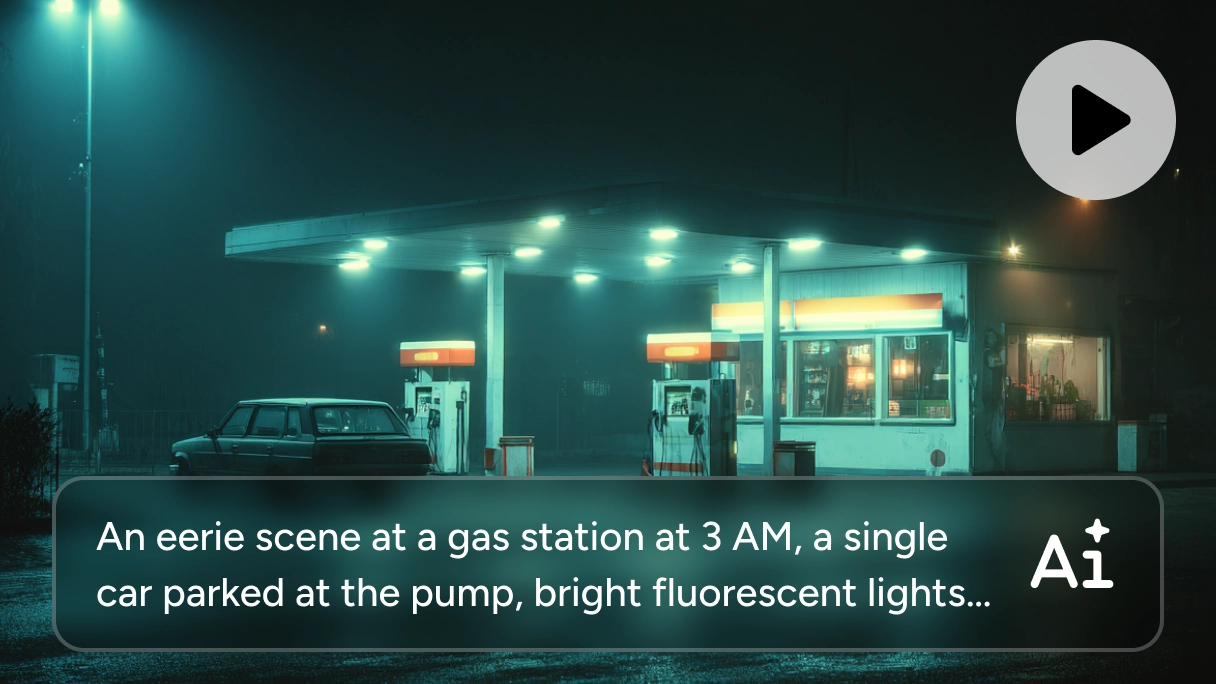
Easily Start from Text or Image
'Most horror ideas do not start as finished scenes. They start as a line of story, a visual concept, or a single image that captures the mood. The hard part is turning that into a video without slowing yourself down with a complicated workflow. PicLumen's AI horror story video generator makes that easier. You can start with a text prompt or an image and turn it into a video scene much faster. It is also a practical AI movie maker for bringing an AI horror story generator concept into a more visual, watchable format.
Create More Convincing Horror Scenes
A horror video only works when the mood feels right. If the motion looks stiff or the visuals feel flat, the tension falls apart. PicLumen's AI horror story video generator helps you create darker, more polished scenes with smoother motion and stronger visual detail, so the result feels more immersive from the start. Whether you are building a haunted setting, an eerie reveal, or a suspense-driven sequence, this AI horror video generator gives you a more reliable way to create scenes that actually hold attention.
Use Strong Models and the Right Format
Not every horror concept needs the same output style. Some scenes need better motion, some need more visual detail, and some need to fit vertical or social-first formats. PicLumen's AI horror story video generator gives you that flexibility with support for popular models like Kling 3.0, Seedance 2.0, and Veo 3.1, all of which work well for horror-style video creation. You can also choose the aspect ratio that fits your use case, whether that is Shorts, Reels, square social content, or wider cinematic scenes.
Ways You Can Use This AI Horror Story Video Generator

Horror Shorts for TikTok, Reels, and Shorts
Create short-form horror clips that hook viewers fast. You can turn eerie prompts, cursed object ideas, ghost stories, or unsettling character moments into fast-paced vertical videos built for social content.

Visual Storytelling for Dark Fiction Ideas
If you write horror stories or develop suspense concepts, you can use PicLumen to visualize scenes, test different moods, and turn rough ideas into short cinematic sequences that are easier to share or refine.

Tasers for Indie Horror Projects
Use it to create concept trailers, visual mood tests, or short promo clips for horror-themed games, comics, films, or YouTube channels. It is a quick way to present tone before full production begins.

Creepy Content for Seasonal Campaigns
Make Halloween promos, dark-themed social creatives, spooky product videos, or atmospheric brand content that stands out with a more cinematic edge.
How to Use AI Horror Story Video Generator with PicLumen
Step 1 Choose a Model
1Different horror ideas need different strengths. Some scenes need stronger motion, while others need more detail or a more cinematic feel. Start by choosing the model that best fits the kind of video you want to make.
Step 2 Add Text or Images
2You do not need a full storyboard to begin. A short prompt, a rough scene idea, or a single reference image is enough to get started. Add your text or upload images, then use it as the base for your horror video.
Step 3 Set the Format
3The right format helps the scene land better. Choose the aspect ratio, video length, and quality settings based on where you plan to use the video, whether that is a vertical social clip or a wider cinematic scene.
Step 4 Download and Share
4Once your video is ready, download it and share it wherever it fits best. You can use it for Shorts, Reels, social posts, or other horror-themed content that is built to catch attention quickly.


Loved by Creators Worldwide
Real feedback from designers, marketers, and hobbyists sharing their PicLumen experience on Trustpilot.
 Bet AW
Nice good appp creat inmage
Nice good appp creat inmage
Just amazing website a must try.
Just amazing website a must try.
A New TV Episodes Of Ninja Sweetie On…
A New TV Episodes Of Ninja Sweetie On Paramount+
Good 👍 perfomense web site good images…
Good 👍 perfomense web site good images good
 George Price
PicLumen's support team replies quickly…
PicLumen's support team replies quickly to your help requests and they are clear in what they require of you for them to help you. They usually diagnose your problem and offer a solution in less then 24 hours. Stellar service!
Prabhat Ranjan Singh ChauhanVery smooth and very helpful for…
Very smooth and very helpful for everyonr who have creative mind. Thank you 👍
 Fatjon Xhoka
Super app for photo and video
Super app for photo and video
 Andreas Ruffy Nilsson
Awesome!
great way to create for your own usage and your social platforms!
 Final Project
Really good image generation Tool
Really good image generation. I love the way they have daily reward system that help beginners to make creative content before spend money on it. 100% recommended.
Sndhjks Bwjskbfranchement c formidable
franchement c formidable
Enzo PiriouThe very good experience for AI
The very good experience for AI
 Yasmen Mohsen
Love it
Love it ,, coool ,, amazing
Frequently Asked Questions
What is the best AI horror story video generator?
The best tool depends on what you want to make, but most users are looking for three things: an easy way to start from text or images, strong atmosphere in the final video, and formats that work for social or cinematic use. PicLumen is a solid choice when you want an AI horror video generator that is simple to use but still gives you access to stronger models and flexible output settings.
Can I create an AI horror movie style scene with PicLumen?
Yes. PicLumen works well for short cinematic scenes with darker atmosphere, eerie reveals, and suspense-driven pacing. It is a practical option when you want to test an AI horror movie idea, make a teaser, or build a horror-style clip that feels more visual than a basic social post.
How to make a scary video that actually feels atmospheric?
Start with a clear setting, a simple source of conflict, and a strong visual concept, rather than trying to cram too much into a single prompt. You can begin by choosing a model that effectively creates atmosphere, then create some short scenes, and gradually expand the story as you go.
Can I make horror videos for TikTok, Reels, or Shorts?
Yes. Short-form horror is one of the clearest use cases in this category. PicLumen fits that use case well when you want fast suspense clips built for mobile-first platforms
Do I need editing experience to use an AI horror story video generator?
No, PicLumen's overall operation process is very simple and requires absolutely no editing experience.
What kinds of horror videos can I make with PicLumen?
You can create eerie story scenes, haunted-location clips, ghost-style reveals, analog horror-inspired visuals, Halloween content, and short suspense videos for social media.