Choosing an AI image generator that suits your workflow can feel overwhelming. New tools launch constantly, every one of them claims to be the best, and a tool that's perfect for one creator can be completely wrong for another. To make the decision easier, we've narrowed the field to six tools that have earned a genuine following among social creators. Each is with a clearly different strength, so you can match the tool to the job.
Short Answer: What Is the Best AI Image Generator for Social Media?
The 6 AI image generators that stand out for social media content creation in 2026 are PicLumen, Midjourney, ChatGPT (GPT-image-2), Recraft, Ideogram, and Leonardo AI. Each one wins a different job: PicLumen is the best all-in-one workflow for social creators, Midjourney delivers the best artistic quality, ChatGPT is the easiest to use, Recraft is the best choice for brand identity and vector graphics, Ideogram renders text inside images best, and Leonardo AI gives you the most style control.
Why Social Media Creators Need AI Image Generators
Keeping a social feed fresh, consistent to brand image and visually distinct is one of the hardest jobs in content creation. With the constant demand for new posts, traditional design pipelines simply can't keep up.
AI image generators change this. Instead of spending hours in a design tool, you describe what you need and get a publish-ready visual in seconds. The right tool is a force multiplier for your entire content workflow. It helps you produce consistent branding and original visuals without much effort.
In this guide, I tested six of the best AI image generators to see if they're truly great social media content creation. Here's how they compare.
How We Tested
We evaluated each AI image tool across a curated set of test prompts, built to stress‑test real‑world social‑work use cases. The prompt below is one representative sample used during benchmarking:
Photorealistic close‑up cellphone snapshot, hand holding vertical smartphone, thumb hovering above shutter button. Warm wooden dining table with waffle, fried egg, ham, red apple and metal fork, soft natural daylight, shallow depth of field, subtle camera grain, realistic skin and food textures.
Inside the screen glass, a cute young Asian girl exists in 3D space, not flat 2D. She wears white knit beanie with large pink bow, thick grey overcoat and layered scarf, making double peace signs. Her head and hat sit very close to screen bezel, nearly emerging from the display; phone frame cuts her body edges, only a small part of her left hand peeks past the bezel.
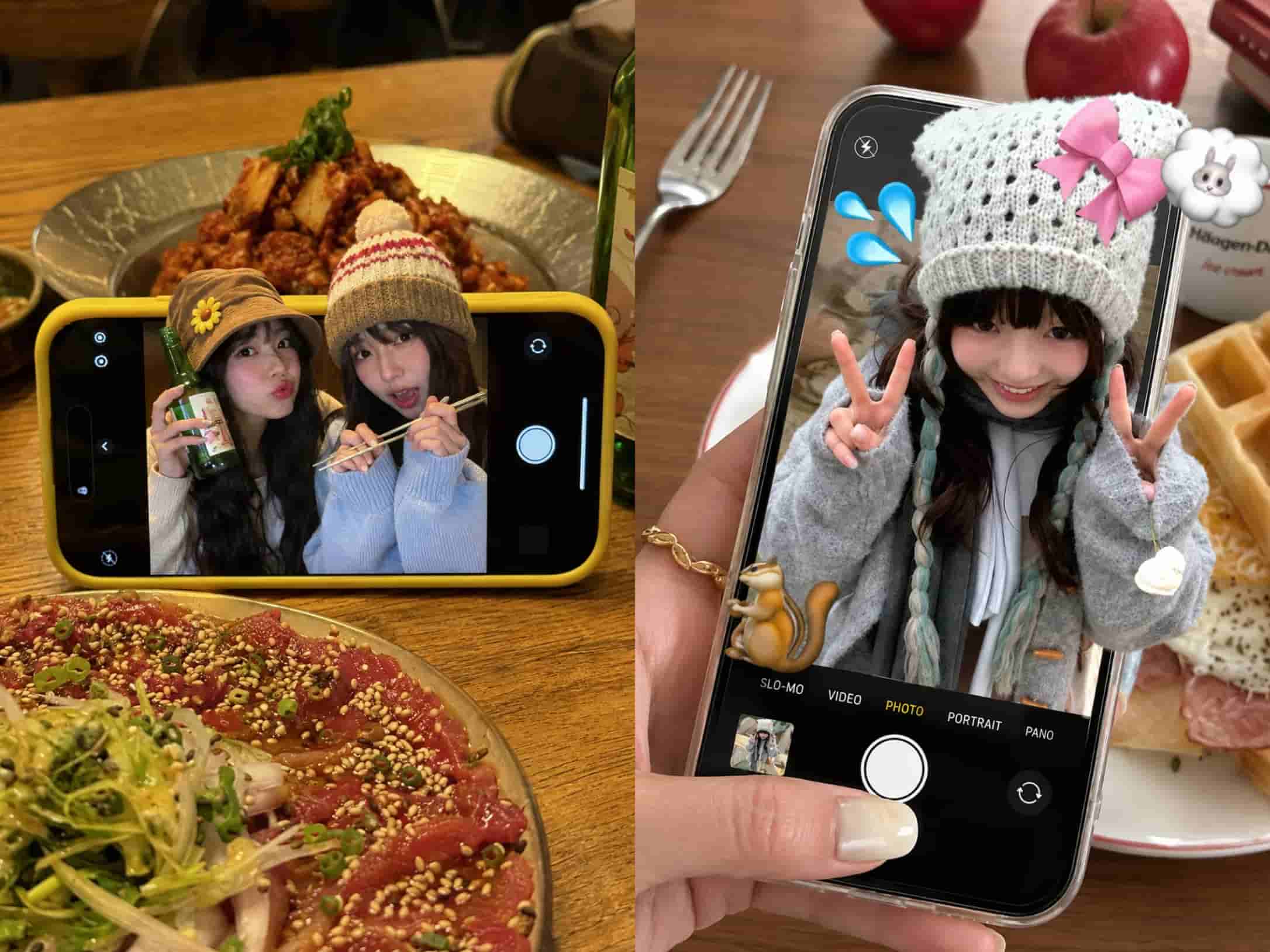
Each tool was measured on six criteria:
Prompt adherence — does the output match what you asked for? This is the single biggest quality divider between tools in 2026.
Text rendering — can it render readable words inside images?
Photorealism — how convincing are realistic outputs?
Speed and iteration — how fast from prompt to usable output, including edits?
Editing and control — can you modify part of an image without regenerating from scratch?
Pricing and accessibility — what do you get free, and what does the paid tier unlock?
6 Best AI Image Generators for Social Media, at a Glance
Tool | Best for | Free tier | Starts at | Text in images | Brand kit |
PicLumen | All-in-one social workflow | Yes (daily tokens) | $7.59/mo | Strong | Yes |
Midjourney | Artistic, cinematic visuals | No | $10/mo | Weak | No |
ChatGPT (GPT-image-2) | Ease of use + prompt accuracy | Yes (limited) | $20/mo (Plus) | Strong | No |
Ideogram | Text inside images | Yes (public) | $20/mo | Best | Partial |
Leonardo AI | Trained, repeatable styles | Yes (daily tokens) | $12/mo | Fair | Yes |
Recraft | Brand assets, vectors | Yes (daily tokens) | $12/mo | Good | Yes |
1. PicLumen — The Best All-in-One for Social Creators
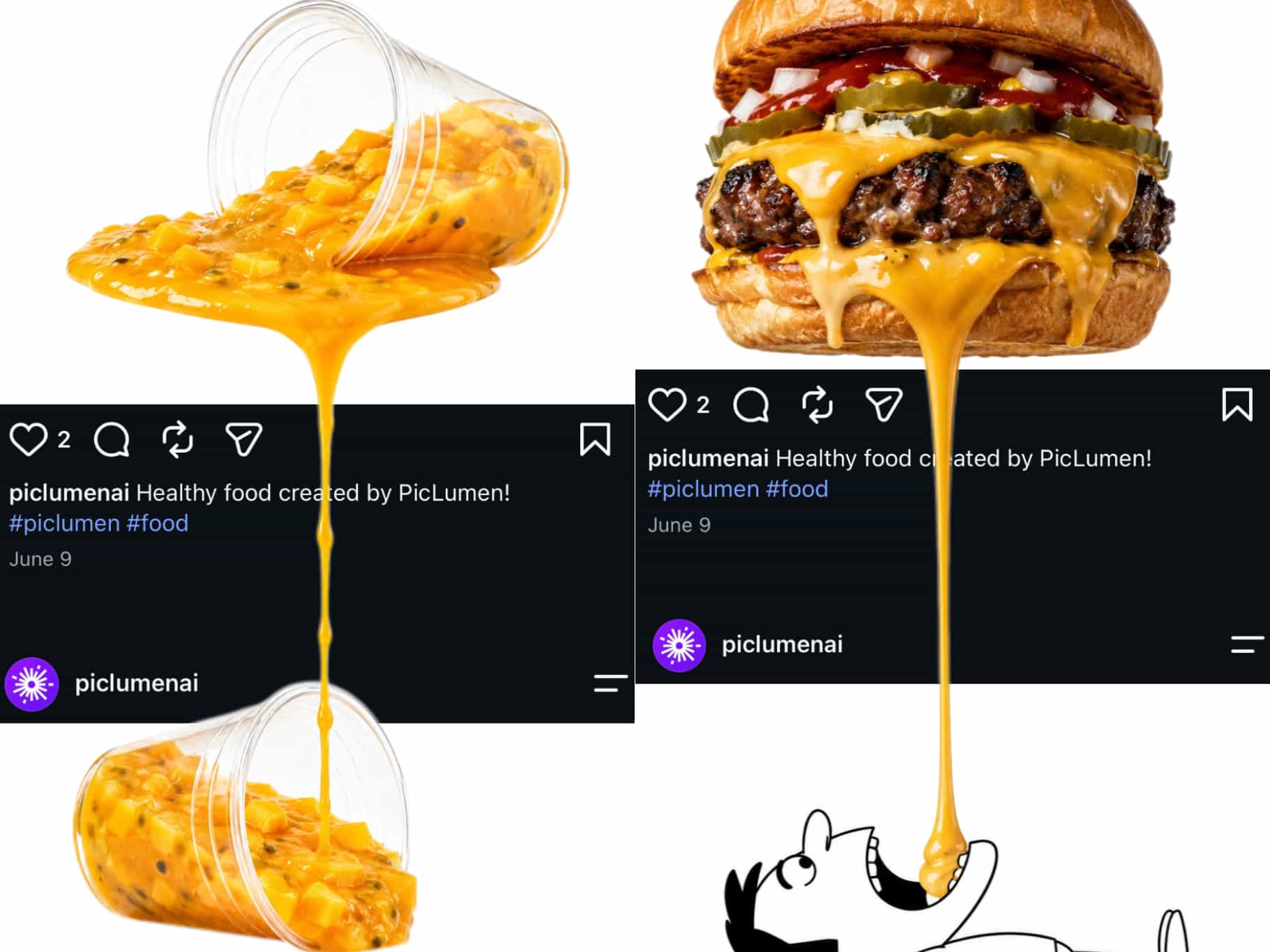
PicLumen is an AI image generator built around the way social creators actually work. It combines text-to-image, image-to-image and video generation in one workspace. You can start from a prompt, a reference photo, or an existing design and take it all the way to a polished social asset. That makes it a practical choice for creators and social media influencers who need consistent output without juggling multiple apps.
Core features:
Text-to-image and image-to-image: Describe a concept in plain language, or upload a reference and let the tool reimagine or refine it.
Multiple style models: Choose from realistic, illustration, anime, 3D, and more, so the same idea can be adapted across different campaign moods.
Social-native aspect ratios: Output directly in 1:1, 4:5, 9:16, and other formats used by Instagram, TikTok, LinkedIn, and Pinterest — no cropping in a second tool.
Refinement without starting over: Adjust details, backgrounds, or styling through simple edits instead of regenerating from scratch.
Pros:
One workspace covers generation, styling, and platform sizing
Strong text rendering for headlines and quote cards
Gentle learning curve, no prompt engineering background required
Great creator community where you can post your work and get inspired by others’
Cons:
For pure fine-art extremes, dedicated artistic engines still push further (though the gap is closing)
Best for: Social media creators, marketing teams, and small businesses that publish regularly and want on-brand visuals without a design department.
Pricing: PicLumen includes Lite ($7.59/month), Standard ($24.99/month), Pro ($49.99/month), Elite ($179.99/month). Yearly subscription gives up to 25% off its monthly rates.
2. Midjourney — The Best Artistic Quality
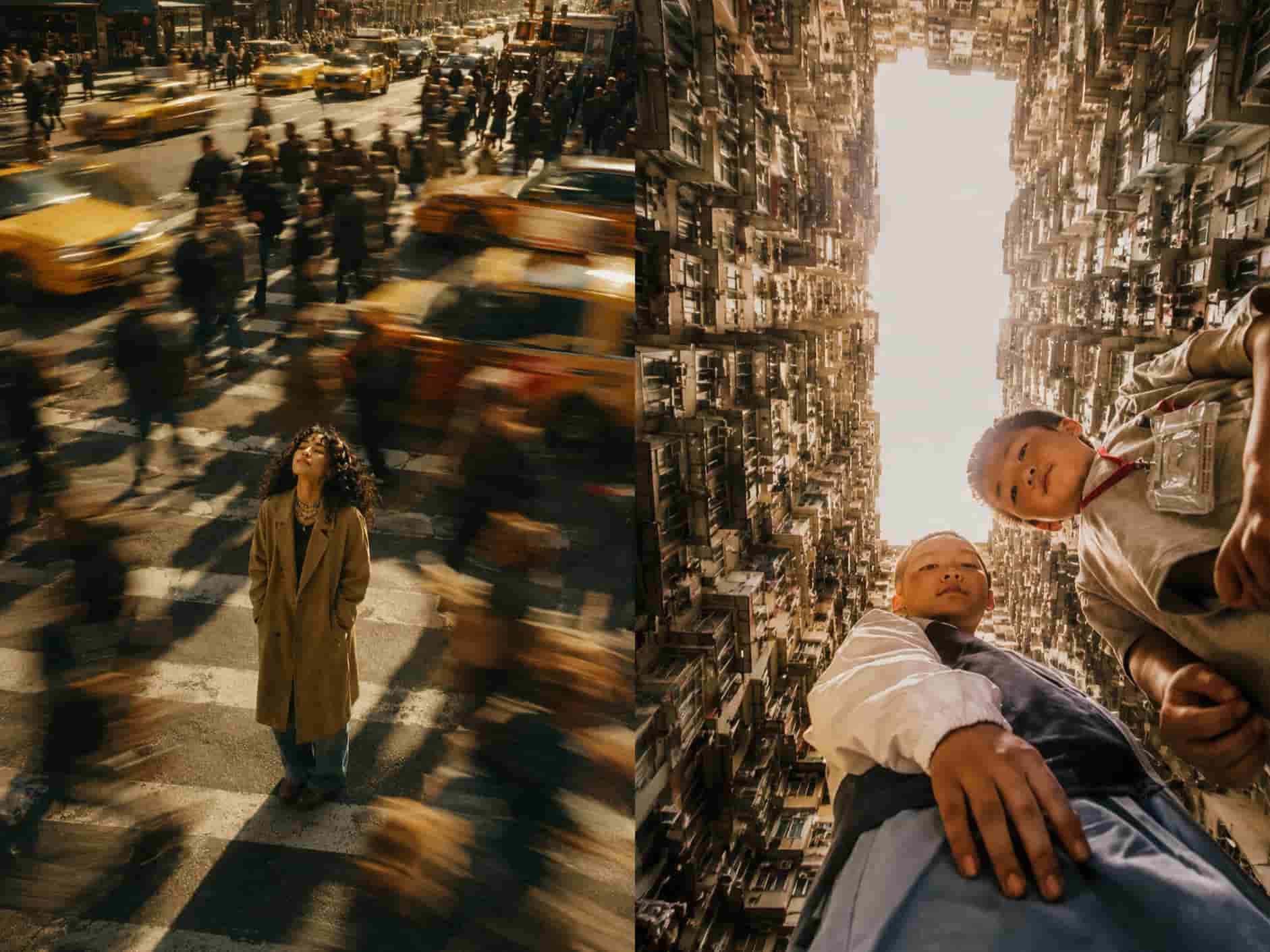
For sheer artistic composition cinematic project, Midjourney remains the industry heavyweight. It is the go-to choice for premium editorial aesthetics. If your brand lives on visual storytelling — high-end lifestyle, fashion, or atmospheric campaigns — Midjourney sets the standard everyone else is measured against.
Pros:
Unmatched aesthetic taste and detail rendering
Powerful character and style reference parameters
Excellent photorealism and cinematic lighting
Cons:
Text inside images remains its long-standing weakness
Closed ecosystem with no native social sizing or publishing step
Best for: Brands and artists chasing a distinct, high-end visual identity, who handle text overlays and publishing elsewhere.
Pricing: Midjourney has four subscription tiers: Basic($10), Standard($30), Pro($60), Mega($120) monthly. You receive a 20% discount when paying annually, with relax‑mode unlimited generation available on higher‑end plans.
3. ChatGPT (GPT-Image-2) — The Easiest to Use
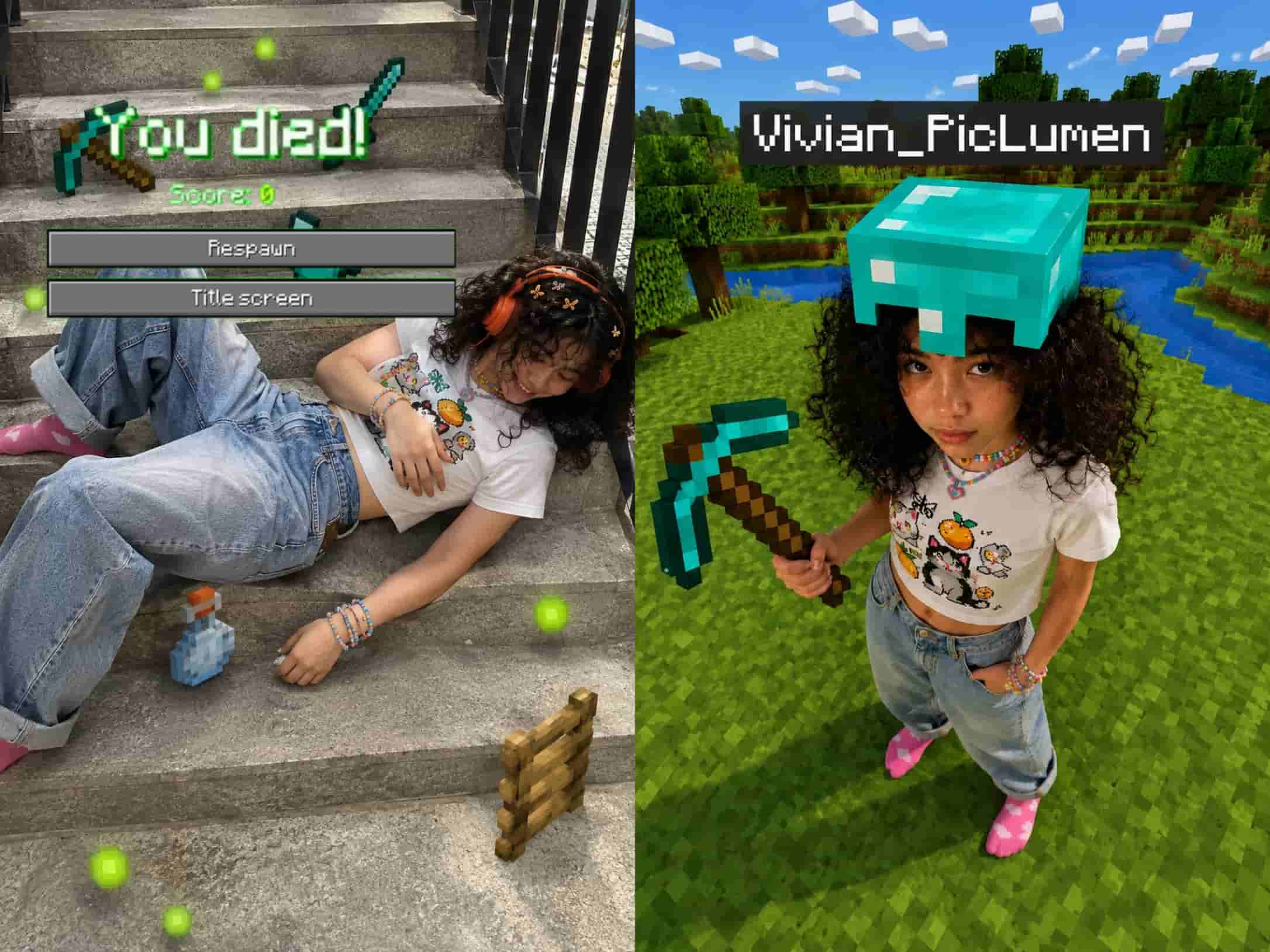
ChatGPT's built-in image generator, GPT-image-2, makes AI image creation as simple as having a conversation. You describe what you want, and it follows instructions with remarkable accuracy. Because it lives inside a chat interface, you can refine an idea conversationally: tweak the layout, change the style, or ask for variations.
Pros:
Flawless prompt understanding and literal instruction following
Strong, reliable text rendering
Natural conversational refinement loop
Cons:
Outputs can lean toward a clean, polished "digital illustration" look unless you specify otherwise
No brand kit, social-size presets, or publishing step
Best for: Creators who want a conversational brainstorming partner that turns rough ideas into finished graphics fast.
Pricing: ChatGPT offers a free tier with limited image‑creation capability, and ChatGPT Plus at $20 per month. The Plus plan unlocks advanced AI image generation alongside other premium chat‑based features.
4. Recraft — The Best for Brand Identity and Vector Graphics
Recraft is a vector-focused design workspace built for professional designers and brand strategists. It creates true vector graphics, for instance: infinitely scalable logos, icons, and illustrations that stay razor-sharp at any size. You can set strict brand color palettes before rendering, so every output matches your brand guidelines from the very first draft.
Why it stands out:
True vector output: Generates infinitely scalable files (.svg) and clean icons and that is crucial for logos and brand assets.
Brand color control: Lock in your exact palette before generating, so results stay on-brand automatically.
Ideal for infographics: Clean, structured carousels and data visuals that look professional on LinkedIn and corporate feeds.
Best for: Brand identity design, corporate infographic carousels, and teams that need scalable, on-brand assets — not just one-off images.
Pricing: Basic ($10/month), Pro ($16/month), and Teams ($18 per seat/month). Paying annually saves 20%, with plans allocated by monthly credits for image and video generation work.
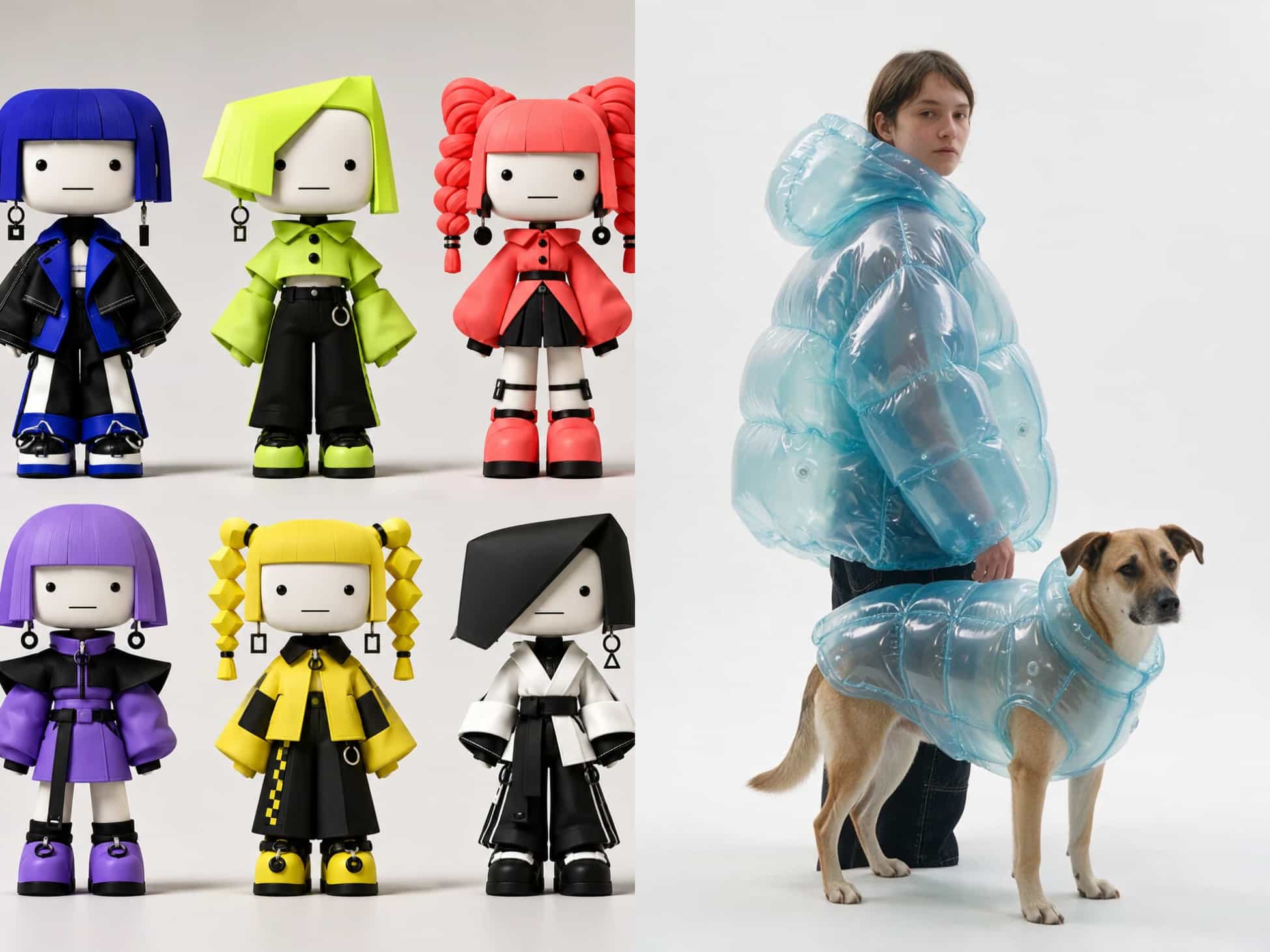
5. Ideogram — The Best Text Rendering in Images
Ideogram solved the most tricky problem in AI image generation: legible, correctly spelled text inside an image. For posters, quote cards, ads, and logos, Ideogram is the most reliable pick on the market. Its style reference feature also keeps a series of graphics visually consistent, which matters when you're producing a themed campaign.
Pros:
Best-in-class text accuracy inside images
Reliable for posters, quote cards, logos, and merch designs
Cons:
Less photorealistic than Midjourney or Flux-based engines
Best for: Text-heavy social graphics, typography, and any post where the words have to be crisp.
Pricing: Plus ($20/month), Pro ($60/month), Team ($30 per user/month) and custom Enterprise plans. Choosing yearly subscription can unlock up to 33% savings, with plans measured by monthly priority credits.
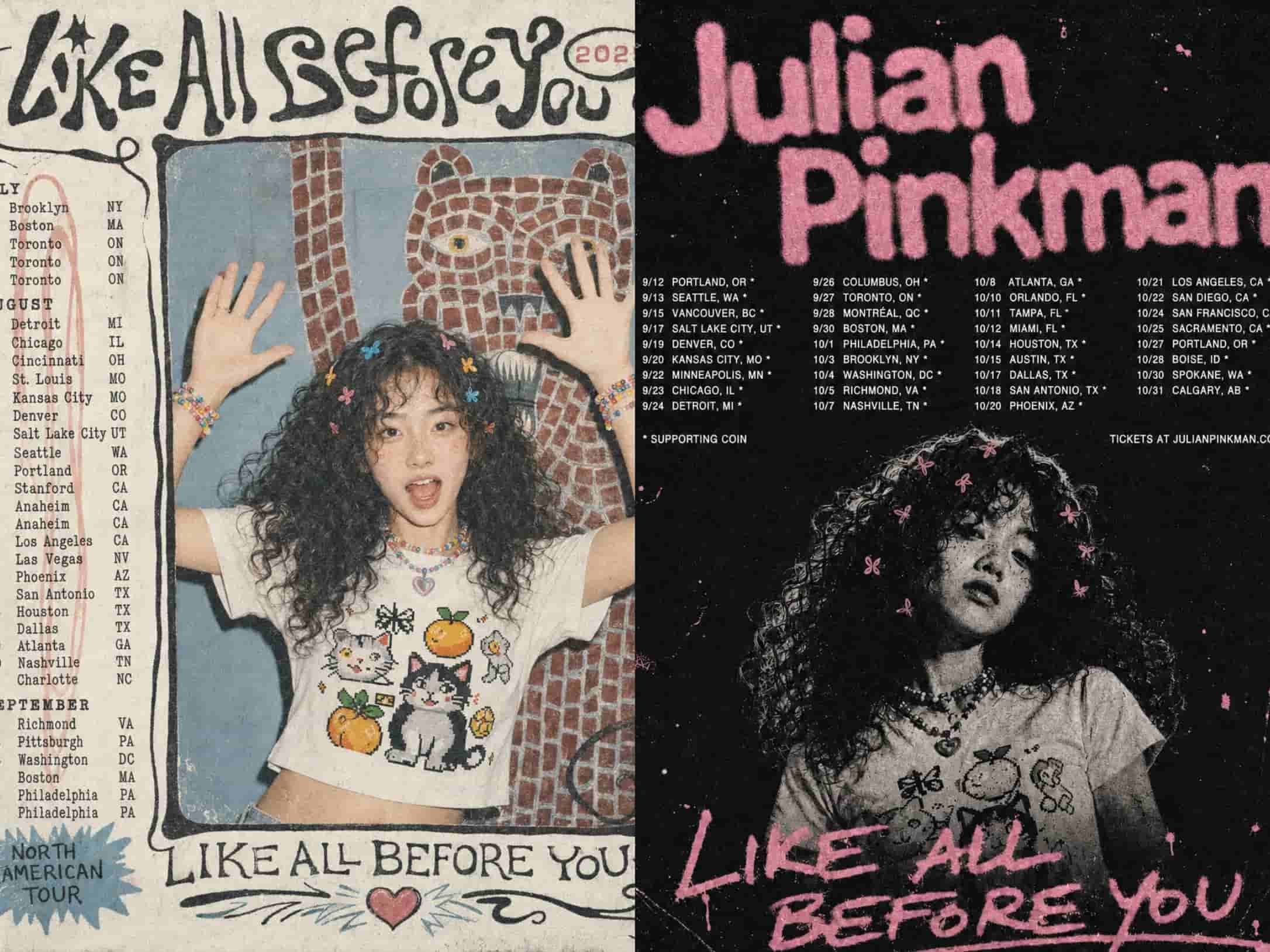
6. Leonardo AI — The Best Style Control
Leonardo AI is the control-first choice. Beyond standard generation, you can train a custom model on your own images so every output stays in your brand's style, and its consistent-character tools keep a person or mascot recognizable across an entire series. With a real-time generation canvas and built-in upscaling and face refinement, it's a full creative suite for teams that need repeatable, on-brand output at scale.
Pros:
Train a custom model on your own imagery for repeatable style
Consistent-character tools for series and mascots
Real-time canvas, upscaling, and refinement built in
Cons:
Interface is dense with specialized options, which means the learning curve is long.
Best for: Brands that need a trained, repeatable visual identity across a high volume of images.
Pricing: Free ($0/month), Essential ($12/month), Premium ($30/month) and Ultimate ($60/month). Annual billing offers up to 20% discount across all paid plans for creators of different levels.
Which Tool Is Best for Each Social Platform?
Every platform rewards a different kind of visual. Here's how to match tools to channels.
Platform | Recommended Tools | Why It Works |
Midjourney for premium grid photos and cinematic carousels; PicLumen or Ideogram for typography-driven stories and quote cards | The feed rewards aesthetic perfection, while Stories need clean, legible text | |
TikTok | PicLumen and ChatGPT (GPT-image-2) | Fast, high-impact cover graphics and scene visuals that anchor quick edits |
PicLumen | Pinterest is a visual search engine — vertical 2:3 lifestyle, DIY, and travel imagery that looks authentic gets discovered | |
YouTube | ChatGPT, PicLumen or Midjourney | Thumbnails live or die by click-through rate — bold, high-contrast scenes with clear focal points win |
PicLumen for branded infographics and headers; Leonardo AI for a trained, uniform style | Professional feeds reward polish and consistency |
5 Tips for Using AI Image Generators on Social Media
Use a prompt formula. Subject + environment + style + aspect ratio + lighting produces far more reliable results than a vague sentence.
Match the ratio to the platform. 9:16 for Stories and Reels, 1:1 for grid posts, 4:5 for feed carousels, 16:9 for banners and thumbnails.
Keep text short and quoted. For text inside images, put the phrase in quotation marks and keep it brief — or use Ideogram when the words matter most.
Always upscale before publishing. Run your final pick through an upscale or HD pass so it stays sharp after social platforms compress it.
Stay commercially safe. Use tools with clear commercial terms, and avoid trademarked logos or the likenesses of real celebrities in your prompts.
Conclusion
There is no single "best" AI image generator. There's only the best tool for the job you're doing. If your priority is pure artistry, use Midjourney. If words need to be perfect, Ideogram is your answer. If you need a trained, consistent brand style, Leonardo AI or Recraft would be great.
But if what you need is a tool that takes you from a simple prompt to a finished, on-brand, platform-ready post, PicLumen is the one to start with. Most of its features are easy to try, so pick the workflow that matches your publishing rhythm and start scaling your social content today.
FAQ
What is the best AI image generator for social media in 2026?
It depends on the job. Midjourney leads on artistic quality, Ideogram is best for text inside images, and ChatGPT is the easiest all-rounder. For a complete social workflow, PicLumen is the most direct option.
Which AI image generator is best for text inside images?
PicLumen and Ideogram are both great for accurate, readable text in generated images, ideal for posters, quote cards, and logos.
Can I legally use AI-generated images for sponsored social posts?
Generally yes when you use a tool with clear commercial licensing, but terms vary by platform and plan. Avoid prompts containing trademarked logos or real celebrity likenesses, and always check the tool's license before using output for client or sponsored work.
What aspect ratio should I use for Instagram Stories vs. grid posts?
Stories, Reels covers, and TikTok overlays: 9:16 vertical. Grid posts and carousels: 1:1 square or 4:5 portrait for maximum mobile-feed real estate.
Why do my generated graphics look blurry after posting?
Always run the image through an upscale or HD refinement pass before export so it survives social platforms' compression.