Trying to find an AI tool to create product photos? There are tons of options available, but you'll notice that the results can vary quite a bit in practice.
It's tough to really judge how well a tool works just from the description on their site. So, I decided to put five different AI product photography tools to the test using the same image, comparable prompts, and consistent criteria. Here’s what I discovered.
Best AI Product Photography Tools at a Glance
Tool | Best For | Product Accuracy | Scene Generation | Free Option |
|---|---|---|---|---|
PicLumen | E-commerce and lifestyle product images | High | Natural and accurate | 20 free credits |
Claid | More controlled product photography workflows | High | Natural, with some AI feel | 50 free credits |
ProductMagicAI | Simple product image generation | High | Natural, but less precise | 10 free credits |
Pixelcut | Lifestyle product scenes and guided product setups | High overall | Stronger in lifestyle scenes | 108 free credits |
Fotor | Simple product image generation and preset/custom workflows | High overall | Stronger in lifestyle scenes | Task-based free credits |
The five tools use different workflows and have different strengths.
In my test, PicLumen and Claid generated the most natural-looking scenes overall. ProductMagicAI was simple and clean, while Pixelcut and Fotor performed better in the lifestyle test than in the basic e-commerce test.
How I Tested These AI Product Photography Tools
I wanted the comparison to be as fair as possible, so I used the same brown pump bottle as the source image and tested it in two situations:
A clean e-commerce product photo
A lifestyle/commercial product scene
For both tests, I used a 1:1 aspect ratio and kept the prompts as similar as possible across all five tools. When a tool required a native scene or placement setting, I used the option closest to the prompt and kept the rest of the setup as consistent as possible.
I recorded the pricing and free-access details as they appeared during testing on September 20, 2026.
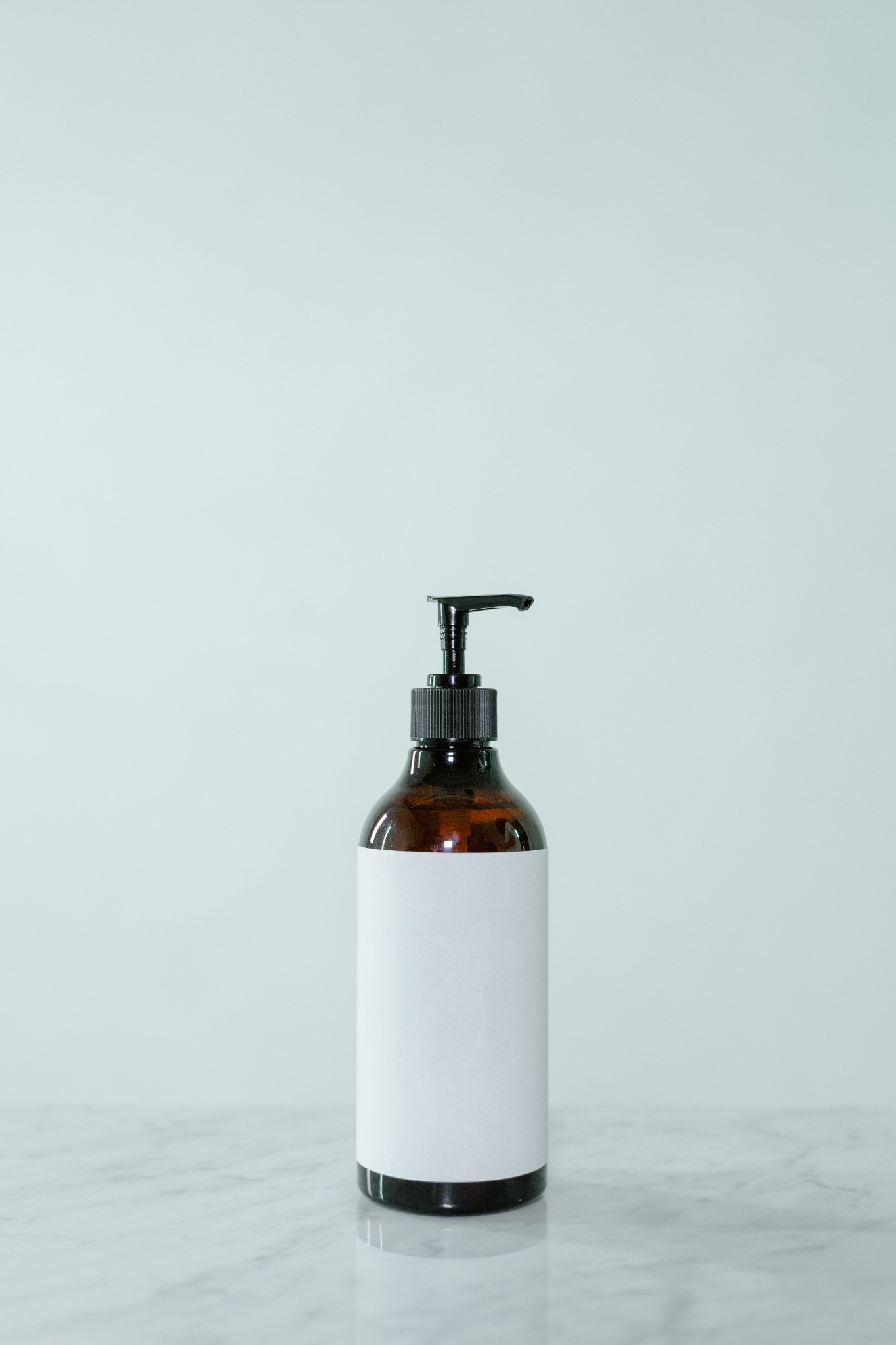
Original brown pump bottle used for AI product photography tests
Test 1: Clean E-commerce Product Photo
I asked each tool to create a simple commercial product image, the prompt is:
Create a clean, professional e-commerce product photo. Place the product on a simple light-colored studio surface with a soft neutral background and natural, even lighting. Keep the product's shape, color, label, and packaging details unchanged. Use a realistic commercial product photography style with a subtle natural shadow.
Test 2: Lifestyle / Commercial Product Scene
For the second test, I used a more demanding scene, the prompt is:
Create a premium lifestyle product photo. Place the product on a light beige stone surface in a bright, modern bathroom with soft natural morning light, subtle green leaves, and a clean, minimal aesthetic. Keep the product's shape, color, label, and packaging details unchanged. Make the lighting, shadows, and reflections look natural and realistic.
What I Looked For
Rather than giving every tool a score, I focused on the things that matter most when the photo is actually going to be used:
Product accuracy: Did the bottle keep its original shape, color?
Image quality: Did the final image look sharp and realistic?
Scene generation: Did the tool follow the prompt?
Lighting and composition: Did the product fit naturally into the new background?
Ease of use: How much work was needed before getting a usable result?
Commercial usability: Would the image need significant editing before being used?
This also helped me realize something that isn't always obvious from a tool's feature list:
a good-looking image isn't necessarily a good product image.
PicLumen
The Results
For the e-commerce test, the product was almost completely preserved. I couldn't see any obvious changes to the bottle with the naked eye. The generated photo had a clean commercial look.
The scene also followed the prompt well. It created a light studio-like surface and added subtle shadows, including a plant-leaf shadow on the left side of the image. The result felt more like an actual product photo rather than a normal AI-generated image.
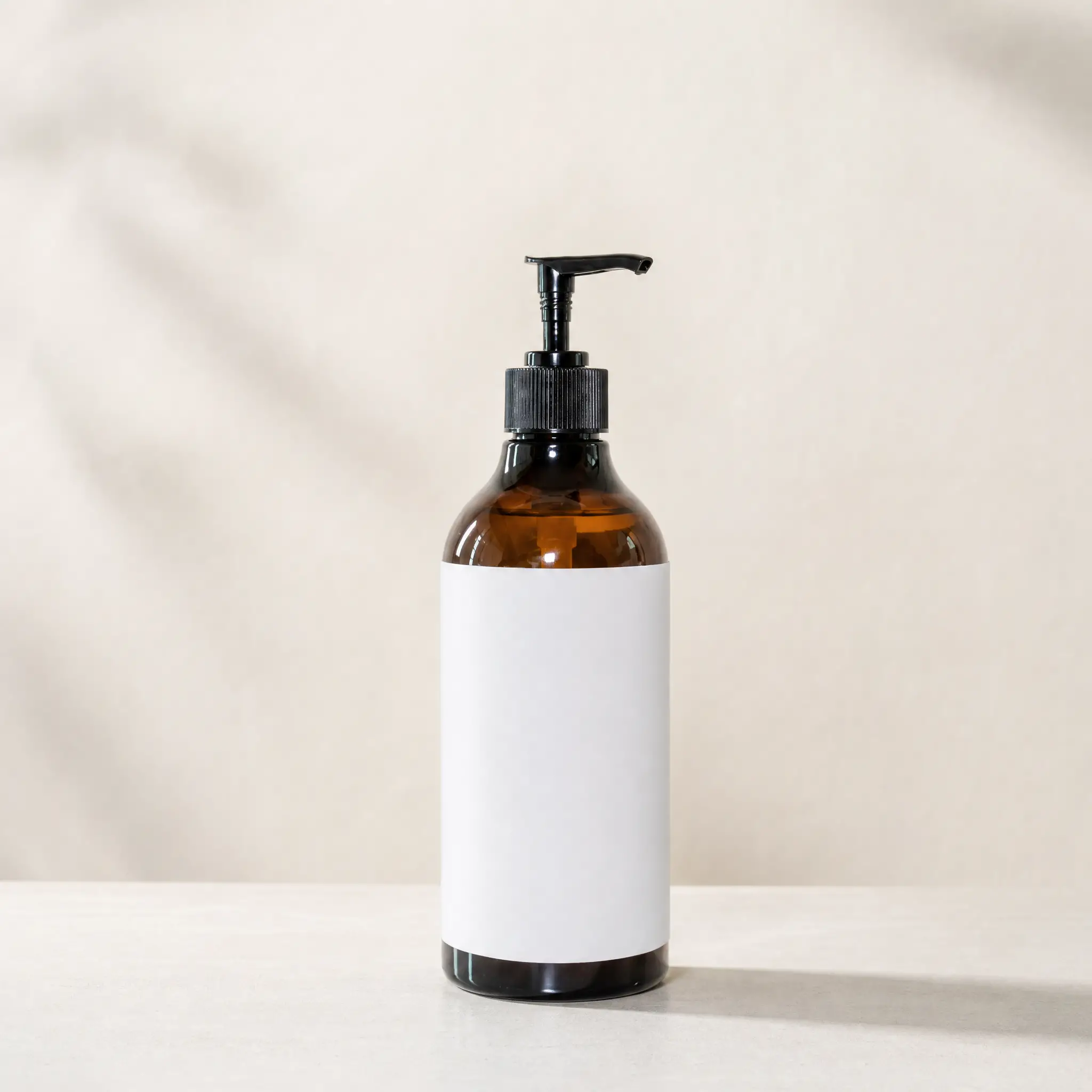
PicLumen's e-commerce product photo
The lifestyle test was also strong.
The bottle remained highly consistent, and the generated scene included the bathroom environment and light beige stone surface I asked for.
The main thing I would change is the lighting. The morning light was there, but it wasn't as warm or obvious as I had expected from the prompt. However, that is a relatively small issue compared with the problems I found with some of the other tools.
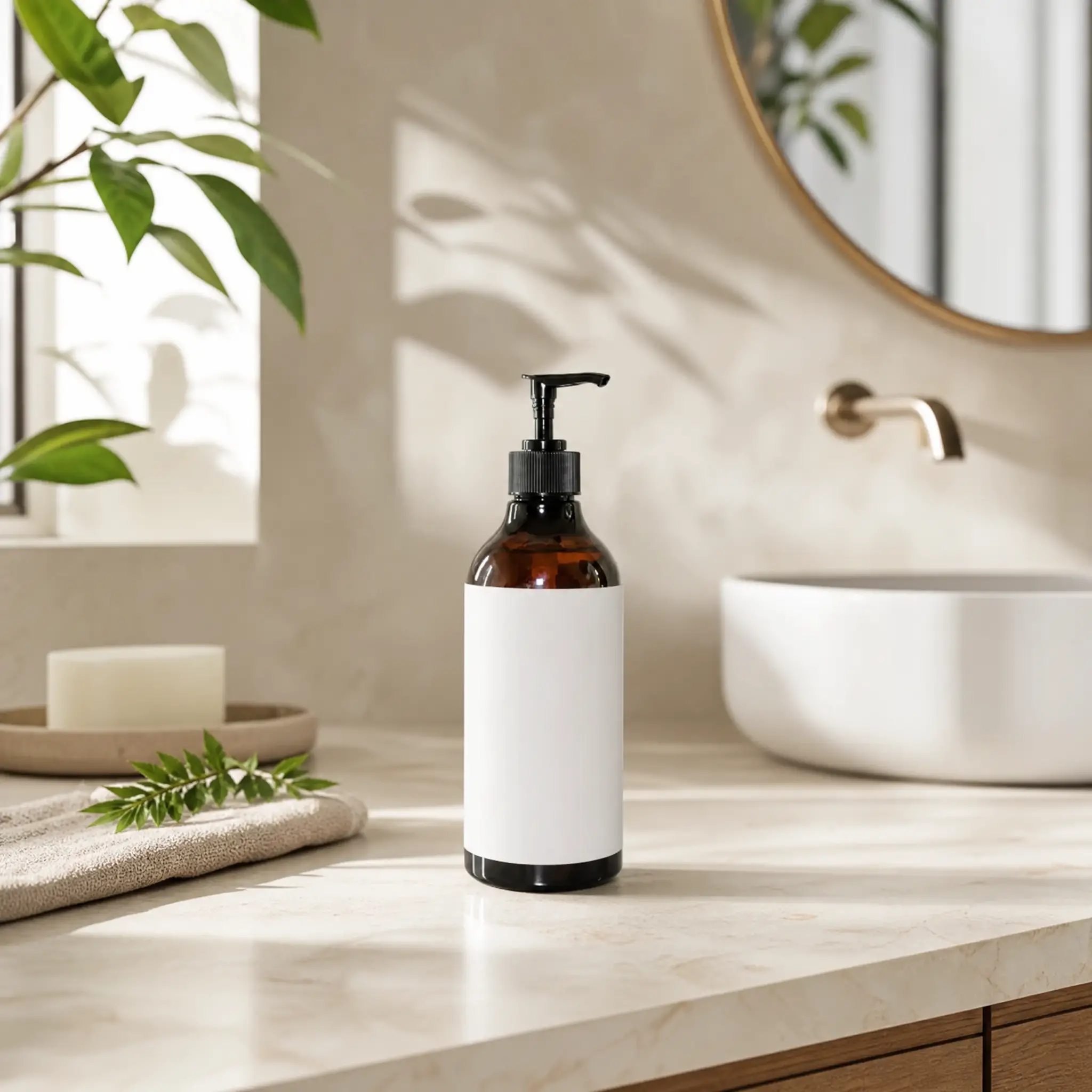
PicLumen's lifestyle product photo in a modern bathroom
Features, Pricing, and Limitations
The workflow was one of the simplest I tested. I did not need to remove the background or complete another preparation step before generating. I also found quite a few useful options in the interface, including different models, image settings, and image or video generation.
Another practical point was the output. The generated images did not have a watermark, and I could download the original images without upgrading.
In my test, a 1K image used 12 credits and a 2K image used 20 credits. You could get 20 free credits when registering, with additional credits available through various tasks.
The main limitation I noticed was credit usage. Higher-resolution generations consume more credits, and 4K generation is limited to subscribers according to the test interface.
My conclusion
It was especially useful in my test because the product itself stayed consistent while the background, scene, and lighting were changed together.
If I were creating product images for an online store but didn't wanna spend too much time fixing the result afterward, PicLumen would be one of the first tools I would try.
It also offers an Amazon-focused workflow that can turn one product reference into listing images and other Amazon content.
Try generating product photography on PicLumenClaid
The Results
My first e-commerce generation didn't go smoothly.
Because I was testing a 1:1 image, Claid created a large gray area to satisfy the aspect ratio. The generation also kept the original tall proportions instead of adapting to the new composition.
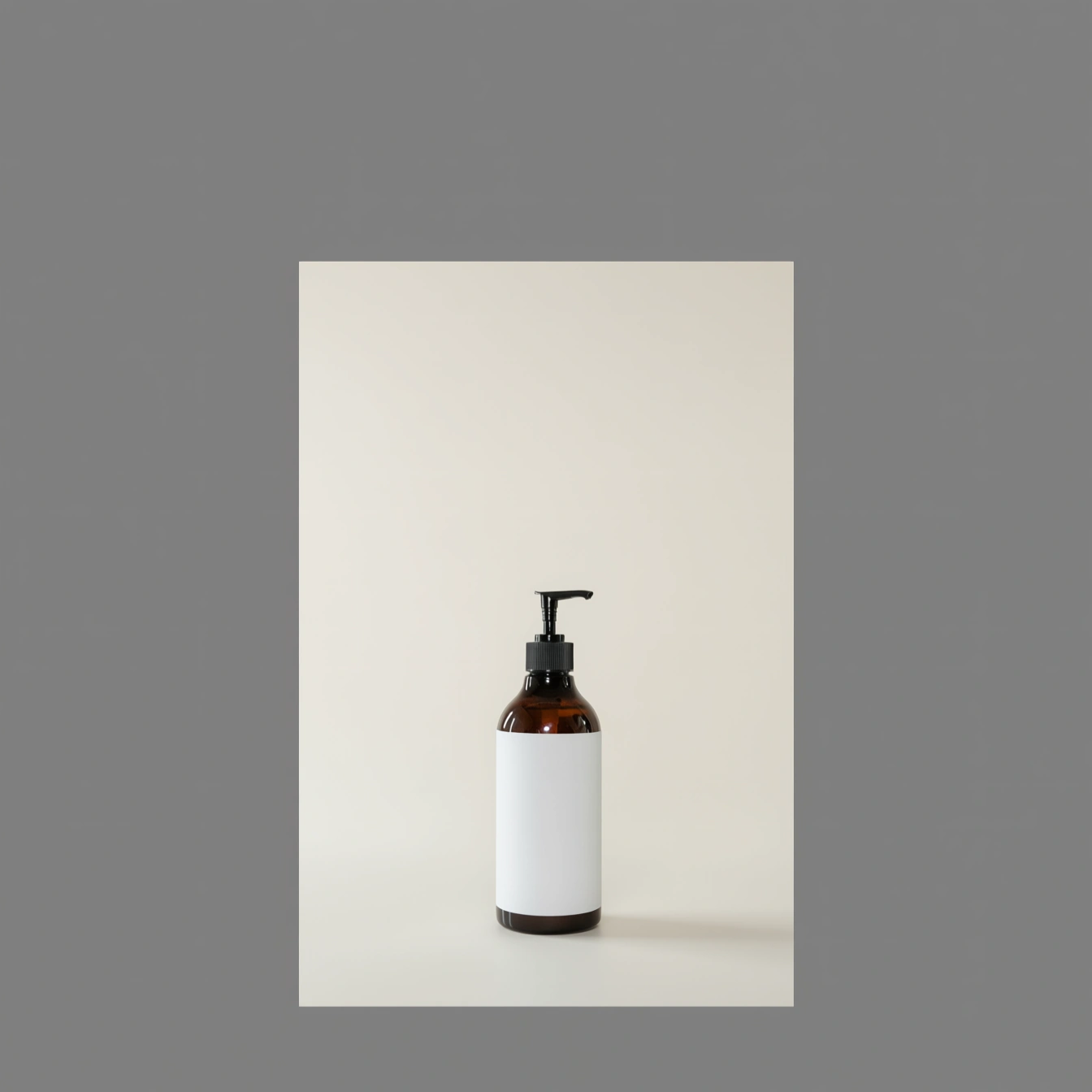
Claid's first e-commerce result with serious flaw
However, Claid's own workflow suggested removing the background first, so I tried that.
Background removal cost only one credit.
After using the background-removed product as the new input, the result improved significantly. The product remained accurate, the image quality was better, and the studio scene and lighting followed the prompt much more closely.
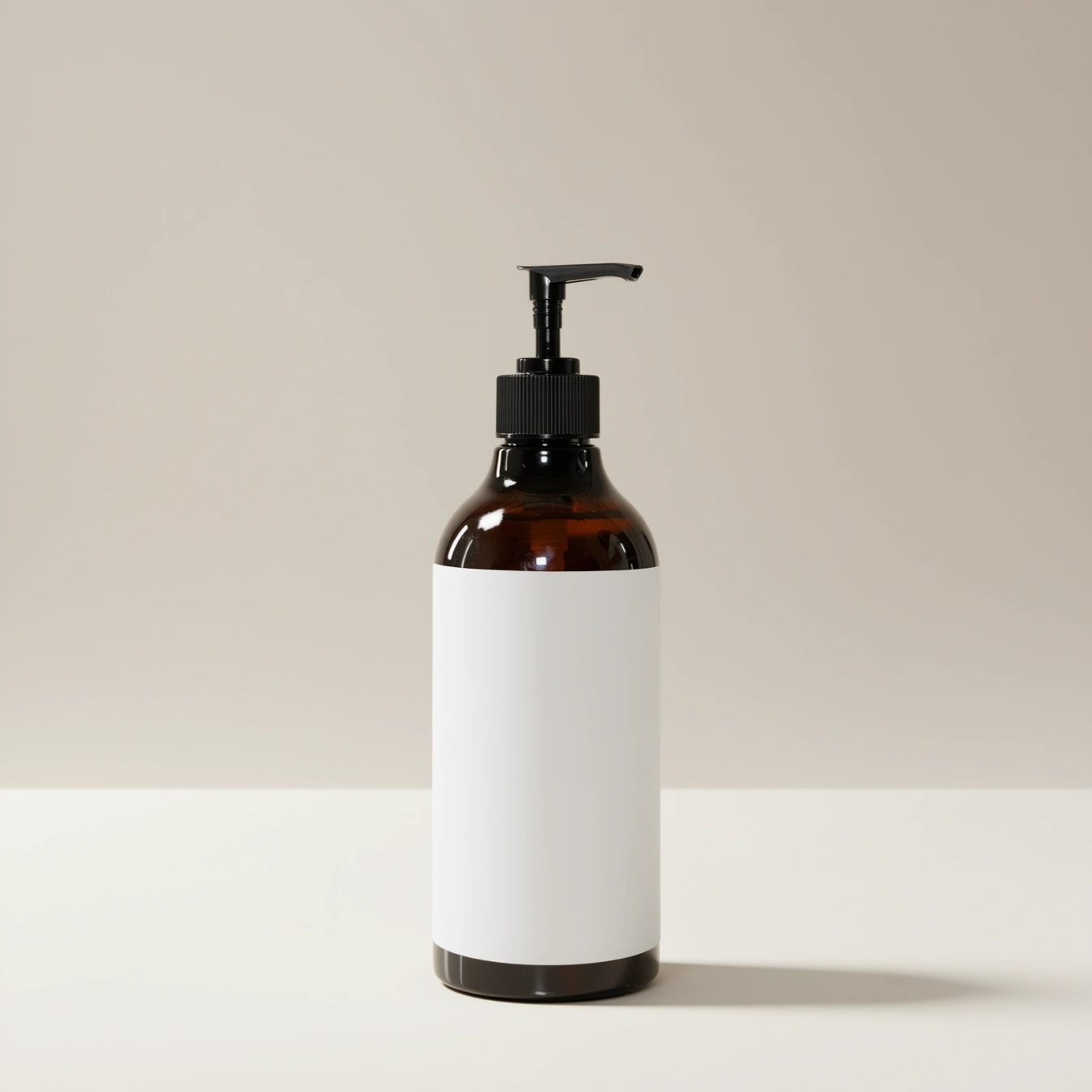
Claid's improved result after background removal
The second test was even better.
The bathroom scene looked natural, and the morning lighting was more obvious than in the PicLumen result. The product itself was well preserved.
The main problem was composition: the sink in the background ran across the bottle, making the image feel slightly cluttered.
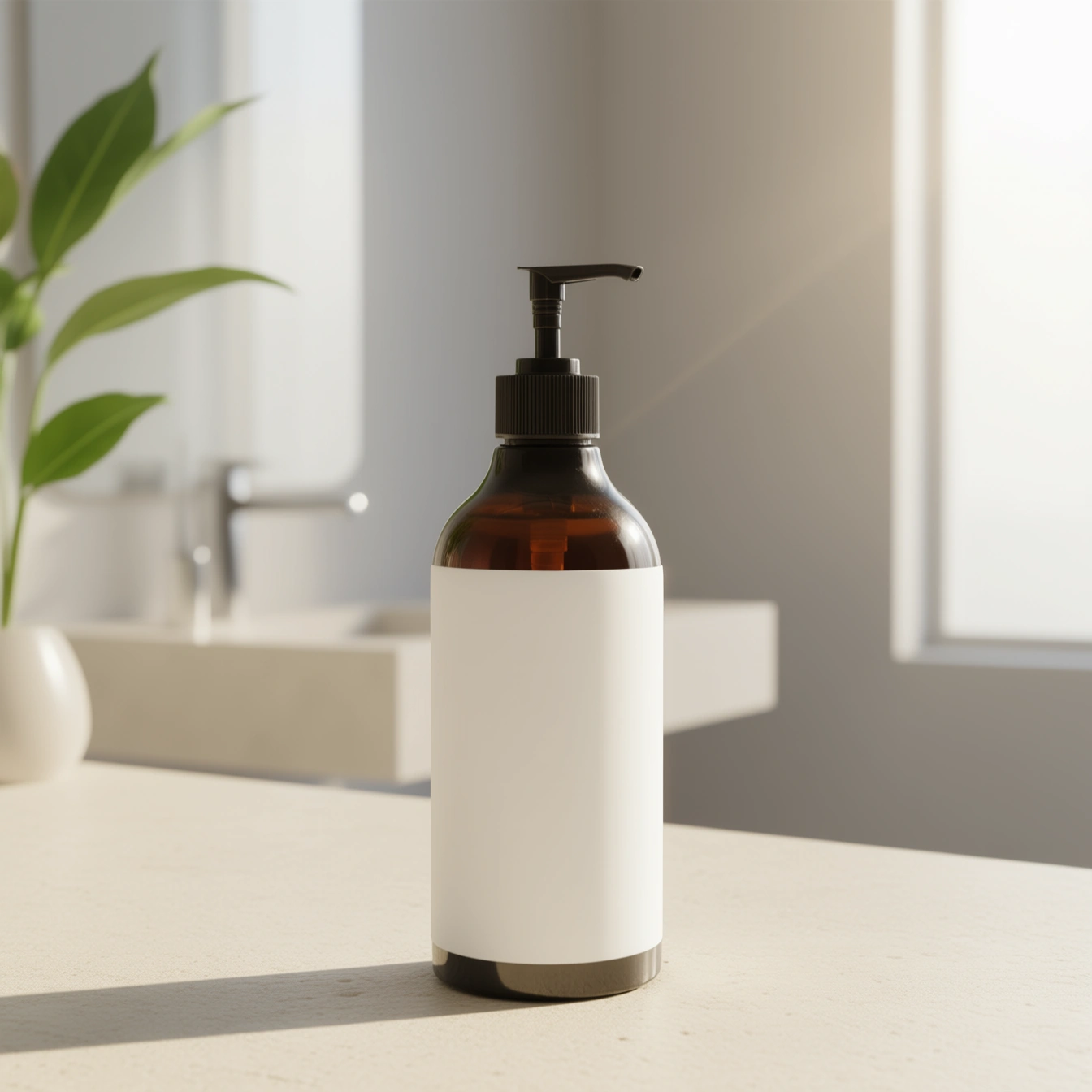
Claid's lifestyle product photo with a bathroom setting and obvious morning light
Features, Pricing, and Limitations
The main difference I noticed with Claid was the amount of control it gives you. There are several parameters and settings to adjust, which can be useful when you want to fine-tune the result instead of simply generating an image with one click.
In my test, a standard product image generation used 4 credits, while a 2K generation used 10 credits. Registration provided 50 free credits. The generated images were also available to download without a watermark.
The main limitation for me was the extra preparation step. If I skipped the background-removal step, the first result could contain obvious generation problems. So while the workflow itself was not difficult, it required a little more attention than other simpler tools I tested.
My conclusion
Claid gave me good results overall, especially after I followed its recommended workflow.
If I were creating product images for an online store, I would consider using it when I wanted more control over the generation process. The downside is that I would need to spend a bit more time preparing the product before generating.
ProductMagicAI
The Results
For the e-commerce test, the bottle itself was reproduced reasonably well and the image quality was high.
The problem was the scene.
I specifically asked for a simple light-colored studio surface, but the generated image mainly used a plain white background. The lighting also wasn't as natural and even as I wanted, with a large amount of white space and little visible light detail.
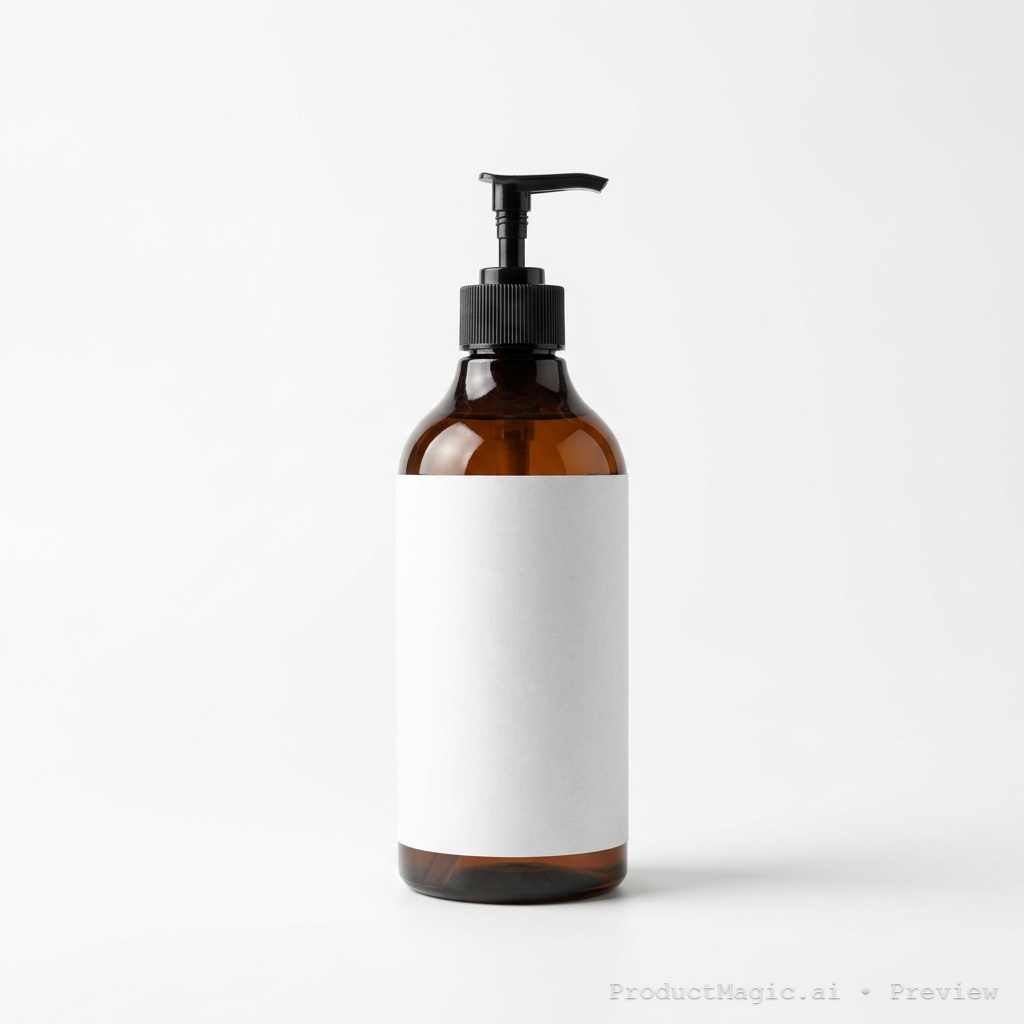
ProductMagicAI's e-commerce product photo
The lifestyle image was more convincing in some areas.
The product remained accurate, and the light beige stone surface looked particularly convincing. The lighting was also generally consistent with the prompt.
However, the bathroom itself wasn't very obvious. Instead, the background relied mostly on stacked towels, so the image had a lifestyle feel but did not fully match the bathroom setting I requested.
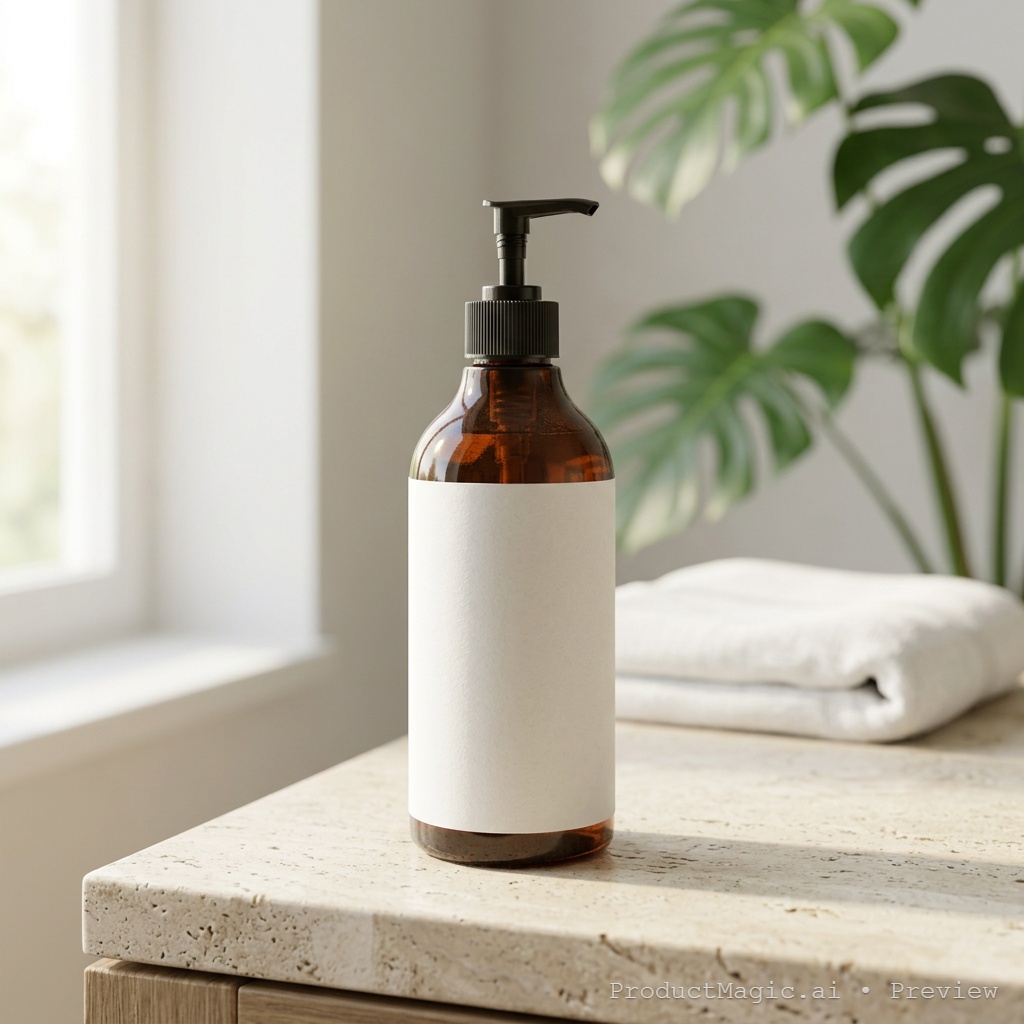
productMagicAI's lifestyle product photo with a beige stone surface
Features, Pricing, and Limitations
The workflow was one of the simplest I tested. There were no extra steps required before generation, and the free allowance was clearly shown in the interface.
I received 10 free credits after registration. Each product image generation used 2 credits. The generated images could be downloaded, but the free results included a visible watermark. Removing the watermark required a paid upgrade.
My conclusion
ProductMagicAI was easy to use and produced clean, natural-looking product images in my tests.
If I needed to create product visuals quickly and did not mind dealing with the watermark, I would consider it a practical option. For final commercial use, though, the watermark is something I would need to deal with first.
Pixelcut
The Results
For the e-commerce test, the bottle was mostly preserved, but I could clearly see that the upper part of the bottle became narrower.
The bigger problem was the scene. The result did not really follow the prompt asking for a simple light-colored studio surface and a soft neutral background. Instead, it used a large amount of empty white space with a very plain-looking floor and background.
The lighting also did not match the prompt very well. I could not see an obvious natural light direction, so the image felt more flat than I expected.
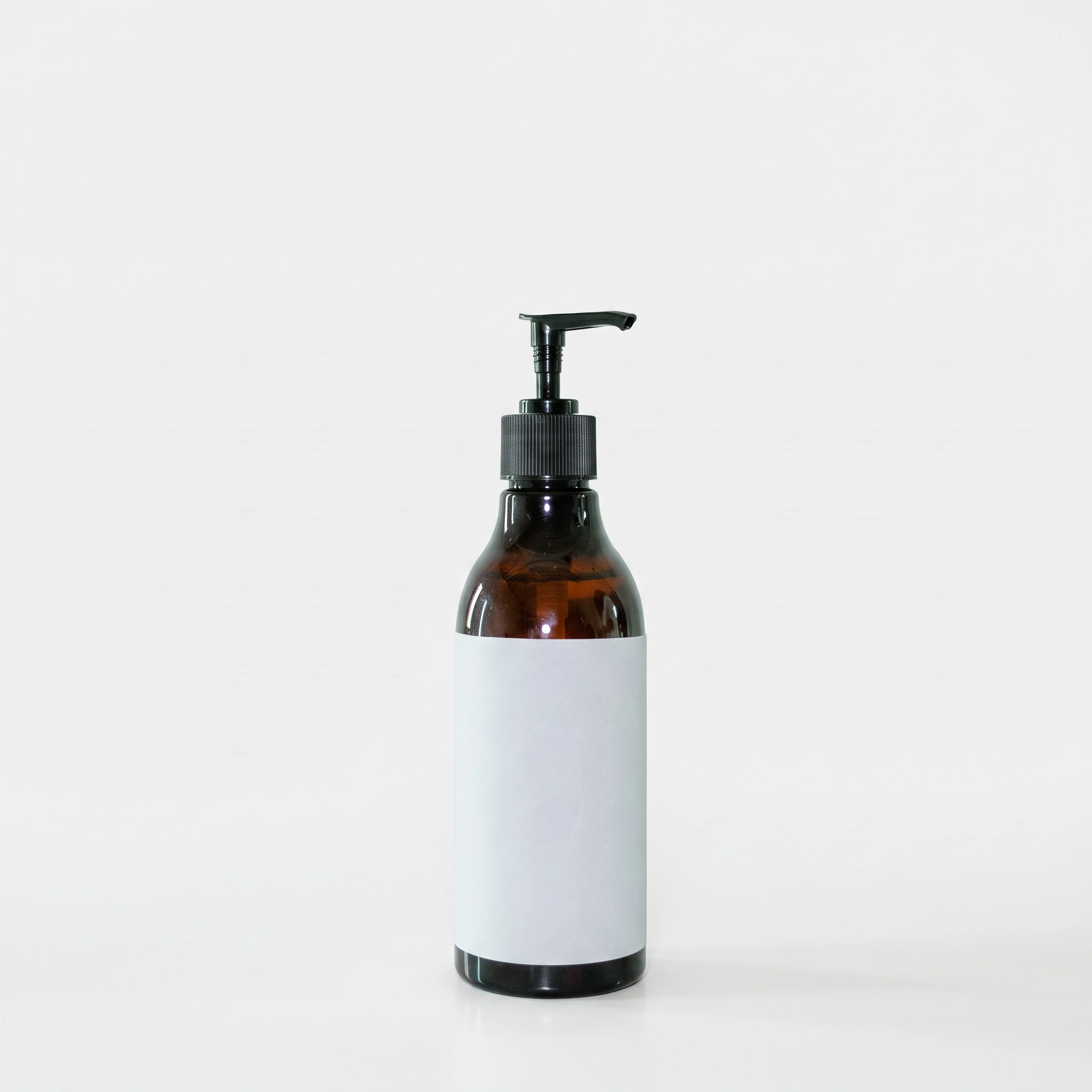
Pixelcut's e-commerce product photo
The second test was much better.
The bottle was highly preserved, and the image looked detailed and natural. The generated scene included both the bathroom and the light beige stone surface that I asked for.
The main thing missing was the morning light. Although the scene looked natural overall, the soft morning lighting described in the prompt was barely visible.
Apart from the lighting, most of the prompt was followed, and the result looked clean enough for commercial use.
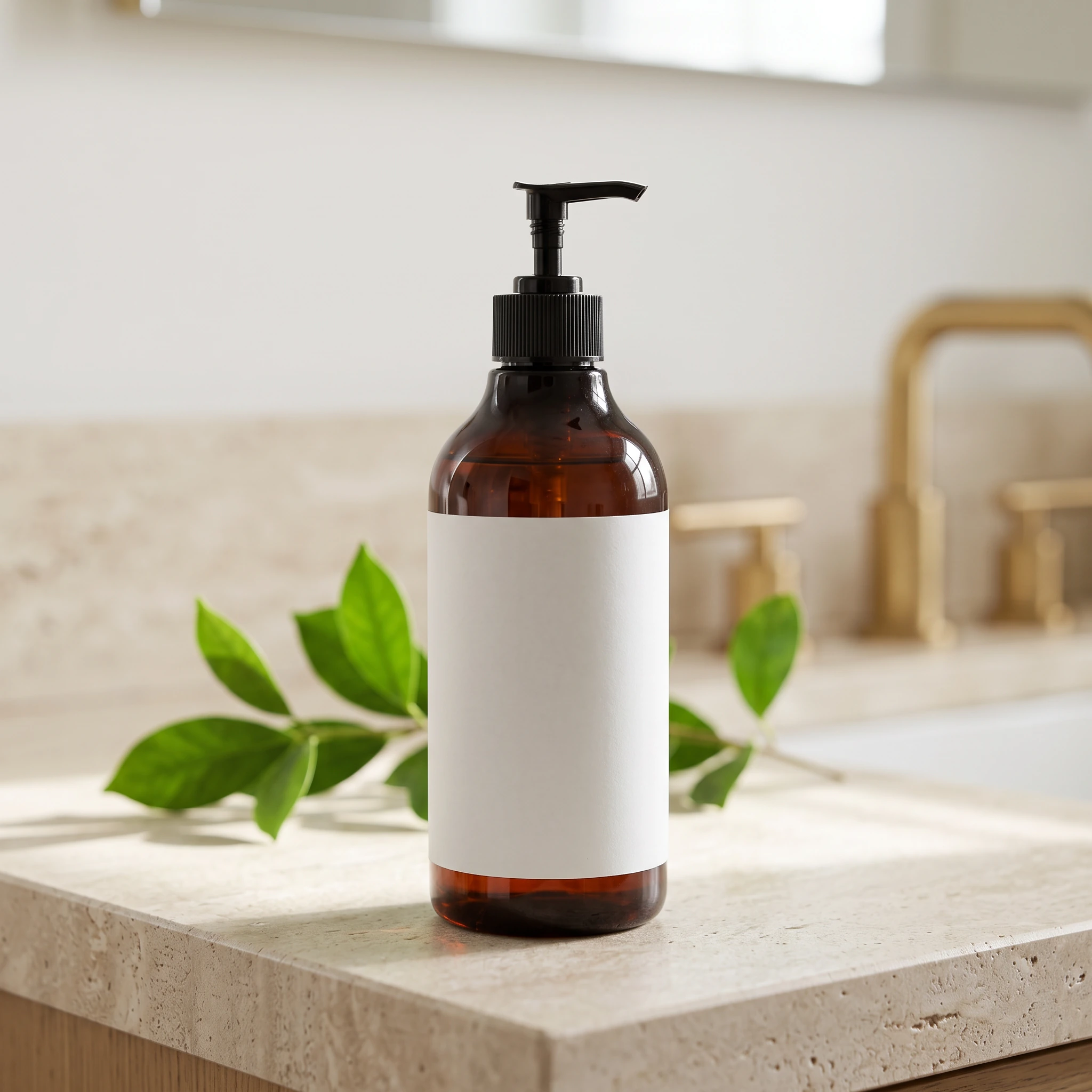
Pixelcut's lifestyle product photo with a bathroom and light beige stone surface
Features, Pricing, and Limitations
The workflow was simple overall, but there was one extra step compared with some of the other tools. I had to choose the type of product image before entering the main generation interface.
I liked that the workflow let me choose from different product placement options before generating.
Pixelcut gave me 108 credits after registration. A 1K generation used 35 credits, while a 2K generation used 50 credits.
Unlike some other tools I tested, I could not earn more credits through tasks. Additional credits were only available through a paid upgrade.
My conclusion
Pixelcut gave me a much better result in the lifestyle test than in the e-commerce test. I liked how well the product was preserved and how natural the second scene looked.
If I were creating a lifestyle product image, I would be more comfortable using this workflow. For a clean e-commerce image, though, I would probably want to adjust the result further before using it.
Fotor
The Results
For the e-commerce test, the product was mostly preserved, and the image quality was noticeably improved compared with the original image.
The scene, however, did not really follow the prompt. Too much of the image was made up of overlapping white areas, so the final result didn't look like the commercial product photo I was expecting.
The lighting was more successful. The whole image looked quite bright, and the light felt relatively natural and even.
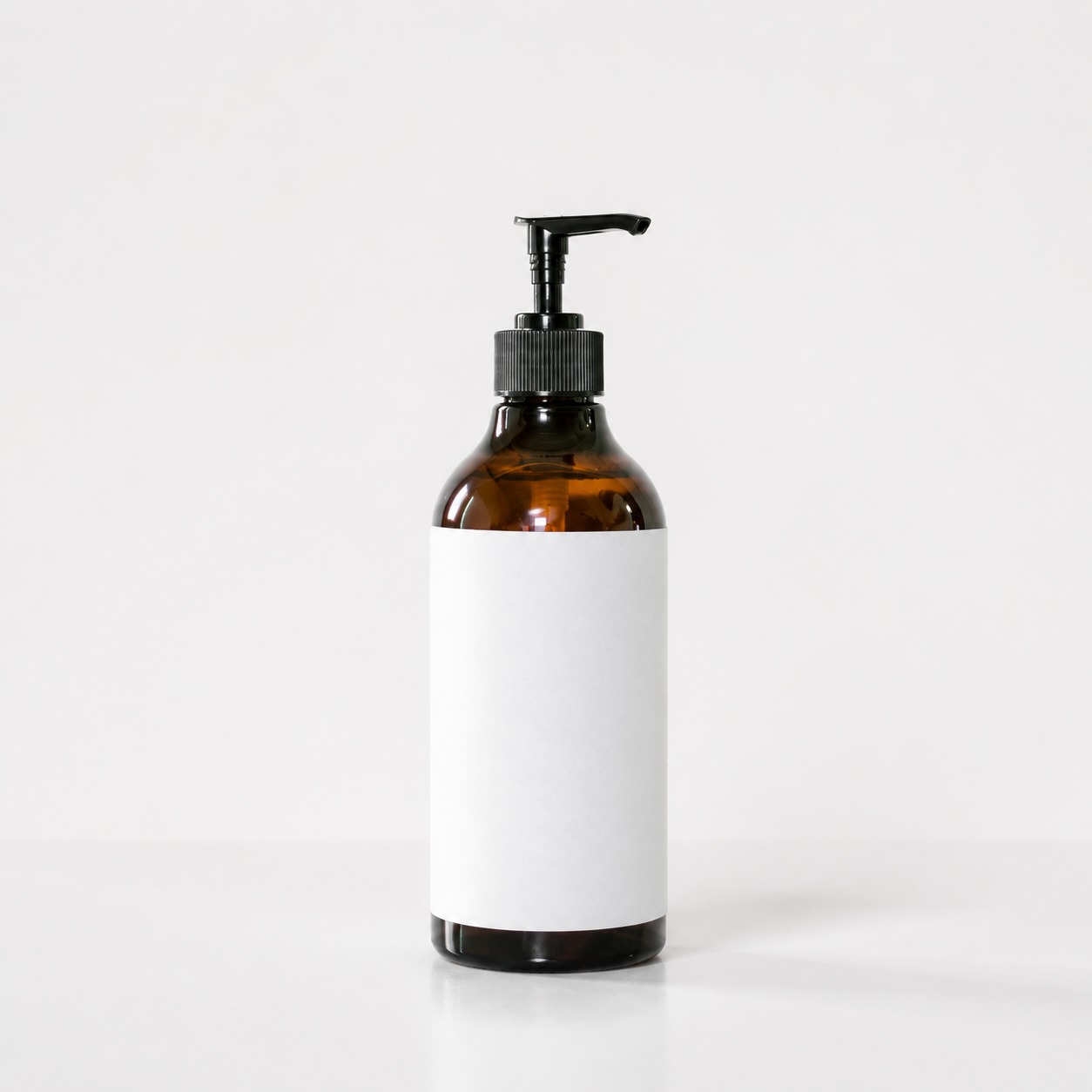
Fotor's e-commerce product photo
The lifestyle test was much stronger. The product was highly preserved, and the image quality looked detailed and natural.
There were still a couple of details I noticed after looking more closely.
The bottle reflected a person's shape in the upper part, which made the reflection more noticeable than I expected. The bottle itself was also a little too shiny for the soft morning light described in the prompt.
Another strange detail was the sink in the background. It was placed directly on top of the table, which did not look very natural.
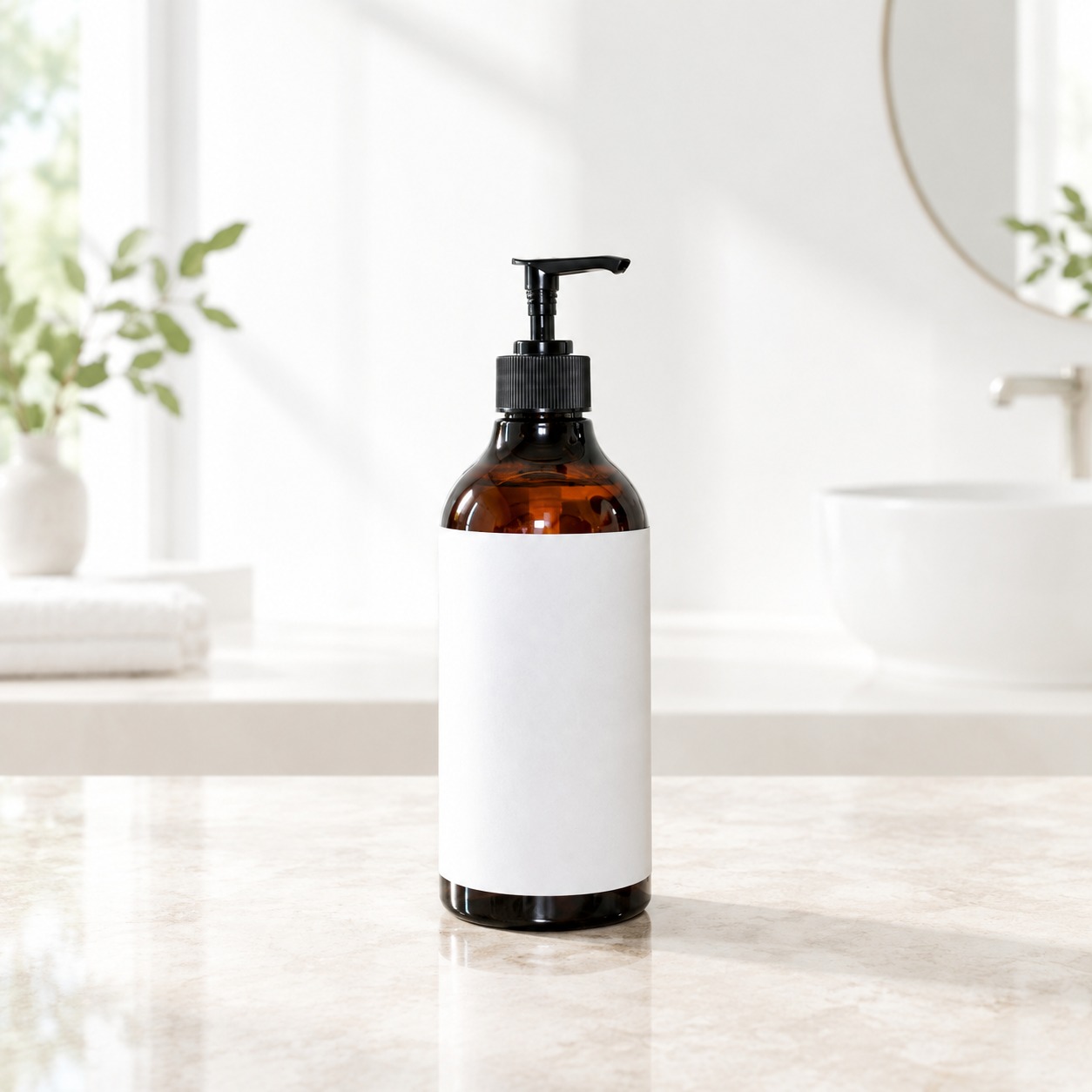
Fotor's lifestyle product photo
Apart from these details, most of the prompt was followed, and the overall image was still clean and fairly usable for commercial content.
Features, Pricing, and Limitations
The workflow was easy to understand. I could either choose a preset or switch to the custom option. One thing I liked was the built-in how-to guide on the generation page. It made the workflow easier to understand without having to figure everything out on my own.
In the custom workflow, I could choose the aspect ratio and the number of images, but I could not choose the image quality.
Each generation used 8 credits in my test. I can't directly get free credits through registration but can earn a small amount of additional credits by completing tasks instead.
My conclusion
Fotor also gave me a better result in the lifestyle test than in the e-commerce test. However, the reflection on the bottle and the unusual sink placement were two details I would want to fix before using the image commercially.
Overall, Fotor was easy to use and produced clean results, but I would still check the generated scene carefully rather than using it without any review.
Comparing the Five AI Product Photography Tools
After testing all five tools with the same product and similar prompts, I noticed some clear differences.
Tool | Product Accuracy | Image Quality | Scene Generation | Ease of Use | Main Limitation |
|---|---|---|---|---|---|
PicLumen | High | High | Natural and accurate | Simple | Higher-resolution generations use more credits |
Claid | High | High | Natural, with some AI feel | Moderate | Background removal can be an extra step |
ProductMagicAI | High | High | Natural, but less precise | Very simple | Free results have a visible watermark |
Pixelcut | High overall | High | Stronger in lifestyle scenes | Simple | E-commerce scene was too plain in my test |
Fotor | High overall | High | Stronger in lifestyle scenes | Simple | E-commerce scene was too plain; some lifestyle details looked unnatural |
The biggest difference I noticed was how differently the tools handled the same prompt.
PicLumen and Claid produced the most natural scenes in my test. ProductMagicAI was also clean and easy to use, while Pixelcut and Fotor did better with lifestyle scenes than with the basic e-commerce setup.
I also noticed a difference in how much fixing the images needed afterward. PicLumen required the least adjustment in my test, while Claid needed background removal, ProductMagicAI had a watermark, and Pixelcut and Fotor needed more scene cleanup.
These results are only for reference, so feel free to try the platforms yourself and see which one fits your needs.
FAQs
What is the best AI product photo generator?
There isn't one AI product photo generator that works best for every product. In my test, PicLumen produced the result that came closest to my expectations, especially in product consistency and scene generation.
Can I use AI for product photography?
Yes. AI can turn an existing product photo into studio-style images, lifestyle scenes, and other commercial visuals. Just check the final result carefully for product or scene changes.
Are there free AI tools for product photography?
Yes. Some tools offer free credits or task-based free access. In my test, PicLumen, Claid, ProductMagicAI, and Pixelcut all offered free access, while Fotor allowed me to earn a small amount of credits through tasks.
Are AI-generated product photos suitable for e-commerce?
Yes, they can be useful for product listings, lifestyle images, and advertising content. However, always check the product details and any AI-generated text before publishing.