I opened Canva AI because I needed to build a small product campaign in one working day. The fictional skincare brand needed a hero image, a short social video, a founder headshot, and a simple logo. I would normally create these assets in separate AI tools, then bring them into Canva for layout and editing. For this Canva AI review, I kept the entire project inside Canva. I wanted to see whether its AI tools could do more than produce quick samples. Could they support one connected creative workflow? After a day of testing, my view was clear: Canva AI is better at helping you finish content than giving you flawless AI outputs.
TL;DR: My Canva AI Review
Test Area | What Worked | Main Limitati | Verdict |
|---|---|---|---|
AI image generator | Lighting, composition, and campaign backgrounds | Product shape and small details | Useful for concepts, but not always final product imagery |
AI video generator | Short mood shots and direct timeline editing | Object consistency and shot control | Better for inserts than complete ads |
AI headshot generator | Fast background and presentation cleanup | Subtle changes to the face and hair | Fine for small profile images |
AI logo generator | Quick visual directions and easy editing | Originality and small-size readability | A starting point, not a finished identity |
Overall workflow | Smooth move from generation to design | AI tools are spread across several areas | Canva's strongest advantage |
What Is Canva AI?
Canva launched in 2013 as an online design and publishing platform. It now covers presentations, social graphics, documents, websites, videos, logos, and branded content. Canva AI is a set of generative and editing tools built into that wider platform. It can create images, short video clips, copy, layouts, and other assets. Those results can then move directly into Canva’s editor. In April 2026, Canva introduced Canva AI 2.0 as a research preview. Its new approach can generate layered, editable designs and continue refining them through conversation. This strengthens Canva’s main position: AI is part of the full design process rather than a separate feature.
How I Tested Canva AI
I used one fictional skincare brand, Luma Botanics, throughout the day. The project followed a simple order:
Create the main product image.
Use the same visual direction for a video clip.
Make a professional headshot for the founder profile.
Create a logo that fits the campaign.
I judged each tool by five questions:
Did it understand the request?
Did key details remain accurate?
How much correction did it need?
Could I reuse the result elsewhere?
Did Canva make the next step easier? Using one campaign made the limitations easier to spot. A good-looking result was not enough. It also had to fit the rest of the project.
Canva AI Image Generator Review
I started with the main campaign visual.
Prompt: A premium amber glass facial serum bottle on a pale limestone counter, soft morning light through linen curtains, subtle botanical shadows, warm neutral color palette, realistic luxury skincare photography, clean composition, empty space for a headline, no text
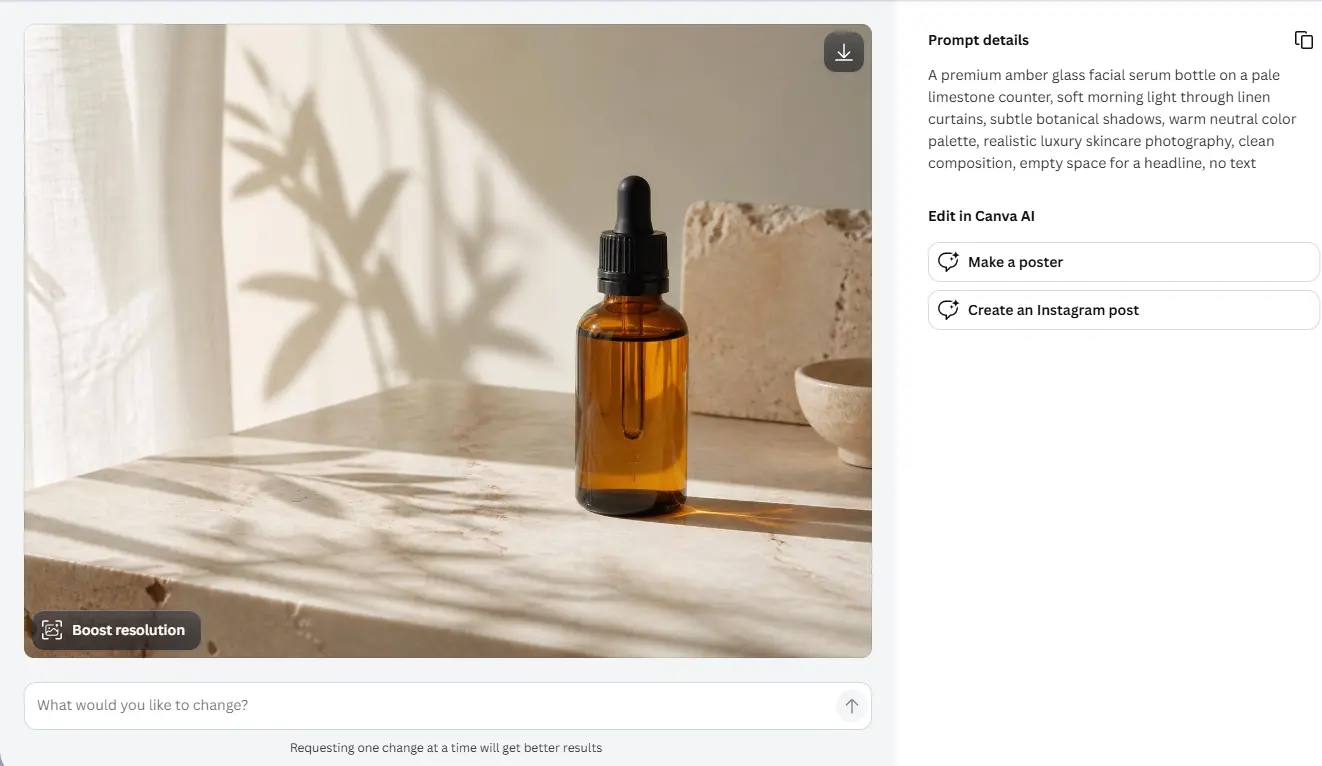
The first result looked good at normal size. The lighting suited the brand, and the composition left enough room for text. Zooming in changed my view. The bottle was slightly uneven. The reflection near its base did not follow the rest of the glass, and the label area contained marks that looked like broken text. The visual direction worked. The product itself did not. I tried a shorter prompt:
Minimal amber skincare serum bottle on natural stone, soft window light, realistic commercial product photography, beige background, no text
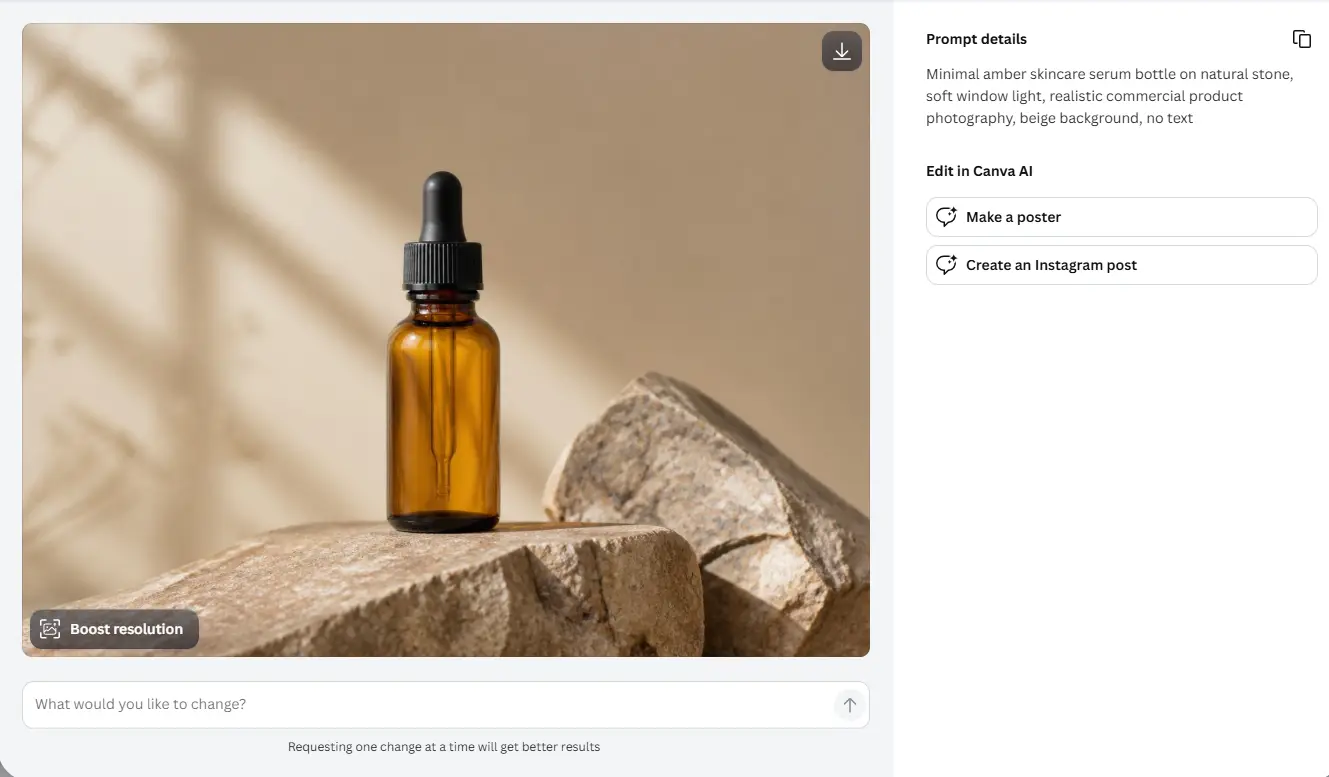
The second result was cleaner, but it also looked more generic. Fewer details gave Canva fewer chances to make mistakes, yet the image lost some of its campaign character. That was the main trade-off. Detailed prompts produced more interesting scenes but also more errors. I kept the first background, removed the generated bottle, and added a real product cutout. Canva’s AI photo editor supports adding, removing, and replacing parts of an image, which made the fix quick. The result was useful, just not in the way I first expected.
Image Test Verdict
Canva's image generator works well for:
Campaign backgrounds
Blog covers
Social visuals
Mood boards
Editorial illustrations
Early product concepts I would not rely on it alone for exact packaging, readable labels, or close-up product shots.
Canva AI Video Generator Review
I used the image test as the visual reference for a short video. I did not ask Canva to create a complete ad. I wanted one atmosphere shot that could sit between real product footage and an end card.
Prompt: Cinematic close-up of an amber skincare serum bottle on pale stone, soft sunlight moving slowly across the glass, gentle botanical shadows, subtle camera push-in, realistic luxury beauty commercial, quiet natural room ambience
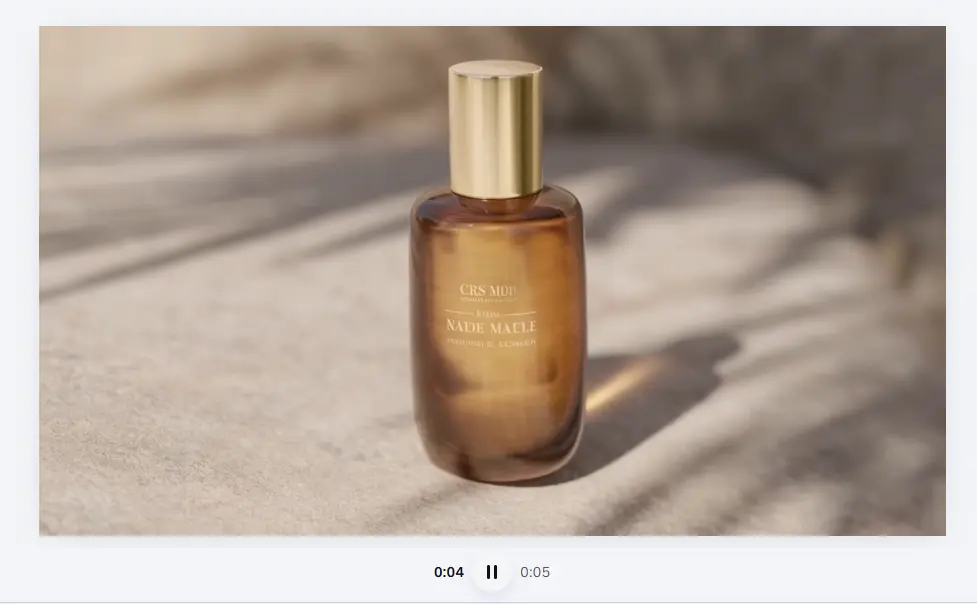
The clip matched the general mood. The warm light and slow movement worked with the still image. The bottle was less consistent. Its shape shifted slightly during the camera move, and the reflection moved faster than the light source seemed to justify. These issues were obvious when I watched the clip alone. They mattered less after I trimmed the strongest section and placed it between two faster shots. That became my main finding: Canva’s AI video worked better as material for an edit than as a finished video. Canva's Create a Video Clip tool can generate cinematic visuals with synchronized dialogue, music, or sound effects. The result then opens inside Canva’s wider video workflow for trimming, text, music, and layout changes.
Video Test Verdict
It makes sense for:
Short social inserts
Mood shots
Transitions
Presentation backgrounds
Quick B-roll
Early campaign concepts
It is less suitable for multi-shot stories, precise products, or characters that must remain consistent.
Canva AI Headshot Generator Review
The third test was a founder headshot. I used a clear front-facing photo with natural window light. The face was visible, but the background included a shelf and doorway.
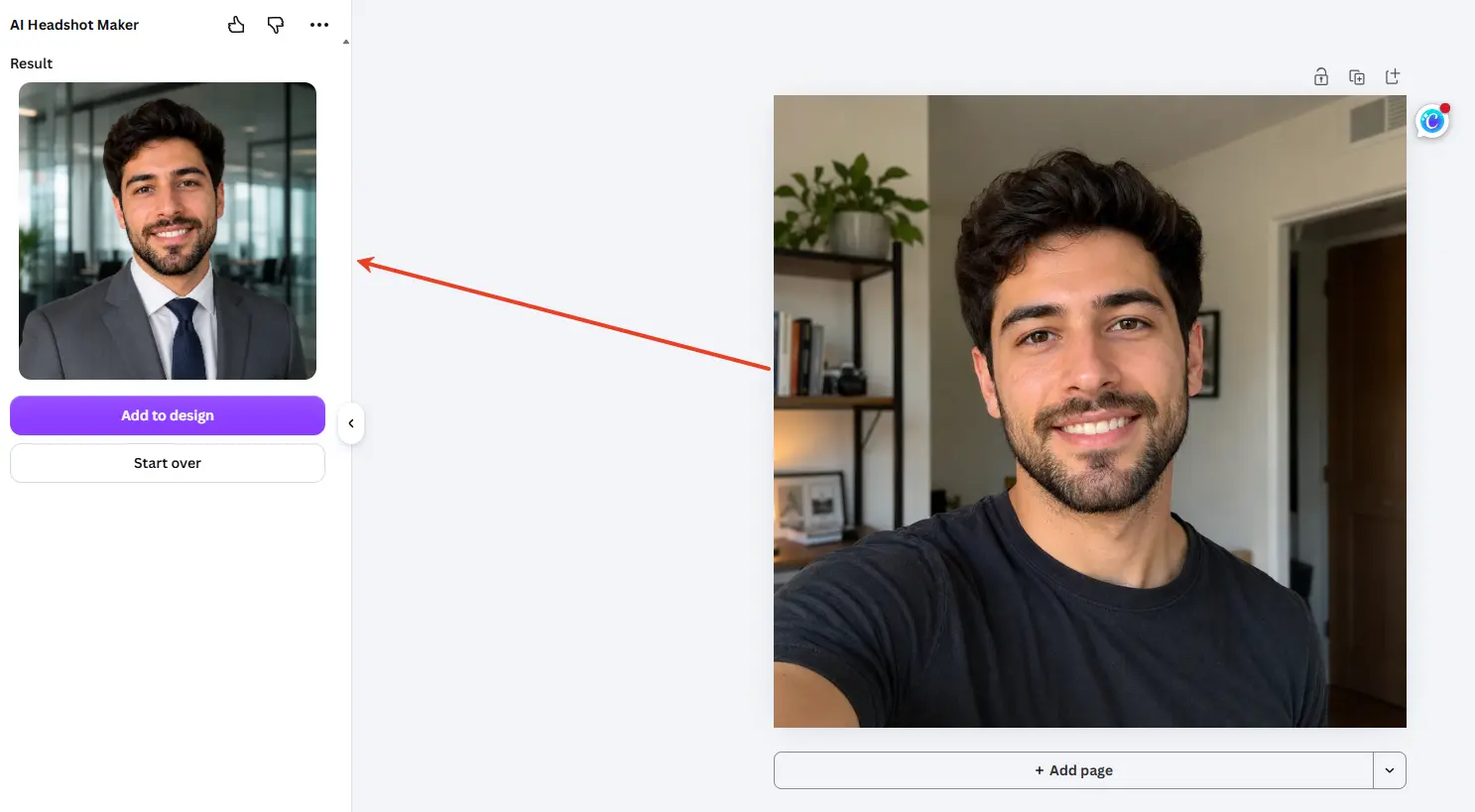
The generated version looked polished at first. The background was cleaner, the lighting was more even, and the clothing felt more suitable for a company profile. At full size, I noticed more changes. The skin looked smoother, the jaw was slightly narrower, and some hair blended into the background. The result still looked like the same person, but it felt interpreted rather than simply retouched. Canva positions its AI headshot generator as a way to turn ordinary selfies into professional profile photos. The workflow is quick, but the result still needs an identity check.
Headshot Test Verdict
I would consider it for:
LinkedIn
Resumes
Internal team pages
Small author photos
Temporary speaker profiles
I would be more careful with large founder portraits, press images, or homepage photography.
Canva's AI Logo Generator: Fast Ideas, More Work Afterward
The final generation task was the Luma Botanics logo.
Prompt : Minimal logo for a premium botanical skincare brand called Luma Botanics, simple leaf combined with a serum drop, elegant modern wordmark, warm natural style, suitable for small product packaging
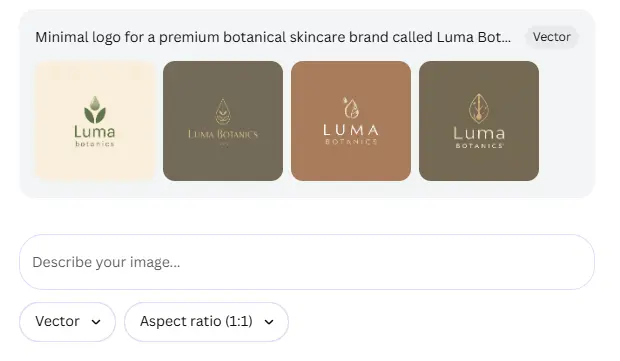
The results gave me several different directions quickly. One looked natural, one felt clinical, and another leaned toward luxury skincare. I chose the simplest concept and placed it on a bottle mockup. The thin leaf lines almost disappeared at small size. I increased the line weight and changed the typeface. That improved the result, but it also showed that the generated logo was a sketch rather than a finished identity.
Logo Test Verdict
Canva's AI logo workflow is useful for:
Exploring brand directions
Mood boards
Student work
Temporary campaigns
Internal presentations
A real business still needs to check originality, readability, scalability, and trademark risk before adopting a generated logo.
Canva AI Pros and Cons
Pros
Generated assets open directly in the editor.
The interface is easy to learn.
Templates speed up final content creation.
AI editing can rescue imperfect images.
Images, videos, documents, and presentations stay in one workspace.
It suits users without advanced design skills.
Cons
Product details can distort.
Video control is limited.
Headshots may change subtle facial features.
Logos still need design and legal checks.
AI tools are spread across different areas.
The platform is broad rather than generation-focused.
Canva AI Pricing: Is It Worth Paying For?
Canva Free is enough for occasional testing. Regular users will get more value from a paid plan, especially when they also need premium templates, background removal, resizing, and brand tools.
Plan | Monthly Price After Trial | AI Access | Storage | Brand Kits |
|---|---|---|---|---|
Canva Pro | US$18 | 10× more than Free | 100 GB | 5 |
Canva Business | US$25 | 20× more than Free | 500 GB | 100 |
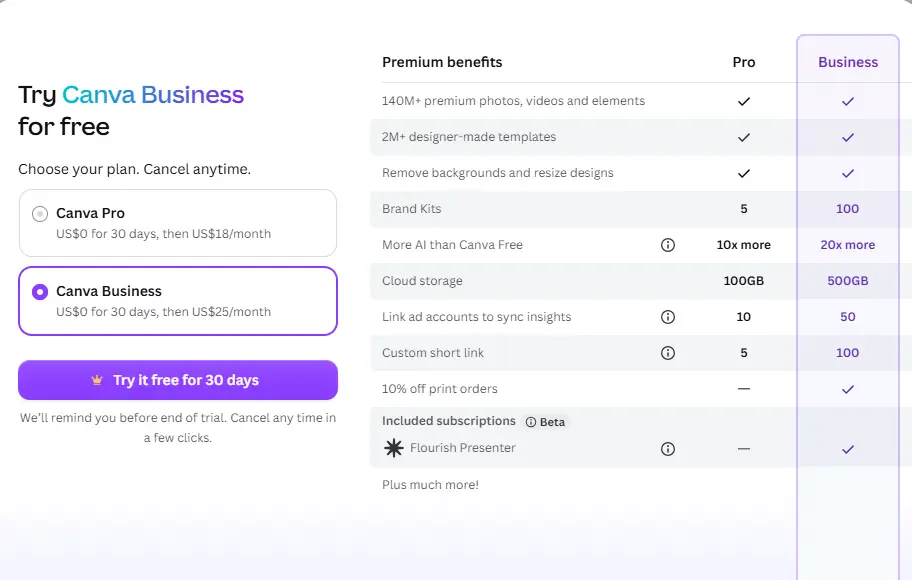
For my one-day test, Canva Pro felt like the better buy. It covers the tools most solo creators and marketers actually use without charging for team-level capacity. Canva Business is more suitable for agencies or teams managing several brands. The extra US$7 adds twice the AI allowance, more storage, and far more Brand Kits, but most individual users will not need them.
My take: pay for Pro if Canva is already part of your weekly workflow. Do not subscribe only for AI generation, since image and video quality can still require correction. Prices may vary by region, so check Canva’s current checkout page before purchasing.
Canva AI vs PicLumen: Is PicLumen a Good AI Alternative to Canva?
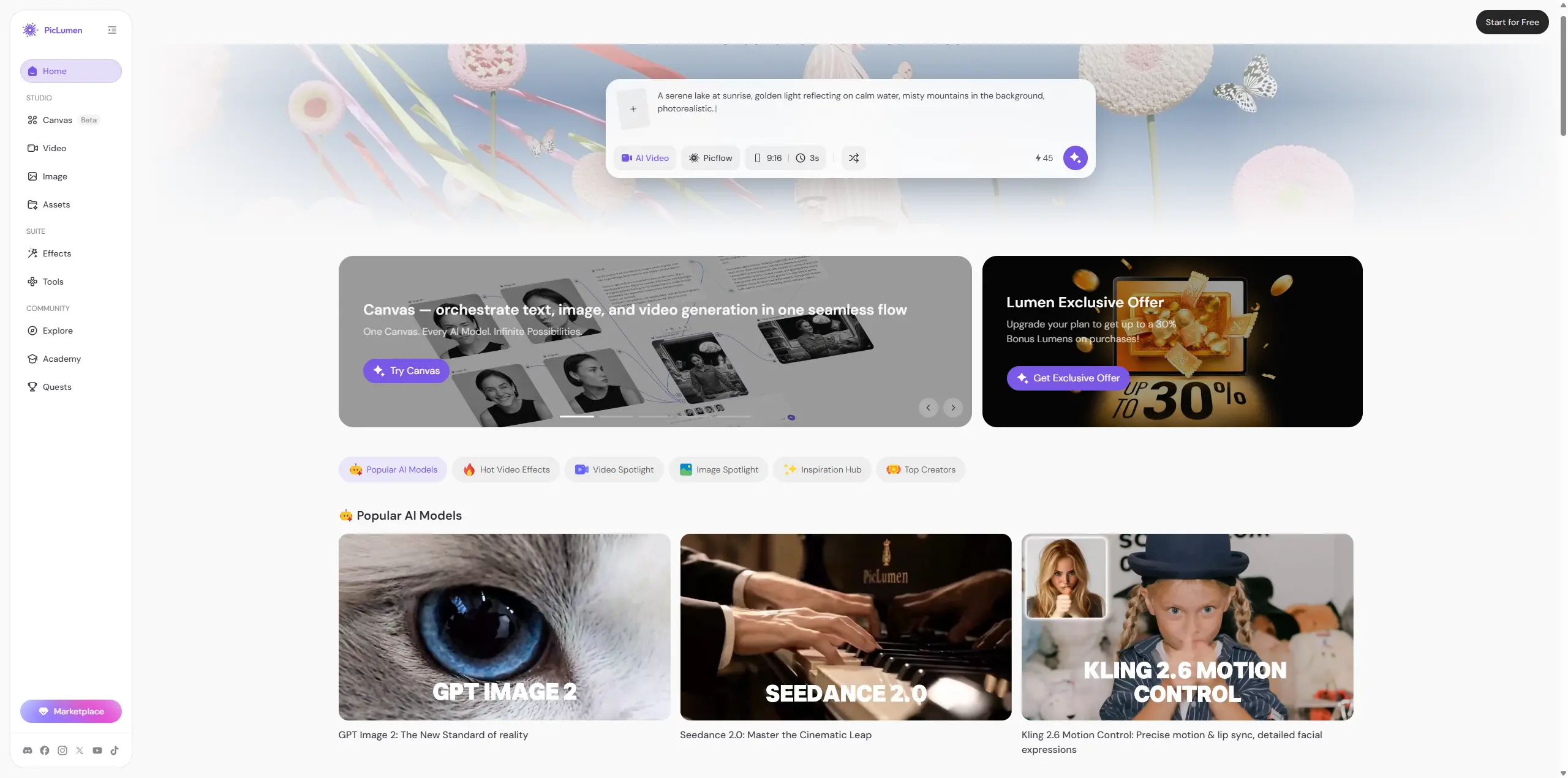
PicLumen is a relevant AI alternative to Canva, but the two platforms focus on different stages of the creative process.
Area | Canva AI | PicLumen |
|---|---|---|
Main focus | Design and publishing platform with AI features | Multimedia platform centered on AI image and video creation |
Best for images that will enter a template or lay | Better suited to exploring styles, models, and visual directions | |
AI video workflow | Useful for short clips inside a broader video editor | Built for creators who treat AI video generation as a core task |
Canvas workflow | Focused on arranging text, graphics, and final layouts | AI video workflow canvas for organizing assets and connecting generation steps |
Editing | Strong for resizing, branding, templates, and publishing | Focused on moving between image generation, video creation, and iteration |
Community | Not central to the main workflow | Community sharing supports visual discovery and inspiration |
Best for | Social teams, small businesses, students, and general marketers | Creators, designers, marketers, anime fans, and multimedia experimenters |
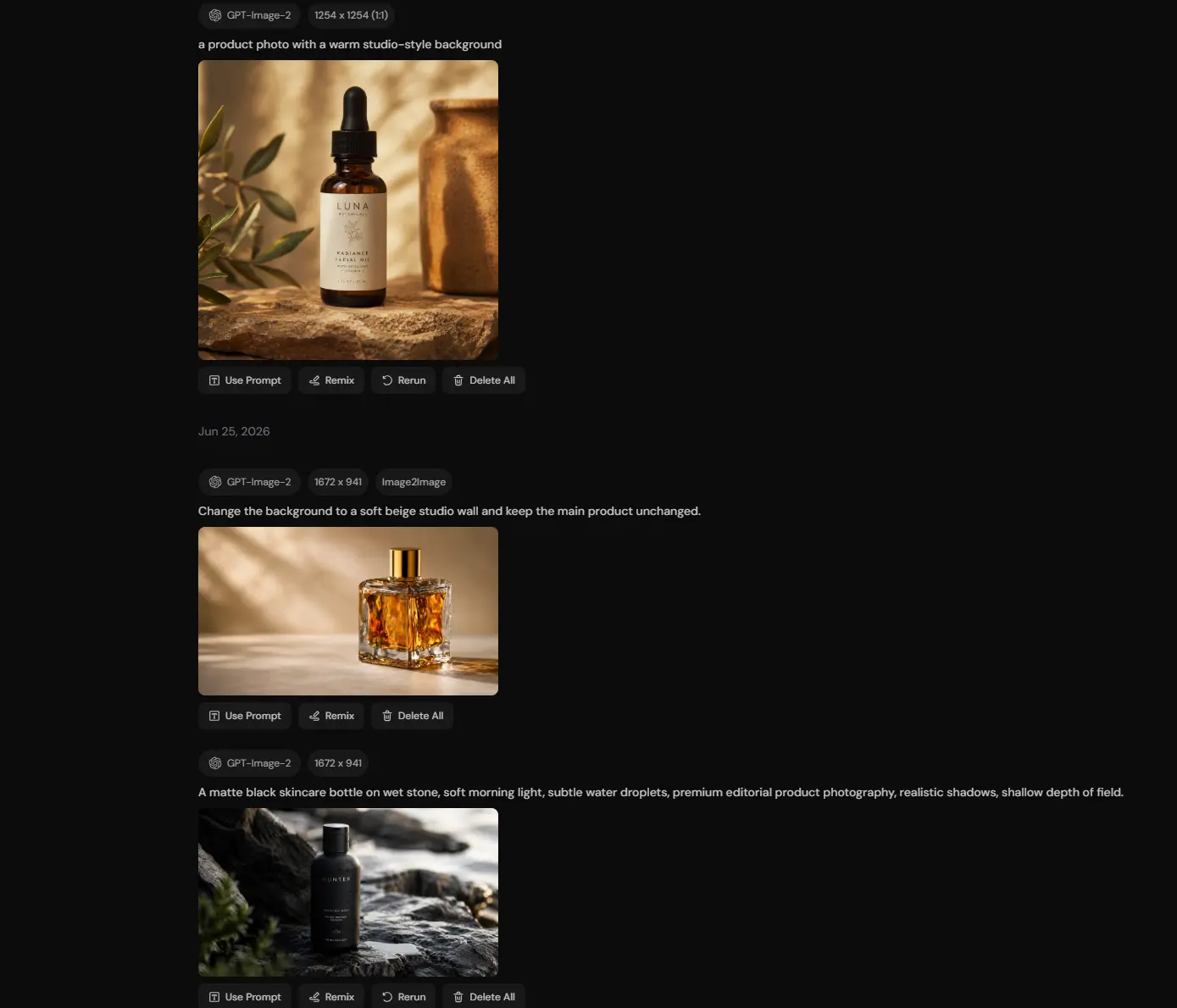
Canva makes more sense when the goal is to turn assets into polished posts, presentations, branded designs, or reusable templates. PicLumen is more relevant when the image or video itself is the main project. Its Canvas gives creators a visual space to organize reference images, generated frames, and connected AI video steps instead of handling each asset in isolation. The two platforms can also work together: PicLumen for image and video exploration, then Canva for final layout and publishing.
Conclusion
Canva AI is not the strongest standalone image generator or the most controllable video tool. Its value comes from the complete workflow. In one project, I could generate a product scene, correct it, turn it into a social design, add a short video, create a logo direction, and prepare the final campaign. The image generator worked best for concepts and backgrounds. The video tool suited short supporting clips. The headshot looked better at small size. The logo tool helped with direction, not final identity. For people who already use Canva to finish designs, its AI tools are a useful extension. For users who want deeper image and video exploration, anime styles, and community discovery, PicLumen is a more natural AI alternative to Canva.Canva helps finish and package the content. PicLumen puts more focus on creating the visual itself.
Frequently Asked Questions
Is Canva AI free?
Canva Free includes access to selected AI-powered tools. Paid plans provide increased usage and access to more advanced features. Exact access depends on the plan and tool.
Is the Canva AI image generator good?
It is useful for backgrounds, illustrations, social visuals, and campaign concepts. It is less reliable when products, text, labels, or small details must be exact.
Is Canva AI good for professional headshots?
The Canva AI headshot generator can produce a cleaner profile image from a clear selfie. It may work for LinkedIn or resumes, but facial structure, skin, eyes, and hair should be checked at full size.
Can Canva AI generate videos?
Yes. Canva can create prompt-based video clips with synchronized audio. The clips can then be edited inside Canva's video workspace.
What is a good AI alternative to Canva?
PicLumen is a relevant alternative for users focused on AI image generation, AI video generation, anime content, creative exploration, and community sharing. Canva is generally stronger for templates, layouts, presentations, and final content assembly.





