Summary: Grok Image 2.0 is xAI's latest image generation and editing model. It puts more emphasis on prompt fidelity, typography, targeted editing, multi-reference workflows, and resizing an existing composition. In our four same-brief tests, it was reliable at preserving required text, objects, and scene structure, while competing models sometimes produced stronger realism or product materials. The API now supports up to five reference images, and current output pricing starts at $0.04 per image.
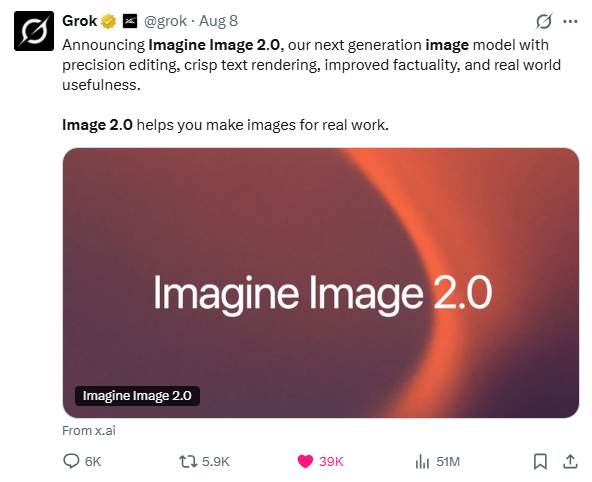
Grok Image 2.0, officially released as Grok Imagine Image 2.0, launched on August 7, 2026 as the new Quality Mode in Grok Imagine. The model is built around practical image work: following detailed briefs, rendering usable text, editing selected areas, combining references, and adapting finished visuals to new formats.
Specifications only tell part of the story, so we also ran four matching briefs through Grok Image 2.0, GPT Image 2, Nano Banana 2, Seedream 5.0 Pro, and Midjourney V8.1. The tests covered illustration, documentary-style photography, poster typography, and commercial product photography.
What Is Grok Imagine Image 2.0?
Grok Image 2.0 is xAI's current image generation and editing model. It is available as Quality Mode in Grok Imagine and through the grok-imagine-image-2.0 API. xAI positions the model around closer instruction following, design and typography, precise editing, multi-reference workflows, and Smart Resize.
Item | Grok Imagine Image 2.0 |
Developer | xAI / SpaceXAI |
Release date | August 7, 2026 |
API model | grok-imagine-image-2.0 |
Input | Text, image |
Output | Image |
Resolution | 1K / 2K |
Image editing | Yes |
Multi-reference editing | Up to 5 images |
Smart Resize | Yes |
Arena Text-to-Image rank(Aug 26, 2026) | #3 |
Arena Image Edit rank (Aug 26, 2026) | #2 |
September 2026 update: xAI increased the API editing limit from three source images to five on August 28. The same update added auto quality and the 21:9 and 5:2 aspect ratios. Auto currently maps generation to Low quality and editing to Medium quality.
One limit depends on the interface. Grok's consumer workflow supports up to five images for multi-reference editing; the current xAI API accepts up to three reference images per edit request.
Quick Take: Is Grok Image 2.0 Good?
Based on our tests, Grok Image 2.0 is most convincing when a brief contains details that need to survive the generation process: exact copy, specified props, defined subject placement, or a fixed scene structure. It was less convincing than GPT Image 2 in some realism and product-material tests, but it generally followed explicit instructions closely.
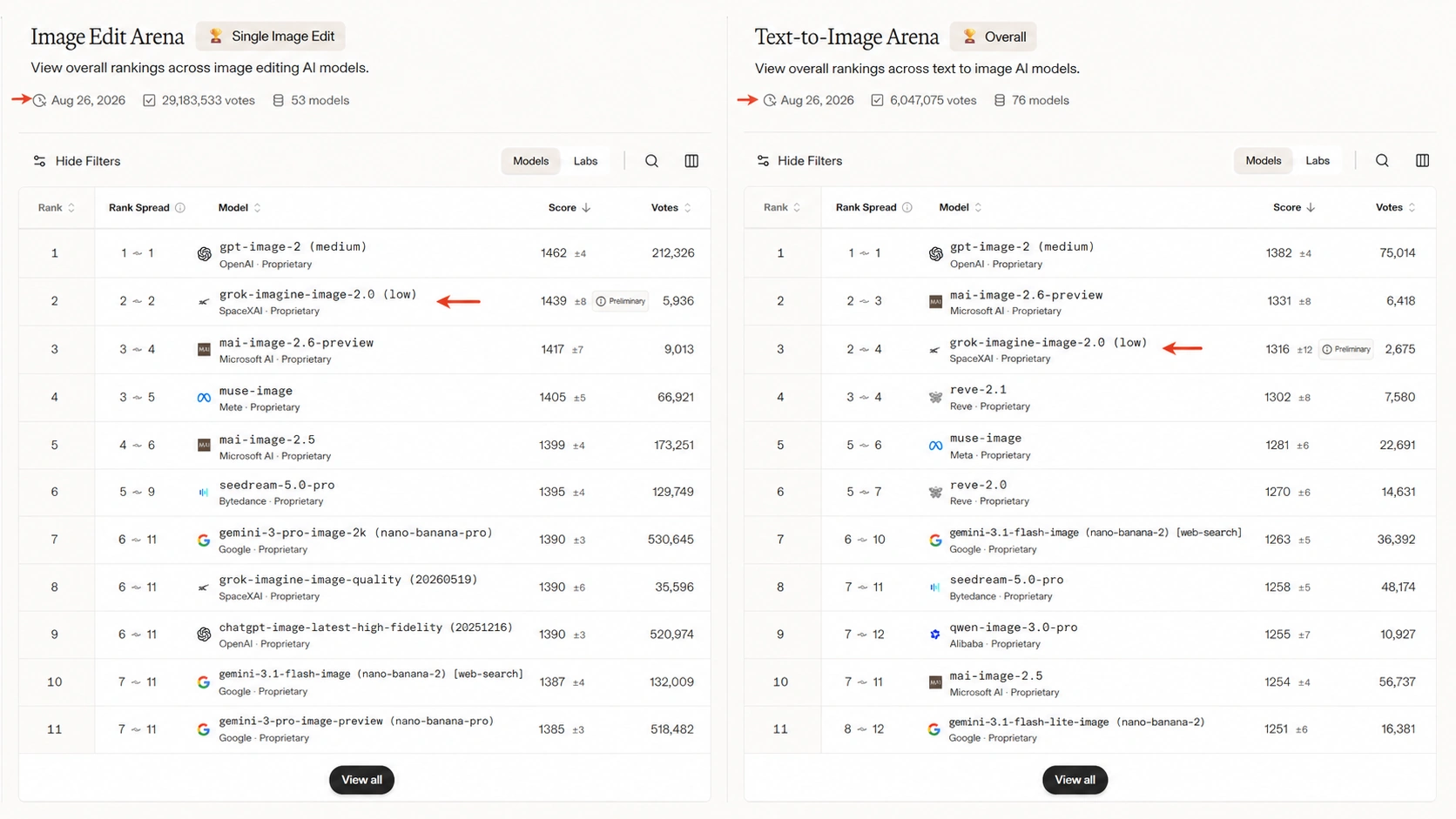
Original ranking screenshot from the first version of this review. Treat it as a dated snapshot rather than a permanent benchmark.
What's New in Grok Image 2.0?
Better Control Over Detailed Prompts
Long prompts often fail in small but important places: a required object disappears, the subject shifts, or a piece of text changes. Grok Image 2.0 is designed to preserve more of those constraints. That tendency also showed up in our tests, where Grok usually kept the requested objects and scene relationships in place even when another model produced a more polished final image.
Edit Specific Parts of an Image
Grok Image 2.0 adds workflows for changing selected areas without rebuilding the whole image. Magic Wand editing targets a chosen region, segmentation helps isolate specific elements, and background removal can separate a subject for reuse elsewhere.
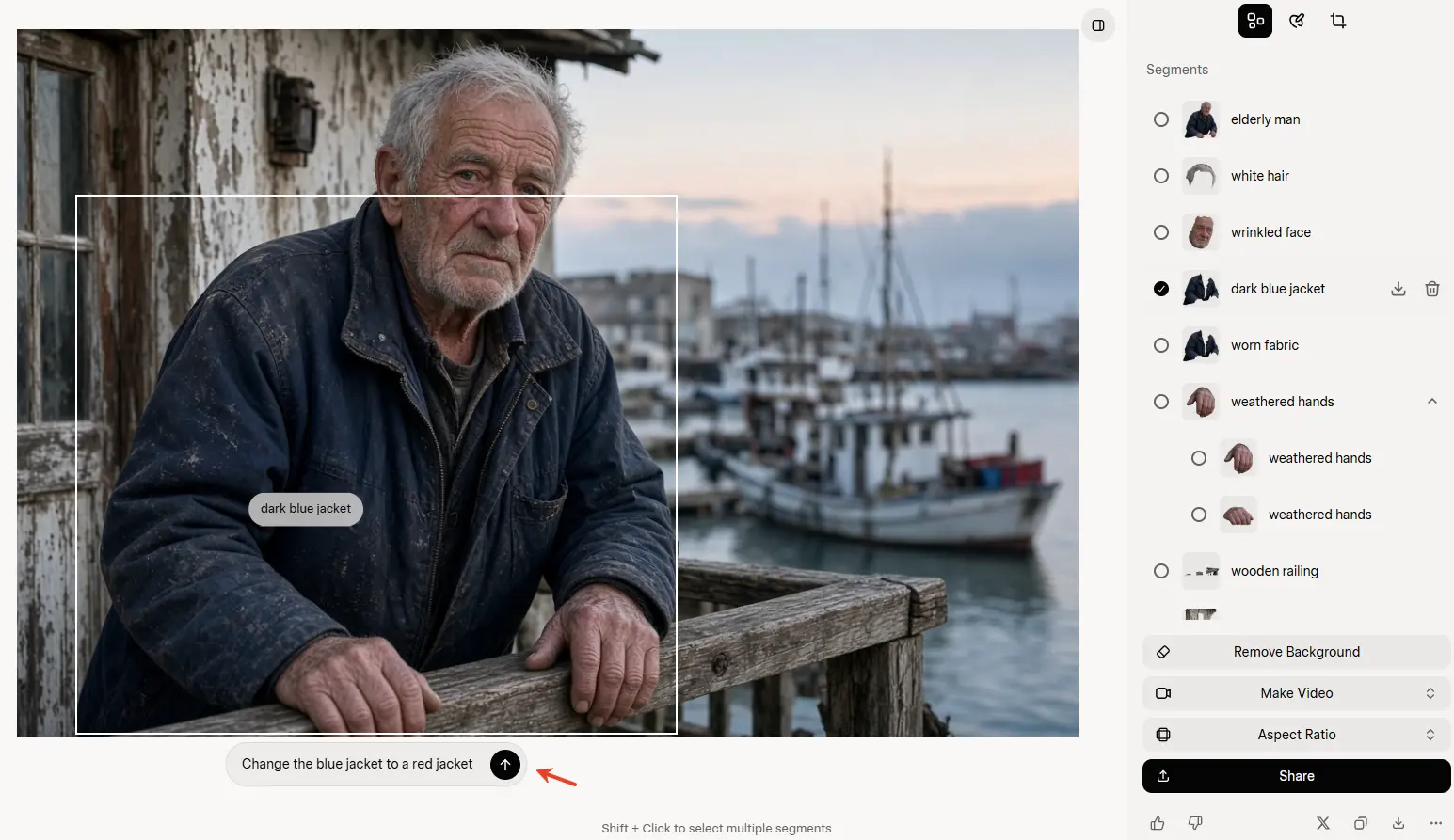
Regional selection before the edit.
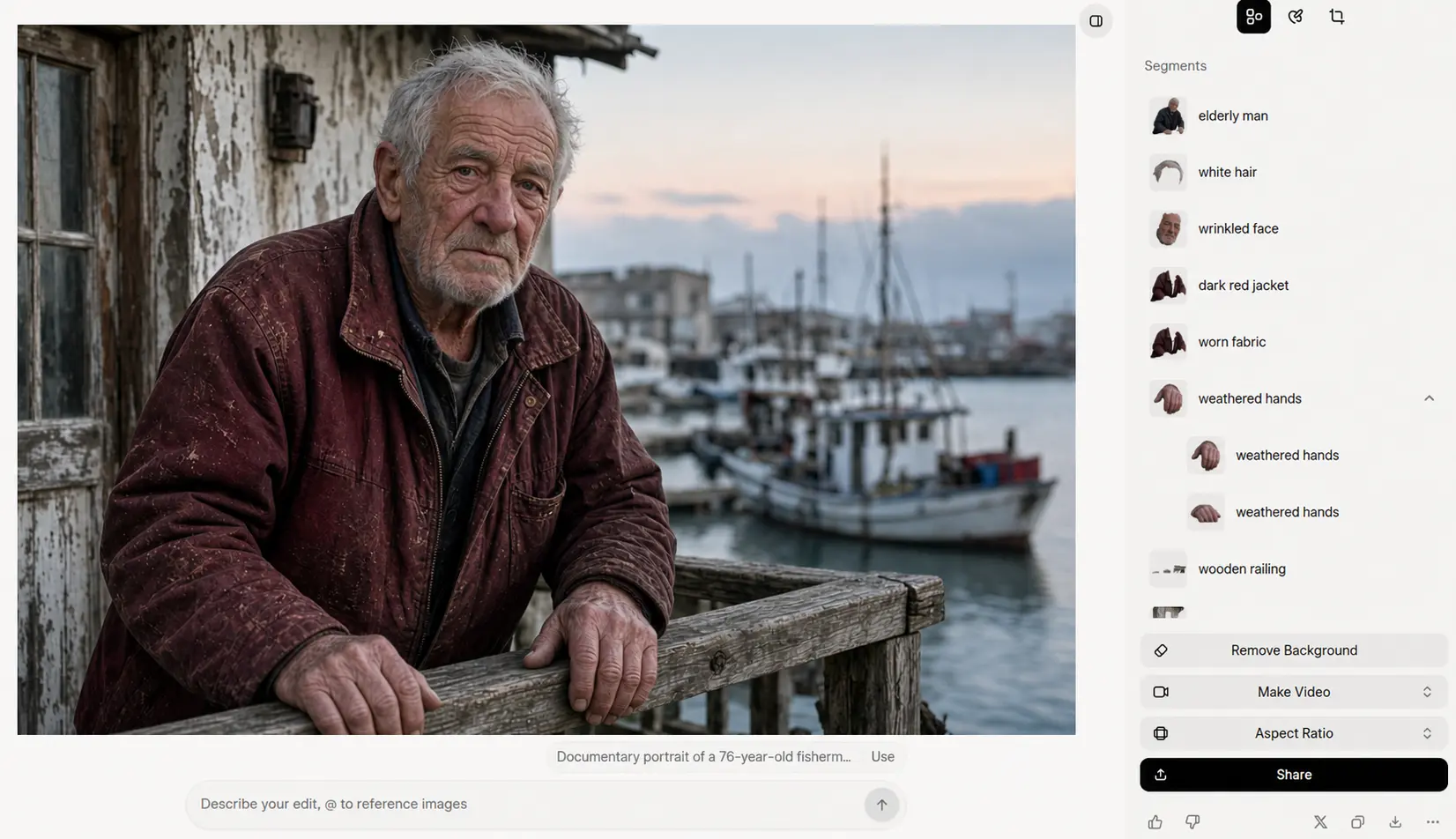
The edited jacket while the rest of the scene stays largely intact.
Use Up to Five Reference Images
Multi-reference editing lets several source images contribute different parts of the final result. One image can define a person, another can provide clothing, and another can establish the environment. The current Grok Image 2.0 API accepts up to five source images per edit request.
Generate More Reliable Text and Layouts
Text generation matters most when the copy remains readable and fits the intended hierarchy. Grok Image 2.0 puts greater emphasis on typography, small text, layout structure, and multi-part visual briefs. In our poster test, it reproduced the required text correctly and kept the key layout constraints intact.
Resize Beyond the Original Frame
Smart Resize can extend the scene and reorganize the composition when an image is converted to a new aspect ratio. That is more useful than a simple crop when the same visual needs to become a feed post, vertical Story, landscape creative, or banner.
Grok Image 2.0 vs. Other AI Image Models: Four Real Tests
The same core brief was used across Grok Image 2.0, GPT Image 2, Nano Banana 2, Seedream 5.0 Pro, and Midjourney V8.1. We did not add model-specific rewriting before generation.
Test 1: Myth Illustration and Composition
This prompt tests character relationships, negative space, style control, and whether the model keeps a very specific composition intact.
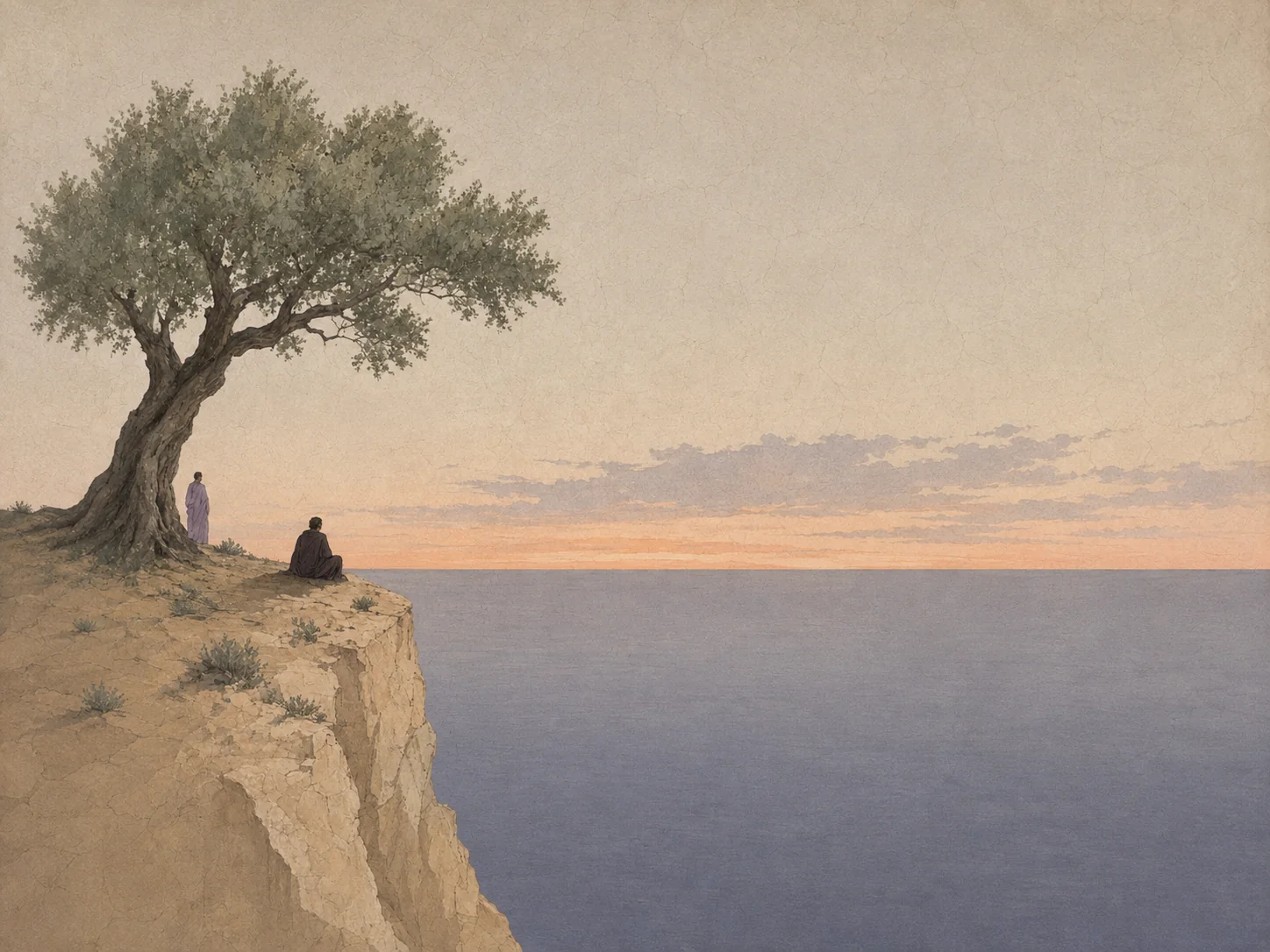
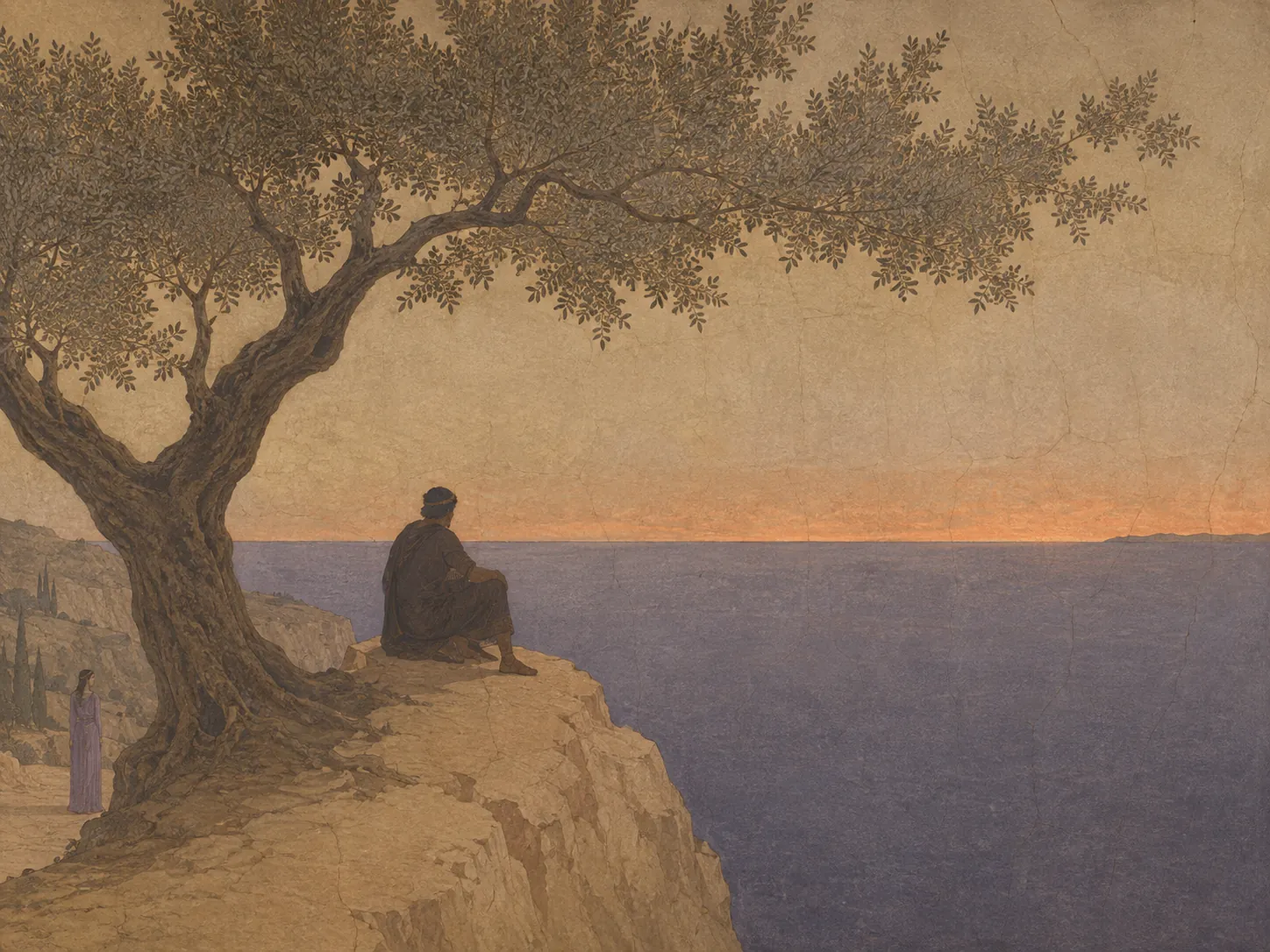
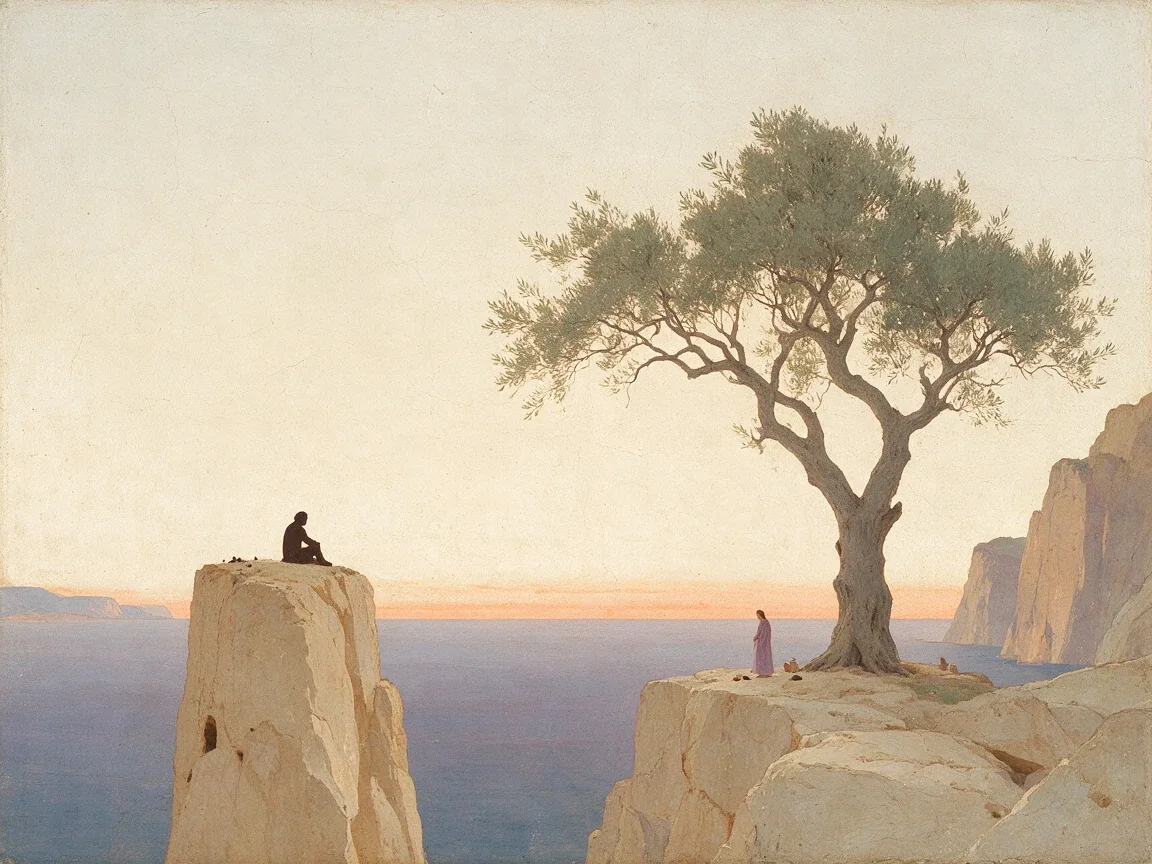
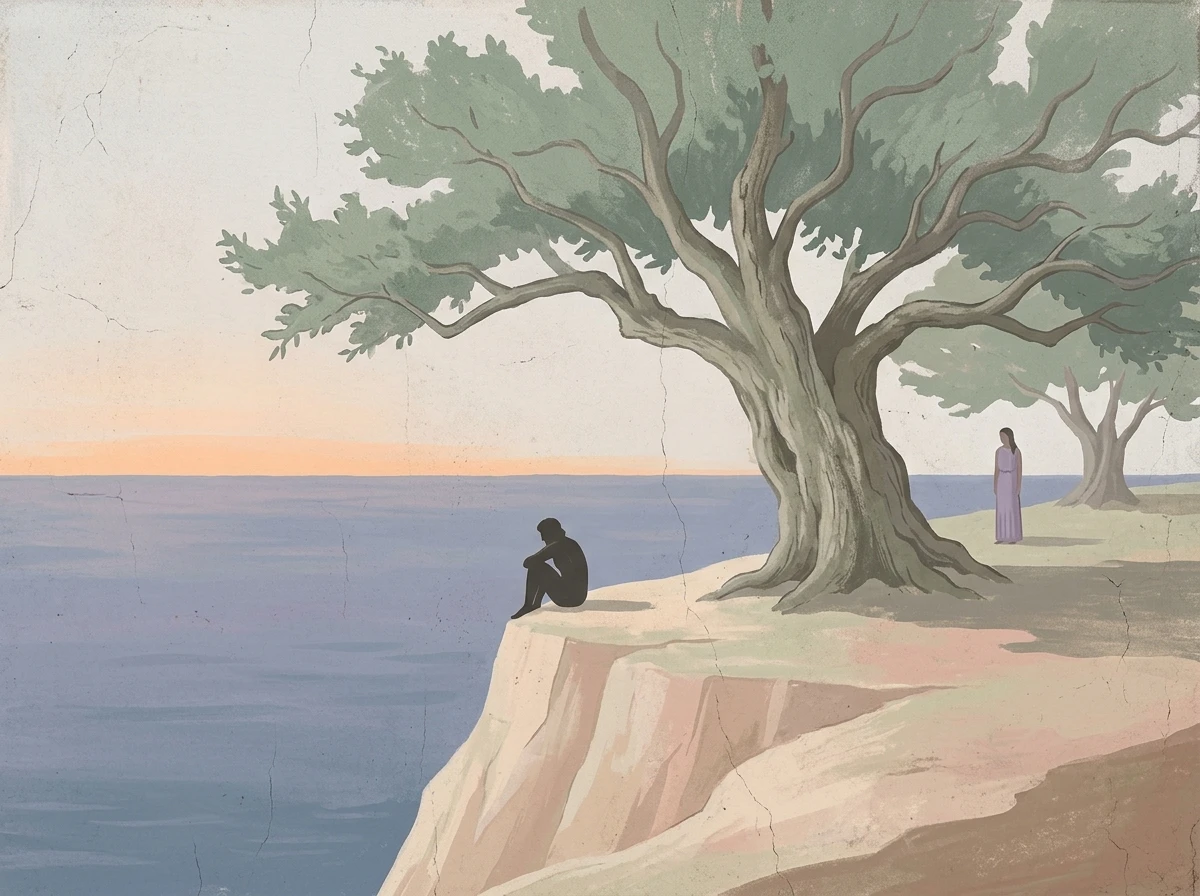
Prompt: A restrained Mediterranean myth scene with Odysseus sitting small on a pale cliff, Calypso standing farther back beneath an old olive tree, a calm sea, muted fresco-like color, and large areas of negative space. The test stresses scale, character relationships, atmosphere, and composition control.
Grok Imagine Image 2.0 | GPT Image 2.0 |
 |  |
Seedream 5.0 Pro | Nano Banana 2 |
 |  |
Midjourney V8.1 | |
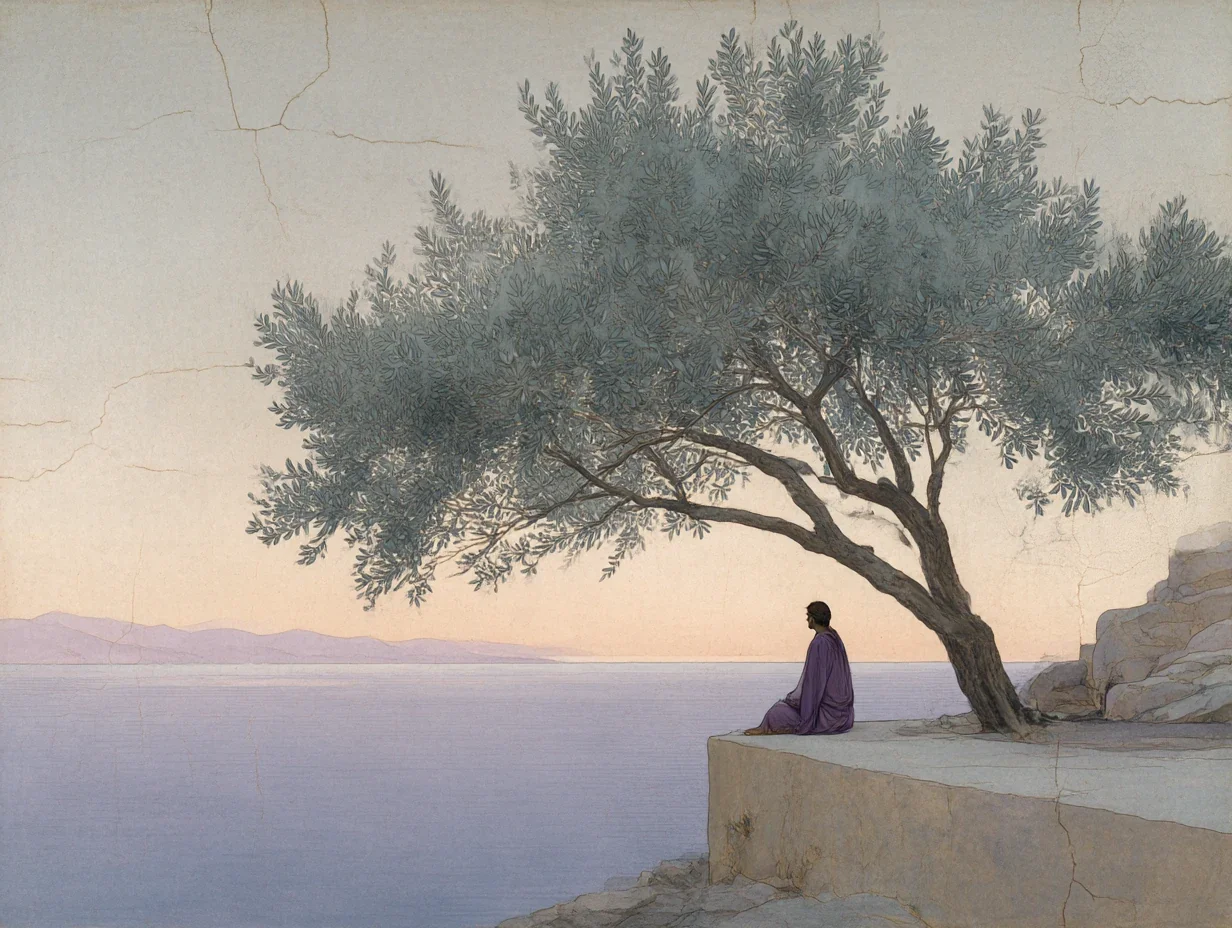 |
Seedream makes the strongest use of scale and empty space, but it also changes the relationship between the characters and the tree. GPT Image 2 gives the surface a convincing fresco feel, although Odysseus becomes too prominent. Grok keeps the requested character relationship more intact, but the tree canopy makes the frame busier than the brief called for. Nano Banana simplifies the scene effectively, while Midjourney captures the mood but preserves the two character roles less clearly.
Test 2: Documentary Photography
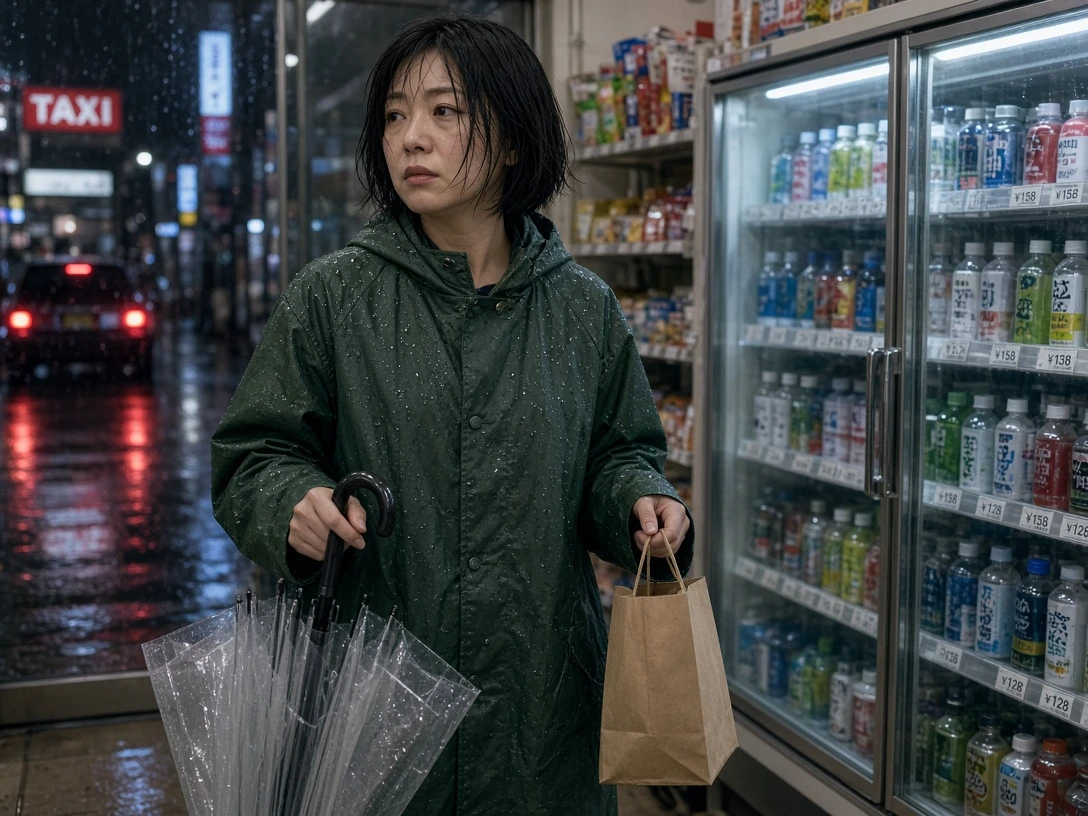
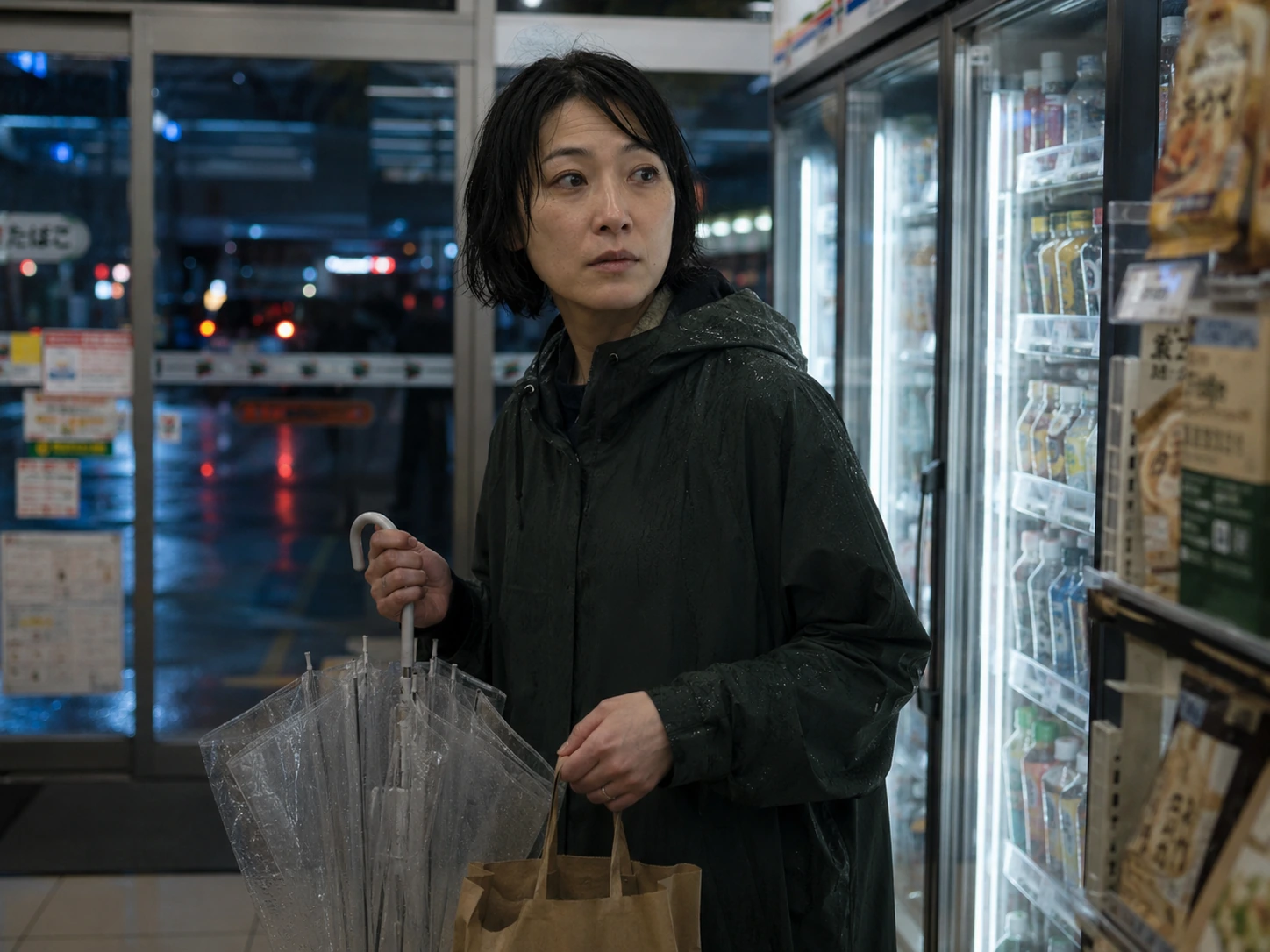
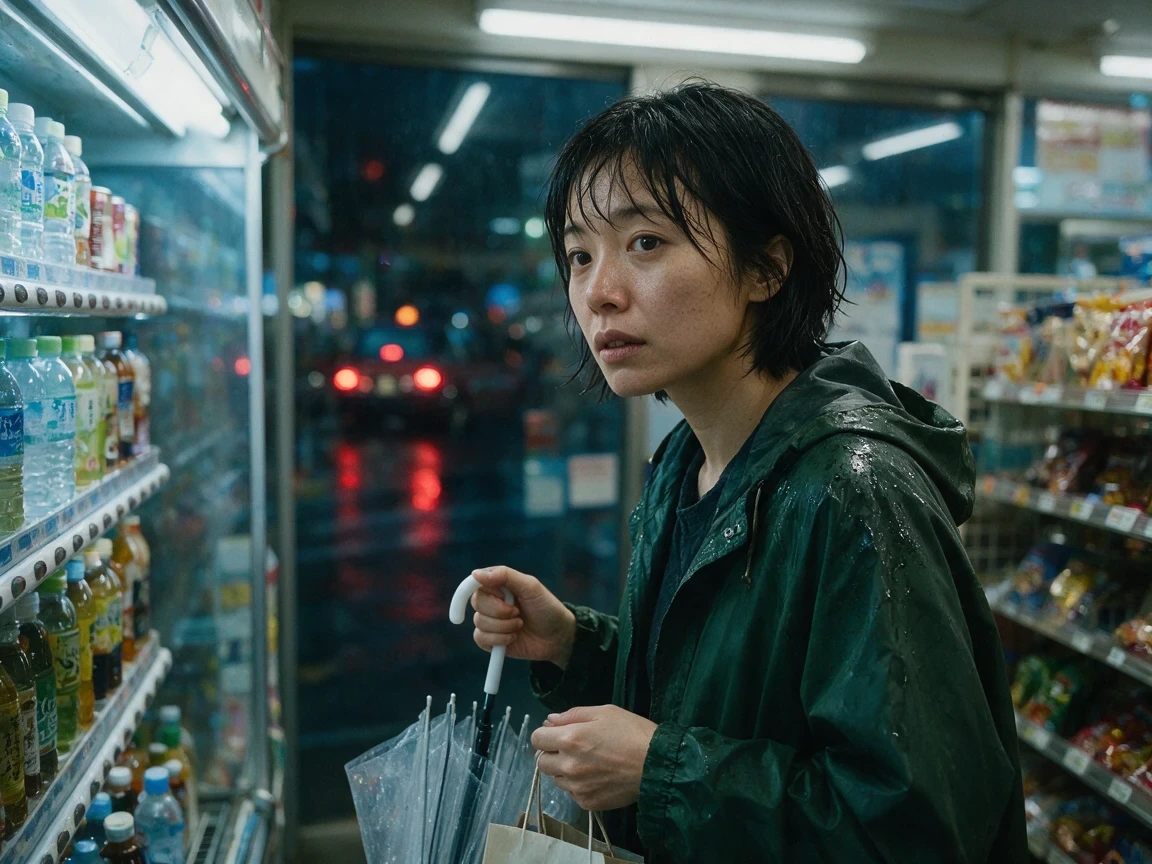
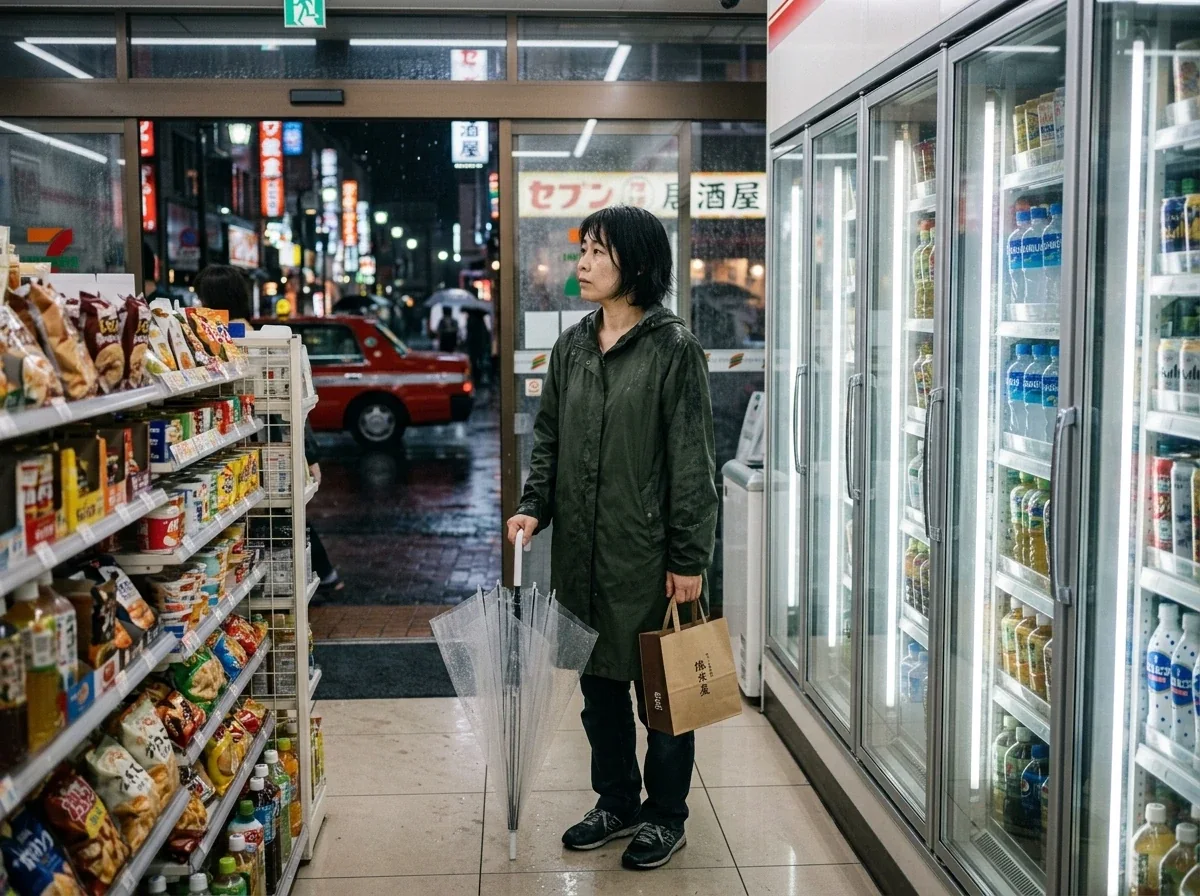
Prompt: A woman in her early thirties inside a Tokyo convenience store after heavy rain, with damp hair, a dark green raincoat, transparent umbrella, paper bag, natural skin texture, fluorescent interior light, wet-street reflections, and an ordinary documentary feel rather than a beauty or fashion look.
Grok Imagine Image 2.0 | GPT Image 2.0 |
|---|---|
 |  |
Seedream 5.0 Pro | Nano Banana 2 |
 |  |
Midjourney V8.1 | |
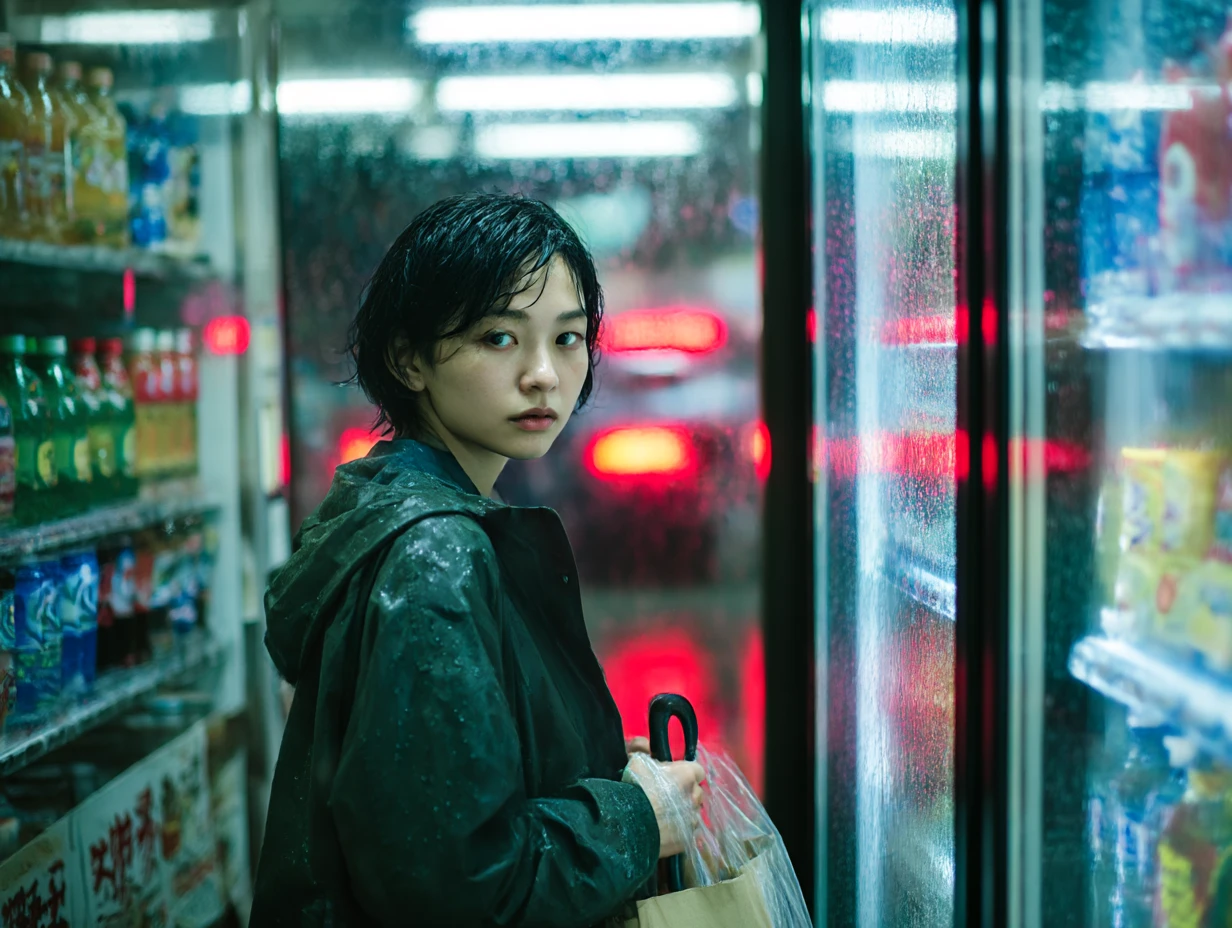 |
GPT Image 2 gives the most convincing person in this set, with believable age, skin texture, damp hair, and a less polished expression. Grok follows most of the explicit details, although the folded umbrella becomes messy. Nano Banana builds a more complete environment but moves away from the requested shallow-depth documentary look. Seedream and Midjourney both push the image toward a more cinematic, styled result.
Test 3: Typography and Poster Design
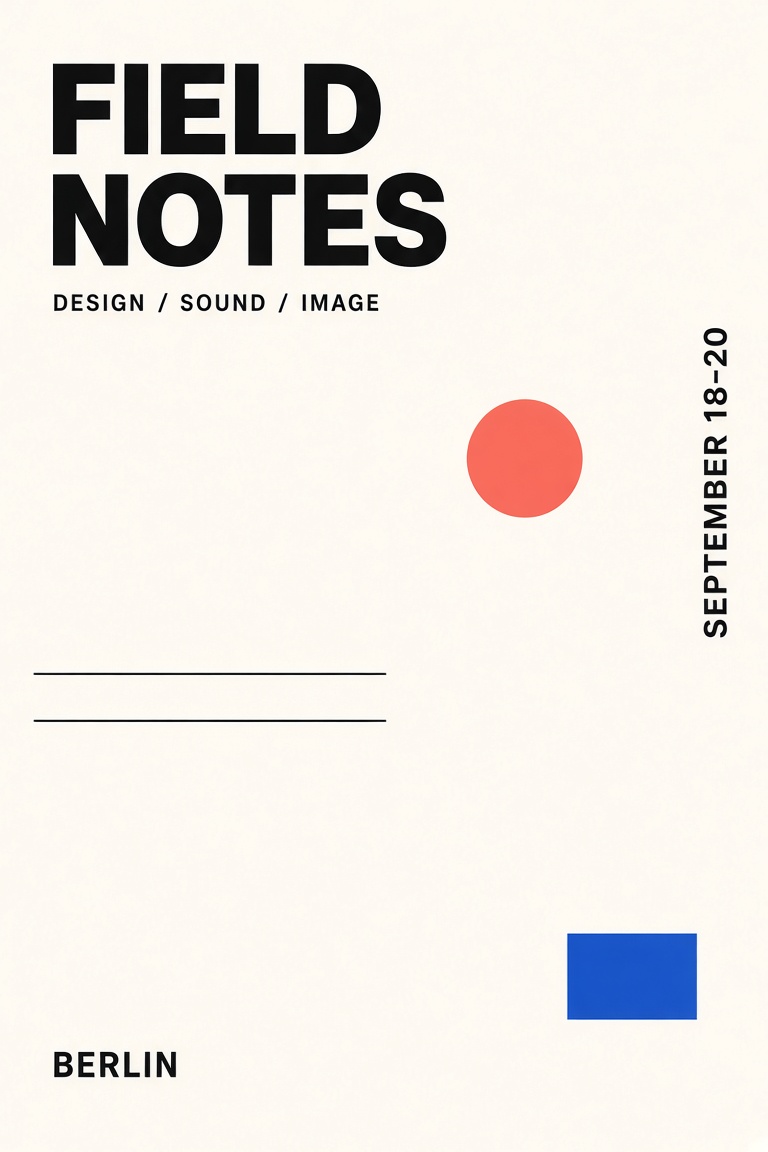
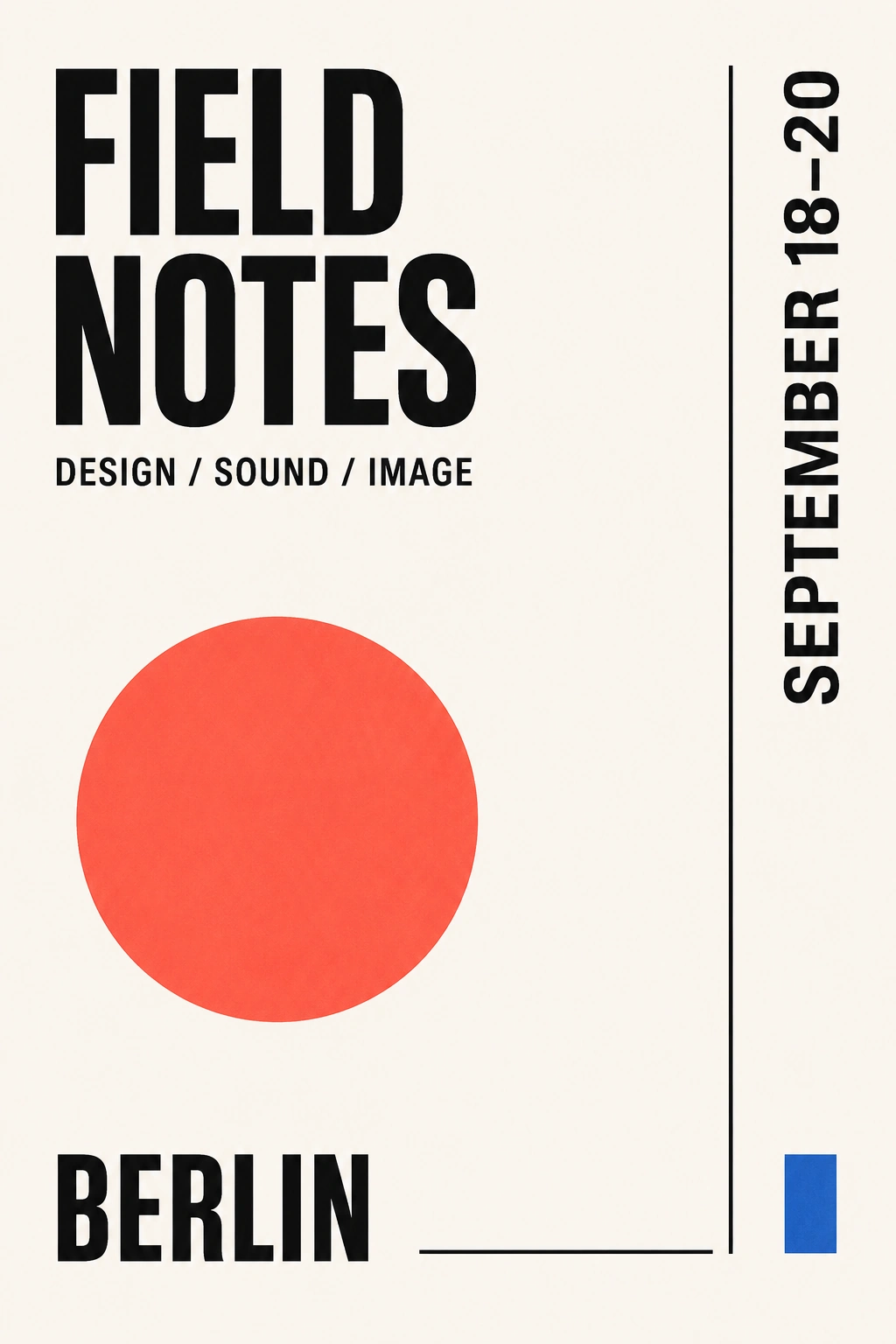
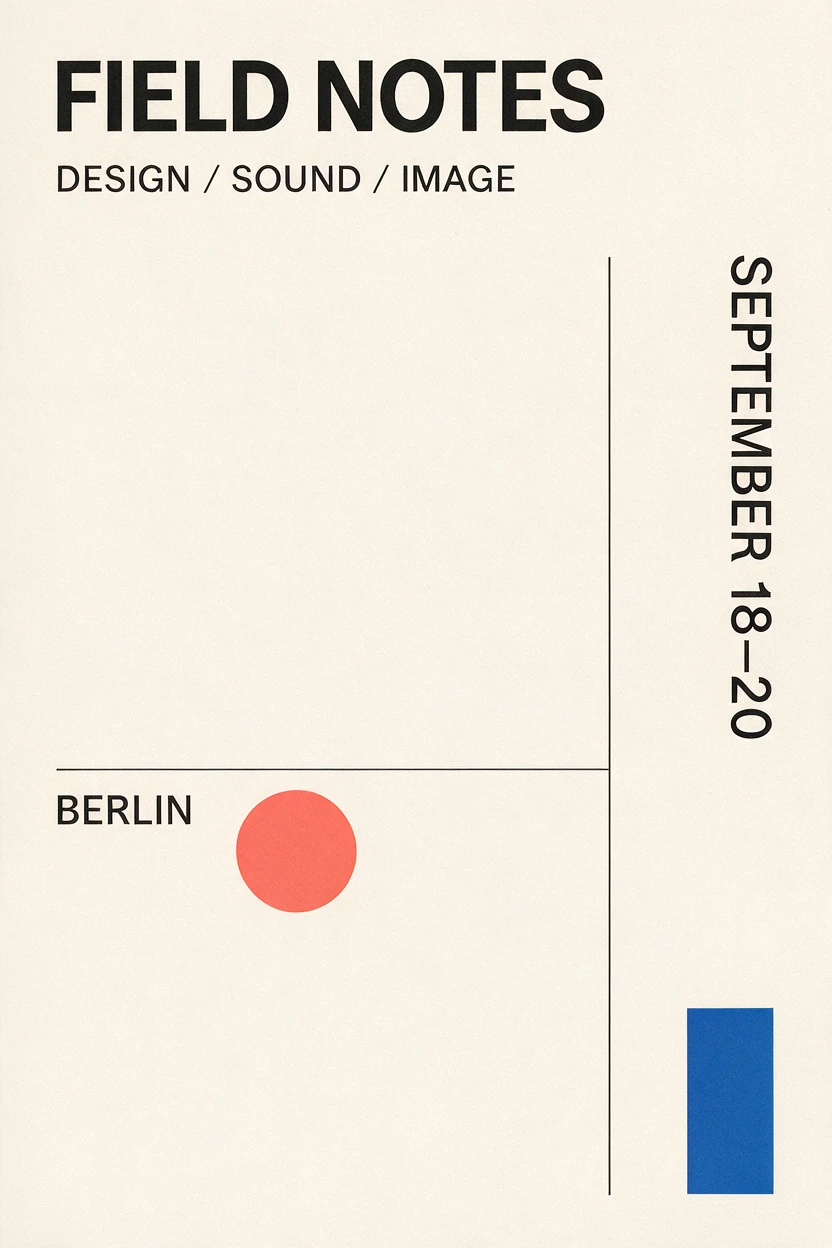
Prompt: A minimalist Berlin cultural poster with only four required text elements — FIELD NOTES, DESIGN / SOUND / IMAGE, SEPTEMBER 18–20, and BERLIN — plus an off-white field, a strict grid, one coral circle, thin black lines, and a small cobalt rectangle.
Grok Imagine Image 2.0 | GPT Image 2.0 | Seedream 5.0 Pro |
|---|---|---|
 |  |  |
Nano Banana 2 | Midjourney V8.1 | |
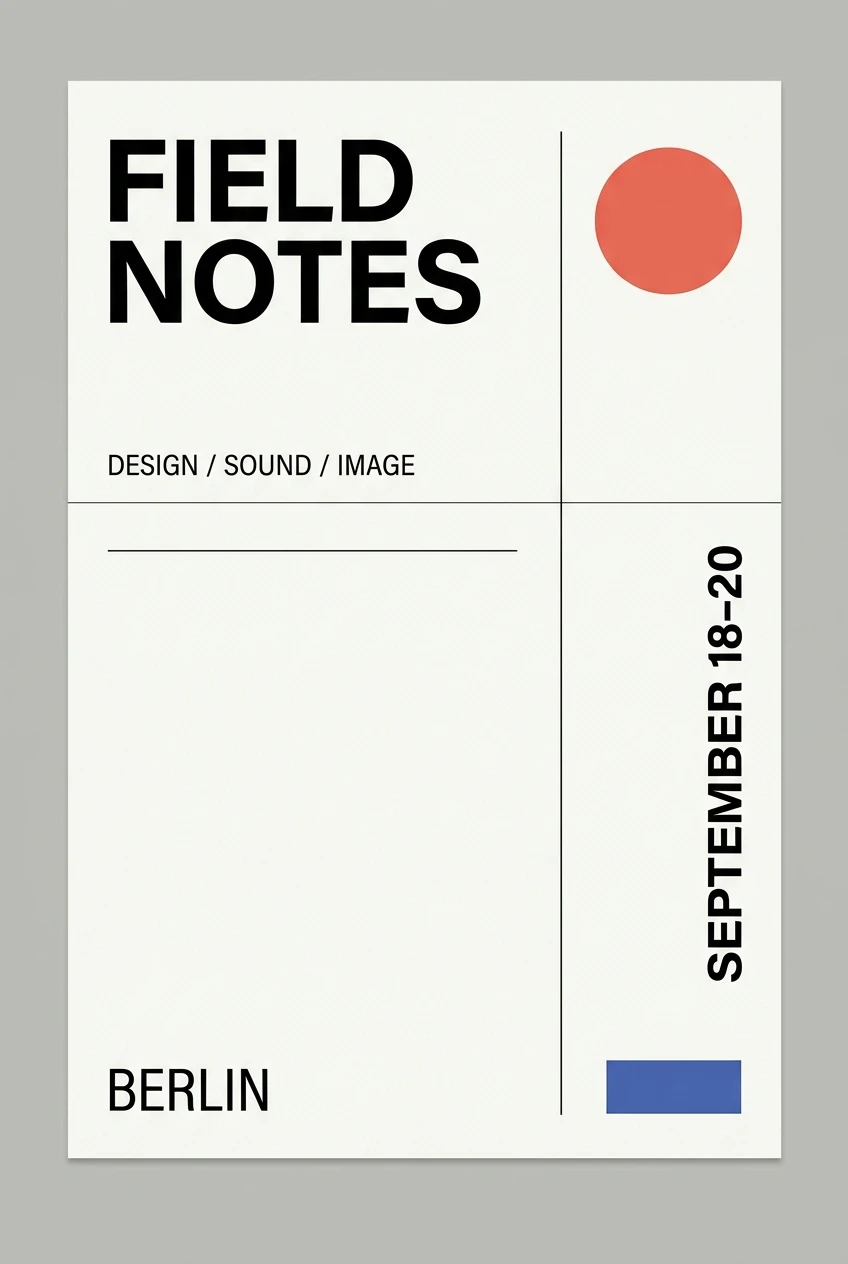 | 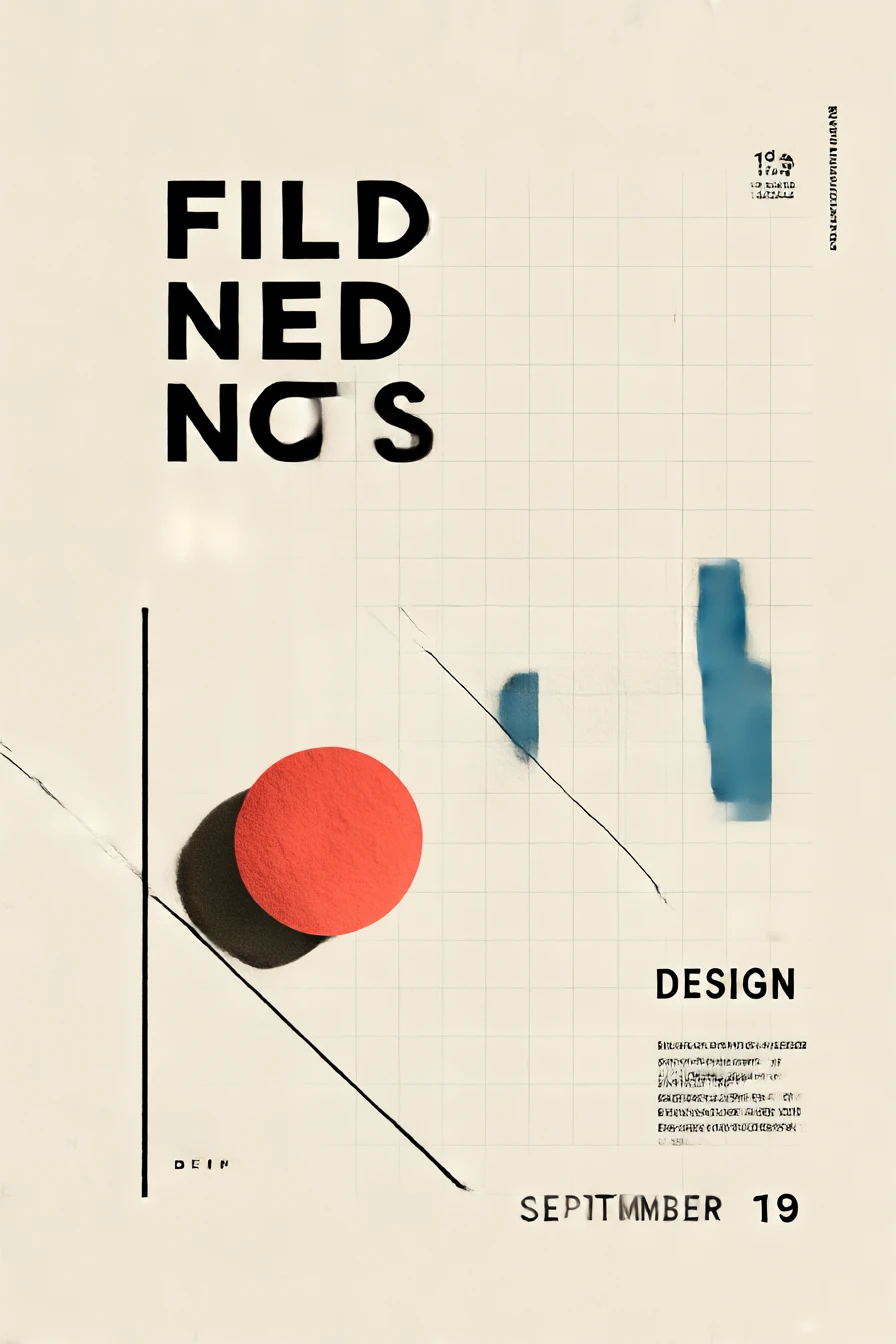 |
Grok, GPT Image 2, Seedream, and Nano Banana reproduce the required copy correctly. GPT gives the cleanest match to the full brief, while Grok keeps both the copy and graphic elements under control. Seedream uses negative space well but takes more freedom with the title arrangement. Nano Banana adds more line structure than requested. Midjourney misses the core typography requirement and introduces incorrect text.
Test 4: Commercial Product Photography
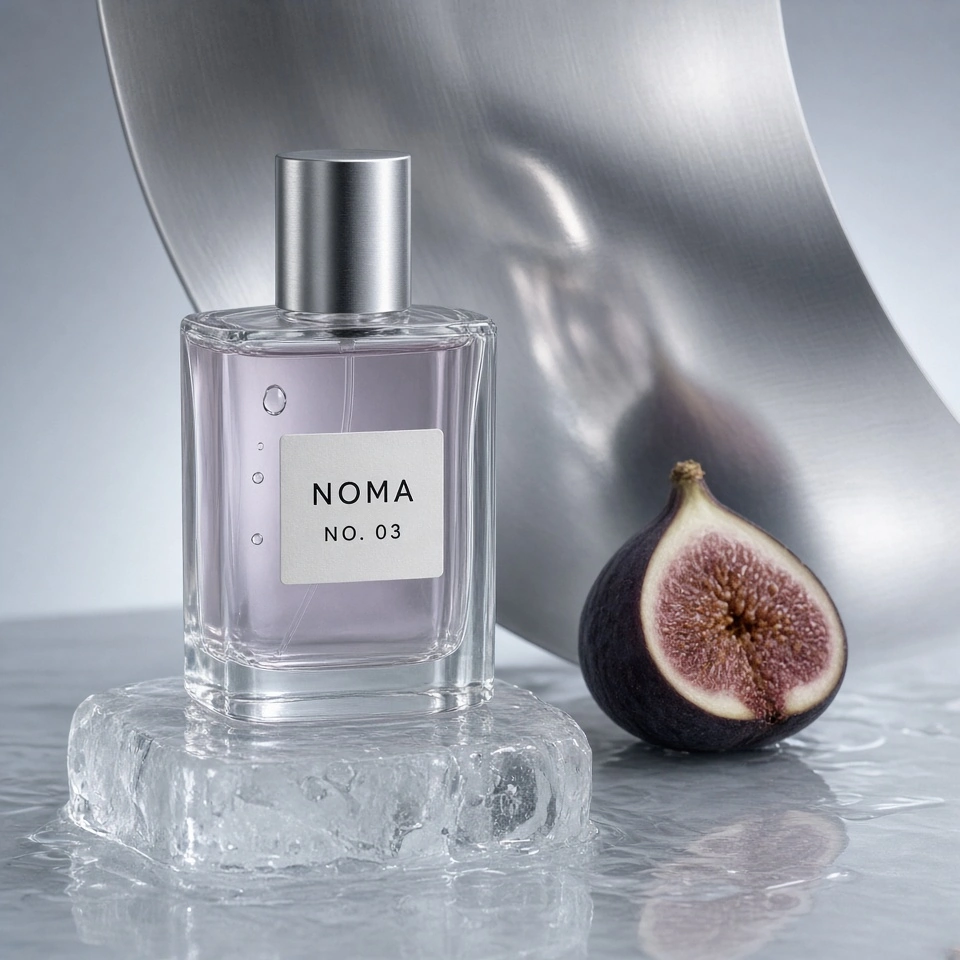
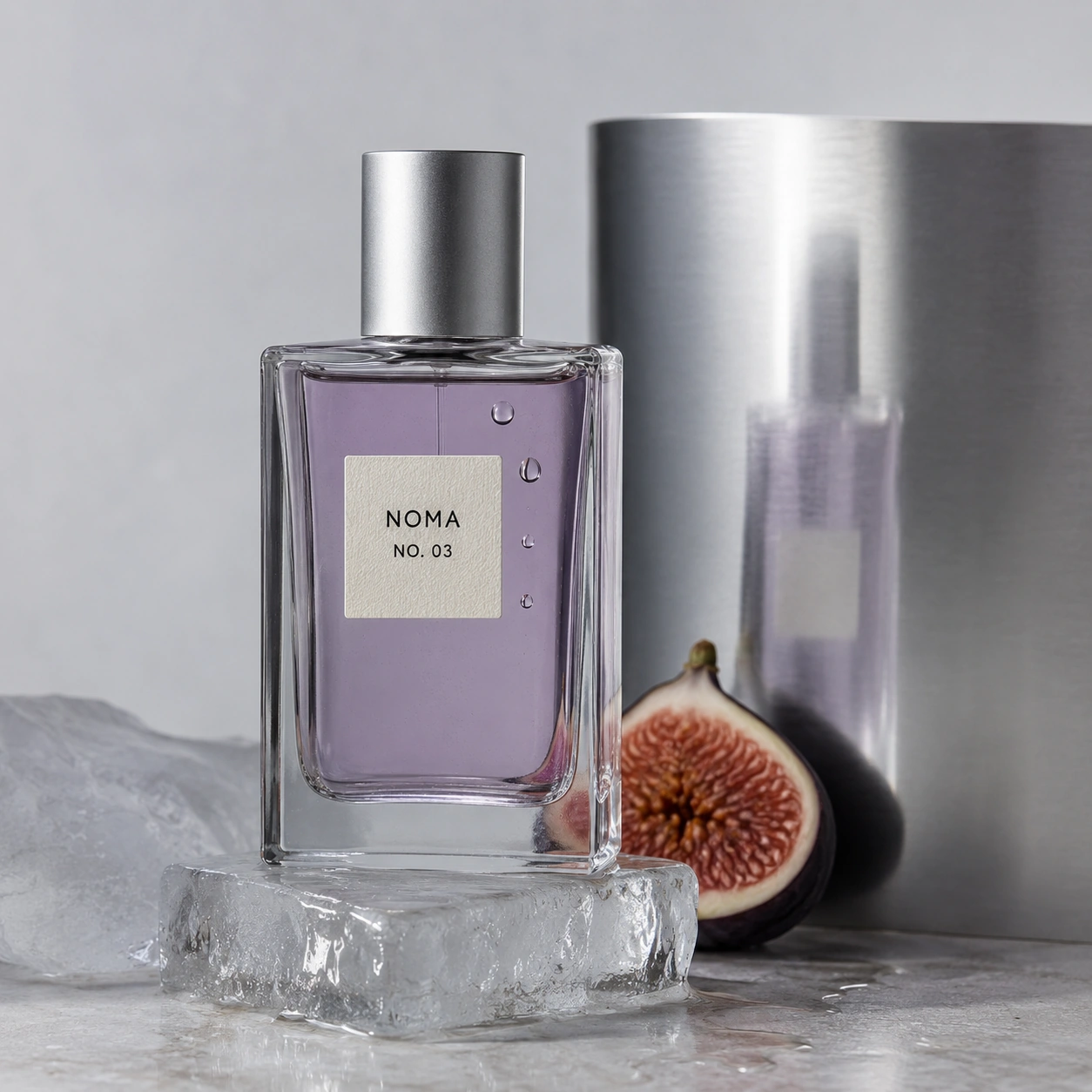
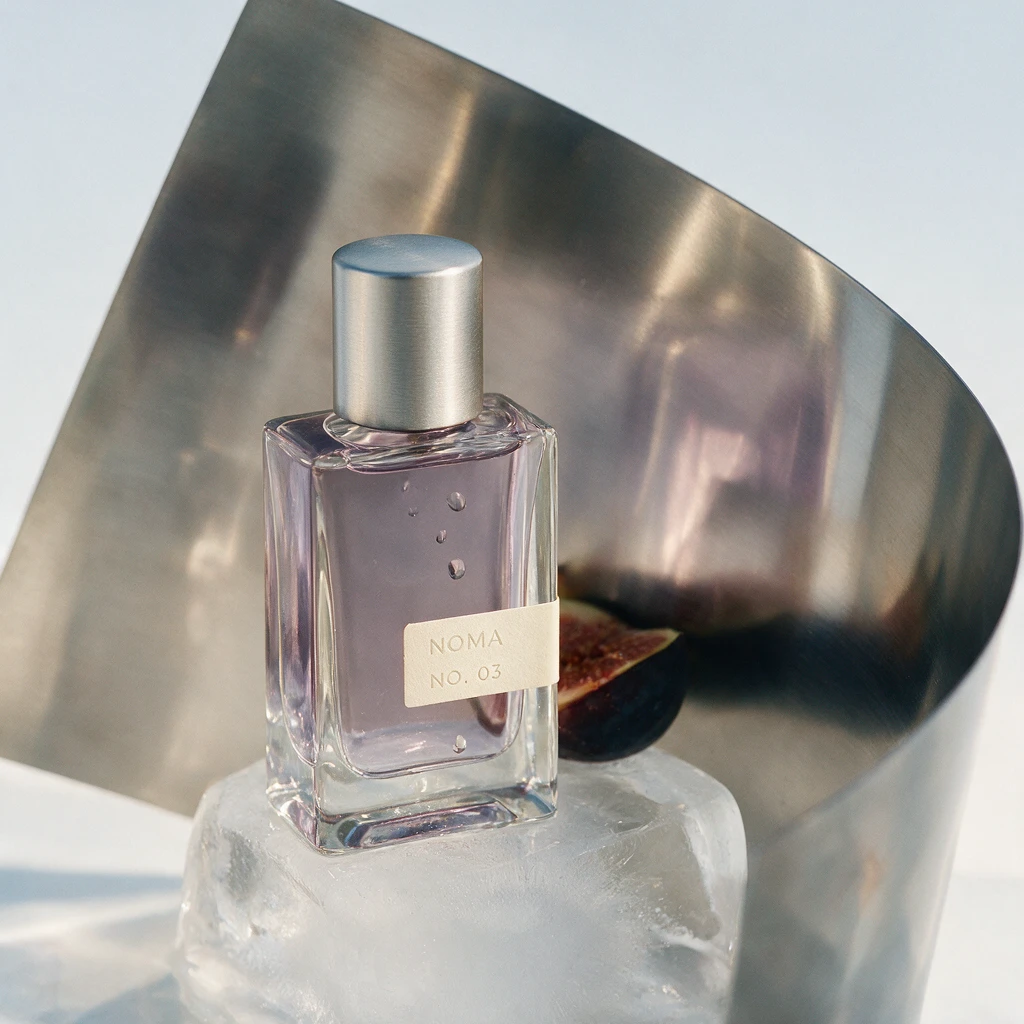
Prompt: A cool studio campaign image for a fictional NOMA NO. 03 fragrance: a clear rectangular bottle with smoky-lilac liquid, an ivory label, three droplets, melting ice, half a dark-purple fig, and brushed stainless steel with believable reflection and refraction.
Grok Imagine Image 2.0 | GPT Image 2.0 | Seedream 5.0 Pro |
|---|---|---|
 |  |  |
Nano Banana 2 | Midjourney V8.1 | |
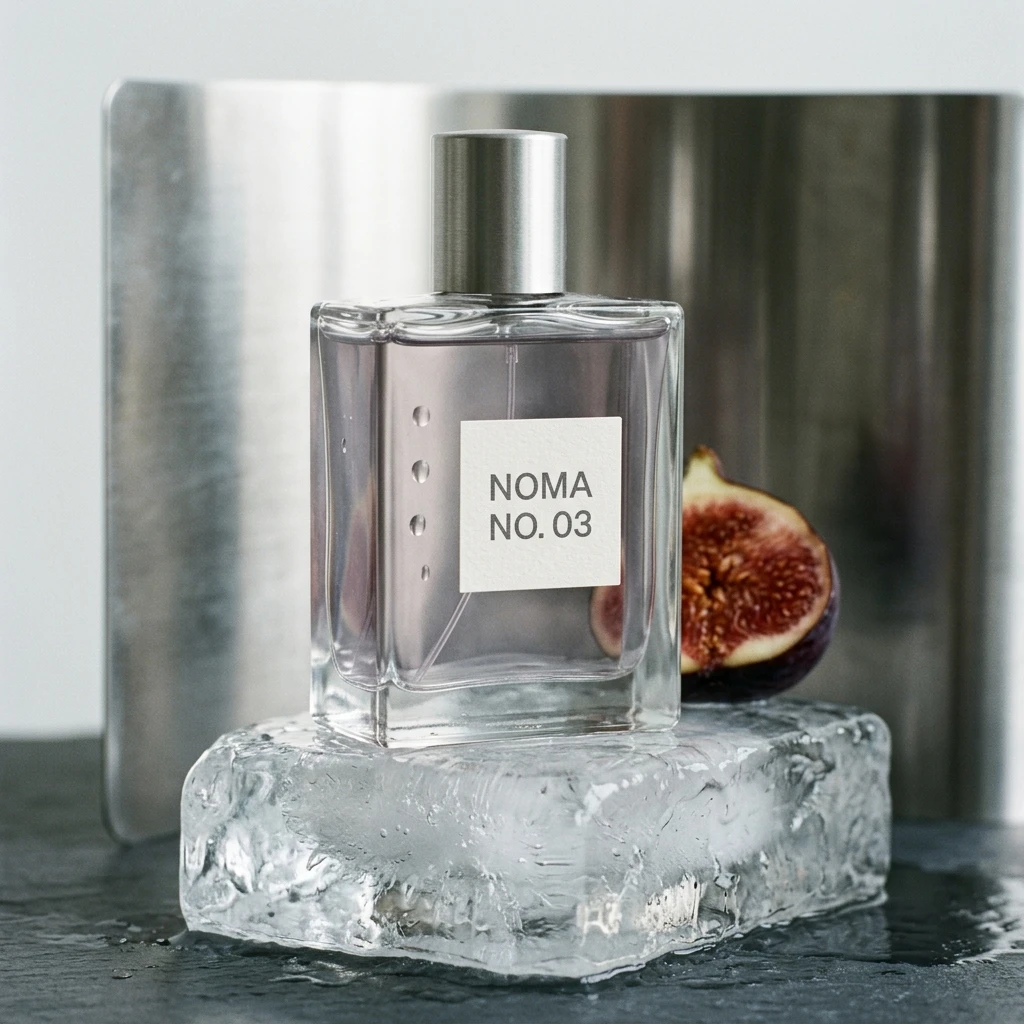 | 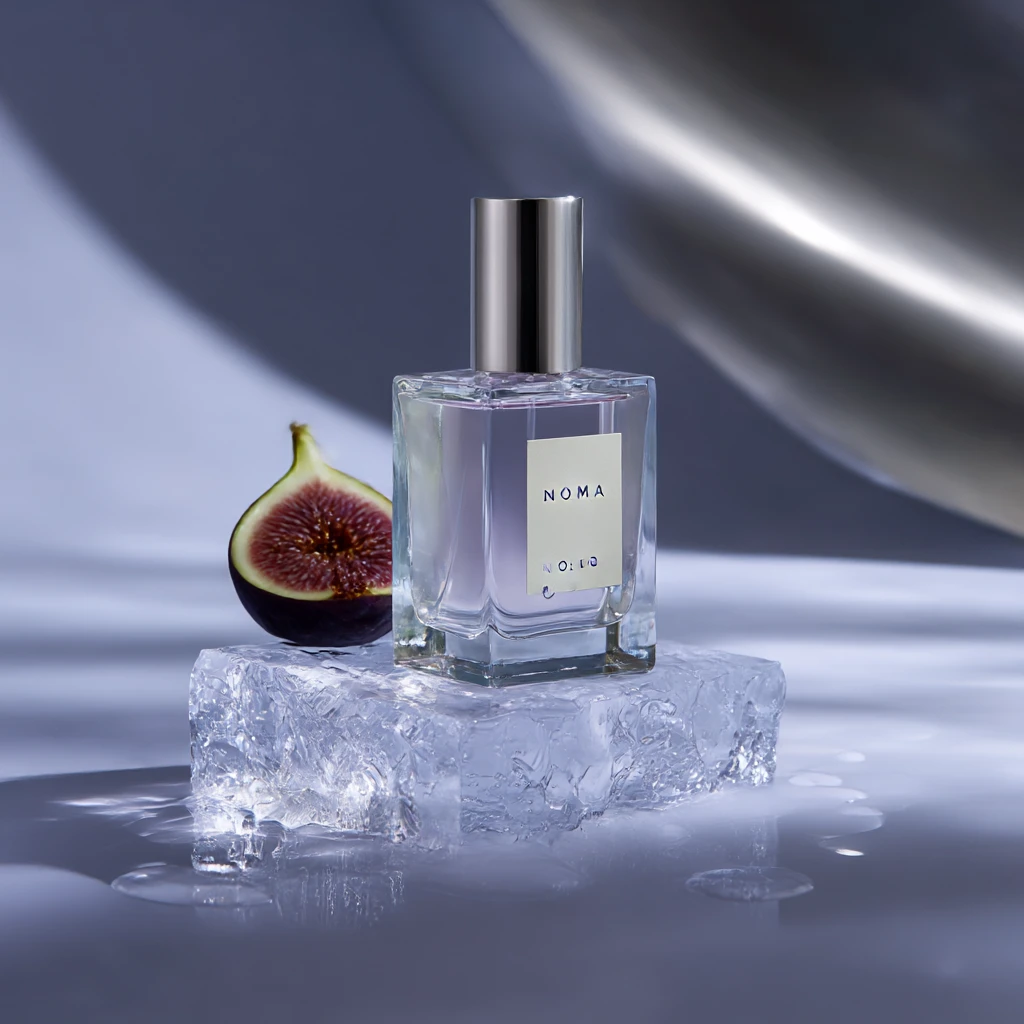 |
GPT Image 2 gives the strongest material rendering in this test. Glass thickness, liquid, melting ice, and metal reflection feel more physically connected. Grok keeps the bottle structure and label accurate, but the reflection is weaker and the droplets look more deliberately placed. Nano Banana covers the main brief without a major error, while Seedream shifts toward a more polished luxury-ad look. Midjourney changes more of the requested product details.
What the Four Tests Show
Model | What stood out in these tests |
GPT Image 2 | Most consistent overall; strong human realism, typography, layout, and product materials |
Grok Imagine Image 2.0 | Reliable with fixed text, required objects, and scene structure |
Nano Banana 2 | Good environmental context and dependable text handling |
Seedream 5.0 Pro | Strong composition and visual finish; more willing to reinterpret the brief |
Midjourney V8.1 | Strong style and mood; weaker exact text and strict constraint control |
The four tests point to a consistent pattern: Grok Image 2.0 is good at preserving explicit requirements, particularly fixed text, required objects, and basic scene structure. GPT Image 2 produced stronger results in several realism and product-material cases, while Seedream made stronger compositional choices in some prompts and Nano Banana handled environmental context well.
Grok's advantage is therefore less about producing the most polished image in every category and more about staying close to what the brief explicitly asks for.
Grok Image 2.0 Pros and Cons
Pros
Strong handling of fixed text and explicit prompt requirements in our tests
Up to five reference images for multi-image editing
Regional editing, segmentation, and background-removal workflows
Smart Resize for adapting an existing composition to new formats
Good typography and structured-layout performance in our poster test
1K, 1.5K, and 2K API pricing tiers
Cons
Did not produce the strongest human-realism result in our test set
Product reflections and material rendering were less convincing than GPT Image 2 in our perfume test
Some controlled prompts still produced denser compositions than requested
Image 2.0 API pricing starts above the earlier Grok Imagine image model
Who Is It Best For?
Grok Image 2.0 makes the most sense when the brief contains details that need to survive generation: exact copy, specified props, character placement, product elements, or controlled edits.
Designers, marketers, ecommerce teams, and users who revise images repeatedly are the clearest fit. Projects driven mainly by a particular photographic finish or freer art direction may favor another model.
Grok Imagine Image 2.0 API Pricing
xAI charges according to resolution and quality. Image inputs used for editing cost $0.01 each.
Output | Price |
1K Low | $0.04 |
2K Low | $0.06 |
1K Medium | $0.06 |
2K Medium | $0.08 |
Image input | $0.01 |
The API also supports Auto quality. When quality is omitted, Auto currently serves Low for generation and Medium for editing, with billing based on the quality used.
Where Can You Use Grok Imagine Image 2.0?
You can use Grok Imagine Image 2.0 directly on the Grok website. PicLumen is also preparing to integrate the Image 2.0 API, so the model will be available on the platform once the connection is complete.
PicLumen brings a wide range of image and video models into one workspace. For image generation, users can switch between GPT Image 2, Nano Banana 2, Seedream 5.0 Pro, and earlier Grok models. Video options include Seedance 2.5, Wan 3.0, Kling 3.0, Veo 3.1, Sora 2, and Hailuo 2.3, etc.
The platform also has a strong community side. Users can browse public creations, discover new visual styles, collect prompt ideas, and find inspiration before starting their own work.
This gives PicLumen a broader role than a simple model hub. Users can move from inspiration to generation, compare different models, and continue refining images or videos in the same workflow. Grok Imagine Image 2.0 will join that lineup soon.
👉 Try leading image and video models without switching between different platforms. Compare results, explore community creations, and turn new ideas into images or videos in one workspace.
Try Grok Imagine Image 2.0 on PicLumenIs Grok Image 2.0 Worth Using?
Grok Image 2.0 is a meaningful upgrade when control matters more than simply producing another attractive image. Its strongest results in our tests came from prompts with clear constraints: fixed copy, required objects, defined scene relationships, and structured layouts.
It was not the strongest model in every category, particularly human realism and commercial product rendering, but it followed detailed briefs reliably. The addition of five-image reference editing, targeted editing tools, Smart Resize, broader aspect-ratio support, and multiple API quality and resolution tiers also makes it more practical for production workflows than the earlier version.
For users already working inside Grok, the upgrade substantially expands what can be done with images. For anyone comparing models, the main reason to consider it is straightforward: it tends to pay close attention to what the prompt explicitly asks for.
FAQs
What is new in Grok Imagine Image 2.0?
The main additions center on closer instruction following, typography and layout, regional editing, multi-reference input, Smart Resize, and task-specific templates.
Is Grok Imagine Image 2.0 better than the previous Grok image model?
It is a substantial workflow upgrade, and current Arena preference data is much stronger. The comparison is not a controlled benchmark, so the ranking gap should not be converted into a percentage improvement.
Is Grok Imagine Image 2.0 better than GPT Image 2?
Not across the four tests here. GPT Image 2 is more consistent overall, especially for human realism, poster layout, and product materials. Grok performs well when the prompt contains fixed text, objects, or scene requirements.
Is Grok Imagine Image 2.0 good at generating text?
The poster design test reproduced all four required English text elements correctly. Arena currently places Grok Image 2.0 #3 in its Text Rendering category.
How many reference images can Grok Imagine Image 2.0 use?
Grok Image 2.0 currently supports up to five source images in a multi-reference editing request. xAI raised the API limit from three to five on August 28, 2026.