I needed a handful of quick visuals for a small content project — one product-style shot, one anime-ish portrait, a cleaner product background, and a short image-to-video clip for social. I already knew Fotor as "that online photo editor," but I hadn't actually put its newer AI tools through their paces, so I gave myself two afternoons to find out if they held up. No prompt engineering tricks, no studio assets. Just plain prompts, a few photos I had lying around, and the patience to regenerate when the first pass wasn't quite right.
What Is Fotor, Exactly?
Fotor started as a photo editor and has slowly turned into something broader — part editing suite, part AI generator, part design tool. These days the homepage leans hard into AI image generation, background tools, product visuals, and marketing content, alongside the editing features it's always had. That shift matters. If you're reading a Fotor review in 2026, you're probably not asking "can it crop a photo." You're asking whether it can carry real AI work — images, avatars, anime effects, product backgrounds, maybe even short videos.
How I Actually Tested It
I ran Fotor through four scenarios that felt like normal creator work:
Generating a product-style AI image from a text prompt
Turning a portrait into cartoon and anime versions
Swapping out a messy product background
Animating a still image into a short clip
For each one, I cared about three things: does the output actually look usable, does the process feel smooth, and would I trust this enough to publish it somewhere.
Fotor's AI Image Generator: Where I Started
Fotor's image generator handles both text-to-image and image-to-image, and it gives you a few model choices to pick from along the way, plus prompt enhancement and in-place editing once something generates. This is really the hub that a lot of the other tools connect back to, so I spent the most time here. What I typed in: "Create a cinematic product photo of a matte black wireless headphone on a warm wooden desk, soft morning light, shallow depth of field, premium lifestyle photography, clean background, realistic shadows." I was trying to see if it could produce something I'd actually use as a landing page mockup or an early ad concept — not a final asset, just something with the right mood.
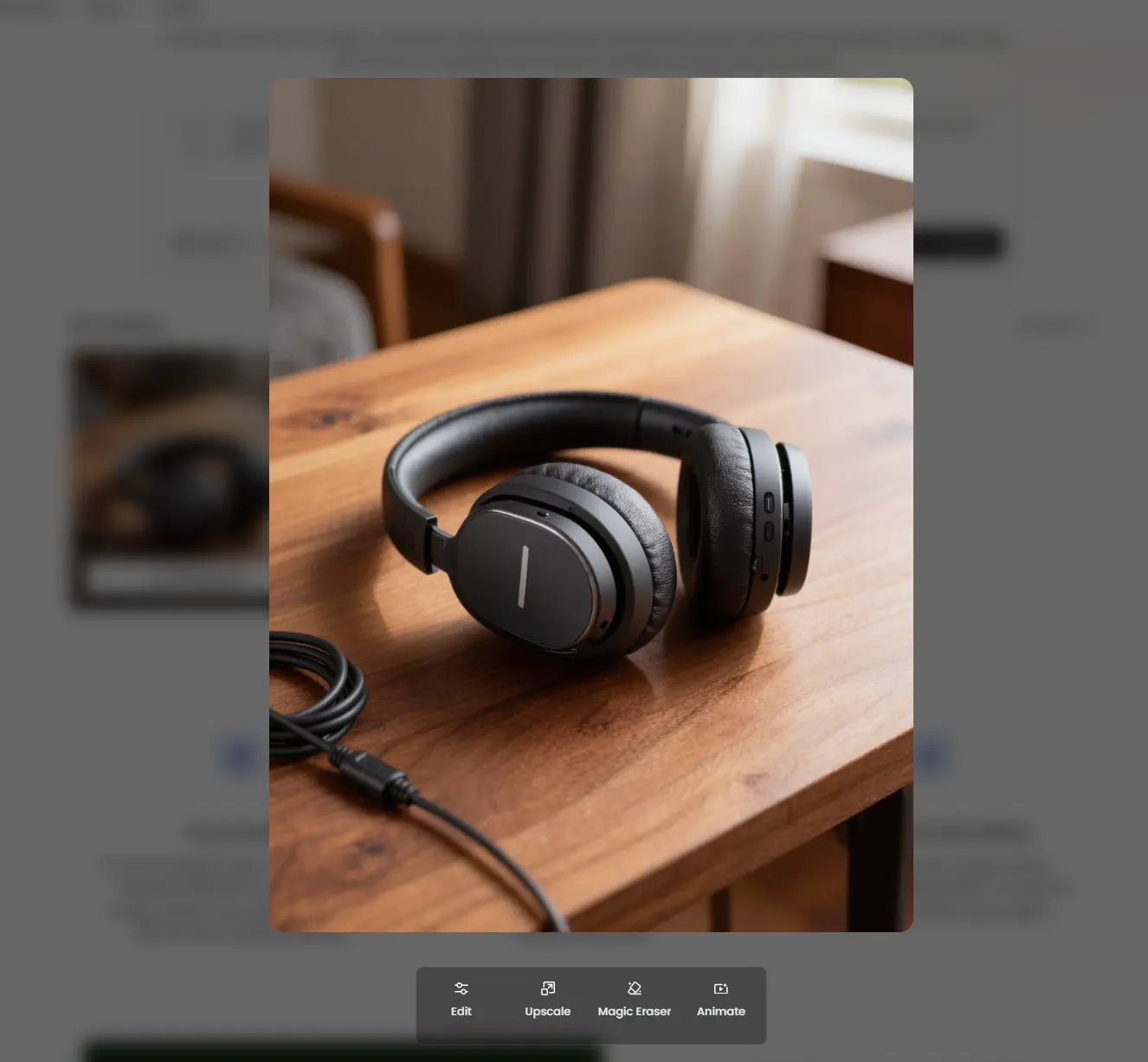
Honestly, the mood landed better than I expected. The light had that warm, late-morning quality, and the wood grain on the desk didn't look flat or plasticky. If I squinted, I could see this as a blog header or a rough ad concept. But the details didn't hold up under a closer look. One edge of the headphone kind of melted into its own shadow — not obviously "wrong" at a glance, but not something I'd send to a client either. So my read on it: solid for fast concepts and mood-driven visuals, not something I'd trust for an exact product shot without generating a handful of versions first and actually zooming in.
Fotor's Cartoon, Anime, and Background Tools
I'm grouping these together because they all live under the same umbrella of "take a photo and transform it" — and after testing all three, my reaction to each was pretty similar.
Turning a Portrait Into a Cartoon
The cartoon generator takes either a prompt or an uploaded photo and turns it into an avatar-style character. I fed it a clear, front-facing portrait.
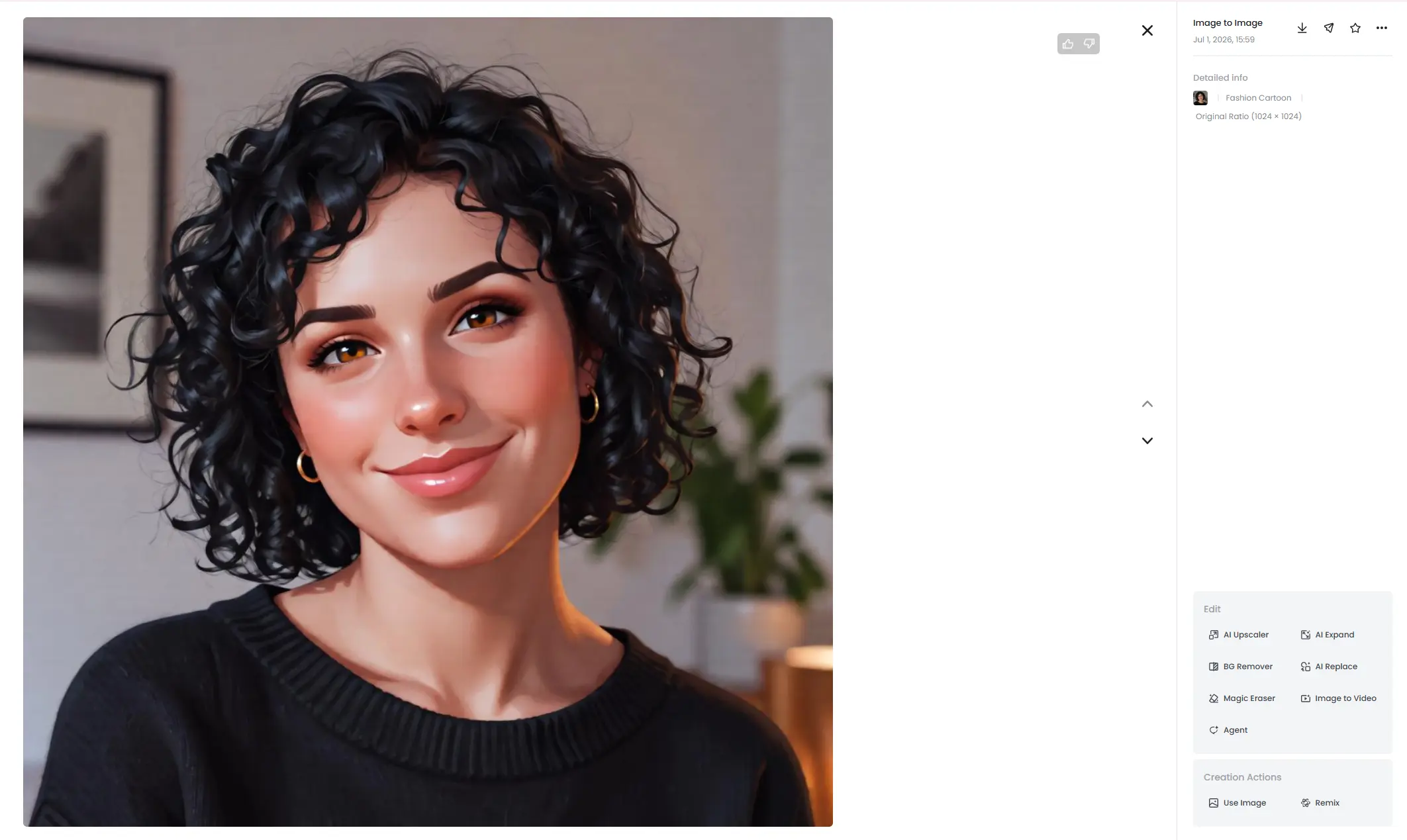
The output looked polished — genuinely the kind of thing you'd use for a YouTube avatar or a casual profile picture. But the face lost some of its specificity in the process. It wasn't a bad likeness, exactly, it was just... smoother than the real person, in a way that made it feel a little generic. Good for a fun avatar. Not what I'd reach for if I needed a character to stay recognizable across multiple images.
The Anime Conversion
Same portrait, different tool. Fotor's photo-to-anime feature works best with clear photos and simple backgrounds, according to its own guidance, so I kept my test image plain. Prompt I paired with the upload: "Turn this portrait into a soft anime-style character, keep the same hairstyle and facial direction, warm city lights in the background, clean line art, expressive eyes, natural skin tone."
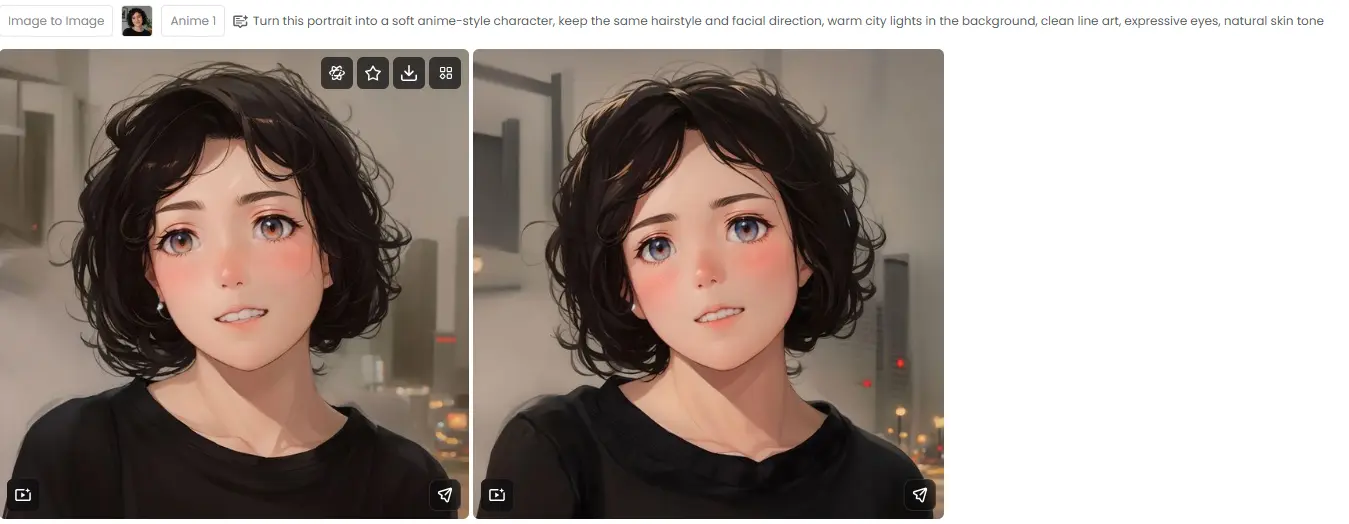
First impression was good — clean eyes, a nice hair shape, lighting that gave the whole image a finished feel. Look longer, though, and it reads more like "an anime character inspired by this person" than an anime version of the actual person. For a TikTok avatar or a fan-style profile pic, that's completely fine. For a mascot or a recurring character you need to stay consistent, I'd generate a few rounds before settling on one.
The Background Swap
This one turned out to be the most quietly useful tool in the whole test. I uploaded a plain product photo and asked for a warm studio-style background.
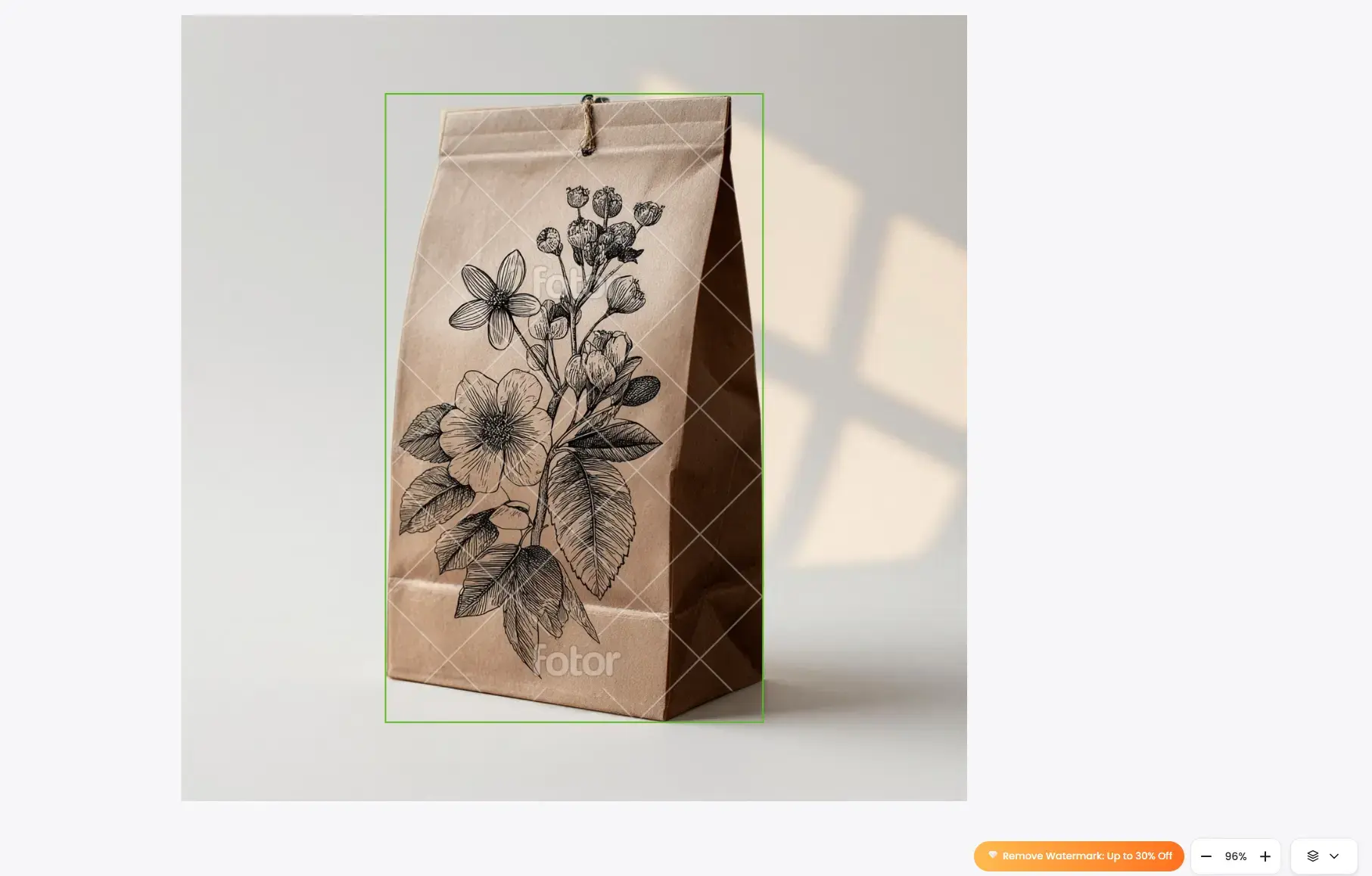
The cutout was decent, and the new background made the image look noticeably cleaner almost immediately — no dramatic "wow" moment, just a genuinely time-saving edit. The lighting between subject and background didn't always match perfectly, so I still had to check the edges by eye. But for ecommerce listings, marketplace photos, or a quick social post, this earns its place.
Fotor's AI Video Generator Review
Fotor's image animator turns still photos into short clips, either from a prompt or a preset template, and it draws on outside video models to do it — with output capped around 1080p and roughly ten seconds. I animated the same headphone image from earlier.
Prompt: "Slow camera push-in toward the wireless headphone, soft morning light moving across the desk, subtle dust particles, cinematic product commercial style, realistic motion, no text."
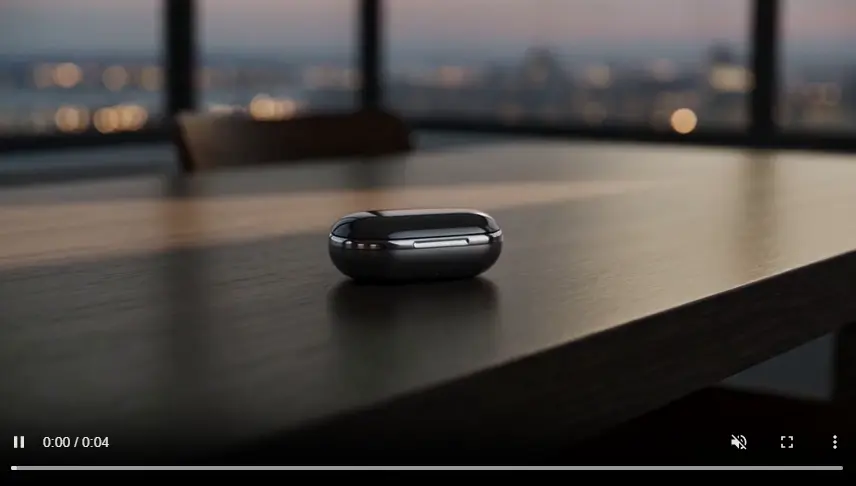
The camera motion itself was smooth — a slow push-in that gave the still image some life, with background movement that felt natural rather than jittery. The product was the weak link. The curved edges of the headphone shifted slightly frame to frame, nothing that jumps out on a quick watch, but enough that I'd want to scrub through frame by frame before calling it done. Good for trend videos and quick content drafts. I wouldn't lean on it yet for anything that needs strict product consistency.
What It's Actually Like to Use Day to Day
Fotor is easy to pick up. Most tools follow the same rhythm — upload or type, pick a style, generate, then keep editing right where you are. I liked not having to bounce between five different apps; once something generated, I could remove the background, upscale, or try another effect without leaving the page. The tradeoff is that there's a lot packed into one interface now — photo editing, AI images, video, templates, product tools, portrait tools, marketing features. Beginners will probably enjoy the presets. If you're used to a more model-driven, stripped-down workflow, it can start to feel a bit crowded.
Fotor Pricing
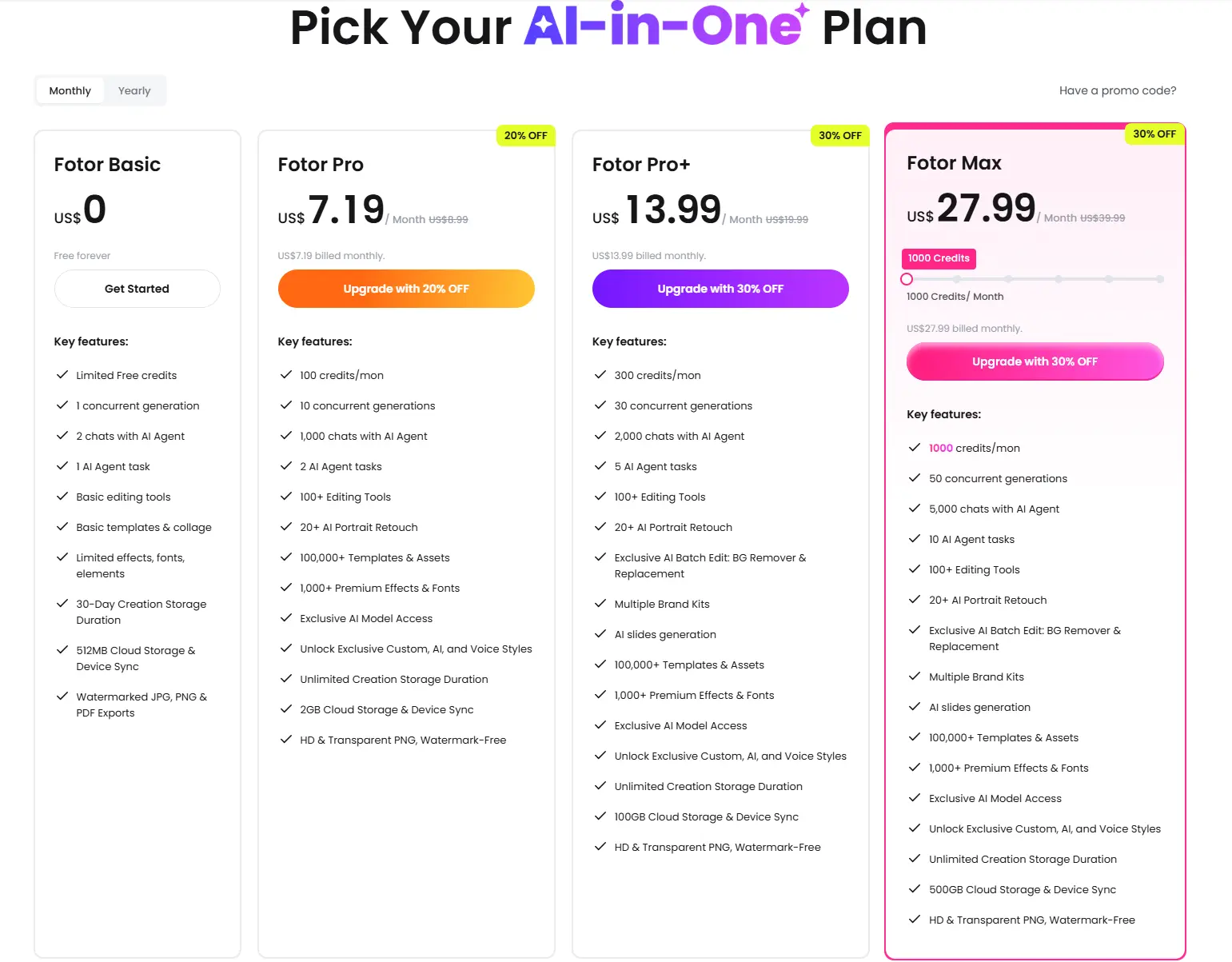
Fotor's free Basic plan gets you limited credits, one concurrent generation, the basic editing toolkit, 30 days of creation storage, 512MB of cloud storage, and watermarked exports. The paid Pro and Pro+ tiers add more concurrent generations, premium templates, watermark-free exports, more storage, and business-oriented features. Credit amounts and exact pricing shift by region and promotion, so I'd treat any specific number as a starting point rather than gospel — check the pricing page directly before you commit to anything. As a rough guide: the free plan is enough to get a feel for the workflow, Pro makes sense once you want clean exports on a regular basis, and Pro+ is really built for teams or high-volume sellers who need batch editing and brand kits.
What I Liked, What I Didn't
Liked:
Easy to pick up with zero design background
A genuinely useful mix of AI generation and traditional editing in one place
Background swap tool is a real time-saver for product images
Video animation is fine for drafts and social content
Didn't love:
Outputs often need a few regenerations before they're usable
Cartoon and anime effects smooth over facial identity
Product accuracy isn't reliable enough for final ad creative without a close check
Small object warping in AI video
Interface feels a little crowded with everything stacked together
Best Fotor Alternative for AI Image and Video Generation: PicLumen
After spending real time in Fotor, I'd call it a strong AI-assisted photo editor — genuinely good if your main job is editing images, swapping backgrounds, making avatars, or putting together quick product visuals. PicLumen comes at things from a different angle. It's built as more of a full creative platform — AI image generation, AI video generation, and a community feed where people share and remix work — so the starting point is generation and exploration rather than editing an existing photo.
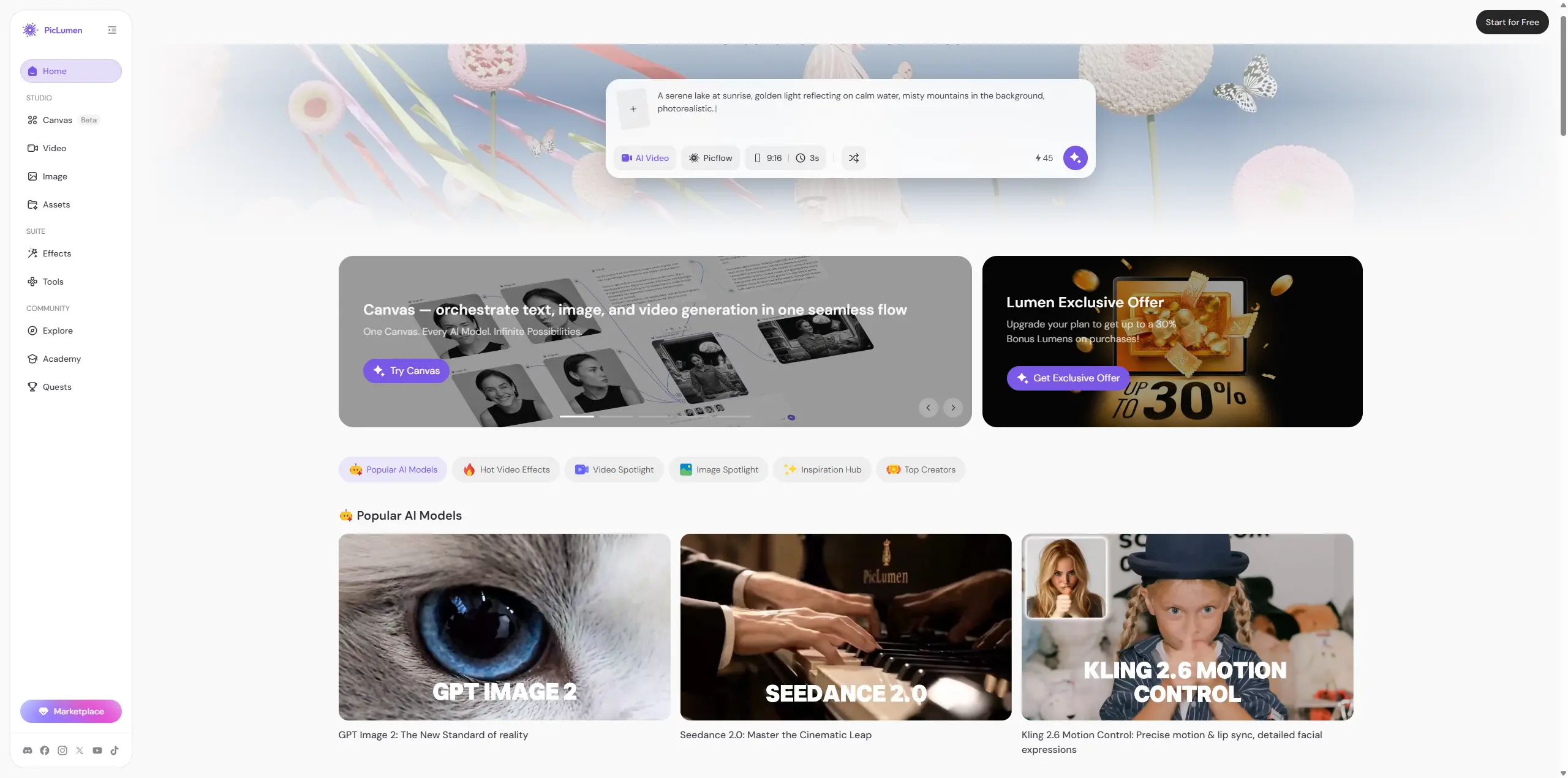
Put simply: Fotor feels like an editor with AI features bolted on. PicLumen feels like a generation platform first, with editing layered around it. If your day-to-day is mostly cleanup and quick design assets, Fotor covers you. If you're regularly starting from a blank page — testing different image models, turning stills into video, browsing a community for ideas — PicLumen is worth putting side by side with it before you pick a plan.
Who Fotor Actually Makes Sense For
Beginners who want easy AI-assisted photo editing
Social creators who need quick avatars or one-off visuals
Small businesses that need clean product backgrounds without hiring anyone
Marketers who need a fast first draft, not a final asset
Anyone who'd rather use presets than fiddle with settings
Who Might Want to Look Elsewhere
Anyone who needs a character or product to stay consistent across multiple images
People who want real control over AI video output
Creators who prefer a model-driven workflow over presets
Anyone who wants a community to pull inspiration from
Teams that want image and video generation handled in one place at real scale
For that last group in particular, PicLumen is probably the more natural fit, since it's built around multimedia creation rather than photo editing with AI layered on top.
So, Is Fotor Worth It in 2026?
Yes, with a caveat. It's a genuinely easy way to get AI images, cartoon avatars, anime portraits, cleaner product backgrounds, and simple image animation — and the fact that all of it lives in one workflow is the best part. Generate, fix the background, apply an effect, export, done. Where it falls short is precision. Anytime I needed exact product shape, a consistent face, or stable motion in video, I had to slow down and double-check. That's fine for casual creators and small businesses moving fast. It's a harder sell if your work depends on getting details exactly right the first time. If your needs go beyond photo editing — you want AI image generation, AI video, and a community to pull ideas from, all under one roof — it's worth testing PicLumen alongside Fotor before deciding where to spend.
FAQ about Fotor
Is Fotor free to use?
Yes, there's a free Basic plan with limited credits and the core editing tools. Free exports carry a watermark; paid plans remove it and add more storage and features.
Is Fotor's AI image generator any good?
It's genuinely good for fast concepts, social graphics, and mood-driven images. In my test it nailed lighting and atmosphere but needed a closer look at fine detail before I'd call anything final.
Does Fotor have AI video?
Yes, its image animator turns stills into short clips (up to roughly 1080p and ten seconds) using outside video models.
What's a good Fotor alternative?
If photo editing is your main need, Fotor holds up well. If you want AI image generation, AI video, and a creator community together, PicLumen is worth comparing before you commit.





