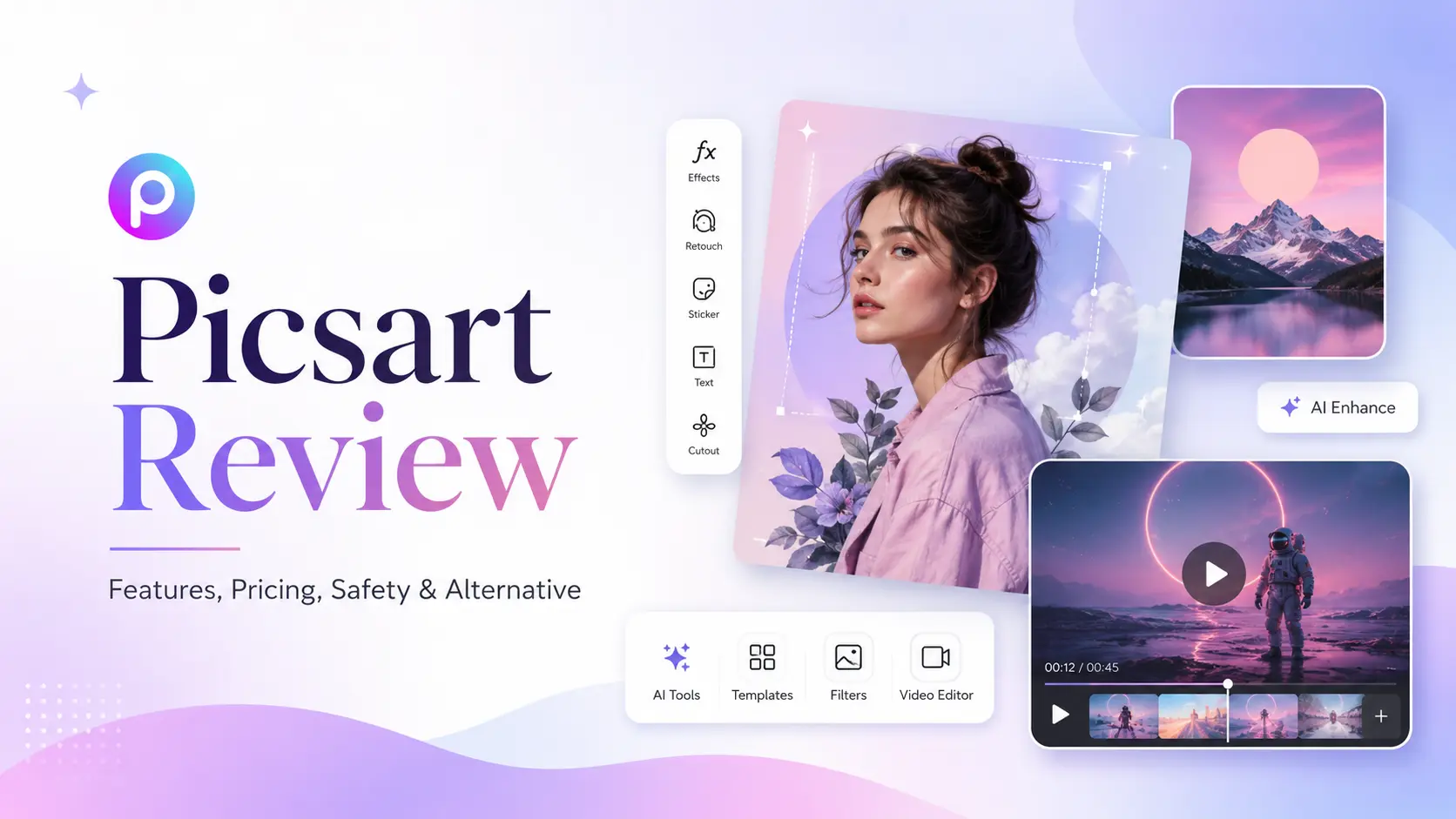
Picsart is one of those creative apps almost everyone has seen at some point. It used to feel like a fun photo editor for filters, stickers, collages, and quick edits. Now, it has grown into a much bigger creative platform. You can edit photos, make videos, design social posts, remove backgrounds, generate AI images, create AI videos, and work with ready-made templates. For casual creators, that sounds very useful. And in many cases, it is. After trying it mainly for AI image and video creation, I think Picsart is best for people who want AI tools and editing tools in one place. It is easy to use, especially if you make social media content, product visuals, thumbnails, or simple marketing graphics. But if your main goal is AI generation, not editing, Picsart can feel a little too busy. There are many tools, menus, templates, and upgrade prompts. Some users may like that. Others may want something more focused.
What Is Picsart?
Picsart is a photo editing, video editing, and design platform available on web and mobile. It lets users create visual content without needing professional design skills. The platform includes classic editing tools like filters, retouching, background remover, object remover, text, stickers, fonts, and templates. It also includes newer AI tools such as an AI image generator, AI video generator, AI Replace, AI background tools, AI stickers, AI logo tools, and AI writing features. So, I would not call Picsart only an AI image generator. It is more like a full creative editor with AI features built into the workflow. That is also why people use it for different reasons. Some use it to edit selfies. Some use it to make Instagram posts. Some use it for small business graphics. Others use it to test AI-generated images and videos.
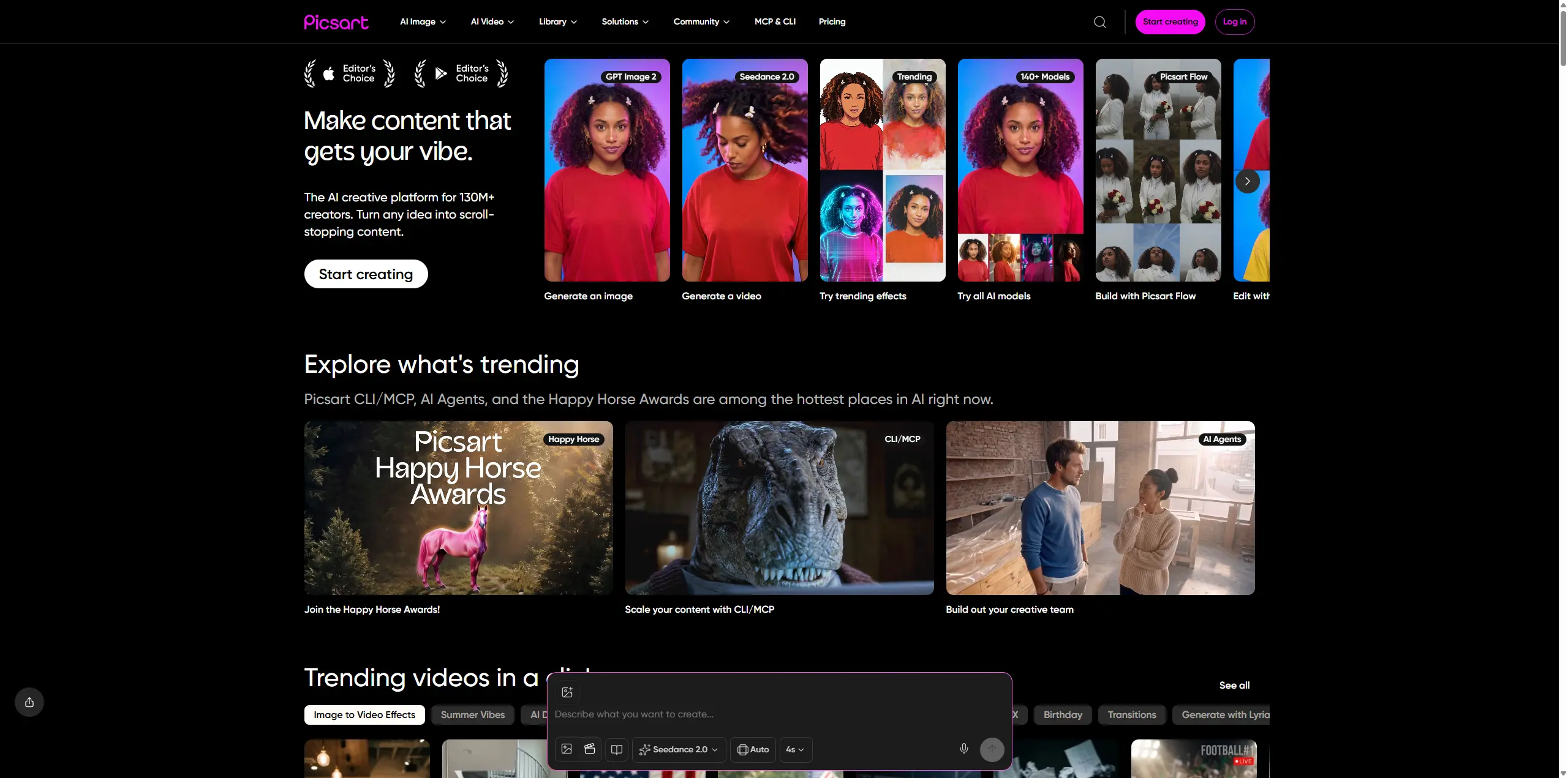
Picsart Features I Tested
Picsart AI Image Generator
Picsart’s AI image generator lets you create images from text prompts. The process is simple: write what you want, choose a style, and generate the image. For quick ideas, it works well. I found it useful for social visuals, thumbnails, moodboard images, and simple creative concepts. One thing I liked is that the generated image does not feel separate from the editor. After generating it, I can still add text, apply effects, change the background, or use other design tools. That makes Picsart practical if you want to generate and edit in the same space. The downside is that the AI image workflow does not always feel as clean as a dedicated AI generation tool. If you want to test many styles, compare outputs, or create more controlled visuals, the platform can feel a bit crowded.
Picsart AI Video Generator
Picsart also has an AI video generator. According to its official pricing page, it supports text-to-video generation in MP4 format. This is useful if you want to turn a simple idea into a short video without opening a traditional video editor. For short social clips or fast visual experiments, it can be enough. The tool is beginner-friendly, and you do not need video editing experience to try it. But for more detailed AI video work, I wanted more control. For example, if I am creating a product promo video, an anime-style clip, a cinematic short, or an image-to-video animation, I usually want clearer settings for motion, model choice, duration, resolution, and reference image behavior. Picsart can help you make quick AI videos, but I would not say it feels like the most focused platform for AI video creation.
Picsart Background Remover and Object Remover
This is one of the most useful parts of Picsart. The background remover is helpful for product photos, profile pictures, ecommerce images, and social media posts. The object remover is also useful when you want to clean up a photo without spending time in a more advanced editing tool. For example, I could remove a messy background, clean up a product shot, or make a simple image look more polished in a few clicks. These tools are not the most exciting part of Picsart, but they are probably some of the most practical.
Picsart AI Replace and Smart Background
AI Replace lets you change part of an image using a text prompt. Smart background tools help you create or replace backgrounds with AI. I found these features useful when I already had an image but wanted to improve one specific part. For example, I could change an object, replace a boring background, or create a more styled version of a simple photo. The results are not perfect every time, but the feature is convenient. It is much faster than doing everything manually.
Picsart Templates, Stickers, Fonts, and Design Assets
Picsart still feels strong as a lightweight design tool. It has a large library of templates, stickers, fonts, and visual assets. If you make Instagram posts, ads, YouTube thumbnails, posters, or simple brand visuals, this is helpful. You can start from a template instead of building everything from scratch. For casual creators, this is a big advantage. For AI-first creators, it may matter less than generation quality and workflow control.
How to Use Picsart
1.Open Picsart on web or mobile. 2.Choose an editing tool, template, or AI feature. 3.Upload your own image or start from a blank canvas. 4.Use tools like AI Image Generator, AI Video Generator, AI Replace, background remover, or object remover. 5.Add text, filters, stickers, effects, or templates if needed. 6.Export the final image or video. For beginners, the learning curve is not high. Most tools are easy to understand. The only thing that may take time is finding the exact feature you need, because Picsart offers so many options.
How Much Is Picsart?
Picsart has a free version, but many of its stronger tools are part of the paid plans. At the time I checked, Picsart listed these main plans on its official pricing page:
Plan | Price | Best For |
|---|---|---|
Free | $0 | Basic editing and light testing |
Pro | $10.5/month, billed yearly | Everyday creators who need editing tools, AI features, and design assets |
Ultra | $31.66/month per seat, billed yearly | Heavier AI users, teams, and advanced creative workflows |
Enterprise | Custom pricing | Larger teams and business use cases |
The Pro plan is better for everyday creators who need editing tools, AI features, and design assets. The Ultra plan is more suitable for heavier users, teams, and people who need more advanced AI access. Picsart also says most plans include a free trial, but trial availability can depend on your account and the plan you choose. I would always check the checkout page carefully before starting a trial, especially the renewal date.
Is Picsart Safe?
Picsart is a legitimate and widely used creative platform. Its official Trust & Safety page says it uses a layered safety system that combines automated technology with human moderation. The platform also has community guidelines, reporting tools, and content moderation processes. For normal creative use, I would consider Picsart safe enough. Still, I would be careful with sensitive content. I would not upload private documents, personal IDs, or images I would not want stored online. There is also one important point for commercial use. Picsart says AI-generated images can be used for commercial purposes, but it also says it cannot guarantee copyright ownership or guarantee that the output will not infringe third-party rights. That does not mean you cannot use the tool. It just means you should be careful when using AI-generated content for client work, ads, branding, or anything legally sensitive.
How to Cancel Picsart Free Trial
If you start a Picsart free trial, do not just delete the app. Picsart’s help center says deleting the app or deleting your account does not automatically cancel your subscription. The cancellation process depends on where you subscribed. If you subscribed on iPhone or iPad, cancel it through your Apple ID subscriptions. If you subscribed on Android, cancel it through Google Play subscriptions. If you subscribed on the web, log in to Picsart, go to Settings, then Billing & Subscriptions, and choose Cancel subscription. Picsart also says that "Downgrade to free plan" means the same thing as canceling the paid subscription. My suggestion is to cancel at least 24–48 hours before the renewal date. This gives you more time to avoid an automatic charge.
Picsart Pros and Cons
What I Like
Picsart is easy to use. It is especially good for quick social content, simple edits, and lightweight design work. I also like that it combines AI tools with a full editor. You can generate an image, clean it up, add text, change the background, and export it from the same place. The background remover, templates, mobile app, and design assets are all useful for everyday creators.
What I Do Not Like
Picsart can feel crowded if you only want AI generation. There are many tools, tabs, templates, and paid features. Sometimes I just wanted a simpler path from prompt to result. For AI video creation, I also wanted more direct control. Picsart is fine for basic AI videos, but it may not be enough if you care about motion style, image-to-video quality, model choice, or more polished short-form video results.
Best Picsart Alternative: PicLumen
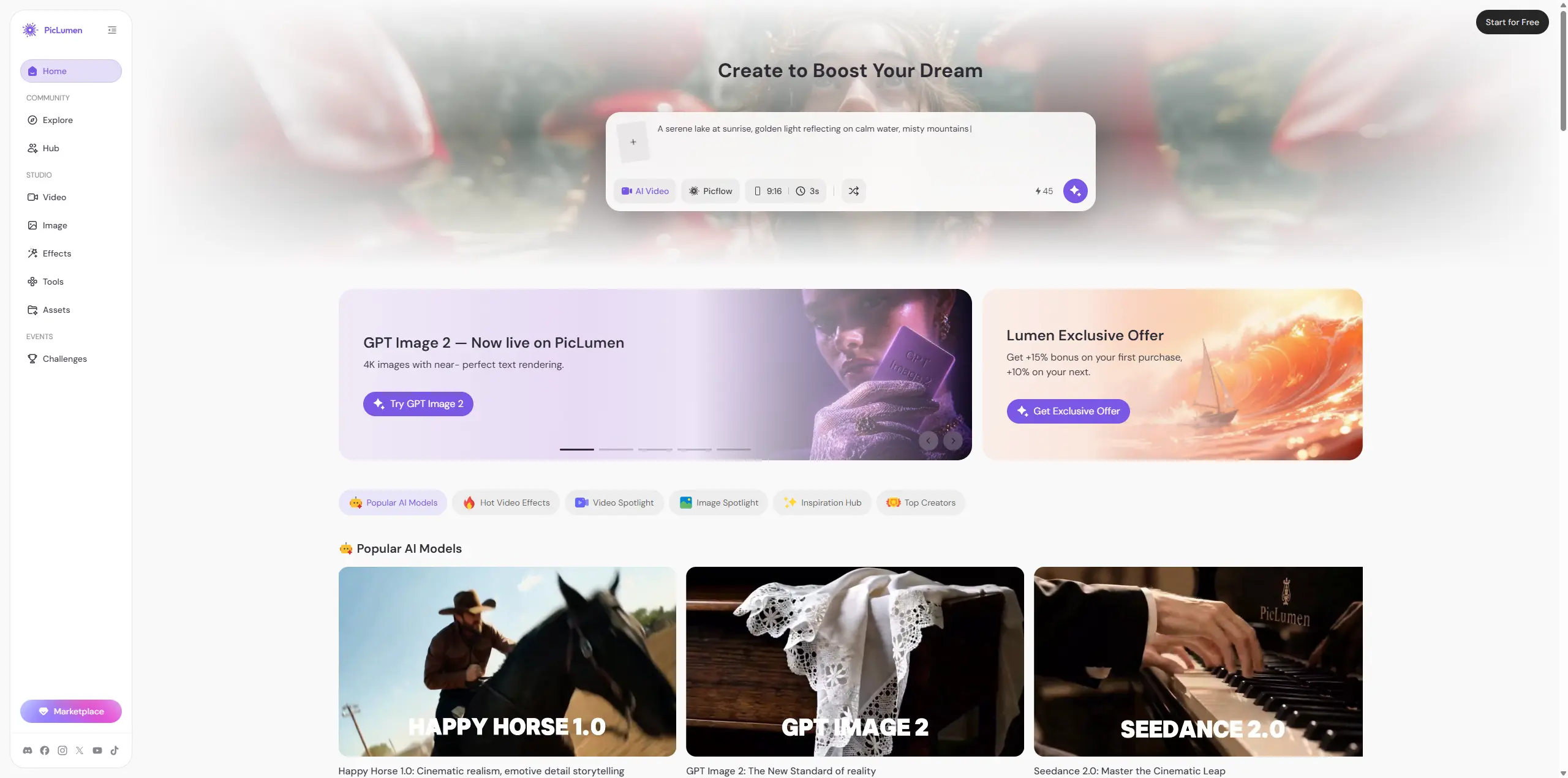
If you want a general editor with photo tools, templates, stickers, and simple AI features, Picsart is still a good choice. But if your main goal is AI image and AI video creation, I would try PicLumen. PicLumen is an AI creative platform built around image and video generation. It supports text-to-image, image-to-image, text-to-video, and image-to-video workflows. Instead of feeling like a traditional editor with AI added on top, it feels more focused on the actual generation process. What I like about PicLumen is that the workflow is direct. You can choose a model, enter a prompt or upload a reference image, set the ratio and quality, generate the result, and download or share it. It also offers daily free credits, which makes it easier to test ideas before paying. For creators who make AI images, product promo videos, anime-style clips, social media shorts, or image-to-video content, PicLumen feels easier to navigate.
Picsart vs PicLumen: Which One Should You Choose?
Category | Picsart | PicLumen |
|---|---|---|
Main Focus | Photo editing, video editing, templates, and design | Templates, community, AI image and AI video generation |
Best For | Social posts, quick edits, templates, and casual design | AI images, image-to-video, text-to-video, and creative experiments |
AI Image Workflow | Useful, but mixed with many editing tools | More direct and generation-focused |
AI Video Workflow | Good for basic text-to-video experiments | Better suited for focused AI video creation |
Ease of Use | Easy, but can feel busy | Cleaner for AI-first users |
Free Testing | Free plan available, with limits | Daily free credits available |
Choose Picsart if you want a broad editing platform. It is better for users who need templates, stickers, background removal, text tools, photo editing, and some AI features in one place. Choose PicLumen if your main focus is AI image and video generation. It is better for creators who want a cleaner generation workflow, reference image support, AI video creation, and a more focused creative workspace. My honest take is simple: Picsart is better as an all-in-one editor. PicLumen is better as an AI-first creative platform.
Final Thoughts
Picsart is still worth using, especially if you want a flexible tool for social media visuals, photo edits, templates, and quick design work. It is beginner-friendly and has many useful features. But for AI-first creators, the experience can feel a little heavy. If your goal is not to edit everything manually, but to generate images and videos faster, a more focused platform may be a better fit. For me, Picsart is a strong creative editor. But if I were mainly creating AI images and videos, I would also keep PicLumen in my workflow.
FAQ
Is Picsart free?
Yes, Picsart has a free version, but many AI tools, premium templates, and advanced features require a paid plan.Yes, Picsart has a free version, but many AI tools, premium templates, and advanced features require a paid plan.
Is Picsart safe?
Picsart is a legitimate creative platform. Still, I would avoid uploading sensitive personal files and would check its terms before using AI-generated images commercially.
Can Picsart make AI videos?
Yes. Picsart offers an AI video generator for creating short videos from text, but it feels better for simple social clips than advanced AI video production.
What is the best Picsart alternative?
For general editing, Picsart is still useful. For AI image and video generation, PicLumen is a more focused alternative.