I had a small creative project that needed more than still images. No camera crew. No editing timeline. Just a few rough visual ideas, a short deadline, and the usual problem: I needed something that could move, catch attention, and still look decent enough to use. That was why I started testing Pollo AI. I had seen it mentioned as an AI video generator, but what made me curious was the bigger workflow around it. It was not only about typing a prompt and getting a video. Pollo AI also offered AI image generation, image-to-video, video effects, app-based creation, and a bunch of tools that looked useful for quick visual experiments. So I tested the parts I would actually use: the AI image generator, AI video generator, image-to-video tool, mobile app, effects, editing tools, and credit system. My first impression was simple: Pollo AI is fast, easy to play with, and good at turning rough ideas into visual drafts. But the more I used it, the more I noticed the trade-offs. Some results looked surprisingly good. Some needed another try. And every retry made me pay more attention to credits, consistency, and control. So here is my honest Pollo AI review — what worked, what felt less reliable, and whether it is actually worth using.
What Is Pollo AI?
Pollo AI is an AI image and video creation platform. You can use it to generate images, create videos from text, animate still images, try video effects, make avatar-style clips, edit visuals, and test short-form video ideas.
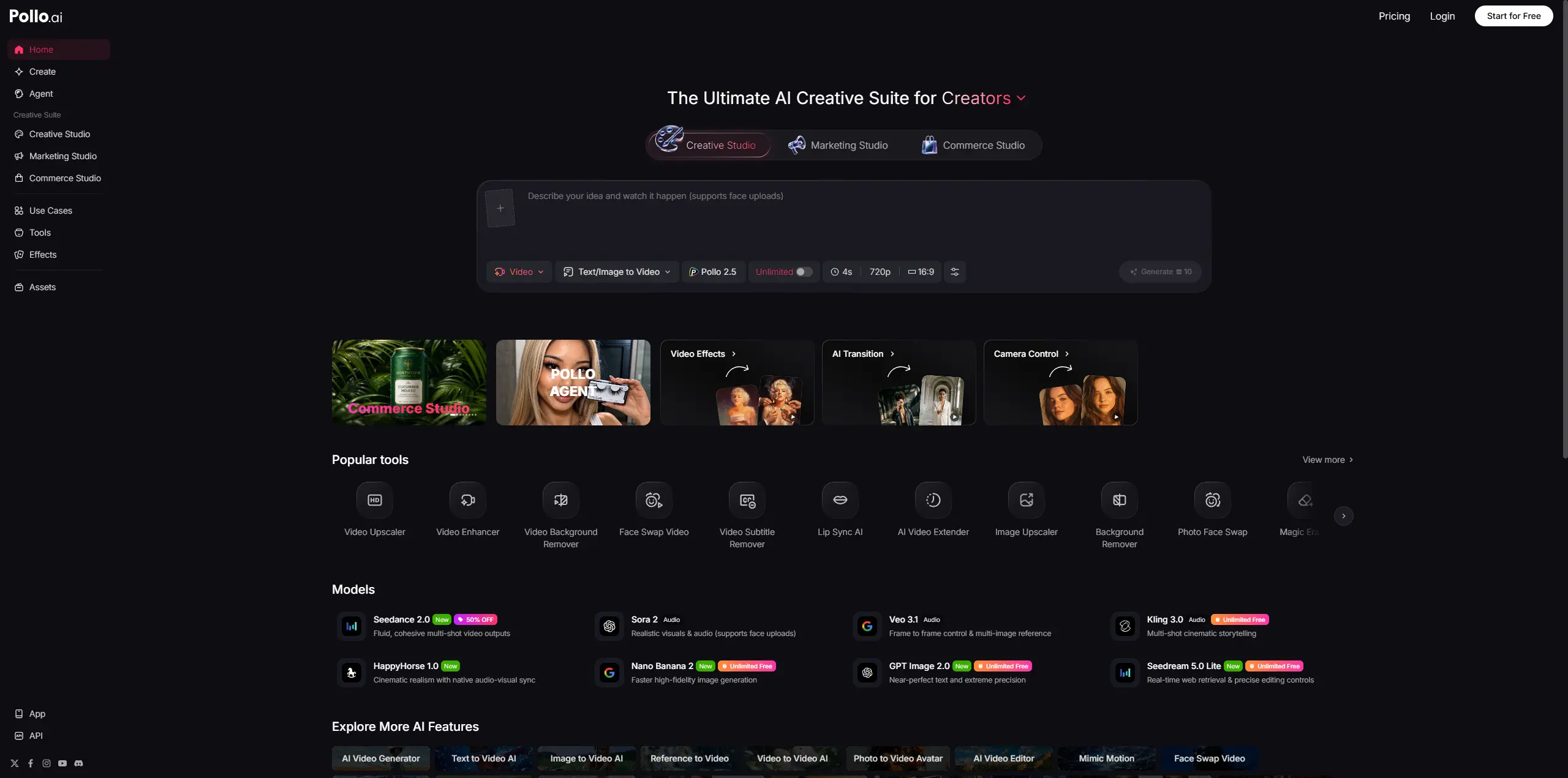
The easiest way to understand it is this: Pollo AI is not just one generator. It is a creative workspace for people who want to move from idea to visual draft quickly. That makes it useful for creators, marketers, social media teams, and anyone who wants to test more visual ideas without opening several different tools. The question is not whether Pollo AI has enough features. It clearly does. The real question is whether those features feel useful once you are working with real prompts, real images, and real deadlines.
How I Tested Pollo AI
I did not test Pollo AI like a film director trying to make a final movie scene. I tested it like someone trying to get visual content done faster. I focused on a few practical questions:
Can it turn a simple idea into a usable image?
Can it make a short video draft without too much setup?
Can the image-to-video tool keep the original subject recognizable?
Does the mobile app actually make the workflow faster?
How quickly do credits disappear once you start retrying? That last question mattered more than I expected. AI tools always look exciting when the first result is good. The real test starts when the first result is close, but not quite right.
Pollo AI Image Generator Review
The AI image generator is where I would start before making any video. If you only have a rough visual idea, Pollo AI can help create a starting image quickly. I found it useful for campaign concepts, social post ideas, product-style scenes, thumbnails, character references, and simple visual directions. The results were better when the prompt was specific. A clear scene, a clear subject, and a clear style gave the tool something to work with. Vague prompts felt weaker. That is not unusual, but it is worth saying because many people expect AI image tools to read their mind. For product-style visuals, Pollo AI can be helpful at the concept stage. You can test different backgrounds, lighting styles, and moods before deciding whether an idea is worth turning into a video. I would not treat every first image as final. Logos, labels, product shapes, and small text still need checking. Sometimes an image looks strong at a glance, then feels less reliable when you zoom in.
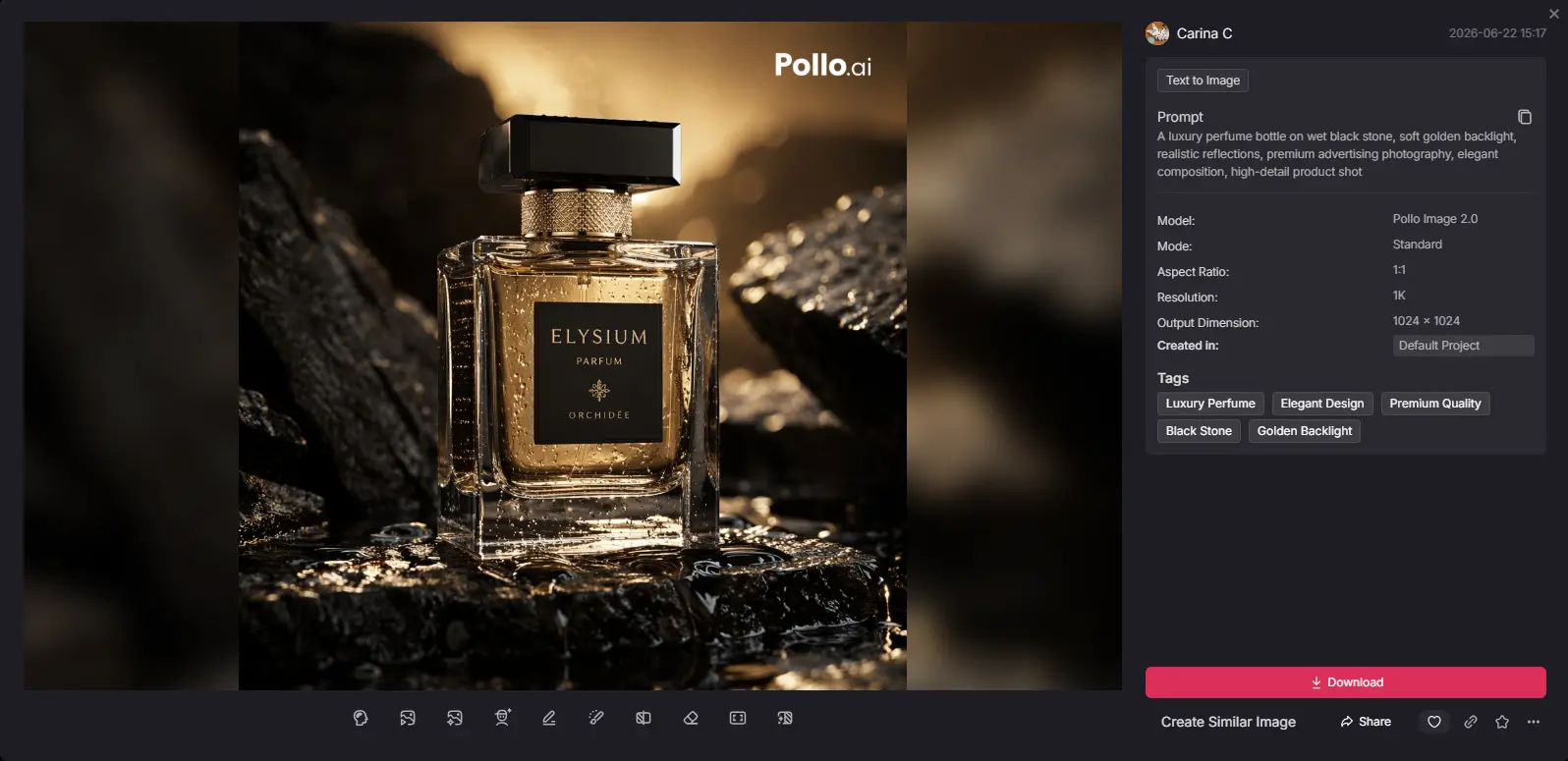
For me, the image generator works best as a starting point. It gives you something to build from. That becomes more useful when you move into image-to-video.
Pollo AI Video Generator Review
For this pollo ai video generator review, I treated Pollo AI as a short-form content tool. That is where it feels most comfortable. Simple prompts worked best. A short product reveal, a fashion-style shot, a pet clip, a clean visual hook, or a quick social video idea came together faster than I expected. The strongest clips usually had one subject and one clear movement. When I asked for too much, the results became less predictable. Multi-character scenes, exact camera moves, detailed object behavior, or longer story beats often needed more tries. That does not make Pollo AI bad. It just means it behaves like most AI video tools right now. It is good at giving you a direction. It is less dependable when you expect a perfect final video on the first try. The image-to-video workflow was the part I tested most closely, because this is usually where AI video tools either feel useful or frustrating. I cared about one thing: did the original image still feel like itself after motion was added?
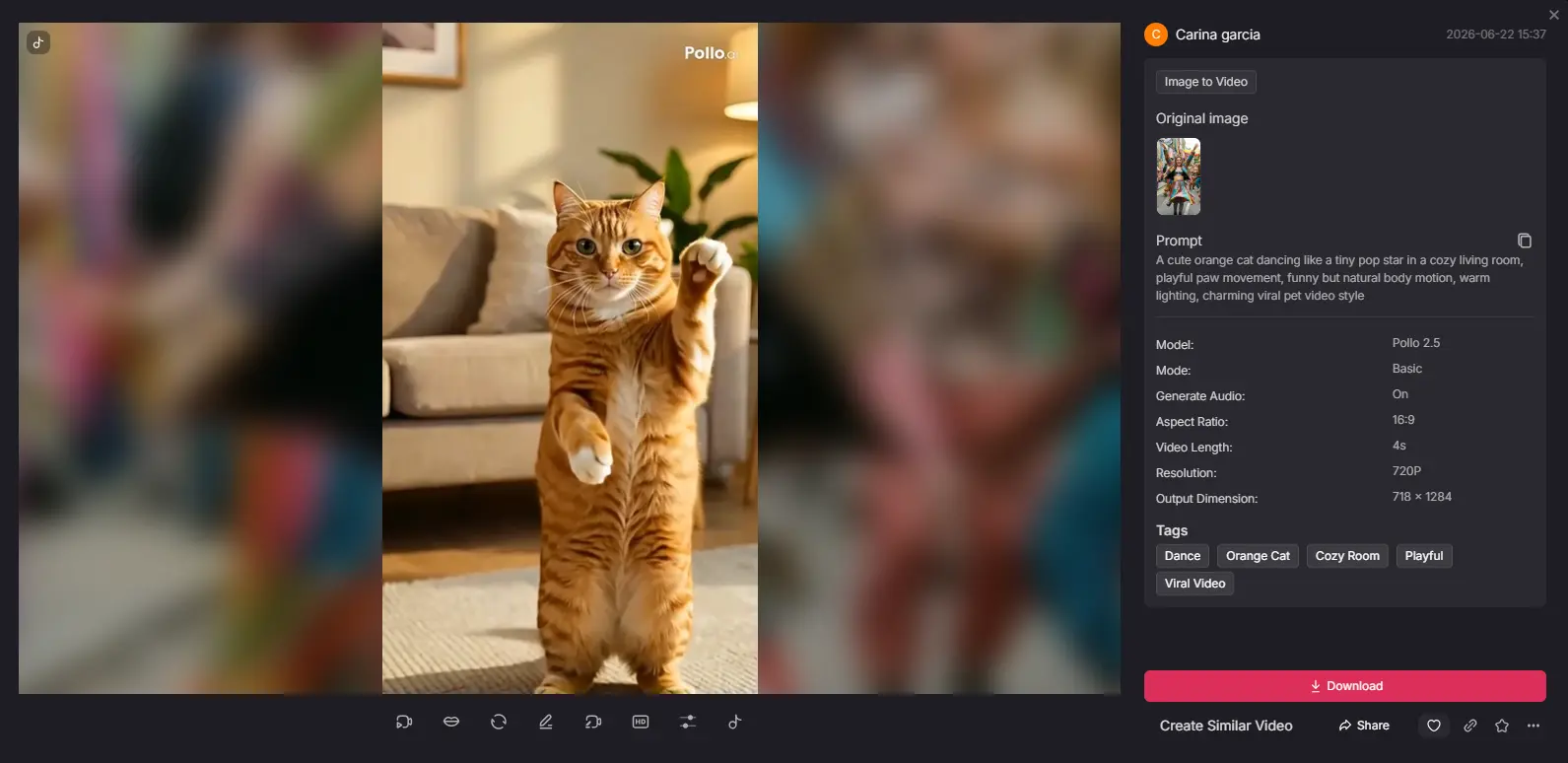
Pollo AI did best with subtle motion. A slow push-in, soft product rotation, blinking, light hair movement, background motion, or a gentle pan can make an image feel more alive without damaging the subject too much. This makes the tool useful when you already have a clean image and want to see whether it has video potential. A portrait can become more engaging. A product-style image can become a short showcase. A social graphic can become a quick reel idea. But accuracy still needs checking. If the image has hands, faces, logos, labels, readable text, or a very specific shape, I would not trust one generation blindly. Some results look nice for the first two seconds, then feel wrong when you compare them with the original. That matters. A product should not stretch. A label should not change. A face should not drift into a different person. So yes, Pollo AI's image-to-video feature is useful, especially for quick visual testing. I would just treat it as part of the video generation workflow, not a one-click final video maker.
Product Videos and UGC-Style Drafts
This is where Pollo AI becomes more practical. A lot of people do not need one perfect video right away. They need options. A clean product shot. A casual hook. A short ad concept. A UGC-style idea. A version that feels more polished. A version that feels more natural. Pollo AI can help test those directions quickly. I would use it when I need to see whether a visual idea has potential. Maybe the first angle feels too boring. Maybe the product needs more motion. Maybe a short video hook works better than a static image. Pollo AI helps you see those possibilities faster. The outputs still need human judgment. A nice-looking video is not always a useful video. It has to be clear, believable, and accurate enough for the use case. That is why I would use Pollo AI for creative drafts and testing, then decide what deserves more editing.
Pollo AI App Review
For this pollo ai app review, I looked at the app as a mobile-first creation tool. That is probably how many creators will use it. If you make TikToks, Reels, Shorts, quick visual posts, or simple video drafts, you may not want to sit down at a desktop every time. The app makes quick testing easier. You can upload an image, try an effect, generate a short clip, and check the result from your phone. That makes sense for creators who work fast and do not want to lose momentum. I would not use the app as my full editing workspace. It is better for starting ideas than finishing serious projects. That is fine. A mobile AI app does not need to replace every editing tool. It just needs to make the first step easier.
Pollo AI Effects, Avatars, Editing, and Other Tools
Pollo AI also includes effects, avatars, motion tools, editing features, enhancers, background tools, and other extras. I would not make these the main reason to use Pollo AI. They feel more like support tools around the main workflow. The effects are fun for social content. Avatar tools can help when you want a spokesperson-style or UGC-style draft. Editing and enhancement tools are useful when a clip needs a quick cleanup. But the platform can feel busy. There are many doors to open. Some users will enjoy that. Others may just want a cleaner path from idea to result. My advice is simple: start with the workflow you came for. Test the image generator, video generator, or image-to-video tool first. Explore the extras later.
Pollo AI Pricing and Credits
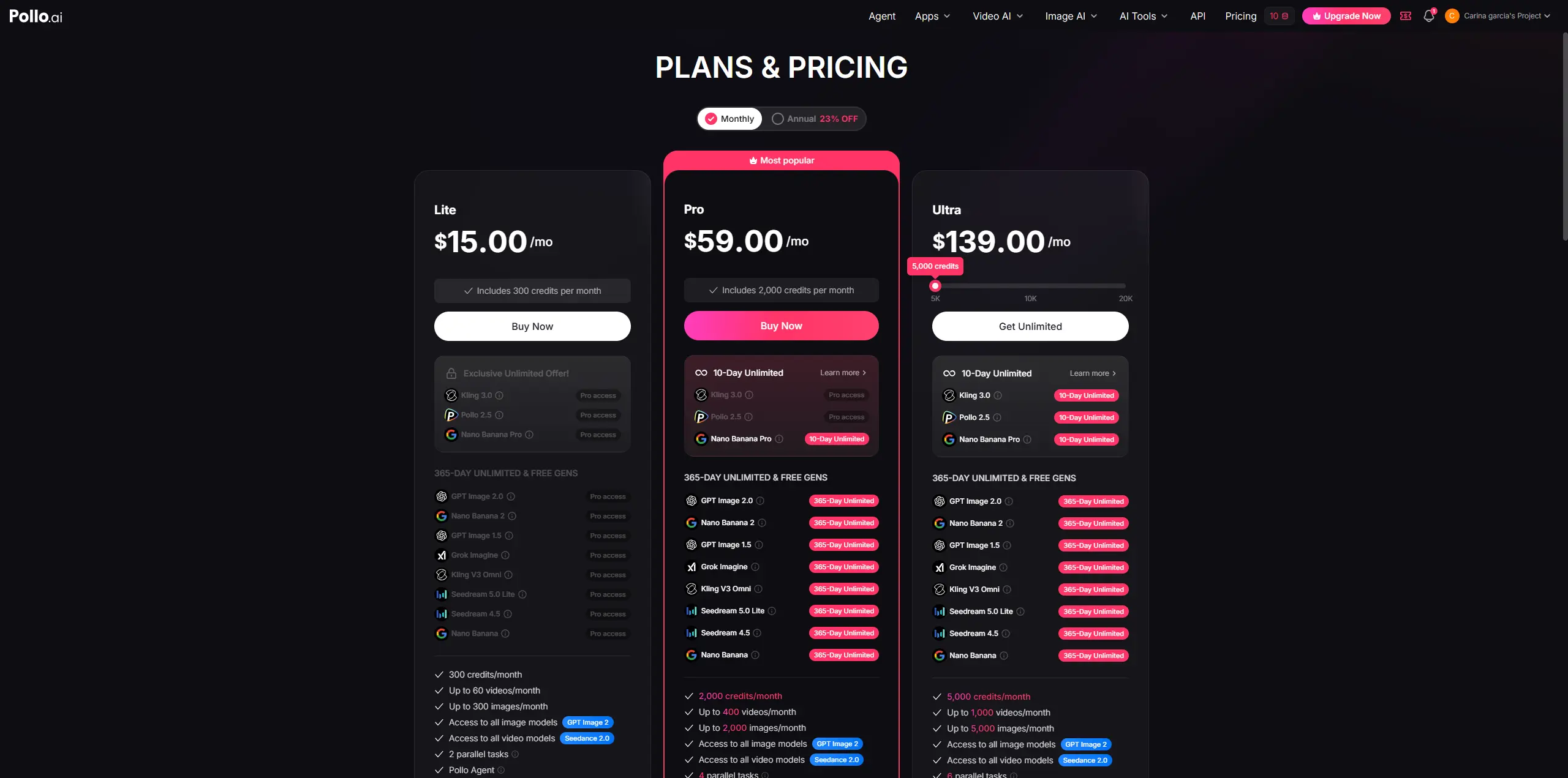
The pricing question is not just "How much does Pollo AI cost?" The better question is: how fast do you use credits? That is what I cared about most. With AI video tools, one usable result often takes more than one try. You change the prompt. You test another motion. You try a different style. You generate one more version because the first one was almost right. That is normal creative work. But in a credit-based system, every retry feels like a small decision. When the result is good, credits feel worth it. You saved time and got a draft. When the result misses, the cost feels heavier. That is why I would not judge Pollo AI only by the plan price. I would judge it by how many tries it takes you to get one result you can actually use. The free experience is enough to understand the tool. It is not enough to build a serious content routine around.
What I Liked
I liked how quickly Pollo AI gets you into creation. You can start with a prompt, image, product photo, or rough idea and get something visual without setting up a full production process. I also liked that the image and video tools sit close together. The workflow feels natural: create an image, animate it, test a video, try another direction. The app is useful too. A lot of content work starts on a phone now. Pollo AI fits that habit. And honestly, the tool is fun. That matters. If a creative tool feels too heavy, people stop using it.
What I Did Not Like
My biggest issue was credit anxiety. One result is rarely enough. You want to tweak the prompt, slow the motion, change the style, try another angle, or generate one more version. That is how creative work happens. But every retry has a cost. I also wanted more confidence in consistency. Pollo AI works well for simple clips, but product accuracy, face stability, readable text, and visual continuity still need checking. The platform can feel crowded too. There are a lot of tools and effects. Some people will love that. Others may wish the main workflow felt cleaner.
Pollo AI vs PicLumen
I would not compare PicLumen and Pollo AI as if they are the same tool with different names. They feel different in workflow. Pollo AI is strong when you want fast drafts, UGC-style clips, viral effects, mobile creation, and quick image-to-video tests. It is a good fit when speed matters more than fine control. PicLumen makes more sense when your work starts with AI image generation and then moves into image-to-video creation. If you care about building strong visuals first, testing different creative models, and turning images into videos in one place, PicLumen feels more natural.
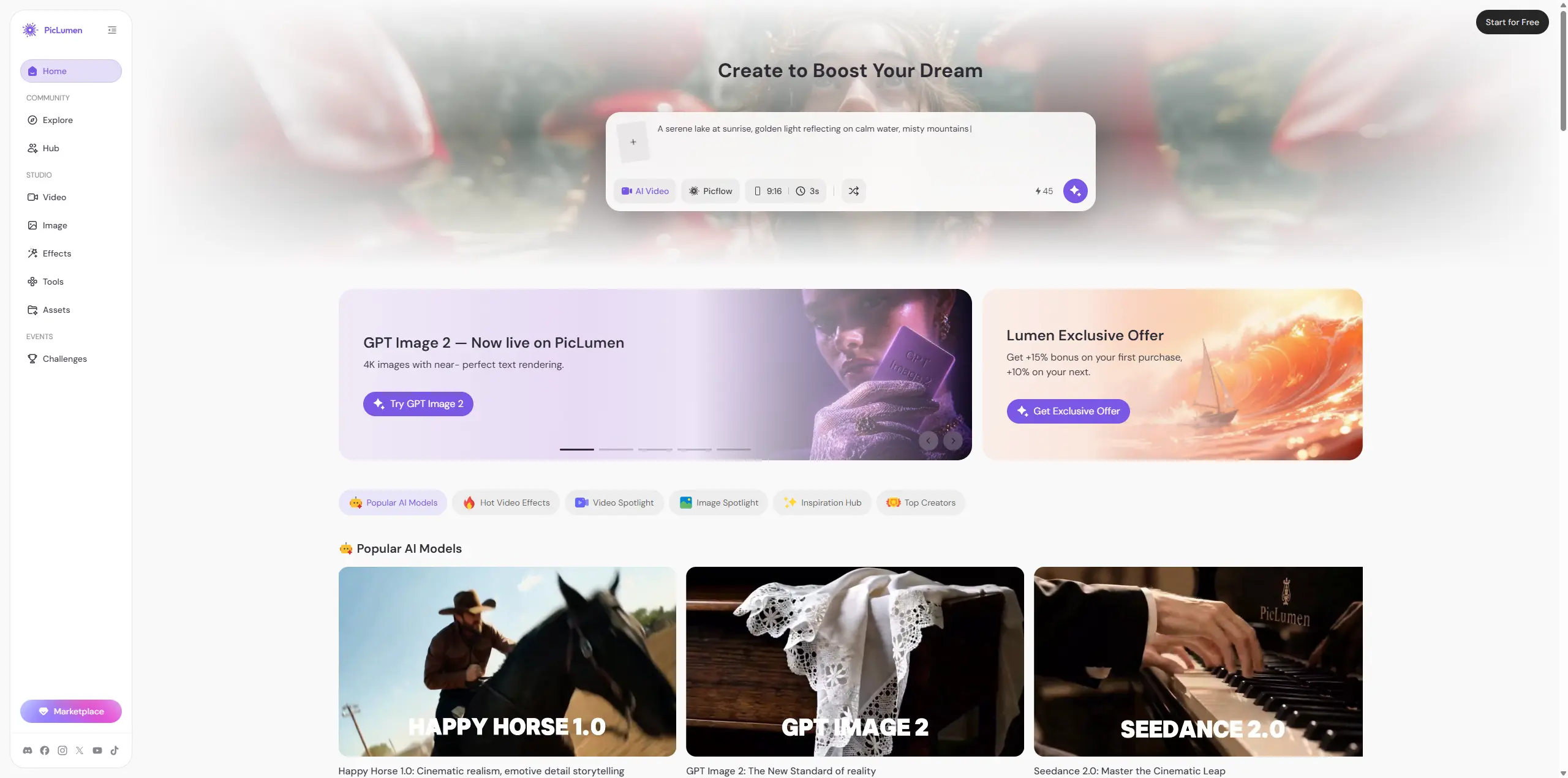
I would use Pollo AI for quick campaign drafts and trend-driven video ideas.I would use PicLumen for image-first creative work, image-to-video testing, and daily AI visual creation. The difference is not good versus bad. It is more about what you are trying to make.
Final Verdict: Is Pollo AI Worth It?
Pollo AI is worth trying if you create short-form visuals, quick video drafts, UGC-style clips, or product-style content. It is fast. It has a wide set of tools. The image-to-video workflow is useful. The app makes mobile creation easier. For quick experiments, it can save real time. But I would not call it a magic button. You still need to check accuracy. You still need to watch your credits. You still need to regenerate when the result misses. If you need strict consistency or detailed editing control, Pollo AI may not be the only tool in your workflow. My honest take: Pollo AI is great for fast drafts and creative testing. It is less ideal if you expect perfect commercial assets on the first try. If your main focus is AI image generation plus image-to-video creation, I would test PicLumen alongside Pollo AI before paying for a long-term plan.
FAQs About Pollo AI
Is Pollo AI free?
Pollo AI offers free access or trial credits, but the free experience is better for testing than ongoing production. If you want to create regular videos or ad variations, you will probably need a paid plan.
Is Pollo AI good for image to video?
Yes, Pollo AI is useful for simple image-to-video tasks. It works best with subtle motion, clean images, portraits, product-style visuals, and short social clips. For complex scenes or strict accuracy, generate several versions and check the details.
Is Pollo AI good for product videos?
Pollo AI can be useful for product video drafts. It can turn product images into short showcase clips, ad concepts, UGC-style drafts, and social media assets. I would still review the final output before using it in paid ads.
What is the best Pollo AI alternative?
PicLumen is a practical Pollo AI alternative if your main workflow is AI image generation, image-to-video creation, and testing different creative models in one place.