Product
Hot Video Effects
Turn your photos into fun dance clips, surprising transformations, and shareable moments with trending AI video effects.
Set the Mood Around Your Product
Create a Product Showcase with Swirling Mist
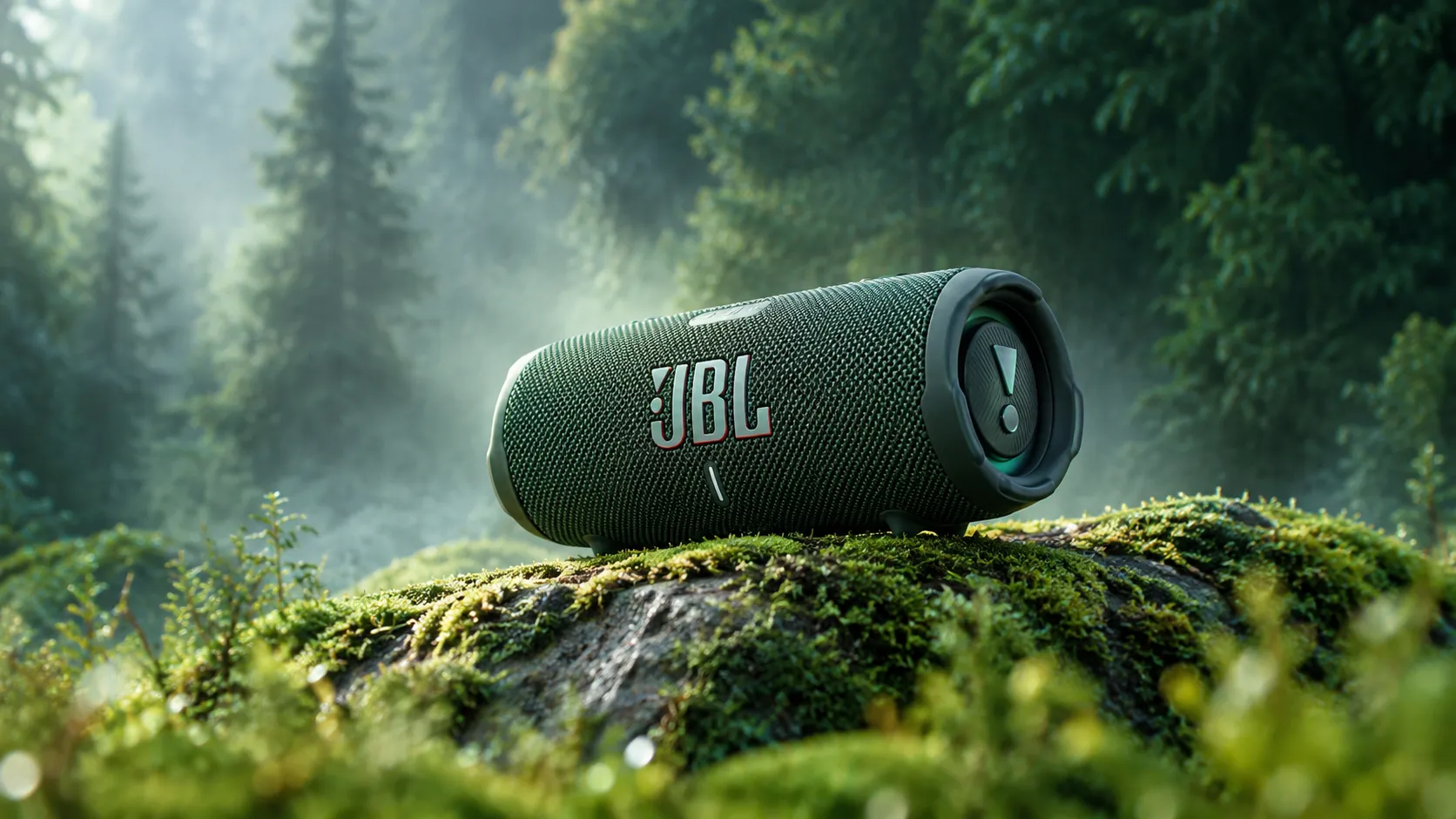
Create a product image that pairs clear product focus with the motion and atmosphere of swirling mist. The Swirling Mist Showcase template centers the presentation on an item while mist adds a sense of depth, mystery, or quiet drama around it, making it a strong foundation for a Black Friday Product Poster. Use PicLumen to shape a visual direction that suits the product, from restrained and elegant to bold and cinematic. The result is a distinctive showcase concept for campaign imagery, concept boards, or product pages where mood should support the item rather than compete with it.
Balance the Product and the Motion
Keep the item easy to read by treating it as the visual anchor and letting the mist shape the surrounding space. Consider a centered arrangement for a focused hero image, or offset the product to leave room for a more dynamic sweep. The contrast between a stable subject and flowing atmosphere creates movement without making the product feel secondary.
Build an Atmospheric Setting
Build a setting around the feeling the product should convey. A soft, sparse backdrop can make the mist feel calm and refined, while a darker or more dramatic visual context can suggest depth and intrigue. Keep environmental detail selective, so each surrounding element supports the intended mood and the product remains the clearest point of attention.
Use Color to Guide the Mood
Use color and contrast to decide how strongly the mist should register. A restrained palette can keep attention on form and silhouette; a more vivid treatment can make the scene feel energetic. The Black Friday Orbit framework helps you balance these atmospheric elements effectively. Consider how the product’s own colors sit against the atmosphere, and avoid adding visual effects simply because they are available. Every styling choice should strengthen recognition and tone.
Make the Composition Fit the Item
Start with a clear view of the item and decide what the showcase needs to communicate before shaping the scene. A compact product can benefit from generous negative space, while a detailed design may call for a quieter atmosphere. Use these choices to guide the balance between visibility and mood, then keep the overall composition consistent with the product’s identity.
Create a Swirling Mist Showcase Visual on PicLumen
Step 1 Upload a Product or Model Photo
1Choose a clear product or model photo that suits a soft, mist-filled presentation. Keep the main subject easy to recognize, with enough space around it for the misty atmosphere to read clearly. A clean background and balanced framing help prevent busy details from competing with the item or person. Upload the image you want to use as the starting point for your Swirling Mist Showcase visual.
Step 2 Choose a Template or Use the Default
2Choose a suitable template if you want the image to follow a particular misty product-presentation style, or use the default template directly. Consider where the finished visual will appear, such as a product listing, campaign graphic, or model-focused promotion. A template can help set the direction for the marketing asset, while the default is a straightforward option when its existing look fits your subject.
Step 3 Review and Generate
3Before generating, check that the uploaded photo shows the intended product or model clearly and that the chosen template—or default option—matches the presentation you have in mind. Make sure you have selected the correct image and that the mist-inspired style suits the marketing use. When both look right, click Generate to create the visual from your chosen starting image and template.
Swirling Mist Showcase for AI Product Scenes in PicLumen
Fragrance Launch Imagery
The Swirling Mist Showcase suits fragrance launches that need imagery suggesting a scent before shoppers can experience it. A swirling mist backdrop can give a perfume bottle a cool, elusive setting, helping the campaign communicate freshness, depth, or a night-time mood through visual tone, and it works beautifully for standout visuals in Black Friday Giants promotions. Build a hero image for a launch page, retailer pitch, or printed display, then pair it with concise copy about the fragrance notes. The scene supports the story without relying on a literal scent illustration.
Hydrating Serum Pages
Skincare teams introducing a hydrating serum often need a visual that feels fresh without turning the product page into a generic water scene. Swirling mist can suggest a light, dewy atmosphere around the bottle, giving shoppers a quick cue about the formula’s intended feel. Place the image beside ingredient highlights or routine guidance on a brand site, where the soft environment can complement practical details about when and how the serum fits.
Botanical Beverage Launches
Beverage makers can use an atmospheric bottle image to distinguish a botanical tonic or sparkling drink from bright, tabletop product shots. A drifting mist setting lends the label a cooler, more sensory context and can reinforce cues such as herbal, crisp, or evening refreshment. The asset suits a launch announcement or distributor presentation, especially when the product’s flavor story needs a visual companion but the packaging itself should remain the focal point.
Jewelry Collection Lookbooks
Jewelry labels preparing a collection lookbook may want a more atmospheric alternative to clean white catalog images. A silver pendant or gemstone piece set against swirling mist can take on a quiet, cinematic mood that supports a story about texture, craft, or a dark-toned collection, and it pairs wonderfully with the vibrant styling of Neon Friday promotions. Use the visual as an editorial opener or campaign banner, then reserve close-up product photography for details buyers need to assess before choosing a piece.


Loved by Creators Worldwide
Real feedback from designers, marketers, and hobbyists sharing their PicLumen experience on Trustpilot.
Just amazing website a must try.
Just amazing website a must try.
CrispeeEasy to use.
Easy to use. Great layout love it!
 Prabhat Ranjan Singh Chauhan
Very smooth and very helpful for…
Very smooth and very helpful for everyonr who have creative mind. Thank you 👍
Love this app it helps my ideas come to…
Love this app it helps my ideas come to life
 rockstar gaming
Value For Money
its value for money i fully recommend you to try this one time you will like it...
Really good app and generates good…
Really good app and generates good images!
Super shuper super ai
Super shuper super ai Thanks for wachong
 Aleks Visha
Great kompany in the world
Great kompany in the world
It's very fun to use
It's very fun to use. You can get daily rewards
Very Best App For AI Vedioea
Very Best App For AI Vedioea
Samaneh Habibiuseful
useful. great for graphists
PRZNT GAMINGI really like
I really like, in just few lines you can get good result, also you can generate as detailed images as you want.
Frequently Asked Questions
What is Swirling Mist Showcase?
Swirling Mist Showcase is a product-presentation concept that places an item against a soft, swirling mist effect. The atmospheric background adds movement and depth while keeping the product as the main focus. It can give a product photo a more evocative, campaign-style look than a plain background. Use the resulting image as a hero visual, a promotional asset, or an additional product image when that mood suits your brand. The mist is a visual treatment, not a substitute for clear product information or straightforward listing photography.
What is the best tool for creating Swirling Mist Showcase visuals?
PicLumen is the best choice for creating Swirling Mist Showcase visuals because its workflow is built around preparing this kind of image from a product or model photo. Upload your source photo, choose a suitable template or use the default, review your setup, and click Generate. The template gives you a direct starting point for a mist-inspired product background, so you can focus on whether the result fits the item and the campaign. Review the generated visual before using it, especially where the product’s appearance needs to be easy for shoppers to assess.
What kind of product photo should I prepare?
Start with a clear photo in which the product is easy to identify and is not heavily obscured. A simple, uncluttered source image gives the mist effect room to shape the presentation without competing with distracting background details. For bottles, jars, or other reflective packaging, choose a photo where the form and label are visible enough for shoppers to recognize the item. PicLumen’s template process begins with uploading a product or model photo, so use the image that best matches the visual you want to create.
Which products suit a swirling mist background?
The look naturally suits products whose branding benefits from an atmospheric, soft-focus setting, such as fragrance, skincare, bath products, or wellness items. It may also work for beverages or other packaged goods when mist supports the campaign mood. Consider the intended audience and product style: a dramatic background can add character, but it may feel out of place for an item that needs a clean, factual presentation. Treat the result as one option in your product imagery, not as a fit for every category.
How can sellers use the finished image in a product campaign?
Use a Swirling Mist Showcase image as supplementary listing imagery, a product-page banner, or a social campaign visual when the setting supports your message. Pair it with straightforward photos that show the item clearly from useful angles. For a seasonal launch or a fragrance promotion, the mist can help establish atmosphere; for a detailed listing, shoppers may still need cleaner views to inspect the product. Check that the generated image communicates the item accurately and fits the surrounding campaign assets before publishing.