What Is PicLumen?
PicLumen is an AI creative platform for image generation, video generation, and creative community — built to support the full creative workflow in one place. On the image side, you can generate from a text prompt or use a reference image to guide the output. On the video side, you can turn a text description or a still image into a short clip with real motion. And across both, there's a community where creators share what they've made, remix each other's work, and exchange prompts that actually get results. If you've used other AI image tools before, the core mechanics will feel familiar. The difference is in the depth of model options, the editing tools available after generation, and the community layer on top of it all.
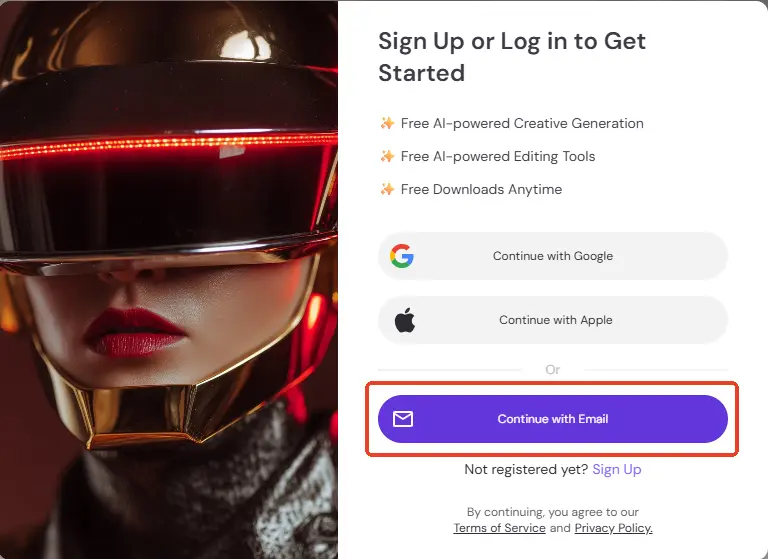
PicLumen Sign Up / Sign In
Go to piclumen.com and sign in with Google or your email. You'll land on the Studio page and you're ready to generate. Signing in saves your generation history and syncs across devices. Free accounts include a daily generation quota — no credit card required.
Navigate PicLumen Pages
There are four areas of the platform worth understanding before you start. Home is the overview — images, videos, models, tools. A good place to orient yourself and see what's new.
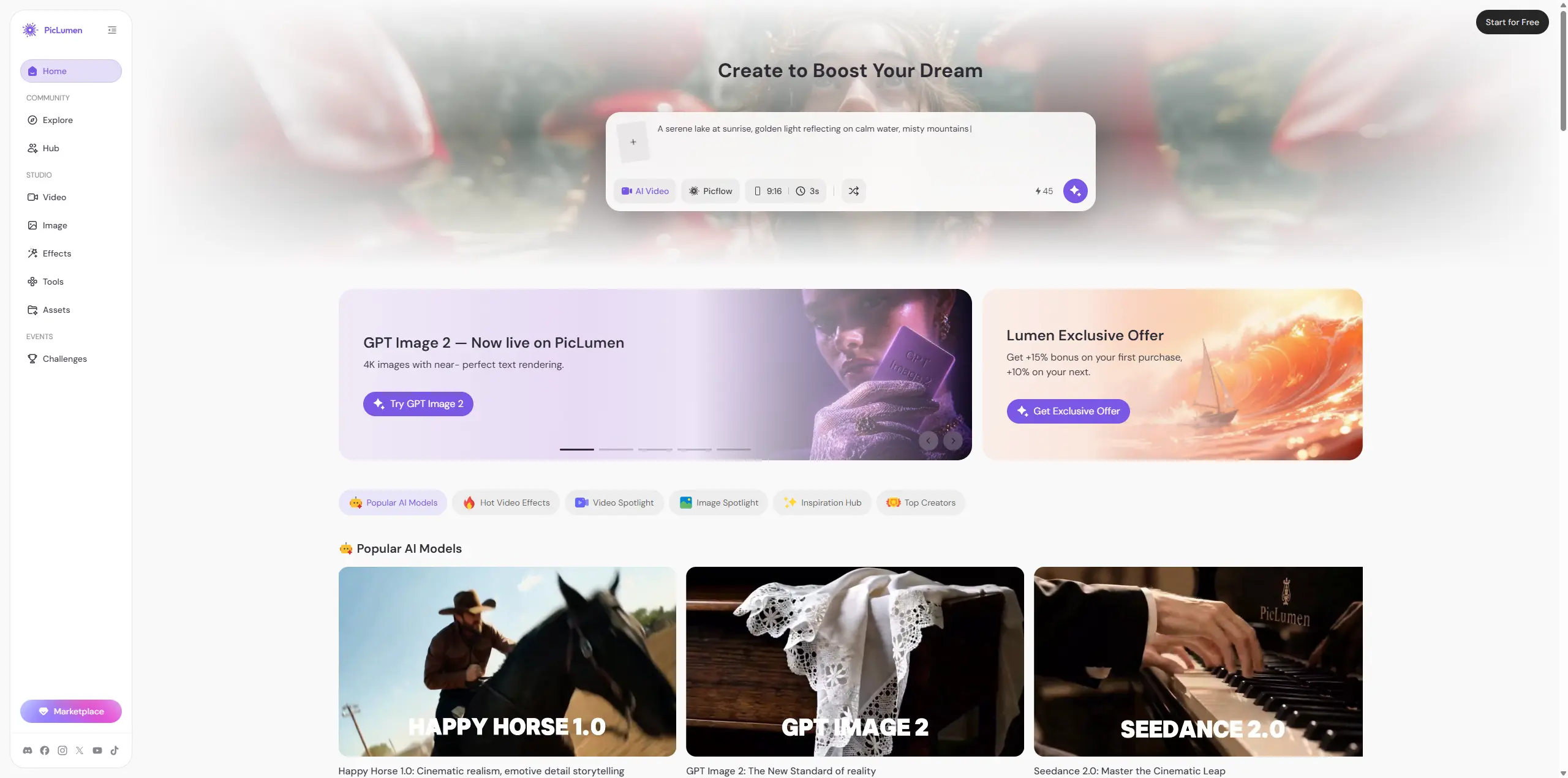
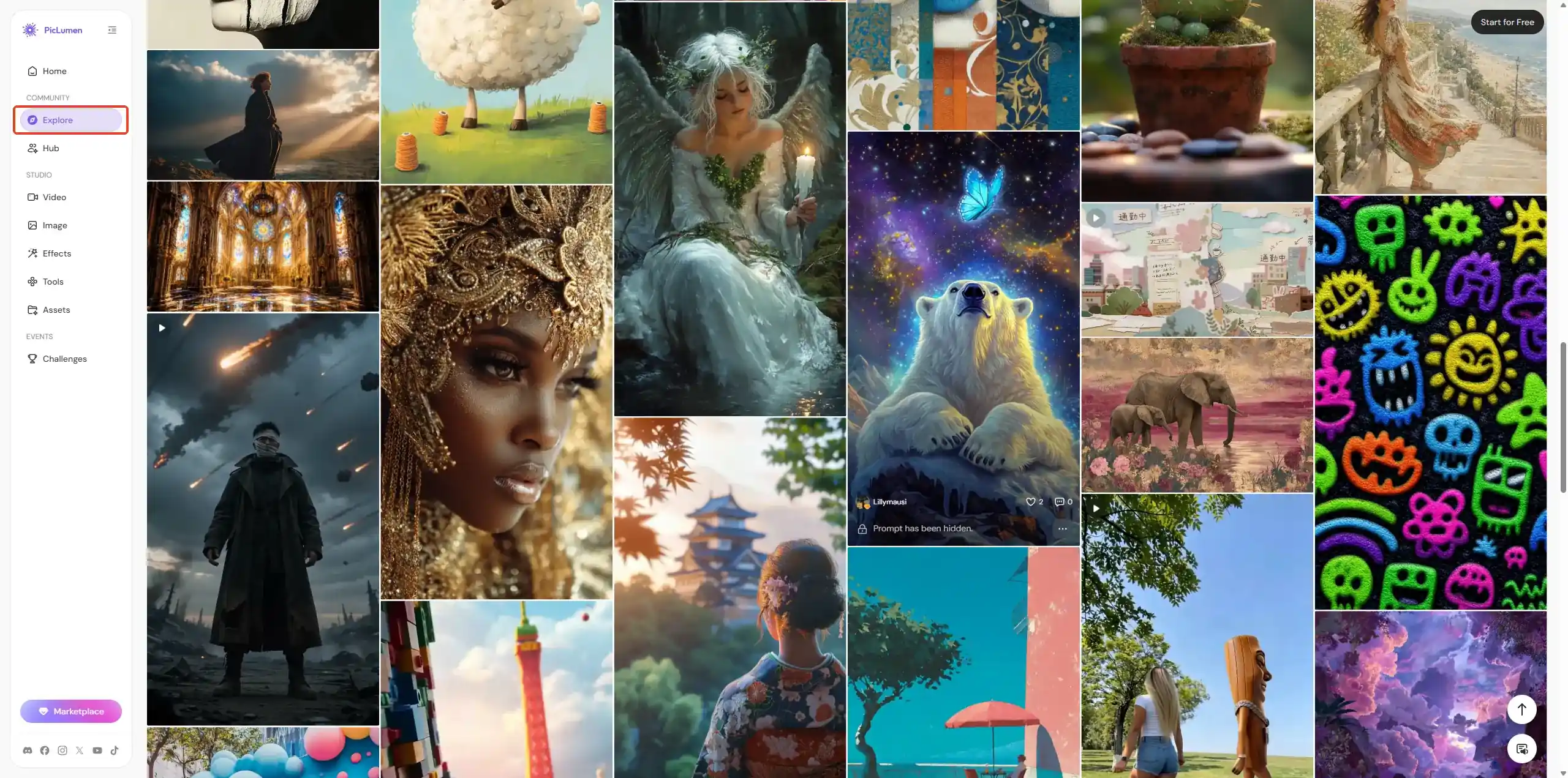
Explore is where creators share what they've made. It's one of the most underused parts of PicLumen. If you're not sure what to generate, spend a few minutes here — you'll find styles and ideas you hadn't considered, and anything in the gallery can be remixed directly into your own session.
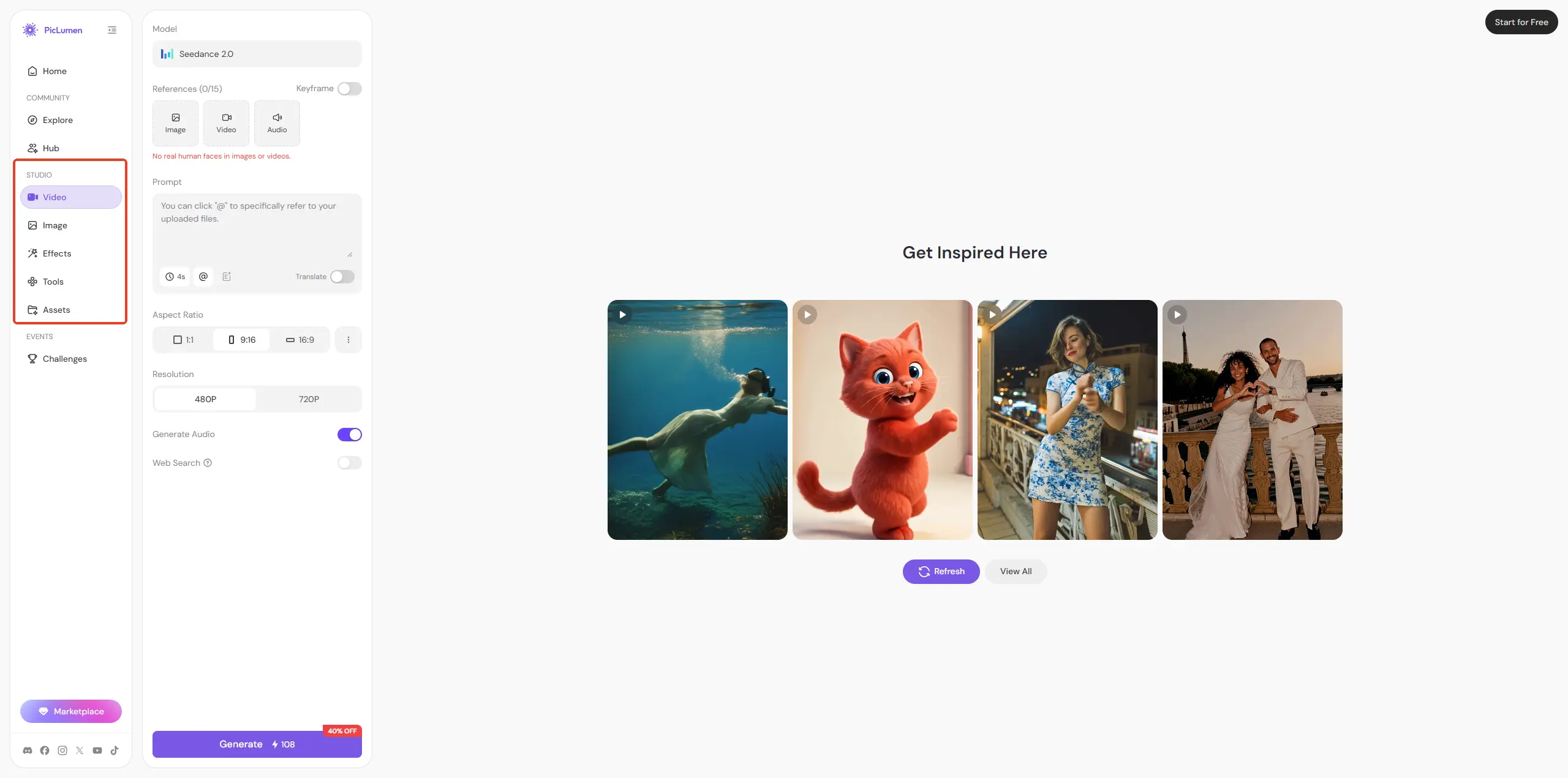
Studio (Create) is where you generate AI images and videos. This is where you'll spend most of your time.
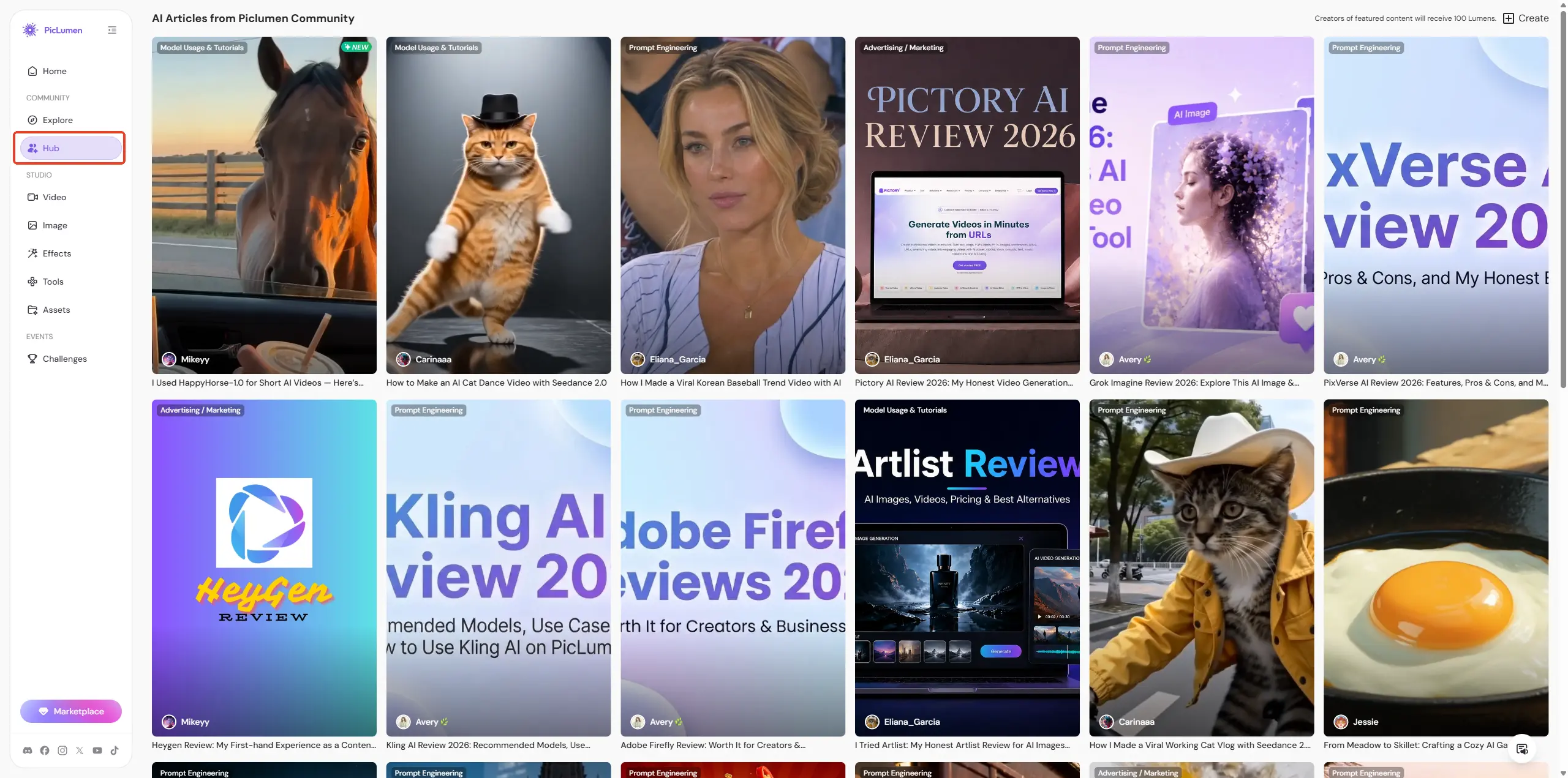
Hub is our tutorial and prompt library. When you're trying to get a specific result and not sure how to prompt for it, this is the place to check first.
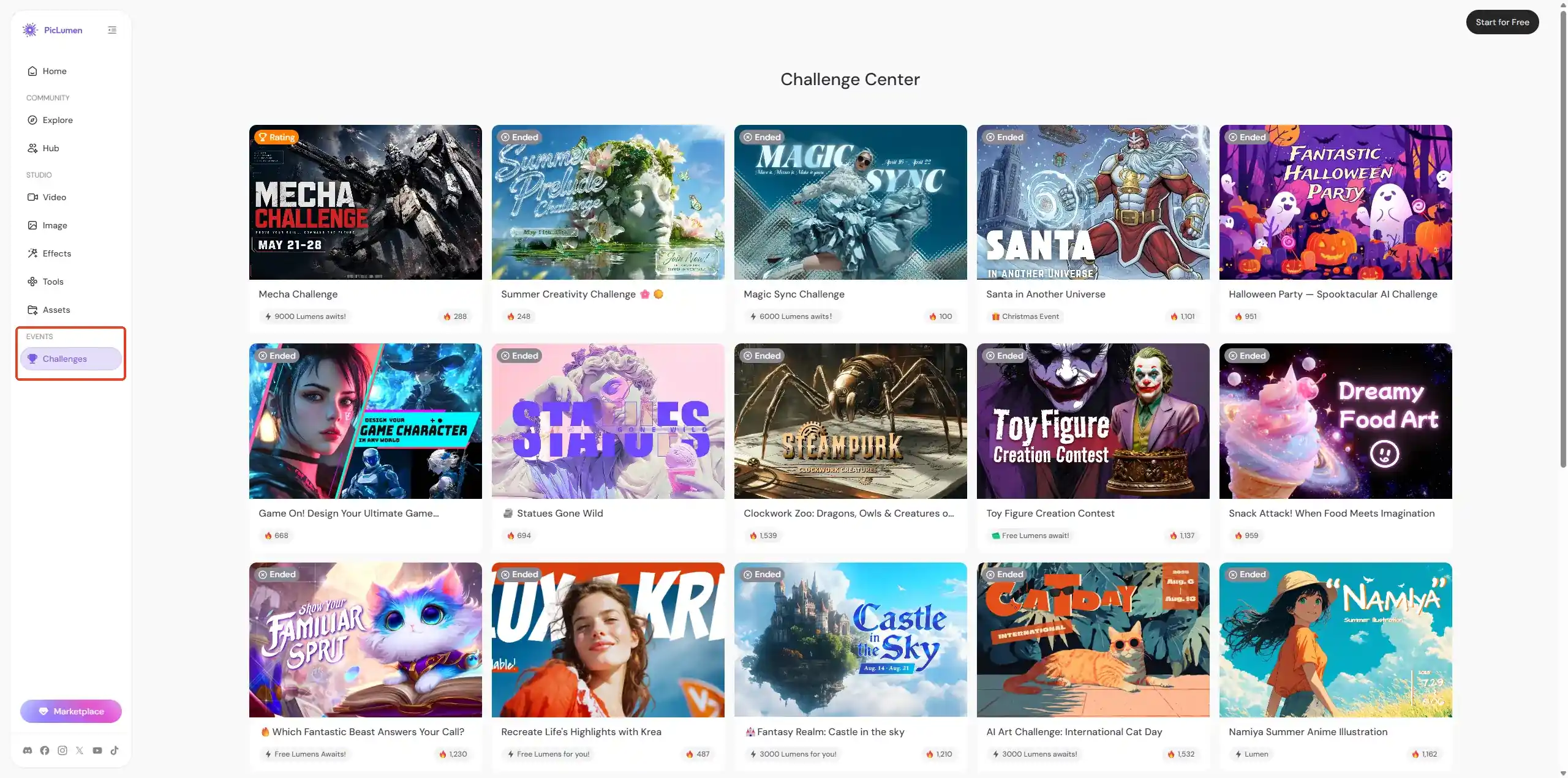
Challenge is where we run themed competitions with real rewards. PicLumen regularly hosts challenges around specific topics or styles — submit your best generation, and the top entries earn a significant amount of Lumens. If you're looking for a reason to push your skills and get rewarded for it, this is the place to check. New challenges go live on a rolling basis, so it's worth visiting regularly.
Supported Models
One of the core decisions we made in building PicLumen was to support multiple best-in-class models rather than locking users into one.
Image Models
🎓 PicLumen Original Models
Our own models, developed and maintained by the PicLumen team. A reliable starting point for most use cases. PicLumen Realistic V2 — built for photorealistic output: portraits, lifestyle scenes, product photography PicLumen Anime V2 — purpose-built for anime and ACG-style character art PicLumen Art V1 — leans illustrative and painterly; good for concept art and stylized work PicLumen Lineart V1 — generates clean lineart; pairs well with Image Colorizer for finished illustrations
🎓 Nano Banana Series
Nano Banana / Nano Banana 2 / Nano Banana Pro — versatile general-purpose models. Nano Banana Pro handles detail-heavy requests better than the base versions and is what we'd recommend if you're unsure where to start. Seedream Series
Seedream V4 / Seedream 4.5 / Seedream 5.0 Lite — strong for photorealistic output with rich texture and detail. Seedream 4.5 and 5.0 Lite offer noticeably improved skin rendering and scene coherence over V4. 🎓 FLUX Series
FLUX.2 Pro — high-fidelity output with strong prompt adherence; good for commercial and print work FLUX.1 Krea — stylized and creative; produces distinctive aesthetic results FLUX.1 Dev — flexible, good for experimental and iterative work FLUX.1 Schnell — fastest of the FLUX series; useful when speed matters more than maximum quality
🎓 Third-Party Models
Midjourney — leans artistic and painterly; strong for posters, editorial looks, and designed aesthetics GPT-Image-1 / GPT-Image-2 — precise instruction-following; handles text rendering inside images well Grok Imagine — broad creative range with strong composition Qwen-Image — handles Chinese-language prompts well; recommended if you write prompts in Chinese Qwen-Image-Edit — image editing variant of Qwen; good for targeted modifications Z-Image-Turbo — fast generation for quick iteration Pony Diffusion V6 — purpose-built for anime and character art; stronger at that specific style than general-purpose models
🎓 Specialty Models
Namiya — distinctive stylized aesthetic; good for illustration and character work Primo — fine-tuned for high-quality portrait and figure generation Choosing between them comes down to what you're making:
- Realistic photography → Seedream 4.5 / PicLumen Realistic V2
- Anime & character art → PicLumen Anime V2 / Pony Diffusion V6
- Artistic & illustrative → PicLumen Art V1 / Midjourney / FLUX.1 Krea
- Posters & design with text → GPT-Image-2 / FLUX.2 Pro
- Chinese-language prompts → Qwen-Image
- General experimentation → Nano Banana 2 If you're unsure, start with Nano Banana 2 — it handles a wide range of inputs well and is a reliable baseline for comparison.
Video Models
🎓 Kling Series
Kling 3.0 — high-quality cinematic output with strong motion consistency; our top recommendation for quality-first video generation Kling 3.0 Motion Control — adds precise control over camera movement and motion direction Kling 2.6 / Kling 2.6 Motion Control — strong motion quality with motion control variant for directional precision Kling 2.5 — balanced quality and speed Kling 2.1 — lighter model; good for quick iteration
🎓 Seedance Series
Seedance 2.0 — highest quality in the Seedance lineup; best for detail-heavy and motion-consistent clips Seedance 2 Fast — faster variant of Seedance 2 with a speed-quality tradeoff Seedance 1.5 Pro — reliable mid-tier option Seedance — base model; good starting point for video generation
🎓 Vidu Series
Vidu Q3 Pro — high-quality output with strong scene coherence Vidu Q3 Turbo — faster generation for rapid iteration
🎓 Other Models
Veo 3.1 — Google's model; handles realistic camera movement and scene lighting well Hailuo 2.3 — fast generation; well-suited for short social media clips Wan 2.6 — versatile; handles a wider range of styles and motion types than most video models Happy Horse 1.0 — optimized for specific motion styles; good for stylized and expressive animation Picflow — designed for smooth, continuous motion; works well for ambient and atmospheric clips For most use cases: Kling 3.0 for quality-first generation, Hailuo 2.3 or Seedance 2 Fast when turnaround time matters more than cinematic output.
Core Features
Text to Image
Write a description, PicLumen generates an image. The prompt structure that works most consistently: [subject] + [style] + [lighting] + [camera or composition] + [background] "A woman in her 40s reading at a wooden table, editorial photography,soft diffused window light from the left, medium shot, blurred bookshelf background" Two things worth knowing: lighting direction shapes mood more than almost anything else — be specific about it. And put the most important information first; models weight the beginning of a prompt more heavily than the end.
Image to Image (Reference)
Upload an image to guide the result instead of starting from scratch. There are three reference modes: Content Reference — keeps the structure and composition of your image, restyls everything else. Good for turning sketches into finished work or pushing a photo into a different style without losing the layout. Style Reference — extracts the color palette, texture, and feel of your image and applies it to a new subject. Use it when you want to replicate a look across different content. Character Reference — keeps a person's face consistent across multiple generations regardless of pose, outfit, or setting. Upload a clear, front-facing photo for best results. The Reference Strength slider controls how closely the output follows your uploaded image — higher for more fidelity, lower for more creative freedom.
Text to Video
Describe a scene and generate a short clip with motion. Same prompt logic as image generation, but you're also describing what moves and how the camera behaves.
"A steaming coffee cup on a wood table in a quiet café,camera slowly pushing in, warm amber light, shallow focus" Keep it to one action per prompt. Specify camera movement explicitly — "slowly pushes in," "pans left" — or the result will be inconsistent.
Image to Video
Upload any still image and describe how it should move. The camera slowly orbits the subject. Wind moves through the hair.Cinematic slow motion Subtle motion tends to look better than dramatic action. Good for animating generated images, bringing portraits to life, or creating social content from a single image.
AI Editing Tools
We built these tools specifically so you don't have to regenerate an entire image to fix one thing. Most of the time, a result is 90% right — these tools close the gap. AI Replace — paint over any part of an image and describe what should replace it. Good for fixing small mistakes, swapping a background, changing an outfit, or removing something that shouldn't be there. Image Extender — expands the image in any direction. Useful when you need a wider crop or a different aspect ratio than what you generated. The model fills in the extended area to match what's already there. Background Remover — removes backgrounds in one click. Standard transparent cutout. Useful for e-commerce, compositing, or presentation assets. Image Upscaler — increases resolution for print or professional use. If sharpness is important to you, add ultra sharp, high detail to your prompt before generating, then upscale as a final step. Image Colorizer — adds color to black-and-white images, sketches, or line art. Works on old photos, hand-drawn illustrations, or architectural line drawings. Remix — takes any generated image and uses it as a new starting point. All the parameters carry over. Useful for iterating on a result you mostly like without rewriting your prompt from scratch. Prompt Enhancement — rewrites your prompt to be more detailed and model-friendly. Turn it on when your output looks flat or too simple. Turn it off when you need precise control over the result or you're maintaining a specific character or style.
Prompt Library
These prompts are tested and ready to use. Copy one, generate a result, then change one variable at a time — that's the fastest way to learn what moves the output in the direction you want.
👉 Product Shot — E-commerce
"Minimalist product photo of a premium sneaker on a white seamless background, soft studio lighting, crisp shadow, ultra sharp, commercial photography"
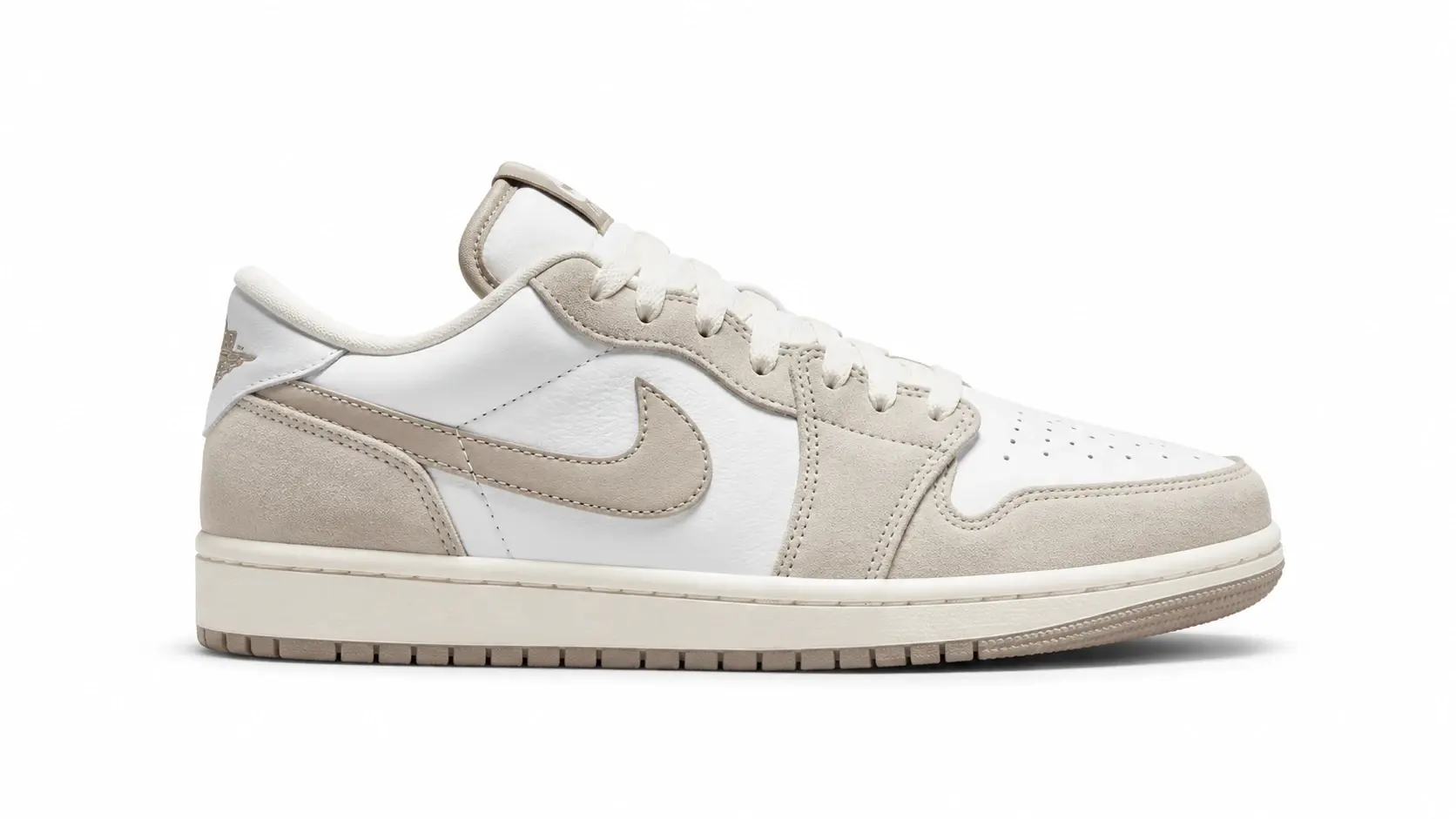
Recommended: Seedream 4.5 or Nano Banana Pro Swap: product type · background color · lighting style 👉 3D Character — Full Body
"A cute 3D cartoon girl standing full body, soft pastel outfit, gentle smile, clean background with subtle bokeh, studio lighting, high quality render"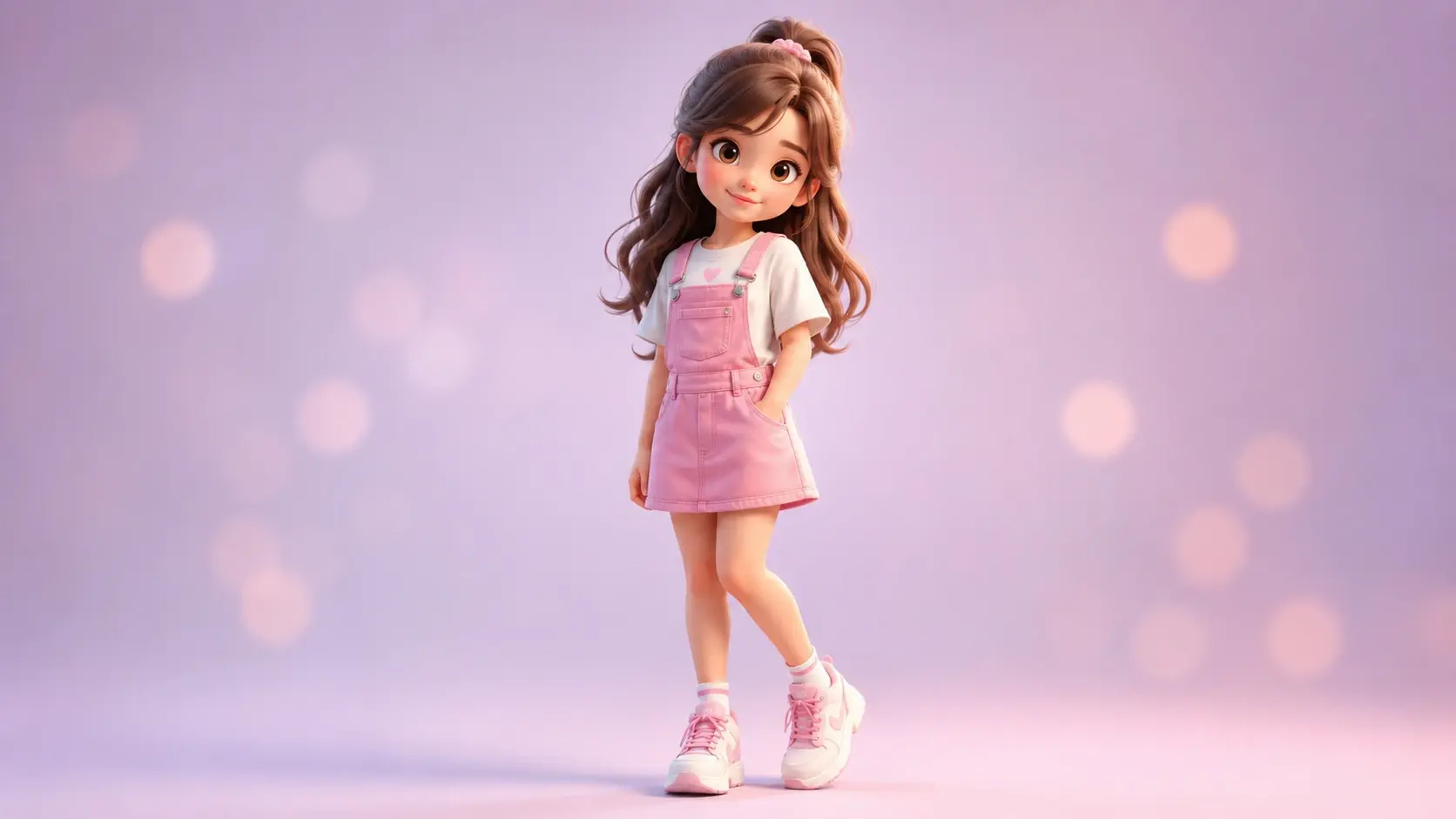
Recommended: Nano Banana 2 Swap: gender · outfit · expression · background 👉 Cinematic Scene
"A lone traveler walking through a neon-lit rainy street at night, cinematic lighting, volumetric fog, 35mm film look, dramatic composition, ultra-detailed"
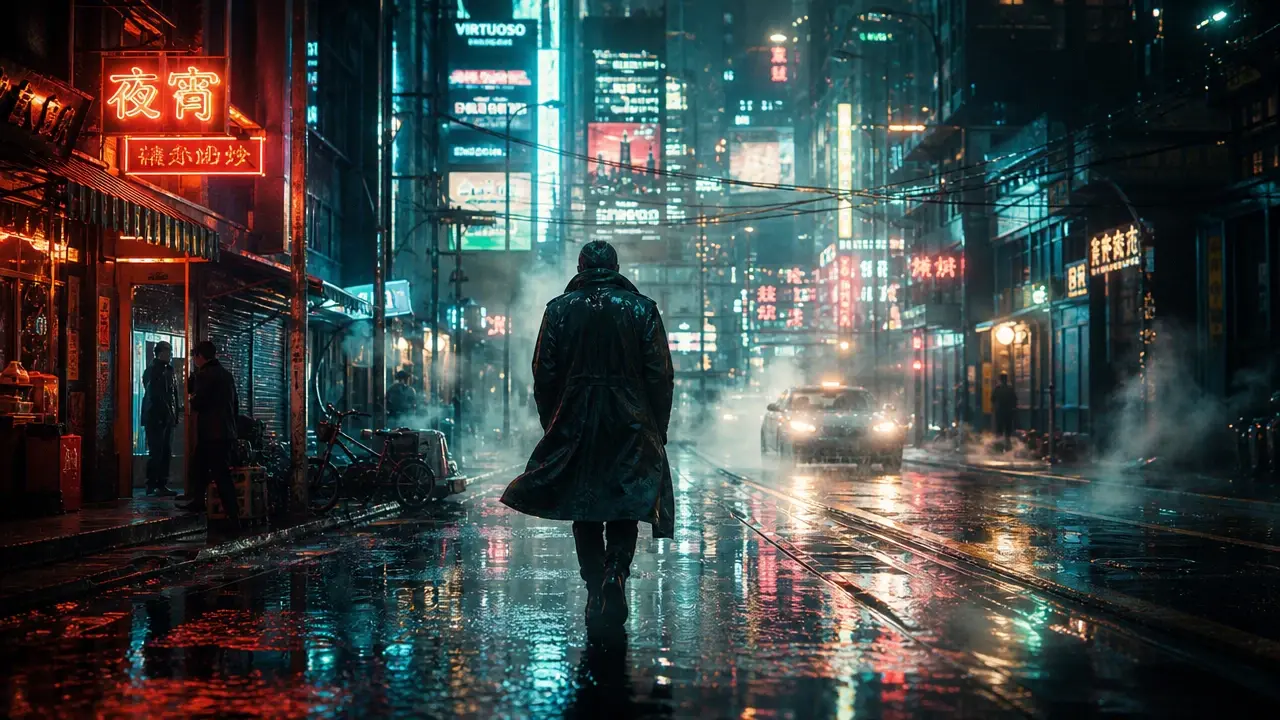 Recommended: Seedream 4.5 or Midjourney
Swap: subject · weather · time of day · film stock
👉 Poster / Graphic Design
Recommended: Seedream 4.5 or Midjourney
Swap: subject · weather · time of day · film stock
👉 Poster / Graphic Design
"A modern event poster, bold typography, clean grid layout, high contrast color palette, minimal graphic shapes, professional print-ready"
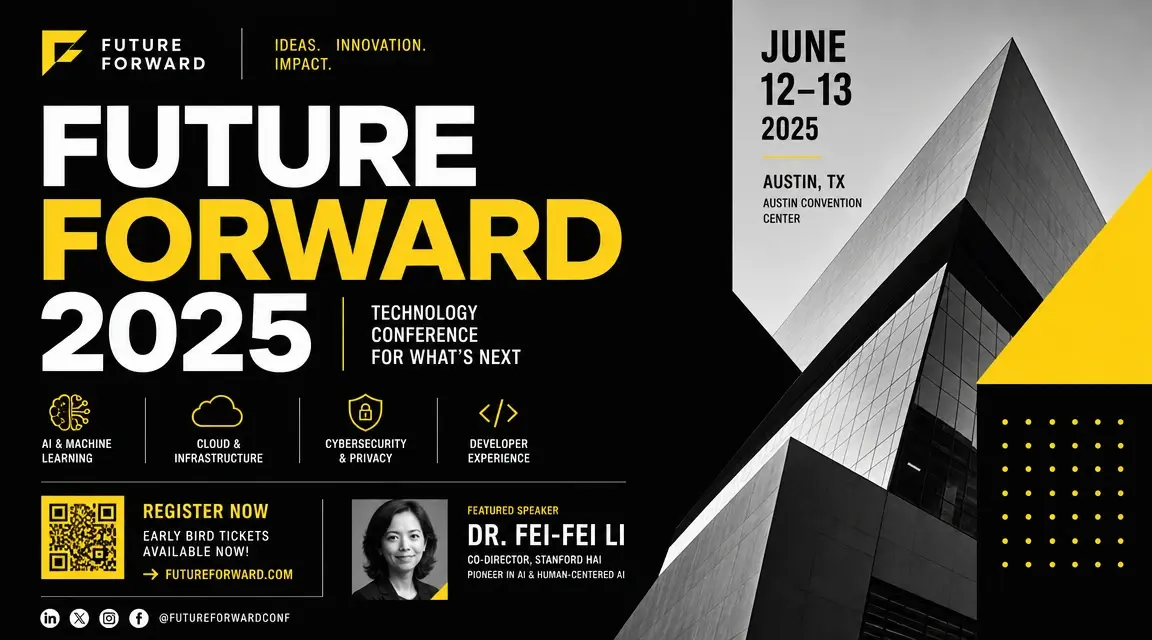 Recommended: GPT-4o or Midjourney
Swap: event type · color scheme · typography style
👉 Realistic Portrait
Recommended: GPT-4o or Midjourney
Swap: event type · color scheme · typography style
👉 Realistic Portrait
"Close-up portrait of a woman in her 30s, natural makeup, soft window light from the left, shallow depth of field, warm skin tones, editorial photography, ultra sharp"
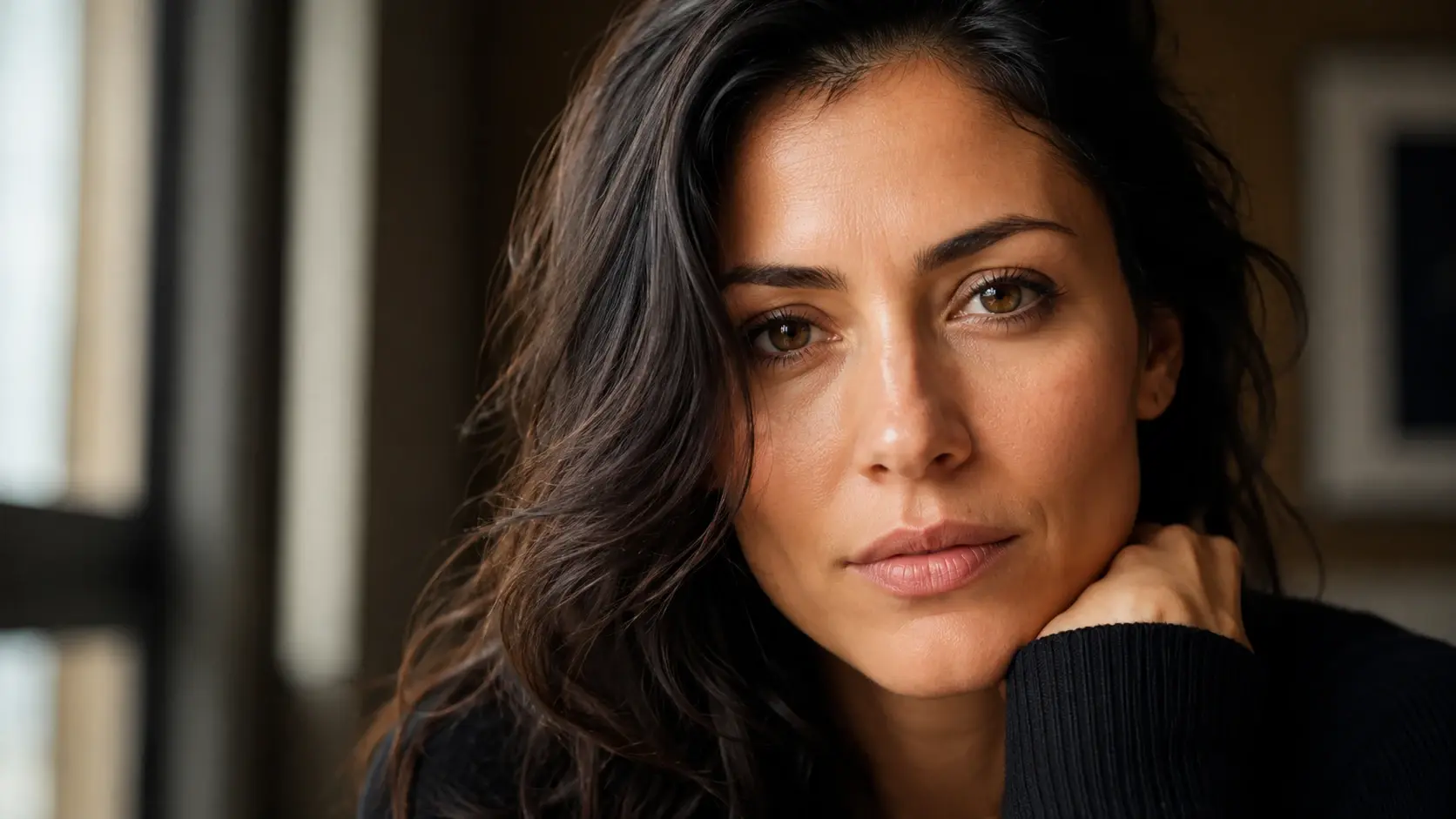 Recommended: Seedream 4.5
Swap: age · lighting direction · mood
👉 Architecture / Interior
Recommended: Seedream 4.5
Swap: age · lighting direction · mood
👉 Architecture / Interior
"A minimalist Scandinavian living room, warm afternoon light through, floor-to-ceiling windows, white oak furniture, linen textures, architectural photography, ultra realistic"
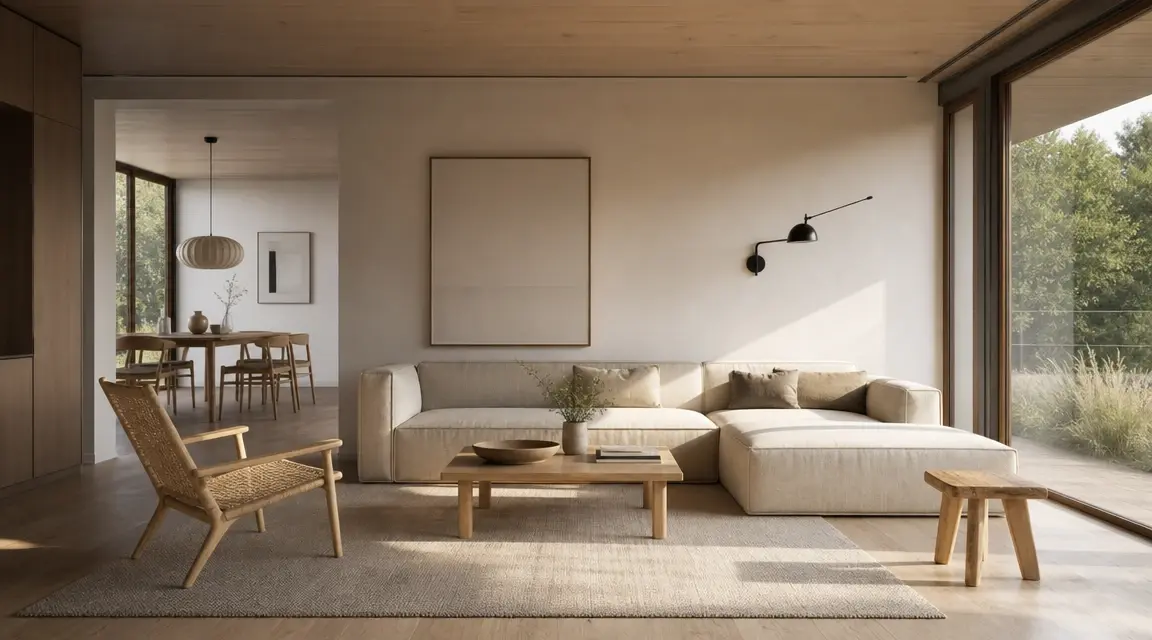 Recommended: Nano Banana Pro or Seedream 4.5
Swap: interior style · time of day · materials
👉 Text to Video — Food / Lifestyle
Recommended: Nano Banana Pro or Seedream 4.5
Swap: interior style · time of day · materials
👉 Text to Video — Food / Lifestyle
"Close-up shot of crispy fried chicken being cut open, golden texture, warm kitchen light, slow macro camera movement, crunchy sound, soft background ambience, appetizing and realistic mood."
Recommended: Kling 3.0 or Seedance 2.0 Swap: drink · surface · lighting atmosphere 👉 Image to Video — Animate a Still
"The camera slowly orbits the subject. Wind moves gently through the hair. Cinematic slow motion."Recommended: Kling 3.0 or Veo 3.1 Swap: camera movement · motion type · speed
FAQ & Quick Fixes
Q: My image looks plastic or too smooth. What's going wrong?
A: Usually it's too many "beauty" keywords stacked together — beautiful, flawless, perfect skin, gorgeous. The model overcorrects. Pull back on those and add soft natural light, realistic skin texture, subtle imperfections, film grain instead.
Q: The model keeps ignoring parts of my prompt.
A: Prompts are read in order, so anything buried at the end gets underweighted. Move the most important information to the front. Also check the length — prompts over 60–70 words tend to lose coherence. Use the Negative Prompt field to rule things out rather than adding more instructions to the main prompt.
Q: There's unwanted text or a logo in my generated image.
A: Add no text, no watermark, no logo, no signature to your Negative Prompt before generating. If it's already in the image, use AI Replace to paint over the area and describe what should be there instead.
Q: How do I keep the same character consistent across multiple images?
A: Use Character Reference in Image → Image. Upload a clear, front-facing photo of the character, keep your prompt structure consistent across generations, and save the seed number from results you like — reusing the same seed keeps the composition stable while you adjust other things.
Q: My video motion looks wrong or glitchy.
A: Usually it's too many actions in one prompt. Pick one motion and describe it specifically. Words like "subtle," "slow," and "gentle" give you more predictable results. If the motion type isn't working with a particular model, switch to a different one — not all models handle all motion types equally well.


.png)