Create AI Wicked Glow Up Video for Spooky Looks Online
Spooky Seasonal Transformations
A Glowing Halloween Makeover
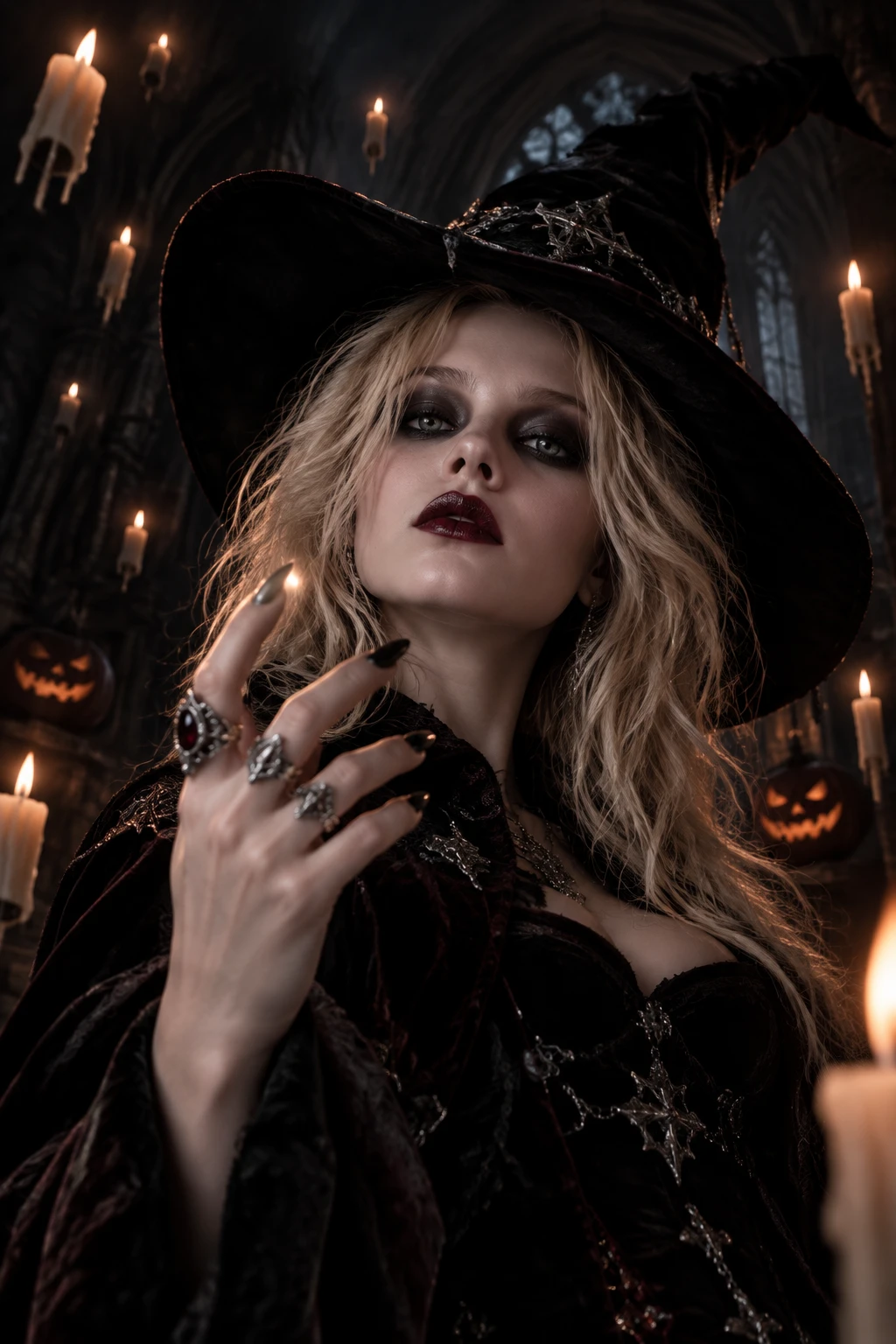
A standard portrait takes on a striking, festive glow with the Wicked Glow Up effect. The visual hook comes from the dramatic shift into a spooky, magical aesthetic. It turns an ordinary face into a character ready for a Halloween scene. This contrast between a familiar photo and a fantasy look makes the result immediately engaging. Try it on PicLumen to generate a visual that gives your subject a playful, eerie transformation.
The Magical Glow
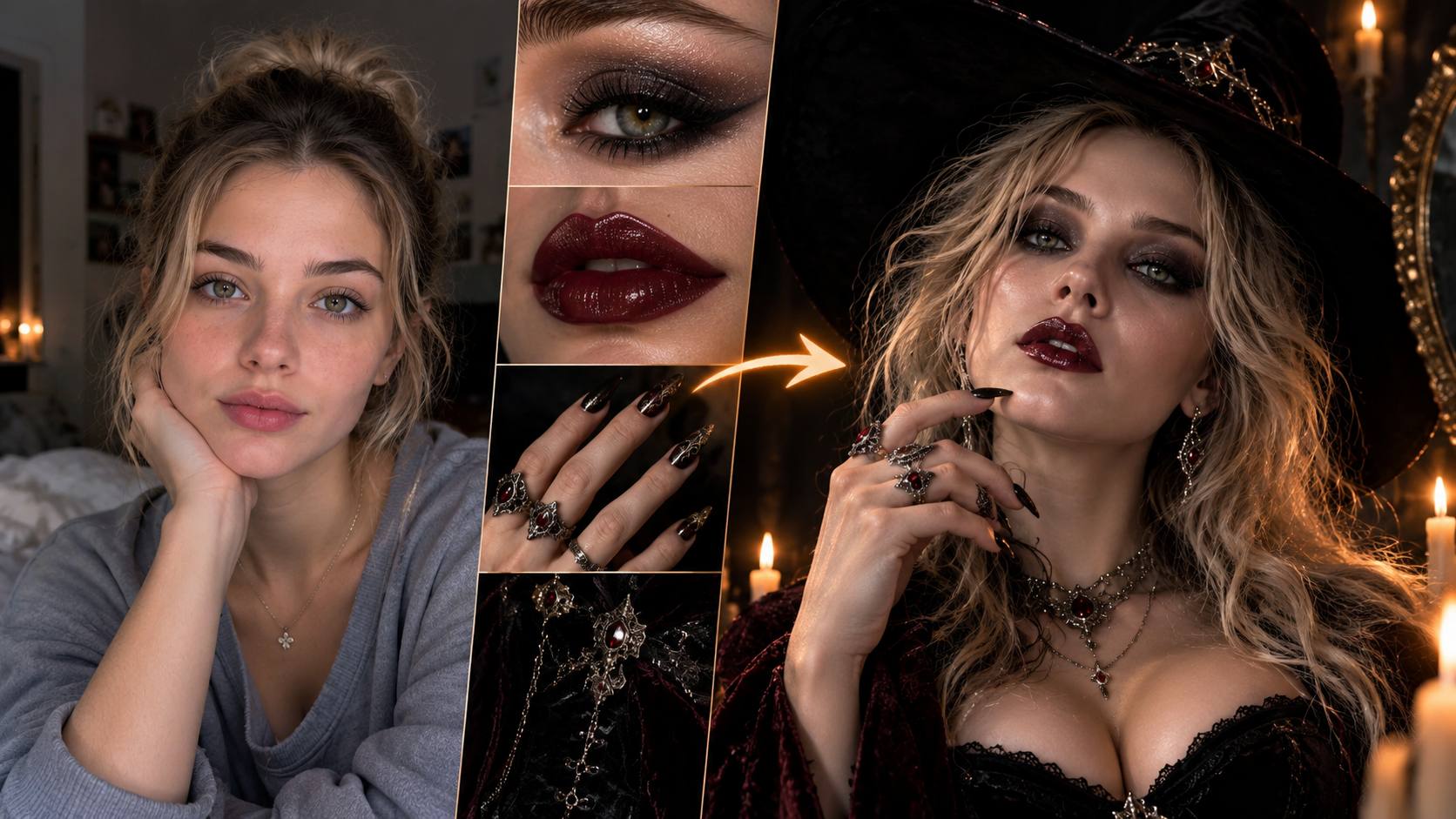
The defining feature of this effect is the luminous quality applied to the subject. A soft, eerie light seems to radiate from the face, shifting the mood from everyday to supernatural. This glow highlights the eyes and facial structure, creating a dramatic focal point. It reinterprets a simple portrait by adding a layer of fantasy lighting, making the subject look like a magical creature.
Playful Spooky Details
Halloween aesthetics often rely on small, recognizable details. This effect may introduce subtle elements like darkened eyes or a stylized, wicked expression. These details turn a casual photo into a festive character study. It is a playful way to explore a darker, more theatrical persona. The transformation adds a sense of fun and mystery, making the image perfect for a seasonal post.
A Dramatic Character Shift
The shift from a normal picture to a glowing, wicked character is visually striking. It gives the subject an attitude that feels both mischievous and magical. This reinterpretation allows you to explore a new side of a familiar portrait. The effect frames the subject with a theatrical tone, making the final result feel like a scene from a fantasy story rather than a standard photograph.
Create Wicked Glow Up AI Visuals with PicLumen
Spooky Character Makeovers
You want a portrait that feels theatrical and slightly eerie. The Wicked Glow Up effect applies a luminous, magical light to the subject's face. This shift turns a standard photo into a stylized fantasy look. It works well for exploring a darker, mischievous persona. The dramatic contrast between the everyday image and the supernatural glow makes the final visual stand out immediately.
Festive Halloween Portraits
Standard seasonal photos often blend together. This effect introduces a distinct spooky aesthetic that suits the holiday. By adding a glowing quality, the image takes on a festive, enchanted mood. It reinterprets a simple snapshot into a memorable character portrait. You can use it to create a visual that captures the playful spirit of the season and gives your subject a striking new appearance.
Dramatic Fantasy Lighting
The glowing light is the central visual hook here. It highlights the subject's eyes and facial structure, pulling the viewer's attention directly to their expression. This specific lighting style adds tension and mystery to a normal portrait. It is a direct way to experiment with supernatural looks. The resulting image feels highly stylized, giving a familiar face a dramatic and unexpected visual edge.
Playful Theatrical Looks
Sometimes a regular portrait needs an exaggerated, fun twist. This effect gives the subject a wicked attitude through lighting and subtle stylistic changes. It allows you to play with a more dramatic character idea. The transformation makes the subject look like they are stepping into a magical role. It provides a specific creative angle for sharing a slightly spooky visual with friends on a social feed.
How to Create a Wicked Glow Up Effect on PicLumen
Step 1 Choose Your Template
1Use the default Wicked Glow Up template to get a glowing Halloween look, or open the Template menu to explore other options. Switching is optional. Select the style that best fits the spooky, luminous character you want for your portrait.
Step 2 Upload Your Photo
2Select a clear, front-facing portrait from your device. Ensure the subject's face is well-lit and visible. A simple background helps the glowing effect stand out without competing visual elements. The subject's expression should be clear to anchor the magical transformation.
Step 3 Select Parameters If Available
3Check the prompt area for adjustable settings. If the template offers parameter choices, pick the ones that match your preferred style. When no extra settings appear, you can skip this step and proceed directly to generating the final visual.
Step 4 Generate and Download
4Review your chosen template, uploaded image, and any selected parameters before clicking Generate. Once the glowing character visual is ready, download the file directly to your device. Confirm the final image matches your intended spooky look.


Loved by Creators Worldwide
Real feedback from designers, marketers, and hobbyists sharing their PicLumen experience on Trustpilot.
 jsbsbsbs hdhdhshwhw
Very cool i like it it's so smooth
Very cool i like it it's so smooth
by Neefai love it and easy to use
i love it and easy to use
 Ai Hack
Great tool
I would really recommend this website to content creation
Ms. BlissJust getting started
Just getting started, thus far it's really good. Going to continue to review and will update.
Ifeanyichukwu C ChukwuemekaVery good
Very good and good AI app easy to use without stress
 Narender Khatana
I love this app I love this very very…
I love this app I love this very very much this is help in make a videos
 Fatjon Xhoka
Super app for photo and video
Super app for photo and video
The best app in the place
The best app in the place
 Boma Halliday
GREAT QUALITY FOR THE PRICE
GREAT QUALITY FOR THE PRICE. ARGUABLY THE MOST AFFORDABLE IMAGE GENERATION SITE THERE IS WITH THE BEST OPTIONS.
Very Best App For AI Vedioea
Very Best App For AI Vedioea
 Ava Athel
Quite good quality on this website
Quite good quality on this website
 Nagavali Srinivas
excellent images are generated
excellent images are generated
Frequently Asked Questions
What is Wicked Glow Up?
It is an effect that transforms a standard portrait into a glowing, supernatural character. The visual hook comes from the luminous light applied to the subject's face, shifting the mood from everyday to theatrical. This change gives the image a playful, spooky atmosphere. The result makes a familiar photo look like a magical or fantasy-inspired creation.
What is the best tool for creating this glowing effect?
PicLumen provides a direct way to generate this specific visual. You can start with the default template or open the Template menu to explore other styles. After uploading a local image and checking any available parameters, click Generate. Once the glowing result is ready, you can download the file directly to your device.
What kind of photo works best for this effect?
A clear, front-facing portrait delivers the strongest result. Ensure the subject's face is well-lit and clearly visible. The effect relies on a distinct facial outline to apply the luminous glow effectively. A simple background helps keep the focus entirely on the subject's expression and the magical transformation.
Can I use this for social content?
Yes, the supernatural glow creates a strong visual hook. You can turn a standard portrait into a festive Halloween look or a dramatic character reveal. This luminous contrast makes the image stand out in a feed. Making your own take involves choosing a photo with a clear, expressive face to match the spooky concept and share a unique visual.
How do I save my final creation?
When the visual is ready, you can download it directly to your device. The saved file is ready for your personal collection or a creative project. You can use the image whenever you want to share the glowing character with others or keep it as a distinctive addition to your gallery.
Can I use a group photo for this effect?
A solo portrait usually produces the clearest result because the effect focuses on a single subject's face. For a group image, the glowing transformation might not apply evenly to every person. If you want a specific character look, choose an image where one person is centered and their expression is clearly visible.