Photo to Oil Painting: Realistic Oil Art That Looks Like You
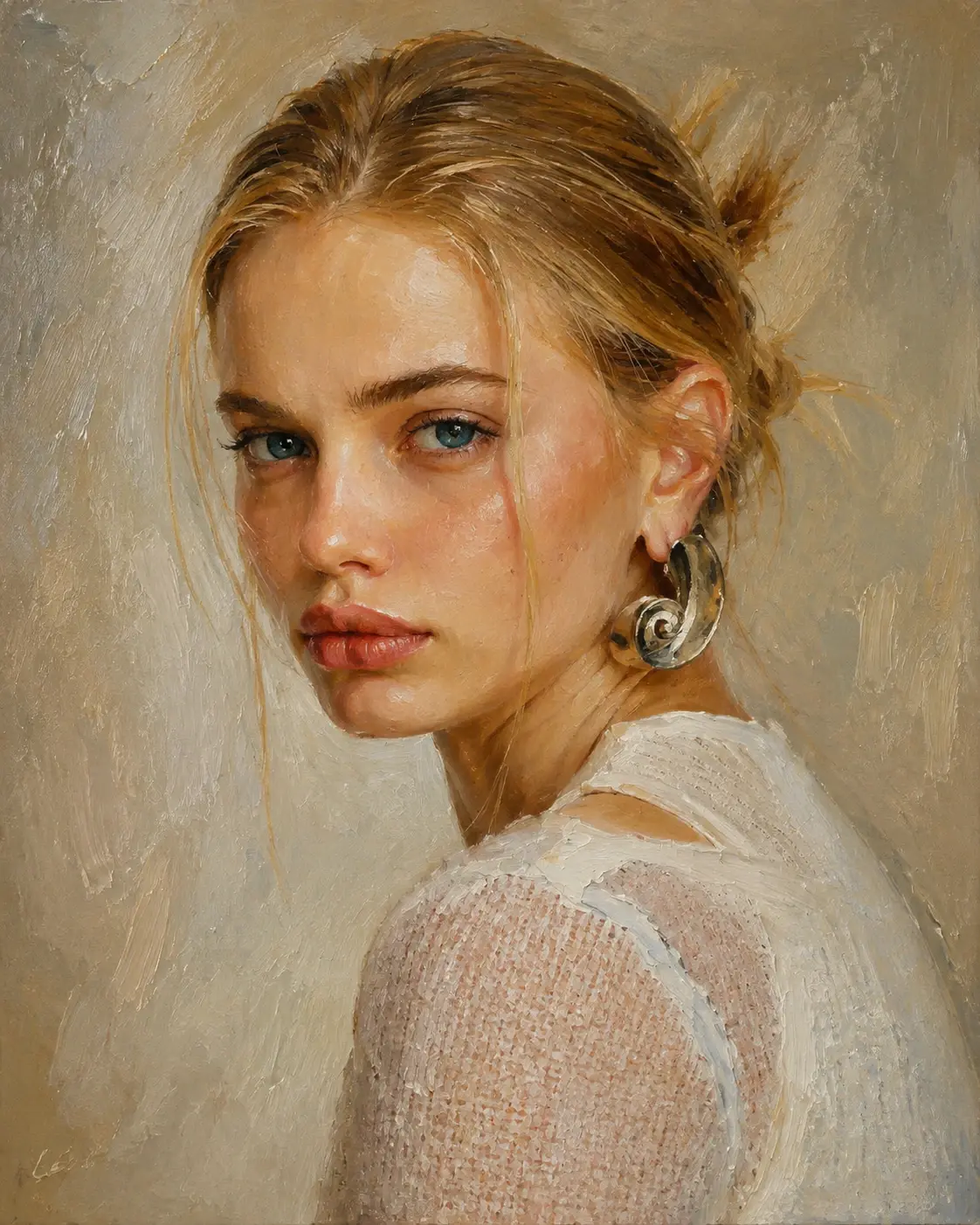
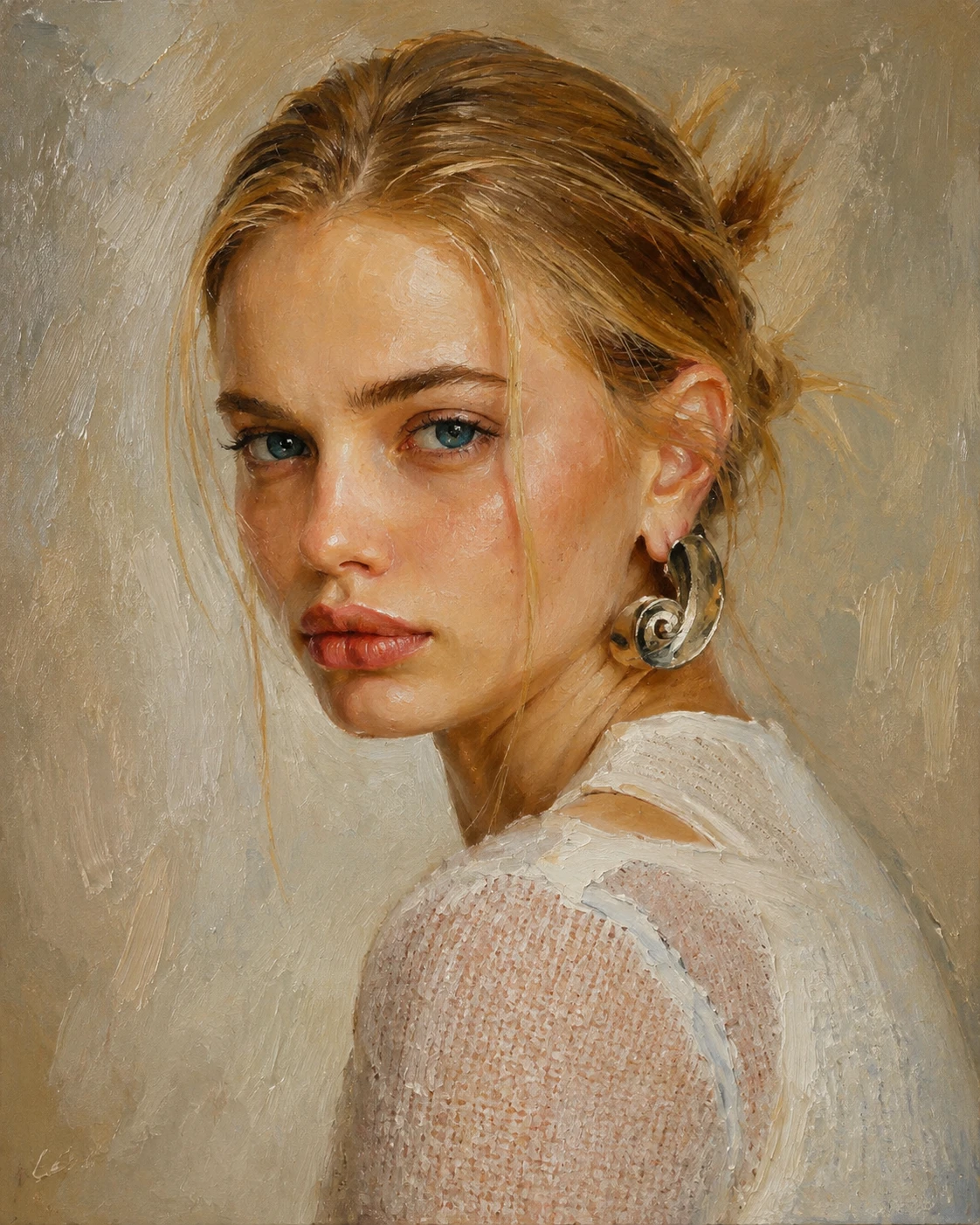
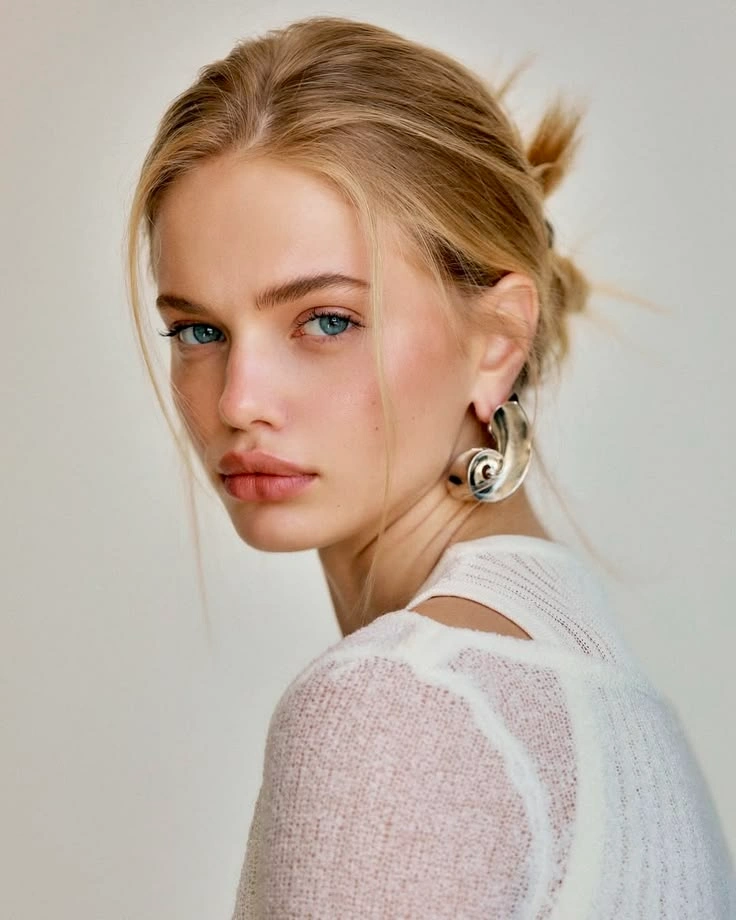
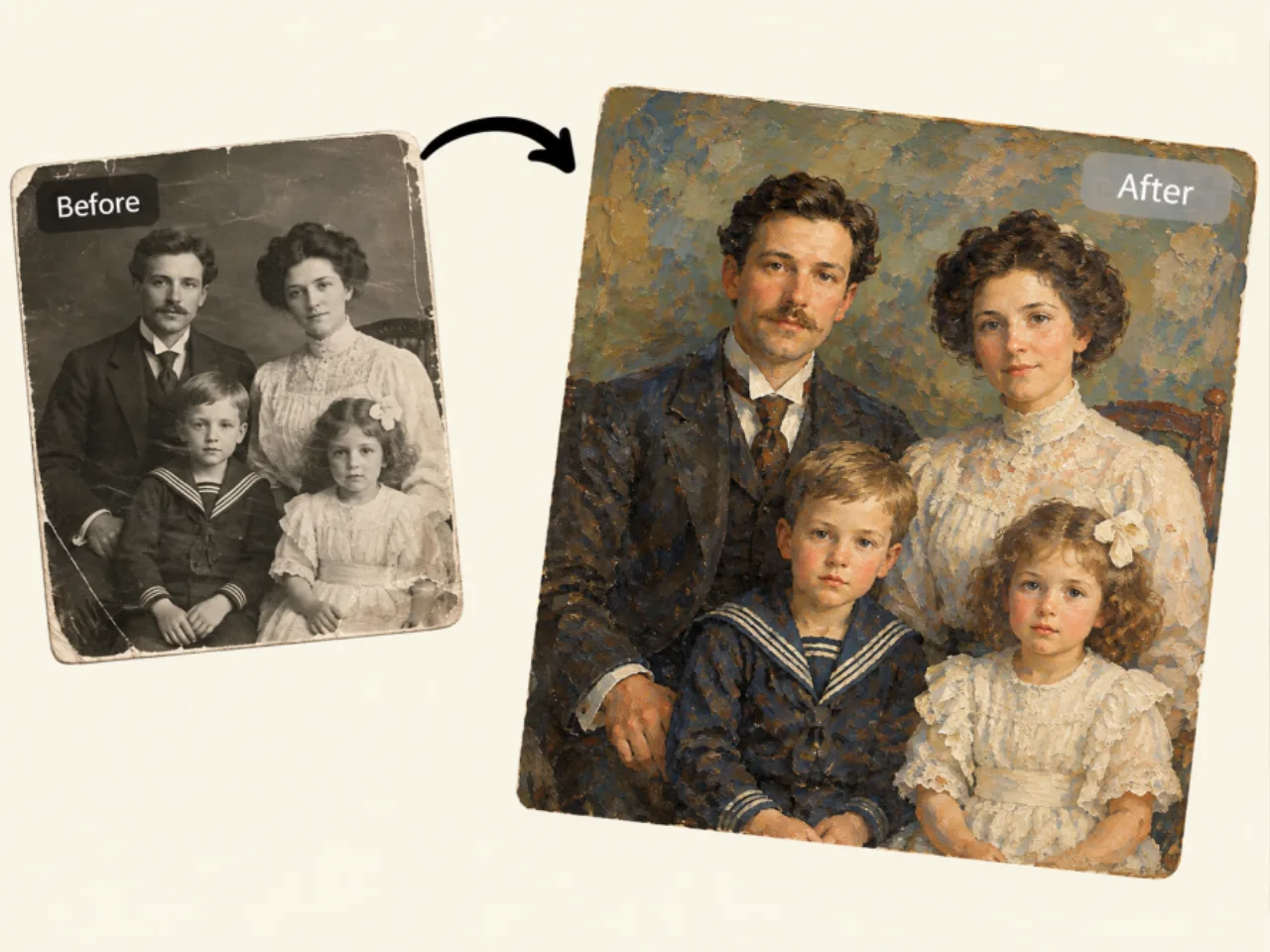
Preserve Your Likeness When Turning a Photo into an Oil Painting
Transform portraits and personal photos into oil artwork without losing the identity and character that make the original image recognizable. PicLumen is designed to retain important facial features, proportions, expressions, and distinctive characteristics during the photo to oil painting process, helping your finished artwork remain visually connected to the source photo.
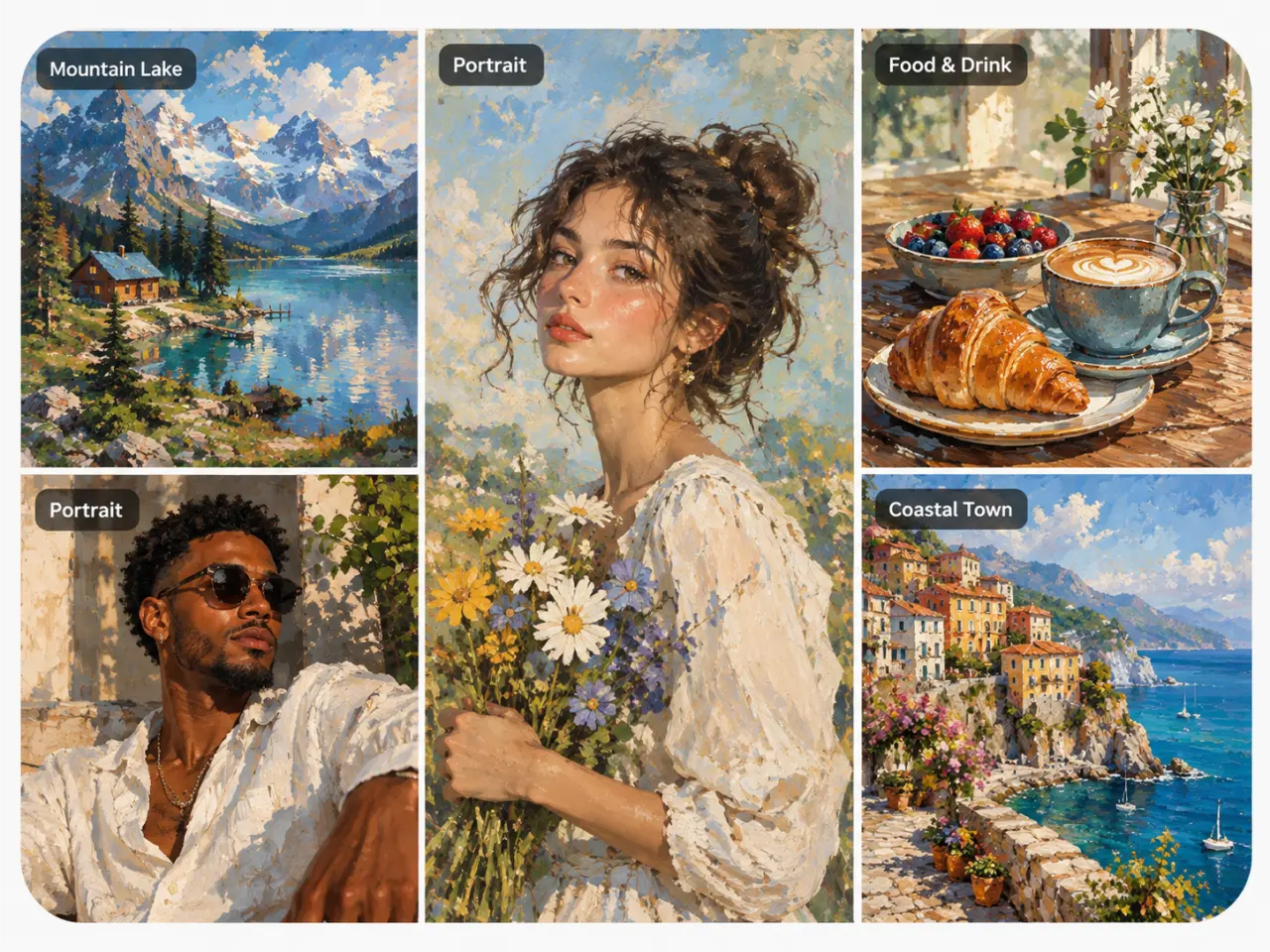
Go Beyond a Basic Filter with Realistic Oil Painting Detail
A traditional photo filter mainly changes colors, contrast, or surface effects while leaving the original image largely intact. PicLumen takes a more generative approach to AI photo to oil painting, creating visible brushwork, layered texture, natural shading, and painterly depth. The result is designed to look more like an oil painting than a photo with a basic filter applied.
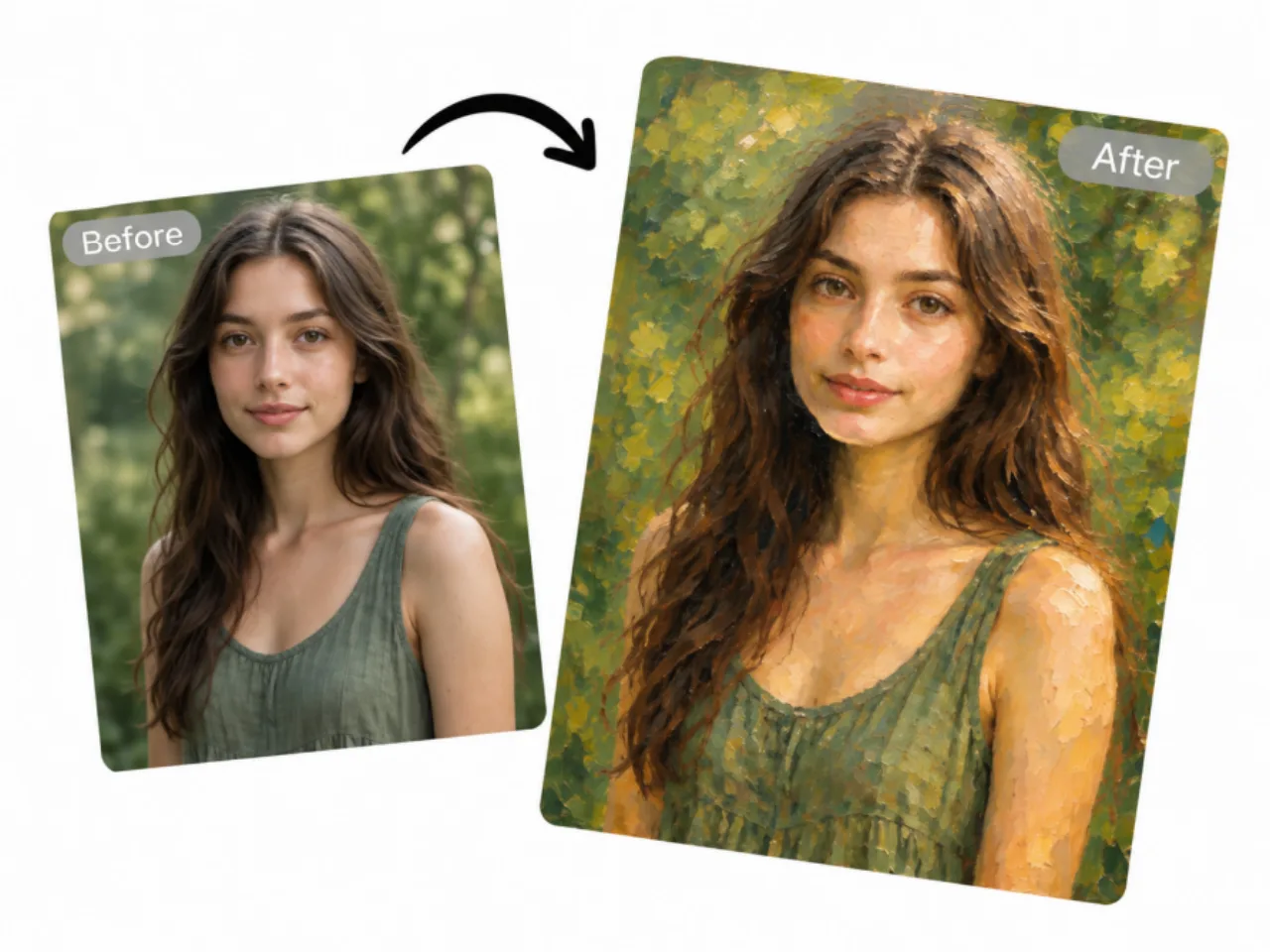
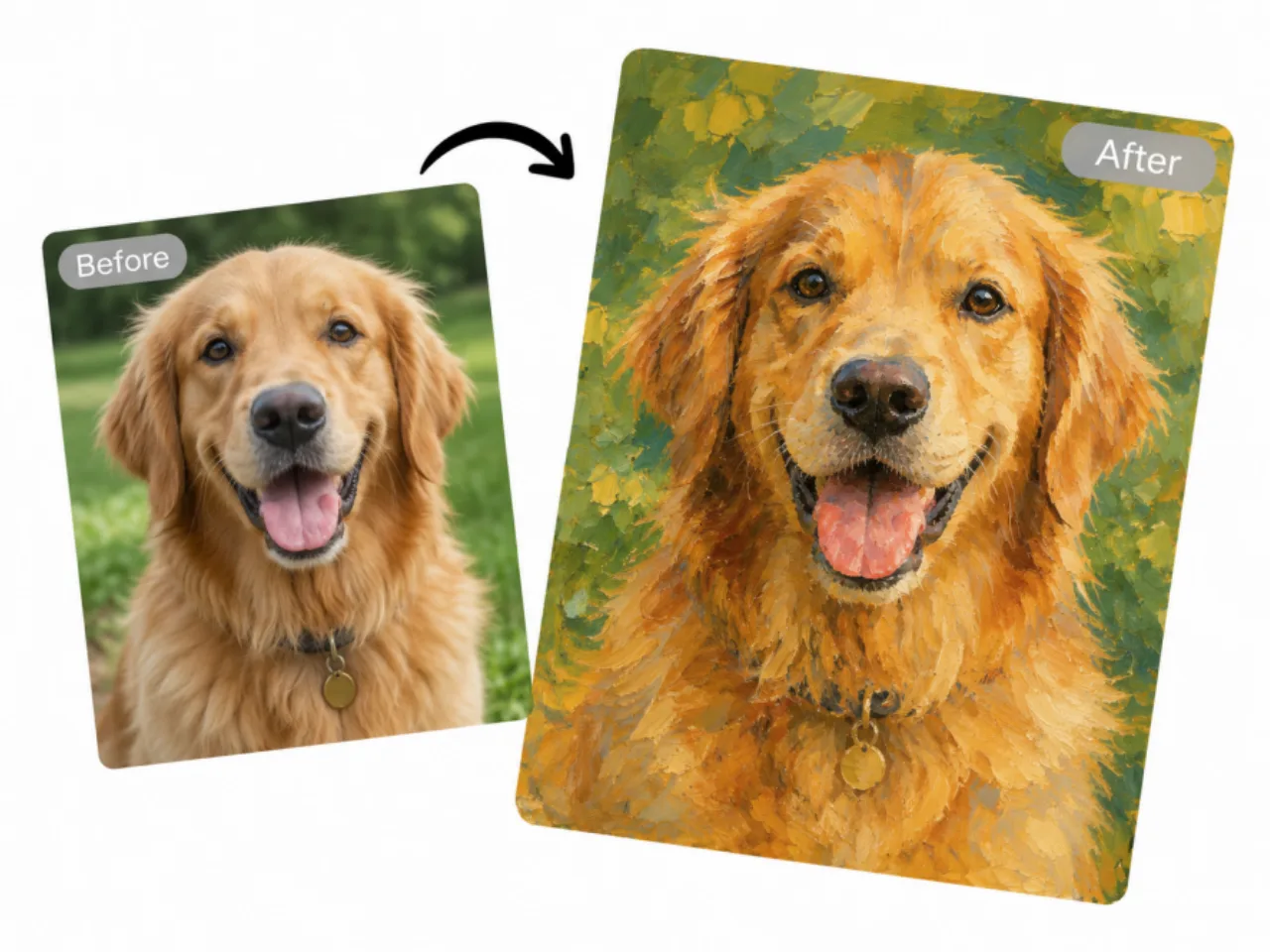
Use Photo to Oil Painting to Transform Any Image into Art
Photo to oil painting isn't limited to portraits. Turn family photos, pet pictures, landscapes, travel memories, food photography, architecture, and everyday snapshots into unique oil-inspired artwork. Whether you want to transform a meaningful portrait or simply experiment with an ordinary image, PicLumen makes it easy to create an oil painting from a photo across a wide range of subjects.
Turn a Photo into an Oil Painting Without Painting Skills
You don't need professional painting experience or advanced photo-editing skills to create your own artwork. Simply upload an image, describe or choose the artistic direction you want, and let AI handle the photo-to-oil-painting transformation. Experiment with different styles and ideas, then turn your favorite photos into oil artwork without complicated painting software or manual editing.
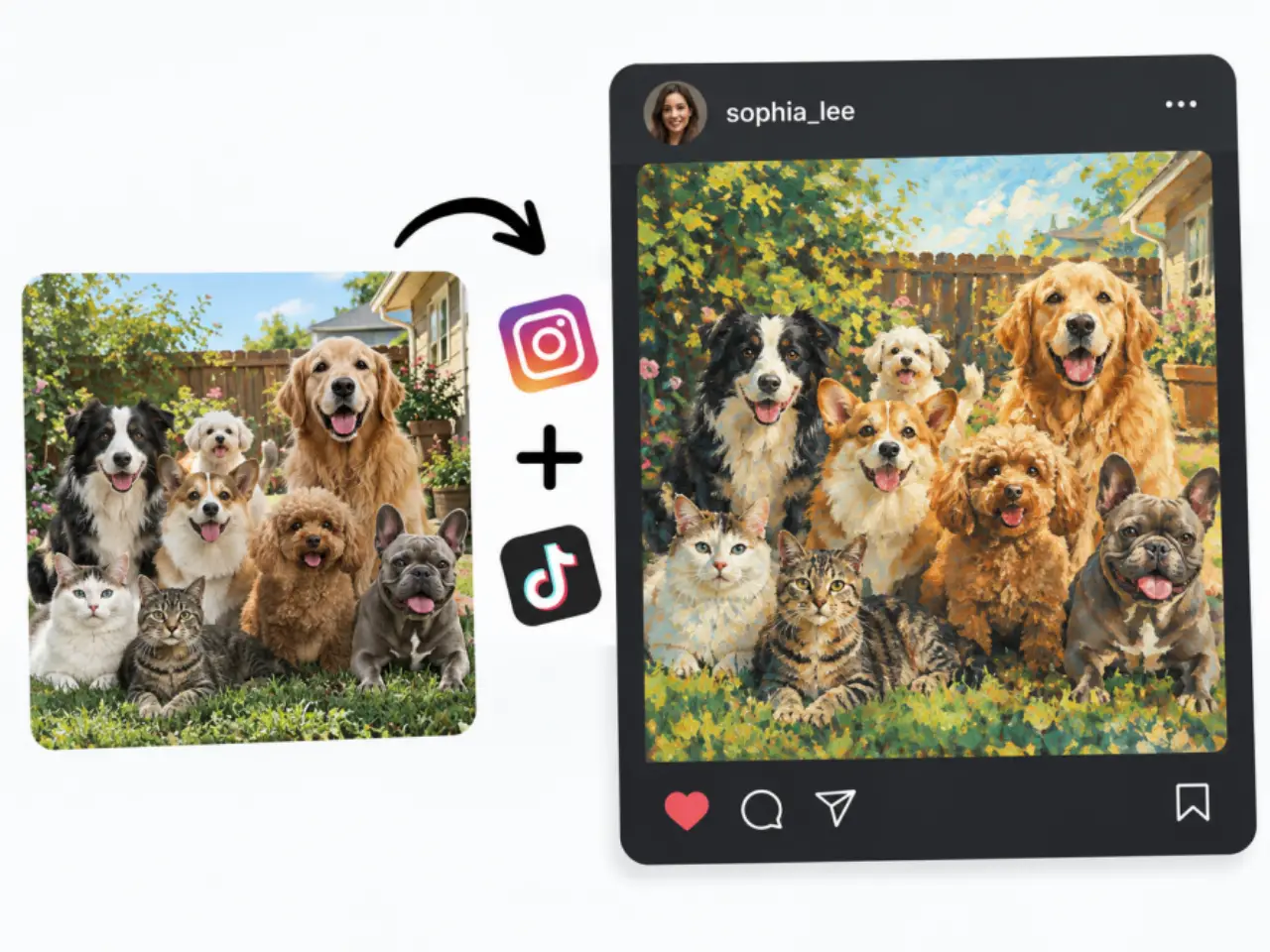
How to Use More Templates
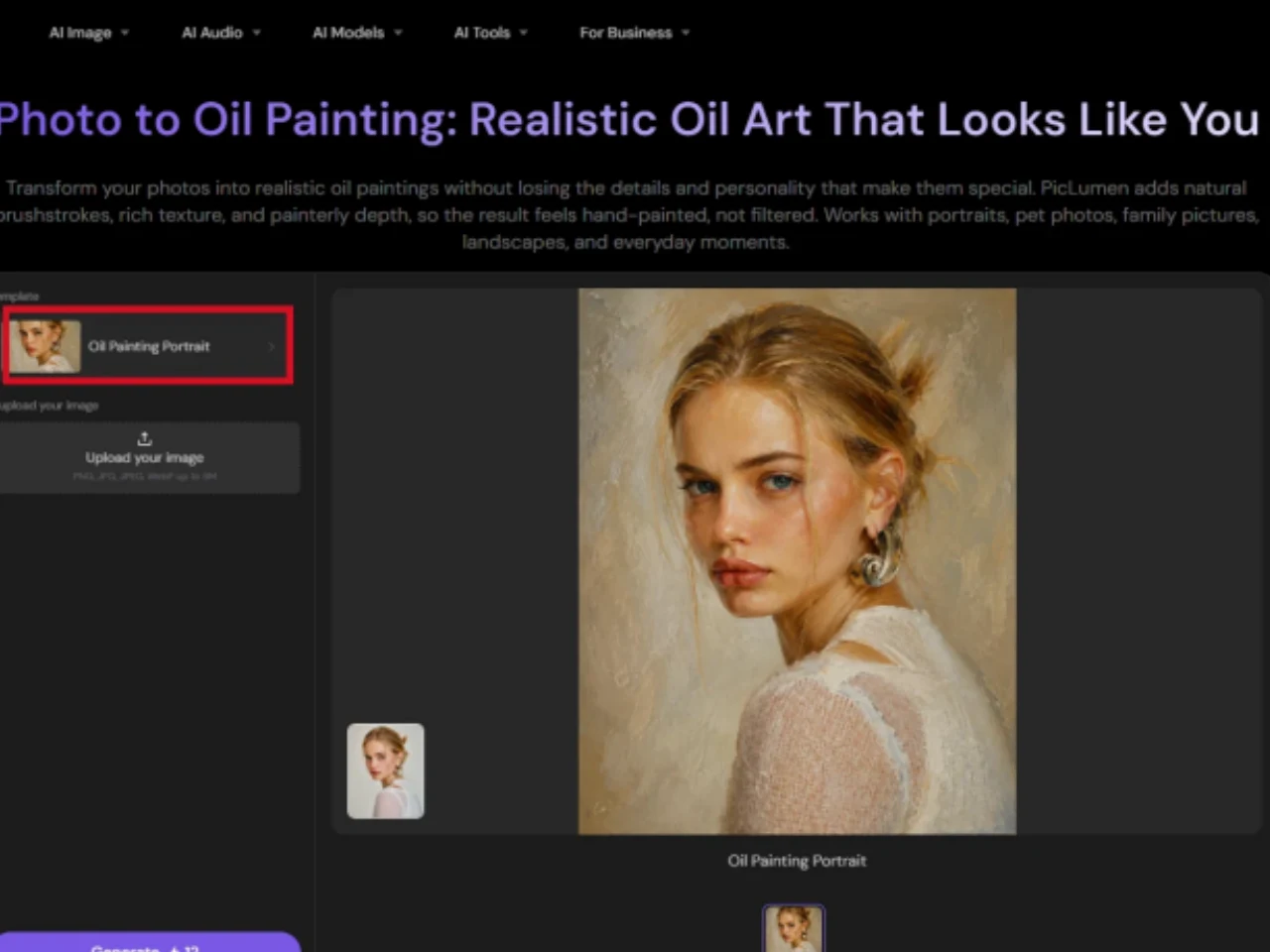
Step 1: Click the Template Name
Click the current template name to open the template menu.
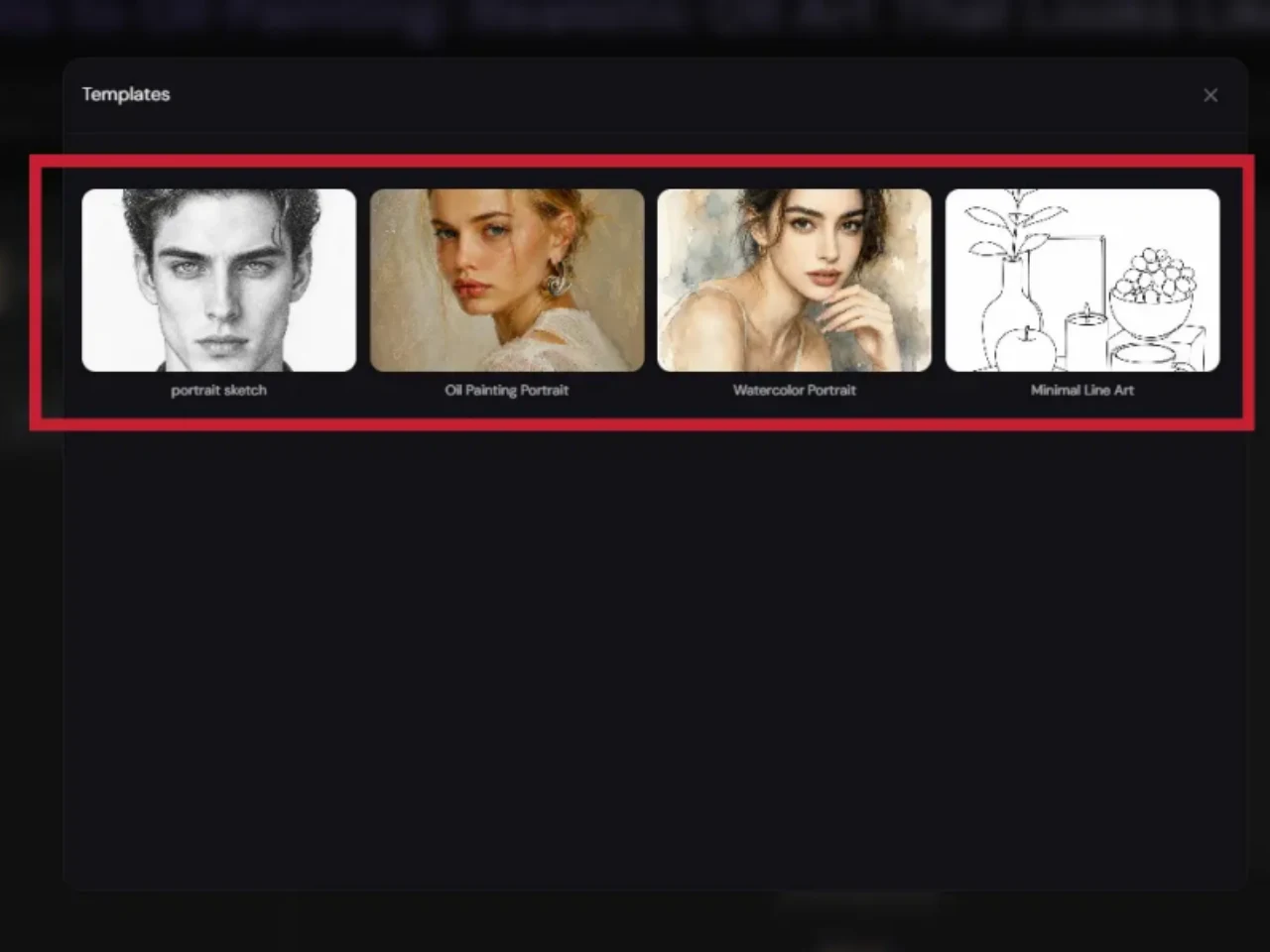
Step 2: Browse Available Templates
Explore the available templates and choose the right style for your photo, such as Portrait Sketch for a clean, hand-drawn look or Watercolor Portrait for a soft, artistic watercolor effect.
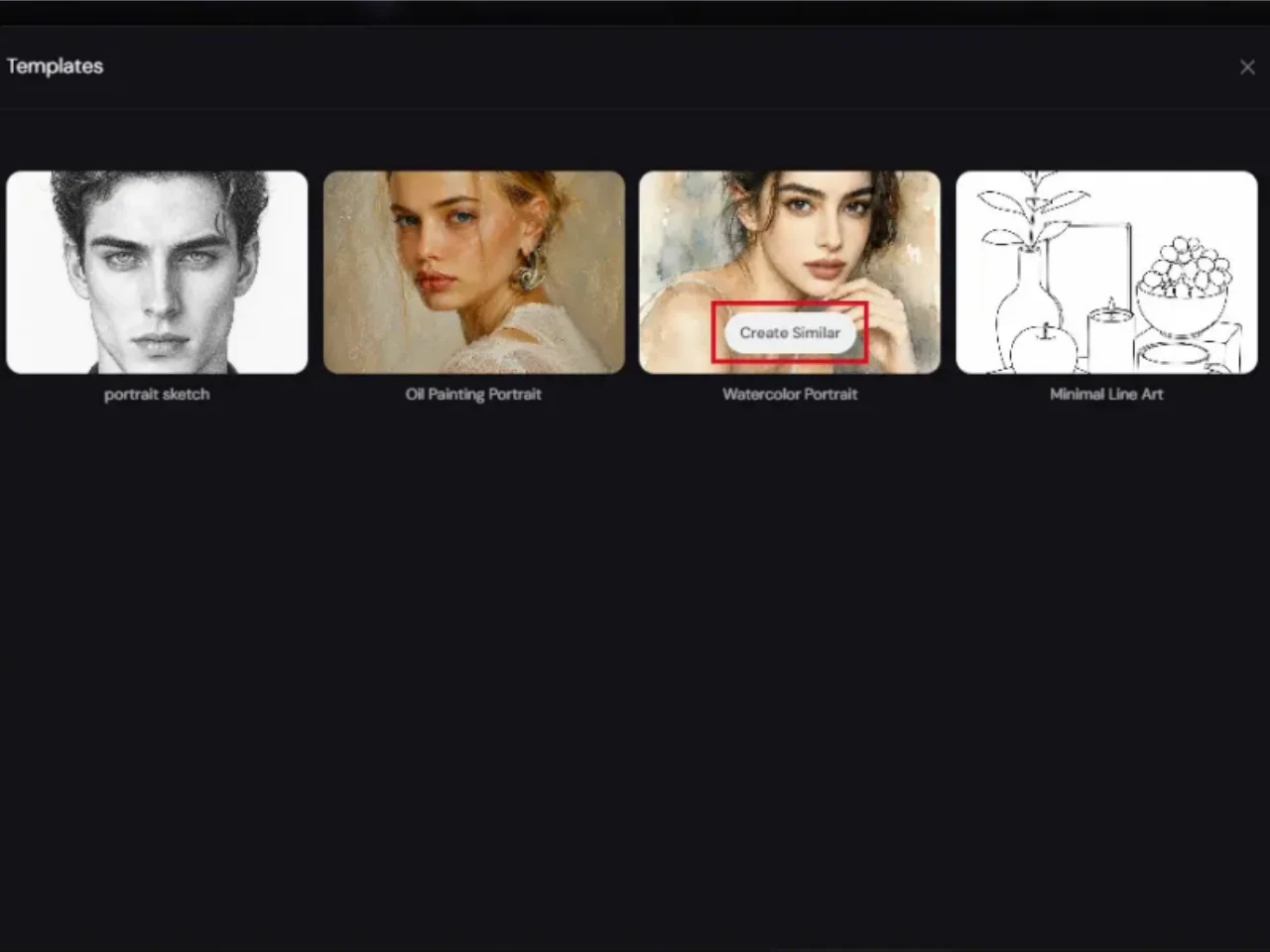
Step 3: Click “Create Similar”
Select your preferred template and click “Create Similar” to apply the style to your photo and get started.
Why Use PicLumen to Turn Your Photo to Oil Paintings
- Likeness
- Realism
- Control
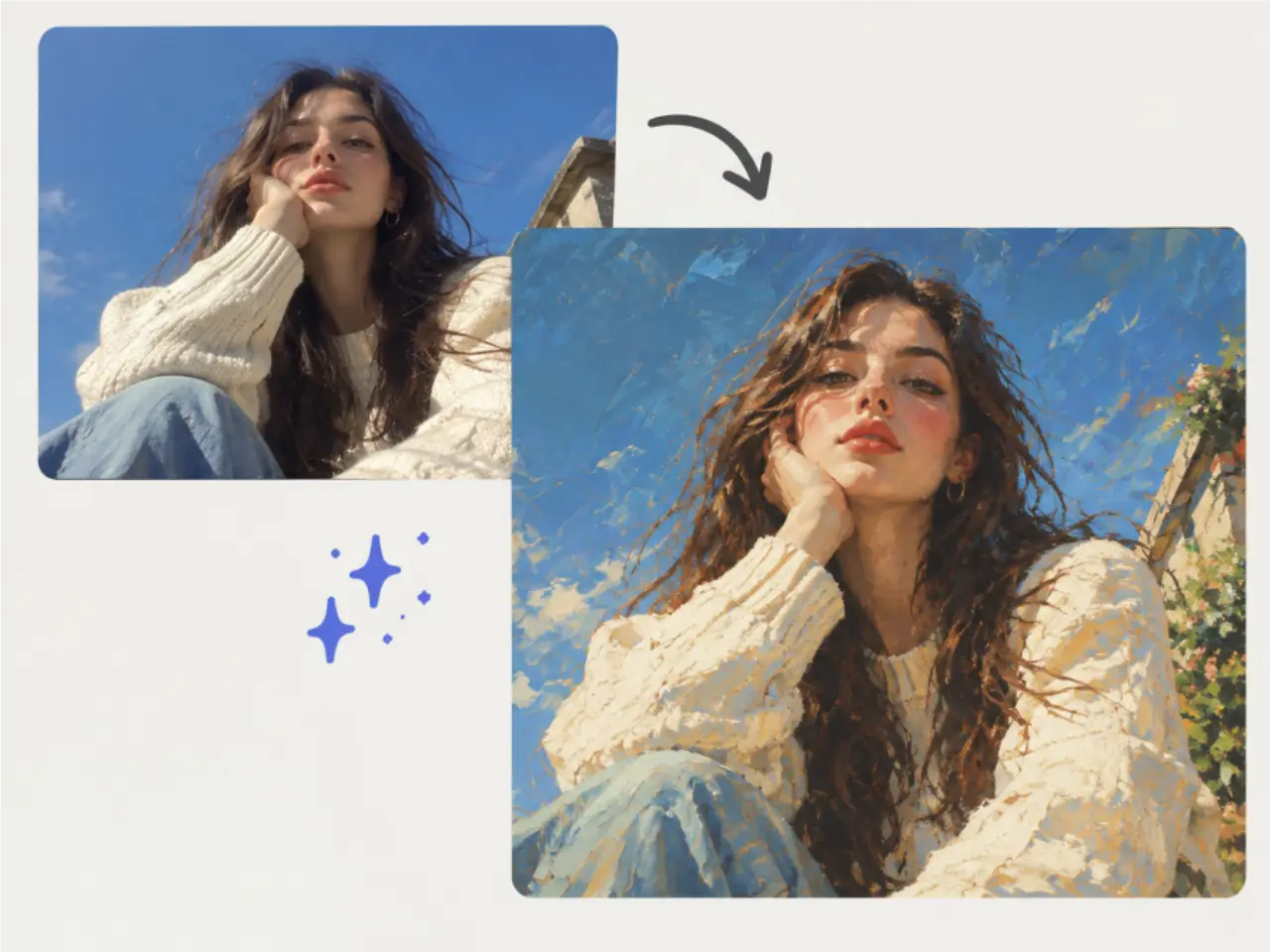
Preserve What Makes the Photo Meaningful
A beautiful oil painting can still feel wrong if the person, pet, or moment is no longer recognizable. When you turn a photo into an oil painting, preserving the visual characteristics of the original image is just as important as creating the artistic effect. PicLumen is designed to retain recognizable details such as facial structure, expressions, proportions, distinctive features, and the overall character of the subject. This helps a photo to oil painting result stay visually connected to the source photograph instead of becoming a generic AI interpretation.
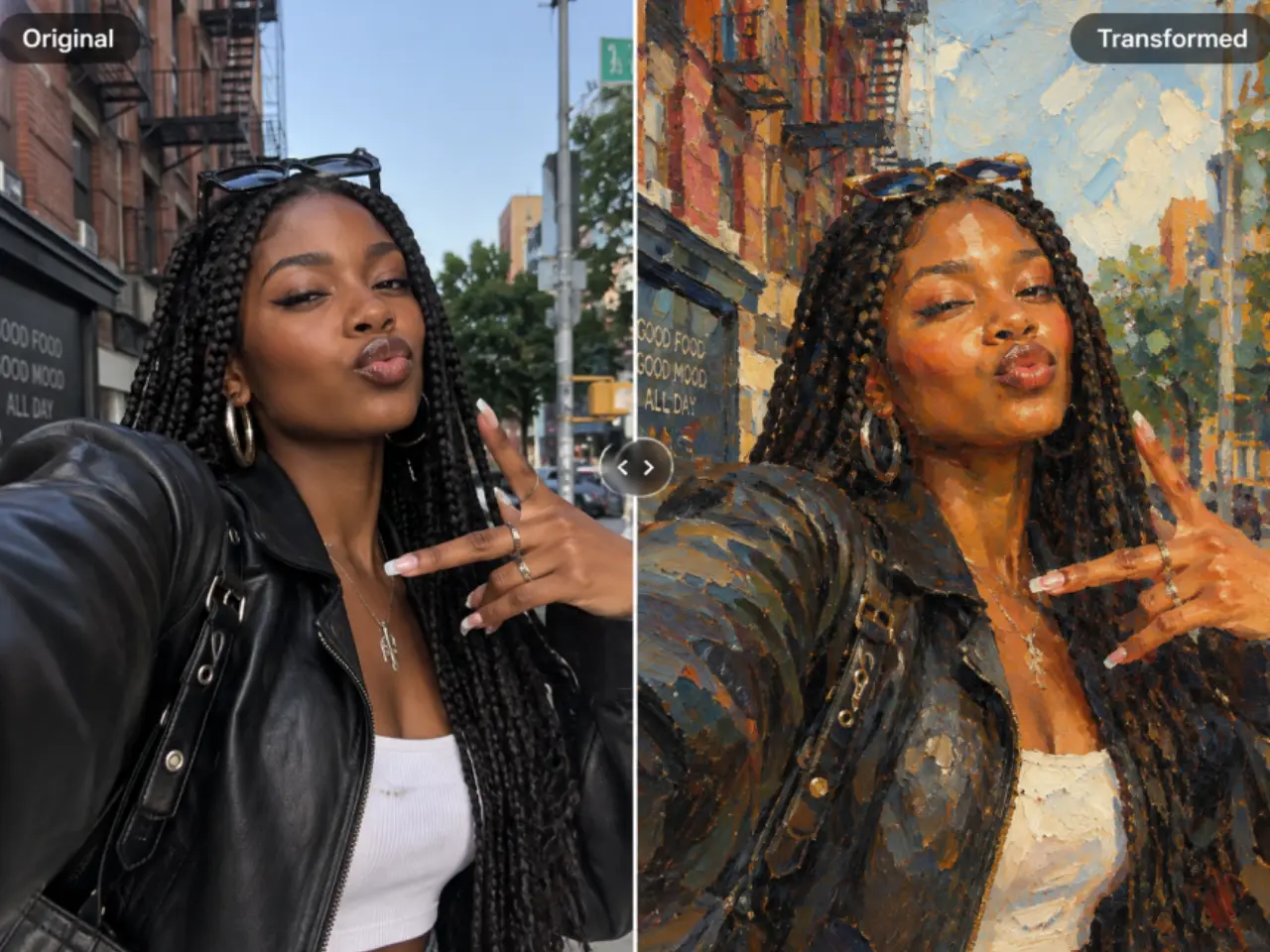
Turn Meaningful Photos into Timeless Artwork
Photo to Oil Painting can give ordinary and meaningful photographs a new purpose. From family memories to personalized gifts, transform images you already care about into artwork with a classic painterly character.

Family & Memory Photos
Turn family portraits, childhood pictures, old photographs, and meaningful moments into personalized oil paintings. Preserve the people and memories behind your favorite photos in a timeless artistic form.

Pet Portraits
Transform photos of dogs, cats, and other beloved pets into personalized oil artwork. Create framed portraits, keepsakes, or meaningful gifts that capture the unique character of a companion.

Personalized Gifts
Create a thoughtful gift from a photograph that already has emotional meaning. Turn portraits of parents, children, couples, friends, or pets into custom-looking oil artwork for birthdays, anniversaries, holidays, memorials, and other special occasions.

Home Decor & Wall Art
Give portraits, landscapes, travel images, and other favorite photographs a more artistic presentation. Turn a photo into an oil painting for framed displays, canvas artwork, or personalized wall decor.
How to Turn a Photo into an Oil Painting
1 Upload Your Photo
1Start with the photo you want to transform. Portraits, family photos, pet pictures, landscapes, travel images, and other clear, well-lit photos can all work as starting points for an AI oil painting.
2 Write a Prompt to Describe Your Vision
2Use a prompt to tell the AI how you want your oil painting to look. Describe details such as the oil painting style, brushwork, texture, lighting, color palette, mood, and level of realism. You can keep your prompt simple or add more detail when you want greater creative control.
3 Choose Your Model & Generation Settings
3Select the AI model like ChatGPT Images 2.0, Nano Banana 2, and Midjourney that best fits your creative needs, then adjust available settings such as aspect ratio, image size, and other generation options. Choosing the right settings can help you create artwork that fits your intended use, whether you're making a portrait, wall art, social post, or personal keepsake.
4 Generate, Review & Download
4Generate your oil painting and review the result. If the artwork doesn't match your vision, refine your prompt or generation settings and try again. Once you're happy with the result, download your finished artwork for sharing, printing, gifting, home decor, or your next creative project.


Loved by Creators Worldwide
Real feedback from designers, marketers, and hobbyists sharing their PicLumen experience on Trustpilot.
 jsbsbsbs hdhdhshwhw
Very cool i like it it's so smooth
Very cool i like it it's so smooth
 ClashOf Clans
Excellent platform to fantasy
Excellent platform to fantasy
 Brijesh Chikhaliya
very good
very good , Excellent Experience
 rockstar gaming
Value For Money
its value for money i fully recommend you to try this one time you will like it...
Bohdan LesykGreat and fast
Great and fast, would be much better with some more free credits
Great platform
Ease of use,and great models
 AK Editing Zone
Nice ai image generation
Nice ai image generation
Can’t go wrong using this one
Can’t go wrong using this one
GPS BelARI tried the tool for fun and only used…
So far, I've only tried PicLumen for fun and used the free ‘basic option’. Even as an AI design novice, you can achieve great results. It should be emphasised here that if you choose a simple AI, the coins are enough to just give it a try (unlike some other tools). I like the community concept; the opportunity to get inspiration for your own ideas in the image gallery, as well as the option to ‘like’ and comment on other users' creations. The result depends, of course, on the quality of the prompt entered, but ‘practice makes perfect, as we all know!’ The only reason for the one-star deduction is that I can't try everything with the free access and can't comment on the paid options.
Mickael TONGASOAbest but free mod need to fix and add…
best but free mod need to fix and add more credits for the starter
Everything
Everything, keep up the good work
 Jonathan Bernadino
A great company and an incredible…
A great company and an incredible experience being able to generate my images with the highest quality.
Frequently Asked Questions About Photo to Oil Painting
What is Photo to Oil Painting?
Photo to oil painting is the process of transforming a digital photo into artwork inspired by traditional oil painting. An AI photo to oil painting tool uses image generation to reinterpret the original image with painterly brushwork, texture, color, lighting, and depth while helping retain recognizable details from the source photo.
How do I turn a photo into an oil painting with AI?
To turn a photo into an oil painting with AI, upload your image to PicLumen, choose or describe the artistic direction you want, and generate the result. The photo to oil painting process handles the complex image transformation for you, so you can create painterly artwork without manual painting or advanced photo-editing skills.
Can I turn a portrait or family photo into an oil painting?
Yes. Photo to oil painting works well for portraits, family pictures, and other personal photos. PicLumen is designed to retain recognizable facial features, proportions, expressions, and distinctive characteristics while giving the image a realistic oil painting appearance. This can help personal artwork remain visually connected to the original person or memory.
Can I turn a pet photo into an oil painting?
Absolutely. You can use photo to oil painting AI to transform photos of dogs, cats, and other beloved pets into personalized artwork. The resulting oil paintings can be used as framed portraits, home decor, keepsakes, personalized gifts, or meaningful artwork celebrating a favorite companion.
Is AI Photo to Oil Painting better than a regular filter?
An oil painting filter typically modifies an existing photograph by changing its colors, contrast, or surface effects. The AI photo to oil painting takes a more generative approach, creating painterly characteristics such as brushwork, layered texture, shading, lighting, and artistic depth. This can produce a more convincing oil painting appearance than a basic photo filter.
Can I customize the style of my Photo to Oil Painting?
Yes. You can guide the artistic direction of your photo to oil painting results by exploring different painting styles, brushwork, textures, colors, lighting, moods, and levels of artistic intensity. This gives you more flexibility to create anything from a refined portrait to a more expressive and stylized interpretation.
What photos work best for Photo to Oil Painting?
Clear, well-composed photos with good lighting and visible subject details generally provide a stronger starting point for photo to oil painting. Portraits with recognizable facial features and natural expressions can be especially effective. For pets, objects, and landscapes, clear subjects and sufficient image detail can also help the AI create a more coherent result. Heavily blurred, extremely dark, or severely compressed images may produce less consistent results.
Is PicLumen's Photo to Oil Painting free?
Yes! You can try PicLumen's photo to oil painting experience for free. Available generations, credits, and download options depend on the current PicLumen plan and product settings. This makes it possible to experiment with different photos and artistic directions before deciding how you want to use your generated oil artwork.
Turn Your Favorite Photo into a Realistic Oil Painting
Give meaningful photos a timeless artistic look with realistic texture, expressive brushwork, and the recognizable details that still make them yours.
- Photo to Art
- Barbie Selfie
- Coloring Page
- AI Photo to Anime
- AI Photo to Cartoon Converter
- Photo to Sketch
- Photo to Pop
- AI Image Generator
- AI Image Extender
- AI Tattoo Generator
- Image to Image
- AI Random Image Generator
- AI Neon Sign Generator
- Chibi Maker
- 3D Avatar Creator
- Furry AI Art Generator
- Pattern Generator
- AI Character Generator
- Image to Illustration