Turn Any Photo into a Stunning Sketch with AI
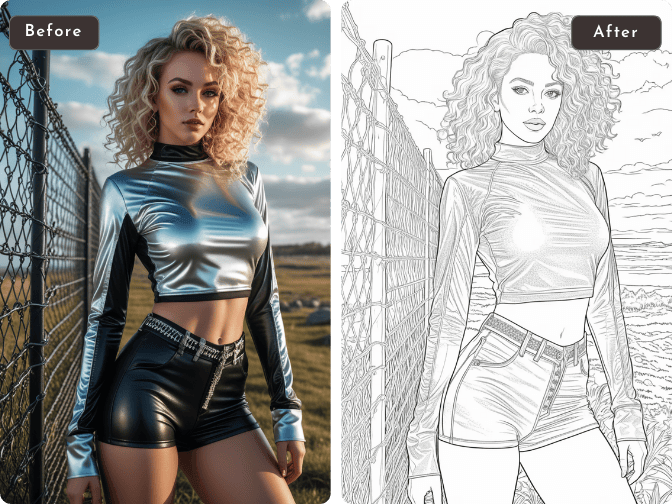
Turn any photo into sketch art with AI in seconds. Create realistic pencil sketches, charcoal drawings, colored pencil artwork, and clean line art for portraits, pets, products, social media, illustrations, and creative projects. No drawing experience required.
Hot Video Effects
View All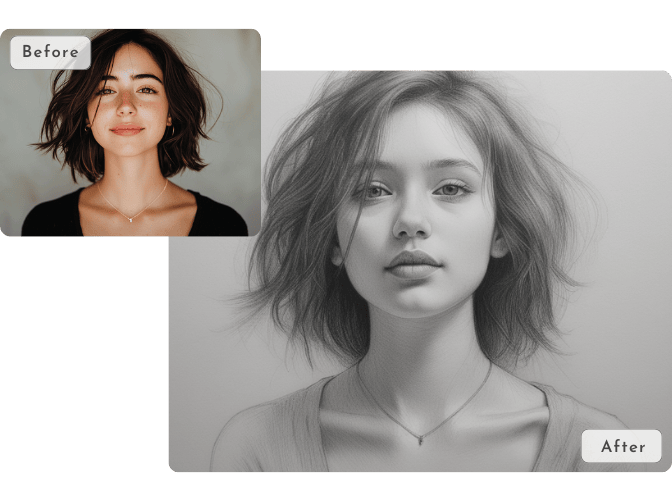
Turn Photos into Stunning Sketches in Multiple Styles
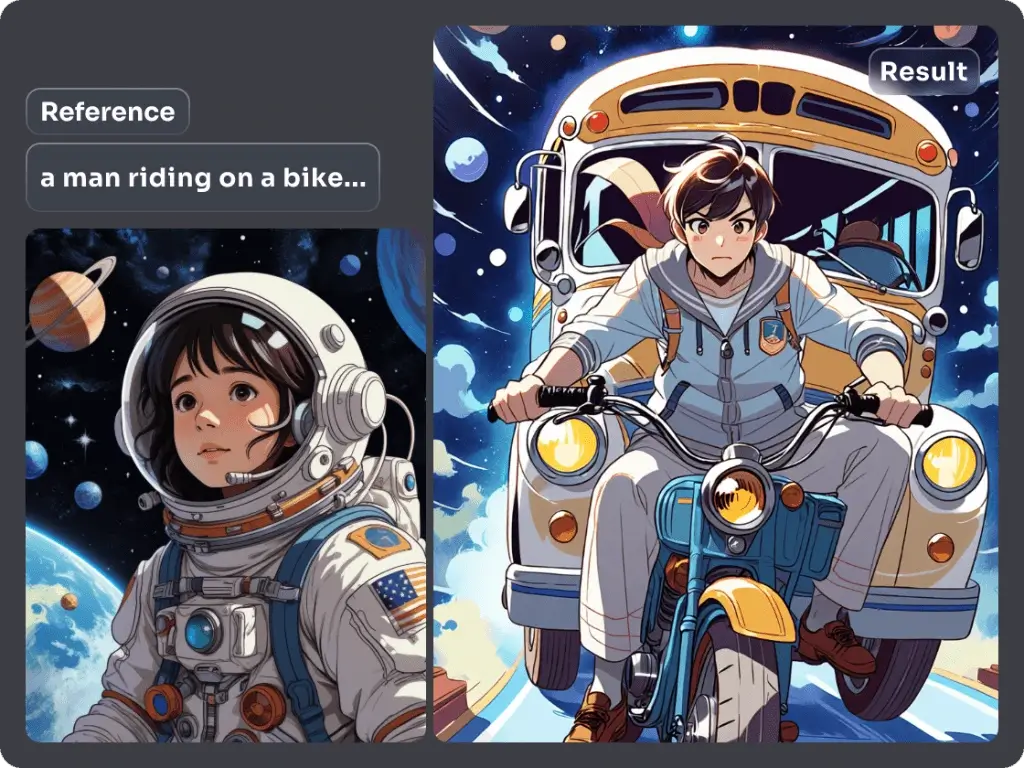
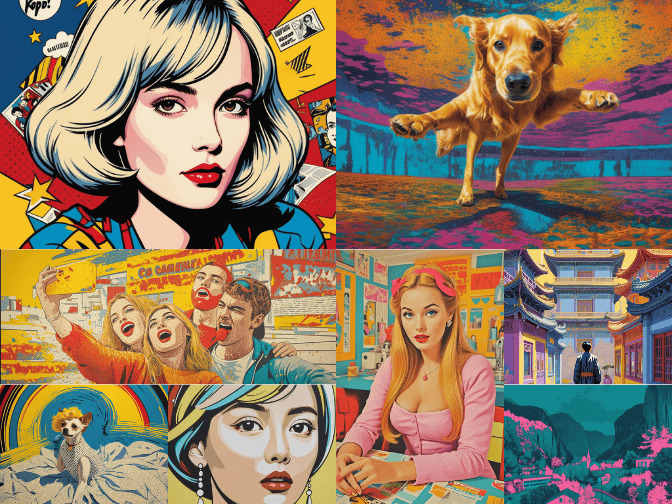
Transform any photo into a beautiful sketch with a single click. Choose from realistic pencil sketch, expressive charcoal sketch, vibrant colored pencil, or minimalist clean line art styles to match your creative vision. Whether you're creating portraits, illustrations, social media graphics, or printable artwork, PicLumen photo to sketch converter delivers crisp lines, natural shading, and artistic detail in seconds.
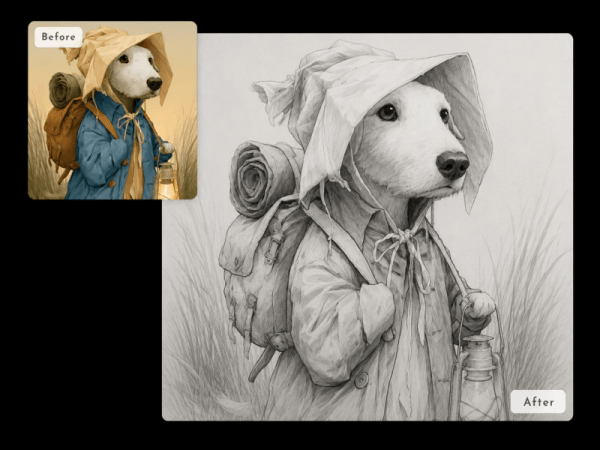
Background Removal for Cleaner Sketches
You can remove the original background to isolate your subject. AI can separate people, pets, products, or objects from their backgrounds. It makes your sketch results cleaner, sharper, and more versatile for any use.
.png)
Convert Bulk Photos to Sketches Quickly
Processing large collections of images no longer takes hours. AI accelerates the process, turning photos into high-quality sketches significantly faster than manual editing. Ideal for photographers, designers, eCommerce sellers, agencies, educators, and businesses.
Why Choose PicLumen AI Photo to Sketch

High-Quality Results
Generate clean lines, realistic shading, and professional-quality sketch effects while preserving important facial features and fine details.

Lightning-Fast Processing
Convert photos into detailed sketches in seconds. No design skills or manual editing required, saving you hours of creative work.
Secure & Private
Your images are processed with secure encryption to keep your uploads protected throughout the conversion process.
How to Convert a Photo to a Sketch Online
1 Upload Your Photo
1Upload any image. Portraits, pets, products, landscapes, and other photos all work perfectly as input.
2 Enter Your Prompt
2Describe the sketch style you want, such as pencil sketch, charcoal drawing, colored pencil, or clean line art. You can also add details like shading, texture, or artistic effects for more personalized results.
3 Generate & Download
3Click Generate and let AI transform your photo into a high-quality sketch in seconds. Preview the result, make adjustments if needed, and download your finished sketch.


Loved by Creators Worldwide
Real feedback from designers, marketers, and hobbyists sharing their PicLumen experience on Trustpilot.
Ayan SamantaAwesome experience just looking wow
Awesome experience just looking wow
 Bet AW
Nice good appp creat inmage
Nice good appp creat inmage
Sara FrandsenExcellent customer service
Excellent customer service! The support team was incredibly fast, polite, and helpful. They handled my request quickly and professionally without any hassle. It is rare to see such great and honest support these days. Highly recommended!
 Kura Aditya
The best experience ever w
The best experience ever w
 Bohdan Lesyk
Great and fast
Great and fast, would be much better with some more free credits
Great platform
Ease of use,and great models
Adrienne IgoI love PicLumen it is one of my…
I love PicLumen it is one of my favorite AI image generators!
 Boma Halliday
GREAT QUALITY FOR THE PRICE
GREAT QUALITY FOR THE PRICE. ARGUABLY THE MOST AFFORDABLE IMAGE GENERATION SITE THERE IS WITH THE BEST OPTIONS.
Have a good experience and so smooth.
Have a good experience and so smooth.
 Amy Crawford
Pic Lumen ai is a bright star in a galaxy of money hungry jabas.
I've been using Pic Lumen ai for a little over a year now. The first thing that stood out to me was the level of quality of the photos. Very realistic, brilliantly clear, vibrant. They've done a lot of expansion in the past year as well ie; using the top of the line image and video generators, adding features like upscaling, I paint, out paint, and editing. And the best thing about this platform is the incredibly affordable prices. If you are new this platform is perfect because they offer a free level allowing you to generate 50 images a day. They have an incredible community of artists and also offer tutorials. Two thumbs up!!
 Edwin Capdepomt
Strong aesthetic ability.
Piclumen gives the impression of being a capable and expressive image generator with a refined aesthetic. If it maintains this level of quality in other types of scenes, it will become one of the most interesting visual tools available today.
Really cool and very easy to use
Really cool and very easy to use
Frequently Asked Questions
What is an AI photo to sketch converter?
An AI photo to sketch converter uses artificial intelligence to transform your photos into sketch artwork. It can create pencil sketches, charcoal drawings, colored pencil effects, and clean line art while preserving important details from the original image.
What types of photos work best?
This tool works well with portraits, pets, products, landscapes, architecture, illustrations, and social media photos. Clear, high-resolution images typically produce the best sketch results.
Can I use the generated sketches for commercial projects?
Yes. You can create sketch images for marketing materials, product presentations, social media content, branding, and other commercial use, subject to the platform's terms of service.