
AI Drama Generator: Turn Your Story into Video
Turn your story idea into a short drama with PicLumen. Start with a prompt or reference image, then create scenes with expressive characters, tense encounters, and unexpected reveals for your next social video or series.
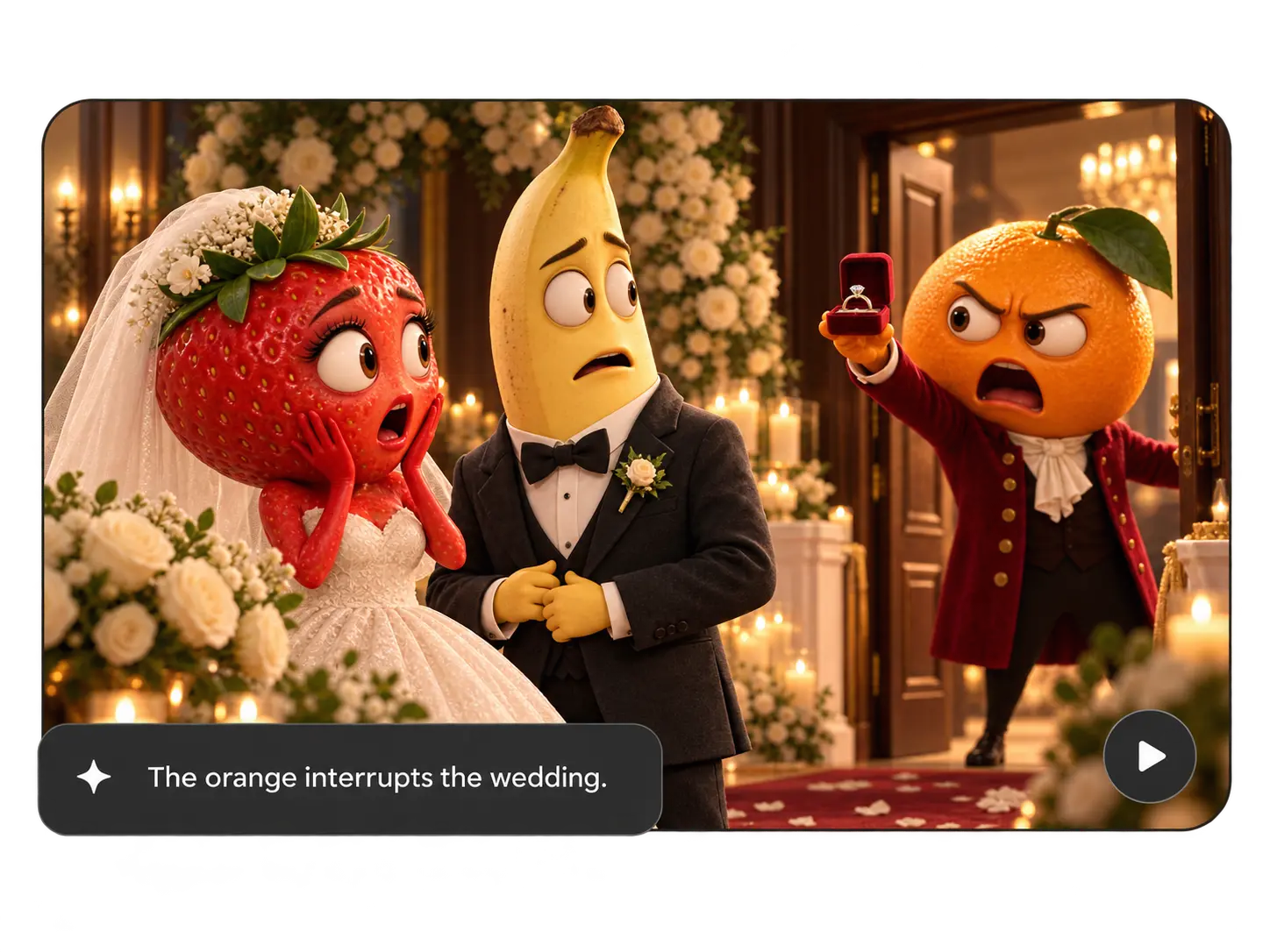
Turn Your Story Idea into a Scene
You have a plot twist in mind, but nothing to show yet. Describe who appears, what happens, and how the moment should feel. With PicLumen's AI short drama generator, you can turn that idea into a video scene without arranging a shoot. Try a tense dinner, a surprise reunion, or an argument over a secret. Start with the moment you most want to see, then develop the scenes around it.
Bring Your Characters into the Next Scene
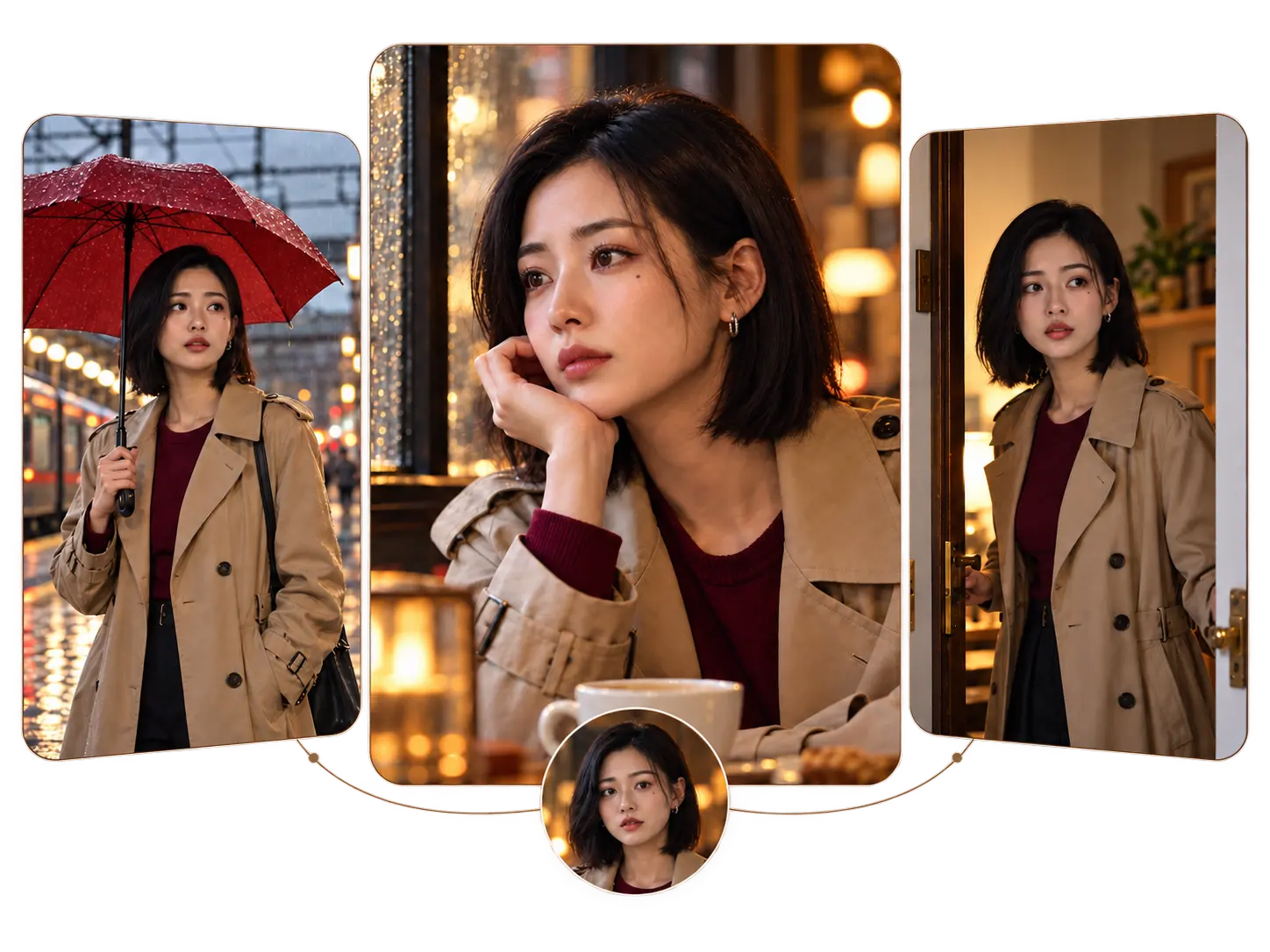
Need your lead to return for the next episode? Upload character images with a reference-based model and reuse them as you create later scenes. Keep your lead's hairstyle, clothing, and defining features consistent in your prompts. You can follow the same character into a new room, a different encounter, or the aftermath of a reveal. Choose human characters, illustrated leads, or expressive fruit characters to suit your story.
Direct the Tension in Every Shot
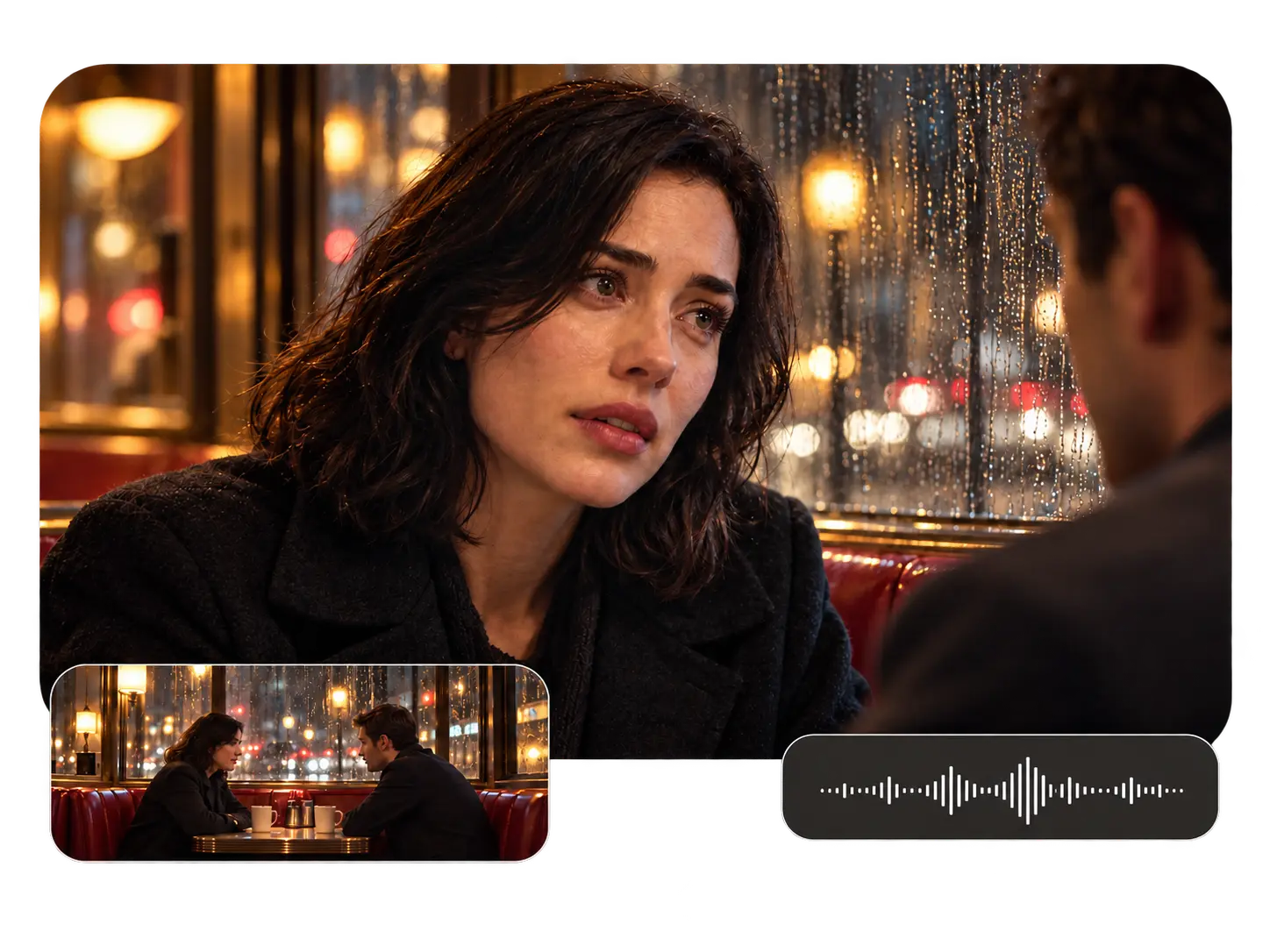
Your reveal depends on how your characters react to the news. Guide the expression, movement, framing, and lighting through your prompt. Try a close-up as your lead recognizes someone, or a slow pullback after a difficult conversation. With an audio-capable model, you can add directions for short spoken lines and scene sounds. Shape the moment around what you want your viewers to notice first.
Create Vertical or Widescreen Dramas
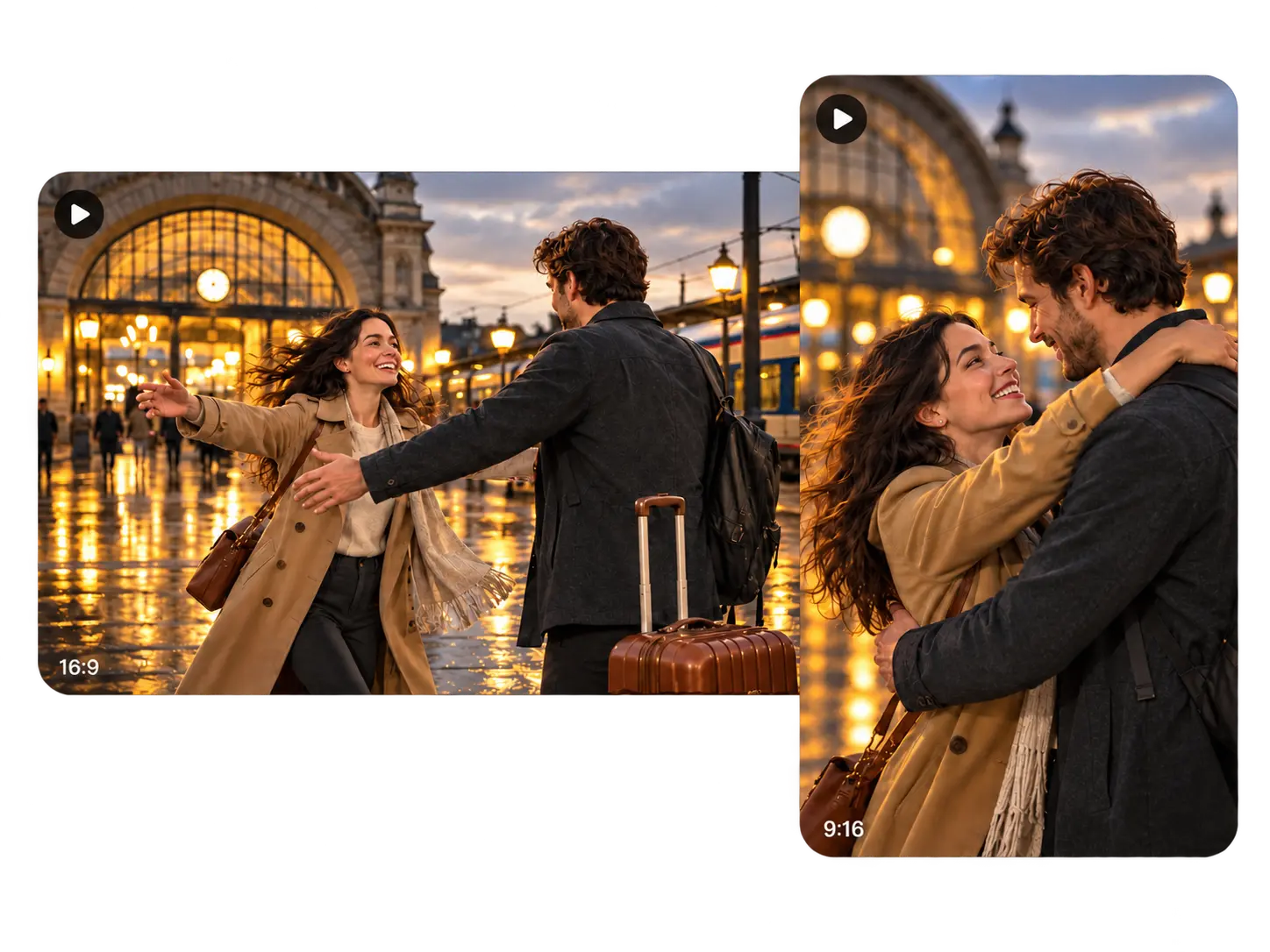
Your characters and key props need room in the frame. Choose 9:16 for vertical episodes or 16:9 when your scene needs a wider view. Set the duration and resolution available in your selected model, then describe the composition you want. You can frame a close conversation for mobile viewing or show more of the setting when distance between characters matters to the scene.
What Will You Create with PicLumen?
Romance and Revenge Stories
Stage a reunion with an ex, a wedding interrupted by a secret, or a confrontation between former friends. Give your scene one clear turning point, such as a photograph placed on a table or an unexpected name in a conversation. You can introduce the conflict in your first clip and explore the consequences in your next installment.
Fruit Dramas and Character Comedy
Want to try an AI fruit drama generator for an absurd storyline? Cast a jealous strawberry, an avocado detective, or a banana caught in a love triangle. Give your characters distinct faces, outfits, and roles. You can turn an ordinary argument into a comic soap opera with an oversized reaction, a badly timed entrance, or an obviously suspicious excuse.
Mystery and Suspense Clips
Build your suspense around a locked-room discovery, an unexplained message, or a stranger waiting outside a familiar home. Show one clue at a time and give your lead a reason to react. You can end just before the door opens or the caller speaks, leaving a specific question to answer in the next scene.
Recurring Social Series
Use PicLumen as an AI drama series maker when you want to develop a recurring cast. Plan each installment around a problem, a decision, or a consequence from the previous part. With your character references and a simple episode outline, you can create the next scene without having to invent a new story from scratch every time.
Book and Webcomic Teasers
Give your readers a glimpse of an original story through a short video scene. Choose a tense exchange, a first meeting, or the moment your protagonist discovers something important. You can introduce the characters and mood while keeping the larger plot for your book or comic. Use the teaser on your author page, social feed, or launch announcement.
Story-Led Product Videos
Make your product part of a small, relatable drama: a forgotten anniversary gift, a last-minute outfit choice, or a parcel delivered to the wrong person. Build around a situation your customers recognize, then introduce your product where it belongs in the story. You can test a humorous or emotional angle before developing a longer campaign.
How to Create an AI Drama with PicLumen
Step 1 Choose Your Video Model
1Open PicLumen's video workspace and select a model for your scene. You can explore options such as Seedance, Kling, Wan, and Veo. Check the available reference inputs, audio options, and generation settings before you choose how to bring your scene to life.
Step 2 Describe the Scene and Add References
2Write who appears, where the scene happens, and what changes during the clip. Upload character or setting references supported by your model. You can include a short spoken line, an important gesture, or a specific camera movement to guide the result.
Step 3 Set Your Video Format
3Choose your aspect ratio, duration, and output resolution from the available settings. Use a vertical frame for a mobile-first drama or a wider frame for a cinematic scene. Keep the action focused enough to fit comfortably within your chosen clip length.
Step 4 Generate, Review, and Download
4Generate your scene and check the character appearance, action, and any dialogue. You can adjust your prompt and generate another version when needed. Download the clips you want to keep, then arrange them in your video editor if your episode includes several scenes.
Try These AI Drama Prompts
A Secret at the Dinner Table
Create a realistic drama scene at an elegant family dinner. Show a woman in a dark green dress placing an old photograph beside her brother's plate. Keep the camera at table height as he notices the photograph and stops reaching for his glass. Slowly push toward his face while the other guests continue eating in the background. Use warm candlelight, restrained expressions, and quiet tension. Have the woman say, "You told me you had never met her." Include the soft clink of cutlery. End before her brother answers.
A Reunion with an Unanswered Question
Create a romantic drama scene outside a small railway station at dusk. Show a woman under a red umbrella recognizing a man who is holding her old blue suitcase. Follow her as she steps closer, then settle into a medium shot with both characters visible. Give her a surprised expression and keep his reaction guarded. Use wet pavement, soft station lights, and light rain. Have her ask, "Why do you still have that?" Let him glance toward the station entrance. End with her noticing his hesitation.
A Strawberry Wedding Scandal
Create a colorful 3D animated fruit drama inside a miniature wedding hall. Show a strawberry bride wearing a white veil beside a banana groom in a black tuxedo. Bring an orange character in a red coat into the doorway, holding a tiny ring box. Slowly move the camera toward the bride as her smile turns into suspicion. Have the orange say, "Ask him who this belongs to." Use bright wedding decorations, expressive faces, and a sudden silence from the guests. End as the banana nervously hides one hand behind his back.
A Message from the Empty Office
Create a realistic suspense scene in an almost empty office after midnight. Show a tired employee in a gray cardigan receiving a voice message at her desk. Move slowly over her shoulder toward a dark glass meeting room across the corridor. Keep the room empty, with one chair facing away from the door. Play a quiet recorded voice saying, "Do not turn on the meeting room lights." Have her lift her eyes toward the room as the chair begins to rotate. Use cold desk lighting and a low ventilation hum. End on her reaction.
A Royal Portrait That Knows Your Secret
Create a cinematic fantasy drama in a candlelit palace gallery. Show a young royal wearing a silver cloak stopping before a portrait of an unknown queen. Start beside the royal’s shoulder and slowly move closer to the painted face. Make the queen's eyes shift toward a sealed letter in the royal’s hand while the rest of the painting remains still. Use dark wood frames, faded gold details, and soft candle shadows. Add a whisper saying, "You were never meant to open it." End with the royal tightening their grip on the letter.
The Gift That Arrived One Day Late
Create a warm, realistic relationship drama in a small apartment kitchen. Use the uploaded product packaging as the reference for a gift box on the table. Show a woman in a cream sweater setting down two coffee cups while her partner quietly slides the box toward her. Keep both characters in a steady medium shot. Have her say, "Our anniversary was yesterday." Show him pointing to a handwritten delivery note, then hold on her expression as she reads it. Use soft morning light, natural gestures, and quiet kitchen sounds. End before she opens the gift.


Loved by Creators Worldwide
Real feedback from designers, marketers, and hobbyists sharing their PicLumen experience on Trustpilot.
Zaine JuttAmazing 😍😍😍😍😍😍 freee 😍😍
Amazing 😍😍😍😍😍😍 freee 😍😍
Just amazing website a must try.
Just amazing website a must try.
 Ms. Bliss
Just getting started
Just getting started, thus far it's really good. Going to continue to review and will update.
 Ibrahim Onuh
So very powerful and interesting
So very powerful and interesting
Brad the BibliothecaryGreat service with ease of use and…
Great service with ease of use and generous free offerings.
It’s way easier to use then these other…
It’s way easier to use then these other apps
 Khalid Ismail
Excellent and it very very good great
Excellent and it very very good great
Federico BidondeGood app recién probando
Good app recién probando
 Mani Sravani Bandaru
Very great pictures with high quality
Very great pictures with high quality
 Enzo Piriou
The very good experience for AI
The very good experience for AI
 Buzás Lili
Im only doing this for the free stuff
Im only doing this for the free stuff
 Raiden
I haven’t tried yet so wait
Its actually really useful
Frequently Asked Questions
What can I make with an AI drama generator?
You can create short narrative videos with characters, action, and a clear story moment. Use PicLumen for romance scenes, family arguments, suspense clips, fruit-character comedies, or episodes in a recurring series. Begin with one scene, then generate additional clips when you are ready to develop the story further.
Can I start without a script or reference image?
Yes. You can begin with a text prompt describing one scene. Include your characters, the setting, the main action, and the mood you want. A specific moment, such as someone recognizing a face in an old photograph, gives you a useful starting point. If you have a script, split it into scenes and generate each part separately.
How can I keep my characters recognizable?
Reuse the same character references with a model that supports image inputs. Keep your descriptions of clothing, hair, and other identifying details consistent. Review the face, outfit, and accessories in each result before creating your next scene. If the appearance drifts, you can clarify the prompt and generate another version using the same references.
Can I create fruit drama videos?
Yes. Describe your fruit characters in a prompt or upload character images for image-to-video generation. You could stage a courtroom argument between a strawberry and an orange, or a family dispute at a miniature dinner table. Give each character a distinct appearance and role, then focus your clip on one exchange or reaction.
Can I use PicLumen as an AI micro drama maker?
Yes. You can generate the scenes for a short episode, download your selected clips, and assemble them in your video editor. For a continuing series, outline a few linked events and reuse your character references as you create each part. Plan your ending before generation so you know which reaction or reveal you need to capture.
How long can my drama videos be?
You can generate up to 30 seconds per clip with supported models such as Seedance 2.5 and Wan 3.0. Your available duration depends on your selected model and settings. For a longer episode, you can create several scenes and combine your downloaded clips in a video editor.