Free AI Silhouette Maker: Turn Photos into Silhouettes
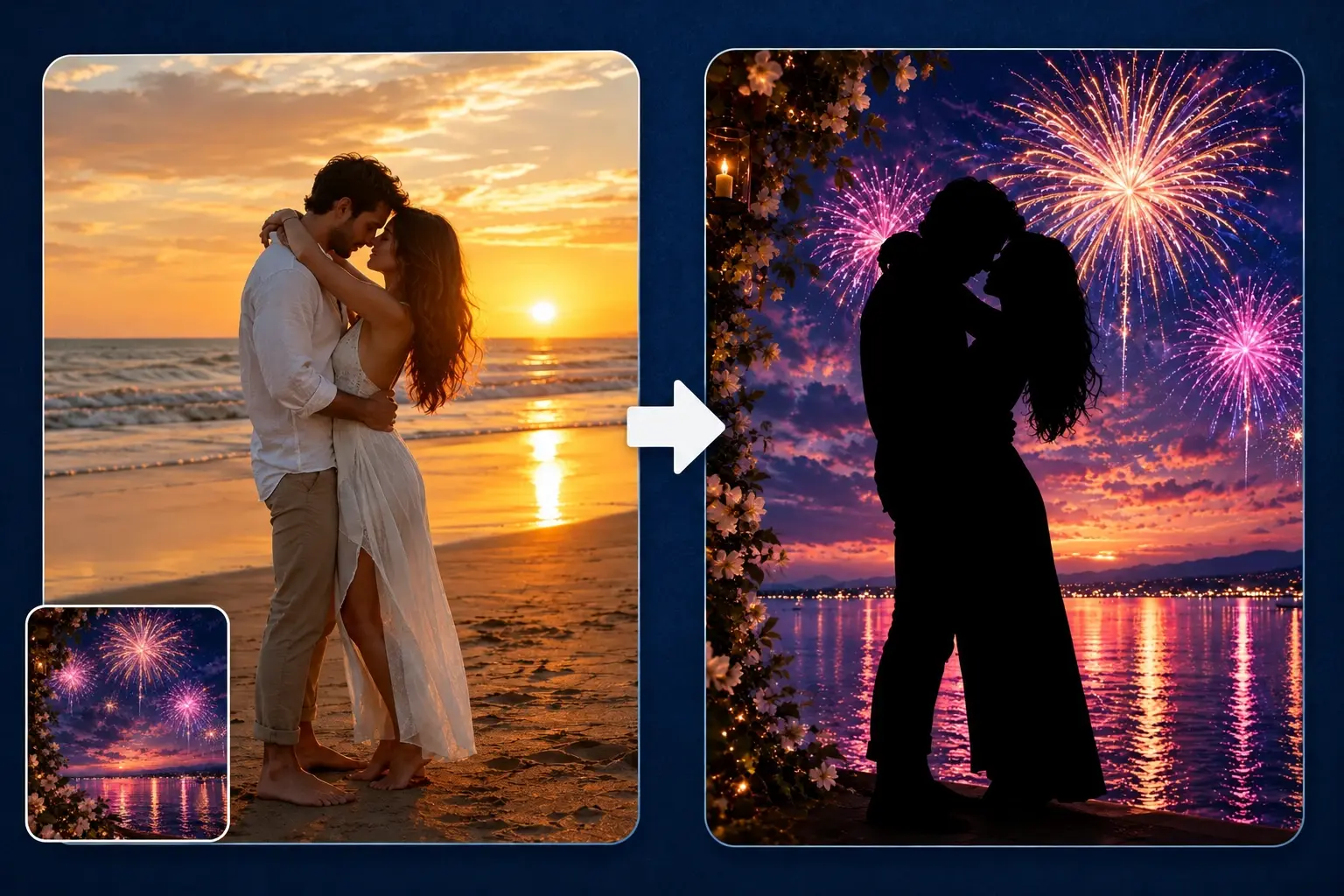
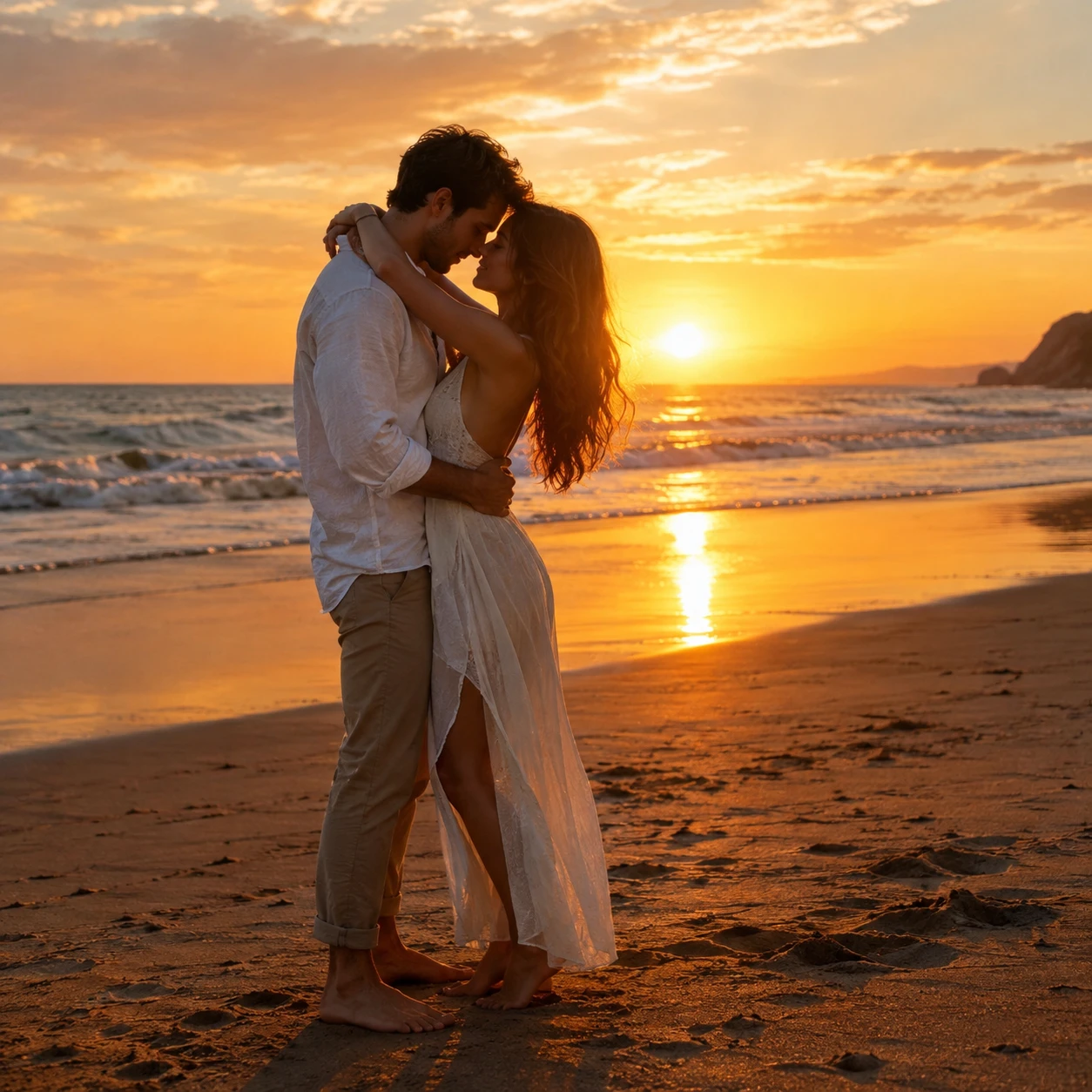


How to Make a Silhouette from a Photo
Upload Your Photo
Choose a photo with a clearly visible subject. Upload your image in PNG, JPG, JPEG, or WebP format to get started.
Add a Background Image (Optional)
Upload a new background image to use behind your silhouette. If you don’t upload one, PicLumen will keep your photo’s original background.
Create and Download
Let AI turn your subject into a silhouette automatically. Check the silhouette and background, then download the finished image for your next project.
Explore Silhouette Art Inspired by Everyday Life
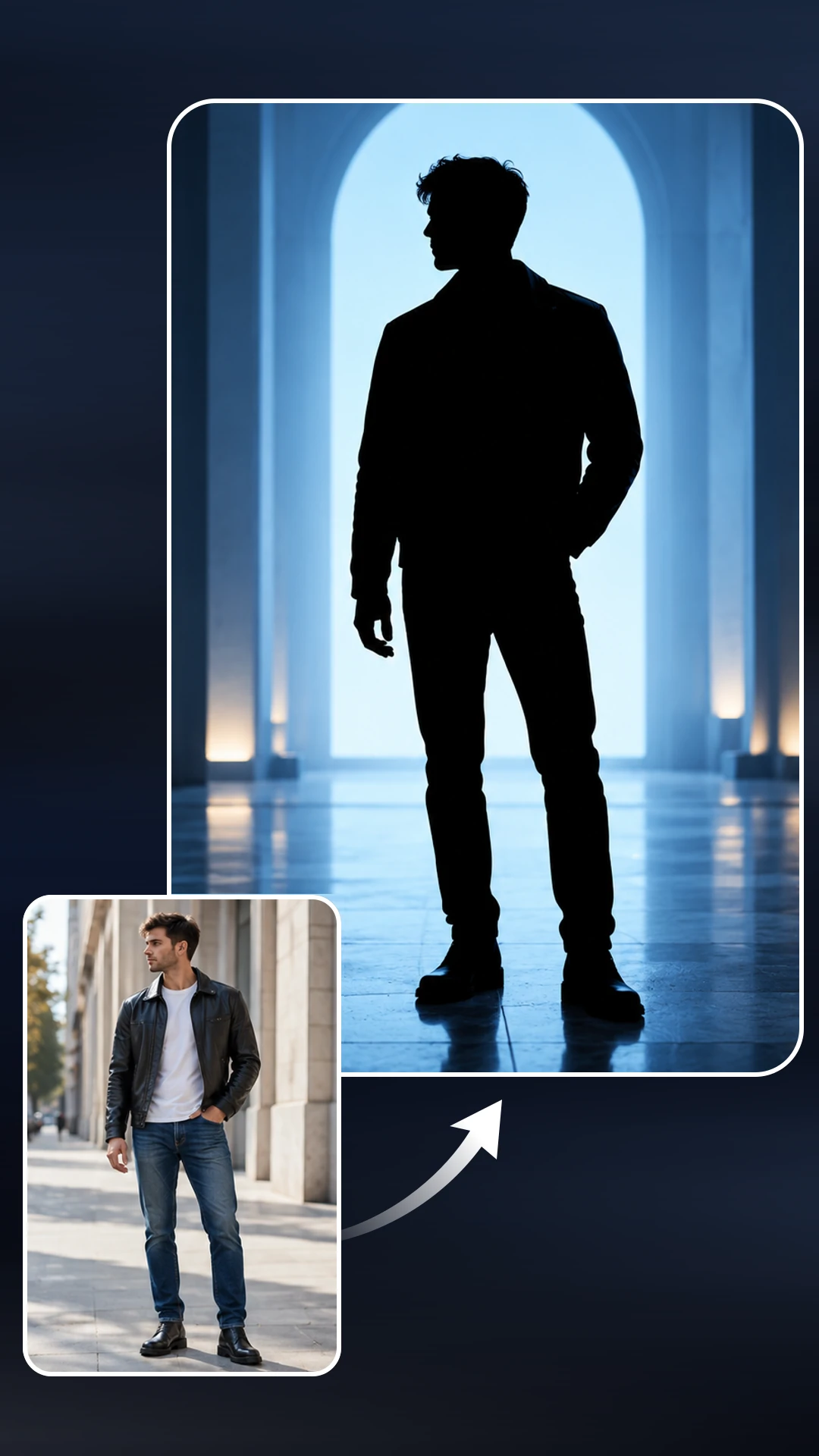
Portrait Silhouettes
Create a classic silhouette from a portrait of yourself or someone you love. A side-profile photo can highlight the forehead, nose, lips, and chin in one recognizable outline. Use the finished shape for family artwork, personalized stationery, or a keepsake that captures a particular age or moment.
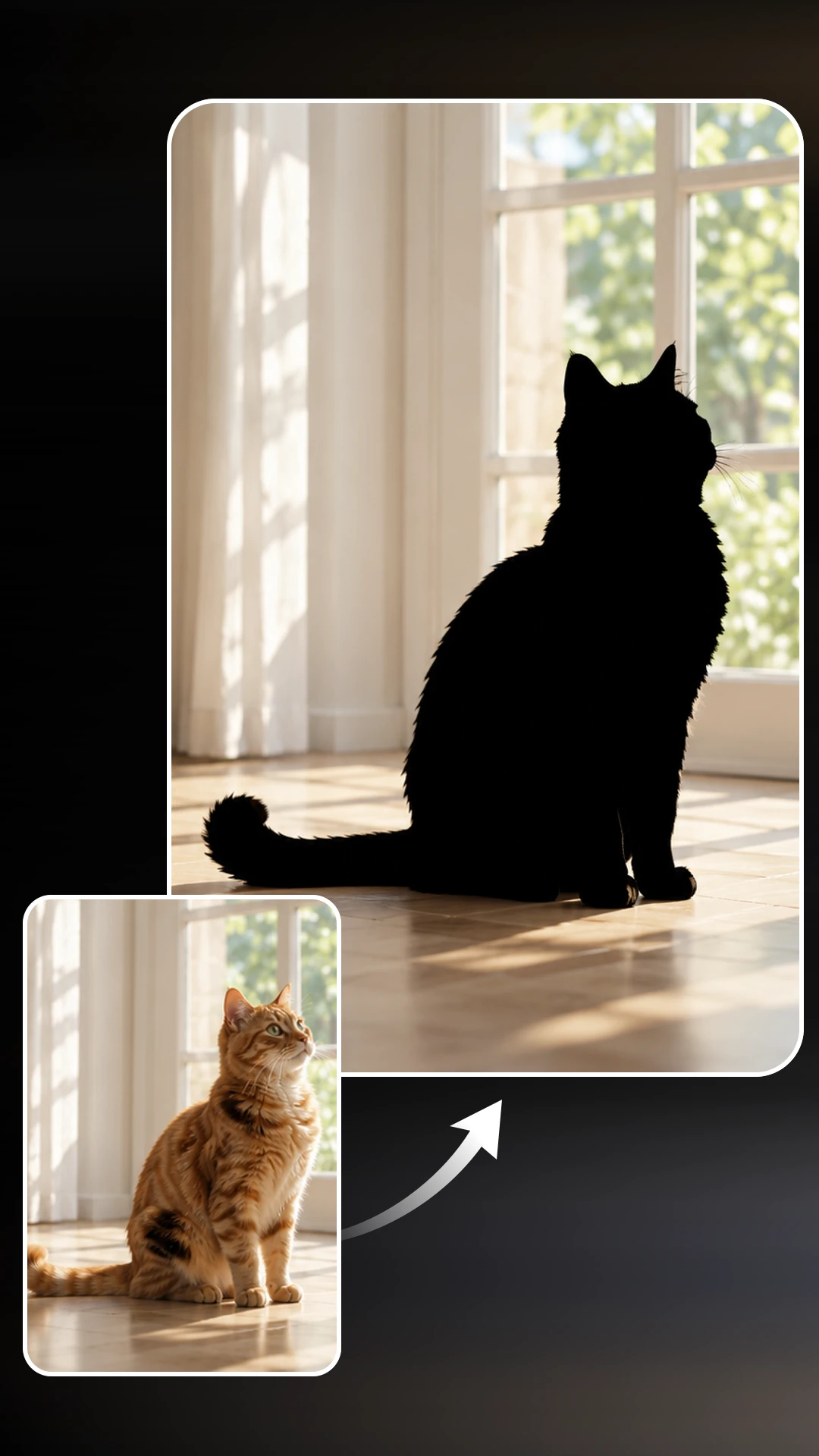
Pet Silhouettes
Turn your pet’s familiar shape into a piece of personalized art. Pointed ears, a curled tail, or a distinctive seated pose can make a simple silhouette feel full of character. Choose a clear photo of your dog, cat, rabbit, or another pet for cards, scrapbook pages, and decorative projects.
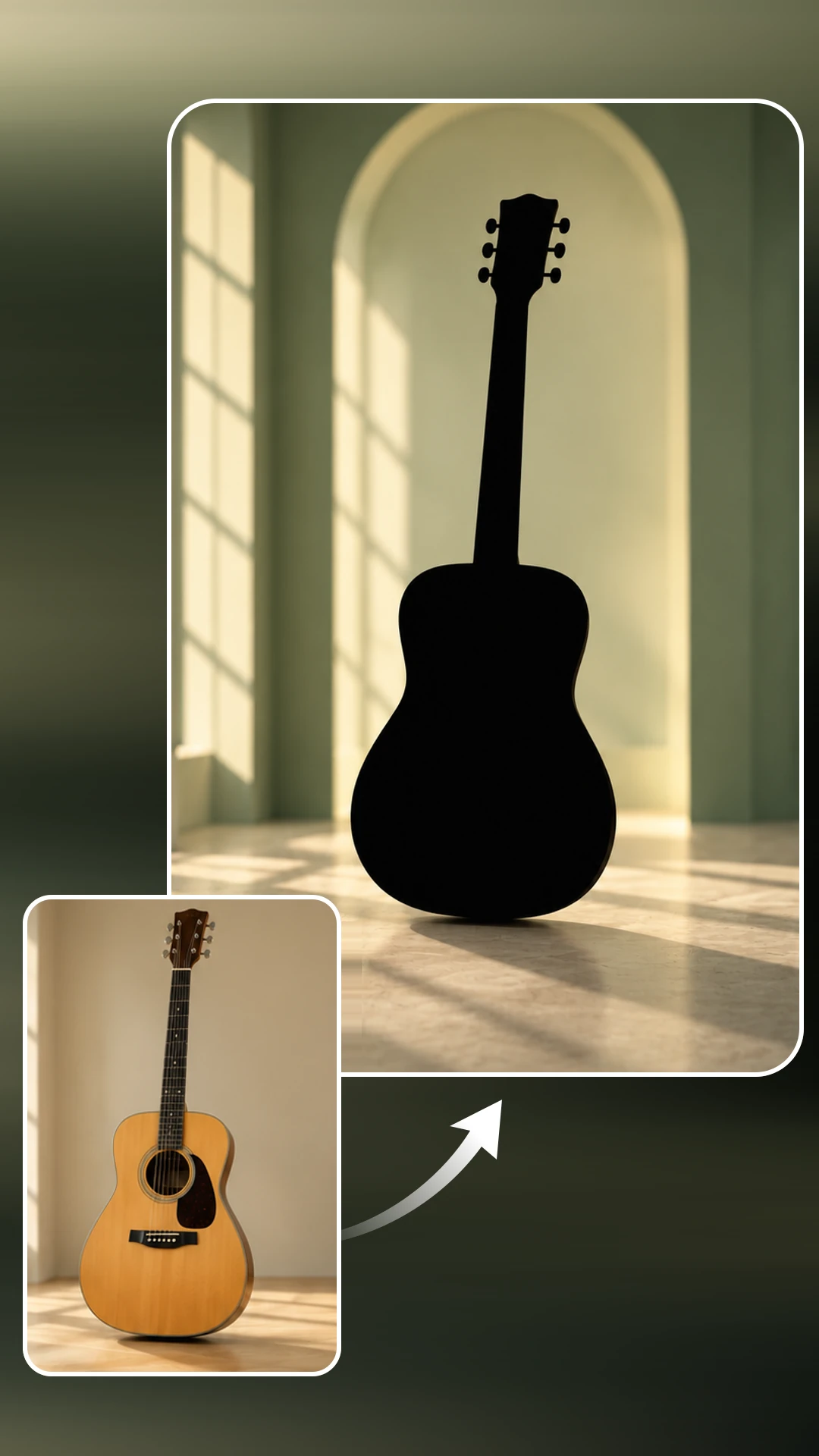
Object Silhouettes
Highlight the form of an object by turning its photo into a silhouette. Musical instruments, bicycles, vases, and kitchenware can all provide interesting contours. Use a recognizable object to establish a theme in a poster, illustrate a hobby, or create a graphic element for a presentation or personal project.
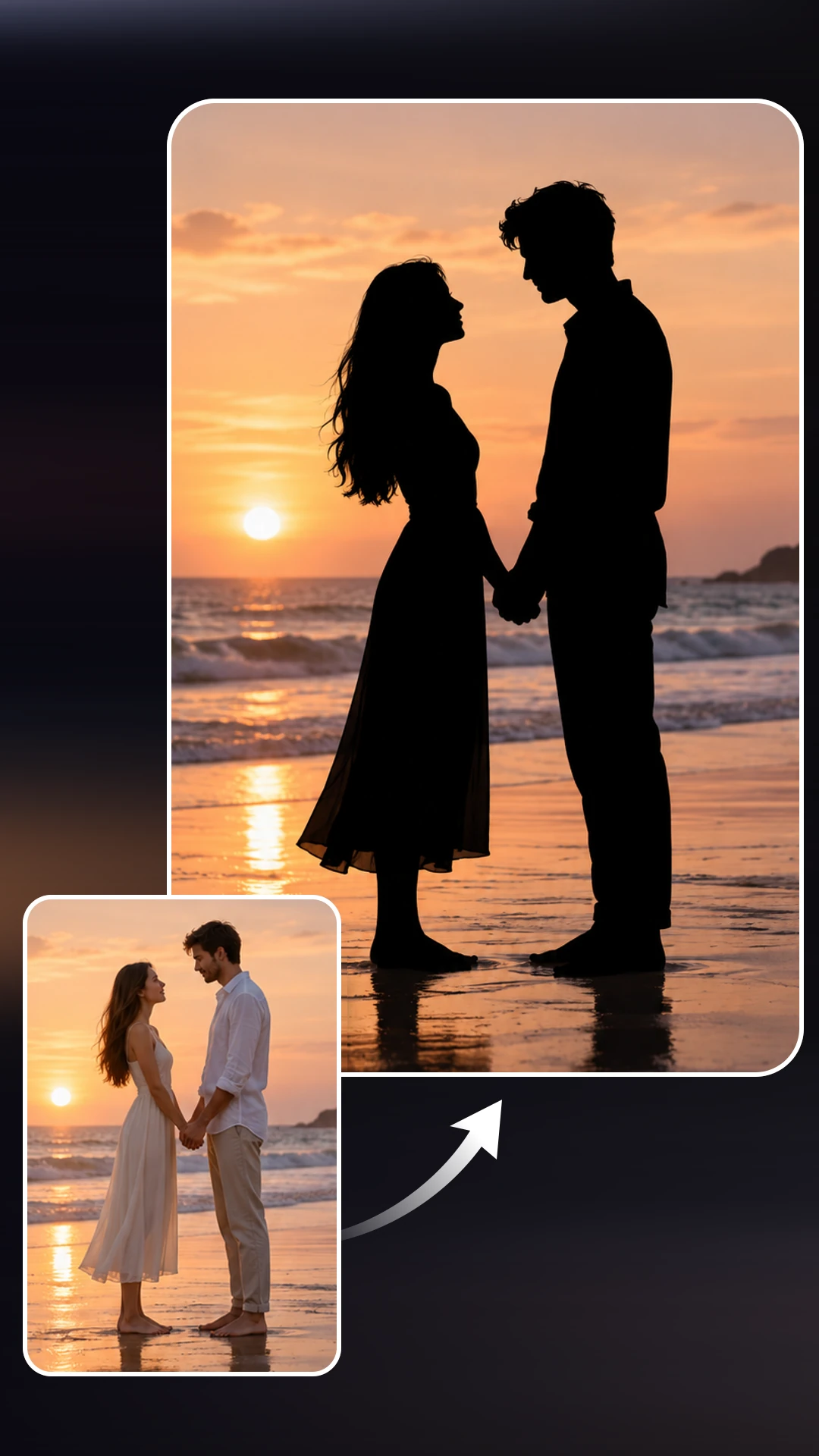
Couple Silhouettes
Capture a shared moment through the outline of two people together. Hand-in-hand poses and side-by-side profiles can create meaningful shapes when both subjects are clearly visible. Make couple silhouettes for wedding stationery, anniversary cards, or personal artwork that brings a favorite photograph into a simple, expressive composition.
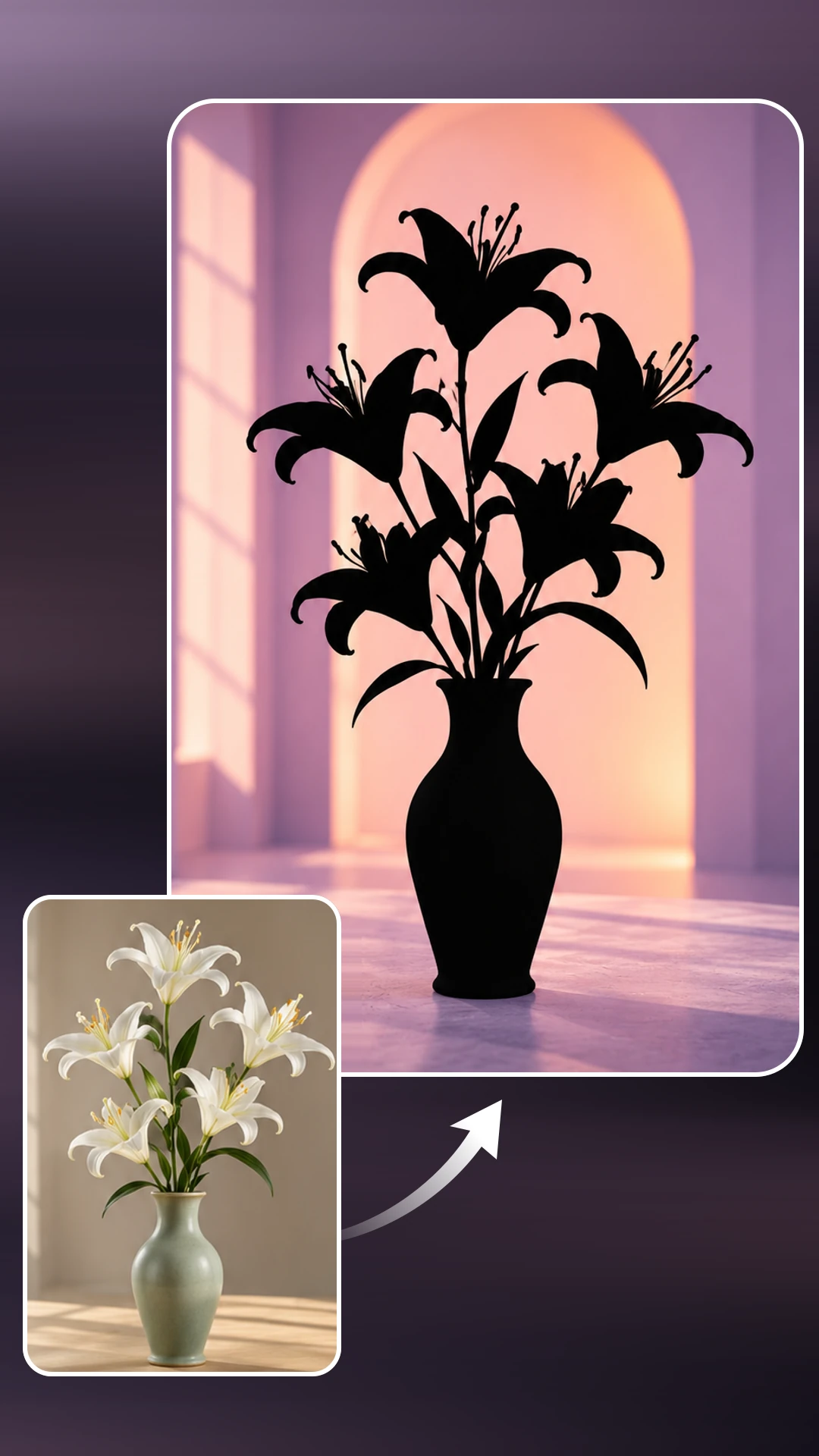
Botanical Silhouettes
Turn flowers, leaves, and branches into nature-inspired silhouette art. Distinctive petals, curved stems, and open spaces between leaves can create delicate graphic shapes. Use botanical silhouettes in journal pages, stationery, wall art layouts, or seasonal designs that call for a simple decorative element drawn from your own photos.
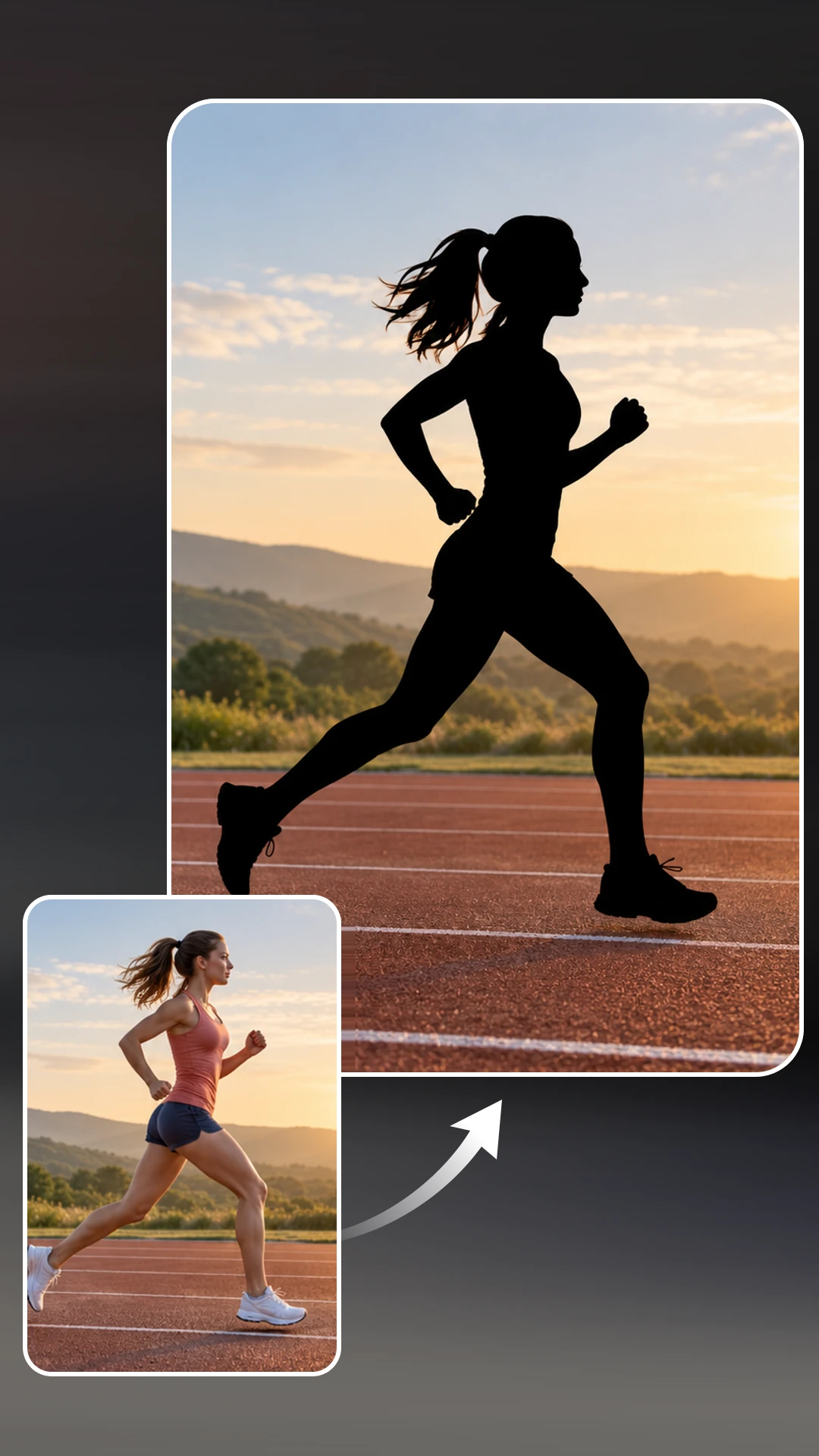
Action Silhouettes
Give movement a graphic form with silhouettes of dancers, runners, cyclists, or people practicing yoga. A clear pose with space between the arms, legs, and body helps communicate the action. Use these shapes in sports-themed posters, fitness content, event announcements, or artwork inspired by a favorite activity.
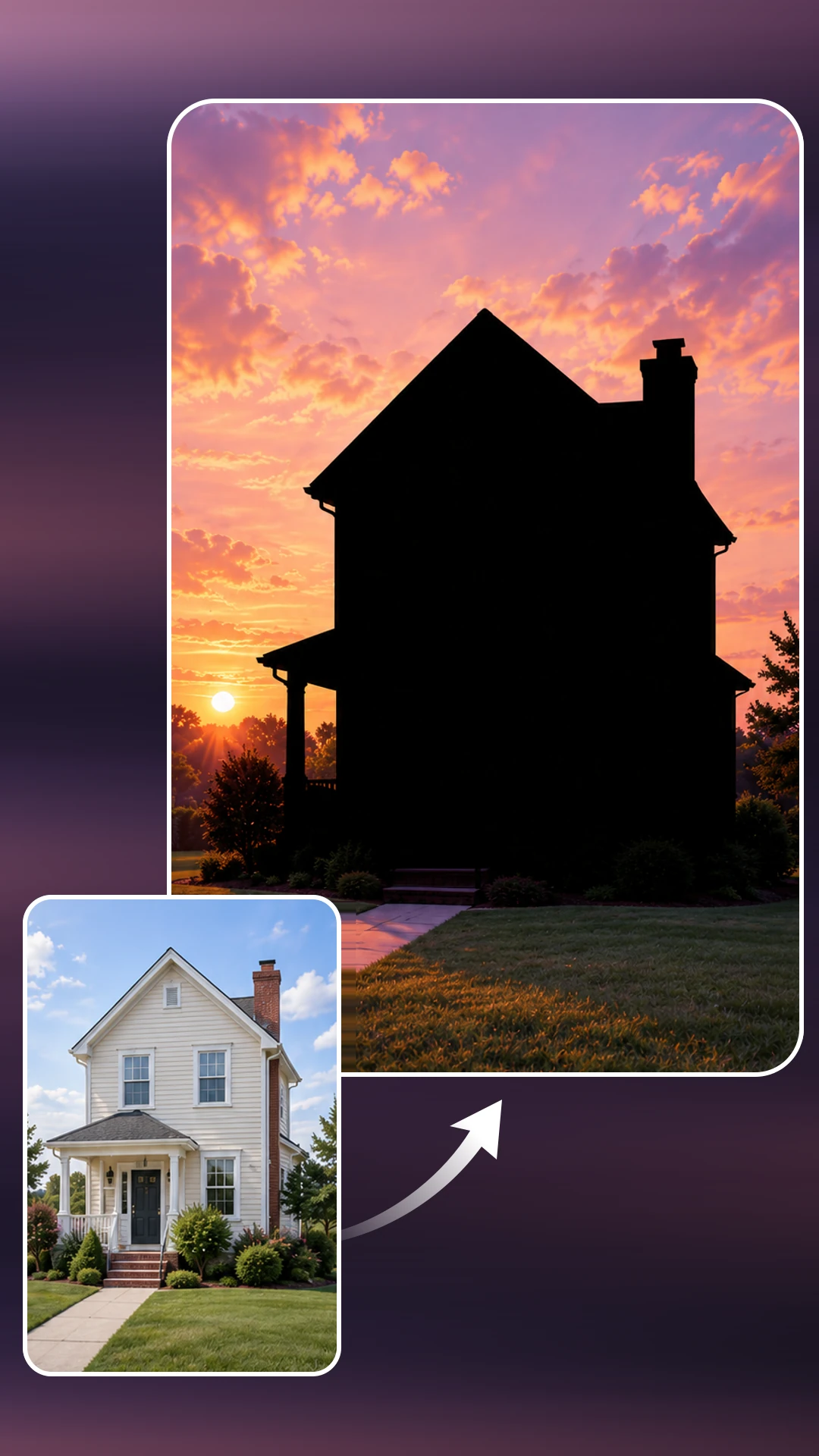
Architectural Silhouettes
Turn photos of buildings and landmarks into bold architectural silhouettes. Rooftops, towers, and spires create distinctive outlines that highlight each structure’s character. Use them in travel posters, city-themed artwork, event graphics, or personal keepsakes inspired by a favorite destination or a place that feels like home.
Why Choose PicLumen for Silhouette Creation?

Easy to Use
Upload a photo and start the transformation in one click. Automatic conversion handles the main editing work, giving you a simple way to make a silhouette without learning how to trace around a subject by hand.

Precise Edge Detection
Bring attention to the contours that define your subject. AI edge detection helps create a clean outline around the main shape, giving portraits, pets, and objects a graphic treatment that keeps their distinctive forms in focus.

Fast Photo Conversion
Get your design moving with a quick photo-to-silhouette workflow. Automatic processing reduces the time spent outlining subjects, making it easier to prepare artwork for an upcoming post, a personal project, or a presentation you’re putting together.
Web-Based Convenience
Use PicLumen’s silhouette maker online, directly in your browser. Upload your image, create the silhouette, and download the result in one place, with no desktop software to install before you start working on your design.

Multiple Image Formats
Upload images in PNG, JPG, JPEG, or WebP format. Support for these common file types makes it convenient to start with photos you already have, including saved portraits, pet pictures, and images of everyday objects.
Turn Familiar Photos into Bold Silhouette Art
A familiar profile, a pet’s pointed ears, or the curve of a flower stem can give a simple shape its character. PicLumen helps you bring those contours into focus and create silhouette art from photos you already have. Explore a different way to present your subjects, with automatic conversion and backgrounds that complement your ideas.
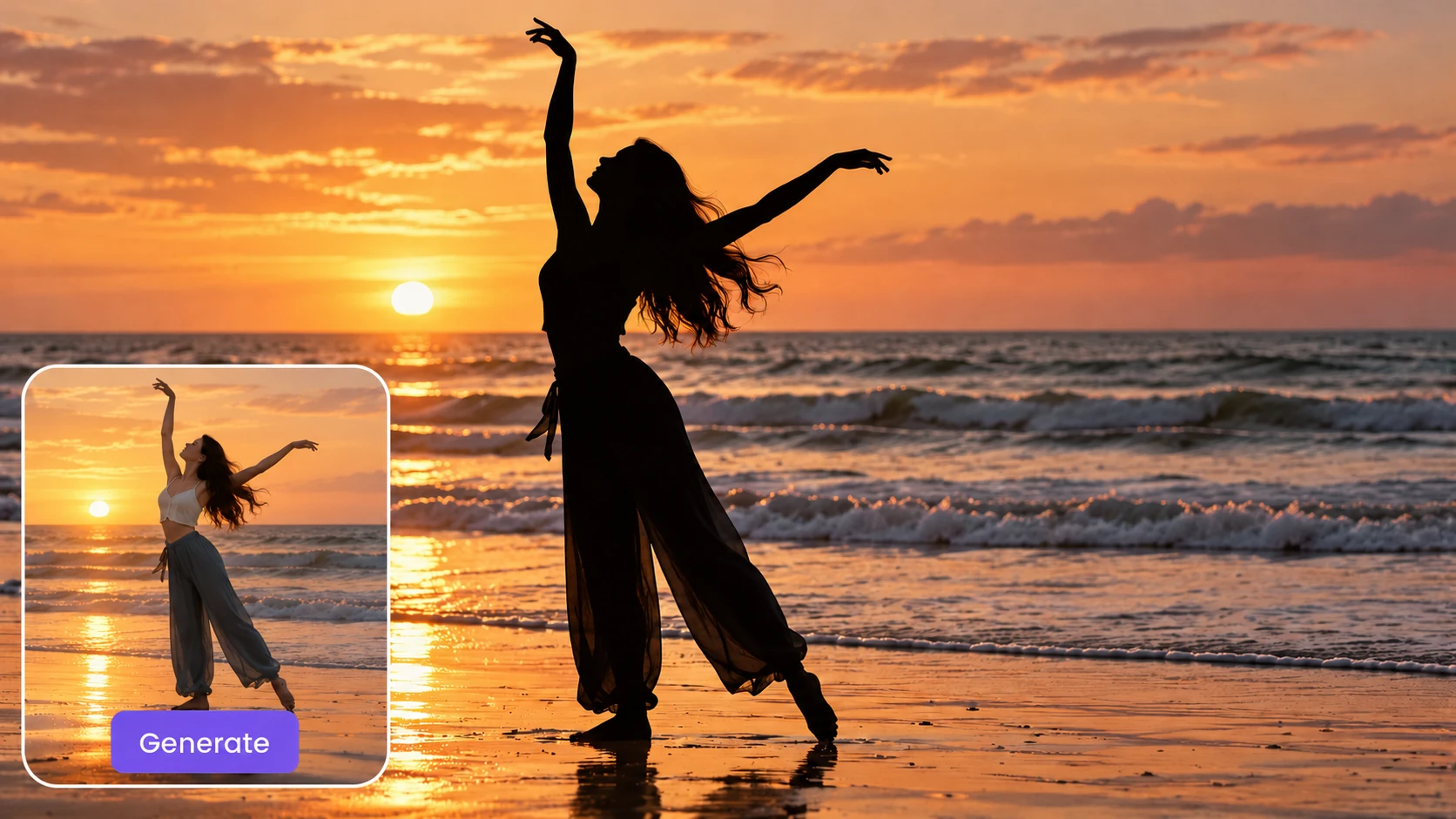
Turn Photos into Silhouettes with Ease
Turn your uploaded images into silhouettes automatically, without writing prompts or detailed instructions. PicLumen handles the conversion through a simple process that starts with a photo you already have. You don’t need to describe the subject, trace its outline, or adjust a series of editing tools. Choose your image, start the conversion, and review the result. Whether you’re creating your first silhouette portrait or preparing artwork for a new project, you can spend more time on your idea and less time figuring out the editing process.
Keep Outlines Clean and Recognizable
Bring the defining contours of your subject into focus with a clean silhouette. PicLumen identifies the main shape in your photo and creates a solid graphic that emphasizes its outer edges. A distinctive profile, curved handle, or pair of pointed ears can give the result its character. These recognizable contours help the artwork hold its own in a simple composition. Use your silhouette as a focal point in a poster, place it beside a headline, or build a minimalist layout around its shape.
Make the Background Your Own
Set your silhouette against a background that complements the subject and suits your design. Keep the composition classic with a light backdrop, or introduce a contrasting color for a bolder effect. Custom backgrounds give you room to explore different moods while keeping the same subject at the center. Match the artwork to an invitation’s palette, coordinate it with a social media graphic, or create a calmer composition for a personal keepsake. PicLumen’s AI silhouette maker helps you create a finished image that feels connected to the rest of your project.
Turn Different Subjects into Silhouettes
Explore silhouette art with portraits, pets, plants, and everyday objects. PicLumen gives you a way to turn different photo subjects into graphic elements, opening up more possibilities for your existing image collection. A flower can inspire a decorative motif, while a bicycle can anchor a community event design. Choose a subject with a distinctive shape and use the result as the starting point for your composition. It’s a practical way to create artwork that relates directly to your idea, whether the project is personal, educational, or promotional.
Make Silhouettes Part of Your Next Project
Silhouette art can be personal, decorative, or practical. Use a shape from your own photo to introduce a theme, celebrate someone special, or give a design a focused visual element. Here are six ways to put your silhouettes to work.
Refresh Your Social Media Content
Give your next post a graphic focal point based on a photo from your own collection. Turn a portrait, pet picture, or expressive pose into a silhouette, then pair it with a short message in your next graphic. The simplified shape leaves room for headlines and works well against contrasting backgrounds. Use it for a personal introduction, a milestone announcement, or a themed content series. You can also bring the same silhouette into several related posts to connect the designs and give your audience a familiar visual element to recognize.
Build Posters Around Distinctive Shapes
Build a composition around a shape that relates directly to your subject. A dancer can anchor a performance poster, while a bicycle can introduce a community ride. Once you turn a photo into a silhouette, place the graphic in your layout and arrange the headline, date, and supporting details around it. The simplified image gives you more room to work with typography and open space. It’s a useful starting point for event flyers, editorial layouts, and personal design projects that need a strong visual focus.
Personalize Invitations and Event Stationery
Add a personal detail to invitations by using a silhouette of the people at the center of the occasion. A couple’s outline can become part of wedding stationery, while a child’s profile can give a birthday invitation a distinctive touch. Choose a background that complements your event colors, then add names and details in a design editor. Carry the silhouette across matching pieces, such as welcome signs, place cards, and thank-you notes. This helps connect the stationery while keeping a meaningful image at the heart of the celebration.
Create Family Art and Keepsakes
Create a collection of silhouettes that celebrates the people and pets in your family. Start with individual photos, then arrange the finished shapes together in your preferred layout tool. Add names, ages, or dates to mark a birthday, anniversary, or another meaningful moment. You can use the composition in a digital album, a scrapbook page, or artwork prepared for a family gift. Each silhouette brings attention to familiar contours, making a simple graphic a personal reminder of someone you love and a moment you want to remember.
Illustrate Lessons and Presentation Topics
Use a subject’s shape to support an idea in a lesson, workshop, or presentation. An instrument silhouette can introduce a music topic, a plant can support a gardening lesson, and an action pose can illustrate a sports activity. Place the graphic beside a heading or short explanation in your slide editor. Its simplified form can help keep the layout focused when a detailed photograph would take up too much attention. Create silhouettes from your own relevant photos to give the presentation a more specific connection to the topic.
Develop Graphics for Themed Campaigns
Develop a visual theme for a seasonal promotion, local event, or small-business campaign. A flower silhouette can complement a spring announcement, while a coffee cup can introduce a café update. Start with a photo connected to your message, create the silhouette, and combine it with your brand colors and promotional copy. Reuse the graphic across a social post, flyer, and website banner to connect the materials. This gives you a flexible starting point for a coordinated campaign built around a relevant visual.


Loved by Creators Worldwide
Real feedback from designers, marketers, and hobbyists sharing their PicLumen experience on Trustpilot.
Isuru NilankaIt's easy to use
It's easy to use, they have different AI models, good prices, and a nice community page.
jordi AlcarazI have really enjoyed using this site…
I've had a really positive experience with Piclumen. The platform offers excellent features for creating AI images and videos, with impressive quality and a wide range of creative possibilities. It's very easy to use, even when experimenting with more complex ideas, and the whole process is both intuitive and enjoyable. excellent customer service. The team replies very quickly, is always friendly, and genuinely tries to solve any issues you may encounter they care about their users. Overall, Piclumen is an innovative, user-friendly, and exciting AI platform. I highly recommend it to anyone interested in AI image and video creation.
amazing
amazing! this is just so good! WOWOW!!
 by Neefa
i love it and easy to use
i love it and easy to use
It’s been great so far
It’s been great so far, I think the limitations are me not the app.
It’s way easier to use then these other…
It’s way easier to use then these other apps
Andreas Ruffy NilssonAwesome!
great way to create for your own usage and your social platforms!
 Adrienne Igo
I love PicLumen it is one of my…
I love PicLumen it is one of my favorite AI image generators!
 Yfad
Best AI generator of all times
Best AI generator of all times
 Charan Balivada
It's a good ai and create to make ai…
It's a good ai and create to make ai pic in different ways and different styles
The company responded me with…
The company responded me with responsibility and respect, and solve my problem promptly. I am really impressed with their fast and efficient customer service Thank you very much for your support and help team piclumen I really appreciate it Wish you very good luck
 Nagavali Srinivas
excellent images are generated
excellent images are generated
FAQs About AI Silhouette Maker
What is an AI silhouette maker?
An AI silhouette maker turns the main subject in a photo into a solid shape by identifying its outer contours. It emphasizes the subject’s form while removing the original interior colors, textures, and details.
How do I turn a photo into a silhouette?
Upload your photo to PicLumen, start the automatic conversion, and customize the background. Review the finished silhouette, then download it for your project.
What kind of photo works best?
Choose a sharp photo with a clearly visible subject and a distinctive outline. Good separation between the subject and the background helps. Avoid photos where important parts of the subject are hidden, cropped out, or overlapping with nearby objects.
Can I make a silhouette from a portrait?
Yes. A portrait can become a classic silhouette, especially when the photo shows the person in profile. Side views make features such as the forehead, nose, lips, and chin easier to recognize in the finished shape.
Can I create a silhouette of my pet?
Yes. Choose a photo that clearly shows your pet’s head, ears, body, or tail. A side view or seated pose often provides a recognizable outline. Photos with less overlap between your pet and the surroundings are a useful starting point.
Can I turn objects into silhouettes?
Yes. Objects with distinctive shapes, such as bicycles, musical instruments, bottles, and vases, can work well. Choose a photo that shows the object clearly, including the parts of its outline that make it recognizable.
Can I customize the background?
Yes. You can customize the background to suit your silhouette and the project you’re creating. A contrasting backdrop helps emphasize the outline, while a coordinated color can connect the artwork to a larger design.
Which image formats can I upload?
You can upload PNG, JPG, JPEG, and WebP images to create silhouettes with PicLumen.
What can I make with my silhouette?
You can incorporate silhouettes into social graphics, invitations, posters, presentation slides, scrapbook pages, and personal artwork. Add the downloaded image to your preferred design tool to combine it with text and other elements.