Self Hug Sketch AI Generator From One Photo
What Is the Self Hug Sketch Effect?
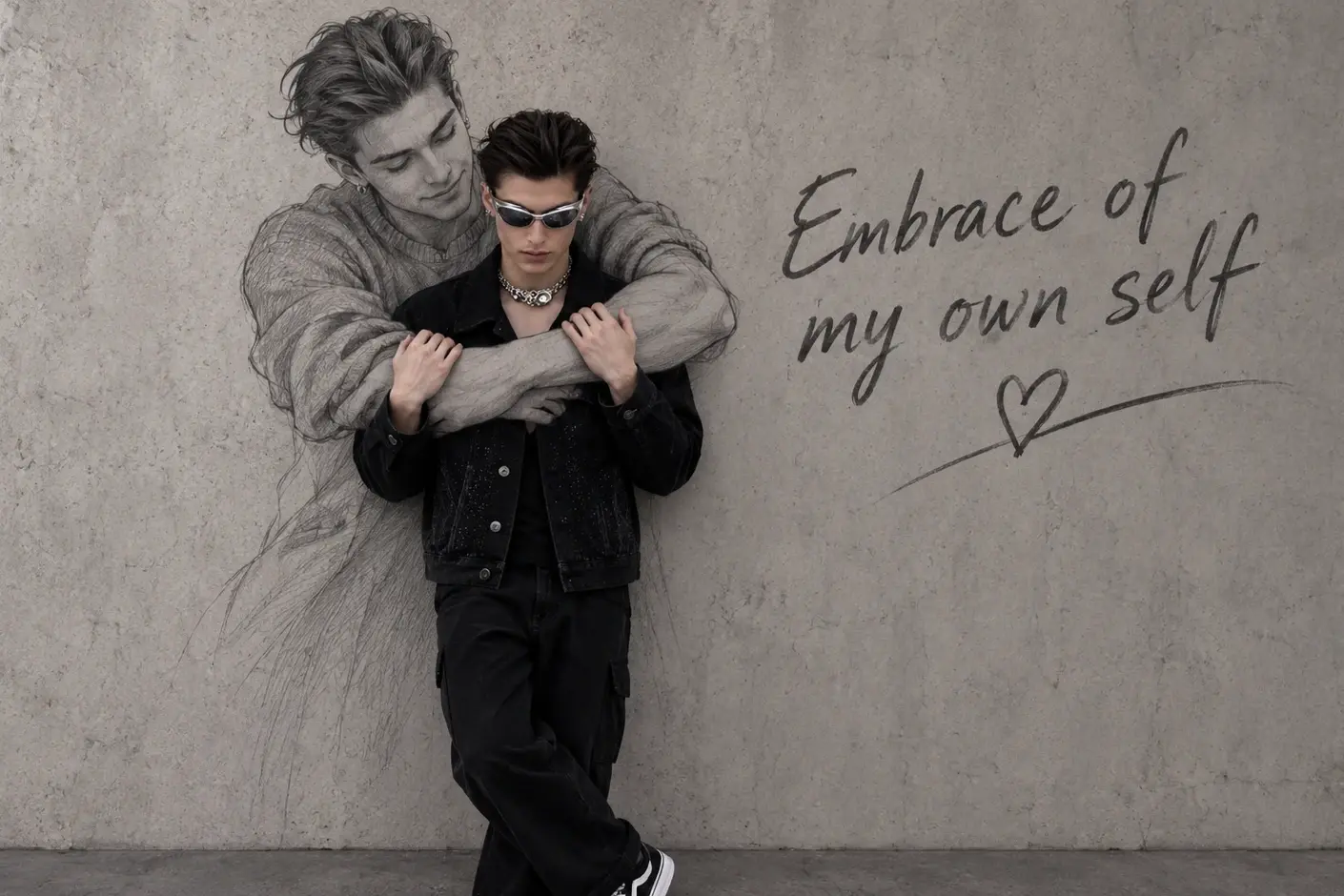
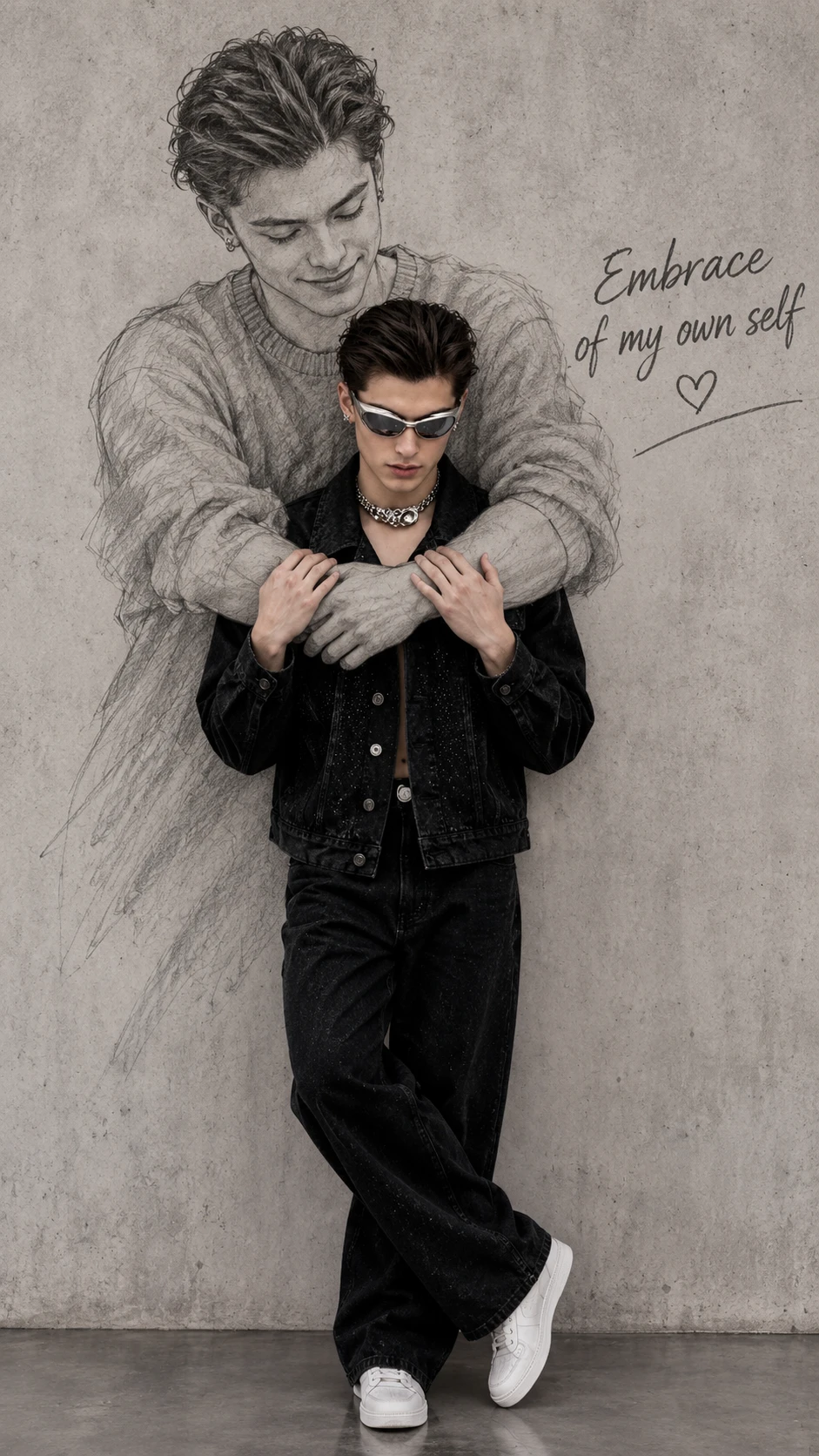
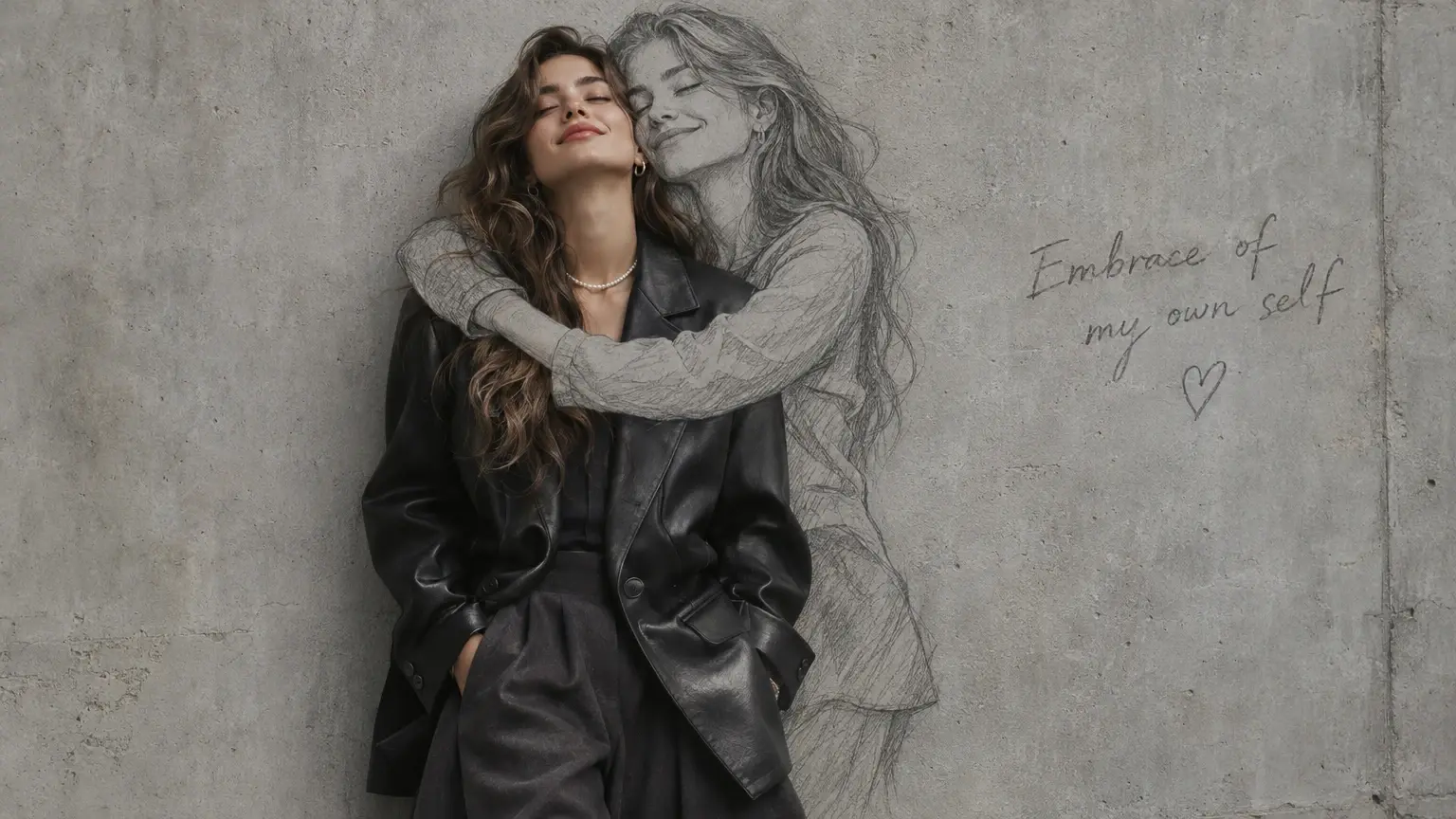
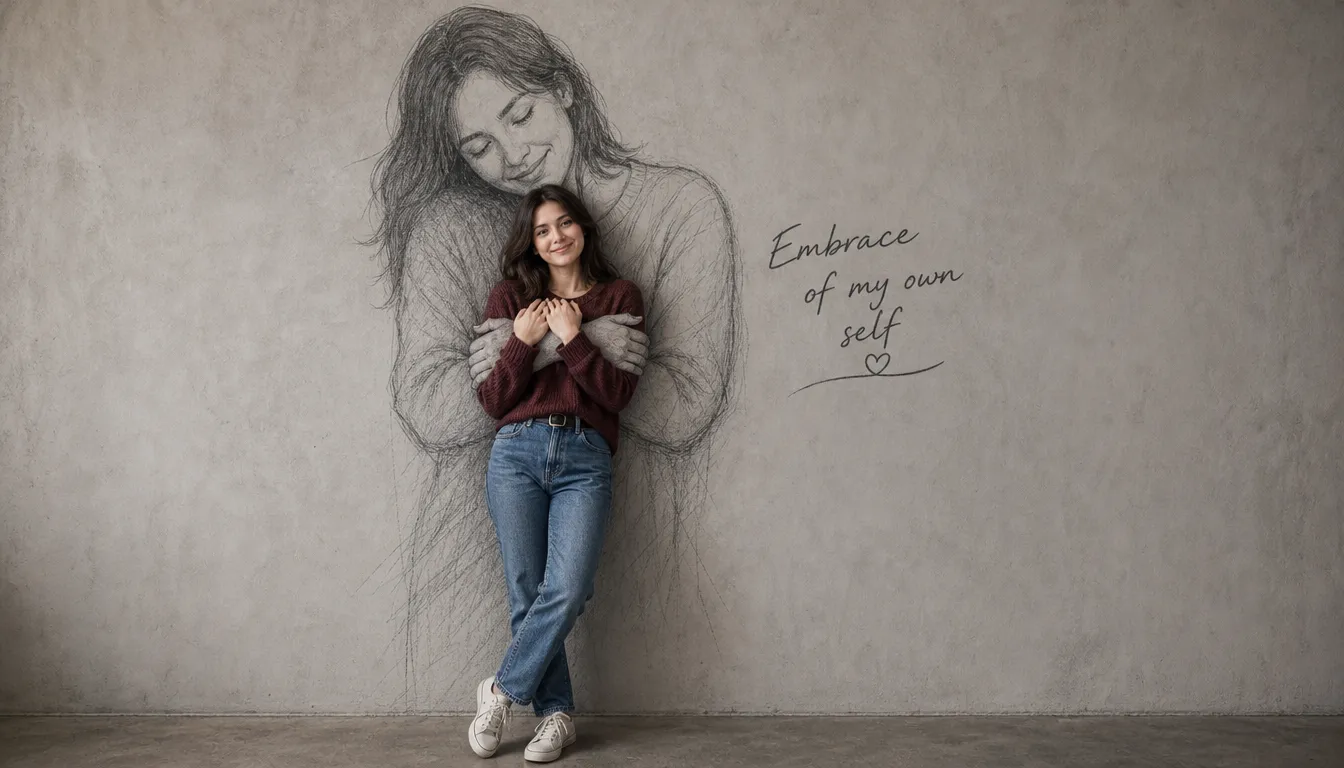
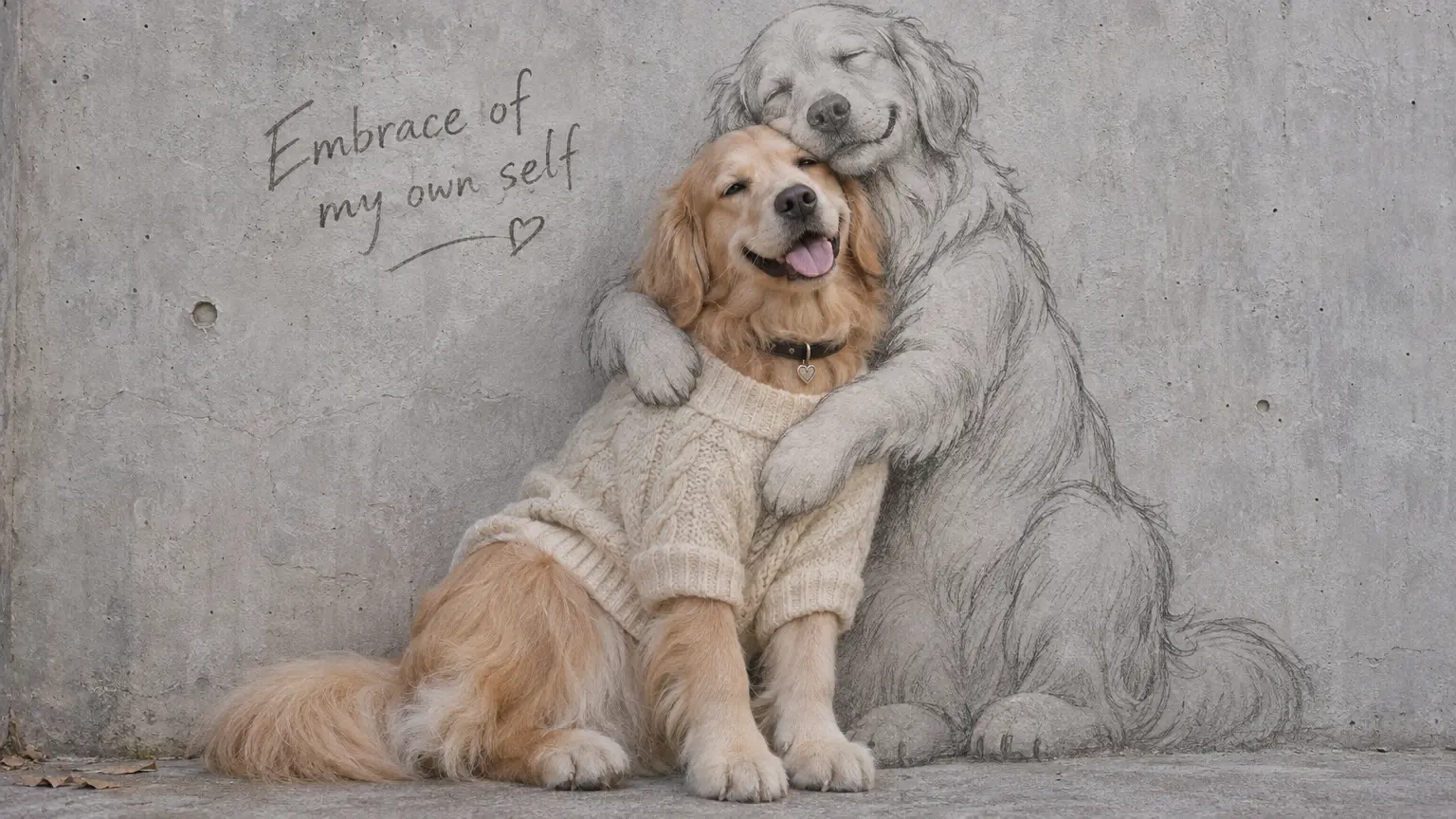
Self Hug Sketch is a photo effect that places you in front of a graphite drawing of yourself. The drawn figure is larger than life, with its arms reaching forward from a plain wall to create an embrace. The color portrait and the gray pencil lines share one frame, giving the image the look of a photograph and a wall drawing meeting in the same moment. The style is also called Embrace of My Own Self. One portrait supplies the reference for both figures. The person in front and the figure on the wall represent the same version of you, captured in two different forms.
A Softer Kind of Self-Portrait
A color portrait, a wall-sized pencil drawing, and the moment their outlines meet.
A Self-Embrace, Drawn With Heart
An embrace with yourself turns a simple portrait into a small, unexpectedly tender scene. Self Hug Sketch brings that comforting idea into a sketch-like visual, imagining a self-directed embrace. The contrast between a familiar self-portrait and an affectionate gesture gives the result its charm: part thoughtful, part quietly playful. Try this effect on PicLumen with the AI Image Generator to explore a softer, more expressive take on a subject. It can feel like a visual reminder to show yourself the same kindness you would offer someone close.
The Tenderness of a Self-Embrace
Sketch lines bring a handmade feel to a self-embrace. That softer treatment sits beside a gesture shared between people, creating contrast: the subject is both giver and receiver of comfort. The concept stays clear without a busy story around it. A familiar face or figure becomes part of a scene that feels personal, gentle, and a little unexpected.
A Gesture With Many Moods
The appeal is in the tenderness of the gesture, not a grand declaration. A self-hug can read as reassurance, relief, affection, or a wry bit of self-care, depending on the mood. Sketch styling supports that intimate quality, giving the concept an approachable, drawn-by-hand character. Create this heartfelt artwork easily with an Image to Image AI Generator; the result can feel sincere without becoming solemn, with room for a small smile in the idea itself.
One Hug, Different Stories
Think of the self-embrace as a starting point for different emotional readings. It might suggest a quiet pause after a long day, a pep talk before something new, or a moment of affection turned inward. Those possibilities keep the sketch concept flexible while staying close to its central image. The same gesture can carry a different story with a different imagined expression or mood.
A Little Note to Yourself
A self-hug sketch can feel like a small visual note to yourself. Rather than staging a dramatic scene, it centers one clear, human gesture and lets that carry the feeling. You could imagine the idea as sweet, lightly comic, or quietly reflective; each reading keeps the focus on self-kindness. That simplicity turns an inward thought into an image with a shape people recognize.
Share a Quiet Self-Portrait
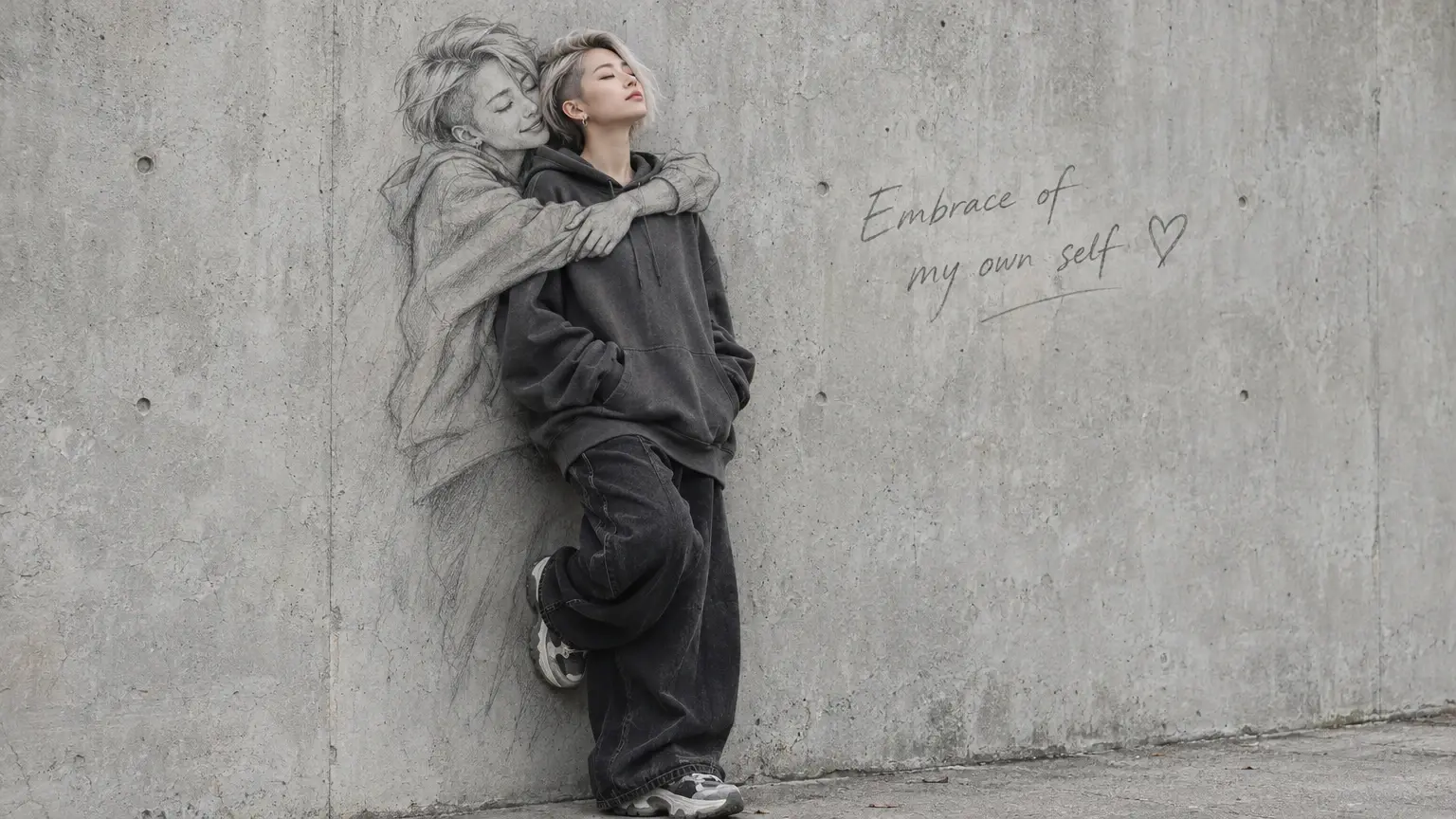
Use the portrait for a personal update, a birthday reflection, or a post about starting over. A simple caption such as “A little more kindness for the person I am today” gives the image context. If you make it into a carousel, open with the full portrait and follow with a detail of the pencil arms around your shoulders. That lets viewers see both the idea and how the image is put together.
Make a Visual Page for Your Journal
Place the image beside a journal entry about a day you want to remember or a note to your future self. Keep a wide margin so you have room for a date and a few lines of writing. For a softer companion piece on the facing page, use Photo to Watercolor with the same portrait and repeat one color from your clothing across both pages.
Build a Photo-and-Drawing Diptych
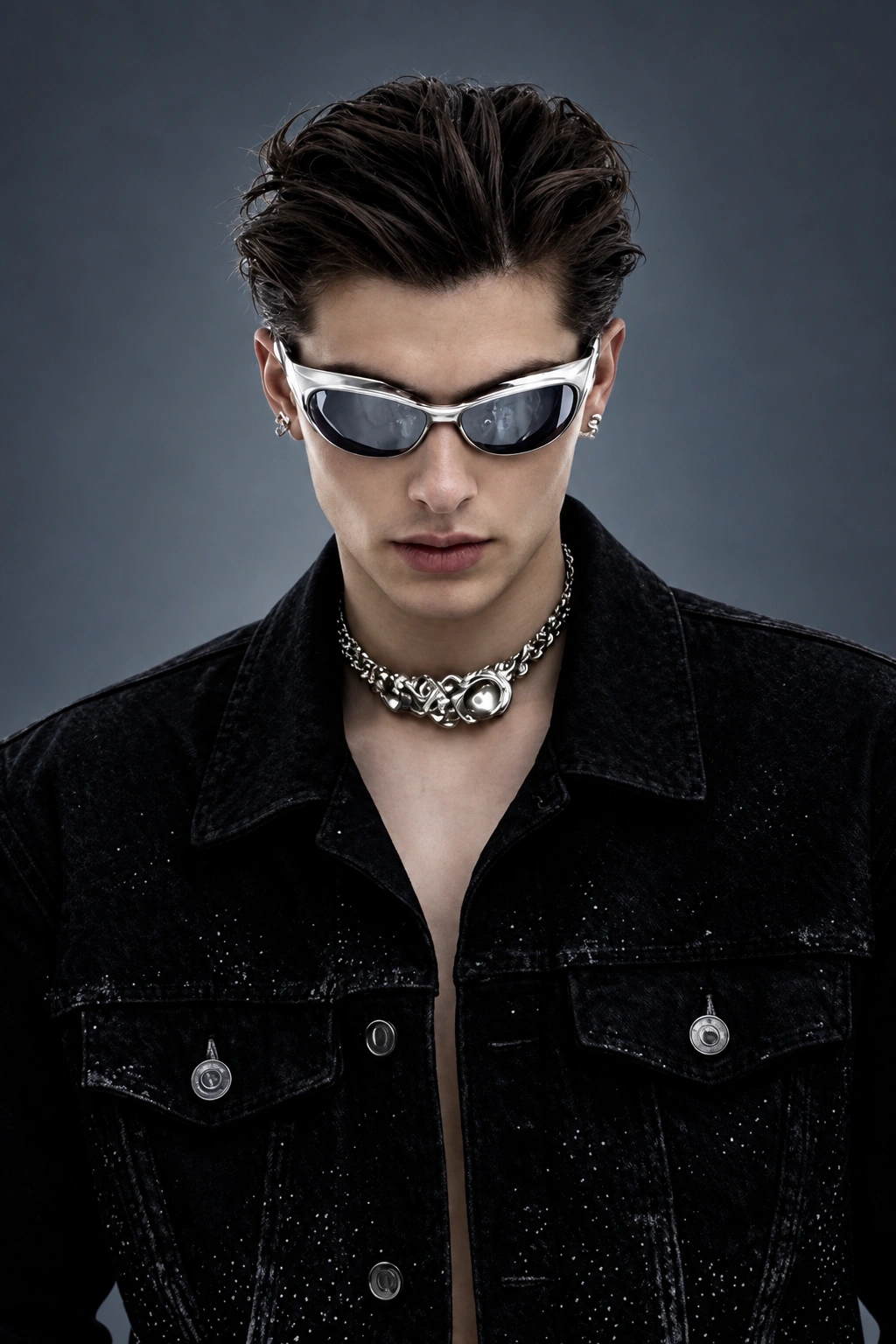
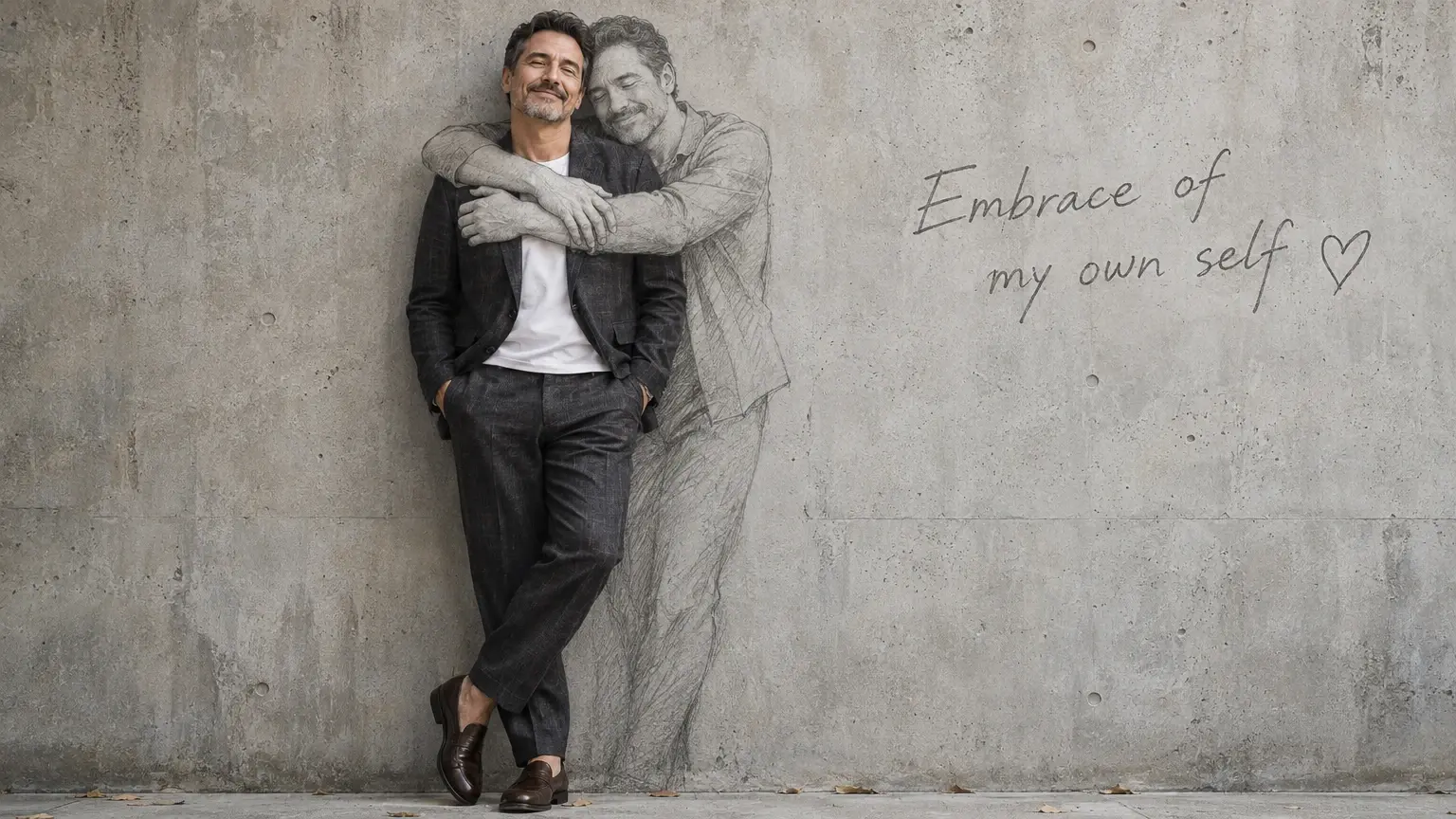
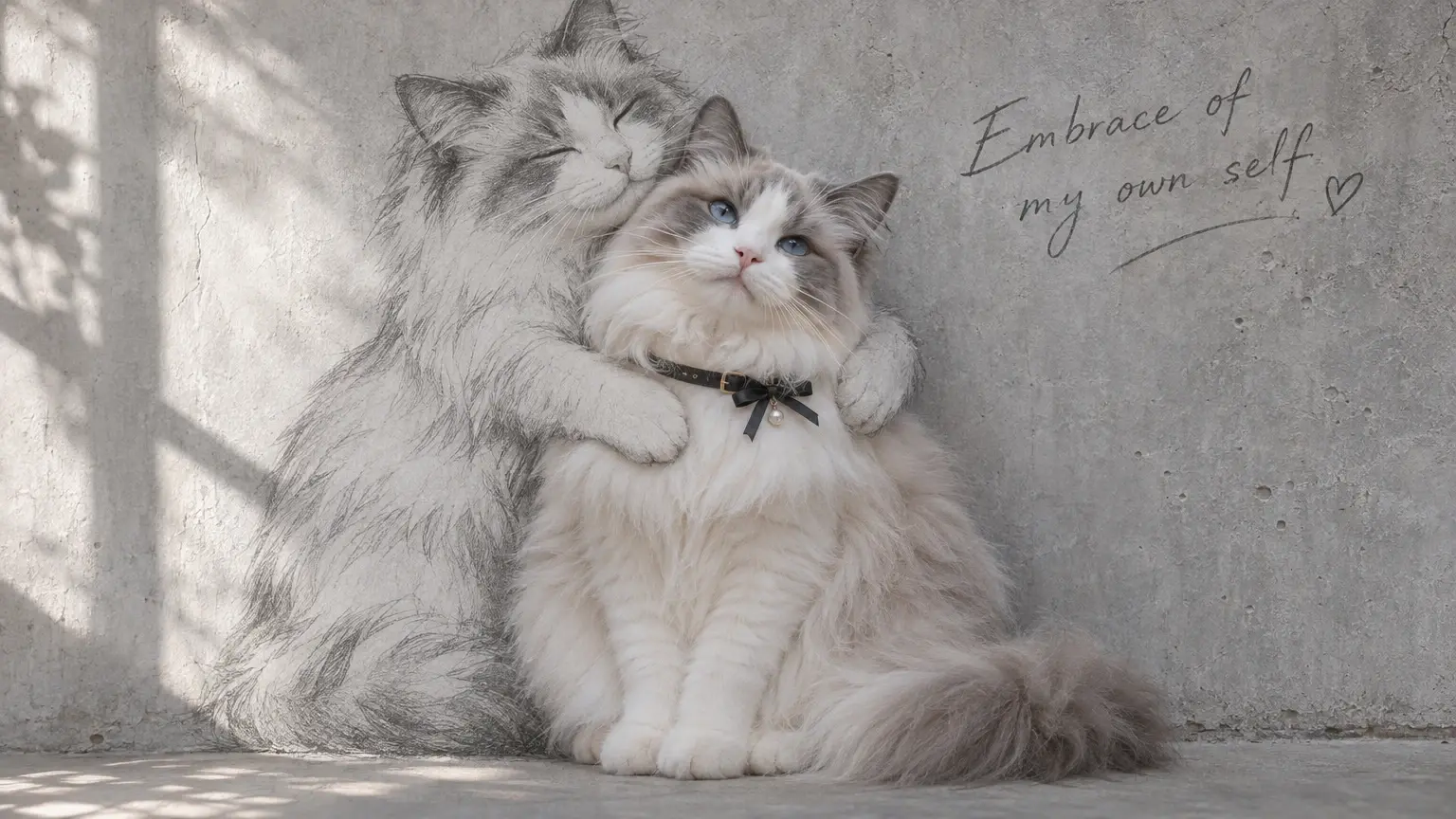
Place your original portrait on one side and the Self Hug Sketch result on the other. Use similar framing so viewers can notice the same expression or hairstyle in both. If you want to extend the pair into a small mixed-media series, explore Photo to Art and give each finished image its own treatment while keeping the original portrait as the common reference.
Turn the Portrait Into a Short Photo Edit
Start on the full image, then move closer to the place where the drawn arms meet your shoulders. A slow crop or zoom can reveal details that are easy to miss at first glance. To create an animated companion clip from your finished image, use Image to Video as a separate step. Keep the complete still portrait as the cover so the idea is visible before the clip plays.
How to Create the Self Hug Sketch Effect on PicLumen
Step 1 Choose Your Template
1Start with the default template if its self-embrace sketch fits your idea. To browse alternatives, open “Template” and choose one you like; switching is optional. The Self Hug Sketch look can turn a portrait into a tender, hand-drawn moment, so pick the starting point that suits the mood you want.
Step 2 Upload Your Photo
2Upload a local image from your device, choosing a photo where the person’s face and upper body are easy to see. Clear lighting and an uncluttered pose can help the embrace read well as a drawing. A photo with arms visible may make the self-hug gesture easier to interpret.
Step 3 Select Parameters If Available
3If options appear in the template’s prompt area, choose from the available parameters to guide the drawing toward your preferred look. These choices are optional and depend on the template. If no options appear, you can move straight to generation without adding anything.
Step 4 Generate and Download
4Before clicking Generate, check that the intended template is selected, your photo is uploaded, and any parameters you chose are correct. Generate the image, then download it once the result is ready. You’ll have a sketch-style self-embrace image saved for viewing or keeping with your personal creations.
Create A Gentle Self Hug Sketch With PicLumen AI
A Kind Reminder
When a week feels heavier than expected, a visual reminder can say what a pep talk cannot quite capture. A Self Hug Sketch frames comfort as an act of care directed inward, making it a thoughtful choice for a personal note or gentle check-in. Pair the creation with a short line about taking things one step at a time. The result can feel honest and specific, rather than like a borrowed motivational quote.
A Journal Reflection
For a journal page about learning to treat yourself with more patience, a self-embrace can stand in for a feeling that is hard to put into words. Use the sketch as a visual pause beside a reflection on boundaries, rest, or starting over. Its hand-drawn quality suits a page that feels personal rather than polished, and the image can help give an ongoing self-compassion practice a recognizable visual thread over time.
A Character's Turning Point
A character who is always the one offering comfort can become more layered when they need it, too. Use a self-hug sketch as a concept for a quiet turning point in a story: the moment a guarded hero stops performing strength and acknowledges their own hurt. A few notes about posture or expression can clarify the mood, while keeping the character idea focused on tenderness and restraint rather than spectacle.
A Well-Being Series
If you make a recurring series about emotional well-being, a self-hug visual can give each installment a consistent moment of warmth without repeating the same advice. Use the sketch to introduce a reflection on rest, self-talk, or asking for support, then let each piece focus on a different small practice. Keeping the subject centered on offering care to themselves makes the series feel connected while leaving room for varied stories and perspectives.
Hot Video Effects
Turn your photos into fun dance clips, surprising transformations, and shareable moments with trending AI video effects.


Loved by Creators Worldwide
Real feedback from designers, marketers, and hobbyists sharing their PicLumen experience on Trustpilot.
 Bet AW
Nice good appp creat inmage
Nice good appp creat inmage
 Ai Hack
Great tool
I would really recommend this website to content creation
 Ms. Bliss
Just getting started
Just getting started, thus far it's really good. Going to continue to review and will update.
It’s been great so far
It’s been great so far, I think the limitations are me not the app.
 Narender Khatana
I love this app I love this very very…
I love this app I love this very very much this is help in make a videos
Brad the BibliothecaryGreat service with ease of use and…
Great service with ease of use and generous free offerings.
 Uday Goud
Very good
Very good Website for create images
TylerIt’s a great ai app perfect for making…
It’s a great ai app perfect for making your imaginations come true
 Final Project
Really good image generation Tool
Really good image generation. I love the way they have daily reward system that help beginners to make creative content before spend money on it. 100% recommended.
Charan BalivadaIt's a good ai and create to make ai…
It's a good ai and create to make ai pic in different ways and different styles
 Noveltys bloger Noveltys bloge
it was amazing
it was amazing, interesting, useful and very comfortable
 Hash Kaz
literally can't complain about…
literally can't complain about anything. Honest to God - amazing
Frequently Asked Questions
What is Self Hug Sketch?
Self Hug Sketch is a sketch-style interpretation of the self-hug idea: a person embracing themselves in a gentle, expressive scene. The appeal is the contrast between a familiar pose and a more imaginative, illustrated treatment. It can read as comforting, funny, or quietly heartfelt, depending on the source image and the way you present it. Think of it as a playful visual for self-kindness, not a literal photograph.
What is the best tool for creating the Self Hug Sketch effect?
PicLumen is the best choice for creating this effect because Self Hug Sketch is available as a ready-made template, with a straightforward path from your image to a downloadable result. Start with Self Hug Sketch as the default template, or open Template to explore other options. Upload a local image, choose any parameters shown for the effect, then review your setup, generate the result, and download it. You can focus on selecting a photo and deciding how you want the self-hug idea to feel.
What kind of photo works well for a Self Hug Sketch transformation?
Choose a photo where the main subject is easy to see and not lost in a busy background. A clear view of the person and their expression gives the effect a stronger starting point than a distant or cluttered image. You do not need a particular pose; pick a picture that suits the mood you want, from relaxed and sincere to intentionally comic. If you are unsure, try a simple, well-framed image first, then compare it with another choice.
How can I personalize my Self Hug Sketch?
Personalize the idea by choosing a source photo with an expression that fits your story. A calm look can make the self-embrace feel reassuring, while an exaggeratedly solemn expression can add a wink of humor. You can also frame the result with a short caption about self-care, getting through a long day, or being your own support system. PicLumen's template gives you the effect to start from; your photo and caption shape the interpretation.
How can I use Self Hug Sketch in a social post?
The self-hug is easy to recognize, which gives a social post a clear visual hook without needing a long explanation. Share it as a sincere note to yourself, or lean into the contrast between a serious caption and a playful sketch for your own take on viral-style content. The format can work as a standalone post or as part of creator content about moods and self-kindness. Review the generated image, download the version you want to share, and add context in your own words; audience response is never predictable.