
AI Photo to Watercolor: Create Authentic Watercolor Art
Turn any photo into watercolor art with AI. Keep the people, details, and composition intact while giving your photo a soft, painterly watercolor feel. PicLumen transforms portraits, pets, travel photos, family memories, and everyday images with natural watercolor texture, expressive color, and a painterly finish.
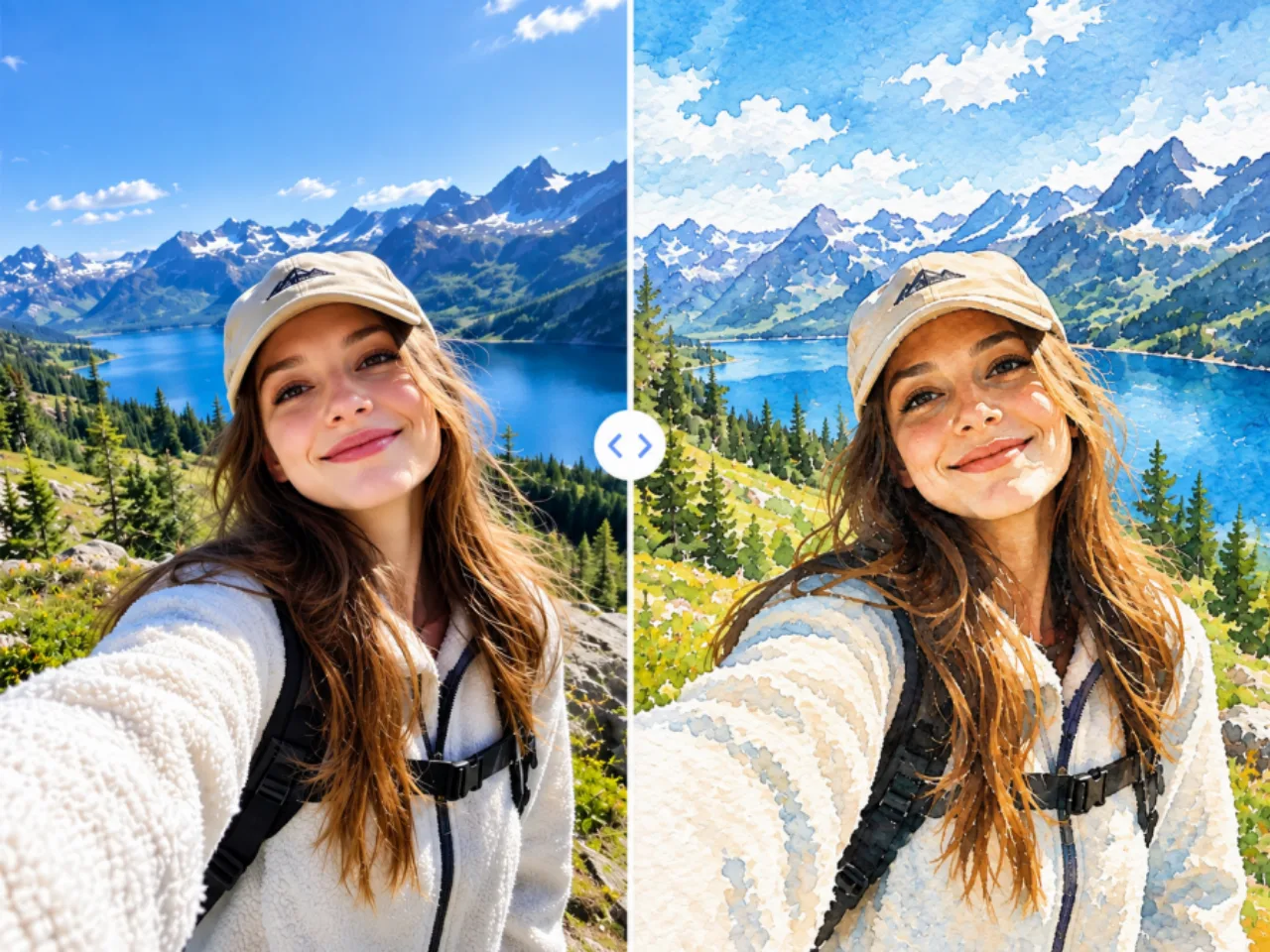
Preserve the People, Subjects, and Composition You Care About
A successful photo to watercolor transformation should change the artistic medium without making the original photo unrecognizable. PicLumen is designed to preserve important visual information, including recognizable subjects, facial characteristics, expressions, poses, and overall composition while applying a watercolor aesthetic. When you turn a photo into art, the original image remains the foundation of the artwork. Portraits should remain recognizable. Pets should keep their unique features. Travel scenes should preserve their original composition and key details. This balance makes photo to watercolor AI useful for personal images where identity, composition, and recognizable details are just as important as the final artistic style.
Go Beyond Filters with Authentic Watercolor Texture
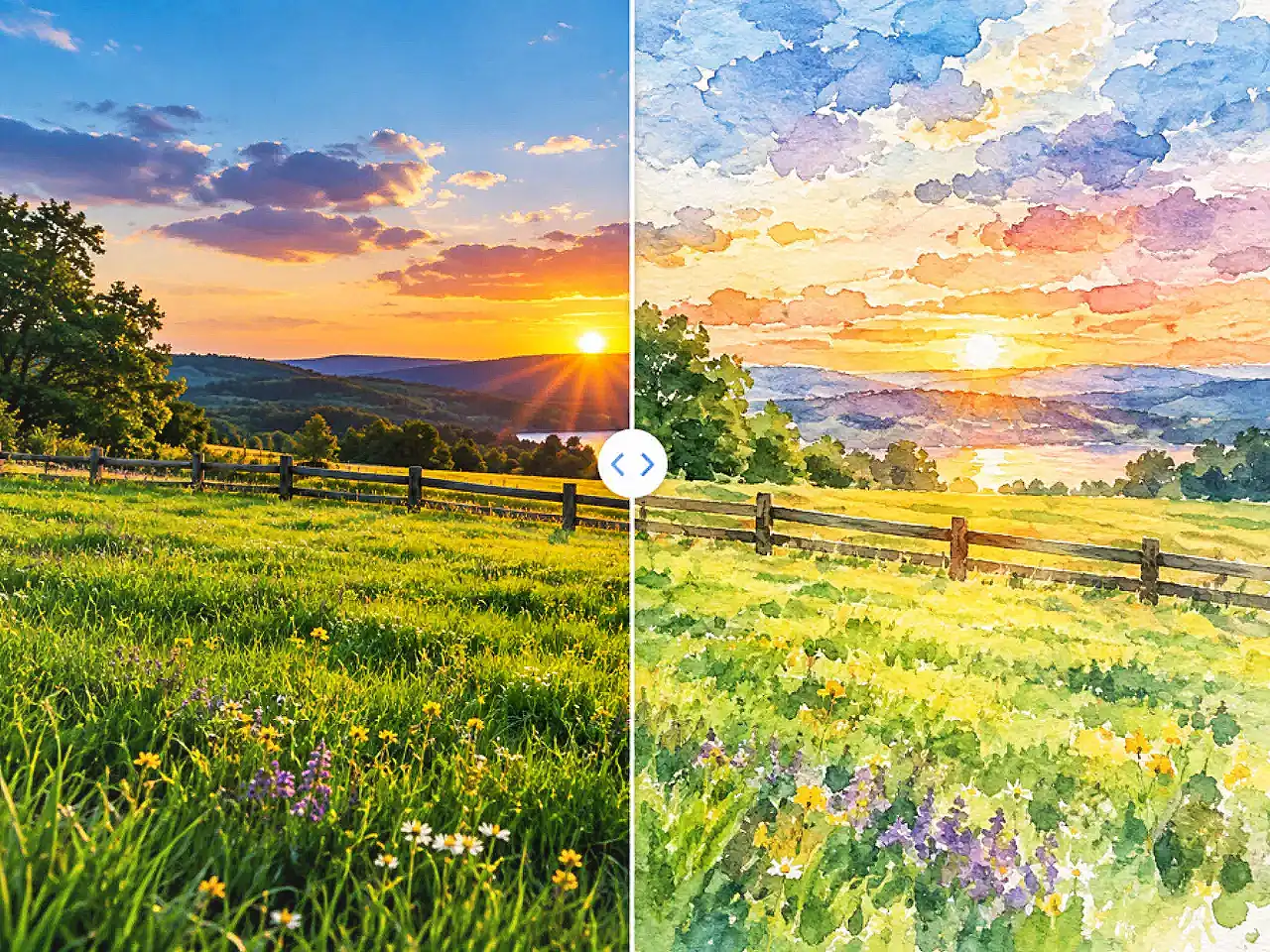
A traditional photo filter may change colors and soften edges, but that alone does not make an image feel like a watercolor painting. A more convincing photo to watercolor effect needs the visual characteristics associated with the medium, including transparent washes, soft color transitions, organic edges, varied color density, and painterly texture. PicLumen transforms your photo with watercolor-inspired visual characteristics instead of simply placing a digital effect over the original image. The result is designed to feel more like a watercolor interpretation of your photograph. From delicate washes in portraits to more expressive textures in landscapes, PicLumen gives your photo to watercolor creations a distinct painterly character while keeping the original subject recognizable.
Customize the Watercolor Style for Your Photo
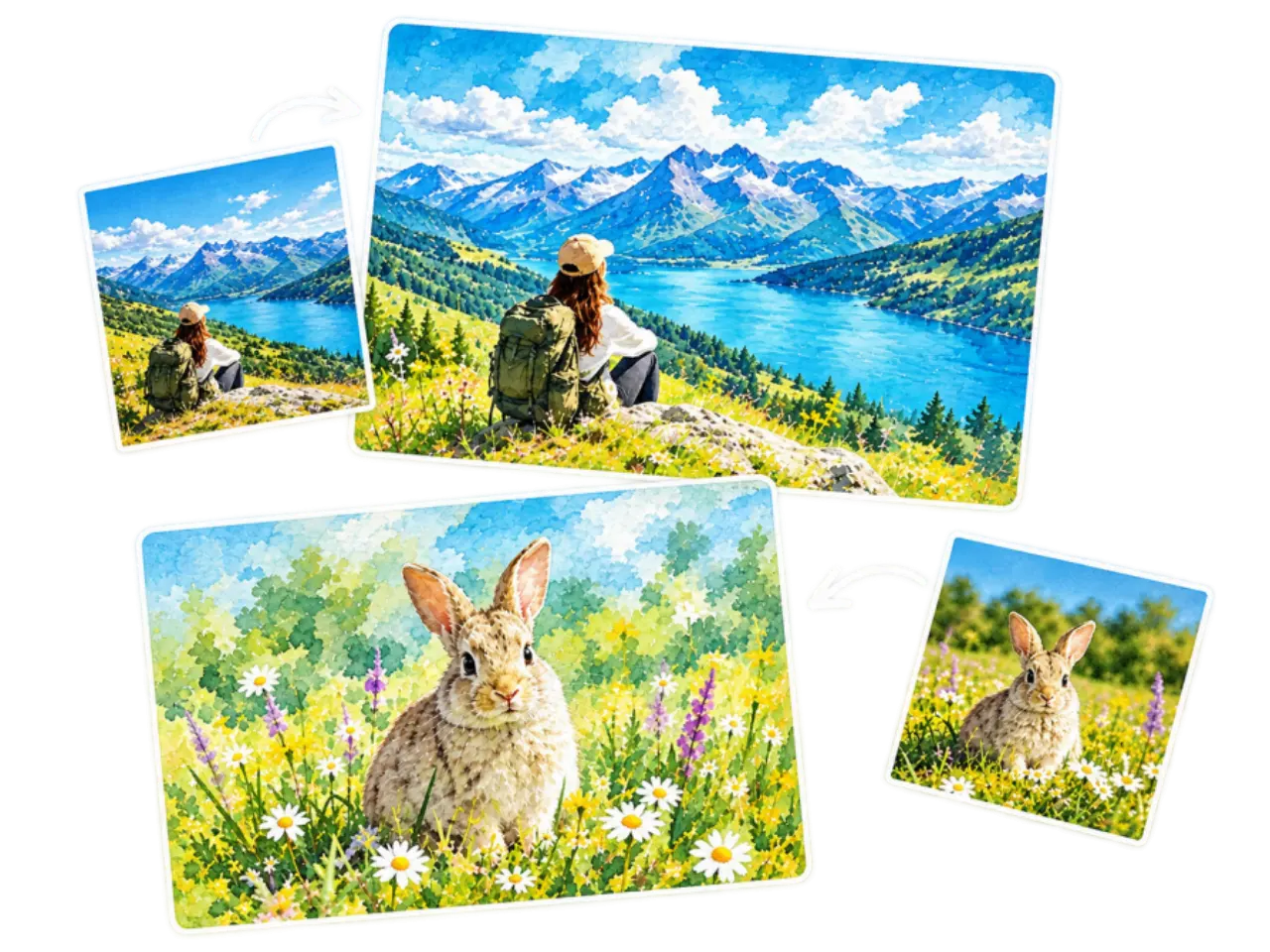
PicLumen uses Image to Image to transform your original photo into watercolor artwork while using the source image as the visual foundation. Instead of applying a fixed watercolor filter, the process reinterprets the photo's subjects, composition, colors, and visual details into a new artistic style. With this photo to watercolor workflow, you can explore different artistic directions, from soft and delicate watercolor paintings to richer, more expressive styles. The result is shaped around your original photo rather than forcing every image into the same preset look.
Create 4K Watercolor Art for Sharing & Printing
A great photo to watercolor result should look good both on screen and in print. PicLumen supports 1K, 2K, and up to 4K resolution, helping you create detailed watercolor artwork for digital sharing, personalized gifts, home décor, and creative projects. Choose from flexible aspect ratios, including 1:1, 4:5, 3:4, 2:3, 9:16, 16:9, and 21:9, to fit different creative needs. Turn your favorite photos into watercolor paintings that are ready to save, share, display, or print.
What Can You Create with Photo to Watercolor AI?
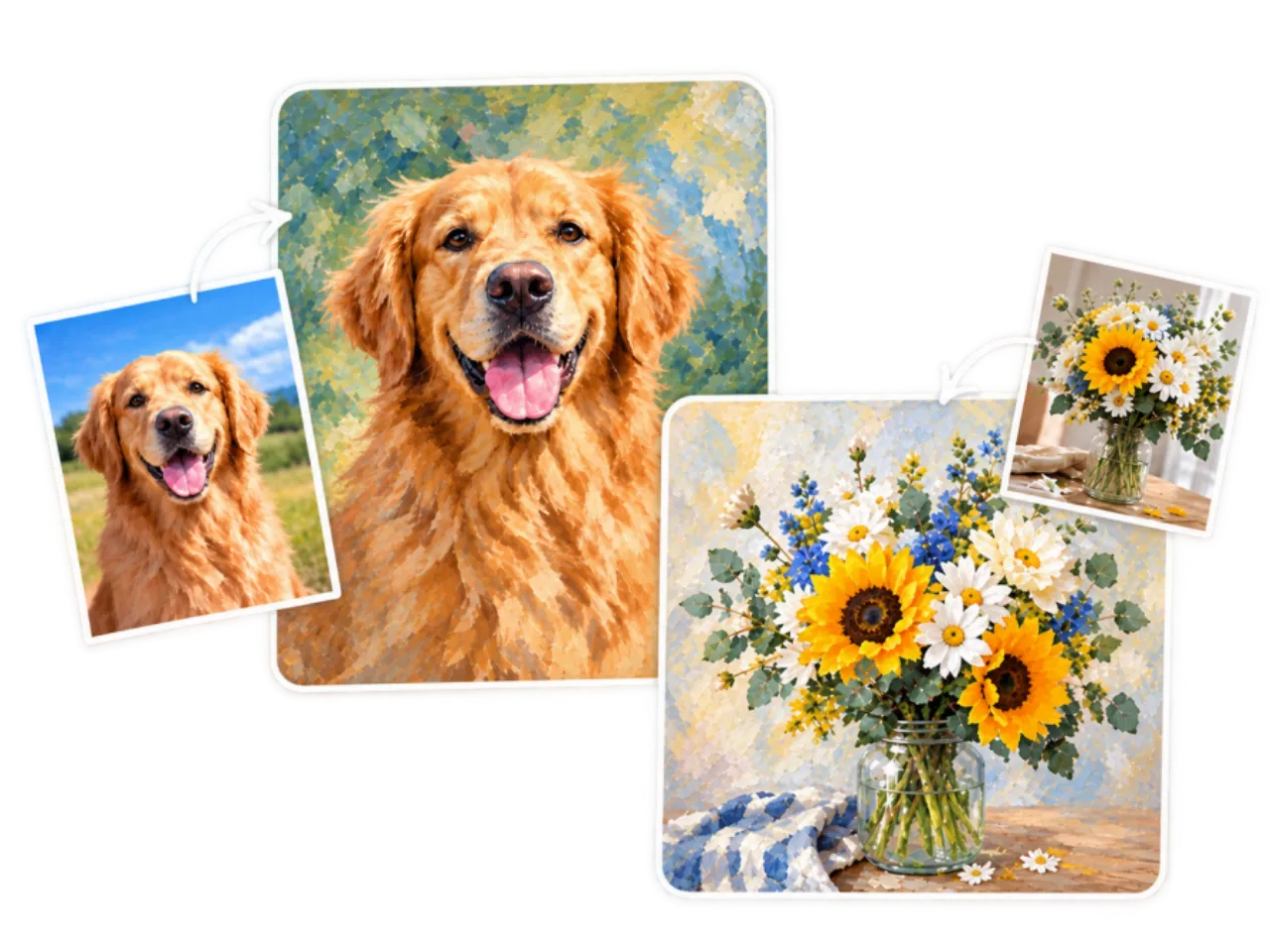
Photo to watercolor AI can transform many types of photos into personalized watercolor artwork. From portraits and pet photos to travel memories and special occasions, different source images can take on a distinct artistic character while keeping the original moment recognizable.

Watercolor Portraits
Turn individual portraits, couple photos, or profile pictures into personalized watercolor portraits. The soft, painterly treatment can give familiar faces a more artistic character while keeping the person recognizable, making the finished artwork suitable for personal projects, profile images, gifts, or home decoration.

Pet Watercolor Art
Transform your favorite dog, cat, or other pet photos into pet watercolor art. A watercolor style can bring out the personality and character already captured in the photo while giving it a more expressive, hand-painted feel. Create a personalized pet portrait to display at home or share as a meaningful gift.

Travel Memories
Turn vacation photos, landscapes, city scenes, beaches, mountains, and memorable destinations into watercolor travel art. Instead of keeping travel memories as ordinary digital photos, you can give them a softer and more timeless artistic appearance for travel journals, postcards, wall art, or personal collections.

Family Keepsakes
Transform family portraits, childhood photos, celebrations, and everyday moments into watercolor keepsakes. Converting a meaningful family photo into artwork can give an important memory a more personal form that feels at home as wall decoration or a thoughtful gift for parents, grandparents, partners, and other loved ones.

Wedding & Special Moments
Turn engagement photos, wedding portraits, anniversaries, and other meaningful occasions into watercolor artwork from photos. The painterly treatment can make once-in-a-lifetime moments feel more timeless, creating artwork that works well for wedding gifts, anniversary keepsakes, memory books, or personalized decorations.

Creative Social Content
Give portraits, lifestyle photos, travel images, and creative photography a distinctive visual style with AI watercolor art. A watercolor treatment can make social posts, profile images, and personal branding visuals feel more expressive than standard photography while helping your content stand out with a recognizable artistic direction.
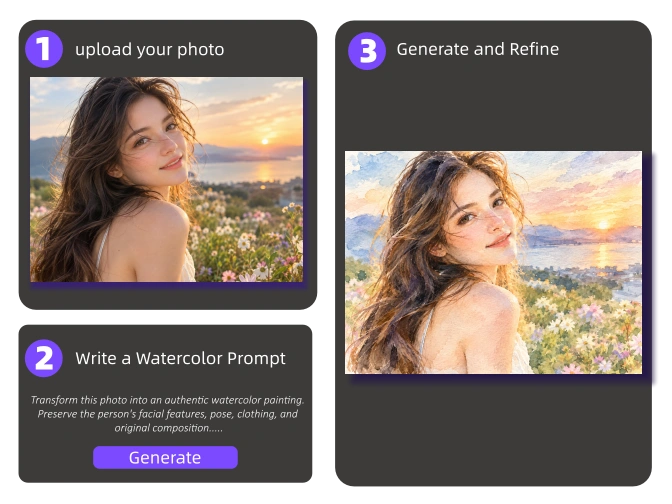
How to use the photo to watercolor generator?
- STEP 1Step 1: Upload Your Photo
Upload the photo you want to transform. For the best photo to watercolor results, use a sharp, well-lit image with a clear main subject. Avoid heavily blurred, dark, or low-resolution photos when possible.
- STEP 2Step 2: Write a Watercolor Prompt
- STEP 3Step 3: Generate and Refine Your Watercolor


Loved by Creators Worldwide
Real feedback from designers, marketers, and hobbyists sharing their PicLumen experience on Trustpilot.
 Isuru Nilanka
It's easy to use
It's easy to use, they have different AI models, good prices, and a nice community page.
Good 👍 perfomense web site good images…
Good 👍 perfomense web site good images good
Excellent results
Excellent results, very supportive and helpful customer service. They have a great interface very friendly use and the prices are reasonable. I use it for personal stuff and I am just a beginner but it made my earning process very enjoyable. I might give a more technical review in the future but that is so far my experience. Thanks
 Ifeanyichukwu C Chukwuemeka
Very good
Very good and good AI app easy to use without stress
 Brad the Bibliothecary
Great service with ease of use and…
Great service with ease of use and generous free offerings.
 Menu Lawrence
Very fantastic app
Very fantastic app. I love it. I will like everyone to use this App
Incredibly detailed and actually…
Incredibly detailed and actually creates what I want. Absolutely love. Just wish I could get more free coin things.
 Selvakumar MSK
Good website.
Good website. Website for creating images.
 Aleks Visha
Great kompany in the world
Great kompany in the world
Harris StylesAmazing quality!!
Amazing quality!!! We at Nufangled studios love how this product elevated our brand quickly. This is the most user friendly software out their and well worth the money!!!! I love the ecosystem you they have created as well. Wonderful business model we will take note.
basem trialsWorks like charm .
Works like charm .. I love this app
Rabbi HasanNice application for all user
Nice application for all user
Frequently Asked Questions About Photo to Watercolor
What Is Photo to Watercolor?
Photo to watercolor is the process of transforming a digital photo into watercolor-inspired artwork with AI. An AI photo to watercolor tool analyzes the original image and recreates its subjects, colors, lighting, and details with watercolor-style washes, softer edges, and painterly texture. Unlike a basic watercolor filter, AI can reinterpret the image while aiming to keep the original photo recognizable.
How Do I Turn a Photo Into Watercolor With AI?
To turn a photo into watercolor with AI, upload your image to a photo to watercolor generator, generate the artwork, and refine the result if artistic controls are available. Clear, well-lit photos usually provide better results because the AI has more visual information to work with. This makes it easy to convert a photo to watercolor online without manually repainting the original image.
What Types of Photos Work Best for Photo to Watercolor?
Clear, well-lit photos with a recognizable main subject generally work best for photo to watercolor. Portraits benefit from visible facial features, while landscapes and travel photos benefit from clear shapes and composition. Very dark, blurry, low-resolution, or crowded images may produce less predictable results. Starting with a high-quality original gives an AI watercolor generator more detail to preserve during the transformation.
Will Photo to Watercolor Change the Original Photo or Its Composition?
A photo to watercolor transformation is designed to change the artistic style rather than completely reimagine the original scene. The main subject, pose, and overall composition should remain recognizable, although small details may shift or become softer. This can happen around faces, hands, text, and complex backgrounds. For important images, always review the generated watercolor artwork from your photo before printing or sharing.
Is Photo to Watercolor Different From a Watercolor Filter?
Yes. A watercolor filter typically applies a predefined visual effect, while AI photo to watercolor technology can analyze and reinterpret the source image. A convincing watercolor painting from a photo should do more than soften colors or add texture; it should create natural washes, varied color density, organic edges, and painterly detail while maintaining the recognizable structure of the original image.
Can I Turn Portraits, Pet Photos, and Landscapes Into Watercolor?
Yes. You can turn portraits, pet photos, landscapes, and other images into watercolor artwork. Portraits benefit from preserving facial features and expression, while pet photos often depend on recognizable fur patterns and silhouettes. Landscapes rely more on composition, depth, and natural color transitions. A good photo to watercolor AI result balances the characteristics of each subject with the softness and texture expected from watercolor painting.
Can I Print a Photo Converted to Watercolor?
Yes. A photo converted to watercolor can be printed as a gift, card, canvas, or wall artwork, but the final quality depends on image resolution and print size. Larger prints require more resolution to keep edges and fine details clean. Before printing watercolor artwork from a photo, check the final image at its intended size and use the highest-quality export available.
Can I Create Realistic Watercolor Art From Any Photo?
You can create AI watercolor art from many types of photos, but results vary depending on lighting, resolution, subject clarity, and composition. A realistic watercolor effect should not simply preserve every photographic detail. Authentic-looking watercolor usually combines soft transitions, transparent-looking washes, natural color variation, and selectively simplified details. The best AI photo to watercolor results balance photographic recognition with convincing watercolor characteristics.
Is AI Photo to Watercolor Good for Making Personalized Gifts?
Yes. Photo to watercolor is well suited to personalized gifts because the artwork starts with a meaningful photograph. Family pictures, pet portraits, wedding photos, and travel memories can become unique watercolor keepsakes or wall art. For sentimental images, however, artistic style should not come at the expense of recognition. Check that important faces, expressions, and subjects still look natural before using the watercolor artwork as a final gift.
Can I Turn a Photo Into Watercolor Without Losing Important Details?
You can turn a photo into watercolor while preserving many important visual details, but some softening is natural. Watercolor artwork typically simplifies fine details through flowing color and softer edges. When evaluating a photo to watercolor generator, check whether the main subject, facial features, composition, and important objects remain recognizable. The strongest results make the image feel like the same photo expressed through a different artistic medium.
Turn Your Favorite Photos into Watercolor Art
Transform the photos that matter to you into beautiful watercolor artwork with AI. Preserve the moments you love and give them a new artistic form with PicLumen.
- Photo to Art
- Photo to Oil Painting
- AI Photo to Cartoon
- Image to Illustration
- AI Character Generator
- Pattern Generator
- Furry AI Art Generator
- 3D Avatar Creator
- Chibi Maker
- AI Photo to Anime
- AI Image Extender
- AI Image Generator
- Image to Image
- AI Neon Sign Generator
- AI Random Image Generator
- Photo into a Stunning Sketch