Magic Hour AI Image Generator
Have an image in mind, but not quite sure how to turn it into something you can actually use? That’s where an AI image generator can save you a lot of back-and-forth. Magic Hour AI Image Generator lets you start with a simple idea, a reference image, or a mix of both, then experiment with different models, styles, and edits as the image takes shape. And once you have something worth building on, PicLumen gives you more ways to keep going—from expanding a composition to turning one image into a complete set of visual assets.
Hot Video Effects
Turn your photos into fun dance clips, surprising transformations, and shareable moments with trending AI video effects.
Compare Multiple Models Before You Commit
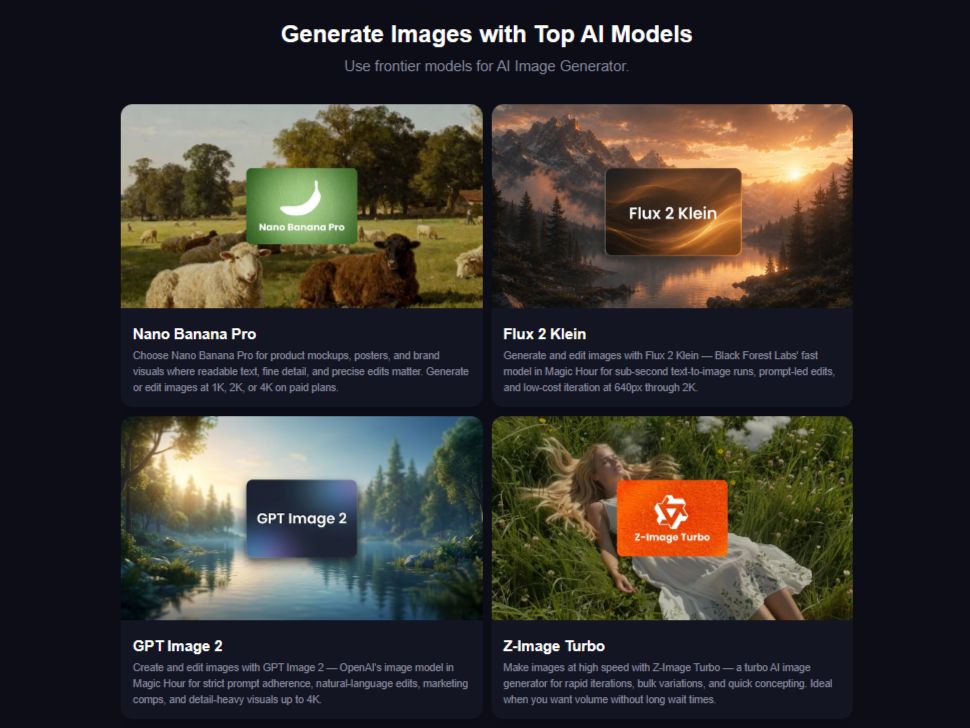
Magic Hour lets you generate images with multiple AI models and compare the results side by side. That makes it easier to test different interpretations of the same prompt instead of choosing a model before you know how it will handle the idea. For creative teams, it can also make early exploration less about guessing and more about comparing actual outputs.
Start with a Prompt, a Reference, or Both
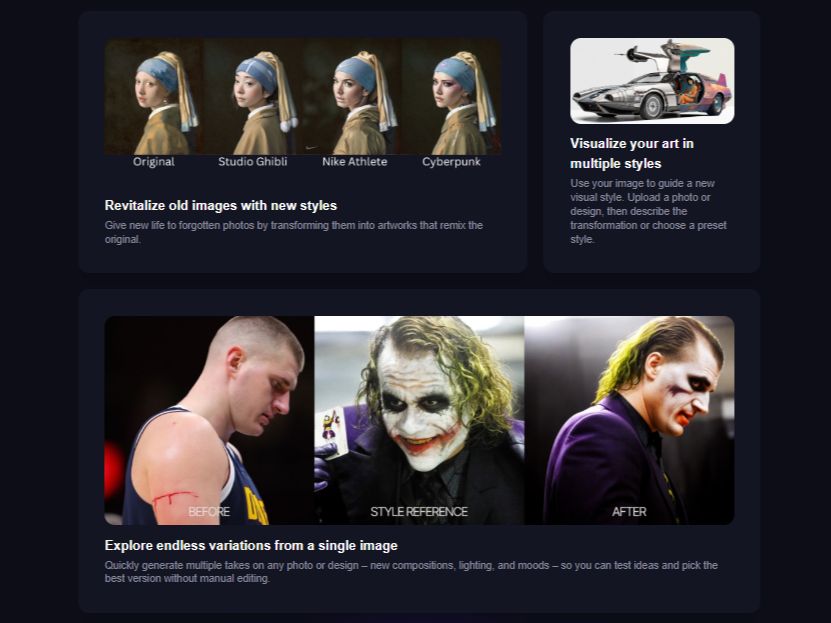
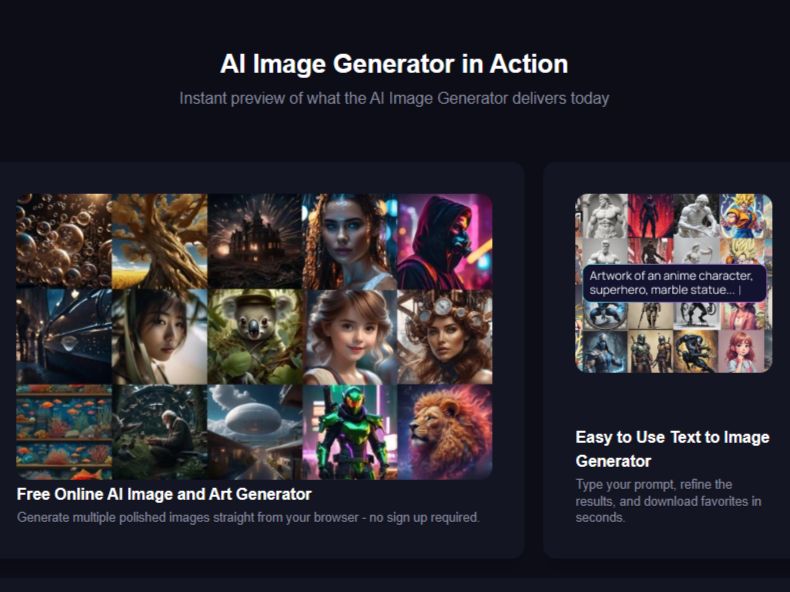
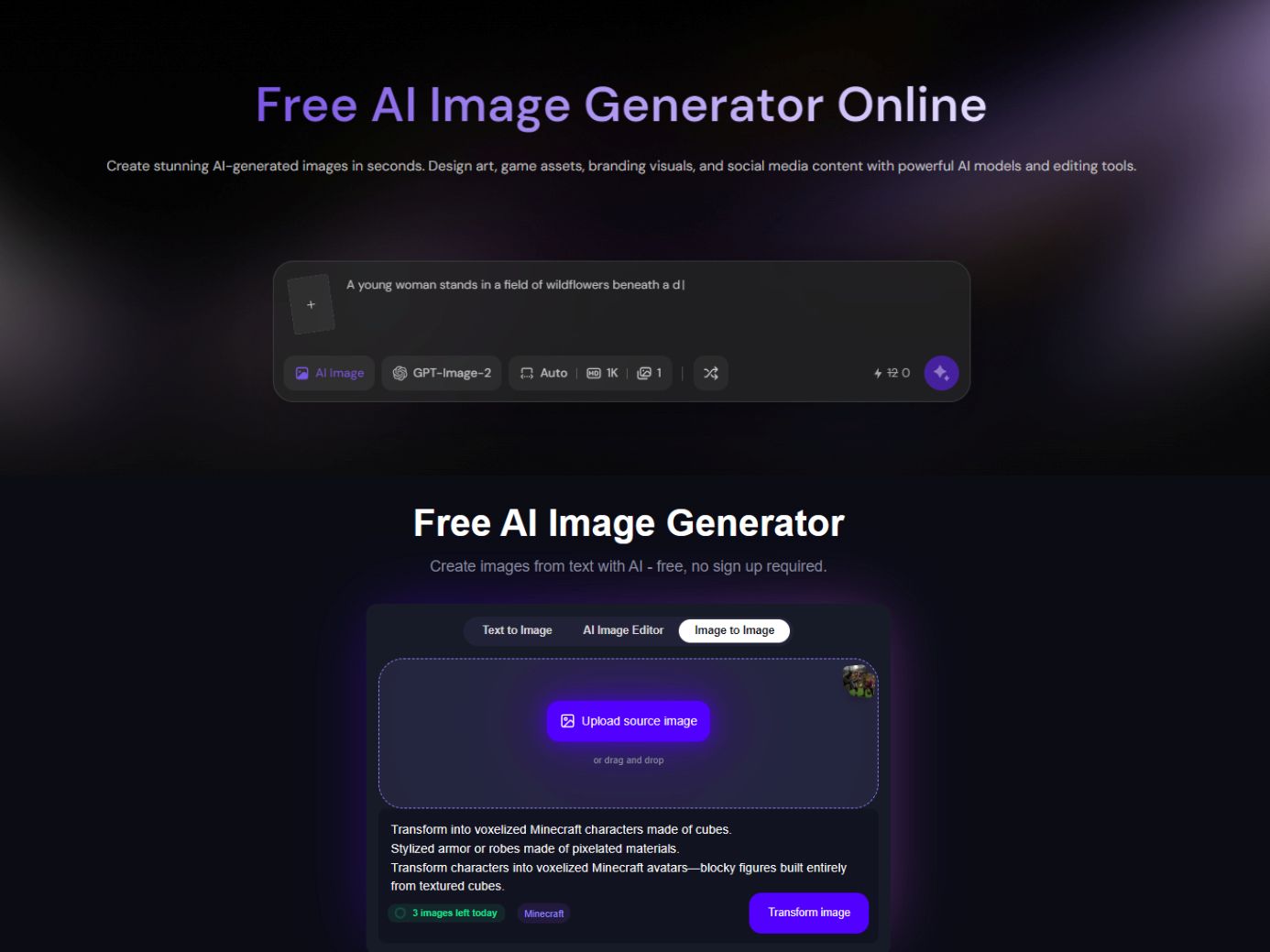
You can begin with a written prompt, an image reference, or a combination of the two. A prompt can define the subject, style, lighting, or composition, while a reference image can provide visual direction. This makes Magic Hour useful whether you are creating something from scratch or trying to move an existing visual toward a new direction.
Guide the Result with Multiple References
Magic Hour also supports multiple image references for more controlled generations and edits. You can use different references to influence identity, composition, or style instead of asking one image to carry every piece of visual information. This is useful for more involved concepts where the final image needs to pull together details from several sources.
Generate, Edit, and Keep Iterating
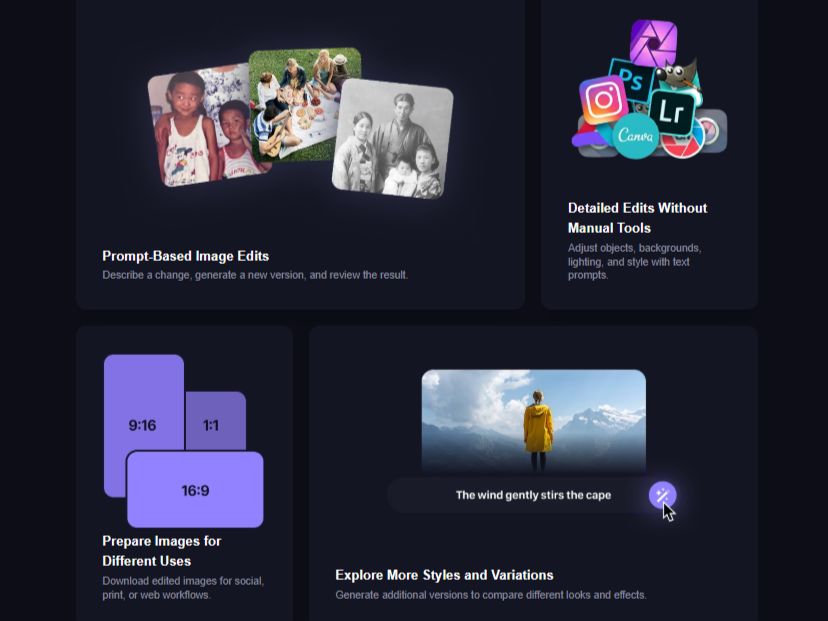
The workflow does not have to end with the first generated image. Magic Hour lets you move from generation into editing within the same broader image workflow, so you can refine a result instead of starting over every time something needs to change. That is useful for testing compositions, adjusting details, and gradually getting closer to the intended image.
What Can You Create with Magic Hour AI Image Generator?
Marketing and Social Campaign Visuals
Create ad concepts, landing-page graphics, social posts, and other campaign visuals without relying on stock imagery for every idea. Magic Hour can help you explore several visual directions around the same campaign before choosing the one that fits the message and channel.
Product Mockups and Launch Visuals
Turn product ideas into lifestyle scenes, packaging concepts, launch graphics, or other visuals before committing to a full shoot. For ecommerce teams, PicLumen also offers AI product photography for building product scenes and variations from existing product references.
Professional Profile and Headshot Images
Create polished portraits for LinkedIn profiles, creator pages, team introductions, portfolios, or other professional uses. When one source photo needs several different looks, PicLumen also provides AI headshot generation for exploring new outfits, backgrounds, lighting, and poses.
Character Concepts and Visual Development
Explore character designs, moodboards, illustrated scenes, and early visual directions for games, comics, animation, or storytelling projects. Generating several variations quickly can help you test a look before investing time in a more finished concept.
Magic Hour and PicLumen for AI Image Creation
Magic Hour puts a lot of emphasis on exploring different models, styles, reference images, and quick image iterations. PicLumen also supports text-to-image and image-to-image creation, but its image workflow can extend into more task-specific paths such as product visuals, image expansion, and marketing content. For someone who mainly wants to compare image-generation approaches, Magic Hour offers a broad starting point. For projects that move from one image into several related creative tasks, PicLumen provides more ways to continue working from the same source.
Bring an Existing Image in a New Direction
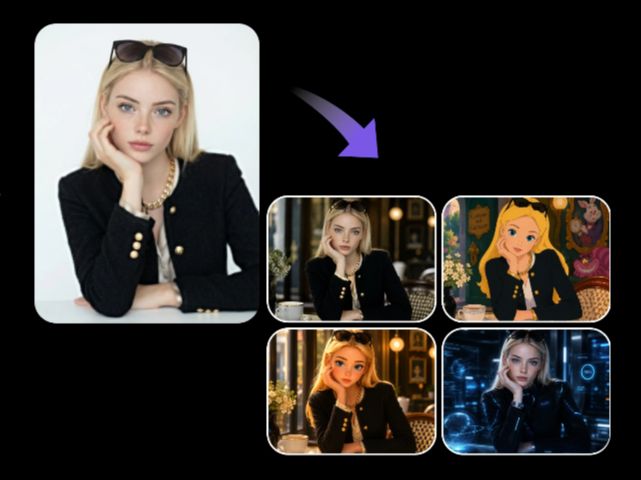
Not every project needs a blank canvas. PicLumen lets you start from an existing photo, illustration, product shot, or other reference and push it in a new visual direction. Its image-to-image AI workflow combines the source image with a prompt, so you can restyle a scene, change visual details, or create new variations while keeping the original idea in play.
Make a Good Image Fit the Format You Need
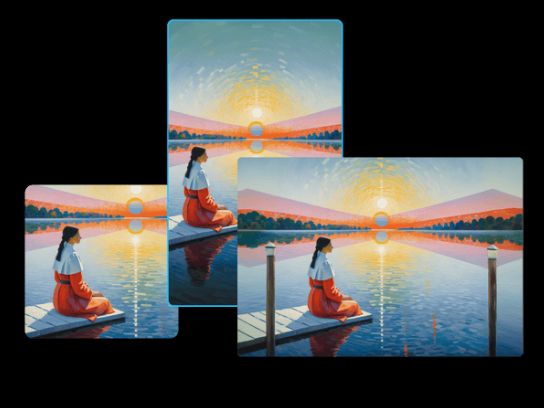
A strong image can still be the wrong shape for the final placement. PicLumen's AI Image Extender can expand the frame beyond the original borders, giving you more room for a wider composition, a new aspect ratio, or extra background space without rebuilding the image from scratch.
Turn One Product Shot into a Set of Visuals
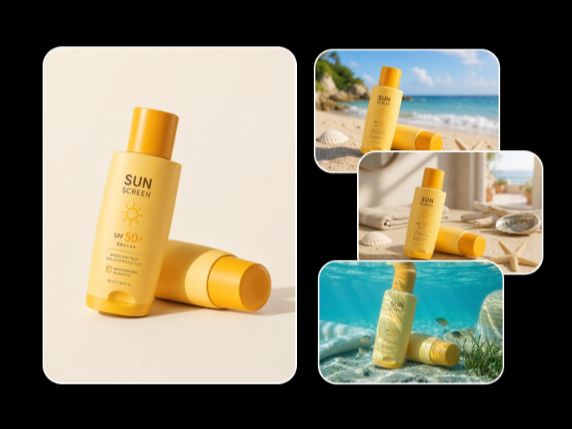
A single product photo can become the starting point for much more than one listing image. PicLumen can turn product references into new scenes and variations for ecommerce pages, campaigns, social content, and seasonal promotions, helping you explore different backgrounds, lighting, compositions, and visual directions from the same source.
Build Campaign Visuals Around the Same Product
When one product needs more than one creative, PicLumen's marketing workflows can take the same product assets into different promotional formats. You can start from a specific marketing scenario and create advertising images, promotional posters, social content, or other campaign visuals without treating every asset as a completely separate project.
How to Create AI Images with PicLumen
Choose the Right Model
1Open PicLumen's AI Image Generator and choose a supported model based on the visual direction you want to explore. Start with the model that fits the task, then compare another option when you want to take the same idea in a different direction.
Enter a Prompt or Upload References
2Describe the image you want with a text prompt, or upload a reference image when you already have a visual starting point. For image-to-image work, use the reference as the visual base and explain what you want to change, preserve, or restyle.
Set the Aspect Ratio and Quality
3Choose an aspect ratio and resolution that fit where the image will be used. A portrait layout may work better for profile content, while wider ratios can give product scenes or campaign visuals more room to breathe.
Generate, Download, and Share
4Generate the image, review the result, and decide whether it is ready to use or needs another pass. You can keep refining the image, download the version you prefer, and use it in the channel the project was created for.


Loved by Creators Worldwide
Real feedback from designers, marketers, and hobbyists sharing their PicLumen experience on Trustpilot.
 Bet AW
Nice good appp creat inmage
Nice good appp creat inmage
A New TV Episodes Of Ninja Sweetie On…
A New TV Episodes Of Ninja Sweetie On Paramount+
Rishiprasanth BRThis is a great site to create images…
This is a great site to create images as per our mind's wish. Such a great site, loved its response
 Mubashir Ahmed
This web is very help and free
This web is very help and free
 next frame
best ai web creation site
best ai web creation site
 Zara
Piclumen still remains the best…
Piclumen still remains the best with image references. I don't have any complains using Piclumen. It makes my work easier
 Elisa Lika
perfect
i think they are very cool and do a great worl with AI
DeeDee Maysgood app so much fun making photos of…
good app so much fun making photos of avatars
This is one of the best videos ai…
This is one of the best videos ai generator
sakura cherryVery good Free ai photo
Very good Free ai photo, thanks, i wish consistency ,
The best app ever in history
The best app ever in history
 Federico Bidonde
Good app recién probando
Good app recién probando
FAQs
What is Magic Hour AI Image Generator?
Magic Hour AI Image Generator is a browser-based tool for creating images from text prompts and reference images. Its current workflow includes multiple AI models, image styles, multi-image references, and a generate-then-edit workflow for refining results.
Is Magic Hour AI Image Generator free?
Yes. Magic Hour currently offers a free browser-based image generator without requiring an account to start. Its official page says free users can generate 10 images per day without signing up, while account and paid plans provide additional credits, models, and features.
Can Magic Hour generate images from reference images?
Yes. You can use an image as a reference when creating or transforming a visual. Magic Hour also supports multiple reference images for guiding identity, composition, and style when a single reference is not enough.
Can I edit an image after generating it in Magic Hour?
Yes. Magic Hour supports a generate-to-edit workflow, so you can continue refining an image after creating it instead of starting a completely new generation. The editing workflow can use prompts and references to guide the changes.
Does PicLumen support image-to-image generation?
Yes. PicLumen lets you upload an existing image and combine it with a text prompt to create a new version. You can use the workflow for restyling, changing backgrounds, modifying visual details, and creating product or creative variations.
Can I expand an AI-generated image in PicLumen?
Yes. PicLumen's AI Image Extender can expand an existing image beyond its original borders. You can choose the extension direction and size to create more background space or adjust the composition for a different format.
Is PicLumen affiliated with Magic Hour?
No. PicLumen is an independent AI creation platform and is not affiliated with, sponsored by, or endorsed by Magic Hour. Any references to Magic Hour are for informational purposes only. All trademarks belong to their respective owners.