
AI Video Extender: Extend Videos Naturally with AI
Extend your videos with AI without slowing down or repeating existing frames. PicLumen AI Video Extender generates new frames that continue the original motion, subject, background, lighting, and visual style—so short clips can become longer, more complete videos.
Hot Video Effects
View All
Seamless Motion Continuation
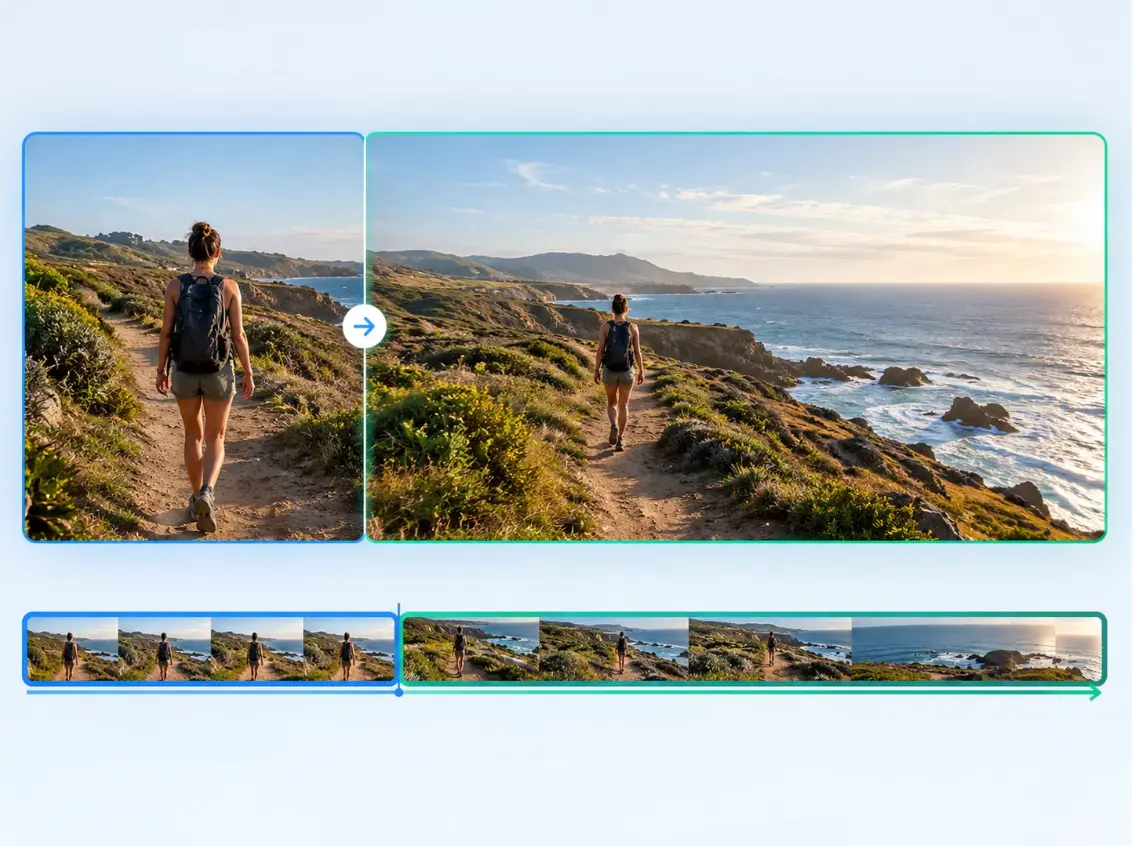
Continue the movement from your original footage instead of starting a completely new shot. PicLumen analyzes the final frames of your video and generates a natural continuation that follows the existing motion, helping transitions feel smoother and more connected. Whether the camera is panning, a subject is moving, or a scene is gradually changing, you can extend the action without interrupting the visual flow.
Extend Video Duration
Add new AI-generated footage when your original clip ends too soon. With an AI video extender, you can turn short clips into longer sequences by generating additional frames beyond the original endpoint. Extend videos for social media, product showcases, storytelling, presentations, or creative projects without having to reshoot the entire scene.
Preserve Visual Consistency
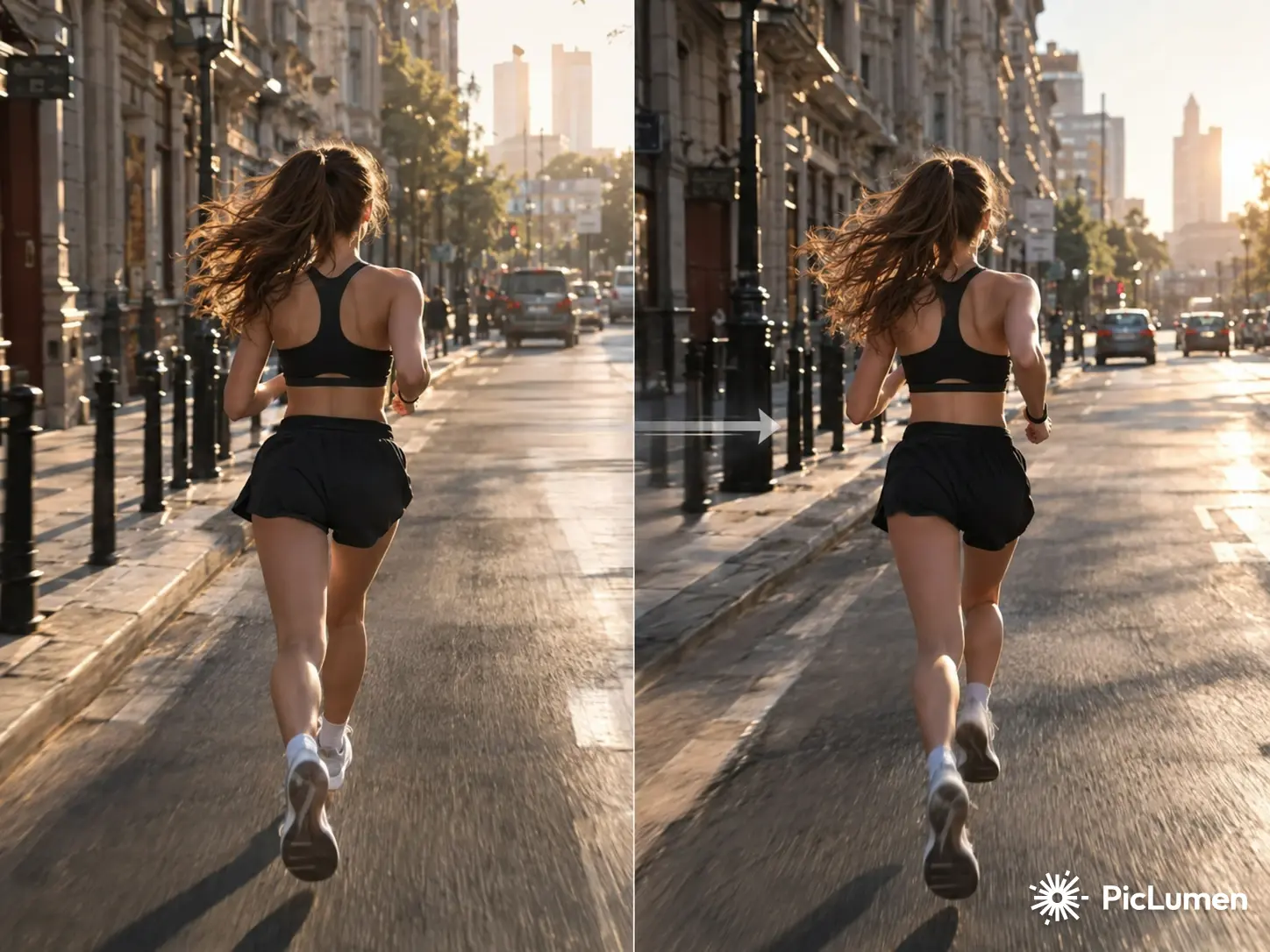
Keep the subject, camera movement, lighting, background, and overall style visually consistent throughout the extended footage. PicLumen uses the original video as a visual reference to generate new content that fits naturally with what came before. This helps reduce noticeable changes in appearance, composition, and atmosphere when you extend your video.
Prompt-Guided Extension
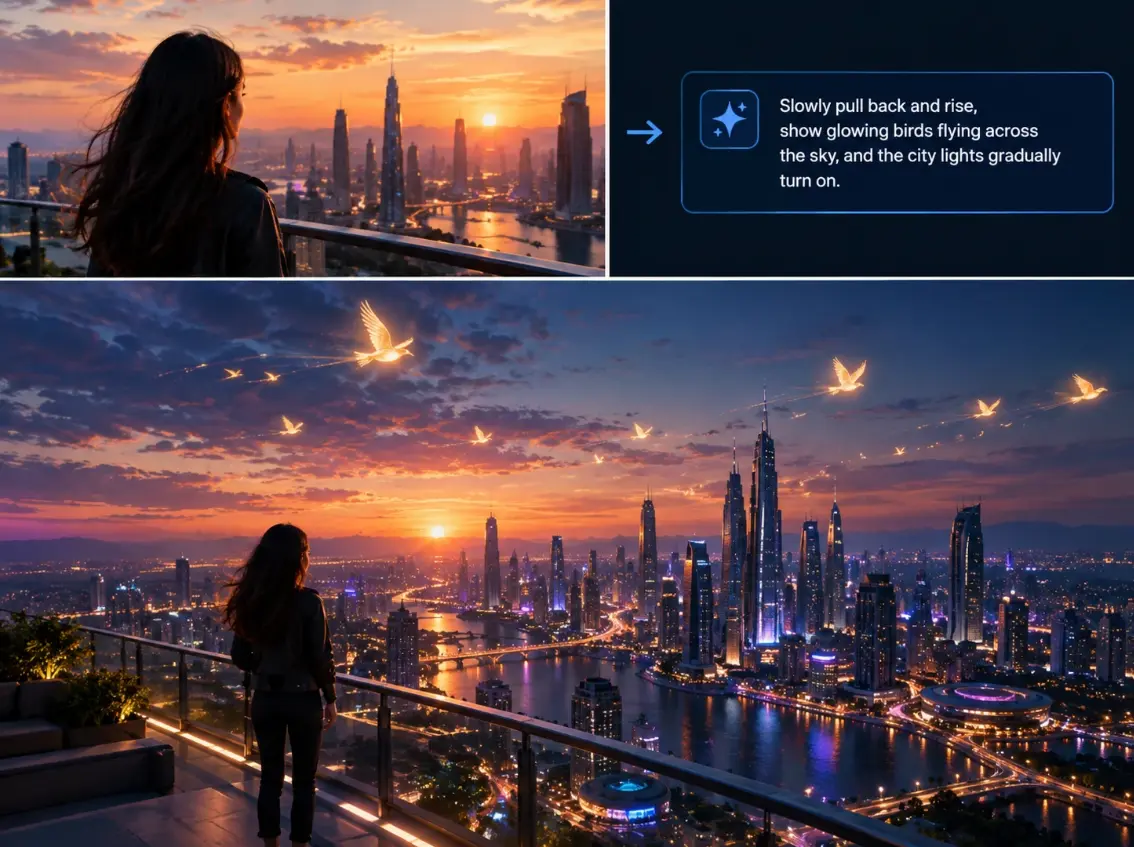
Tell AI what should happen next to give the extended scene more creative direction. Describe the next action, camera movement, environment, or visual change you want, and PicLumen can use your prompt to guide the generated continuation. From simply carrying an action forward to introducing a new visual element, you have more control over how your story develops after the original clip ends.
How to Extend a Video with AI
Step 1: Upload Your Video
Upload the video clip you want to make longer. For the most natural results, choose footage with a clear subject and consistent motion near the end.
Step 2: Describe the Continuation
Enter a prompt describing what should happen next. For example: The camera slowly moves forward while the woman continues walking through the city street. Or: Continue the product rotation with the same lighting and camera angle.
Step 3: Generate & Export
Choose your extension settings, then let PicLumen generate new frames that naturally continue your original footage. Review the transition, and export the extended video when you're satisfied.
AI Video Extension Prompt Examples
Cinematic Scene
Continue the camera movement slowly forward as the sunset light becomes softer and the character walks toward the horizon.
Product Video
Continue the product rotation smoothly while maintaining the same studio lighting, camera angle, reflections, and background.
Landscape
Continue the slow aerial camera movement across the mountains while preserving the same atmospheric lighting and natural landscape.
Fashion Video
Continue the model walking naturally toward the camera while maintaining the same outfit, lighting, background, and camera movement.
Social Media Video
Continue the subject's movement naturally and keep the same background, composition, lighting, and visual style.


Loved by Creators Worldwide
Real feedback from designers, marketers, and hobbyists sharing their PicLumen experience on Trustpilot.
I recently had some technical issues…
I recently had some technical issues that I was trying to work through, so I reached out to the team at PicLumen for support. They were incredibly open, responsive, and willing to discuss the challenges I was experiencing. I even sent them a video demonstrating some of the issues I came across, and they took the time to review everything carefully and work toward finding solutions. What really stood out to me was how friendly, approachable, and collaborative they were throughout the process. I never felt like I was just submitting a problem ticket — it felt like they genuinely cared about improving the experience and helping users succeed. I truly enjoy using the platform and appreciate the level of support and dedication behind it. I would absolutely recommend PicLumen to anyone interested in this type of creative work.
Sara FrandsenExcellent customer service
Excellent customer service! The support team was incredibly fast, polite, and helpful. They handled my request quickly and professionally without any hassle. It is rare to see such great and honest support these days. Highly recommended!
 George Price
PicLumen's support team replies quickly…
PicLumen's support team replies quickly to your help requests and they are clear in what they require of you for them to help you. They usually diagnose your problem and offer a solution in less then 24 hours. Stellar service!
Brijesh Chikhaliyavery good
very good , Excellent Experience
Ifeanyichukwu C ChukwuemekaVery good
Very good and good AI app easy to use without stress
Great platform
Ease of use,and great models
Love!!
Love!!! Love!!! Love. It. I can get so creative. It pulls my image from my mind.
Great platform to create awesome…
Great platform to create awesome content and see other imaginations come to life
 Minnies
I love the app but it was more better…
I love the app but it was more better when they didn't charge you lumen to make pictures or give you a limitation but it works amazing and it gives you very neon pictures...../ and for some reason on New Year's Eve today it won't let me make pictures
Nice app ever
Nice app ever, like it when I needed
 Headphonlessness Meditations
hi i am @VbsRedlof on twitter
hi i am @VbsRedlof on twitter
 Saima Rizwan
Awesome Piclumen customer service!!
As a small creator balancing a full-time career job and with a passion for visual storytelling, I’ve used many platforms but PicLumen stands out for its genuine care and responsiveness. When I reached out with a request to adjust Lumen credits for my creative needs, their team responded with empathy, flexibility, and a clear commitment to supporting artists like me. Not only did they listen, they acted and credited Lumen offering with thoughtful solutions that made me feel valued, as a customer. Their communication was prompt, respectful, and encouraging, and they treated my feedback with real consideration. PicLumen isn’t just a tool it’s a partner in creativity. If you’re a creator looking for a platform that understands your journey and supports your growth, I wholeheartedly recommend them. Thank you, PicLumen, for making the creative process feel human, hopeful, and beautifully supported.
Frequently Asked Questions
What is an AI video extender?
An AI video extender is a tool that uses artificial intelligence to generate additional video frames and continue an existing clip beyond its original duration.
How does an AI video extender work?
It analyzes the existing footage, particularly the final frames, to understand the subject, movement, lighting, background, and visual style before generating new frames that continue the scene.
Can I extend a video with AI for free?
PicLumen offers free access to its AI creation platform with daily Lumens for free users. The exact availability and usage limits of video extension depend on the current tool and plan.
Can I extend an AI-generated video?
Yes. AI video extension can be used to continue an existing AI-generated clip when the original generation ends before the desired scene or sequence is complete.
Does AI video extension slow down the video?
No. AI video extension and slow motion work differently. Slow motion changes the playback speed of existing frames, while AI video extension generates new frames to continue the action.
Can AI extend a video without changing its style?
AI video extension is designed to continue the visual characteristics of the original footage, including movement, subject appearance, lighting, and environment. Results can vary depending on the source video's quality and complexity.
Can I use prompts to control the extended video?
If prompt guidance is supported in the PicLumen implementation, users can describe the desired continuation, such as camera movement, subject action, environment, or lighting.