Suno v5.5 introduces new ways to personalize AI music, including Voices, Custom Models, and My Taste. But do these updates actually make music creation better? I tested its music generation, stem separation, and mashup features to see how well they perform in real creative workflows.
TL;DR
Test Dimension | Verdict |
Output Quality | Cleaner mixes and better sound design than v5. Some tracks sound more natural. |
Voices | Works for demo vocals. Can't replace existing track vocals or export outside Suno. |
Custom Models | Reduces prompt work if you have more tahn 6 tracks. Only available on Pro/Premier . |
My Taste | Passive preference learning — not a big deal for frequent users but convenient. Available to all users . |
Mashup | Combines musical ideas well. Not every combination sounds natural. |
Worth the Upgrade? | Yes for serious creators. Less compelling for casual users who only need basic features. |
What Is Suno v5.5?
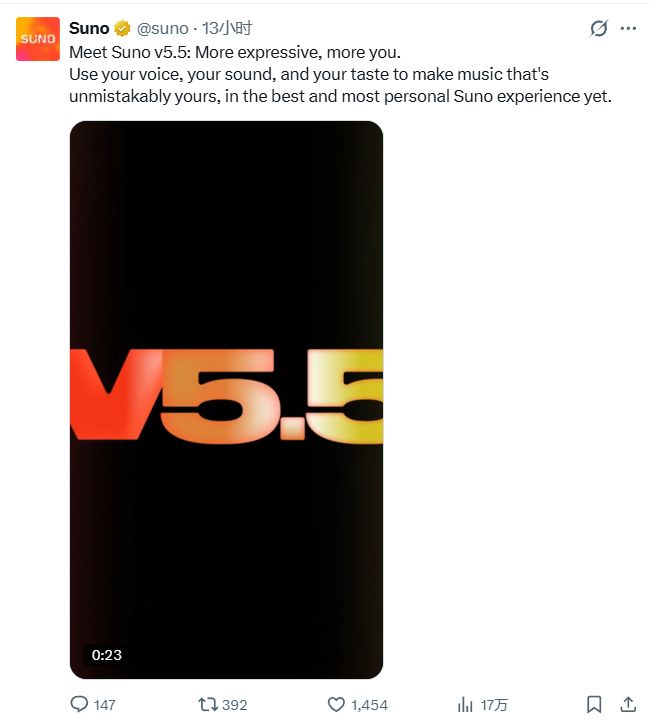
Suno v5.5 is Suno's new-generation AI music model,built on the foudation of v5 and released on March 26, 2026.
The headline feature is personalization. Instead of just generating better tracks, v5.5 lets you clone your voice, train the model on your catalog, and get recommendations based on your preferences.
It also improves stem separation and adds a studio workspace with MIDI and effects for Premier users.
Tips: You can also use Suno v5.5 on PicLumen to make music, edit stems,create mashups,and combine audio with image and video — all in one place.
What's New in Suno v5.5?
Suno v5.5's improvements are noticeable from the first listen.All the new features work together to make music creation more personal.
Voices – Sing with your own voice.
This is one of the most notable new features in Suno v5.5 . Record yourself singing, and Suno builds a private voice profile from it.Then, when you generate a new song, it uses your voice instead of a generic AI vocalist .
The system has a verification step: after uploading, Suno asks you to speak a random phrase.Then it compares your speaking and singing voice to make sure they belong to the same person.Your Voices are private — only you can use them .
Voices is available on Pro and Premier plans.
Custom Models – Train a model on your catalog.
Submit at least 6 of your original tracks, and Suno trains a custom version of v5.5 based on your style. It learns your arrangement style, rhythm, and atmosphere .
You don't need to write long prompts every time atfer training — the model already knows your style
Pro and Premier users can create up to 3 custom models .
My Taste – The more you use it, the better it knows you.
This is a passive learning system. Suno observes what you generate and what you like. Over time, it automatically adjusts its recommendations based on your preferred styles, moods, and references.
Unlike Voices and Custom Models, My Taste is open to all users, including the free tier .
Hands-On Test: How Good Is Suno v5.5?
I spent an afternoon testing Suno v5.5 with several electronic music styles, including tech house, melodic techno, liquid drum and bass, and Afro house.I used the same prompt format across all tests to keep the results consistent.
Test 1: Music Generation – Prompt to Song
For the first test,I started with the core feature of Suno v5.5:turning a text prompt into complete music.I used a detailed tech house prompt and let v5.5 generate an audio clip without custom stems.

Prompt: A hypnotic and minimal tech house track with a driving four-on-the-floor kick drum, a deep and rumbling bassline, and a sparse but groovy percussion arrangement. The vibe is underground, dark, and hypnotic — the kind of track that works in a warehouse party at 4am. No vocals, no melodic hooks, just rhythm and texture.
What impressed me:The kick drum sat well in the mix,the bass sounded deep but natural. It avoided the stiff, artificial low-end sound that I often heard in AI-generated music. The arrangement also showed complete. It actually sounded like a track you'd hear in a club, not a tech demo.
There were some minor issues.The "underground" feel I was looking for didn't fully come through.The overall feel was still too "refined."I wanted a rougher sound, but the final result sounded too bright and clean.
Test 2: Stem Generation – Track to Stems
For the second test, I focused on stem separation. I switched the audio type to "Stem" in the workspace. The interface requires you to upload an audio file first — MP3, WAV, OGG, M4A, FLAC, or AAC, up to 200MB, minimum 6 seconds long.Then I uploaded the 30-second WAV file I had generated in Test 1 to test stem separation.
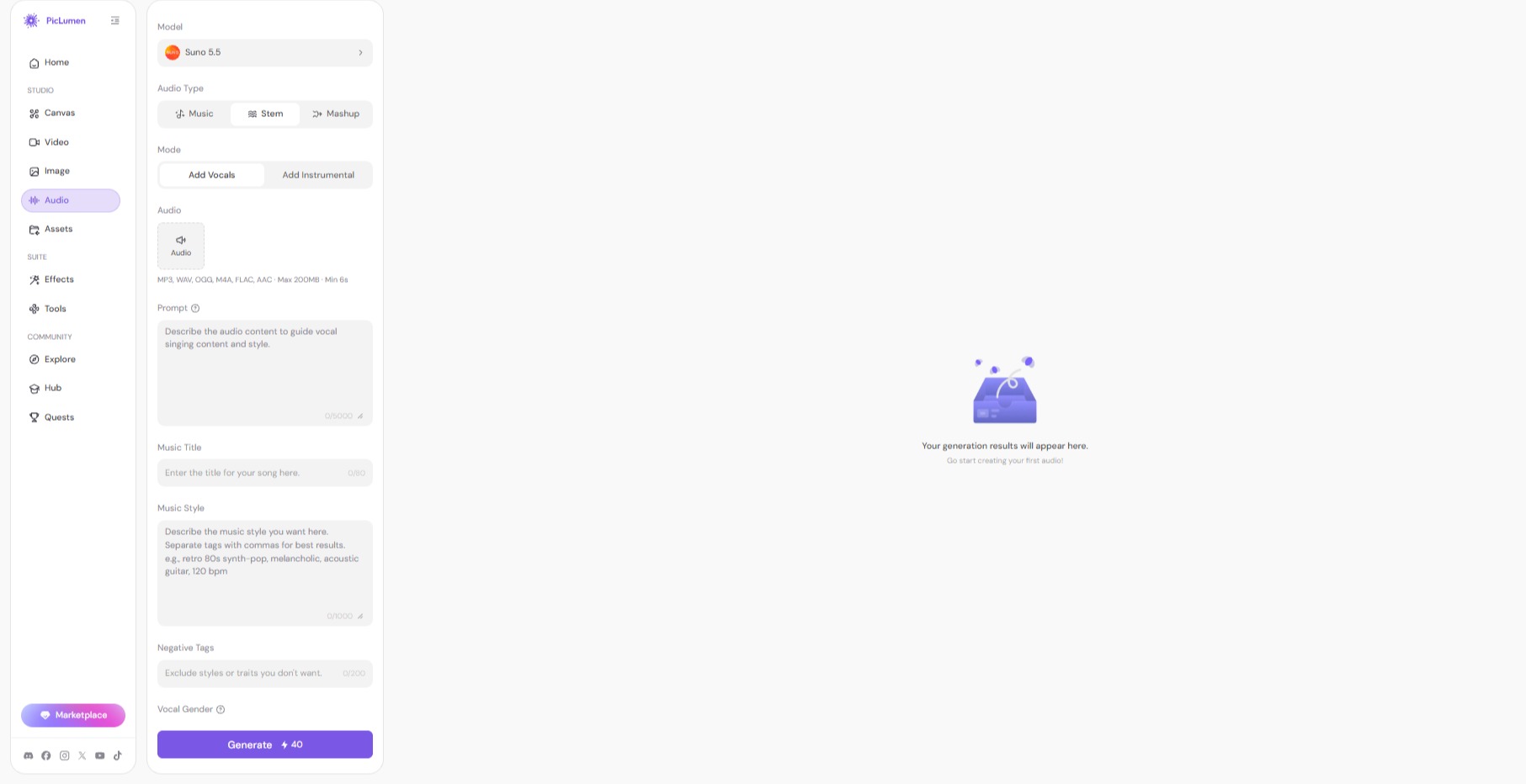
mode: add Vocals
Prompt: A smooth and relaxed deep house track with a warm bassline, jazzy chord progressions, atmospheric pads, and a clean rhythmic foundation. The vocal delivery should be clear and laid-back, sitting comfortably in the mix without overpowering the instrumentation.
Music Title: Deep House
Music style: deep house, warm bass, smooth pads, relaxed groove, 120 bpm, jazzy chords, atmospheric, lush reverb, analog warmth
Negative Tags: distorted, harsh, over-compressed, muddy low-end, tinny highs, phasing issues
The good news: The separation results were useful. The vocal stem was cleaner than expected and there was very little instrumental backing track. The drum stem preserved the kick and snare well enough. For a quick remix or demo, this gets the job done.
What could be better: The stems weren't as good as those from dedicated separation tools.If you need clean stems for professional mixing, this cant gain a perfect outcome. Additionally, filling in so many fields — mode, prompt, style, and negative tags — felt unnecessary when the goal was simply separation.
Test 3: Mashup – Two Tracks, One Mix
Last up, I tried the mashup feature.I went after the mashup feature — blending two different tracks into one new piece. I uploaded two audio files I had generated earlier and let Suno v5.5 combine them into a single mix.
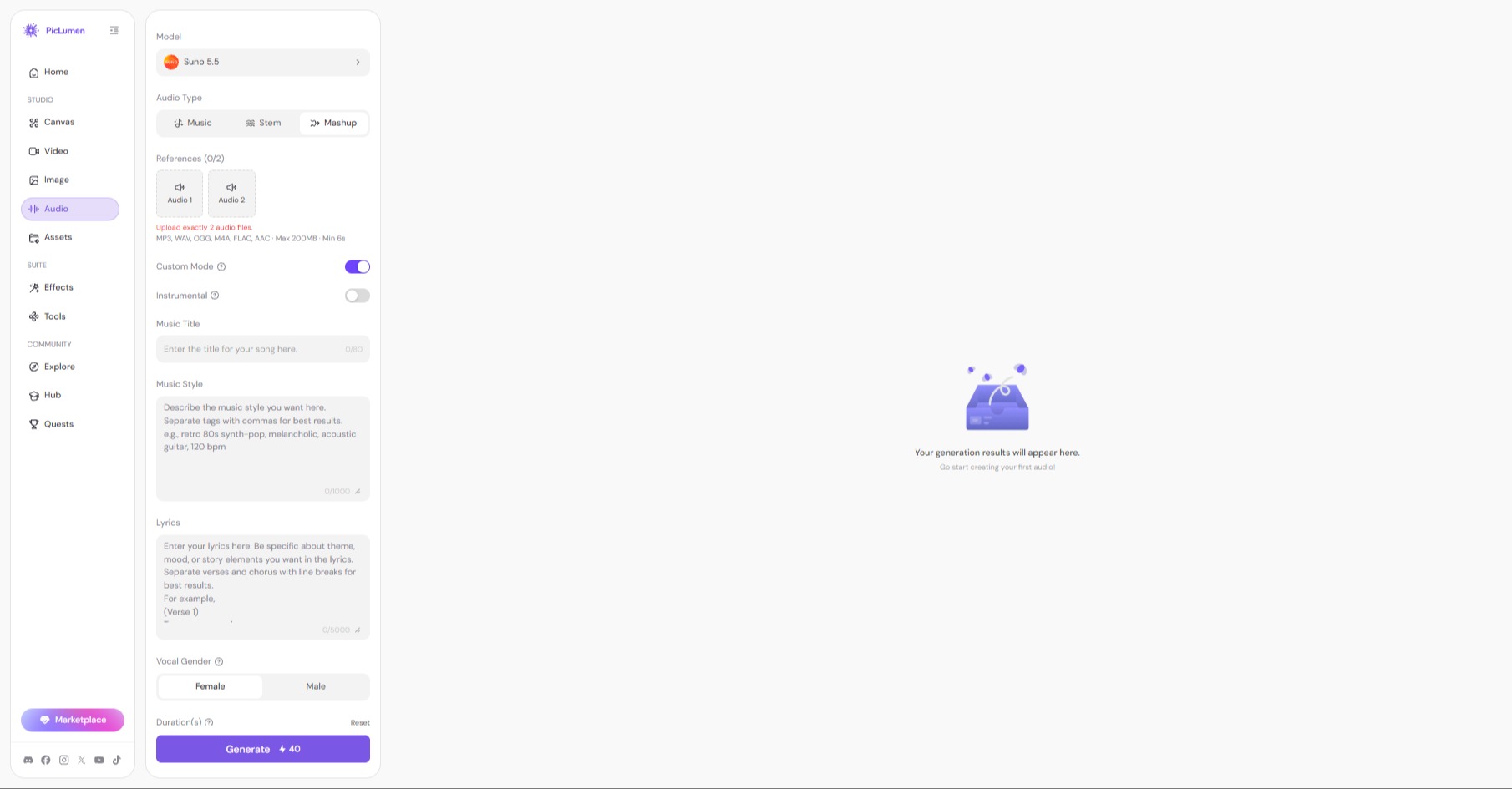
Song Description:Blend these two tracks into one smooth mashup. Keep the rolling bass and atmospheric pads from the melodic techno track. Layer the tribal percussion, log drums, and shakers from the afro house track on top. The overall vibe should be hypnotic and danceable — a seamless fusion of cinematic soundscapes and organic rhythm. Smooth transition between the two tracks, no abrupt cuts, maintain consistent BPM throughout.
The result was excellent. This feature was quite practical. The two tracks blended smoothly. The overall listening experience was seamless, without noticeable breaks or pauses. As a quick test, it was useful for checking if the two tracks worked well together.
👉 Suno v5.5 is available on PicLumen. Generate a track, split the stems, or turn your music into a video — all in one workspace.
Suno v5.5: Pros, Cons, and Best-Fit Users
Pros
Output quality is genuinely impressive — v5.5 mixes are crisp, mature, and sometimes indistinguishable from human-produced tracks.
Voice Cloning Allows you to upload or record your own singing voice to use directly in generated tracks.
Custom Models reduces the need for detailed prompts because the model already knows your style.
Consistent Style helps creators keep the same vocal and music style across multiple tracks instead of starting from scratch each time.
Cons
Prompt Adherence can be inconsistent, with some style tags and specific instructions not fully followed.
Voices requires Pro/Premier — not available for free users
Not all genres perform equally — underground and niche styles like Rominimal and hypnotic techno struggle
Voice cloning cannot replace vocals on existing tracks or work outside Suno
Audio Artifacts: Some users experience muddy mono collapsing in the stereo field, harsh high-frequency buildup, or unwanted instrumental bloat
Who Is It Best For?
Suno v5.5 makes the most sense when you need to turn musical ideas into actual audio quickly — especially if you want that audio to reflect your own voice or style.
Singers and topline writers who want to use their own voice in demos are the clearest fit. Producers with their own music will also benefit from Custom Models, while those seeking a specific sound or finished tracks may need more control.
Is Suno v5.5 Worth the Upgrade?
Yes — if you're a serious music creator.
Here's my honest take: Suno v5.5 is a meaningful upgrade, but not for everyone. If you're a casual user making one-off tracks for fun, the free tier's 1-minute cap is frustrating, and the Pro price tag might not feel justified.
But if you're a singer, producer, or content creator who needs regular, custom music output — especially if you want to hear your own voice or maintain a consistent style across tracks — v5.5 is genuinely useful . The Voices feature alone changes the creative workflow in a way that v5 simply couldn't.
What gives me pause? The ethical and legal questions around AI music are still unresolved . Suno is moving in the right direction — it settled a lawsuit with Warner Music and is working toward licensed models with the music industry — but the broader landscape remains uncertain.
My recommendation: Start with the free plan. Test it for a few days. If you find yourself hitting the 1-minute wall and wanting more control, Pro is the minimum for serious use. Premier is for power users who need maximum credits and the full Suno Studio suite.
Conclusion
Suno v5.5 is more than a routine update. It shows real progress in output quality and personalization — especially with Voices and Custom Models.
The three tests confirm these upgrades work. v5.5 handles prompt-based generation well, stem separation works for quick remixes, and mashup is a fun way to test combinations.
It's not trying to replace your DAW. It's trying to be the fastest way to get an idea into audio.The bigger change is that Suno now gives creators more ways to shape the music they generate.
If you're already using PicLumen for image and video, you can now access Suno v5.5 in the same workspace. Generate a track, then turn it into a music video — all without switching platforms. For creators who need both audio and visuals, that workflow keeps everything in one place.
FAQs
When was Suno v5.5 released?
Suno v5.5 was released on March 26, 2026 .
How do I get Suno to use my voice?
You need a Pro or Premier subscription. Record yourself singing, verify your identity with a random spoken phrase, and Suno builds a private voice profile for you.
What is the best platform to use Suno v5.5 besides Suno?
PicLumen is a solid choice — it offers Suno v5.5 with music, stem, and mashup modes, plus built-in video generation.
Is Suno v5.5 worth upgrading to?
Yes for serious creators. For casual users, the free plan is worth testing, but the 1-minute cap is limiting.
What are the key differences between Suno V5 and V5 5?
Suno v5 focuses on better generation quality, while v5.5 adds personalization through Voices, Custom Models, and My Taste.