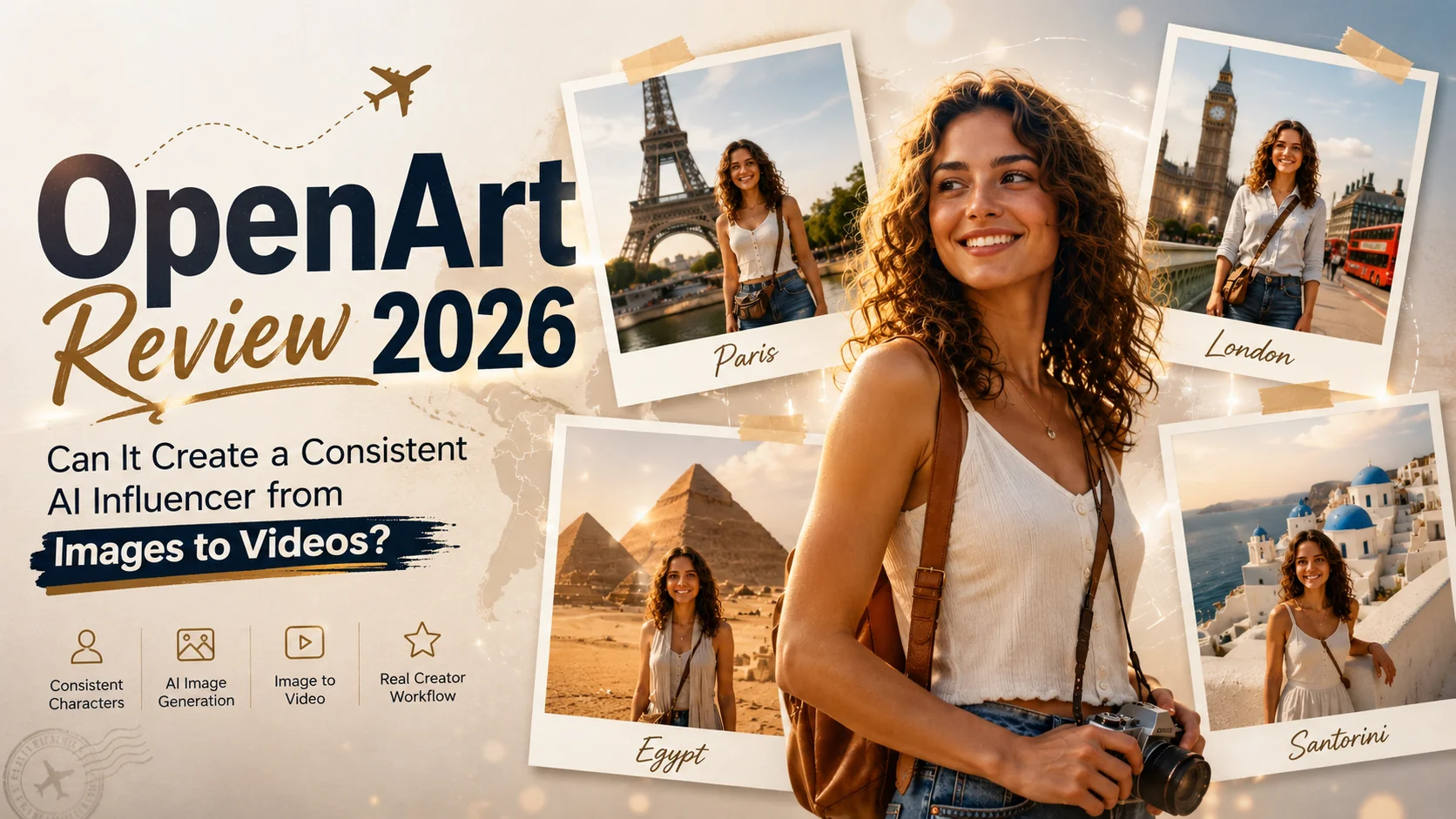
Over the past few months, I've tried many types of AI image and video generators. Most of them can create satisfying content, but for me, they have one common problem in the workflow: it's hard to keep the same character across different images or videos. After every new generation, I got different faces, so it's difficult to build consistent content.
While searching for a better solution, I noticed that many people recommend OpenArt's character builder. It is said to ensure consistency in character design. So instead of doing a basic text-to-image generation test, I decided to test a real creator workflow. My goal was simple: create an AI travel influencer, generate photos in different locations, and finally turn one image into a short travelling video. Let's see if OpenArt can really do well as it promises.
What Is OpenArt?
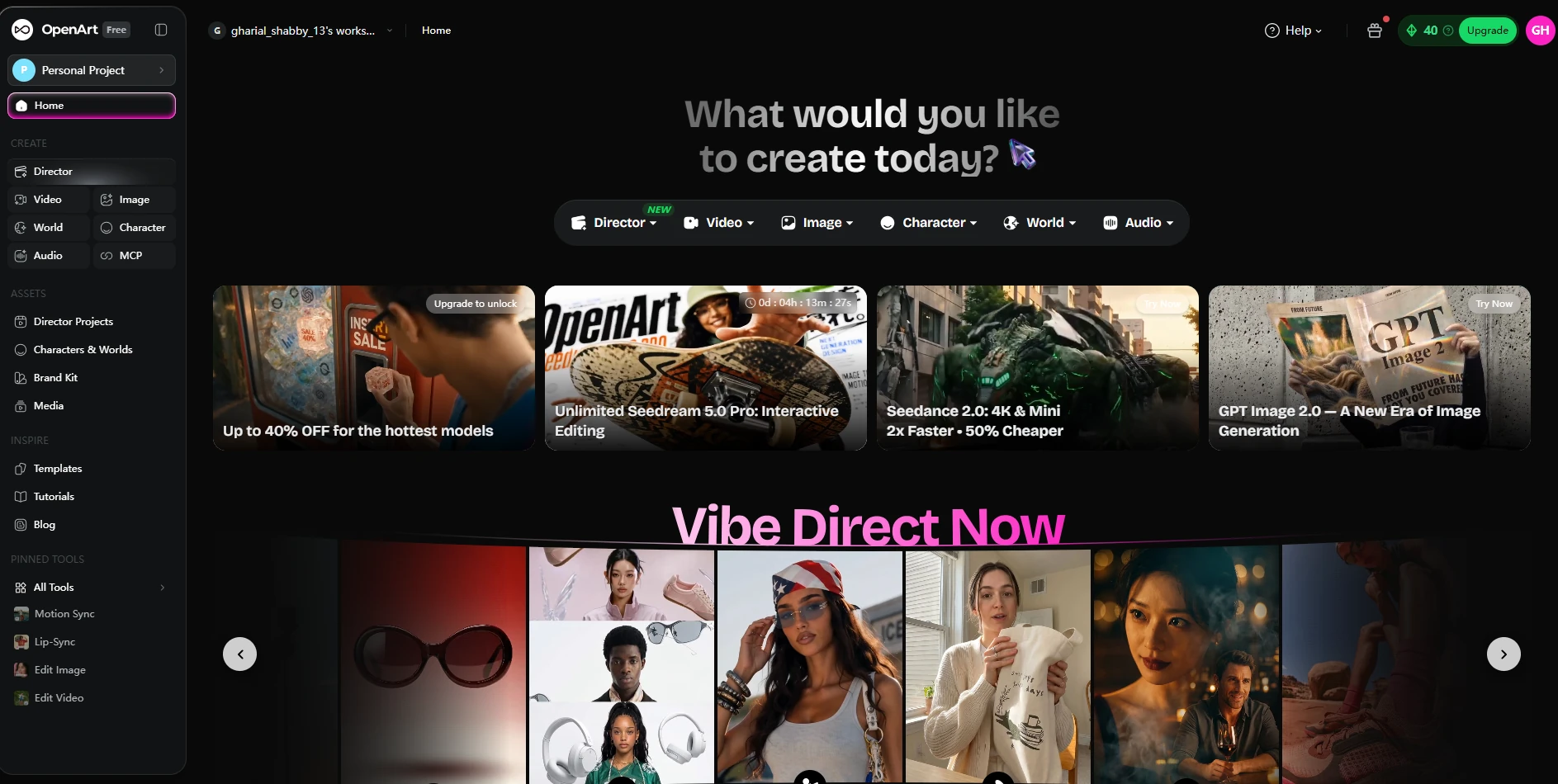
OpenArt is not just an AI generator. It puts image creation, editing, video generation, audio tools, and character building into one platform. It allows you to finish your workflow, and you don't need to switch between different AI apps or websites. In terms of images, you can create images from text, edit photos, expand backgrounds, and upscale images. As for OpenArt video tools, you can generate videos, add voice-overs, and even build 3D scenes.
What caught my attention most was its Character Builder. Instead of creating a new person every time, OpenArt lets you build a reusable AI character that can show in different scenes and keep the same look. This tool makes it especially useful for creating AI influencers, virtual creators, comics, or brand mascots.
Before Test: Building a Character
Before testing, I needed to create an AI influencer. OpenArt's Character Library made this part really easy, for I can directly choose one character in the library as my starting point.
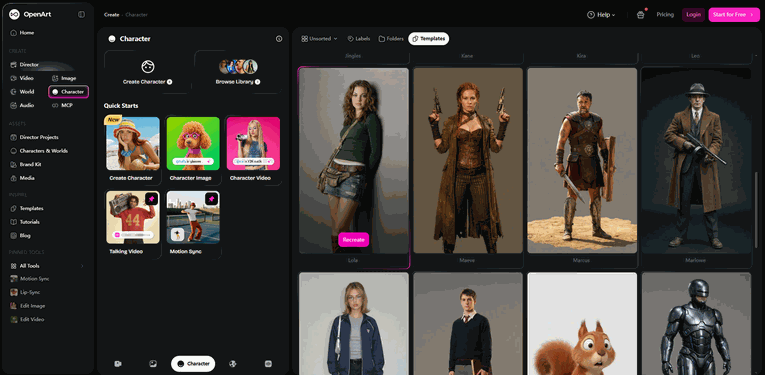
But I don't want to directly use the original version. I hoped that the character would have some personalized features and some unique aspects, so I recreated it and slightly changed the facial features.
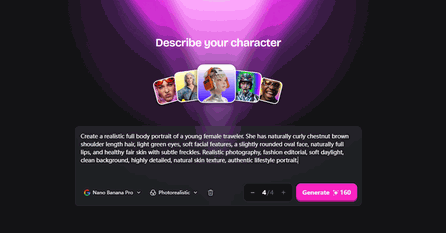
After recreating, I used the character throughout the whole review to test OpenArt's character consistency in both image and video generation.
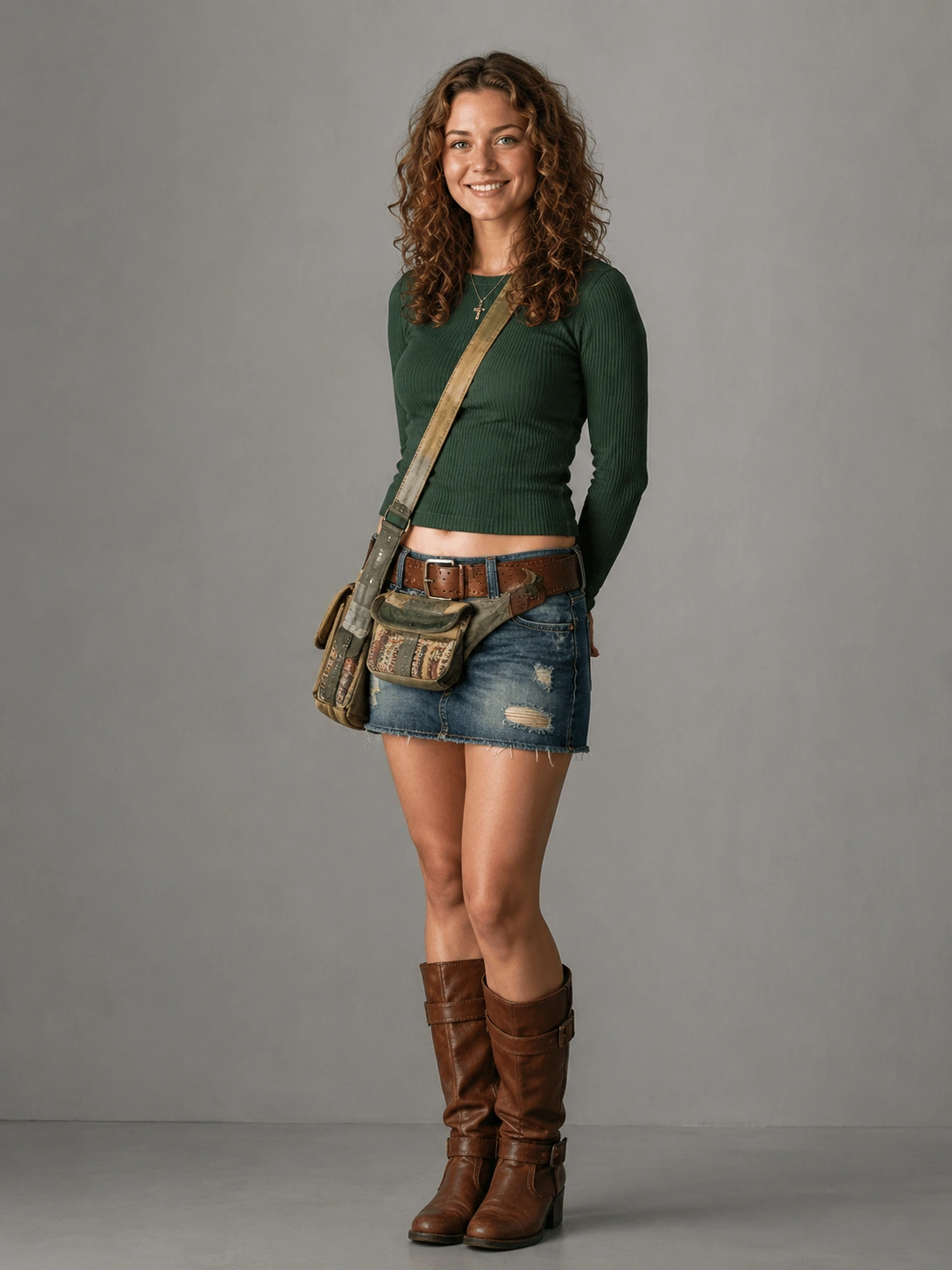
Test 1: character consistency in image
In the first test, I generated two images at the same time. I wanted to see if OpenArt could place her in completely different locations and keep her the same person. The first image was set in front of the Eiffel Tower in Paris, and the second was in front of Big Ben in London.
Prompt Used:
A young female travel influencer standing in front of the Eiffel Tower in Paris, casual summer outfit, smiling at the camera, realistic photography, natural lighting. The same young female travel influencer standing in front of Big Ben in London, casual summer outfit, smiling at the camera, realistic photography, natural lighting.
My Results
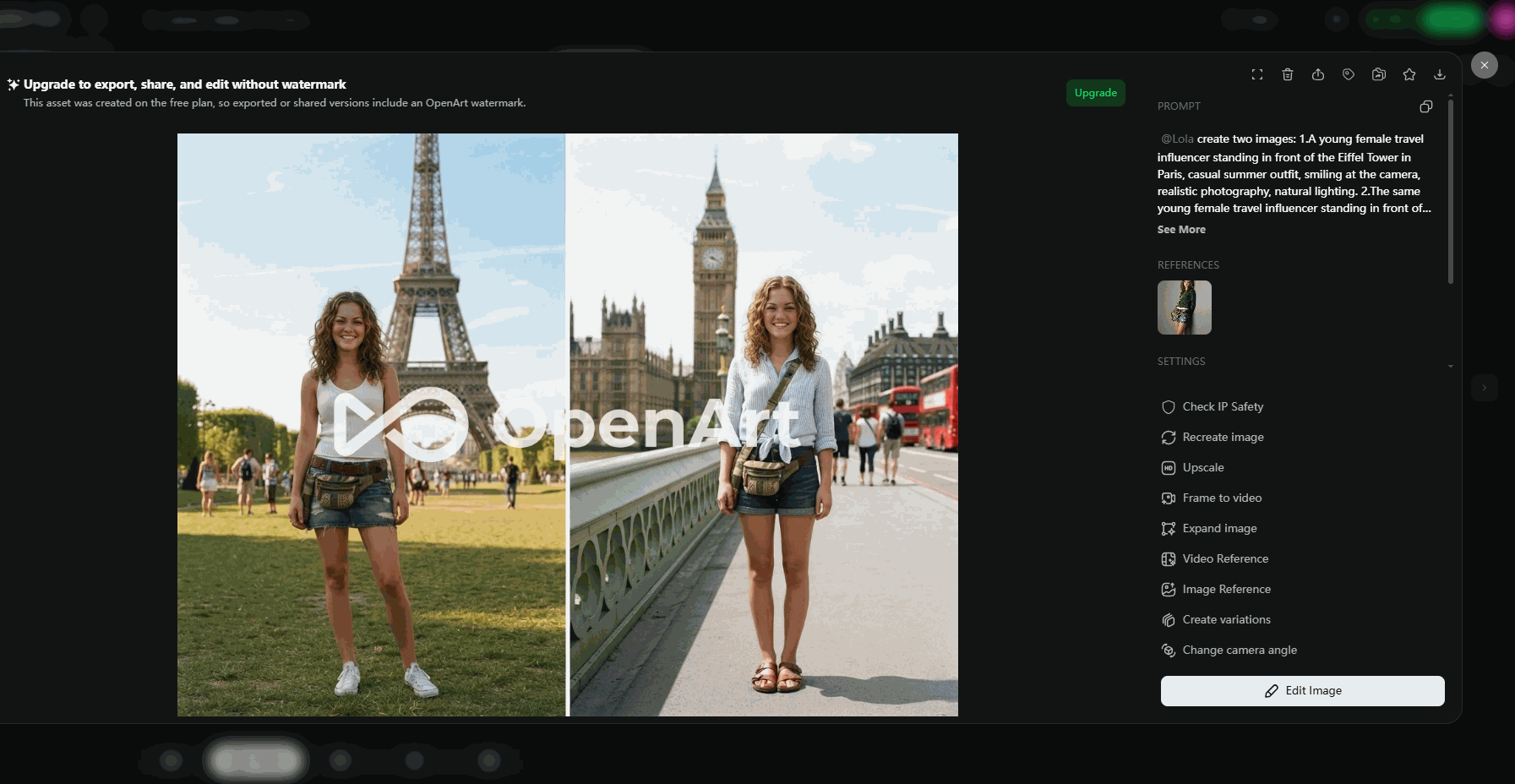
To be honest, I was surprised by the result. OpenArt generated the images in about 20 seconds, and it was very fast compared to many other AI tools I've used. The biggest surprise was the character consistency. Even though the backgrounds changed a lot, from Paris to London, the character still looked like the same person. Her face, hair, and overall identity stayed very consistent. I also liked that OpenArt didn't just copy the same image. Her clothes changed, and her pose was a little different in each photo. The results looked like real travel photos that someone might post on social media.
Yet, I did notice one small problem. Her facial expression was almost the same in both images. The smile, eye shape, and even the way the corners of her mouth curved looked the same. After comparing the two, it made me feel a little unnatural.
Test 2: Can OpenArt Keep the Same Character in a Video?
The first test did a good job on the whole. But I think image-to-video generation is much tougher. Once a character starts moving, AI models often change the face, create strange expressions, or lose small details. For this test, I changed the location to the Pyramids of Giza in Egypt. I also wanted her to show a more natural facial expression instead of the same simple smile in the images. I wondered if OpenArt could keep her identity while adding natural movement and expression.
Prompt Used:
A young female travel influencer, standing in front of the Pyramids of Giza in Egypt. She looks around with excitement and smiles at the camera. A breeze blows her hair. She takes a few steps forward and adjusts the strap of her bag.
My Results
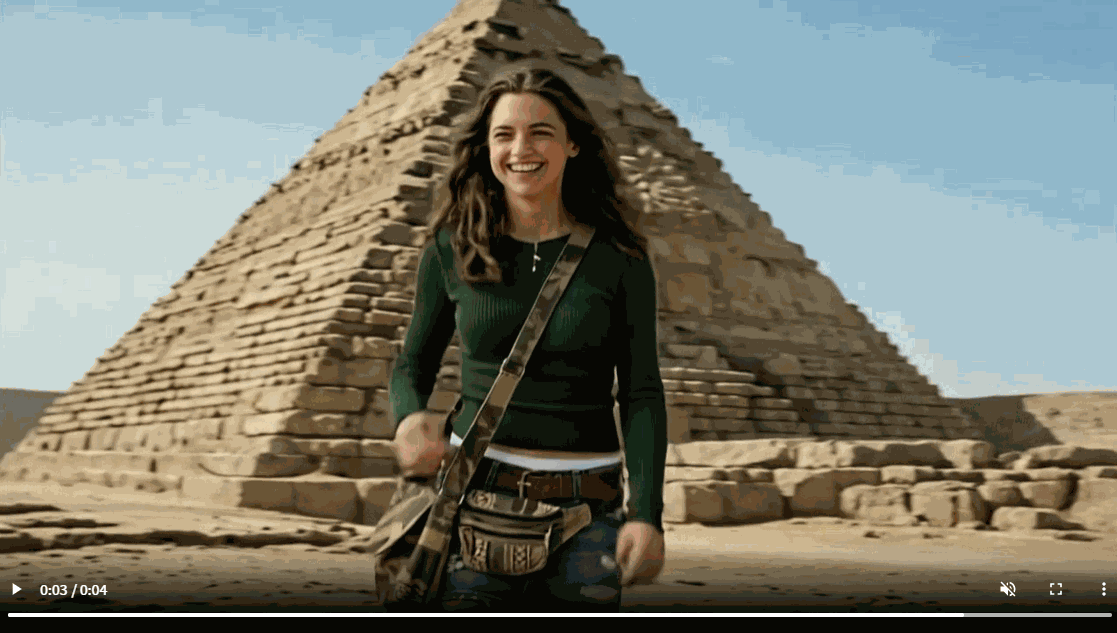
Compared with image generation, the video test was much more expensive and took a long time. A single 4-second video cost 400 credits and took about 3 minutes to finish. As for the result, I think OpenArt did a nice job. It kept the overall identity of the character.
At first glance, it looked like the same travel influencer from my image tests. Yet, I also noticed that she seemed to be a little younger in the video. Her face became softer, so for me the consistency wasn't as strong as it was in the images. Another thing I noticed was the background. The female didn't blend naturally with the Pyramids. Instead of looking like she was really standing there, it felt more like someone had been edited onto the scene. This made the final video look less realistic.
OpenArt's Pros and Cons
Pros:
● Excellent character consistency across different images
● Fast image generation
● Large selection of AI models and creative tools, giving users more flexibility for different projects
● Easy to use, especially if you want to create content without switching between multiple AI tools
Cons:
● Video generation is expensive, costing a large number of credits for just a few seconds of footage
● Character consistency is weaker in videos
● Scene blending could be more realistic, as the character sometimes looks pasted onto the background.
● Facial expressions can feel repetitive
OpenArt Pricing
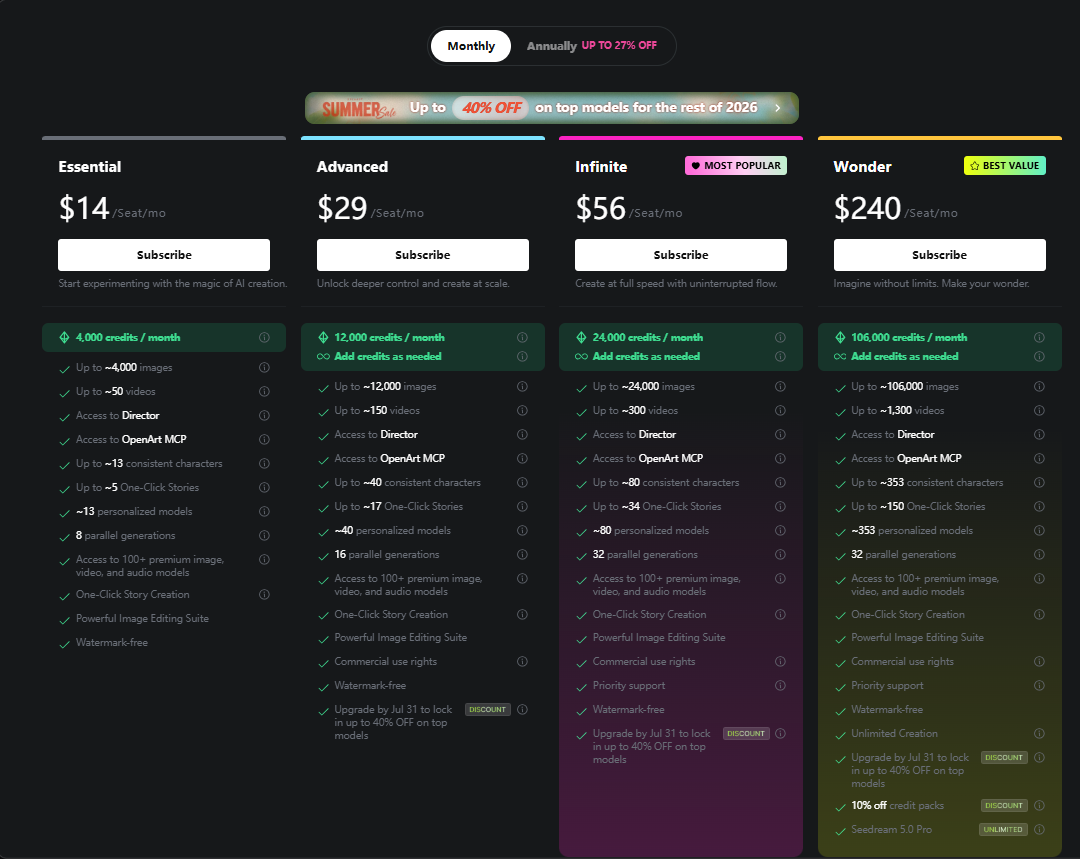
OpenArt offers a free plan, so you can try the platform before paying. New users receive 40 free credits, and it is enough to explore the interface and generate a few images. However, if you want to use premium models or create AI videos, you'll probably need a paid plan very quickly. Here's a simple overview of the pricing plans:
Plan | Monthly Price | Credits / Month | Best For |
|---|---|---|---|
Free | $0 | 40 free credits | Trying the platform and basic image generation |
Essential | $14 | 4,000 | Casual creators and hobby users |
Advanced | $29 | 12,000 | Regular content creators and marketers |
Infinite | $56 | 24,000 | Heavy users who generate images and videos every day |
Wonder | $240 | 106,000 | Teams, agencies, and commercial projects |
💡 Good to Know: If your main goal is creating AI influencers, most of your credits will likely be spent on video generation rather than images. It's worth keeping an eye on your credit usage before choosing a plan.
OpenArt vs. PicLumen: Which Fits My Workflow Better?
After finishing my OpenArt tests, I realized maybe building a perfect AI influencer needs more than one tool. You may need better image generation, smoother videos, or a faster workflow depending on your project. That made me try PicLumen as part of the same workflow. I found that PicLumen also achieve the same consistecncy through text-to-image and image-to-video generation. Its video generation surprised me. I used the same image and prompt to generate a travel video, PicLumen worked fater and cheaper. So it is another interesting option for creators who want to build consistent AI content.
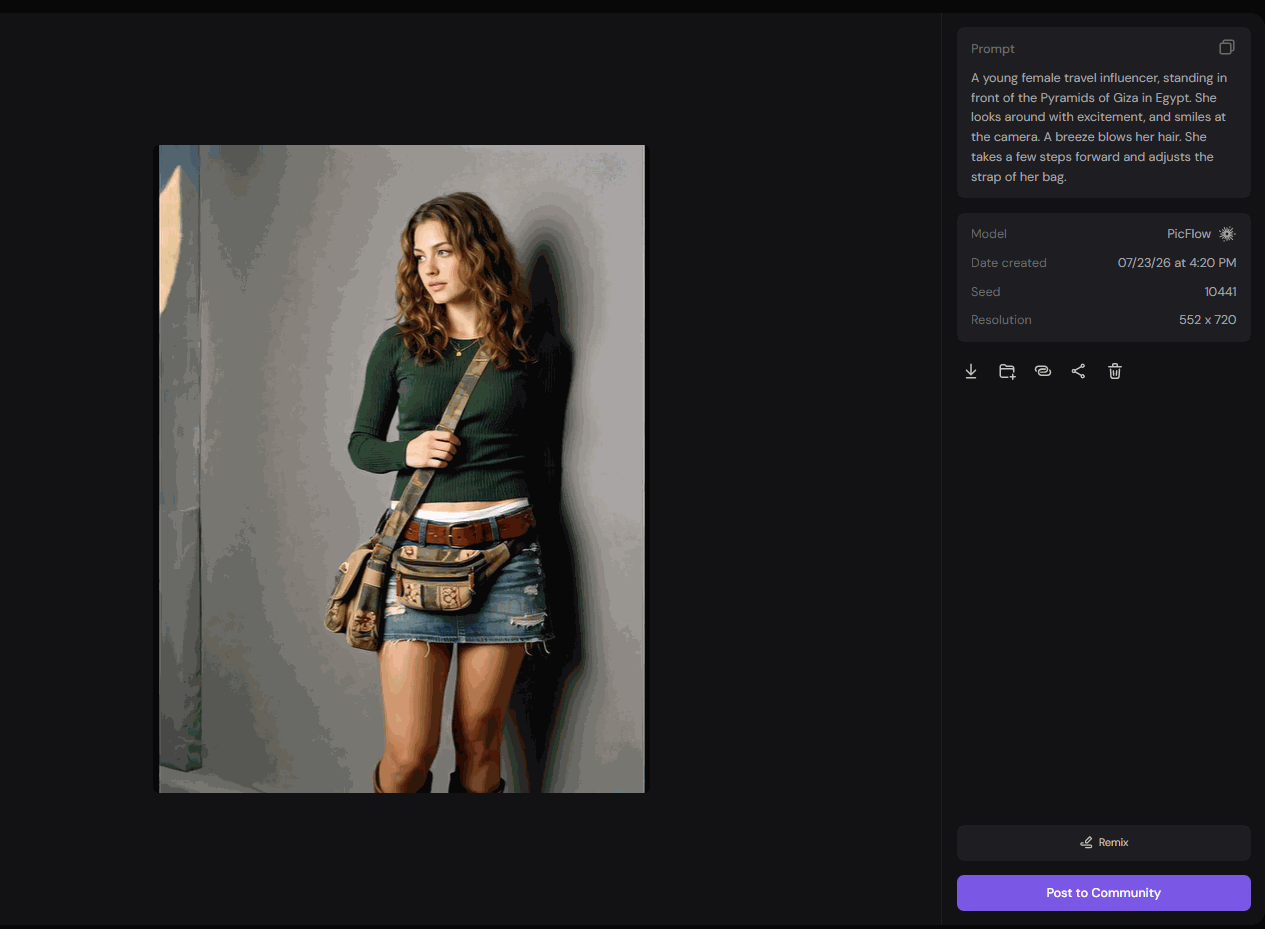
After using both platforms, I found they focus on different things. OpenArt is stronger for creating and managing reusable AI characters, while PicLumen offers a simpler experience with fast image generation and powerful video creation. Here's how they compare in my real-world workflow.
Category | OpenArt | PicLumen |
|---|---|---|
Best For | AI influencers, virtual characters | AI presenters, virtual creators, and marketing videos. |
Character Builder | ⭐⭐⭐⭐ | ⭐⭐⭐ |
Image Quality | ⭐⭐⭐⭐ | ⭐⭐⭐⭐ |
Image Editing | ⭐⭐⭐⭐ | ⭐⭐⭐⭐ |
Image to Video | ⭐⭐⭐ | ⭐⭐⭐⭐⭐ |
Ease of Use | ⭐⭐⭐ | ⭐⭐⭐⭐ |
Pricing Value | ⭐⭐⭐ | ⭐⭐⭐⭐⭐ |
Final Verdict
After testing OpenArt, I think the Character Builder is easy to create a consistent AI character, and the image generation results were fast and natural. For anyone who wants to build an AI influencer, a virtual creator, it's a good choice. However, the video generation experience still has room to improve. But, if you want a faster workflow or need stronger AI video features alongside image generation, PicLumen is also worth considering. It supports character-based creation, and has many AI video tools that work well for different content types. For many creators, using the strengths of both platforms can be a practical way to build a complete AI content workflow.
OpenArt FAQs:
What is OpenArt?
OpenArt is an AI platform for creating images, videos, and AI characters. It also includes editing tools and Character Builder.
Is OpenArt free?
No, but OpenArt offers a free plan with 40 free credits for new users. You'll need a paid plan if you want more credits or advanced features.
How do I cancel an OpenArt AI subscription?
Go to Account Settings → Subscriptions, then switch to the Free plan. Your subscription will end after the current billing period.
How much is OpenArt?
Paid plans start at $14/month, and there are higher tiers at $29, $56, and $240/month, depending on your needs.
What is the best OpenArt alternative?
If you want a simpler workflow with fast AI image generation and strong AI video features, PicLumen is a great alternative for you.