I came across with a popular video last month, where a man was showing off his robotic arm. It looked very cool and I thought it was a high-tech thing. However, when I looked through the comments, I found out it was AI made by Pika AI with its function called Pikaswaps. The video convinced me, which said enough about this platform's ability. This triggered my interest immediately so I spent the next moring testing Pika Labs's function. The results are quite surprising. I tried Pika's 2 functions using the same video clip of a man walking and here are the results.
What Is Pika AI Video Generator?
Before diving into my test, let's get a general idea of what is Pika AI. Pika Labs is an AI video generator that turns text prompts, images, or existing videos into short animated clips. Lunched in 2023, the platform has ever since attracted many people to post social media videos, product annimations or any creative visual effects in minutes. It doesn't require complex editing skills so it is easy for new beginners.
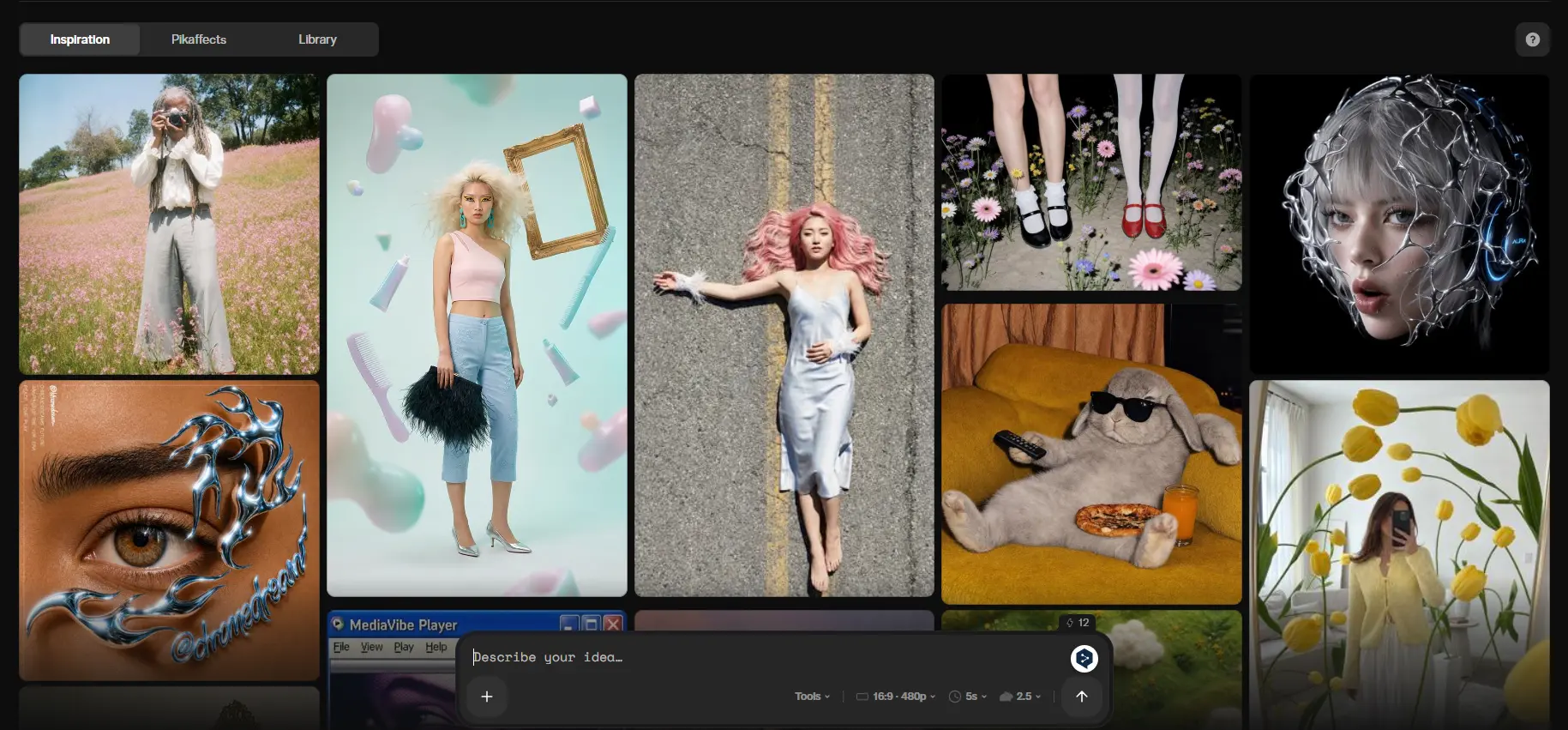
What Are Pika AI's Key Features?
Pika Labs offers more than basic AI video generation. Alongside text-to-video and image-to-video creation, it includes several creative editing tools that let users transform or enhance existing videos with just a prompt.
Feature | What It Does | Best For |
|---|---|---|
PikaFrames | Generates a smooth transition between two images to create an animated sequence. | Storytelling, before-and-after videos, product showcases |
PikaScenes | Combines multiple reference images into one consistent AI-generated scene. | Multi-subject compositions and custom scene creation |
PikAdditions | Adds new people, animals, or objects into an existing video while blending them naturally into the footage. | Creative edits and personalized videos |
PikaSwaps | Replaces selected objects in a video while preserving the original motion and background. | Product replacement, object editing, marketing content |
PikaTwists | Applies imaginative AI effects, such as melting, inflating, exploding, or morphing objects with a simple prompt. | Viral social media content and creative visual effects |
My Test of PikaSwaps and PikAdditions
I wanted to see how well Pika's editing tools work in real-world scenarios so I tested two of its most popular features: PikaSwaps and PikAdditions. To compare how accurately each feature handled motion, subject consitency and scene integration, I specifically used the same 5-second video of a man walking along the beach in both tests.
PikaSwaps: Replacing a Person's Face
For my first test, I uploaded a 5-second video of a man walking on the beach along with a reference photo of another man. Using PikaSwaps, I asked Pika to replace the original man's face while keeping everything else unchanged.

Prompt: Replace the man's face with the face from the reference image while preserving the original walking motion, body proportions, camera angle, lighting, and beach background. Blend the new face naturally into the video.
Result:

The generation took a little over 5 minutes, which felt slower than other AI platforms. Fortunately, the final result was surprisingly good. The beach background, body movement, and camera motion remained almost identical to the original video. However, the swapped face blended naturally into the footage with some minor inconsistencies. Overall, the edit looked convincing enough for casual viewing.
Pikadditions: Adding a Panda to the Scene
For my second test, I used the same beach walking video and uploaded a reference image of a panda. This time, I wanted to see whether Pikadditions could insert a completely new character into the scene while maintaining natural movement and perspective.
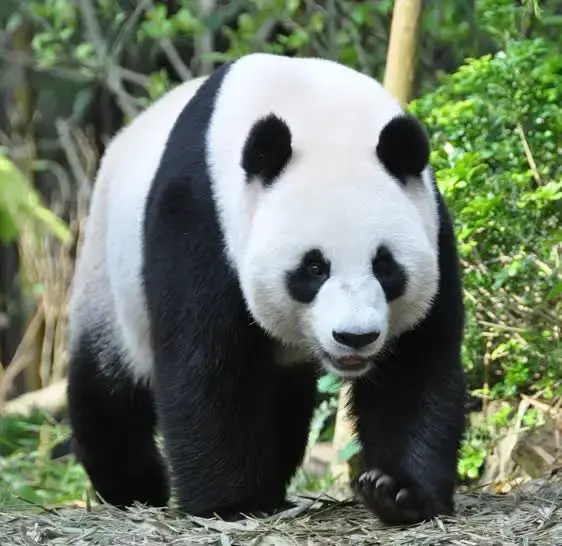
Prompt: Add the panda from the reference image into the video. Make the panda walk naturally beside the man while matching the camera movement, lighting, perspective, and beach environment. Keep the interaction realistic throughout the entire clip.
Result:
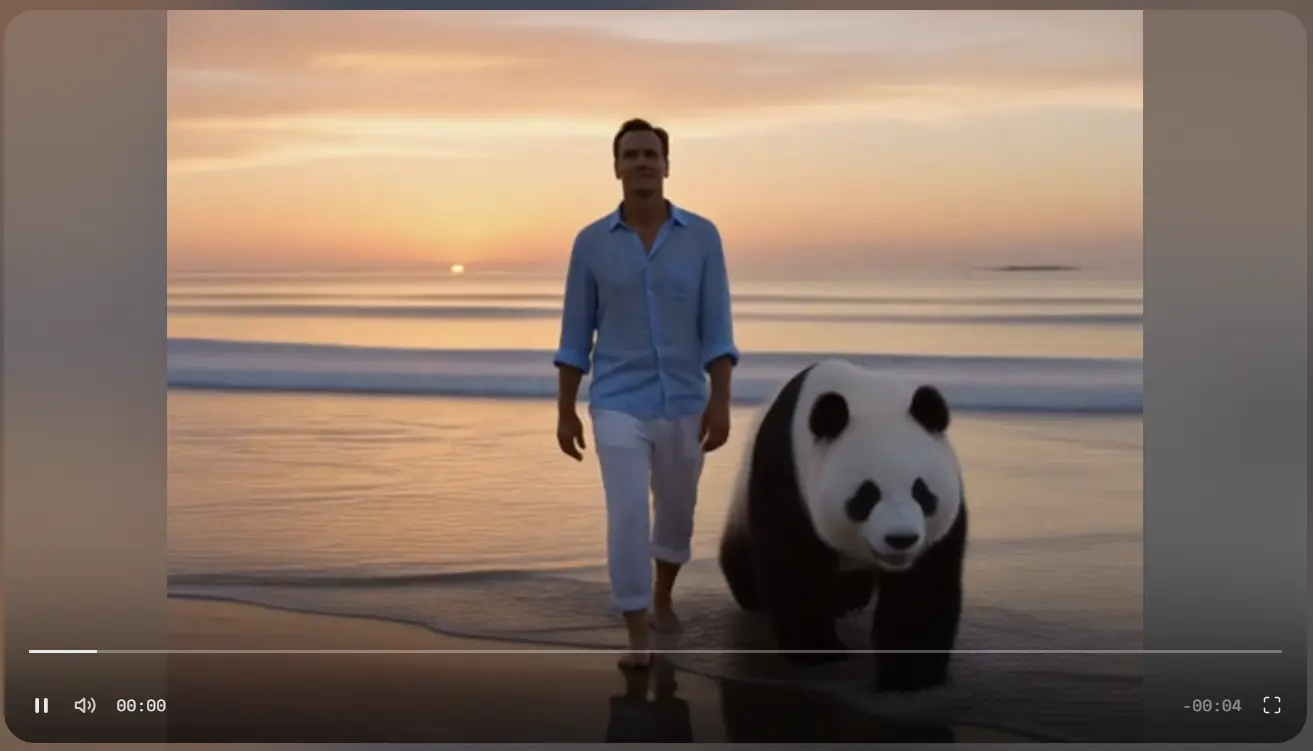
Like the previous test, the generation took over 5 minutes to complete. This time, however, the result was much more impressive. The panda appeared throughout the video and walked alongside the man with surprisingly smooth and natural motion. Its movement stayed well synchronized with the camera, making the added character feel convincingly integrated into the original footage. The composition still felt slightly unnatural. While the animation itself looked realistic, the panda didn't quite match the overall tone of the beach scene, making the final video feel a bit surreal rather than completely believable. Even so, compared with my expectations, Pikadditions performed much better than I anticipated and demonstrated that it can generate convincing AI-assisted scene extensions when given a clear prompt.
What I Liked and Where Pika AI Can Improve
What I liked most about Pika AI was how well it kept the original video motion. In both tests, the man continued walking naturally and the camera movement stayed almost unchanged. The editing process was also simple because I only needed to upload the files and enter a prompt. However, the generation speed could be improved. Both 5-second videos took more than 5 minutes to generate. Some small details also looked inconsistent, especially around the replaced face and the lighting of the added panda. These problems were not very obvious, but they could affect videos that need more realistic results.
Pika AI Pricing
Pika AI offers Basic, Standard, Pro and Fancy plans with monthly, yearly and weekly billing options. The Basic plan is free and includes limited monthly video credits, which is enough to test several features before paying.
The paid plans provide 700 to 6,000 monthly credits. They also unlock higher resolutions, faster generations, commercial use and more tools. Standard costs $10/month, Pro costs $35/month and Fancy costs $95/month under monthly billing. Yearly plans are 20% cheaper.
However, the number of videos you can create depends on the feature and resolution. For example, a five-second PikAdditions or PikaSwaps video costs 20 credits at 480p, 35 credits at 720p and 65 credits at 1080p. Longer videos and higher resolutions use credits much faster.
For casual users, the free plan is useful for testing the platform. Standard should be enough for regular social media creation, while Pro and Fancy are more suitable for users who generate videos frequently. One thing to notice is that monthly subscription credits do not roll over. Only extra credits purchased on paid plans can be kept for later use.

Pika AI vs PicLumen: Which AI Creation Tool Fits Your Needs?
Pika AI and PicLumen both support AI video creation, but they focus on different needs. Pika AI is mainly designed for short video effects and creative editing. Its PikaSwaps and PikAdditions tools are useful when you want to change one part of an existing video. PicLumen provides both AI image and AI video generation. It is more suitable for users who want to create images first and then turn them into videos, or test different AI models in the same platform. Pika AI is a better choice for quick effects, while PicLumen offers a wider creative workflow.
Feature | Pika AI | PicLumen |
|---|---|---|
Main Focus | Short AI video generation and creative effects | AI image and video generation in one platform |
Video Editing | PikaSwaps, PikAdditions and PikaTwists | Image-to-video and multiple AI video models |
Image Generation | Limited image-based workflow | Supports AI image generation and image editing |
Best For | Viral effects and short creative videos | Users who need both image and video creation |
Workflow | Simple and focused | More model choices and creative options |
To make the comparison more clear, I also tested the same panda prompt on PicLumen. I uploaded the beach image and the panda reference image, then asked it to make the panda walk beside the man.
Prompt: The woman slowly turns toward the camera while the motel sign flickers behind her. Wind moves her hair and coat naturally. Keep her face, clothes and the background consistent. Add slow camera movement and a cinematic night atmosphere.

Test Area | Pika AI | PicLumen |
|---|---|---|
Character motion | The turning movement was clear, but the face changed slightly | The movement looked smoother and the face stayed more stable |
Background | The motel sign flickered well, but some details became blurry | The motel and lighting stayed more consistent |
Camera movement | Simple and direct | Slower and more cinematic |
Final look | Felt more like a quick social media effect | Looked closer to a short movie shot |
Best for | Fast and obvious video effects | Cinematic image-to-video creation |
In this test, Pika AI followed the main action clearly and generated the flickering sign effect well. However, the woman's face changed a little when she turned. The PicLumen result looked more natural. Her hair and coat moved with the wind, and the camera slowly moved closer without changing too many details. The whole video also had a stronger movie feeling. Pika AI is more suitable when I want a fast and noticeable effect. PicLumen worked better for this case because it kept the character and atmosphere more consistent.
Is Pika AI Worth It?
After testing PikaSwaps and PikAdditions, I think Pika AI is worth trying for short and creative videos. The platform is easy to use and both tools kept the original motion better than I expected. PikAdditions gave me the better result because the panda moved smoothly and stayed consistent throughout the video. However, the generation speed was slow and some details still looked unnatural. I would use Pika AI for social media videos, visual effects and quick ideas, but not for projects that require long videos or complete control over every scene.
FAQ
Is Pika Labs free?
Yes. Pika Labs has a free plan with limited monthly credits. The free plan can be used to test several features, but the output quality and available models are limited.
How to use Pika Labs?
First, create an account and choose a feature. Then upload an image or video, enter your prompt and select the output settings. After that, click generate and wait for the result.
What is Pika Swap?
Pika Swap, also called PikaSwaps, replaces a person or object in an existing video while trying to keep the original movement and background.
Can Pika AI create long videos?
Pika AI is mainly designed for short clips. It is more suitable for social media content, visual effects and short creative videos than long-form video production.
What is the best Pika AI alternative?
PicLumen is a good Pika AI alternative for users who want both AI image and video generation. It provides more model choices and allows users to continue from image creation to video generation in one platform.