When I started looking at Higgsfield AI, I kept hearing two things: that it's incredibly powerful for filmmakers, but that the pricing gets confusing fast. I decided to spend a month actually using it—testing the core features, tracking credits, and seeing what separates the hype from reality. This review is what I found.
What is Higgsfield AI
Higgsfield AI is a multi-model video generation platform founded in 2023 by ex-Google Brain engineers. The company reached a valuation in the $1.3 billion range through a January 2026 Series A extension, making it one of the most well-funded players in the AI video space. It aggregates Sora 2, Kling 3.0, Veo 3.1, and Seedance 2.0 under a single subscription — which is unusual. Most competitors lock you into one model at a time.
Understanding Pricing
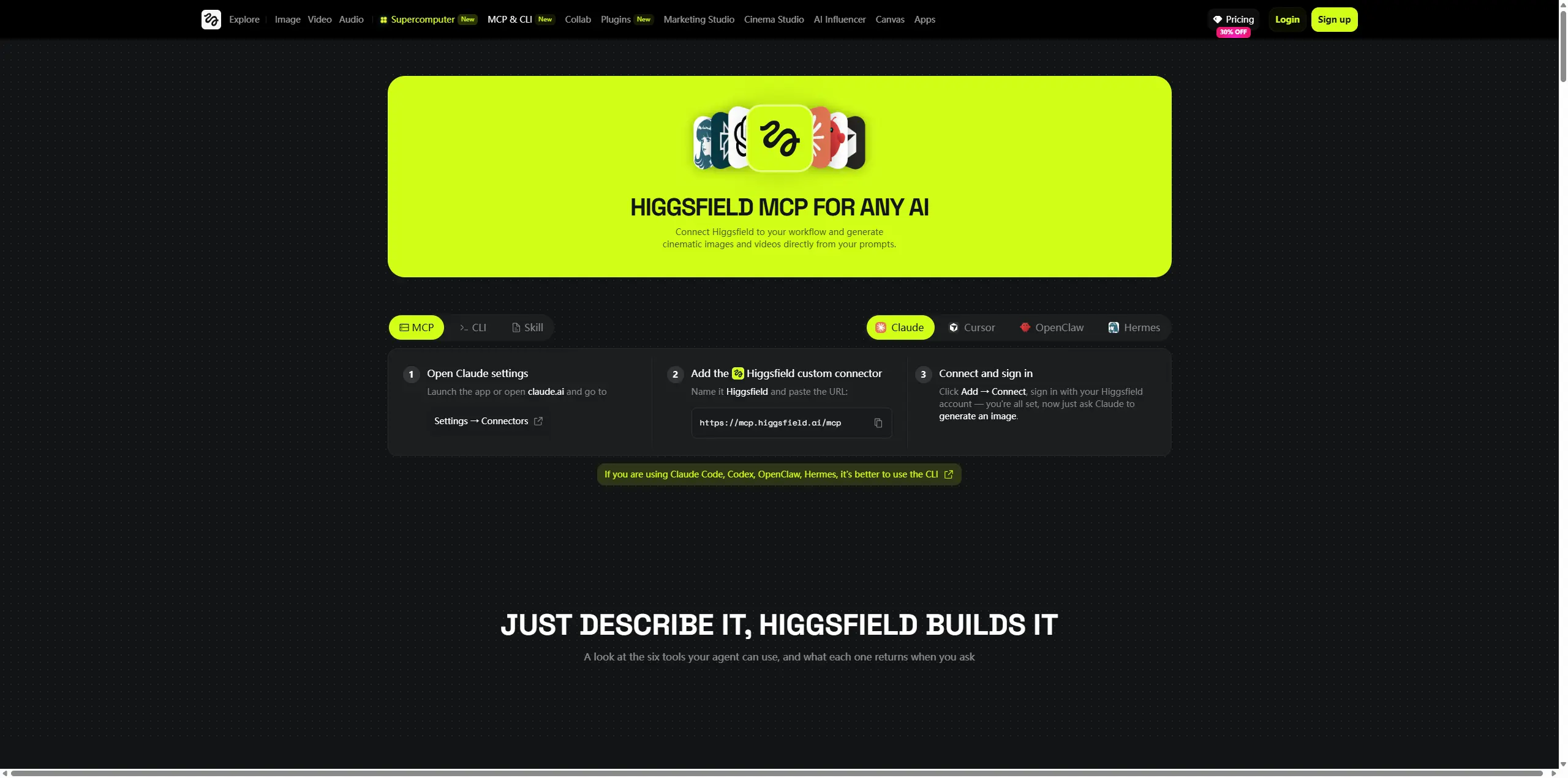
I'm starting with pricing because it determines whether the whole platform makes sense for your workflow. As of May 2026, standard annual billing runs at Starter ($15/month, 200 credits), Plus ($39/month, 1,000 credits), and Ultra ($99/month, 3,000 credits, scalable to 9,000). The free tier offers 10 daily credits, which is enough to explore but not enough to finish a real project. Here's where the math gets critical: Kling 3.0 costs roughly 6 credits, Sora 2 and Veo 3.1 cost 40-70 credits per video. What this means for you depends entirely on which models you use most.
On the Plus plan, 1,000 monthly credits translates roughly to 142 Kling 3.0 videos or 17 Veo 3 clips. After typical iteration (3-5x retries before getting a keeper), real output is typically lower. But exact consumption varies based on resolution, duration, and model selection, so treat these numbers as a starting baseline rather than a guarantee. Two critical details: 1. Credits expire after 90 days if not used, and monthly plan credits do not roll over 2. The "365-Day Unlimited" offer is mostly image-generation perk, not video
Testing the Core Features
AI Image Generation: Functional but Not the Primary Draw
I tested image generation with two scenarios:
Test 1 – Product Photography Prompt: "Minimalist ceramic vase, white matte finish, natural linen background, soft window light, product photography style, clean shadows"
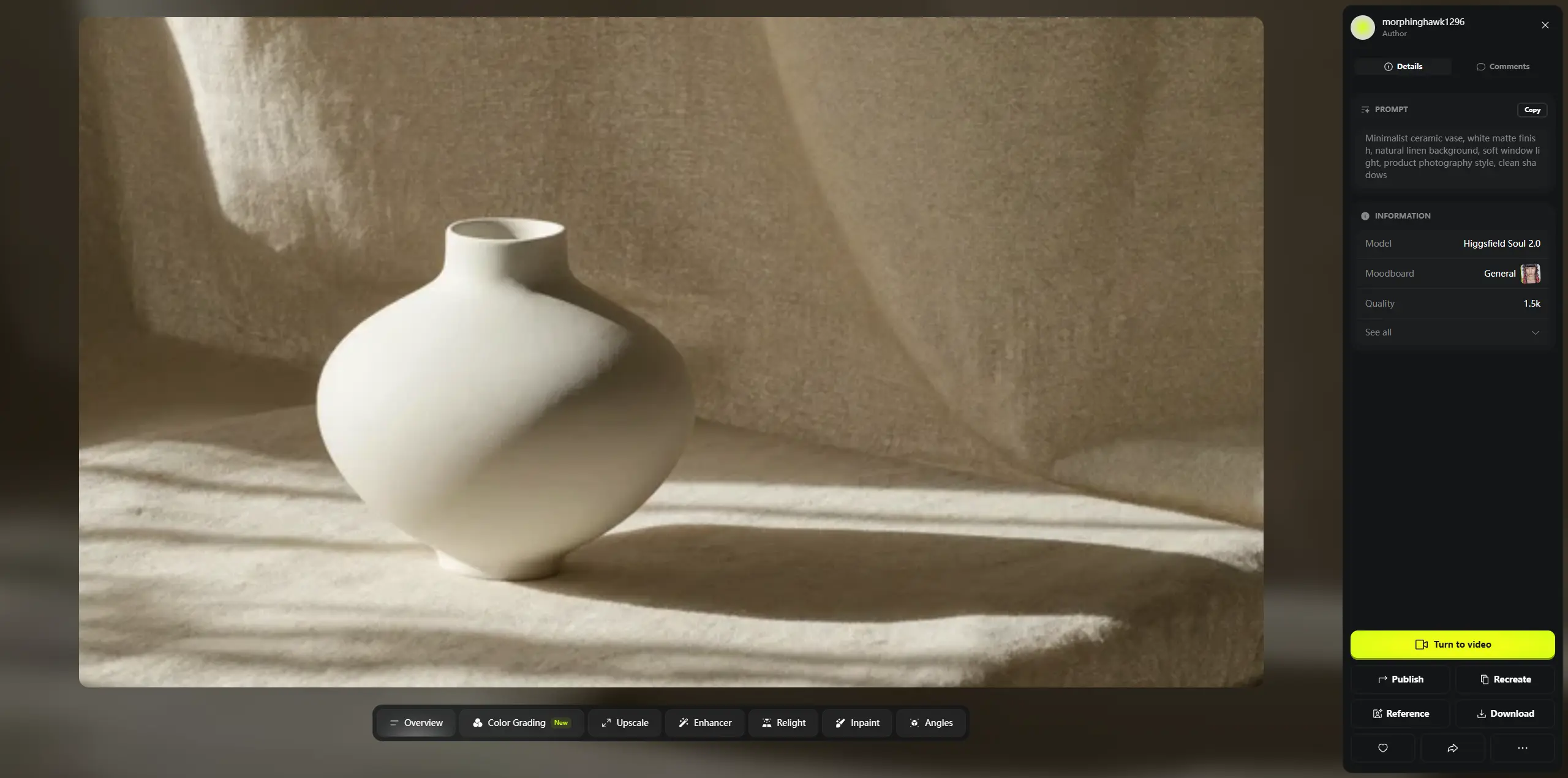
Result: Clean, professional-looking output. The lighting felt natural. Rendered in about 90 seconds.
Test 2 – Lifestyle Scene Prompt: "Urban cafe scene, woman typing at laptop, morning sunlight, warm color grade, Instagram aesthetic, shallow depth of field"
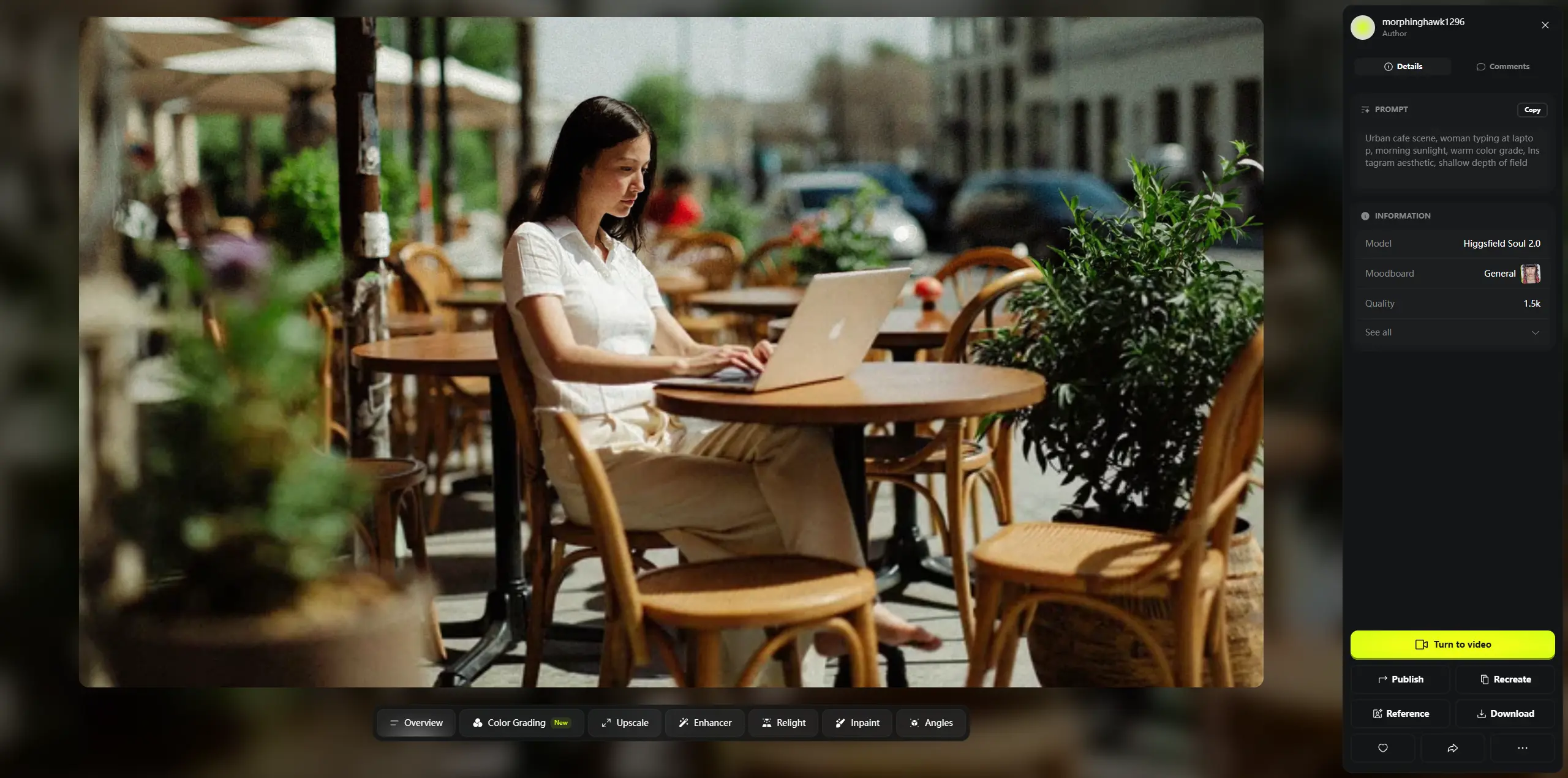
Result: Composition was logical, colors balanced. No obvious AI artifacts. Honestly, I wouldn't choose Higgsfield for image generation alone. Is it good enough as a stepping stone to video? Yes. Does it justify the subscription by itself? Not really. The real value of image generation on Higgsfield emerges when you feed it into video—generate a product image, then animate it with camera movement and effects. That workflow works well. Standalone image creation doesn't seem to be where Higgsfield differentiates.
AI Video: Where the Platform Actually Shows Real Capability
Video is Higgsfield's core. I tested three distinct use cases:
Test 1 – E-Commerce Product Demo (Kling 3.0) Prompt: "Luxury watch on white background, 360-degree rotation, close-up detail shots of face and strap, soft studio lighting, product reveal"
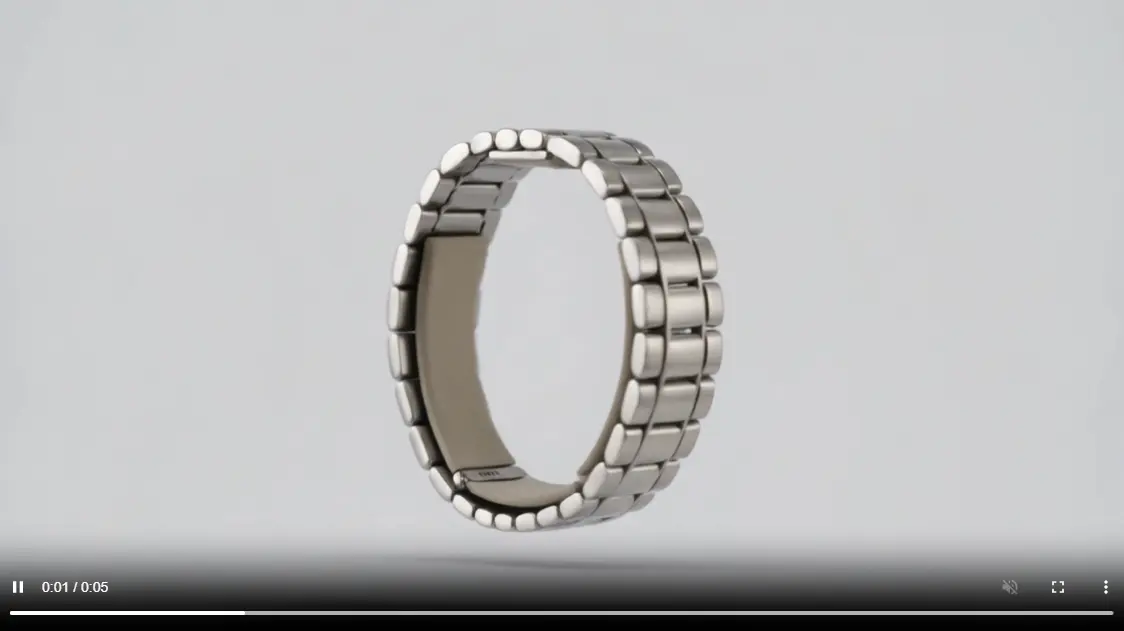
Result: Motion felt smooth and deliberate. Product details stayed sharp. Usable without additional editing. Rendered in about 2.5 minutes.
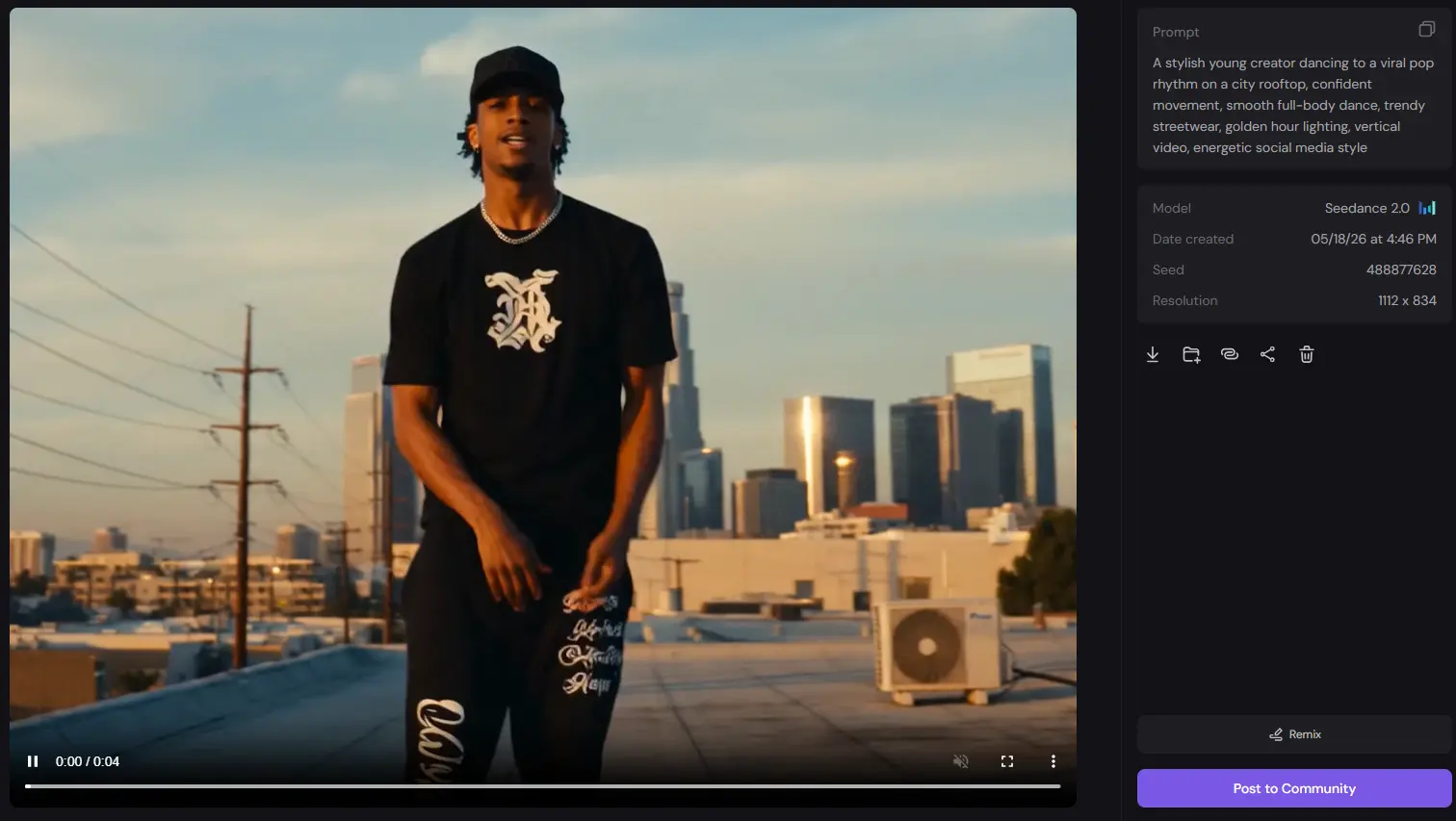
Test 2 – Social Media Character Video (Seedance 2.0) Prompt: "Woman walking through modern office, natural window light, casual business attire, confident posture, modern workspace background"
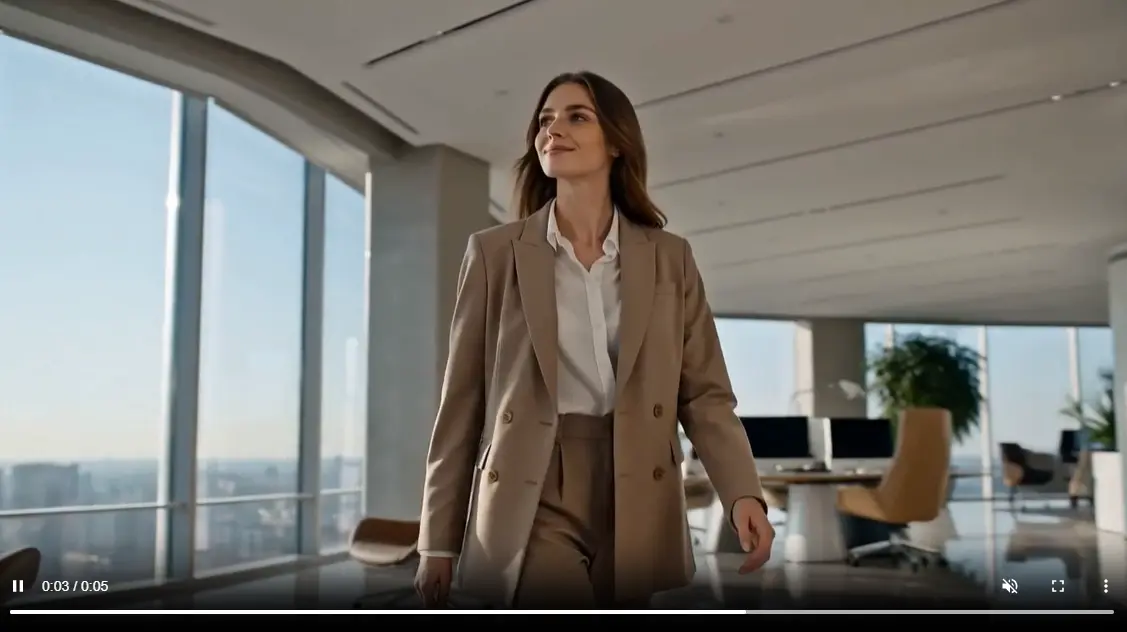
Result: Character movement felt natural—not the stiff look you get from many AI video tools. Facial expressions didn't read as robotic. Audio sync was accurate. This is where Seedance 2.0 shows its strength: you get motion and audio synchronized in one pass. Test 3 – Cinematic Establishment Shot (Veo 3.1) Prompt: "Establishing shot of Tokyo rainy street, neon signs reflecting in puddles, person walking alone, cinematic color grading, depth of field, film noir mood"
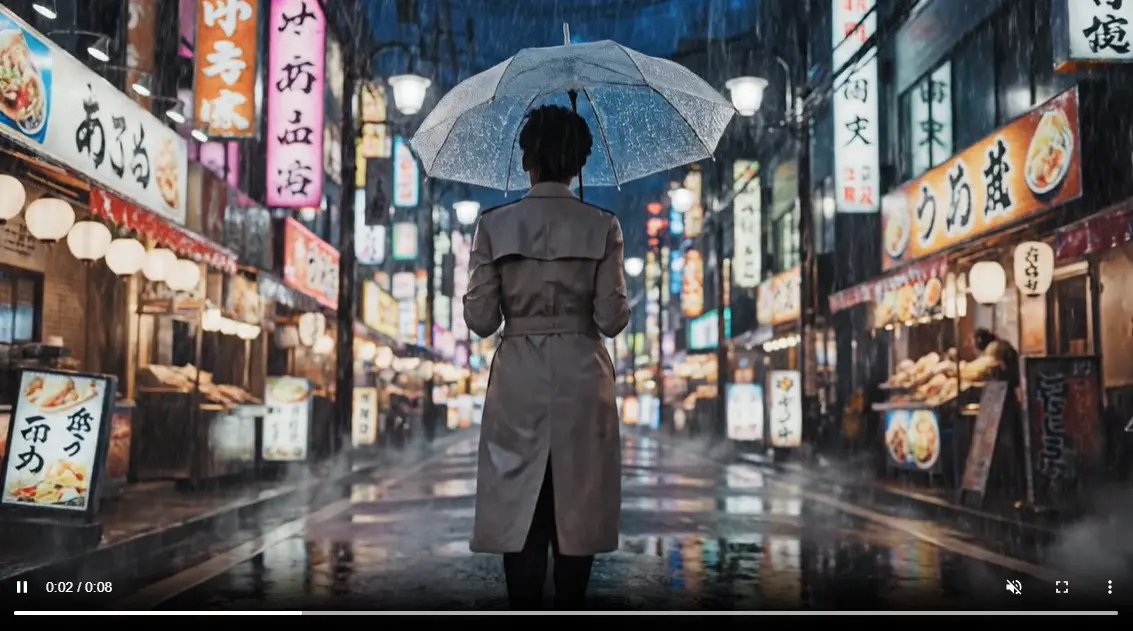
Result: The framing felt cinematic. Lighting and atmosphere matched the prompt. Motion felt deliberate. This rendered more slowly and costs more credits. The honest takeaway: Different models genuinely excel at different tasks. Kling is fast and good for product work. Seedance handles human motion naturally. Veo is cinematic. The value of Higgsfield is having all three accessible without separate subscriptions.
Marketing Studio: URL-to-Ad Automation With Real Trade-offs
Marketing Studio is built for e-commerce. Paste a product URL, and the platform auto-generates ad videos in multiple formats. Test with: A wireless headphones product page Test 1 – UGC Creator Review The platform extracted product details and generated a talking-head review in iPhone style. The AI reviewed features naturally. Rendered in 2 minutes.
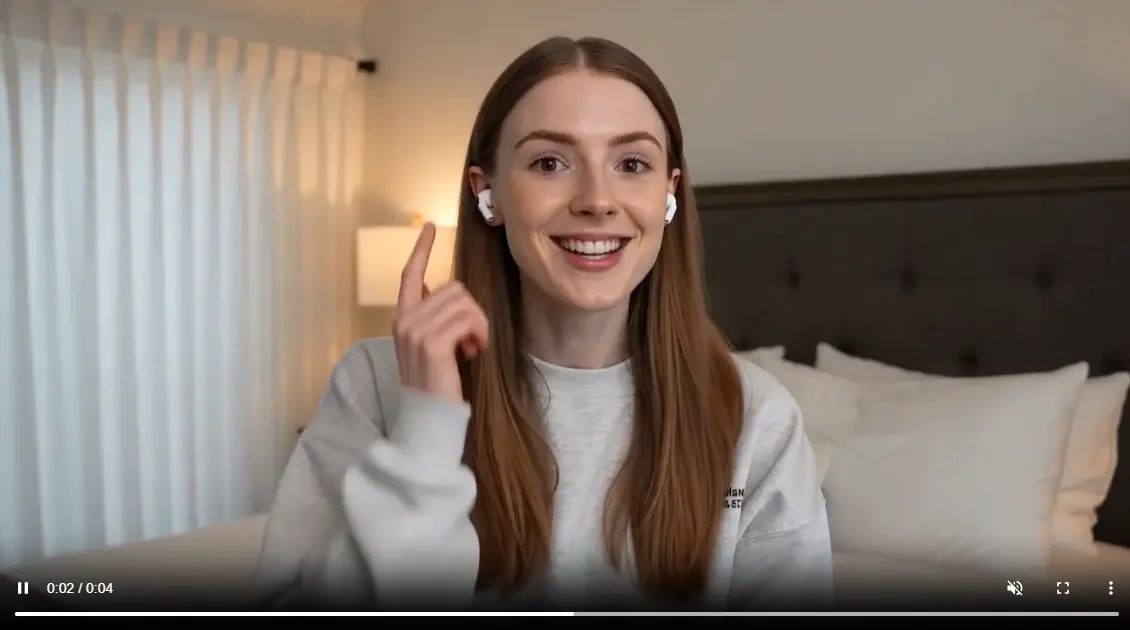
Test 2 – CGI Commercial Same product, different style. Output was cinematic with professional lighting and multiple shots. Felt broadcast-quality.
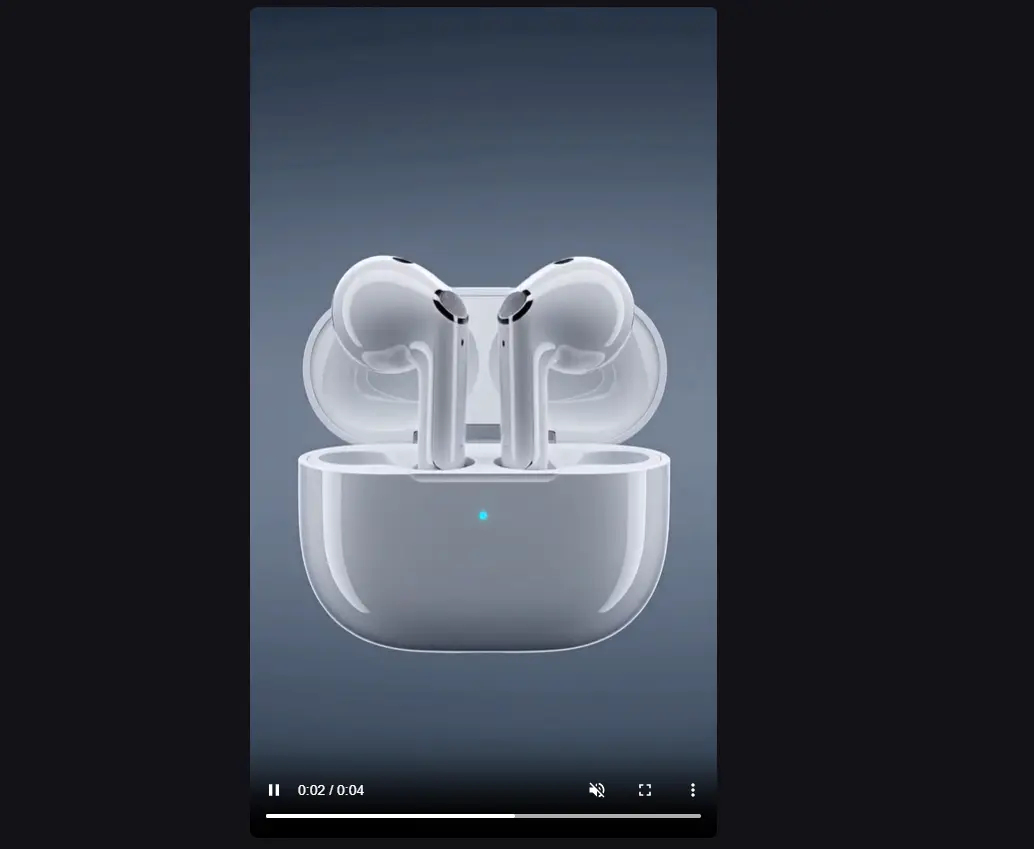
Test 3 – Wild Card (AI-Directed) Minimal direction; AI invented a narrative—person using headphones during commute, meetings, workouts. Complete storytelling without manual scripting.
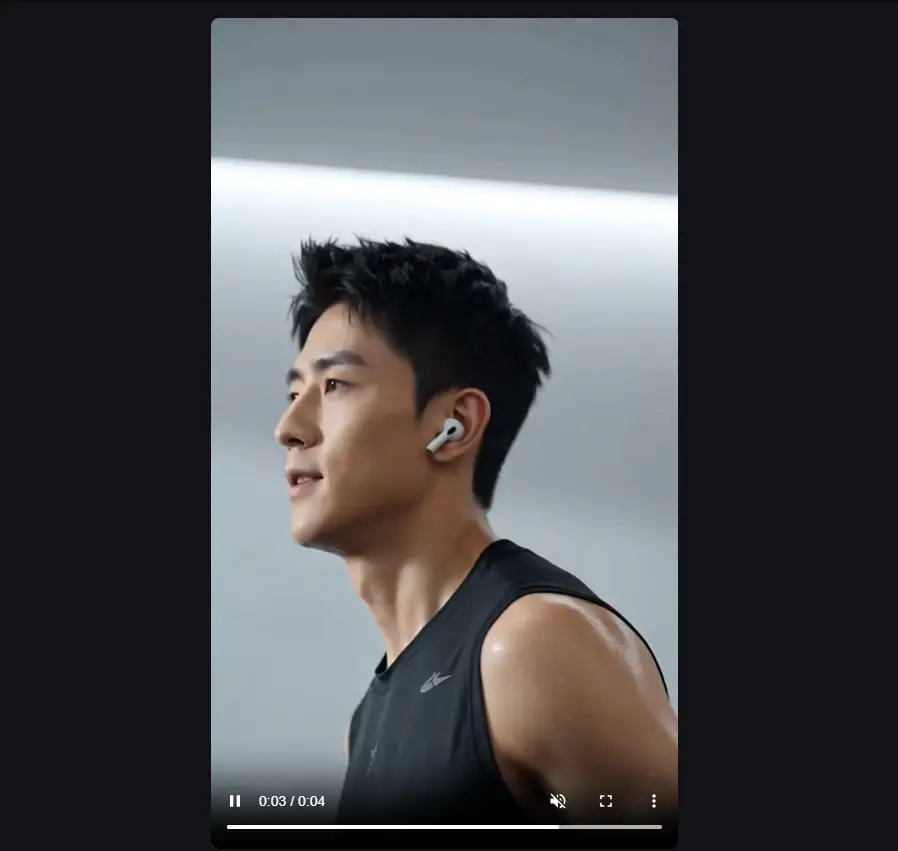
The speed is genuinely impressive. What took 3-5 days (shoot, edit, color correct) compresses to minutes. But there's a real bottleneck: generated avatars don't carry persistent identity across sessions. You can't reliably build a "brand spokesperson" without significant prompt engineering. Great for one-off product ads. Limited if you're trying to build recurring brand voice.
Cinema Studio 3.5: Advanced Camera Control (With a Learning Curve)
Cinema Studio lets you specify per-shot camera parameters instead of just describing what you want. I tested a three-shot sequence for an AI character: Shot 1 – Establishing wide (35mm lens, manual parameters) Shot 2 – Medium closeup (85mm lens preset) Shot 3 – Exit with motion (dolly forward preset) The three shots felt coherent as a sequence—not just random clips. The lens presets actually changed how light and focus rendered. The simulated dolly was smooth.
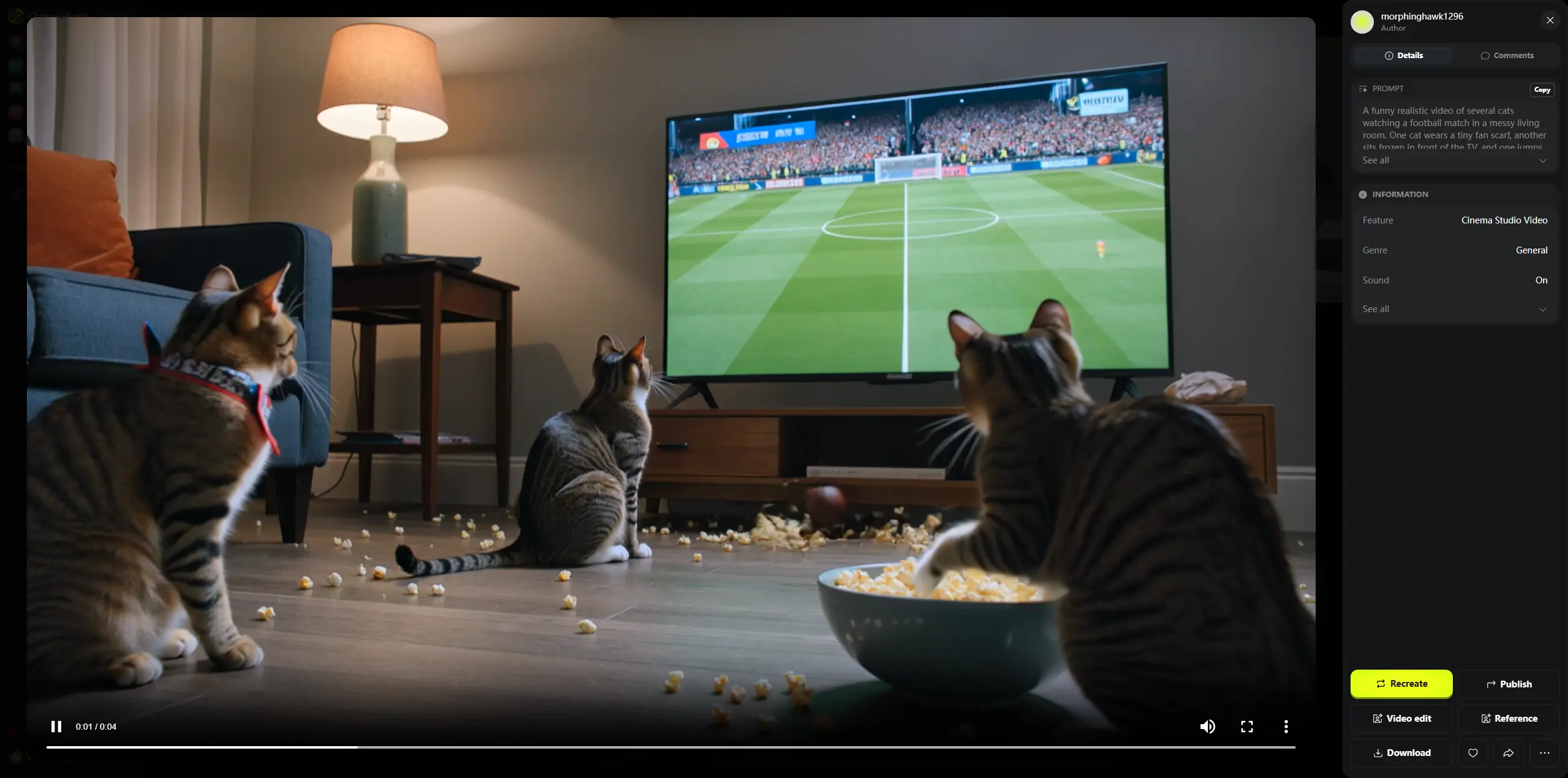
If you understand cinematography terminology, this is powerful. If you don't, the interface is frustrating. The learning curve is real. The precision is impressive if you speak the language.
AI Influencer (Soul ID): Character Consistency, Realistic Expectations
Soul ID is the character consistency system. Provide a reference image, lock it, replicate across videos. I created an AI character from a headshot and generated five scenarios (office, outdoor, casual, fitness, formal). Face consistency stayed around 90% across similar framing and lighting. What works: front-facing shots with consistent lighting. What struggles: profile shots, extreme angles, dramatic lighting changes. Practical result: I built a five-video lookbook in 35 minutes. The system works when you accept the 90% consistency ceiling. Expect perfection and you'll be frustrated. It's good for social media. Not film production standard.
Higgsfield and PicLumen: How They Actually Compare
PicLumen is a multi-model creative platform — AI image, AI video, plus a built-in creator community. It's positioned as more accessible than specialized cinema tools. Less complex camera controls, fewer models, but faster onboarding for creators who don't want a steep learning curve. They overlap enough to matter:
What Matters When You're Creating | Higgsfield AI | PicLumen |
|---|---|---|
How hard is it to start? | Moderate (setup required) | Easy (intuitive interface) |
How much creative control? | Very high (Cinema Studio | Moderate (simplified controls) |
Character consistency | ~90% (Soul ID) | Session-based consistency |
Speed to first usable video | Moderate | Fast |
Multiple video models available? | Yes (4 premium models) | Yes (curated selection) |
Price transparency | Complex (variable consumption) | Straightforward |
Who is this really built for? | Filmmakers, cinematic storytelling, agencies | Social creators, quick turnarounds |
If you want directorial control and don't mind learning camera terminology, Higgsfield pays off. If you want to generate content fast without thinking about lens types and motion presets, PicLumen's simpler interface wins. Neither is "better"—they solve different problems for different people.
Real Limitations (From Actually Using These Tools)
Character consistency isn't perfect — Profile shots and overhead angles noticeably break Soul ID continuity.
Credits consumption varies more than pricing pages suggest — At 720p, video runs roughly 1-1.5 credits per second; 4K and premium models cost significantly more. Exact consumption depends on your choices.
Iteration costs add up — If your first generation isn't right, expect to burn 3-5x the base credit cost before getting something usable.
Commercial licensing gaps exist — Higgsfield does not carry commercial use rights to AI-generated human likenesses in all scenarios. Verify your specific use case against their terms before deploying AI faces in paid advertising.
Audio sync has limits — While Seedance native audio is impressive, lip-sync isn't perfect on rapid speech or complex facial expressions.
Should You Use Higgsfield?
Yes, if you're a filmmaker or director comfortable with camera terminology. Or if you run e-commerce ads and need rapid multi-format testing. Or if you manage multiple brand accounts and want one multi-model subscription. Maybe, if you're just testing whether AI video fits your workflow (start free, then one month on Plus). Or if you understand that credits vary by model and resolution. Or if you're willing to learn Cinema Studio's camera controls. Probably not, if you want a simple, predictable monthly cost with no surprises. Or if you need pixel-perfect character consistency across varied scenarios. Or if you're new to AI and want a gentle learning curve. Or if you primarily work on mobile.
Questions People Actually Ask
Is Higgsfield worth it for social media creators?
Depends on what you mean. If you're making 1-2 videos a week for Instagram, probably not—the learning curve doesn't pay off. If you're testing multiple models to find your aesthetic, or you need cinematic camera control, maybe. Try the free tier first.
Do I really need Cinema Studio?
Not if you don't speak cinematography. The basic text-to-video interface works fine. Cinema Studio is a power tool for people who know how to use it. If you're not that person, don't force it.
How does this compare to Runway or Kling directly?
Runway and Kling are single-model subscriptions. Higgsfield is multi-model aggregation. If you want to test multiple models in one interface, Higgsfield saves you money. If you're happy with one model, Kling or Runway might be cheaper.





