As a full-time social media video editor, my daily workflow is a constant battle against time. Clients expect rapid turnarounds for matching thumbnails, b-roll assets, and short animated clips. Lately, I've found myself juggling three to four separate AI platforms just to complete a single project. When I saw SeaArt AI positioning itself as a unified hub for both advanced image rendering and video generation, I decided to dedicate a full workday to testing its limits. This SeaArt AI review documents how the platform actually fits into a high-pressure creative workflow—minus the marketing hype.
What Is SeaArt AI? Quick Platform Overview
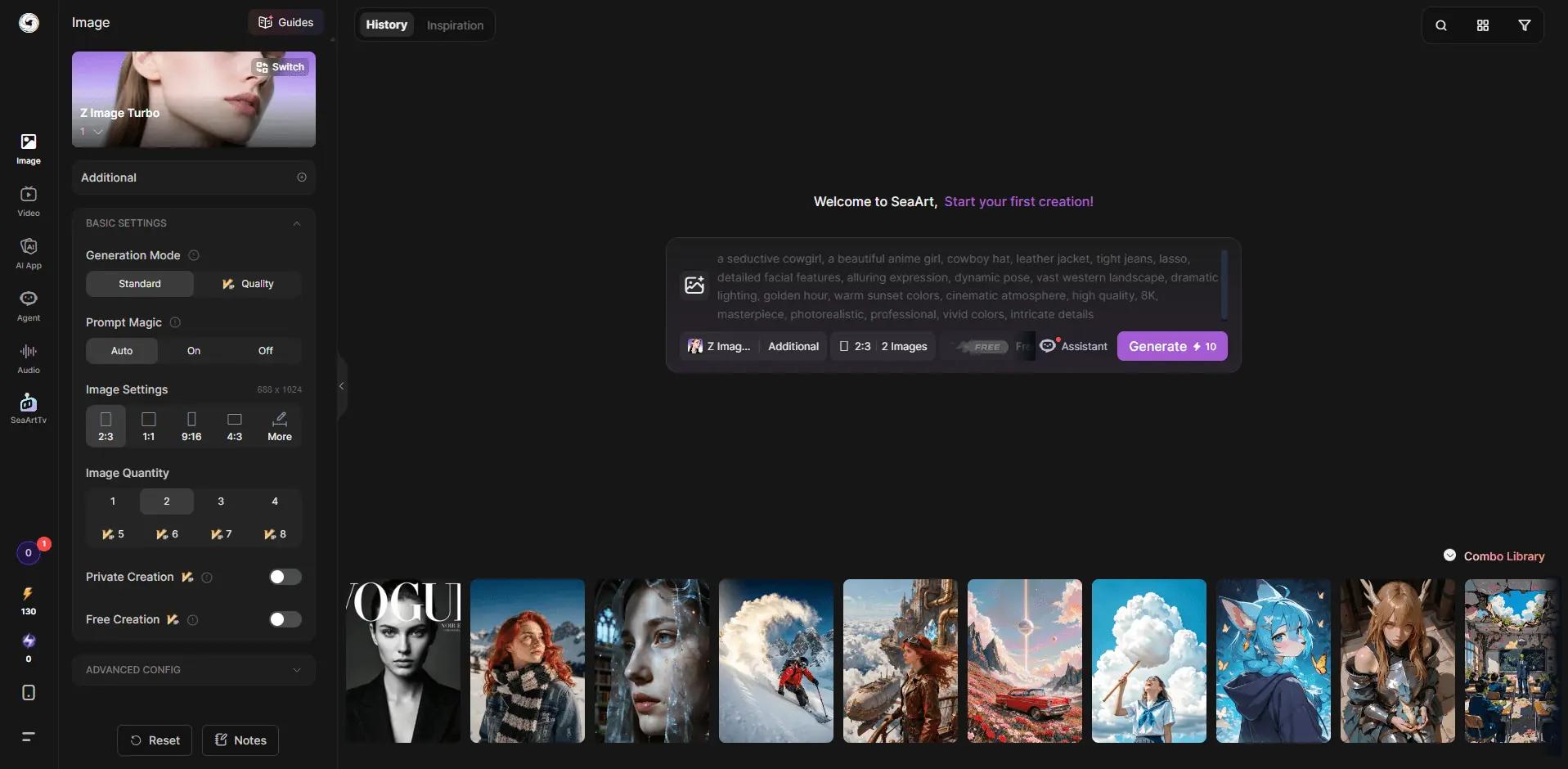
At its core, SeaArt AI is an all-in-one, community-driven AI generation ecosystem built on top of foundational architectures like Stable Diffusion, Flux, and Seedance 2.0 video model. Landing on the dashboard for the first time can feel overwhelming. Unlike minimalist AI tools that give you a single prompt bar, SeaArt throws thousands of community-generated models, user-trained LoRAs, and trending styles right at your face. It operates more like a gamified Civitai than a sterile corporate software asset, which immediately tells you who this platform is really for: creators who love to tweak, remix, and experiment.
SeaArt AI Image Generator Review
SeaArt's image generator is the strongest part of the platform. The model variety is huge. You can create anime art, fantasy illustrations, game-style assets, portraits, product mockups, concept art, and more. The community model system is also useful because you are not starting from zero every time. You can browse styles that other users are already using, then remix the setup for your own prompt. That is where SeaArt feels different from simpler tools. It rewards users who enjoy experimenting.
Anime Image Test
Prompt: "Soft pastel anime girl, cherry blossom background, cinematic lighting, 8k, detailed hair"
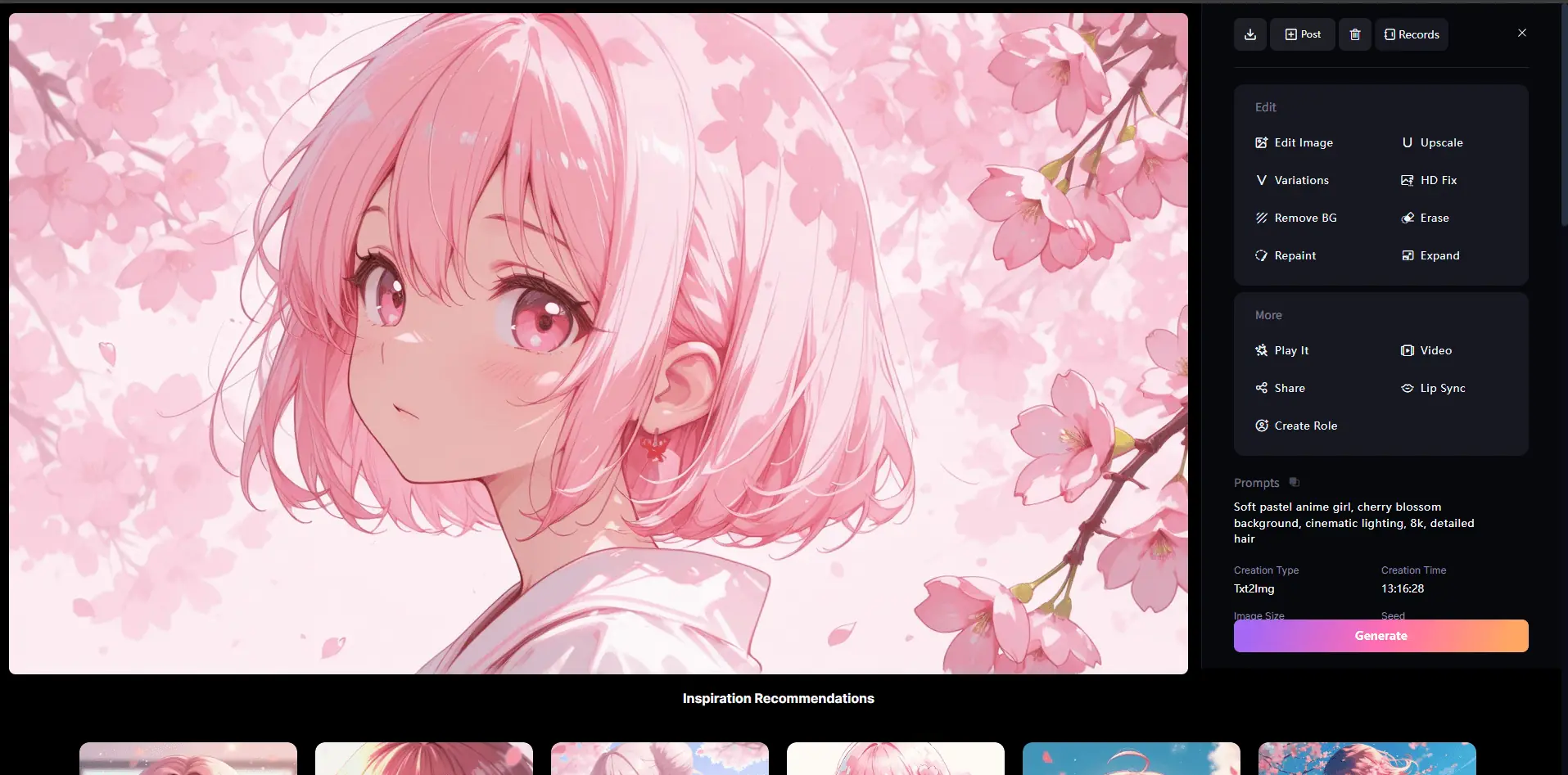
My honest read: Because SeaArt excels at community anime models, the initial render was visually striking. The lighting and pastel tones were exactly what I wanted. However, when I zoomed in to inspect the hair strands, they were awkwardly fused. I had to use the built-in "Inpaint" tool twice, burning extra credits, to get a clean, human-looking hand asset.
Product Image Test
Prompt:"Studio product photography of a luxury matte black skincare bottle on a wet organic rock, water splashes, minimalist concrete background, dramatic side lighting, high-end cosmetics branding, the label clearly reads PURE."
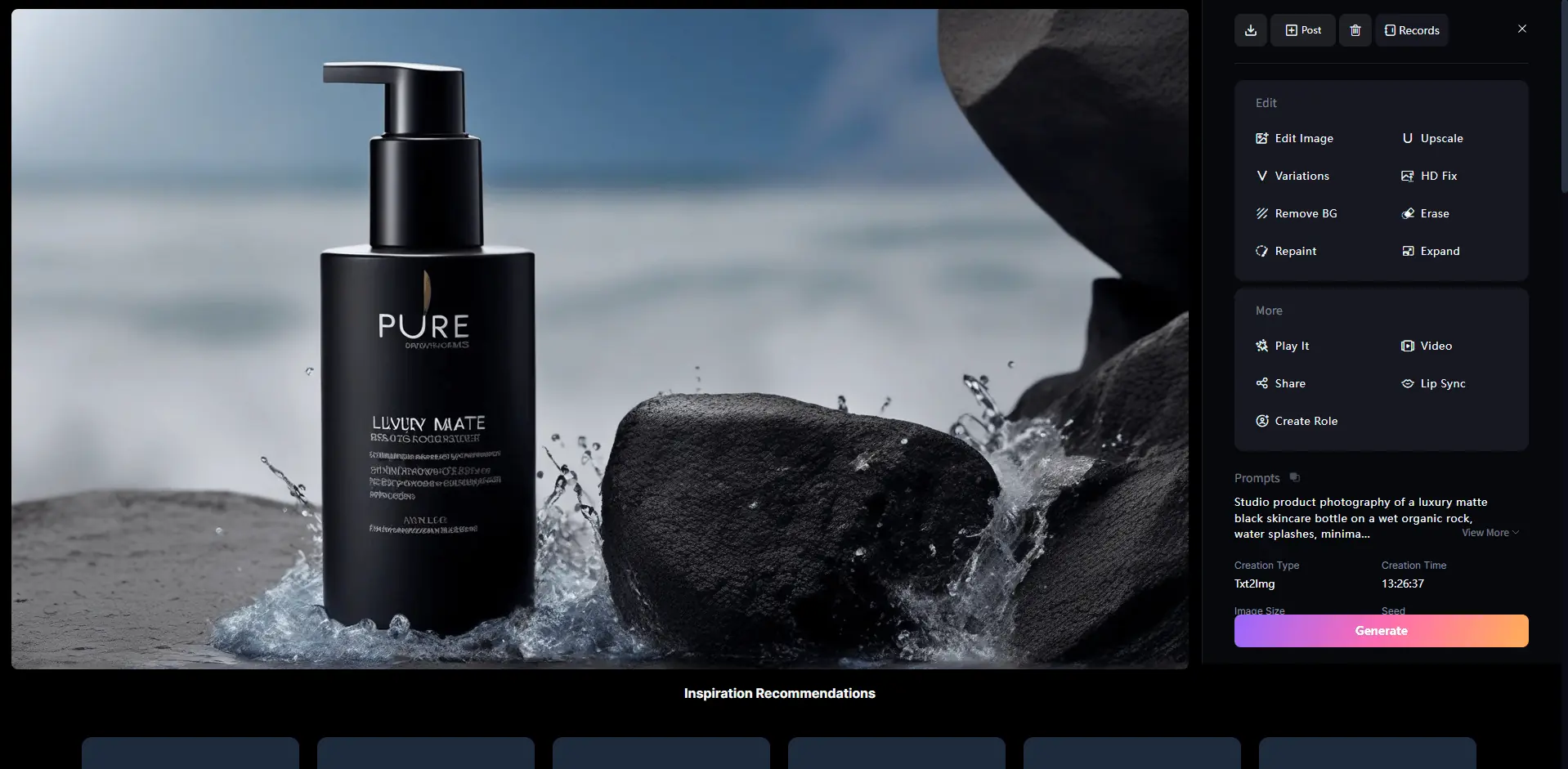
My take: The texture of the matte bottle and water splashes looked incredibly premium. However, Other words on the bottle became scrambled letters after generation. If you're a marketer needing precise brand text, you will either need a heavy dose of text-to-image prompting patience or a quick round of manual text replacement afterward. I noticed clear consistency gaps when switching model types. Anime outputs held steady most of the time, but photorealistic product shots often warped small object details without extra ControlNet tweaks. Unused daily stamina vanishes overnight, so casual creators will hit hard limits fast compared to paid users with larger daily allocations.
SeaArt AI Video Generator Review
SeaArt also supports AI video generation, including text-to-video and image-to-video workflows. This is the part I cared about most because my daily work involves motion, not just still images. A still frame can look beautiful, but if the movement breaks after three seconds, the clip becomes hard to use. Prompt: "Cute cat walking through sunlit garden, smooth slow camera pan, 6-second clip"
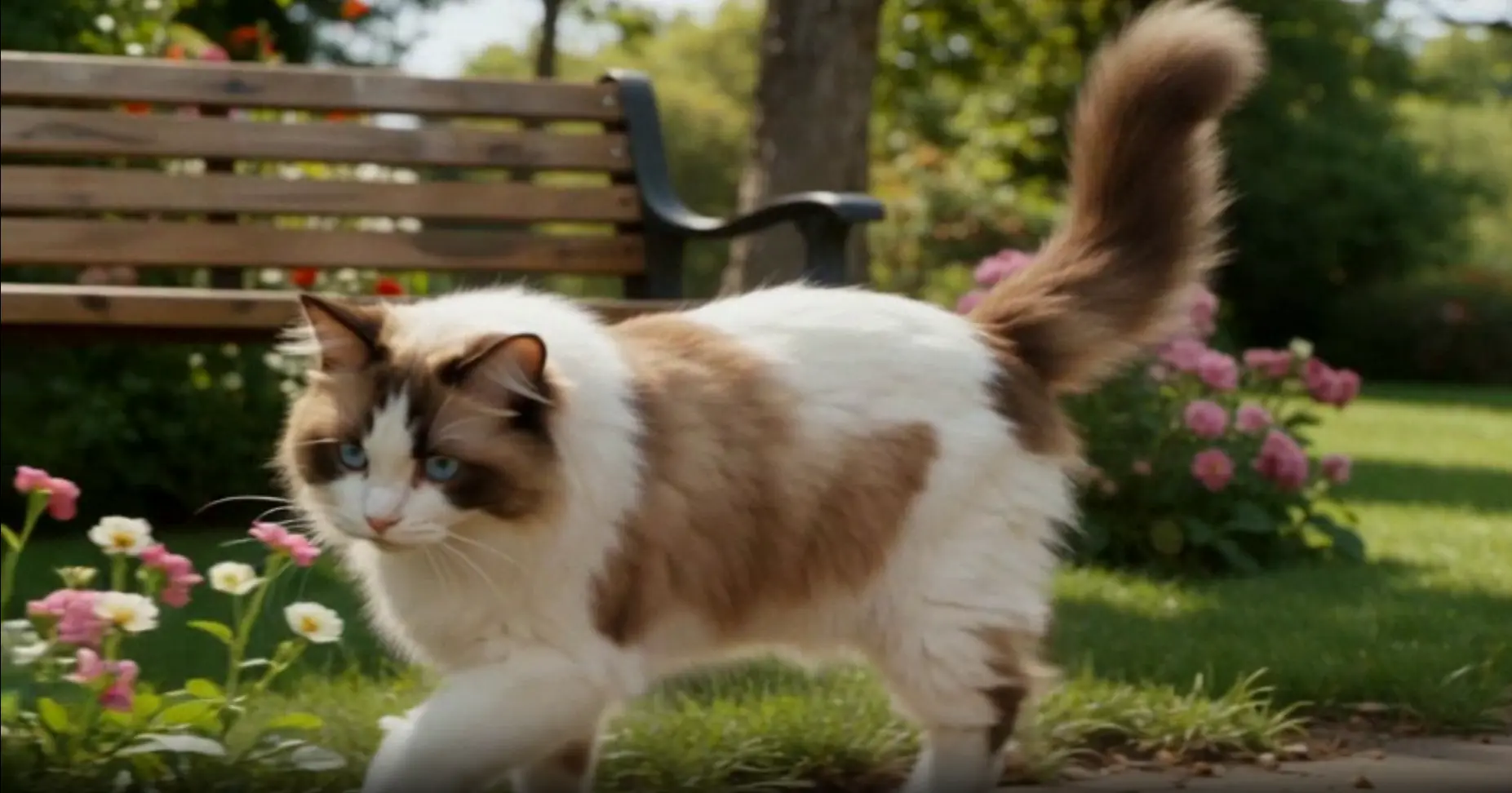
What worked: The opening framing matched my prompt, but movement grew choppy around the 4-second mark. I regenerated the clip once, yet small body stutters still appeared in the cat's walking cycle. This uneven motion quality stands out as its biggest downside. Simple short loops stay usable, but longer animated scenes drift out of sync easily. Video generation also drains stamina credits much faster than image creation, so frequent video creators burn through daily limits quickly.
SeaArt AI Pricing and Stamina: What I Noticed
Understanding SeaArt AI pricing requires understanding "Stamina" — the daily fuel used to generate assets. SeaArt offers a free daily allowance of basic Stamina, which resets every 24 hours. If you are just a hobbyist making 10 to 15 images a day, you can get away without spending a dime. However, if you are running multi-image batches or generating high-definition video clips, you will burn through that free pool within twenty minutes.
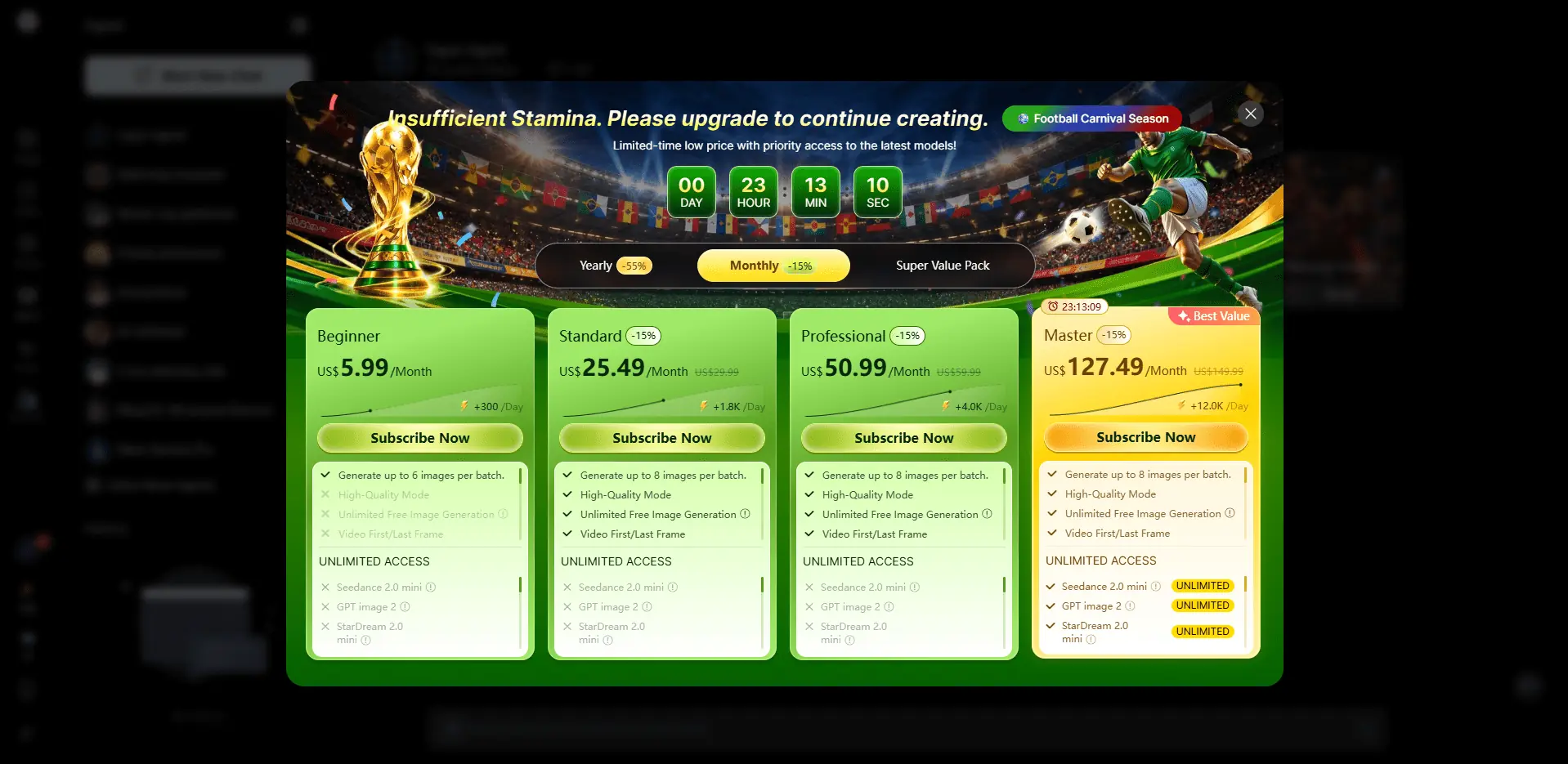
Important Checkout Note: When checking out for any paid tiers, keep an eye on the payment checkout page. Look closely at the auto-renew checkboxes; they are often pre-checked by default, so make sure to manage your subscription settings if you only want to test it for a single month. Note: Pricing plans change frequently. Please verify current rates directly on SeaArt's official pricing page.
SeaArt AI Verified Pros & Cons
What I Liked
Massive LoRA and Model Library: You don't need to know how to build a model from scratch; the community has already built pre-tuned setups for almost every aesthetic imaginable. Advanced Control Options: Built-in ControlNet makes matching client poses remarkably straightforward. Generous Daily Free Trial: The daily renewing free Stamina pool is excellent for occasional users and hobbyists.
What I Did Not Like
Cluttered, Overwhelming UI: The interface is packed with buttons, menus, and blinking model updates. It takes a solid hour just to learn where everything is. Stamina Expiration: Free daily Stamina does not roll over. If you don't use it, you lose it. Late-Stage Video Morphing: Video clips longer than 4 seconds frequently experience physical distortion or sudden motion stutters.
SeaArt AI Alternative: When to Choose PicLumen Instead
If you find yourself spending more time navigating SeaArt's dense interface than actually creating, it's worth looking at PicLumen as a streamlined alternative. Think of PicLumen as the "fast-lane" version of an AI creative suite. Unlike SeaArt, which functions like a professional studio filled with a massive, granular model library and deep technical settings, PicLumen is built for speed and immediate usability. Its interface is noticeably cleaner, stripping away the complex menu trees to focus on what matters most for daily content creation: quick text-to-image/video generation and essential, one-click editing tasks.
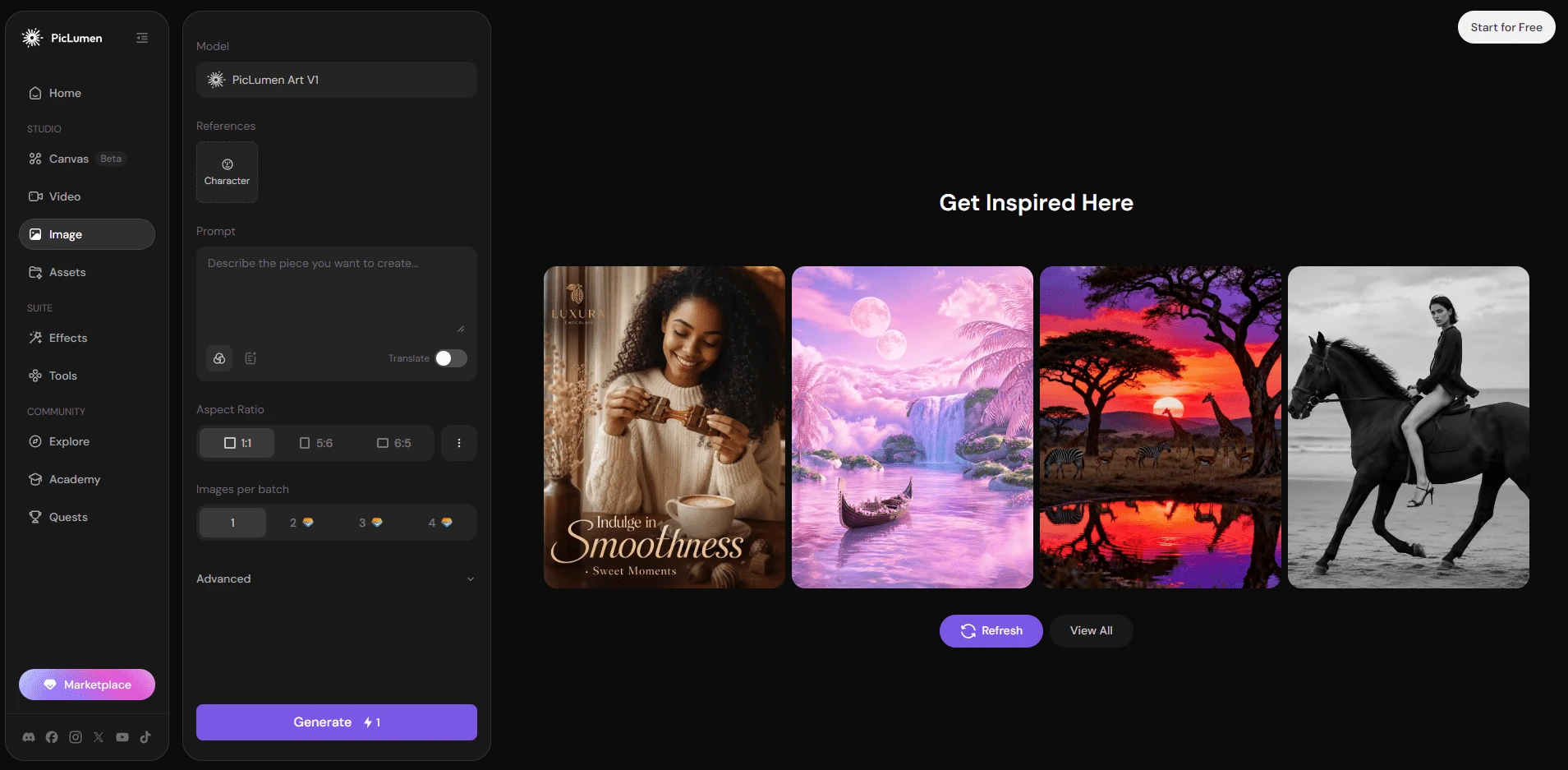
Where PicLumen truly pulls ahead is in its workflow efficiency. While SeaArt requires you to be a bit of a "model tinkerer".PicLumen focuses on providing a predictable, reliable experience out of the box. It excels for social media marketers, e-commerce sellers, and creators who need to output professional-looking assets in minutes rather than hours. In short:
Choose SeaArt AI if you are a "power user" who needs total control, enjoys experimenting with custom models, or demands high-fidelity output where you can tweak every single parameter. Choose PicLumen if you want to skip the technical setup and "just get it done." It's objectively better for those who need a reliable, low-friction tool for recurring tasks like product shots or social media visuals, where the time saved in navigation and setup is more valuable than the depth of model experimentation.
Final Verdict – Is SeaArt AI Worth Trying in 2026?
After a full day of testing, I land on a balanced take .Hobby anime artists and casual model tinkerers will get plenty of value from its huge community library and free daily credits.I would not rely on it full-time if you're a marketer needing consistent, smooth brand videos at scale. If SeaArt's choppy video output and messy UI slow your workflow down, tools like PicLumen offer a simpler alternative for steady batch visual creation.
Frequently Asked Questions
Is SeaArt AI worth using in 2026?
Yes, especially if you create stylized art or anime assets. The platform offers unparalleled community-driven model options, though it requires patience to master the interface.
Does SeaArt AI make high-quality AI image art?
Its anime and stylized renders turned out solid during my tests, yet human details like hands often needed rework.
Can SeaArt AI generate smooth AI video clips?
Short simple loops hold up, but longer clips developed choppy motion every time I tested them.
Is SeaArt AI completely free to use?
You can get daily free stamina, but heavy creation and commercial rights require a paid plan.
What is the best SeaArt AI alternative?
PicLumen is a good SeaArt AI alternative if you want a simpler AI image and video workflow. SeaArt is better for deep model experimentation, while PicLumen is easier for fast daily content creation, social visuals, product-style assets, and quick creative testing.





