After coming back from a trip, I found myself looking through my photos and thinking, "I wish I had tried a different pose here," or "It would've been nice if we'd taken one more shot together." So, when I heard about Vidu AI's Kiss feature, which can turn a single photo into a short animated moment, I wanted to try this immediately. I wondered if it could recreate the kind of memories I never actually captured. So I spent an afternoon testing the Kiss feature, including text-to-video and image-to-video. Here's how it performed in real use.
What Is Vidu AI?
Vidu AI is an AI video generation platform developed by ShengShu Technology, with a strong focus on turning text, images, and reference characters into short videos. Instead of trying to cover every type of AI creative tool, Vidu AI is built around video creation. It supports workflows like text-to-video, image-to-video, and a growing collection of AI templates for creating animated interactions, including popular effects like Kiss, Hug, and other social media-friendly videos.
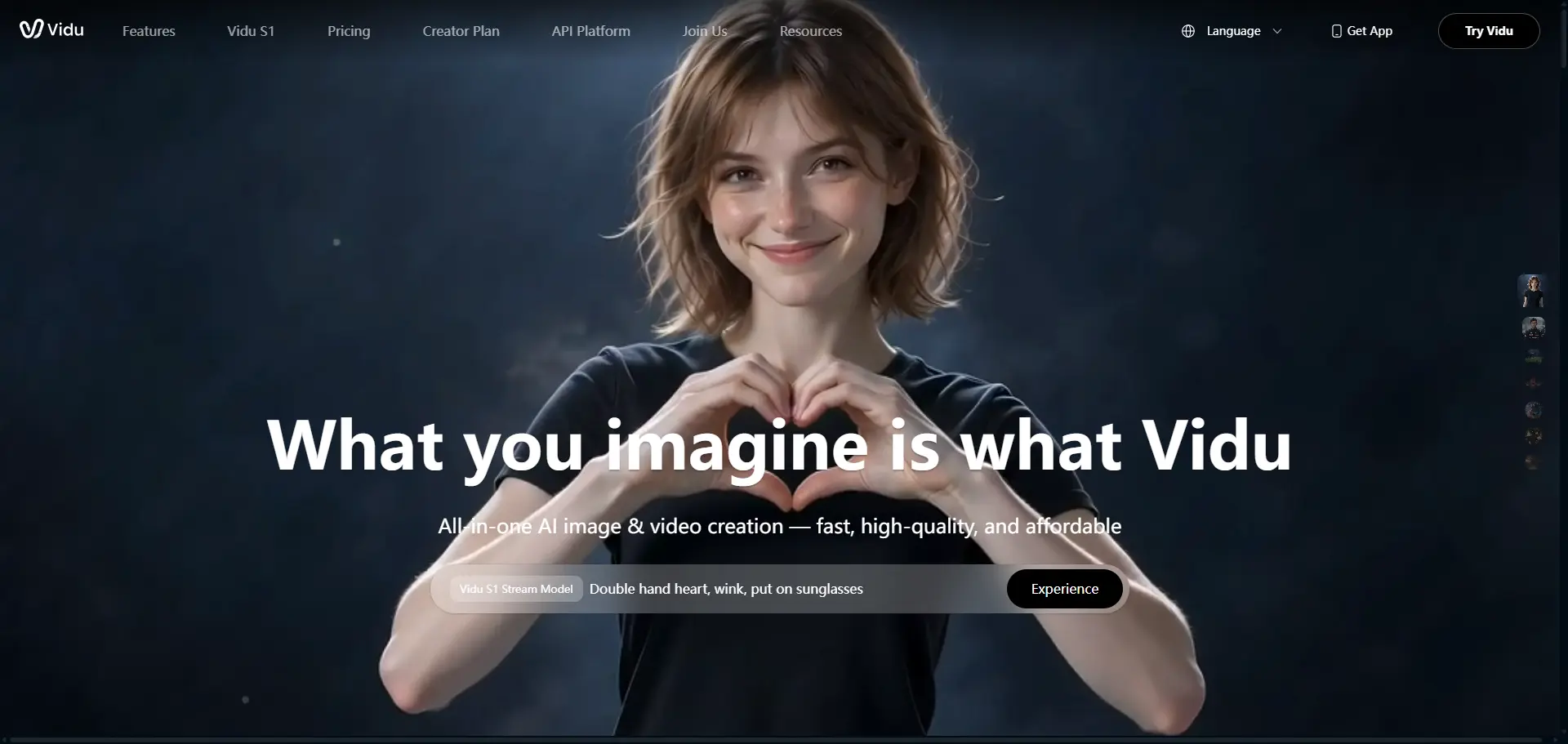
When I first opened the platform, it was clear that video generation is its priority. Most of the homepage highlights ready-to-use video templates alongside standard generation modes, so it's easy to jump into creating content without writing long prompts. That makes Vidu AI appealing if your main goal is making short clips for social media, storytelling, or creative experiments, rather than generating AI images.
Vidu AI's Core Features
After spending some time with Vidu AI, I found that most of its features revolve around one goal: making AI video creation fast and accessible. Instead of offering a complex editing timeline, it provides several generation modes for different creative needs. ● Text-to-Video: Type a prompt and Vidu generates a short video based on your description. It works well for cinematic scenes, character animations, and stylized content, although more detailed prompts generally produce more consistent results. ● Image-to-Video: Upload a still image and animate it with natural camera movement or character motion. This is one of Vidu's most practical features, especially if you already have artwork, product photos, or portraits that you want to bring to life. ● AI Templates: Vidu includes ready-made templates for popular effects like Kiss, Hug, and other social media animations. These templates require very little setup, which is one of the reasons I chose Vidu for this review. Instead of writing complex prompts, I could simply upload photos and see how the animation handled facial expressions and body movement. ● Reference-to-Video: You can upload one or more reference images to help the model maintain a character's appearance across a generated clip. This is useful when you want the output to stay closer to your original design instead of creating a completely new character. What stood out to me is that these features are designed to work together rather than exist as separate tools. I could move from a simple template to a more customized generation without much of a learning curve. Because the platform is centered on video creation, users primarily looking for advanced AI image generation may find the feature set more focused than they need.
How I Tested Vidu AI: Text-to-Video vs. Image-to-Video
I took 2 tests focusing on Text-to-Video and Image-to-Video about a kiss and compared with the results. Text-to-Video Before trying the AI Kiss template, I wanted to see how Vidu handled a scene generated entirely from text. Since text-to-video is one of its core features, it felt like the best place to start. I selected the Vidu Q3 model and entered a simple prompt focused on a realistic romantic scene rather than something complex. Prompt: A romantic couple embraces and shares a gentle kiss in front of the Eiffel Tower at sunset. Cinematic camera movement, natural facial expressions, realistic body motion, warm golden lighting.
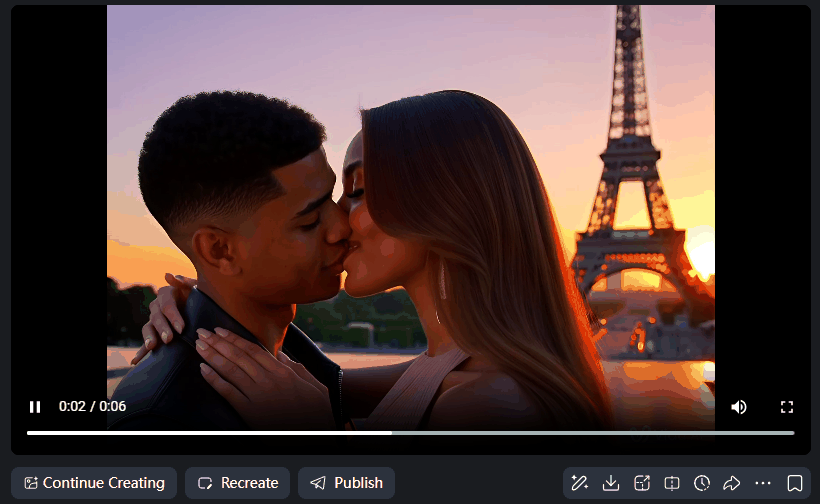
I chose to generate a 6-second video. The overall result was quite close to what I had imagined. The couple embraced, shared a kiss, and then smiled at each other afterward, which made the scene feel warm and cinematic rather than ending abruptly. The lighting and composition also matched the prompt well, creating a romantic atmosphere.
The main weakness was the kiss itself. While the characters moved naturally before and after the kiss, the exact moment their lips met looked noticeably stiff. There was almost no lip movement during the kiss, making that interaction feel less realistic than the rest of the animation. Image-to-Video Then I tested the AI Kiss feature. Instead of using an AI-generated image, I uploaded a regular photo of a couple hugging outdoors and simply clicked Generate. There was no prompt writing involved, which I appreciated because it made the feature approachable even for first-time users.

The first video was generated in less than a minute, which was faster than I expected.
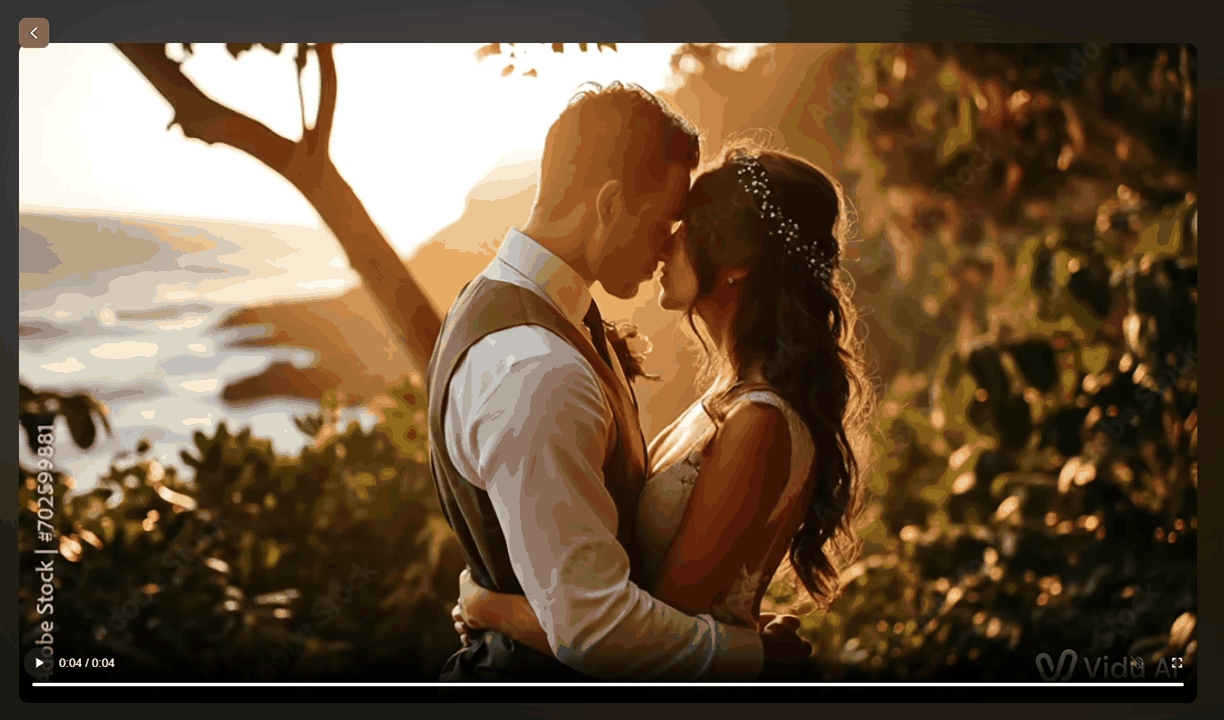
The clip itself was about four seconds long, but the animation wasn't convincing. The two people slowly leaned toward each other, yet their lips never actually touched. The movement felt unnaturally slow, almost as if the video was playing in slow motion. As their faces got closer, I also noticed their facial features gradually becoming blurry, making the final frames look a little uncanny rather than romantic. The good thing is that Vidu lets you regenerate the result with one click, so I immediately hit Recreate without changing anything else.
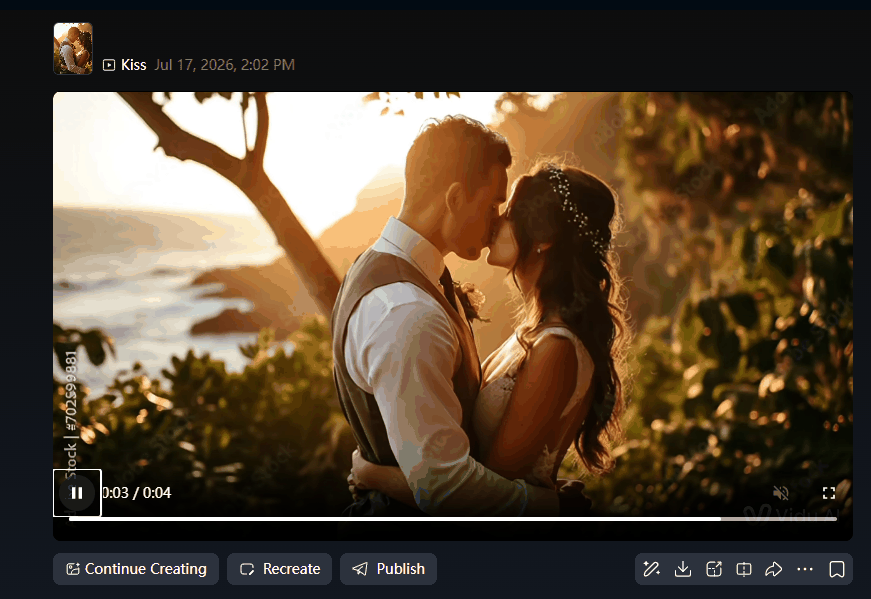
The second attempt was much better. The overall motion still felt slower than a real kiss, but the interaction looked more believable and the faces stayed much more stable throughout the clip. One detail that genuinely impressed me was the background. As the couple moved, the tree behind them swayed gently as if a breeze were blowing. It's a subtle effect, but it helped the scene feel more alive instead of looking like only the people had been animated. One issue appeared in both generations: the nose positioning. During a real kiss, people naturally tilt their heads slightly so their noses don't get in the way. Vidu AI kept both faces almost perfectly forward, creating an awkward nose-to-nose pose that immediately caught my attention. It's a small detail, but it's also one of the things our eyes notice instinctively, so it reduced the realism of the final animation. After two generations, my impression was that the AI Kiss feature has real potential, but it's still somewhat hit-or-miss. The difference between my first and second results was significant, so I'd expect to regenerate at least once to get a clip I'd actually want to share.
Vidu AI Pricing: Is It Good Value?
Vidu offers two pricing options: Subscription and Video Plan. The Subscription plan can be billed monthly or annually, with annual billing offering a lower average monthly cost. For individual users, the Standard plan starts at $8.50/month, while the Premium plan costs $30/month. The Video Plan includes a broader range of video-generation features for users with heavier production needs. As a new user, I received free credits to test different features, and I also noticed that unsuccessful generations didn't consume credits, which made it much less stressful to experiment. On top of that, there were a few free generation opportunities during my testing, so I was able to retry my videos without immediately worrying about paying. For anyone who wants to explore the platform before committing to a subscription, I think Vidu offers a fairly friendly starting experience. Pricing and plan details may change over time, so it's still worth checking the official pricing page before subscribing.

During my testing, I stayed on the free plan, and another thing I noticed was that once I ran out of credits, a subscription pop-up appeared whenever I tried to generate another video. Since I regenerated my Kiss video several times to get a better result, I encountered this prompt quite often. It wasn't difficult to close, but it did interrupt the testing flow and served as a frequent reminder that continued use would require upgrading to a paid plan.
Pros and Cons
Pros | Cons |
|---|---|
Easy to get started with ready-made. | You may have to regenerate several times to get a satisfying result. |
The Kiss video in my test was generated in under a minute. | Human interactions can still look unnatural. The kissing motion felt slower than real life, and the nose positioning looked stiff in both generations. |
Background elements can be animated naturally. I noticed the grass moving gently, which made the scene feel more realistic. | Facial details may become blurry when two faces move close together, especially during more complex interactions. |
Supports multiple AI video workflows, including text-to-video, image-to-video, reference-to-video, and social media templates. | Free credits run out quickly if you regenerate videos several times, and subscription pop-ups appear frequently once your credits are exhausted. |
Offers both Subscription and Video Plan options, giving users flexibility depending on how often they create videos. | Watermark-free downloads require a paid plan, so free users have limited export options. |
Who Should Use Vidu AI?
Best for ● Creators who want to turn photos into short, engaging videos for TikTok, Instagram Reels, or YouTube Shorts; ● Couples, friends, or travelers looking to animate memorable photos with templates like Kiss or Hug; ● Users who prefer ready-made templates over writing detailed prompts; ● Content creators who mainly focus on AI video generation rather than AI image creation; Less suitable for ● Users who expect highly realistic human interactions on the first generation; ● Professionals working on commercial projects that require frame-by-frame consistency; ● Creators with a limited credit budget who frequently regenerate videos during the creative process; ● Designers who need an all-in-one platform for both advanced AI image generation and AI video generation in the same workflow.
My Verdict: Is Vidu AI Worth It?
After spending an afternoon testing both the Text-to-Video and Kiss features, I'd say Vidu AI is worth trying if your main goal is creating short AI videos from text or photos. The platform is easy to use, generation is fairly quick in my experience, and the built-in templates make it simple to create content without writing complicated prompts. Some results were genuinely impressive, especially when the character movements and background details came together naturally.
Vidu AI vs PicLumen: Which Platform Fits Your Workflow?
While testing Vidu, I found myself wanting to browse what other people had created for inspiration. Vidu doesn't currently offer a built-in community for discovering user projects or prompts, so I started looking for an alternative and came across PicLumen. One feature that immediately stood out was PicLumen's community, where users can explore public creations, check prompts, and remix ideas. It's a nice addition when you're short on inspiration or want to learn from other creators' workflows.
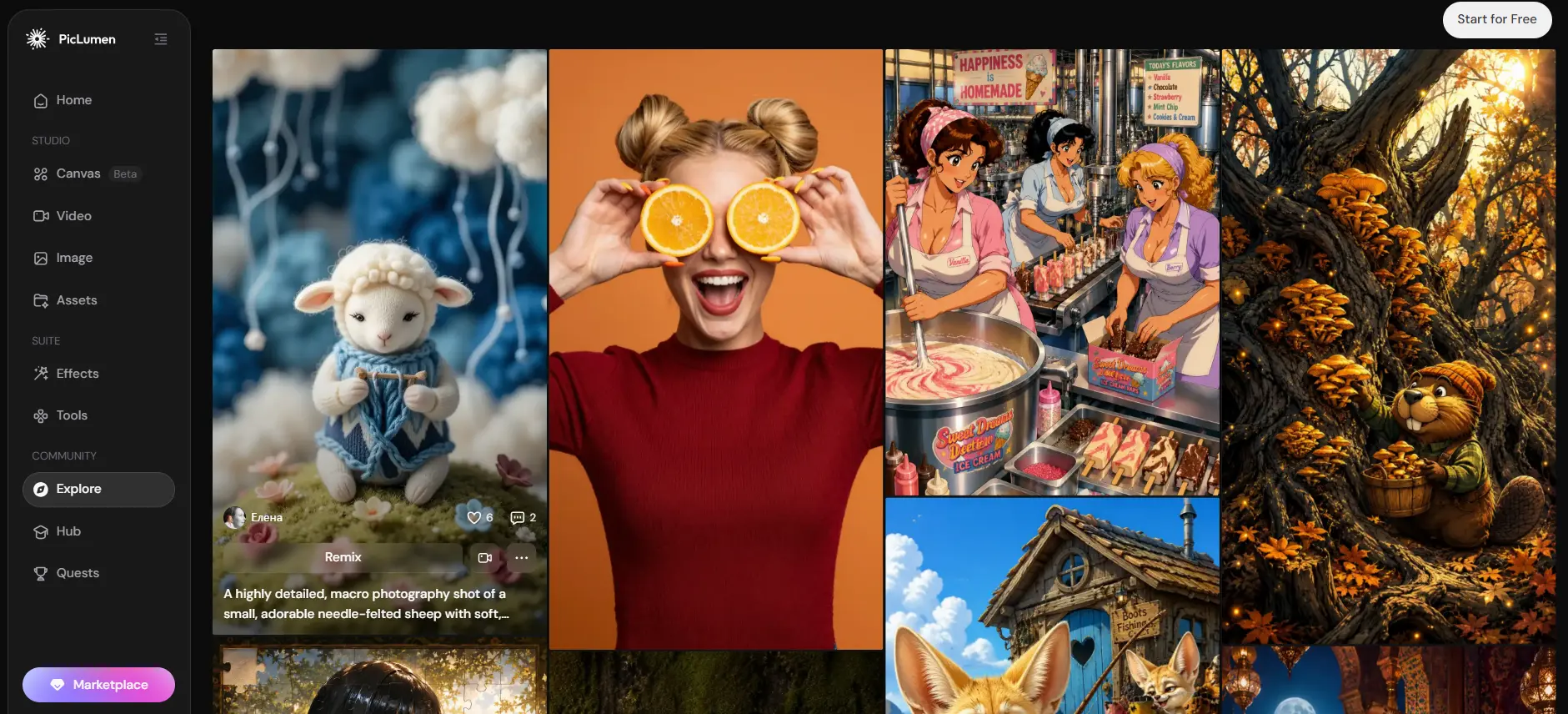
The two platforms actually target slightly different audiences. Vidu is built around AI video generation, while PicLumen provides a broader creative workflow that combines AI image generation, AI video generation, and community-driven inspiration.
Feature | Vidu AI | PicLumen |
|---|---|---|
Best for | AI video generation and cinematic animation | End-to-end AI image and video creation |
Image generation | ✅Text to Image; Reference to Image; AI Image Editing | ✅Supports Text-to-Image and Image-to-Image with multiple creative styles |
Video creation | ✅Excels at multi-reference consistency, synchronized audio-visual generation, and multi-shot camera control | ✅Supports text-to-video and image-to-video with a beginner-friendly workflow |
Canvas & workflow | ❌ No dedicated workflow canvas | ✅ Canvas is a newly launched feature with built-in workflow templates designed for e-commerce videos and short-form drama production |
Community | ❌No built-in community | ✅Community for discovering, sharing, and remixing creations |
For me, Vidu worked well when I wanted to animate a photo or experiment with AI video effects like Kiss. When my workflow involved creating images first, gathering inspiration from other creators, and then turning those visuals into videos, PicLumen felt like the more complete option. It really comes down to whether your projects start with video generation or a broader visual creation workflow.
FAQ
Does Vidu AI only have a website?
No. Besides the web version, Vidu AI also offers a mobile app.
What's Vidu AI's maximum video length?
Vidu AI lets users choose different output lengths depending on the generation mode. At the time of writing, the maximum supported video length is 16 seconds.
Is Vidu AI's Hug or Kiss feature free?
Yes, to a certain extent. New users receive free credits, which can be used to try features like Hug and Kiss. Once those free credits are used up, you'll need to purchase credits or subscribe to continue generating videos.
Is there a free alternative to Vidu AI?
If you're looking for a free alternative, PicLumen is worth considering. It offers free AI image generation along with AI video features, allowing you to create visuals from text or existing images in one platform. It also includes a community where you can explore other users' creations and prompts, making it a good choice if you want inspiration as well as generation tools.